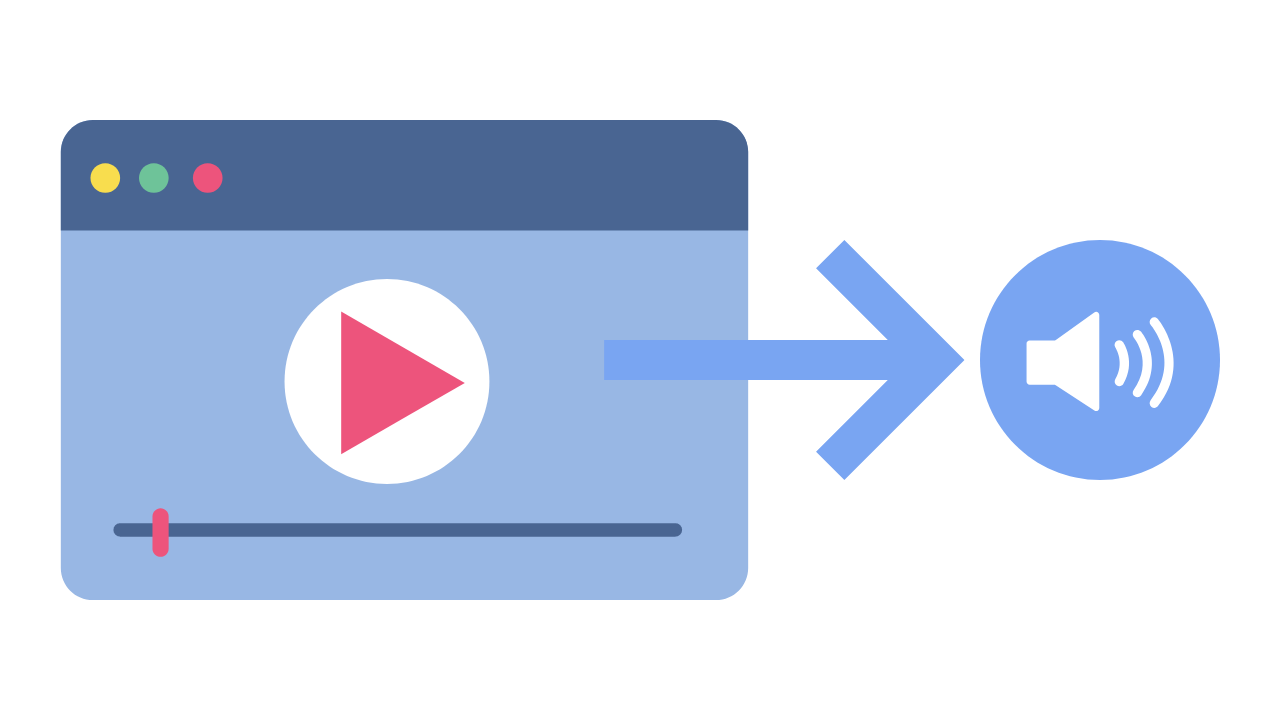
Have you ever wanted to extract audio from a video or a song, but didn’t know how to do it? Audio extraction is the process of separating the audio track from a video file, music video or even a DVD. This can be useful for a variety of reasons, such as creating a music playlist, removing background music or sound effects from a video, or simply enjoying the audio on its own.
In this guide, we will discuss everything you need to know about audio extraction, including what it is, how it works, and the best tools to use for extracting audio from various sources.
What is Audio Extraction?
Audio extraction is the process of isolating the audio from a multimedia file, such as a video or a DVD, and saving it as a separate audio file. This can be done using specialized software or online tools, and it can be used for a variety of purposes, such as creating a music playlist or removing unwanted audio from a video.
How Does Audio Extraction Work?
Audio extraction works by separating the audio track from the video or DVD file. This can be done using software that is specifically designed for audio extraction, such as VLC Media Player or Audacity. These tools allow you to import the video or DVD file, and then select the audio track that you want to extract.
Once you have selected the audio track, you can then save it as a separate audio file in a variety of formats, such as MP3, WAV, or AAC. The resulting audio file will contain only the audio from the original video or DVD file.
Best Tools for Audio Extraction:
There are a variety of tools that you can use for audio extraction, depending on your needs and preferences. Here are some of the best tools for audio extraction:
VLC Media Player: VLC is a popular media player that also has built-in audio extraction capabilities. Simply open the video or DVD file in VLC, select the audio track that you want to extract, and save it as a separate audio file.
Audacity: Audacity is a free, open-source audio editing tool that can also be used for audio extraction. Import the video or DVD file into Audacity, select the audio track, and then export it as a separate audio file.
Any Audio Converter: Any Audio Converter is a free tool that allows you to extract audio from a variety of sources, including videos and DVDs. Simply import the video or DVD file, select the audio track, and then save it as a separate audio file.
FAQs:
1. Is it legal to extract audio from a video or DVD?
The legality of audio extraction depends on the copyright laws in your country. In some cases, it may be legal to extract audio for personal use, but illegal to distribute or share the extracted audio. It’s always best to consult a legal professional if you have any doubts.
2. Can I extract audio from streaming services like Netflix or Amazon Prime Video?
Extracting audio from streaming services is often prohibited by the terms of service for these services. It is best to check the terms of service before attempting to extract audio from any streaming service.
3. What formats can I save the extracted audio in?
The formats you can save the extracted audio in will depend on the software or tool you are using for audio extraction. However, common formats include MP3, WAV, and AAC.
4. Can I extract audio from a video with multiple audio tracks?
Yes, you can extract audio from a video with multiple audio tracks. Most audio extraction tools will allow you to select the specific audio track you want to extract.
5. What can I do with extracted audio?
There are many things you can do with extracted audio, including creating a music playlist, removing background music or sound effects from a video, or simply enjoying the audio on its own.
Conclusion:
Audio extraction is a useful process that allows you to isolate and save audio from a multimedia file. With the right tools, you can extract audio from videos, music videos, and even DVDs. Whether you want to create a music playlist or remove unwanted audio from a video, audio extraction is a valuable tool to have in your arsenal.
We hope this guide has helped you understand what audio extraction is, how it works, and the best tools to use for audio extraction. Remember to always check the copyright laws in your country before extracting audio from any multimedia file.
MP3 audio files are a popular format for music and other audio recordings, but they can vary widely in volume levels and quality. To improve the listening experience, many people turn to MP3 normalizer software. But with so many options available, what features should you look for when selecting the best software for audio quality improvement? In this article, we’ll explore the top features to consider and answer some common questions about MP3 normalizer software.
Features to Look for in MP3 Normalizer Software
When selecting MP3 normalizer software, there are several key features to consider:
Batch Processing
If you have a large collection of MP3 files, you’ll want software that can process multiple files at once. Batch processing allows you to select a folder or group of files to be normalized, saving you time and effort.
Preserve Audio Quality
The primary goal of MP3 normalizer software is to improve audio quality. Look for software that can normalize volume levels without causing any distortion or loss of quality to the audio file.
Customizable Settings
Different audio files may require different normalization settings. Look for software that allows you to adjust the normalization settings, such as target volume level, peak normalization, and RMS normalization.
File Format Support
While MP3 is a popular audio format, it’s not the only one. Look for software that supports a wide range of audio file formats, such as WAV, FLAC, and AAC.
Simple User Interface
MP3 normalizer software should be user-friendly and easy to use. Look for software with a simple and intuitive interface that allows you to quickly select and normalize your audio files.
How MP3 Normalizer Software Works
MP3 normalizer software works by analyzing the volume levels of an audio file and adjusting them to a target level. The software scans the entire audio file, identifies the loudest and quietest parts, and then adjusts the volume levels to create a more consistent listening experience. This can improve the overall audio quality and prevent the need to constantly adjust the volume levels during playback.
Free vs. Premium MP3 Normalizer Software
There are both free and premium options available for MP3 normalizer software. Free software can be a great option for those on a budget, but it may not offer the same level of features or customization options as premium software. Premium software typically offers more advanced features and better performance.
Potential Loss of Quality or Distortion
While MP3 normalizer software is designed to improve audio quality, it is possible for the software to cause loss of quality or distortion during the normalization process. To avoid this, select software that uses advanced algorithms to preserve audio quality and avoid any unnecessary adjustments that could cause distortion.
Normalization Time
The amount of time it takes to normalize an MP3 file can vary depending on the size of the file and the processing power of your computer. In general, however, most files can be normalized within a few minutes.
Advantages of MP3 Normalizer Software
Using MP3 normalizer software can offer several advantages over adjusting the volume levels manually. For one, it can save you time and effort, as you won’t need to manually adjust the volume levels for each file. Additionally, MP3 normalizer software can improve the overall listening experience by creating a more consistent volume level across multiple files.
Best Software for Different Audio Files
Certain MP3 normalizer software programs may be better suited for certain types of audio files. For example, some software may be better suited for music files, while others may be better suited for speech recordings. Look for software that offers customizable settings and options to ensure optimal results for the specific type of audio file you’re working with.
File Size and Normalization
The normalization process can affect the overall file size of an MP3 audio file. When normalizing, the software may need to make adjustments to the audio file, which can result in a larger file size. However, this increase in file size is usually minimal and shouldn’t be a significant concern.
Cost of MP3 Normalizer Software
The cost of MP3 normalizer software can vary widely, depending on the features and level of performance offered. Some software may be available for free, while others may cost several hundred dollars. Additionally, some software may require ongoing subscription fees or additional costs for updates or advanced features. When selecting MP3 normalizer software, consider your budget and the features you require to find the best option for your needs.
Recommended Settings and Best Practices
To ensure optimal results when using MP3 normalizer software, there are some recommended settings and best practices to follow. For example, it’s important to choose the correct normalization settings for the specific type of audio file you’re working with. Additionally, it’s a good idea to make a backup copy of your original audio files before normalizing them, in case of any unexpected issues or changes.
Conclusion
Selecting the best MP3 normalizer software for your needs can help improve the overall audio quality of your files and provide a more consistent listening experience. When selecting software, consider features such as batch processing, customizable settings, and file format support, and be sure to choose software that can preserve audio quality and avoid distortion. With the right software and best practices, you can easily normalize your MP3 files and enjoy a better listening experience.
Are you an audiophile who loves listening to music but is always running out of storage space on your devices? Do you ever wonder how digital audio files are compressed to save space? If you’re curious about the technology behind digital audio compression, you’ve probably heard of MP3 and Huffman encoding.
MP3 is a popular digital audio format that has revolutionized the way we listen to and store music. It allows us to compress large audio files into smaller, more manageable sizes without compromising on sound quality. Huffman encoding, on the other hand, is a data compression algorithm that reduces the size of data by encoding it in a more efficient way.
But what happens when these two technologies come together? In this article, we’ll explore the magic of MP3 Huffman encoding and how it has transformed the digital audio landscape.
What is MP3 Huffman Encoding?
MP3 Huffman encoding is a type of lossy audio compression that uses a combination of two compression algorithms – MP3 and Huffman encoding. This technology was first introduced in the mid-1990s and quickly became the standard for digital audio compression.
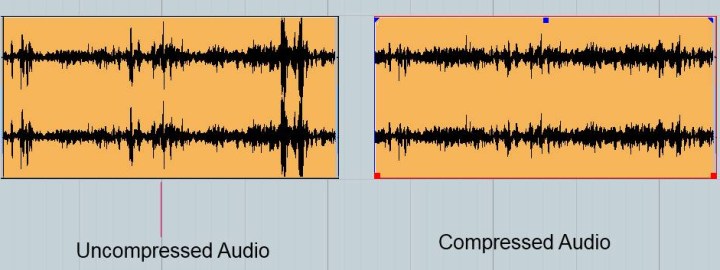
The MP3 compression algorithm is based on psychoacoustic principles, which means that it takes advantage of the limitations of human hearing to remove any redundant or irrelevant data from an audio file. This allows MP3 to achieve high compression ratios without sacrificing sound quality.
Huffman encoding, on the other hand, is a more general-purpose compression algorithm that is used to compress any type of data, not just audio. It works by analyzing the frequency of occurrence of each data element and then assigning a variable-length code to each element. This variable-length code allows more frequently occurring data elements to be represented by shorter codes, reducing the overall size of the data.
When MP3 and Huffman encoding are combined, the result is a highly efficient audio compression algorithm that can compress audio files to a fraction of their original size while maintaining near-CD quality sound.
How Does MP3 Huffman Encoding Work?
MP3 Huffman encoding works by first breaking down an audio file into a series of individual frames. Each frame represents a small portion of the audio, typically around 26 milliseconds in length. These frames are then processed using the MP3 compression algorithm to remove any redundant or irrelevant data.
Once the frames have been compressed using MP3, they are further compressed using Huffman encoding. Huffman encoding works by creating a Huffman tree, which is a binary tree that is used to assign variable-length codes to each data element.
The Huffman tree is created by analyzing the frequency of occurrence of each data element in the compressed audio frames. More frequently occurring data elements are assigned shorter codes, while less frequently occurring elements are assigned longer codes. This allows the compressed audio frames to be represented using fewer bits, reducing the overall size of the audio file.
When the audio file is played back, the MP3 Huffman decoder uses the Huffman tree to decode the variable-length codes back into their original data elements. The resulting audio is almost identical to the original uncompressed audio, but with a much smaller file size.
The Benefits of MP3 Huffman Encoding
MP3 Huffman encoding has several benefits over other audio compression technologies:
High compression ratios: MP3 Huffman encoding can compress audio files to a fraction of their original size without sacrificing sound quality.
Near-CD quality sound: The psychoacoustic principles used in MP3 compression ensure that the resulting audio is almost identical to the original uncompressed audio.
How MP3 Huffman Encoding Revolutionized Digital Audio
The introduction of MP3 Huffman encoding revolutionized the way we listen to and store music. Before this technology, digital audio files were large and cumbersome, making them difficult to store and share. MP3 Huffman encoding allowed us to compress these files into smaller, more manageable sizes, making it easier to store and share music online.
With the rise of the internet and digital music, MP3 Huffman encoding became the de facto standard for digital audio compression. This technology allowed music lovers to store thousands of songs on their devices, opening up a whole new world of possibilities for music consumption.
Today, MP3 Huffman encoding is still widely used, although newer technologies like AAC and OGG have emerged as potential successors. However, MP3 remains one of the most popular digital audio formats, and its influence can be seen in the way we consume and enjoy music today.
Frequently Asked Questions
What is the difference between MP3 and MP3 Huffman encoding?
MP3 is a digital audio format that uses psychoacoustic principles to compress audio files. MP3 Huffman encoding is a combination of the MP3 compression algorithm and Huffman encoding, which allows for even greater compression ratios while maintaining high sound quality.
Is MP3 Huffman encoding lossless or lossy?
MP3 Huffman encoding is a type of lossy audio compression. This means that some information is lost during the compression process, resulting in a smaller file size. However, the resulting audio is almost identical to the original uncompressed audio.
Can MP3 Huffman encoding be used for other types of data compression?
Yes, Huffman encoding is a general-purpose data compression algorithm that can be used to compress any type of data, not just audio. However, the combination of MP3 and Huffman encoding is specifically optimized for audio compression.
Conclusion
MP3 Huffman encoding is a powerful technology that has revolutionized the digital audio landscape. By combining the MP3 compression algorithm with Huffman encoding, we can compress large audio files into smaller, more manageable sizes without sacrificing sound quality.
This technology has opened up a whole new world of possibilities for music lovers, allowing us to store and share thousands of songs on our devices. Although newer technologies may emerge in the future, MP3 Huffman encoding will always be remembered as a groundbreaking innovation that changed the way we listen to and store music.
Meta Description: Discover the difference between MP3 and lossless audio formats and understand which one suits your listening preferences.
Introduction
Music is an essential part of our lives. It can evoke emotions, motivate us, and even help us relax. The format we listen to music in can have a significant impact on our listening experience. Two of the most popular audio formats are MP3 and lossless. While MP3 is widely used, lossless audio formats are gaining popularity. This article will explore the differences between MP3 and lossless audio formats and help you understand which one is best for your listening preferences.
MP3 vs Lossless: What’s the Difference?
MP3 is a compressed audio format that reduces the file size of audio recordings while maintaining reasonable sound quality. Lossless audio formats, on the other hand, preserve the audio quality of the original recording. Let’s delve deeper into the differences between MP3 and lossless audio formats.
Compression
MP3 audio files are compressed to reduce the file size. This compression results in some data loss, which affects the audio quality. Lossless audio formats, such as FLAC or ALAC, compress audio files without losing any data. This compression is possible due to the fact that these audio formats eliminate redundancy in audio data.
Audio Quality
MP3 audio files have a lower audio quality than lossless audio formats. The audio quality is reduced due to data compression. Lossless audio formats maintain the audio quality of the original recording, making them a better choice for audiophiles and music enthusiasts who want the best possible sound quality.
File Size
MP3 files are significantly smaller in size than lossless audio formats. This small size makes MP3 files easy to share and store, making them a popular choice for digital music distribution. Lossless audio formats, on the other hand, are larger in size, which makes them more challenging to share and store.
Compatibility
MP3 audio files are compatible with a wide range of devices and media players, making them an accessible audio format. Lossless audio formats, on the other hand, have limited compatibility and require specialized software or hardware to play them.
Head-to-Head Comparison: MP3 vs Lossless
Let’s compare MP3 and lossless audio formats head-to-head based on the following factors:
Audio Quality: MP3 compresses audio data, which results in reduced audio quality. Lossless audio formats preserve the audio quality of the original recording.
File Size: MP3 files are significantly smaller in size than lossless audio formats.
Compatibility: MP3 files are compatible with a wide range of devices and media players. Lossless audio formats have limited compatibility and require specialized software or hardware to play them.
Portability: MP3 files are easy to share and store due to their small size. Lossless audio formats are larger in size, making them more challenging to share and store.
Ease of Use: MP3 files are easy to use and require no specialized software or hardware. Lossless audio formats require specialized software or hardware to play them.
Based on the above comparison, MP3 audio files are an excellent choice for those who value portability and ease of use, while lossless audio formats are a better choice for audiophiles who value audio quality over file size.
FAQs
Q: Is MP3 audio quality good enough? A: MP3 audio quality is good enough for most casual listeners. However, audiophiles and music enthusiasts may prefer lossless audio formats for their superior audio quality.
Q: Are lossless audio formats worth the larger file size? A: Lossless audio formats are worth the larger file size for audiophiles and music enthusiasts who value audio quality over file size.
Q: Converting MP3 to Lossless Audio Formats
It is possible to convert MP3 files to lossless audio formats like FLAC or ALAC. However, this conversion does not improve the audio quality of the original MP3 file. The converted file will have the same audio quality as the original MP3 file. Converting an MP3 file to a lossless format only increases the file size and does not improve the audio quality.
Choosing the Right Audio Format for You
When choosing between MP3 and lossless audio formats, it is essential to consider your listening preferences. If you value portability and ease of use, MP3 is the way to go. MP3 files are compatible with a wide range of devices and media players and have a small file size, making them easy to share and store. However, if you are an audiophile or music enthusiast who values audio quality over file size, lossless audio formats like FLAC or ALAC are the way to go. These formats preserve the audio quality of the original recording and provide a superior listening experience.
Conclusion
In conclusion, the choice between MP3 and lossless audio formats ultimately depends on your listening preferences. MP3 files are excellent for those who value portability and ease of use, while lossless audio formats are the better choice for those who prioritize audio quality over file size. Regardless of which format you choose, music is a universal language that brings people together and enhances our lives in countless ways.
Audio noise is the unwanted sound that gets recorded or produced along with the desired sound. It can be caused by various factors, such as electrical interference, background noise, microphone hiss, or low-quality equipment. Audio noise can be a significant distraction and can ruin the listening experience for the listener.
Types of Audio Noise
1. Electrical Interference
Electrical interference is caused by electrical devices or wiring that can generate electromagnetic fields. These fields can interfere with the audio signal, causing a buzzing or humming sound. Examples of electrical interference include power cables, fluorescent lights, and electronic devices such as smartphones or computers.
2. Background Noise
Background noise is any noise that is present in the recording environment. It can be caused by environmental factors such as wind, rain, traffic, or people talking. Background noise can be challenging to remove without affecting the desired audio signal.
3. Microphone Hiss
Microphone hiss is caused by the internal noise of the microphone itself. This noise is more apparent in lower-quality microphones and can be reduced by using high-quality microphones or by using a noise reduction filter.
Methods for Audio Noise Reduction
1. Audio Editing Software
Audio editing software, such as Adobe Audition or Audacity, has built-in noise reduction tools that can remove unwanted noise from audio recordings. These tools work by analyzing the audio signal and removing any frequencies that match the noise profile. The effectiveness of the tool depends on the complexity and type of noise present in the recording.
2. Noise Reduction Filters
Noise reduction filters are hardware devices that can be used to remove unwanted noise from audio recordings. These filters work by analyzing the audio signal and removing any frequencies that match the noise profile. They are particularly useful for removing electrical interference and microphone hiss.
3. Dynamic Noise Reduction
Dynamic noise reduction is a technique that can be used to reduce unwanted noise from audio recordings in real-time. This technique works by analyzing the audio signal and dynamically adjusting the noise reduction filter to remove any unwanted noise. This method is particularly useful for removing background noise during live performances or recording sessions.
Tips for Effective Audio Noise Reduction
Record in a quiet environment
Use high-quality equipment
Use a noise reduction filter or software
Use dynamic noise reduction if recording in a live environment
Avoid over-processing the audio signal
Conclusion
Audio noise can be a significant distraction and can ruin the listening experience for the listener. Fortunately, there are several methods available for removing unwanted noise from audio recordings. By following the tips mentioned above and using appropriate noise reduction methods, you can produce high-quality audio recordings with minimal noise.
FAQs
What is the best software for audio noise reduction?
There are several audio editing software available that have built-in noise reduction tools, such as Adobe Audition and Audacity. However, the effectiveness of the tool depends on the complexity and type of noise present in the recording.
What is the difference between noise reduction and noise suppression?
Noise reduction and noise suppression are both techniques used to remove unwanted
Copy to Clipboard
Noise reduction and noise suppression are both techniques used to remove unwanted
background noise from audio recordings, but they work differently.
Noise Reduction
Noise reduction is a technique that involves reducing the noise level in an audio recording without affecting the quality of the audio. The goal is to minimize the unwanted noise and leave the audio intact. This technique is often used in post-production and editing of audio recordings.
There are different ways to perform noise reduction, including:
Equalization: This technique involves adjusting the frequency response of the audio recording to remove unwanted frequencies that cause noise.
Filtering: This technique involves using a high-pass filter to remove low-frequency noise and a low-pass filter to remove high-frequency noise.
Noise gates: This technique involves setting a threshold level below which the audio is muted, effectively removing any noise below that level.
Spectral editing: This technique involves analyzing the spectral content of the audio and selectively removing unwanted noise.
Noise Suppression
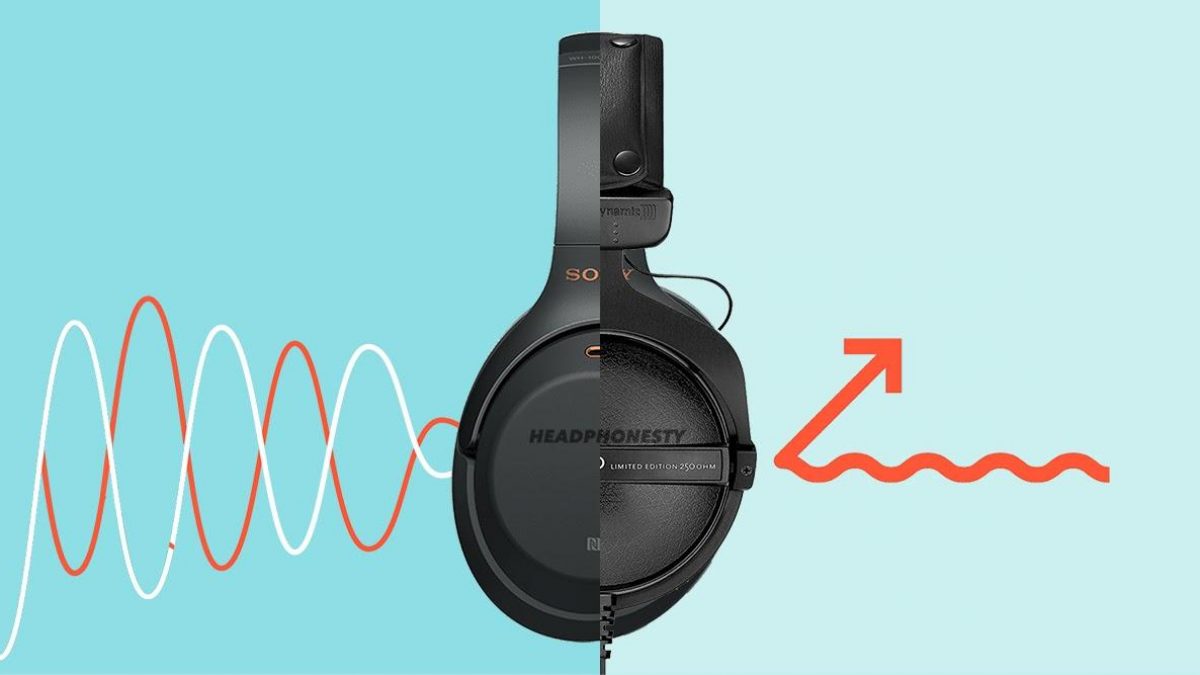
Noise suppression is a technique that involves removing unwanted noise by actively suppressing it. This technique is often used in real-time audio processing and is commonly used in applications such as noise-cancelling headphones and conference call software.
There are different ways to perform noise suppression, including:
Adaptive filtering: This technique involves analyzing the noise signal and creating an adaptive filter that actively removes the noise in real-time.
Subtraction: This technique involves recording a sample of the noise and then subtracting it from the audio signal to remove the noise.
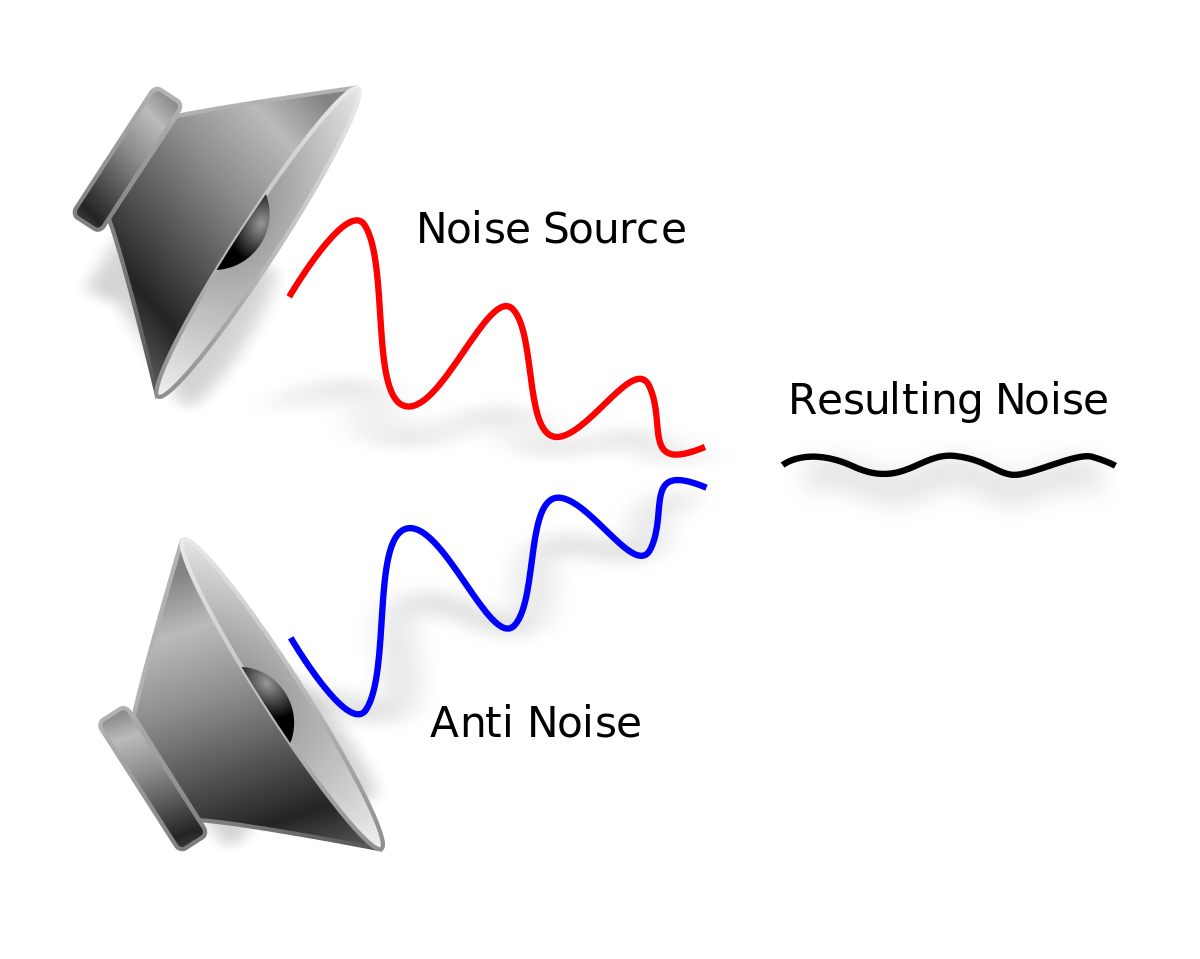
Active noise cancellation: This technique involves using an anti-noise signal that cancels out the unwanted noise.
Best Practices for Audio Noise Reduction
When performing audio noise reduction, it is important to follow some best practices to achieve the best results:
Record in a quiet environment: The best way to reduce noise is to avoid recording it in the first place. Record in a quiet environment, away from sources of noise.
Use a good microphone: A good microphone will capture the audio with high quality and reduce the noise level.
Use a pop filter: A pop filter is a device that reduces the popping sound when speaking into a microphone, which can help reduce unwanted noise.
Record at the correct level: Recording at the correct level ensures that the signal is strong enough to minimize the noise level.
Perform noise reduction as the last step: Perform noise reduction as the last step in the audio editing process to avoid degrading the quality of the audio.
FAQ
What is audio noise?
Audio noise is any unwanted sound that is captured during audio recording. It can be caused by a variety of sources, including electronic interference, background noise, and environmental factors.
What is the difference between noise reduction and noise suppression?
Noise reduction involves reducing the noise level in an audio recording without affecting the quality of the audio, while noise suppression involves actively suppressing unwanted noise in real-time.
What are the best practices for audio noise reduction?
The best practices for audio noise reduction include recording in a quiet environment, using a good microphone, using a pop filter, recording at the correct level, and performing noise reduction as the last step in the audio editing process.
What are some common techniques used for audio noise reduction?
Common techniques used for audio noise reduction include equalization involves adjusting the levels of different frequency components in the audio signal to reduce the effect of noise. The process involves boosting or reducing certain frequencies using an equalizer. For example, if noise is concentrated at a particular frequency range, an equalizer can be used to attenuate that range.
Filtering is a technique that involves removing unwanted frequencies from an audio signal. High-pass filters, low-pass filters, and band-pass filters are commonly used for this purpose. High-pass filters remove frequencies below a certain threshold, while low-pass filters remove frequencies above a certain threshold. Band-pass filters allow frequencies within a certain range to pass while attenuating frequencies outside that range.
Spectral subtraction is a more sophisticated technique that involves estimating the spectral content of the noise and subtracting it from the original signal. The process involves first analyzing the spectral content of the noise and then creating a noise profile. The noise profile is then subtracted from the original signal to reduce the noise.
Other techniques used for audio noise reduction include adaptive filtering, which involves dynamically adjusting a filter to remove noise, and wavelet analysis, which involves decomposing the signal into different frequency bands and selectively removing noise from each band.
Challenges of Audio Noise Reduction
While there are several techniques for audio noise reduction, the process is not always straightforward. In some cases, removing noise can result in a loss of signal quality, leading to artifacts such as distortion, clipping, and phasing. Additionally, different types of noise require different techniques for effective reduction.
Moreover, it can be challenging to distinguish between noise and signal components in some cases, making it difficult to remove noise without affecting the signal. For example, in the case of speech signals, noise can be difficult to distinguish from the natural variation in the speaker’s voice.
Conclusion
Audio noise reduction is a crucial technique for improving the quality of audio recordings. There are several techniques available for reducing noise, including equalization, filtering, and spectral subtraction. However, the process can be challenging, and it is essential to understand the different types of noise and the appropriate techniques for reducing them.
In conclusion, noise reduction is an essential process that can help improve the quality of audio recordings. By understanding the different techniques available for reducing noise and the challenges associated with the process, it is possible to achieve effective noise reduction without compromising signal quality.
Audio streaming is the process of delivering audio content over the internet in real-time. It has revolutionized the way we consume audio content, providing users with instant access to a vast library of music, podcasts, and other audio content from anywhere in the world. Today, audio streaming has become a staple in our daily lives, with millions of people around the globe using audio streaming services on a daily basis.
The Evolution of Audio Streaming
Audio streaming has come a long way since its inception in the 1990s. Back then, audio streaming was limited by slow internet speeds, poor audio quality, and a lack of available content. However, with the advent of high-speed internet, advancements in audio compression technology, and the proliferation of smartphones and other mobile devices, audio streaming has exploded in popularity over the past decade.
Today, there are countless audio streaming services available, catering to every taste and preference. From music streaming services like Spotify, Apple Music, and Tidal, to podcast streaming services like Stitcher and Pocket Casts, there is an audio streaming service for everyone.
The Benefits of Audio Streaming
There are many benefits to using audio streaming services. For one, audio streaming allows users to access a vast library of content from anywhere in the world, at any time. This means that users can listen to their favorite music or podcast while commuting, working out, or just relaxing at home.
Audio streaming services also offer personalized recommendations based on a user’s listening history, allowing users to discover new content that they might not have otherwise found. Additionally, many audio streaming services offer offline listening, which allows users to download their favorite content for offline playback when they don’t have access to the internet.
The Future of Audio Streaming
As internet speeds continue to increase and technology continues to advance, the future of audio streaming looks bright. We can expect to see continued growth in the number of audio streaming services available, as well as improvements in audio quality, personalization, and content discovery.
Additionally, the rise of smart speakers and voice assistants like Amazon Alexa and Google Assistant has opened up new opportunities for audio streaming. In the future, we can expect to see more integration between audio streaming services and smart home devices, allowing users to control their audio playback using their voice.
Conclusion
Audio streaming has revolutionized the way we consume audio content, providing us with instant access to a vast library of music, podcasts, and other audio content from anywhere in the world. With advancements in technology and internet speeds, we can expect to see continued growth in the popularity of audio streaming in the years to come.
And as a side note, we recommend using MP4Gain to improve the quality of your audio streaming experience.
FAQ
What is the difference between audio streaming and downloading?
Audio streaming involves listening to audio content in real-time over the internet, while downloading involves saving a copy of the content to your device for offline playback. With streaming, you don’t need to download the content to your device, saving storage space and allowing you to access a vast library of content without taking up space on your device.
Are audio streaming services free?
Many audio streaming services offer both free and paid options. Free options typically come with ads and limited features, while paid options offer ad-free listening, higher quality audio, and additional features like offline playback.
What is the best audio streaming service?
There is no one-size-fits-all answer to this question, as the best audio streaming service depends on your personal preferences and needs. Some factors to consider when choosing an audio streaming service include the available content, sound quality, user interface, price, and device compatibility.
Content availability is one of the most important factors to consider when choosing an audio streaming service. Some services offer a more extensive music library than others, and the availability of specific genres or artists can vary. You should also consider if the streaming service has exclusive content, such as live sessions, concerts, or podcasts that may interest you.
Another important factor is sound quality. If you’re an audiophile or someone who values high-quality sound, you should choose a streaming service that offers lossless or high-fidelity audio. However, keep in mind that higher sound quality often comes with higher prices.
User interface and ease of use are also essential considerations. A user-friendly interface can make your experience more enjoyable and intuitive. Look for a streaming service that offers personalized recommendations and curated playlists that cater to your music preferences.
Price is also an important factor. While some streaming services offer free access, they may come with ads and limited features. Paid subscription services, on the other hand, offer more features, higher quality sound, and ad-free listening experiences. However, the cost of these services can vary significantly, so it’s important to consider your budget.
Lastly, device compatibility is essential. Make sure the streaming service you choose is compatible with your devices, including your smartphone, tablet, and smart speakers. Some services may also have limitations on the number of devices you can use simultaneously.
Overall, when choosing an audio streaming service, it’s important to consider your individual preferences and needs. Take advantage of free trials and explore different services to find the one that works best for you.
Spotify is a music streaming platform that allows you to listen to millions of songs from various artists and genres. It is available on computers, mobile devices, and tablets. Spotify offers a wide range of features such as personalized playlists, radio stations, podcasts, and social sharing options.
Why do people want to convert Spotify to mp3?
There could be various reasons why someone would want to convert Spotify songs to mp3 files. Here are a few examples:
To listen to music offline: With Spotify, you need an internet connection to listen to music. However, by converting a Spotify song or playlist to mp3, you can download and save it on your device and listen to it without an internet connection.
To play music on a non-supported device: Some devices may not support the Spotify app or format, but they can play mp3 files. By converting a Spotify song to mp3, you can listen to it on any device that supports the mp3 format.
To create a backup: By converting a Spotify song to mp3 and saving it on your device, you can create a backup in case the song is no longer available on Spotify.
To share with others: By converting a Spotify song to mp3, you can share it with others who may not have access to Spotify or who prefer to listen to music in mp3 format.
How to convert Spotify to mp3?
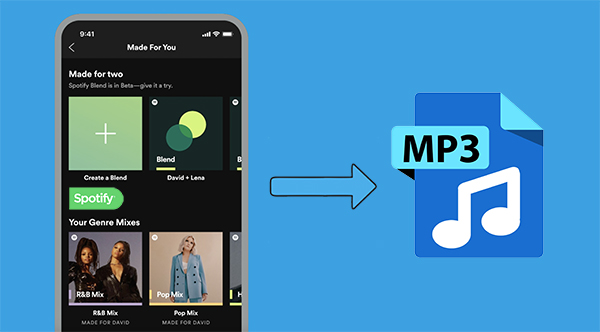
To convert a Spotify song or playlist to mp3, you need a Spotify to mp3 converter tool. There are several online tools available that can help you convert Spotify songs to mp3 files.
Step 1: Find a reliable Spotify to mp3 converter
You can find a reliable Spotify to mp3 converter by searching on search engines like Google or Bing. Make sure to read reviews and check the reputation of the tool before using it.
Step 2: Copy the Spotify song or playlist link
Go to Spotify and copy the link of the song or playlist that you want to convert to mp3.
Step 3: Paste the link into the Spotify to mp3 converter tool
Open the Spotify to mp3 converter tool that you found in step 1 and paste the copied Spotify song or playlist link into the provided field.
Step 4: Convert and download
After pasting the Spotify song or playlist link into the converter tool, select the mp3 format and click on the convert button. The converter tool will then convert the Spotify song or playlist to mp3 and provide a download link. Click on the download link to save the converted mp3 file on your device.
How can mp4gain improve the sound quality of Spotify songs?
Mp4gain is a software tool that can be used to improve the sound quality of audio files, including Ogg files used by Spotify. By using mp4gain to optimize the sound quality of Ogg files before converting them to mp3, you can get the best possible sound quality in the resulting mp3 file. Mp4gain works by analyzing the audio file and adjusting the volume and equalization levels to enhance the overall sound quality.
How to use mp4gain to improve the sound quality of converted Spotify songs?
Once you have converted your Spotify songs to MP3 using an appropriate converter tool, you may want to improve the sound quality before enjoying them on your preferred device. This is where mp4gain comes in handy.
Mp4gain is a software tool that can adjust the volume and equalize the sound levels of your audio files, resulting in better sound quality. To use mp4gain to improve the sound quality of your converted Spotify songs, follow these simple steps:
Download and install mp4gain on your computer.
Launch the software and click on the “Add Files” button to select the MP3 files you want to improve.
Once you have added the files, mp4gain will analyze them and display the sound levels graphically. You can use the tools provided to adjust the volume and equalization settings until you are satisfied with the sound quality.
Once you have made the desired adjustments, click on the “Apply Gain” button to save the changes.
Finally, save the improved files to your preferred location on your computer.
By using mp4gain to improve the sound quality of your converted Spotify songs, you can enjoy them with better audio quality, making for a more enjoyable listening experience.
Conclusion
Converting Spotify songs to MP3 can be a great way to enjoy your favorite tracks on various devices without any restrictions. However, it’s important to remember that converting copyrighted material without proper authorization may be illegal in some regions.
If you do choose to convert your Spotify songs to MP3, make sure you use a reliable and secure converter tool and consider using mp4gain to improve the sound quality of your audio files.
Remember, it’s always best to support artists and their work by purchasing their music through legitimate channels. With that said, we hope this guide has been helpful in explaining how to convert Spotify to MP3 and improve the sound quality of your audio files using mp4gain.
MP3 is a digital audio format that compresses audio files to make them smaller in size without significantly affecting the sound quality. MP3 stands for MPEG-1 Audio Layer 3 and is a type of lossy compression. This means that some audio data is lost during the compression process to reduce the file size. As a result, the audio quality of an MP3 file may not be as good as the original file.
For example, suppose you have a song that is 4 minutes long with a bitrate of 320 kbps. The uncompressed audio file may have a size of around 40 MB, but if you compress it into an MP3 file with a bitrate of 128 kbps, the file size may be reduced to around 3-4 MB. This makes it easier to store and share the audio file, but the audio quality may be affected by the compression process.
What is MP4?
MP4 is a digital multimedia container format that can store audio, video, and other types of data. MP4 uses various codecs, including AAC, to compress audio files while maintaining high quality. Unlike MP3, MP4 is a type of lossless compression, meaning that no audio data is lost during the compression process. As a result, the audio quality of an MP4 file is usually better than that of an MP3 file.
For example, if you compress the same 4-minute song with a bitrate of 128 kbps into an MP4 file, the file size may be larger, around 5-6 MB. However, the audio quality will be better than the MP3 file because no audio data was lost during the compression process.
How Does Audio Quality Compare between MP3 and MP4?
When it comes to audio quality, MP4 generally provides better quality than MP3. This is because MP4 uses a more advanced compression method that preserves more of the original audio data. MP4 can also support higher bitrates, which means that it can provide higher quality audio compared to MP3 at the same file size.
For example, imagine you have a song that is 4 minutes long and has a bitrate of 320 kbps. If you compress this song into an MP3 file with a bitrate of 128 kbps, the file size may be around 3-4 MB. However, if you compress the same song into an MP4 file with a bitrate of 128 kbps, the file size may be around 5-6 MB. Despite the larger file size, the MP4 file will likely sound better because it preserves more of the original audio data.
Another way to compare audio quality between MP3 and MP4 is by using a tool that can analyze the audio spectrum and display the differences between the two formats. For example, you can use a free online tool called “Sonic Visualizer” to compare the waveform and spectrogram of an MP3 file and an MP4 file. The spectrogram displays the frequency content of the audio over time, and you can see that the MP4 file has more high-frequency content and less distortion compared to the MP3 file.
Can Audio Quality be Improved?
Yes, audio quality can be improved for both MP3 and MP4 files using a variety of methods. One method is to increase the bitrate of the audio file during the compression process. This will result in a larger file size but will also improve the audio quality for the same reason – it is a type of lossless compression, meaning that no audio data is lost during the compression process. This is important for professionals in the music and audio industry who require high-quality audio files for their work.
Conclusion
In summary, MP3 and MP4 are both popular digital audio formats used for storing and sharing audio files. MP3 uses a type of lossy compression, while MP4 uses a type of lossless compression. This means that MP4 generally provides better audio quality compared to MP3, but at the cost of a larger file size. However, both formats can be improved through various methods such as increasing the bitrate or using a different codec. Ultimately, the choice of format depends on the specific needs and preferences of the user.
Digital audio and video are types of data that we can store on a computer or other electronic device. They are made up of a series of numbers that represent the sound or image we want to save. This means that instead of using physical materials like film or tape to record sound or video, we can use a computer to store and manipulate digital versions of that data.
Digital Audio and Video
How is sound digitized?
Sound is a type of wave that travels through the air. When we want to digitize sound, we need to find a way to measure that wave and turn it into a series of numbers. We do this by using a device called a microphone, which converts sound waves into electrical signals that can be processed by a computer.
Here’s an example: imagine you’re at a concert and you want to record a song using your phone. You turn on the voice memo app and hold your phone up to the speakers. The microphone in your phone converts the sound waves from the speakers into electrical signals that are then turned into a digital audio file that you can listen to later.
How are multiple sounds combined into a single file?
When we record sound using a microphone, we’re not just capturing one sound at a time. We’re also picking up any other sounds that might be happening in the background, like people talking or the sound of a car driving by. So how do we store all of these different sounds in a single file?
The answer is that each sound is given its own “channel” in the digital audio file. Imagine that you have a stereo system with two speakers – one on the left and one on the right. When you record a song using your phone, the sound that’s coming out of the left speaker is saved in one channel of the audio file, while the sound that’s coming out of the right speaker is saved in another channel.
How are different instruments and voices saved in a single channel?
So now we know how to store multiple sounds in a digital audio file using different channels. But what if we want to save a song that has lots of different instruments and voices playing at the same time? How can we separate out all of those different sounds and make sure they’re saved correctly in the file?
The answer is that each sound is given its own “frequency” in the digital audio file. Think of it like a rainbow: just like how a rainbow has lots of different colors, sound has lots of different frequencies. When we record a song, we’re capturing all of those different frequencies at the same time.
So let’s say we’re recording a song that has a guitar, a bass, a drum set, and a singer. Each of those instruments and the singer’s voice has a different set of frequencies that make up its sound. The guitar might have a lot of high frequencies, while the bass might have a lot of low frequencies. When we record the song, we capture all of those frequencies at the same time and save them in the digital audio file.
How are timbres saved in a digital audio file?
The “timbre” of a sound refers to its unique quality or tone. For example, if you hear a trumpet and a violin playing the same note, you can still tell the difference between the two because they have different timbres. So how do we save the timbre of each instrument or voice in a digital audio file?
To save the timbre of each sound, we use a process called “sampling”. Sampling involves taking tiny snapshots of the sound wave at regular intervals and saving those snapshots as numbers in the digital audio file. The more snapshots we take, the more accurately we can capture the unique timbre of each sound.
Here’s an example: let’s say we’re recording a piano playing a single note. We take 44,100 snapshots of the sound wave per second and save each snapshot as a number in the digital audio file. When we play back the file, the computer reads those numbers and uses them to recreate the sound of the piano note. Because we took so many snapshots per second, we’re able to capture all of the nuances of the piano’s timbre and make it sound like a real piano.
How are noises and other sounds saved in a digital audio file?
When we record sound using a microphone, we’re not just capturing the sounds we want to hear – we’re also capturing any background noise that might be happening. This can include things like people talking, cars driving by, or birds chirping. So how do we deal with all of that extra noise when we save the sound as a digital file?
One way to deal with background noise is to use a process called “noise reduction”. This involves analyzing the digital audio file and looking for parts of the sound that are consistent over time – like the sound of a fan running or the hum of a fluorescent light. The computer can then remove those consistent sounds from the file, leaving behind just the sounds we want to hear.
Another way to deal with background noise is to use a process called “EQ” (short for “equalization”). EQ allows us to boost or cut certain frequencies in the sound to make it sound better. For example, if there’s a lot of low-frequency rumble in a recording, we can use EQ to cut out some of those frequencies and make the sound clearer.
What is digital video?
Digital video is similar to digital audio, but instead of capturing sound waves, we’re capturing images. When we record a video, we’re capturing a series of still images (or frames) at regular intervals and saving them as a digital file.
How are videos saved in digital format?
To save a video in digital format, we need to capture a series of still images (or frames) and save them as a digital file. We do this using a device called a camera, which captures light from the scene we’re filming and turns it into an electrical signal that can be processed by a computer.
Here’s an example: imagine you’re filming a video of your dog playing in the park. You hold up your phone and hit the record button. The camera in your phone captures a series of still images (or frames) of your dog playing and saves them as a digital video file that you can watch later.
How are multiple images combined into a single video file?
When we capture a video, we’re capturing a series of still images (or frames) at regular intervals. To create a smooth video, we need to combine all of those frames into a single file. This is done using a process called “video compression”.
Video compression works by looking for parts of the image that are similar from frame to frame and only saving the parts that are different. For example, if you’re filming a video of a person sitting in a chair, the background behind them might not change much from frame to frame, so the computer can save that part of the image just once and only save the parts that are changing (like the person’s movements).
By only saving the parts of the image that are changing, we’re able to save space and create smaller video files that are easier to store and share. However, too much compression can make the video look blurry or pixelated. So, it’s important to find a balance between file size and video quality when compressing videos.
How do we add sound to a digital video file?
To add sound to a digital video file, we use a process called “audio syncing”. Audio syncing involves combining the digital audio file (which we learned about earlier) with the digital video file so that the sound matches up with the images.
Here’s an example: let’s say you’re filming a concert and you want to create a video of one of the songs. You record the video using your camera and the audio using a separate recording device. When you go to edit the video, you import both the digital audio file and the digital video file into your editing software. Then, you use audio syncing to line up the audio with the video so that the sound matches up with the images.
Conclusion
In conclusion, digital audio and video are complex subjects, but they can be explained in a way that a 6-year-old can understand. Digital audio involves converting sound waves into numbers that can be saved in a digital file. We use sampling to capture the unique timbre of each sound, and we use noise reduction and EQ to deal with background noise. Digital video involves capturing a series of still images (or frames) and saving them as a digital file. We use video compression to combine those frames into a single file and audio syncing to add sound to the video. By understanding these concepts, we can appreciate the technology behind the digital media that we enjoy every day.
Digital audio is a method of storing audio data on a computer or digital device. Audio data is essentially a collection of sound waves, and to store it digitally, we need to convert these sound waves into a series of numbers that a computer can understand.
What is Digital Audio?
To do this, we use a process called “analog-to-digital conversion”. Analog audio signals are transformed into digital data by measuring the sound wave at regular intervals and assigning each measurement a numerical value. The process of measuring sound waves is called “sampling”, and the numerical values assigned to each sample are known as “bit depth”.
In essence, the audio signal is converted into a series of binary digits (1s and 0s) that can be stored on a computer. This allows us to manipulate, edit, and reproduce audio data in various ways.
How is Audio Converted to Digital Audio?
As mentioned earlier, audio is converted to digital audio using a process called “sampling”. Sampling involves taking snapshots of the audio signal at regular intervals, known as the “sampling rate”. The more samples that are taken per second, the more accurately the original sound can be reconstructed.
Imagine taking a picture of a person running. If you take one picture per second, you’ll see the person moving, but the motion won’t be smooth. If you take 10 pictures per second, the motion will be smoother, and if you take 60 pictures per second, the motion will be very smooth.
The same principle applies to digital audio. By taking many samples per second, the original sound can be accurately reconstructed. The number of samples taken per second is called the “sampling rate”, and it’s usually measured in Hertz (Hz). For example, a typical sampling rate for CD-quality audio is 44.1kHz, which means that 44,100 samples are taken per second.
Once the audio has been sampled, each sample is converted into a digital number. The number represents the amplitude of the sound wave at that particular moment. The amplitude of a sound wave is the height of the wave, and it determines how loud or quiet the sound is.
The digital numbers obtained from each sample are stored as binary data, which can be easily stored, edited, and reproduced on a computer.
What is an MP3?
An MP3 is a type of digital audio file that uses a technique called “lossy compression”. This means that some of the data in the original audio file is removed in order to reduce the file size. The removed data is typically inaudible to the human ear, so the overall quality of the audio is not significantly affected.
MP3s achieve this compression by using a technique called “perceptual coding”. This involves analyzing the audio signal and identifying the parts that are less important to the overall sound quality. These parts are then removed, leaving only the most important parts of the audio signal intact.
For example, let’s say you have a song that is 4 minutes long and takes up 40MB of storage space on your computer. If you were to convert that song into an MP3 file, the resulting file might only be 4MB in size, while still maintaining a high level of audio quality.
MP3 files are a popular choice for digital audio because they take up less space than other audio formats, making them easier to store and share. They’re also supported by most digital audio players and software, making them a versatile and widely used format.
How are Sound Waves Converted into Digital Numbers?
As we mentioned earlier, sound waves are converted into digital numbers using a process called “analog-to-digital conversion”. This process involves several steps:
Sampling: The analog audio signal is measured at regular intervals, known as the sampling rate. Each sample is a snapshot of the audio signal at that particular moment.
Quantization: Each sample is assigned a numerical value that represents the amplitude of the sound wave at that moment. This is done using a process called quantization, which assigns a specific digital value to each sample.
Encoding: The digital values obtained from quantization are then converted into binary data. This is done using a process called encoding, which converts each digital value into a series of 1s and 0s.
Compression: Depending on the file format being used, the digital audio data may be compressed in order to reduce its file size. Lossy compression, as we discussed earlier, involves removing some of the data from the original audio file to reduce its size, while maintaining a high level of audio quality. Lossless compression, on the other hand, compresses the file size without sacrificing any data or quality.
Once the audio has been converted into digital data, it can be easily manipulated, edited, and reproduced on a computer or digital device. This allows us to do things like change the volume, apply special effects, and even create entirely new compositions using existing audio samples.
In summary, digital audio is a way of storing and manipulating audio data using a series of numbers that a computer can understand. Analog-to-digital conversion is the process of converting sound waves into digital data, which involves sampling, quantization, encoding, and compression. MP3s are a popular type of digital audio file that use lossy compression to reduce file size, while maintaining a high level of audio quality.