MP3 Audio Fingerprinting: Applications in Music Identification
Let’s talk about MP3 Audio Fingerprinting
When you’re jamming out to your favorite tunes, have you ever wondered how music identification apps like Shazam instantly recognize the song playing? That’s where MP3 audio fingerprinting comes into play. It’s like giving each song its own unique digital fingerprint, making it possible for apps and software to identify songs quickly and accurately. As an expert in audio technology, I’ve delved deep into the world of MP3 audio fingerprinting, uncovering its applications in various industries beyond just music recognition.
The Science Behind MP3 Audio Fingerprinting
Ever marveled at how our fingerprints are unique to each individual? Well, similarly, MP3 audio fingerprinting works by analyzing specific features within a piece of music to create a distinctive identifier. These features include characteristics like tempo, frequency, and amplitude patterns. By extracting these unique traits, a digital fingerprint is generated, allowing for precise song recognition.
How it Works:
Extraction of audio features such as frequency and tempo
Creation of a unique digital fingerprint
Comparing fingerprints to a vast database of known songs
Instantaneous identification of the song
The Evolution of Music Identification
Gone are the days of desperately trying to remember the lyrics of a song to Google later. MP3 audio fingerprinting revolutionized the way we identify music, offering a seamless and instantaneous solution. From early applications like Shazam to integrated features in streaming platforms, such as Spotify’s “Discover Weekly,” the technology has become ubiquitous in our musical experiences.
Real-World Applications:
Music recognition apps like Shazam and SoundHound
Integration into streaming platforms for personalized recommendations
Content identification for copyright protection
Enhancing User Experience
Imagine walking into a store and instantly knowing the name of the catchy song playing in the background. MP3 audio fingerprinting has made this a reality, enhancing user experiences across various settings. Whether you’re at a party, watching a movie, or shopping at a mall, the ability to identify music with a simple tap on your smartphone adds a new layer of convenience and enjoyment.
Empowering Music Discovery:
Seamless integration into mobile devices and smart speakers
Enhanced user engagement in social settings
Facilitating music discovery and exploration
Unveiling Hidden Gems
One of the most exciting aspects of MP3 audio fingerprinting is its role in uncovering hidden musical gems. Through algorithmic recommendations based on listening habits and preferences, users are exposed to a diverse range of artists and genres they might not have discovered otherwise. This not only benefits listeners but also supports emerging artists by broadening their audience reach.
Diversifying Musical Horizons:
Algorithmic recommendations for personalized playlists
Supporting independent and lesser-known artists
Facilitating serendipitous music discoveries
Latest Words on MP3 Audio Fingerprinting
As technology continues to advance, so too does the field of MP3 audio fingerprinting. Recent developments have focused on improving accuracy, efficiency, and scalability. From advancements in machine learning algorithms to the integration of blockchain technology for enhanced copyright protection, the future looks promising for this groundbreaking technology.
Future Trends:
Advancements in machine learning for more accurate identification
Integration of blockchain for secure content attribution
Expansion into new domains such as live event recognition
Comments:
Wow! This article really opened my eyes to the fascinating world of MP3 audio fingerprinting. I had no idea how much goes into identifying songs behind the scenes. Thanks for the insightful read!
– MusicLover92
I’ve always been curious about how Shazam works so quickly. This article provided a clear and concise explanation. Now I can impress my friends with my newfound knowledge!
– TechGeek21
While the article touched on various applications of MP3 audio fingerprinting, I wish it had delved deeper into its role in copyright protection. Nonetheless, it was an engaging read.
– CopyrightCrusader
As an independent musician, I appreciate the mention of how MP3 audio fingerprinting can support emerging artists. It’s exciting to see technology democratizing the music industry!
– IndieArtist123
This article provided a comprehensive overview of MP3 audio fingerprinting, covering its evolution, applications, and future trends. Kudos to the author for delivering such valuable insights!
AVI Demux: Unraveling the Secrets of Video Editing
AVI DemuxAVI Demux
Let’s Talk about AVI Demux
AVI Demux
When diving into the world of video editing, the term “AVI demux” frequently surfaces in search queries. As a seasoned specialist in this domain, I understand the significance of demuxing, which involves separating audio and video components. Unlike the conventional approach, AVI demux provides a unique way to dissect AVI files for more granular editing.
AVI Demux
Deciphering AVI Demux: Breaking Down the Basics
At the core, AVI demux is a pivotal tool for video enthusiasts. It allows us to unlock the potential of our AVI files, dissecting them into distinct audio and video streams. Imagine this process like taking apart a toy to understand its inner workings. AVI demux empowers users to manipulate each element independently, opening up avenues for creative video editing.
The Key Components of AVI Demuxing:
Video Stream Extraction: Unleashing the Visual Element
Audio Stream Extraction: Isolating Soundscapes
Timeline Control: Precision in Editing
Advantages of AVI Demux in Video Editing
Let’s delve into the practical benefits of using AVI demux in video editing. Think of it like having a toolbox with specialized instruments for each task. AVI demux provides the precision needed to enhance visual aesthetics or refine audio nuances. For instance, adjusting the timing of specific scenes or fine-tuning audio levels becomes a breeze, giving your video a professional touch.
Common Misconceptions and Clarifications
While exploring AVI demux, certain misconceptions may arise. It’s essential to clarify these to avoid any confusion. Picture this: clearing up misconceptions is like untangling headphone wires. One common myth is that AVI demuxing is a complex process. In reality, with the right guidance, it becomes as simple as connecting the dots.
Demystifying Misconceptions:
AVI Demuxing Complexity: A Myth Busted
File Quality Concerns: Preserving the Essence
Compatibility: Ensuring Seamless Integration
Latest Words on AVI Demux Techniques
As we traverse deeper into the realm of AVI demux, it’s crucial to stay updated on the latest techniques. Imagine this as keeping your car well-maintained with regular check-ups. New demuxing methods emerge, offering enhanced efficiency and better results. From advanced timeline manipulation to innovative audio extraction, staying abreast of these techniques ensures a competitive edge in the world of video editing.
Pro Tips: Enhancing Your AVI Demuxing Skills
As an expert in the field, I’ve gathered invaluable insights and tips to supercharge your AVI demuxing skills. Think of it as upgrading your kitchen with the latest cooking gadgets to elevate your culinary prowess. These pro tips encompass everything from optimizing demuxing speed to leveraging lesser-known features, allowing you to navigate the intricacies of video editing with finesse.
Expert Tips for AVI Demuxing Mastery:
Speed Optimization: Swift Demuxing Techniques
Hidden Features: Unveiling Advanced Capabilities
Workflow Efficiency: Streamlining Your Editing Process
Let’s Explore AVI Demuxing Applications
Putting theory into practice, let’s explore real-life applications of AVI demuxing. Imagine this as taking your newly acquired cooking skills and crafting a delectable dish. From personal video projects to professional endeavors, AVI demux finds its place in various scenarios. Whether you’re refining a family vacation video or working on a corporate presentation, the versatility of AVI demuxing shines through.
The Future of AVI Demux: What Lies Ahead?
Peering into the future, the landscape of video editing is ever-evolving. Consider this like anticipating the next big technological breakthrough. AVI demux is poised to play a pivotal role, with advancements on the horizon. From enhanced compatibility to seamless integration with emerging technologies, the future of AVI demux holds exciting possibilities for video enthusiasts.
Let’s Connect the Dots: AVI Demuxing and Your Creative Journey
As we wrap up this comprehensive exploration of AVI demux, consider it as putting the finishing touches on a masterpiece. Your journey into the world of video editing, armed with AVI demuxing knowledge, opens up new realms of creativity. Remember, the key lies in continuous exploration and application. Go ahead, unleash your creativity, and let AVI demux be the catalyst for your next video editing triumph.
Comments:
Great article! Finally, someone explained AVI demuxing in a way I can understand. I’m excited to try it on my vacation videos!
— VideoEnthusiast21
This is good, but can you provide more details on the hidden features mentioned? I’m eager to explore advanced capabilities.
— CuriousEditor
Wow, I never knew AVI demuxing could be this versatile. I’ve been missing out! Thanks for the eye-opening insights.
— CreativeMind23
Excellent tips on speeding up the demuxing process. It’s like having a fast track to better video editing!
— SpeedyEditor
Impressive article! However, I’d love to see more examples of real-life applications. Keep up the good work!
— ApplauseSeeker
Finally, a glimpse into the future of AVI demuxing! Exciting times ahead for video editors like us!
— FuturisticEditor
Good read, but I expected more information on compatibility issues. Any insights on ensuring seamless integration?
— IntegrationSeeker
Thank you for demystifying the complexities! Your article has made AVI demuxing seem so much more accessible.
— ClaritySeeker
More pro tips, please! I’m hungry for knowledge when it comes to mastering AVI demuxing.
— KnowledgeHungry
Can you elaborate on the future advancements of AVI demux? I’m eager to stay ahead of the curve in video editing.
— FutureExplorer
Awesome insights! I’ve been using AVI demux for a while, but this article has taken my understanding to a whole new level.
— AVIPro
Informative read! However, a bit more depth on file quality concerns would be appreciated. Keep up the good work!
— QualityConcerned
As a beginner, I found this article immensely helpful. AVI demuxing now seems less daunting. Thank you!
— BeginnerEditor
Good article overall, but can you share your thoughts on how AVI demuxing integrates with various video editing software?
— SoftwareIntegration
Bravo! This article deserves applause for demystifying AVI demuxing. Looking forward to more insights!
As a specialist with extensive experience in the world of digital audio and video, I’m excited to delve into the fascinating realm of MP3 YouTube. You’ve probably found yourself in a situation where you stumbled upon an incredible piece of music or a memorable podcast while watching a YouTube video. But what if you want to enjoy that audio on the go, without the need for a video? That’s where MP3 YouTube conversions come into play.
The Magic of MP3 YouTube
Imagine this: you’re watching a fantastic cooking tutorial on YouTube, and the background music is a catchy tune that you can’t get out of your head. Or perhaps you’re engrossed in a podcast interview with your favorite author, and the audio quality is superb. You’d love to listen to these without the distraction of visuals or while offline, right? MP3 YouTube allows you to extract the audio from YouTube videos and convert it into the widely supported MP3 format. This way, you can enjoy your favorite audio content anywhere, anytime.
Now, let’s explore the ins and outs of MP3 YouTube and how it works. We’ll provide you with invaluable insights and tips to get the most out of this conversion process.
The Science Behind MP3 YouTube
MP3 YouTube conversions are like magic spells that transform a video into a stand-alone audio file. To understand this process better, let’s break it down step by step:
Step 1: Choose Your Video
Imagine you have a DVD of your favorite movie at home. The movie itself is the YouTube video, and the DVD player represents YouTube. You pick the movie you want to watch (your chosen YouTube video) and load it into the player (access it on YouTube).
Step 2: Extract the Audio
Now, think of this movie as having two elements: audio and visuals. In MP3 YouTube conversions, we’re only interested in the audio. It’s like taking the sound from the DVD and leaving the visuals behind. This process is similar to hitting the “Extract Audio” button when converting a YouTube video to MP3.
Step 3: Convert to MP3
Once you’ve extracted the audio, you have a format that’s like the soundtrack of the movie. Think of this as your MP3 file. Just like you can listen to the soundtrack separately, you can play your MP3 file on any device or share it with friends.
The Convenience of MP3 YouTube Conversions
Now, let’s discuss why MP3 YouTube conversions are so popular and how they can make your digital life easier:
Saving Data and Space
Imagine you’re going on a road trip, and you have a limited data plan. If you had to stream videos from YouTube, it would consume a lot of data. But with MP3 YouTube, you can convert your favorite videos into audio files and save them on your phone or music player. This not only saves data but also precious storage space.
Offline Listening
Picture a long flight with no in-flight entertainment. With MP3 YouTube conversions, you can download audio versions of your favorite videos before your trip. Once in the air, you can enjoy the content without the need for an internet connection.
Custom Playlists
Let’s say you want to create a playlist of your favorite motivational speeches from various YouTube videos. MP3 YouTube makes it simple. Extract the audio, organize the speeches in your preferred order, and create your custom playlist. You’ll have an instant source of inspiration on your device.
The Importance of Quality
In the world of MP3 YouTube conversions, one crucial aspect to consider is audio quality. While most conversions provide decent quality, there can be differences. To ensure you’re getting the best audio experience, let’s take a look at what to watch out for:
Bitrate Matters
Think of the audio quality as the number of colors in a painting. The more colors you have, the more vivid and detailed the image is. Bitrate represents the number of pieces of information (or bits) transmitted per second in an audio file. Higher bitrates generally result in better sound quality. For your music collection, aim for a bitrate of at least 128 Kbps. This provides a balance between file size and audio quality. However, if you’re an audiophile, you might prefer bitrates of 256 Kbps or higher for an even richer listening experience.
Source Matters
Imagine you’re baking a cake. The quality of your ingredients plays a significant role in the final taste. Similarly, the source video on YouTube affects the quality of the extracted audio. If the source video has poor audio quality, there’s a limit to how good the converted MP3 can be. Therefore, when searching for content to convert, choose videos with high audio quality to ensure a great listening experience.
Customization Is Key
Not all MP3 YouTube conversion tools offer the same level of customization. Some allow you to select the desired bitrate, while others may not. When converting, look for options that let you control the output quality. This way, you can tailor the conversion to your specific preferences.
Finding the Best MP3 YouTube Converter
Now that you understand the world of MP3 YouTube conversions, you’re probably wondering where to find the best tools to perform this magic. Here are some tips to help you on your quest:
User-Friendly Interface
Think of the user interface as a recipe book. The simpler and more intuitive it is, the easier it is to follow the steps. Look for a converter with a clean, user-friendly interface that doesn’t overwhelm you with unnecessary options.
Compatibility
Just as you need the right ingredients for a specific dish, you need a converter that works with your devices and platforms. Ensure that the converter you choose is compatible with your operating system (Windows, macOS, Linux, etc.) and supports the video-sharing platforms you use.
Speed and Efficiency
Consider this scenario: you’re cooking a meal, and the recipe you’re following has multiple steps. A good recipe book provides clear instructions and ensures you can prepare the meal efficiently. Similarly, the best MP3 YouTube converter is one that can complete the conversion process swiftly without compromising the audio quality.
Customization Options
Remember, a great chef loves to experiment and adjust recipes to their liking. The same goes for MP3 YouTube conversions. Look for a converter that allows you to customize the output, including bitrate, file format, and even adding metadata like album art or song information.
Reliability
Just as you trust a renowned chef for a delectable meal, you want to trust the converter you use. Read user reviews and seek recommendations to find a reliable and trustworthy tool. Avoid converters that are known for delivering poor audio quality or malware.
The Legality of MP3 YouTube Conversions
Now, let’s address an important aspect that often confuses many users – the legality of MP3 YouTube conversions. It’s like understanding the rules and regulations of a specific cuisine.
Grey Area
The legality of MP3 YouTube conversions falls into a grey area. While converting YouTube videos to MP3 format for personal use is generally considered acceptable, distributing copyrighted content without permission is not. Therefore, it’s crucial to be mindful of the content you convert and how you use it.
Copyrighted Material
Think of copyrighted material as a secret family recipe. Just as you can’t sell someone else’s famous dish without permission, you can’t distribute copyrighted audio without the appropriate rights. If you’re
The Ultimate Guide to Audio Extraction: How to Get the Most Out of Your Audio Files
Audio ExtractionAudio Extraction
Introduction to Audio Extraction
Have you ever wanted to extract audio from a video or a song, but didn’t know how to do it? Audio extraction is the process of separating the audio track from a video file, music video or even a DVD. This can be useful for a variety of reasons, such as creating a music playlist, removing background music or sound effects from a video, or simply enjoying the audio on its own.
In this guide, we will discuss everything you need to know about audio extraction, including what it is, how it works, and the best tools to use for extracting audio from various sources.
What is Audio Extraction?
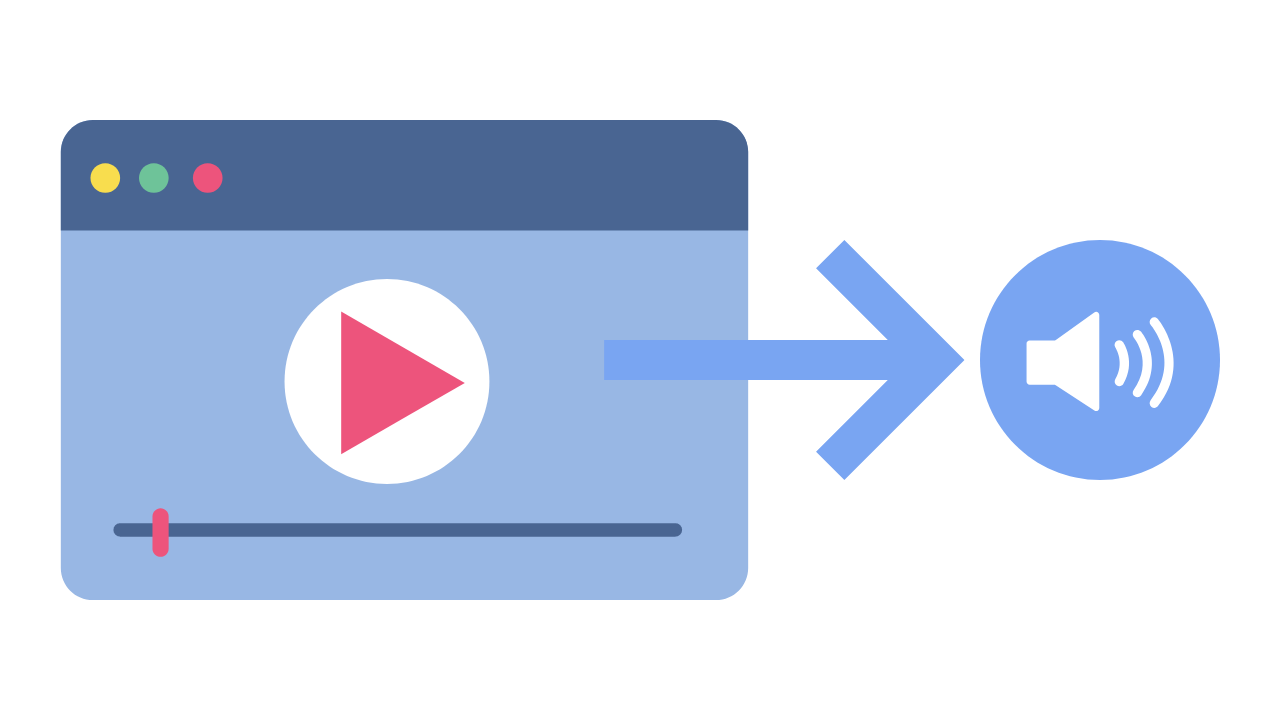
Audio extraction is the process of isolating the audio from a multimedia file, such as a video or a DVD, and saving it as a separate audio file. This can be done using specialized software or online tools, and it can be used for a variety of purposes, such as creating a music playlist or removing unwanted audio from a video.
How Does Audio Extraction Work?
Audio extraction works by separating the audio track from the video or DVD file. This can be done using software that is specifically designed for audio extraction, such as VLC Media Player or Audacity. These tools allow you to import the video or DVD file, and then select the audio track that you want to extract.
Once you have selected the audio track, you can then save it as a separate audio file in a variety of formats, such as MP3, WAV, or AAC. The resulting audio file will contain only the audio from the original video or DVD file.
Best Tools for Audio Extraction:
There are a variety of tools that you can use for audio extraction, depending on your needs and preferences. Here are some of the best tools for audio extraction:
VLC Media Player: VLC is a popular media player that also has built-in audio extraction capabilities. Simply open the video or DVD file in VLC, select the audio track that you want to extract, and save it as a separate audio file.
Audacity: Audacity is a free, open-source audio editing tool that can also be used for audio extraction. Import the video or DVD file into Audacity, select the audio track, and then export it as a separate audio file.
Any Audio Converter: Any Audio Converter is a free tool that allows you to extract audio from a variety of sources, including videos and DVDs. Simply import the video or DVD file, select the audio track, and then save it as a separate audio file.
FAQs:
1. Is it legal to extract audio from a video or DVD?
The legality of audio extraction depends on the copyright laws in your country. In some cases, it may be legal to extract audio for personal use, but illegal to distribute or share the extracted audio. It’s always best to consult a legal professional if you have any doubts.
2. Can I extract audio from streaming services like Netflix or Amazon Prime Video?
Extracting audio from streaming services is often prohibited by the terms of service for these services. It is best to check the terms of service before attempting to extract audio from any streaming service.
3. What formats can I save the extracted audio in?
The formats you can save the extracted audio in will depend on the software or tool you are using for audio extraction. However, common formats include MP3, WAV, and AAC.
4. Can I extract audio from a video with multiple audio tracks?
Yes, you can extract audio from a video with multiple audio tracks. Most audio extraction tools will allow you to select the specific audio track you want to extract.
5. What can I do with extracted audio?
There are many things you can do with extracted audio, including creating a music playlist, removing background music or sound effects from a video, or simply enjoying the audio on its own.
Conclusion:
Audio extraction is a useful process that allows you to isolate and save audio from a multimedia file. With the right tools, you can extract audio from videos, music videos, and even DVDs. Whether you want to create a music playlist or remove unwanted audio from a video, audio extraction is a valuable tool to have in your arsenal.
We hope this guide has helped you understand what audio extraction is, how it works, and the best tools to use for audio extraction. Remember to always check the copyright laws in your country before extracting audio from any multimedia file.




Comments:
Wow! This article really opened my eyes to the fascinating world of MP3 audio fingerprinting. I had no idea how much goes into identifying songs behind the scenes. Thanks for the insightful read!
– MusicLover92
I’ve always been curious about how Shazam works so quickly. This article provided a clear and concise explanation. Now I can impress my friends with my newfound knowledge!
– TechGeek21
While the article touched on various applications of MP3 audio fingerprinting, I wish it had delved deeper into its role in copyright protection. Nonetheless, it was an engaging read.
– CopyrightCrusader
As an independent musician, I appreciate the mention of how MP3 audio fingerprinting can support emerging artists. It’s exciting to see technology democratizing the music industry!
– IndieArtist123
This article provided a comprehensive overview of MP3 audio fingerprinting, covering its evolution, applications, and future trends. Kudos to the author for delivering such valuable insights!
– InsightSeeker