Audio Container Formats & Features


Free Download Mp4Gain
picture

Audio Container Formats & Features
Audio Container
Audio Container
Audio Container
Audio Container

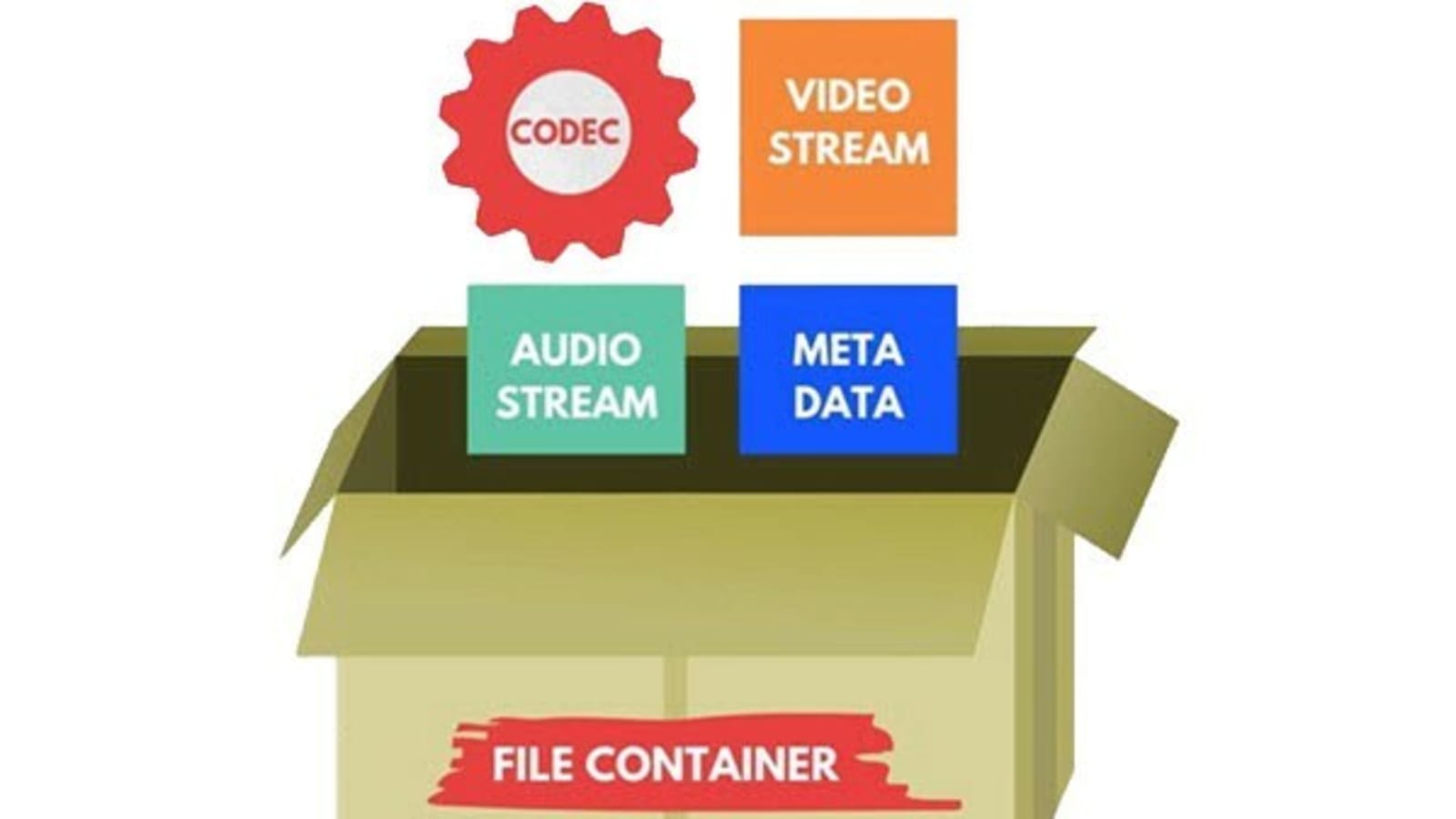
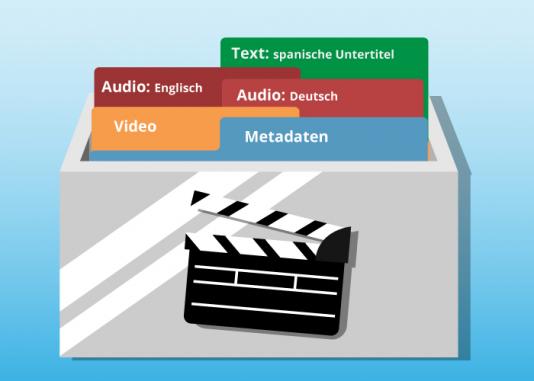
Audio container formats are used to store digital audio data. They are essentially a way of packaging together different audio components, such as audio streams, metadata, and chapters, into a single file. This makes it easier to transport, store, and play back audio files.

What is an audio container format?

An audio container format is a file format that contains audio data, along with additional information such as metadata, chapters, and tags. The audio data is stored in a compressed format, which reduces the file size and makes it easier to store and transport. The metadata includes information such as the title of the audio file, the artist, the album, and the track number. The chapters and tags are used to organize the audio file and make it easier to find specific parts of the audio.

Different types of audio container formats

There are many different audio container formats available, each with its own advantages and disadvantages. Some of the most popular audio container formats include:

  • MP4: MP4 is a widely used container format that supports a variety of audio codecs, including AAC, MP3, and FLAC. It is also capable of storing video and subtitles.
  • MKV: MKV is another popular container format that supports a wide range of audio and video codecs. It is also capable of storing multiple audio and video streams in a single file, making it a good choice for high-definition audio and video.
  • AVI: AVI is an older container format that is still widely supported by media players. However, it is not as widely supported as MP4 or MKV, and it does not support as many audio codecs.
  • WAV: WAV is a lossless audio format that is not compressed. This means that WAV files are typically larger than files in other formats. However, WAV files offer the best possible audio quality.

Advantages and disadvantages of different audio container formats

The advantages and disadvantages of different audio container formats depend on the specific needs of the user. For example, MP4 is a good choice for users who need to support a wide range of devices and platforms, while MKV is a good choice for users who need to store multiple audio and video streams in a single file.

How to choose the right audio container format

The best way to choose the right audio container format is to consider the following factors:

  • Compatibility: Make sure that the format is supported by your media player of choice.
  • Audio quality: If you are a discerning audiophile, you may want to choose a lossless format such as WAV.
  • Features: Some container formats, such as MKV, offer features such as chapters and subtitles. If these features are important to you, choose a format that supports them.

How to convert my audio files to a different container format

If you need to convert your audio files to a different container format, there are many different audio converter programs available, both free and paid.

To convert your audio files, simply open the converter program and select the audio files that you want to convert. Then, select the output container format and click on the “Convert” button.

Benefits of converting my audio files to a different container format

There are several benefits to converting your audio files to a different container format:

  • Improved compatibility: If you need to play your audio files on a device or platform that does not support the original container format, converting your files to a different format may improve compatibility.
  • Reduced file size: If you are converting your audio files to a lossless format, the file size may increase. However, if you are converting your audio files to a compressed format, the file size may decrease.
  • Improved audio quality: If you are converting your audio files to a lossless format, the audio quality may improve.

Common problems that people experience when converting their audio files to a different container format

Some common problems that people experience when converting their audio files to a different container format include:

  • Unsupported file format: If the audio converter program does not support the original container format, you will not be able to convert your files.
  • Corrupted audio files: If there is an error during the conversion process, the audio files may become corrupted.
  • Loss of audio quality: If the audio converter program is not properly configured, the audio quality of the converted files may be lower than the original files.

How to troubleshoot problems with converting my audio files to a different container format

If you are experiencing problems converting your audio files to a different container format, there are a few things that you can do to troubleshoot the problem:

  • Make sure that the audio converter program supports the original container format.

Free Download Mp4Gain
picture


Mp4Gain Main Window
picture


Mp4Gain Features
picture


Free Download Mp4Gain
picture

The Science Behind Audio Equalization and Frequency Response

The Science Behind Audio Equalization and Frequency Response

Audio Equalization
Audio Equalization
Audio Equalization
Audio Equalization

Understanding audio equalization

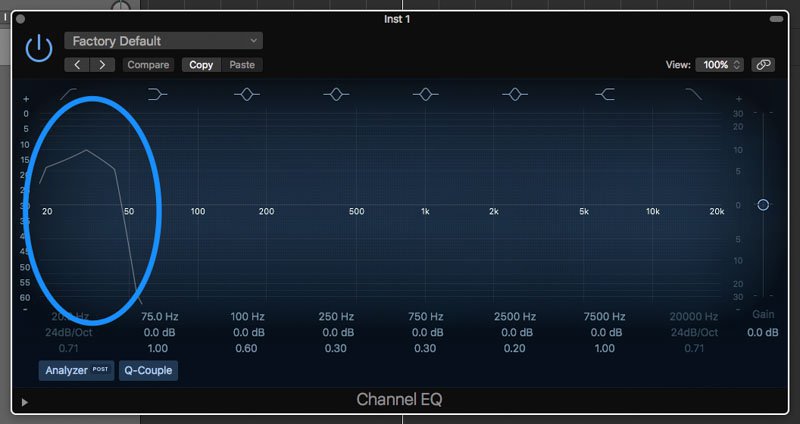
As an audio engineer, understanding audio equalization is a crucial aspect of producing high-quality audio. Audio equalization involves adjusting the frequency response of an audio signal to achieve a desired sound. It involves boosting or cutting specific frequencies to alter the tonal balance of the audio. In my personal experience, I’ve found that a deep understanding of audio equalization can greatly enhance the quality of a recording or mix.
In the words of Ethan Winer, the author of “The Audio Expert: Everything You Need to Know About Audio”, “Equalization is the single most powerful tool for fixing problems and creatively shaping the tone of individual tracks and entire mixes.” Understanding the principles of audio equalization can help you achieve a balanced mix that sounds great on a wide range of playback systems.

Science behind frequency response

Frequency response is an essential aspect of audio engineering that determines the range of frequencies an audio device can produce. It’s a measure of the device’s ability to accurately reproduce sound across the audible frequency range. Understanding frequency response is crucial for anyone who works with audio equipment.
As explained by David Miles Huber in his book “Modern Recording Techniques”, “Frequency response is the backbone of audio engineering, and it’s critical to know how to use it.” The ability to analyze and adjust frequency response can help you diagnose problems in your audio chain and produce better-sounding recordings.

Equalization and its impact on audio quality

Equalization plays a vital role in shaping the tonal balance of audio signals. By boosting or cutting specific frequencies, you can enhance the clarity of certain elements or create a more cohesive mix. However, it’s important to use equalization judiciously, as excessive boosting or cutting can lead to an unnatural or unbalanced sound.
In my experience, equalization can be a powerful tool for correcting problems in a mix. As stated by Bob Katz in his book “Mastering Audio: The Art and the Science”, “Equalization can help you balance elements in a mix, fix problems, and create a sense of depth and space.” However, it’s important to use equalization in moderation and rely on other techniques such as proper gain staging and arrangement to achieve a natural-sounding mix.

Frequency response and its impact on audio

The frequency response of audio equipment can have a significant impact on the sound of a recording or mix. Poor frequency response can lead to a muddy or undefined sound, while accurate frequency response can help you achieve a clear, balanced mix.
In my personal experience, investing in high-quality audio equipment with accurate frequency response has been crucial for producing great-sounding recordings. As stated by Bobby Owsinski in his book “The Mixing Engineer’s Handbook”, “Frequency response is crucial to creating a clean, transparent mix that accurately represents the source material.” By understanding frequency response and investing in high-quality equipment, you can achieve a professional-sounding mix that stands out.

The role of equalization in audio engineering

Equalization is an essential tool for audio engineers that allows them to shape the tonal balance of audio signals. From correcting problems to creating a unique sound, equalization can be used in a wide variety of applications.
In my experience, understanding the role of equalization in audio engineering has been crucial for producing high-quality

Audio Psychoacoustics

Audio Psychoacoustics: Understanding How We Hear

Audio Psychoacoustics

Introduction to Psychoacoustics

Audio psychoacoustics is the study of how humans perceive and process sound. This includes the physiological and psychological aspects of hearing, as well as the cognitive and emotional responses that result from it. As an expert in this field, I will provide a detailed explanation of the topic, including the various theories and principles that underpin it.

The Physiology of Hearing

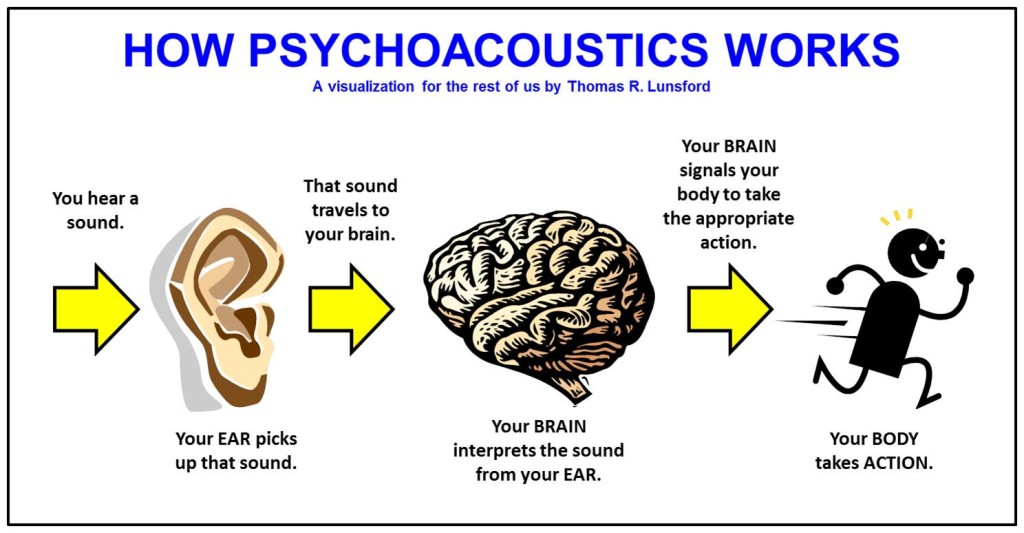
To understand how sound is processed by the human ear, it is important to first understand the basic anatomy of the ear. The ear is made up of three main parts: the outer ear, middle ear, and inner ear. The outer ear consists of the pinna, ear canal, and eardrum, which work together to capture and transmit sound waves to the middle ear. The middle ear contains the three smallest bones in the human body, the malleus, incus, and stapes, which amplify and transmit the sound waves to the inner ear. The inner ear is made up of the cochlea, which contains tiny hair cells that convert the sound waves into electrical impulses that are sent to the brain for processing.

Psychoacoustic Principles

Psychoacoustics is concerned with how the human brain processes sound signals. One of the key principles of psychoacoustics is the concept of loudness, which refers to the perceived volume of a sound. The human ear is capable of detecting a wide range of sound levels, from the faintest whisper to the loudest explosion. Another important principle is pitch, which refers to the perceived frequency of a sound. The human ear can detect frequencies ranging from around 20 Hz to 20,000 Hz.

Masking and Perception

Masking is a psychoacoustic phenomenon where the presence of one sound makes it more difficult to perceive another sound. This can occur when two sounds are played at the same time, or when one sound is played immediately after another. Masking can occur in both the frequency domain (when two sounds have overlapping frequencies) and the temporal domain (when one sound occurs immediately before or after another). Understanding masking is important in fields such as audio engineering and sound design, where it is necessary to minimize the impact of masking on the listener’s perception of sound.

Audio Compression and Psychoacoustics

Audio compression is the process of reducing the size of an audio file by removing redundant or irrelevant data. One of the most common forms of audio compression is lossy compression, which works by removing data that is not perceived by the human ear. This is achieved by taking advantage of psychoacoustic principles such as masking and frequency masking. By removing sounds that are masked by other sounds, lossy compression algorithms can significantly reduce the size of an audio file without perceptible loss in quality.

Applications of Psychoacoustics

Psychoacoustics has a wide range of applications in fields such as audio engineering, music production, and sound design. By understanding how humans perceive and process sound, audio professionals can create more effective and engaging audio experiences for listeners. For example, understanding masking can help audio engineers to design more effective soundtracks for films and video games. Similarly, understanding how humans perceive loudness and pitch can help music producers to create more impactful and emotionally engaging music.

FAQ

Q: What is binaural audio?

Binaural audio is a type of audio recording that is designed to be listened to with headphones. It is created using two microphones that are placed inside a simulated head, with each microphone positioned at the location of one of the ears.

This creates a stereo image that closely replicates the way humans perceive sound in real life, allowing for a more immersive and realistic listening experience. Binaural audio is often used in virtual reality and video game audio, where a sense of spatial awareness is important.

Q: How does psychoacoustics relate to audio engineering?

Psychoacoustics plays an important role in audio engineering, as it provides a framework for understanding how humans perceive and process sound. This understanding can be used to create more effective and engaging audio experiences for listeners. For example, by understanding the principles of loudness and masking, audio engineers can design soundtracks that effectively communicate the intended emotional impact of a scene.

Q: How does audio compression affect sound quality?

Audio compression can affect sound quality by removing data that is perceived as irrelevant or redundant by the human ear. Lossy compression algorithms can reduce the size of an audio file by removing sounds that are masked by other sounds, without a perceptible loss in quality. However, if too much data is removed, the resulting file can sound noticeably compressed or distorted. For this reason, it is important to strike a balance between file size and sound quality when compressing audio.

Q: Can psychoacoustics be used to improve hearing aid technology?

Yes, psychoacoustics can be used to improve hearing aid technology by providing a better understanding of how humans perceive and process sound. This understanding can be used to design hearing aids that better replicate the natural hearing process, resulting in a more natural and effective listening experience for the wearer.

Q: What is the importance of psychoacoustics in sound design?

Psychoacoustics is important in sound design because it provides a framework for understanding how humans perceive and respond to sound. This understanding can be used to create more effective and engaging soundscapes that effectively communicate the intended emotional impact of a scene. For example, understanding the principles of masking can help sound designers to create more immersive and detailed soundscapes for films and video games.

Q: How can understanding psychoacoustics help with audio editing?

Understanding psychoacoustics can help with audio editing by providing a better understanding of how humans perceive and respond to sound. This understanding can be used to make more effective and impactful edits that effectively communicate the intended emotional impact of a scene. For example, understanding the principles of loudness can help audio editors to make more effective cuts and transitions in a soundtrack.

Q: How does the environment affect psychoacoustics?

The environment can have a significant impact on psychoacoustics, as it can affect the way that sound waves are transmitted and perceived. For example, the acoustics of a room can affect the way that sounds are reflected and absorbed, leading to changes in loudness and perceived pitch. Understanding the environmental factors that affect psychoacoustics is important in fields such as audio engineering and sound design, where it is necessary to create audio experiences that are effective in a wide range of environments.

Q: How does masking affect speech intelligibility?

Masking can affect speech intelligibility by making it more difficult to distinguish individual sounds and words in a sentence. This can occur when a speech signal is masked by other sounds that have overlapping frequencies, making it more difficult for the brain to isolate and process the speech signal. Understanding masking is important in fields such as audio engineering and sound design, where it is necessary to ensure that speech is clear and intelligible in a wide range of environments.

Audio Extraction

The Ultimate Guide to Audio Extraction: How to Get the Most Out of Your Audio Files


Audio Extraction
Audio Extraction
Audio Extraction
Audio Extraction


Introduction to Audio Extraction

Have you ever wanted to extract audio from a video or a song, but didn’t know how to do it? Audio extraction is the process of separating the audio track from a video file, music video or even a DVD. This can be useful for a variety of reasons, such as creating a music playlist, removing background music or sound effects from a video, or simply enjoying the audio on its own.

In this guide, we will discuss everything you need to know about audio extraction, including what it is, how it works, and the best tools to use for extracting audio from various sources.

What is Audio Extraction?

Audio extraction is the process of isolating the audio from a multimedia file, such as a video or a DVD, and saving it as a separate audio file. This can be done using specialized software or online tools, and it can be used for a variety of purposes, such as creating a music playlist or removing unwanted audio from a video.

How Does Audio Extraction Work?

Audio extraction works by separating the audio track from the video or DVD file. This can be done using software that is specifically designed for audio extraction, such as VLC Media Player or Audacity. These tools allow you to import the video or DVD file, and then select the audio track that you want to extract.

Once you have selected the audio track, you can then save it as a separate audio file in a variety of formats, such as MP3, WAV, or AAC. The resulting audio file will contain only the audio from the original video or DVD file.

Best Tools for Audio Extraction:

There are a variety of tools that you can use for audio extraction, depending on your needs and preferences. Here are some of the best tools for audio extraction:

  1. VLC Media Player: VLC is a popular media player that also has built-in audio extraction capabilities. Simply open the video or DVD file in VLC, select the audio track that you want to extract, and save it as a separate audio file.
  2. Audacity: Audacity is a free, open-source audio editing tool that can also be used for audio extraction. Import the video or DVD file into Audacity, select the audio track, and then export it as a separate audio file.
  3. Any Audio Converter: Any Audio Converter is a free tool that allows you to extract audio from a variety of sources, including videos and DVDs. Simply import the video or DVD file, select the audio track, and then save it as a separate audio file.

FAQs:

1. Is it legal to extract audio from a video or DVD?

The legality of audio extraction depends on the copyright laws in your country. In some cases, it may be legal to extract audio for personal use, but illegal to distribute or share the extracted audio. It’s always best to consult a legal professional if you have any doubts.

2. Can I extract audio from streaming services like Netflix or Amazon Prime Video?

Extracting audio from streaming services is often prohibited by the terms of service for these services. It is best to check the terms of service before attempting to extract audio from any streaming service.

3. What formats can I save the extracted audio in?

The formats you can save the extracted audio in will depend on the software or tool you are using for audio extraction. However, common formats include MP3, WAV, and AAC.

4. Can I extract audio from a video with multiple audio tracks?

Yes, you can extract audio from a video with multiple audio tracks. Most audio extraction tools will allow you to select the specific audio track you want to extract.

5. What can I do with extracted audio?

There are many things you can do with extracted audio, including creating a music playlist, removing background music or sound effects from a video, or simply enjoying the audio on its own.

Conclusion:

Audio extraction is a useful process that allows you to isolate and save audio from a multimedia file. With the right tools, you can extract audio from videos, music videos, and even DVDs. Whether you want to create a music playlist or remove unwanted audio from a video, audio extraction is a valuable tool to have in your arsenal.

We hope this guide has helped you understand what audio extraction is, how it works, and the best tools to use for audio extraction. Remember to always check the copyright laws in your country before extracting audio from any multimedia file.