Audio Container Formats & Features
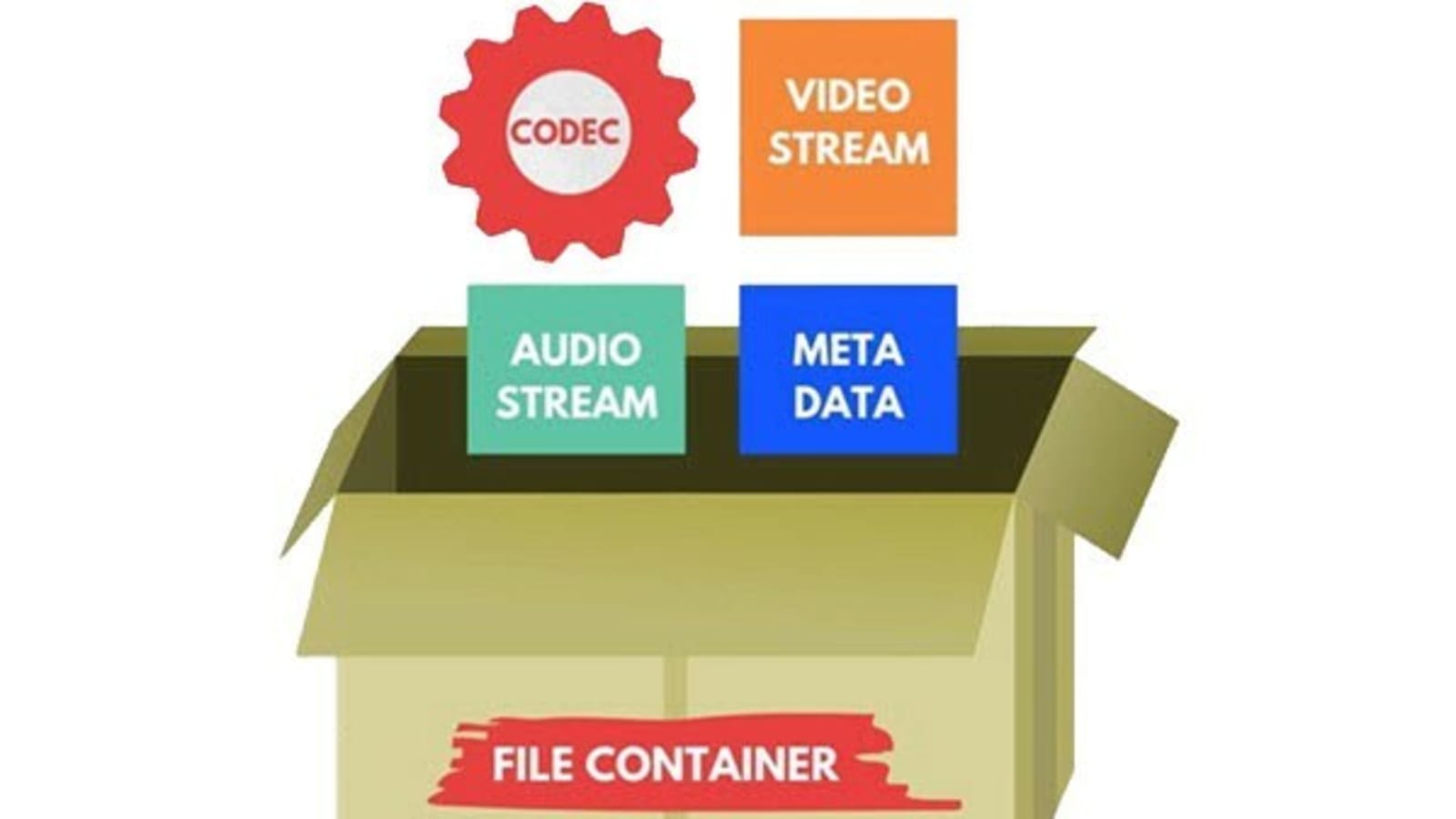
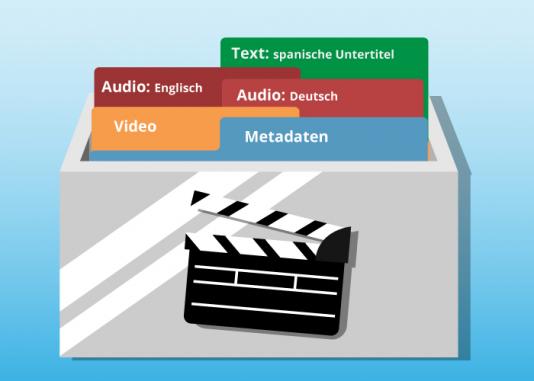
Audio container formats are used to store digital audio data. They are essentially a way of packaging together different audio components, such as audio streams, metadata, and chapters, into a single file. This makes it easier to transport, store, and play back audio files.
What is an audio container format?
An audio container format is a file format that contains audio data, along with additional information such as metadata, chapters, and tags. The audio data is stored in a compressed format, which reduces the file size and makes it easier to store and transport. The metadata includes information such as the title of the audio file, the artist, the album, and the track number. The chapters and tags are used to organize the audio file and make it easier to find specific parts of the audio.
Different types of audio container formats
There are many different audio container formats available, each with its own advantages and disadvantages. Some of the most popular audio container formats include:
- MP4: MP4 is a widely used container format that supports a variety of audio codecs, including AAC, MP3, and FLAC. It is also capable of storing video and subtitles.
- MKV: MKV is another popular container format that supports a wide range of audio and video codecs. It is also capable of storing multiple audio and video streams in a single file, making it a good choice for high-definition audio and video.
- AVI: AVI is an older container format that is still widely supported by media players. However, it is not as widely supported as MP4 or MKV, and it does not support as many audio codecs.
- WAV: WAV is a lossless audio format that is not compressed. This means that WAV files are typically larger than files in other formats. However, WAV files offer the best possible audio quality.
Advantages and disadvantages of different audio container formats
The advantages and disadvantages of different audio container formats depend on the specific needs of the user. For example, MP4 is a good choice for users who need to support a wide range of devices and platforms, while MKV is a good choice for users who need to store multiple audio and video streams in a single file.
How to choose the right audio container format
The best way to choose the right audio container format is to consider the following factors:
- Compatibility: Make sure that the format is supported by your media player of choice.
- Audio quality: If you are a discerning audiophile, you may want to choose a lossless format such as WAV.
- Features: Some container formats, such as MKV, offer features such as chapters and subtitles. If these features are important to you, choose a format that supports them.
How to convert my audio files to a different container format
If you need to convert your audio files to a different container format, there are many different audio converter programs available, both free and paid.
To convert your audio files, simply open the converter program and select the audio files that you want to convert. Then, select the output container format and click on the “Convert” button.
Benefits of converting my audio files to a different container format
There are several benefits to converting your audio files to a different container format:
- Improved compatibility: If you need to play your audio files on a device or platform that does not support the original container format, converting your files to a different format may improve compatibility.
- Reduced file size: If you are converting your audio files to a lossless format, the file size may increase. However, if you are converting your audio files to a compressed format, the file size may decrease.
- Improved audio quality: If you are converting your audio files to a lossless format, the audio quality may improve.
Common problems that people experience when converting their audio files to a different container format
Some common problems that people experience when converting their audio files to a different container format include:
- Unsupported file format: If the audio converter program does not support the original container format, you will not be able to convert your files.
- Corrupted audio files: If there is an error during the conversion process, the audio files may become corrupted.
- Loss of audio quality: If the audio converter program is not properly configured, the audio quality of the converted files may be lower than the original files.
How to troubleshoot problems with converting my audio files to a different container format
If you are experiencing problems converting your audio files to a different container format, there are a few things that you can do to troubleshoot the problem:
- Make sure that the audio converter program supports the original container format.