All You Need to Know About MP3 Volume Boosters


Free Download Mp4Gain
picture

All You Need to Know About MP3 Volume Boosters
Volume Booster
Volume Booster

If you’ve ever encountered a situation where your music or audio file is too quiet, then you know how frustrating it can be. You can find yourself turning up the volume higher and higher, but the sound still doesn’t quite reach the desired level. That’s where MP3 volume boosters come in.

Volume Booster
Volume Booster

An MP3 volume booster is a tool that increases the volume of an audio or music file. It’s also known as a “loudness maximizer” or “normalization software”, and it can be used to make any audio file louder, clearer, and punchier.

How Does an MP3 Volume Booster Work?

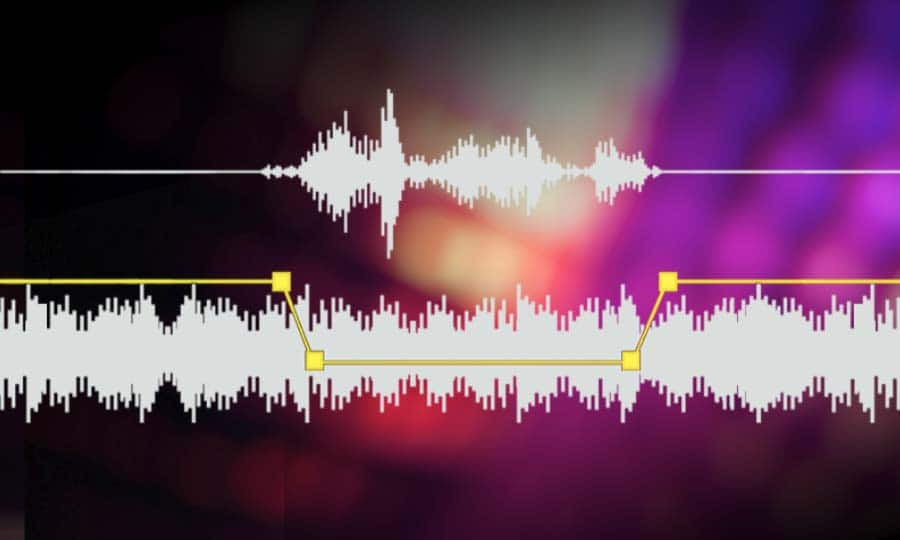
At its core, an MP3 volume booster works by adjusting the overall volume of an audio file. It increases the amplitude of the sound waves in the file, which in turn increases the loudness of the audio. This process is also known as “normalization”.

Most MP3 volume boosters also use algorithms to adjust the sound frequencies in the audio file. This ensures that the sound remains clear and balanced, even as the volume is increased.

In addition, most MP3 volume boosters also have features that allow you to adjust the sound frequencies manually. This allows you to fine-tune the sound of the audio file to your liking.

What Are the Benefits of Using an MP3 Volume Booster?

The most obvious benefit of using an MP3 volume booster is that it makes your audio files louder. This is especially useful if you’re creating a video or podcast and need to ensure that the audio is loud and clear.

But there are other benefits as well. By adjusting the sound frequencies in the audio file, an MP3 volume booster can also help make the audio sound fuller, richer, and more dynamic.

Finally, the ability to manually adjust the sound frequencies allows you to customize the sound of the audio to your liking. This can be especially useful if you’re creating a specific audio effect or soundscape.

How Do I Use an MP3 Volume Booster?

Most MP3 volume booster software is fairly straightforward to use. All you need to do is select the audio file you want to increase the volume of and then adjust the volume and sound frequencies as desired. Once you’re happy with the sound, you can save the file and you’re done.

If you’re looking for an easy-to-use MP3 volume booster, then we recommend Mp4Gain. Mp4Gain is a powerful and user-friendly tool that allows you to quickly and easily increase the volume of any audio file.

Conclusion

If you’re looking for an easy way to make your audio files louder and clearer, then an MP3 volume booster is a great option. Mp4Gain is one of the best solutions available, and it’s sure to help you get the most out of your audio files.


Free Download Mp4Gain
picture


Mp4Gain Main Window
picture


Mp4Gain Features
picture


Free Download Mp4Gain
picture

mp3 audio normalizer

mp3 audio normalizer


An mp3 audio normalizer is a tool to avoid differences in volume level in 2 or more audio files.

audio volume normalizer

There are various ways to do this, but the most common is to use software that can normalize the levels of the files automatically. This can be done with an audio editor, or with a dedicated mp3 normalizer program.

audio volume normalizer

Normalizing an audio file is checking each frame and adjusting it to be sure that each one is optimized to get the best possible volume without distortion.

An audio file can be normalized in two ways:

1. Peak Normalization:

This is where the audio file is analyzed and the highest peak is identified. The volume of the entire file is then increased or decreased so that this peak is at the maximum possible level without distortion.

2. RMS Normalization:

This is where the audio file is analyzed and the average volume level is identified. The volume of the entire file is then increased or decreased so that this average level is at the maximum possible level without distortion.

This behavior is similar to the compressor that keep the volume range of noisy and lower passages of the audio to keep both in a range that can sound fine.

The main difference is that the goal of an audio normalizer is not to change the sound of the audio, but to make sure that the volume levels of all the files are the same.

The most common format that is normalized is MP3, but other formats such as WAV can also be normalized.

In this times even video files can be normalized too.,

There are many reasons why you might want to normalize your audio files.

For example, if you have a number of files that were recorded at different levels, you may want to normalize them so that they all have the same volume level.

This can be useful if you want to create a playlist of files that are all the same volume, or if you want to make sure that all the files in a particular folder have the same volume level.

Another reason to normalize your audio files is if you want to make sure that they sound their best when played back on different devices.

For example, if you have an MP3 file that sounds great on your computer, but sounds terrible on your phone, you may want to normalize it so that it sounds its best on both devices.

Normalizing your audio files can also be useful if you want to make sure that they are suitable for use in different situations.

For example, if you have an MP3 file that you want to use as background music for a video, you may want to normalize it so that it is not too loud or too quiet.

Normalizing your audio files can also be useful if you want to make sure that they sound their best when played back at different speeds.

For example, if you have an MP3 file that sounds great when played back at normal speed, but sounds terrible when played back at double speed, you may want to normalize it so that it sounds its best at both speeds.

Normalizing your audio files can also be useful if you want to make sure that they sound their best when played back at different volumes.

For example, if you have an MP3 file that sounds great when played back at a low volume, but sounds terrible when played back at a high volume, you may want to normalize it so that it sounds its best at both volumes.

Normalizing your audio files can also be useful if you want to make sure that they are suitable for use in different environments.

For example, if you have an MP3 file that you want to use as background music for a party, you may want to normalize it so that it is not too loud or too quiet.

Normalizing your audio files can also be useful if you want to make sure that they are suitable for use in different places.

For example, if you have an MP3 file that you want to use as background music for a restaurant, you may want to normalize it so that it is not too loud or too quiet.

Normalizing your audio files can also be useful if you want to make sure that they are suitable for use at different times of the day.

For example, if you have an MP3 file that you want to use as background music for a morning show, you may want to normalize it so that it is.

What is a loudness normalizer or an audio volume normalizer?

What is a loudness normalizer or an audio volume normalizer?

audio volume normalizer

A volume normalizer is used to make sure that audio files play at the best possible volume without clipping and also that all audio files play at a similar volume.

audio volume normalizer

A volume normalizer analyzes an audio file and then adjusts it to sound at a specific volume level. This is often done with audio files that are uploaded to file sharing sites, so that all users can listen to the audio at a similar volume.

It is quite common to find volume differences in the files that are downloaded from the internet, since these have been created from a wav but different sampling and bit frequencies have been used to create them.

A volume normalizer can analyze an audio file and then apply gain or attenuation to adjust the volume of the file to a specified level. This is useful if you want to ensure that all audio files played on your website or in your application sound at a similar volume.

Because it’s frustrating to have a collection of audio or even video files and find that when you play them they play at different volumes.

For this reason, it is necessary to use a volume normalizer, with which you can make sure that all audio and video files are heard at a similar volume.

It is important to ask yourself if the bit rate is important for the quality of an audio or video file, the same for the sample rate.

The answer is no, not always.

Bit rate and sample rate refer to the amount of information that can be stored in an audio or video file.


The higher the bit rate, the higher the quality of the audio or video file.


However, sometimes a low-quality video or audio file can sound better than a high-quality file.


This is because the bit rate and sample rate are not always indicative of the quality of the audio or video file.


There are many factors that can affect the quality of an audio or video file, such as the encoder used to encode the file, the quality of the microphone used to record the file, the quality of the equipment used to play the file, etc.


In summary, the bit rate and the sample rate are not always indicative of the quality of the audio or video file.

Audio volume increaser

Audio volume increaser

Audio Volume Increaser

Increase or increase the volume level of an mp3, flac, ogg, mp4, etc. ERs say, an audio or video file is something that we all need nowadays.

Audio Volume Increaser

It happens that we always find that some of our videos or songs have a higher or lower volume than the rest and we need to repair it.

Mp4Gain is the best software for this task, it offers the most sophisticated normalization and if you are demanding you can manipulate the various options that Mp4Gain offers to get exactly what you are looking for.

If, on the other hand, you just need a common standard, you don’t have to deal with complicated setups, but just load the song(s) or video(s) into the software and click a button, it’s that simple.

Mp4Gain is a very advanced software, but designed in such a way that you can use it with the utmost simplicity, it has no learning curve, its use is immediate.

Why is the volume of music played by MP3 different?

Why is the volume of music played by MP3 different?

Why is the volume of music played by MP3 different?

When the MP3 player plays music, when the volume of the player is fixed, why some songs are loud and some are soft? Is there any way to solve this problem? Make MP3s play all music at the same volume.

Why is the volume of music played by MP3 different?

Mp4Gain manages to correct these differences in volume and optimize the quality of the audio, not only with mp3s, but with many audio and video formats as well.

When each music file is produced, the amplitude of the sound is included (the statement has nothing to do with bitrate). Therefore, different music files usually have different volume levels. This software can adjust to the same volume level in batches, MP4Gain is recommended.

These questions come to us all the time:

-How to deal with the different sound levels of the downloaded MP3 and put it in the MP3

MP4Gain is a volume adjustment software for
MP3 and many audio and video formats.
You can not only adjust the volume of a single
MP3, but also balance the volume of the entire album and also supports single channel adjustment.

It can analyze and adjust the volume of all MP3 or MP4 songs to the same size before burning a disc, so you don’t need to adjust the volume every time.

MP4Gain can analyze mp3 files to determine their loudness for human hearing. MP4Gain can then adjust mp3, mp4, flac, etc files so that the volume of each file is consistent without affecting the sound quality. In this way, you don’t have to adjust the volume buttons every time you play an mp3 when you play an mp3 with an mp3 player.

-The volume of downloaded mp3 or mp4 is different~
I put the downloaded songs in the player, but the volume is different and I can’t adjust the volume once I only listen to one song~ How to solve it?

With Mp4Gain you can simultaneously normalize audio or video files or extract the audio from a video and save it as mp3, flac, ogg, acc, m4a, etc.

Why some songs or videos play loud and others play low volume?

Why some songs or videos play loud and others play low volume?

Why some songs or videos play loud and others play low volume?

First of all, a correction, the concept of “recording level” should not be used here, because the music released is not the original dry material.

Why some songs or videos play loud and others play low volume?

Most commercially released music (except for special types such as classical) has been subjected to Maximize processing, which is equivalent to extreme compression processing, which reduces the dynamic contrast between loud and soft music and improves the overall level. “loudness war” in the industry.

However, not all music has the same dynamic, some music can make the dynamic fluctuation very small, but some can’t. For music that requires high dynamics, if the overall level is increased, the peak part will cause the level to overload, so the average level is reduced by the gap between the maximum level and the lowest level. medium loudness to judge the volume. Yes, in this way, we will feel that the volume of some music is “low”.

Also, some files downloaded from the Internet will have the Earning Tag parameter. If your player reads this parameter, it will adjust the relative level of the output via gain compensation, because the amount of gain compensation is different for different files. , so the volume goes up and down.

The solution? Mp4Gain that manages to avoid these differences in volume levels, not only in mp3, but in many audio or video formats.