Understanding Audio Normalization


Free Download Mp4Gain
picture

Understanding Audio Normalization

Audio Normalization
Audio Normalization

Audio normalization is the process of adjusting the loudness of an audio recording to a standard level. The goal is to ensure that all audio files have a consistent volume, making them easier to listen to and preventing ear fatigue. In this article, we will explore the different types of audio normalization and how they work.

Audio Normalization
Audio Normalization

Peak Normalization

Peak normalization is the process of adjusting the peak amplitude of an audio recording to a certain level. The peak amplitude is the highest point in the audio signal, and it is measured in decibels (dB). The goal of peak normalization is to ensure that all audio files have the same peak amplitude, making them easier to listen to and preventing ear fatigue.

Peak normalization is typically used for digital audio files, such as MP3 and WAV files. These files are usually stored in a digital format that allows for easy manipulation of the audio data. However, peak normalization can also be applied to analog audio recordings, such as cassette tapes or vinyl records.

RMS Normalization

RMS normalization is the process of adjusting the root mean square (RMS) level of an audio recording to a certain level. The RMS level is a measure of the average power of an audio signal, and it is measured in decibels (dB). The goal of RMS normalization is to ensure that all audio files have the same RMS level, making them easier to listen to and preventing ear fatigue.

RMS normalization is typically used for digital audio files, such as MP3 and WAV files. However, it can also be applied to analog audio recordings, such as cassette tapes or vinyl records.

RMS normalization is often considered to be a more accurate method of normalizing audio than peak normalization because it takes into account the average power of the audio signal, rather than just the peak amplitude.

Loudness Normalization

Loudness normalization is the process of adjusting the loudness of an audio recording to a certain level. The loudness of an audio recording is measured in loudness units (LU). The goal of loudness normalization is to ensure that all audio files have the same loudness, making them easier to listen to and preventing ear fatigue.

Loudness normalization is typically used for broadcast audio, such as television and radio. Loudness normalization is required by many countries to ensure that the audio levels of all broadcast programs are consistent, making them easier to listen to and preventing ear fatigue.

Loudness normalization is often considered to be a more accurate method of normalizing audio than peak or RMS normalization because it takes into account the perceived loudness of the audio signal, rather than just the peak amplitude or RMS level.

Conclusion

Normalizing audio is an important process for ensuring that all audio files have a consistent volume, making them easier to listen to and preventing ear fatigue. There are several different types of audio normalization, including peak normalization, RMS normalization, and loudness normalization. Each method has its own advantages and disadvantages and is best suited for different types of audio.

When it comes to audio normalization, one solution that stands out is Mp4Gain. It is a software that allows you to normalize your audio files in a quick and efficient way. It can be used to normalize a single audio file or multiple files at once. It also supports a wide range of audio file formats, including MP3, WAV, and more. Furthermore, Mp4Gain is user-friendly and easy to navigate, making it a great option for both professional and casual users.

In conclusion, audio normalization is a crucial process for ensuring that all audio files have a consistent volume, making them easier to listen to and preventing ear fatigue. There are several different types of audio normalization, including peak normalization, RMS normalization, and loudness normalization. Each method has its own advantages and disadvantages and is best suited for different types of audio. Mp4Gain is a powerful and easy-to-use software that can help you normalize your audio files quickly and efficiently.


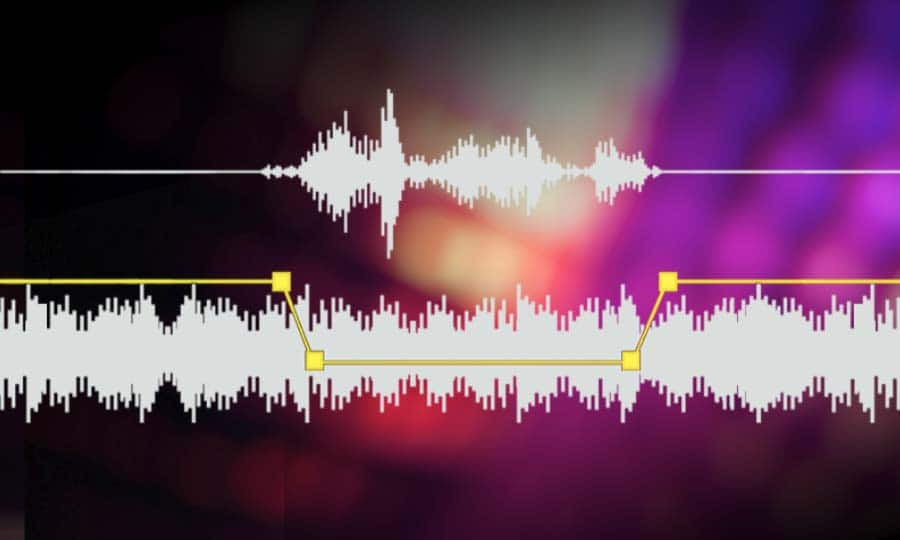
Free Download Mp4Gain
picture


Mp4Gain Main Window
picture


Mp4Gain Features
picture


Free Download Mp4Gain
picture

mp3 audio normalizer

mp3 audio normalizer


An mp3 audio normalizer is a tool to avoid differences in volume level in 2 or more audio files.

audio volume normalizer

There are various ways to do this, but the most common is to use software that can normalize the levels of the files automatically. This can be done with an audio editor, or with a dedicated mp3 normalizer program.

audio volume normalizer

Normalizing an audio file is checking each frame and adjusting it to be sure that each one is optimized to get the best possible volume without distortion.

An audio file can be normalized in two ways:

1. Peak Normalization:

This is where the audio file is analyzed and the highest peak is identified. The volume of the entire file is then increased or decreased so that this peak is at the maximum possible level without distortion.

2. RMS Normalization:

This is where the audio file is analyzed and the average volume level is identified. The volume of the entire file is then increased or decreased so that this average level is at the maximum possible level without distortion.

This behavior is similar to the compressor that keep the volume range of noisy and lower passages of the audio to keep both in a range that can sound fine.

The main difference is that the goal of an audio normalizer is not to change the sound of the audio, but to make sure that the volume levels of all the files are the same.

The most common format that is normalized is MP3, but other formats such as WAV can also be normalized.

In this times even video files can be normalized too.,

There are many reasons why you might want to normalize your audio files.

For example, if you have a number of files that were recorded at different levels, you may want to normalize them so that they all have the same volume level.

This can be useful if you want to create a playlist of files that are all the same volume, or if you want to make sure that all the files in a particular folder have the same volume level.

Another reason to normalize your audio files is if you want to make sure that they sound their best when played back on different devices.

For example, if you have an MP3 file that sounds great on your computer, but sounds terrible on your phone, you may want to normalize it so that it sounds its best on both devices.

Normalizing your audio files can also be useful if you want to make sure that they are suitable for use in different situations.

For example, if you have an MP3 file that you want to use as background music for a video, you may want to normalize it so that it is not too loud or too quiet.

Normalizing your audio files can also be useful if you want to make sure that they sound their best when played back at different speeds.

For example, if you have an MP3 file that sounds great when played back at normal speed, but sounds terrible when played back at double speed, you may want to normalize it so that it sounds its best at both speeds.

Normalizing your audio files can also be useful if you want to make sure that they sound their best when played back at different volumes.

For example, if you have an MP3 file that sounds great when played back at a low volume, but sounds terrible when played back at a high volume, you may want to normalize it so that it sounds its best at both volumes.

Normalizing your audio files can also be useful if you want to make sure that they are suitable for use in different environments.

For example, if you have an MP3 file that you want to use as background music for a party, you may want to normalize it so that it is not too loud or too quiet.

Normalizing your audio files can also be useful if you want to make sure that they are suitable for use in different places.

For example, if you have an MP3 file that you want to use as background music for a restaurant, you may want to normalize it so that it is not too loud or too quiet.

Normalizing your audio files can also be useful if you want to make sure that they are suitable for use at different times of the day.

For example, if you have an MP3 file that you want to use as background music for a morning show, you may want to normalize it so that it is.

What is a loudness normalizer or an audio volume normalizer?

What is a loudness normalizer or an audio volume normalizer?

audio volume normalizer

A volume normalizer is used to make sure that audio files play at the best possible volume without clipping and also that all audio files play at a similar volume.

audio volume normalizer

A volume normalizer analyzes an audio file and then adjusts it to sound at a specific volume level. This is often done with audio files that are uploaded to file sharing sites, so that all users can listen to the audio at a similar volume.

It is quite common to find volume differences in the files that are downloaded from the internet, since these have been created from a wav but different sampling and bit frequencies have been used to create them.

A volume normalizer can analyze an audio file and then apply gain or attenuation to adjust the volume of the file to a specified level. This is useful if you want to ensure that all audio files played on your website or in your application sound at a similar volume.

Because it’s frustrating to have a collection of audio or even video files and find that when you play them they play at different volumes.

For this reason, it is necessary to use a volume normalizer, with which you can make sure that all audio and video files are heard at a similar volume.

It is important to ask yourself if the bit rate is important for the quality of an audio or video file, the same for the sample rate.

The answer is no, not always.

Bit rate and sample rate refer to the amount of information that can be stored in an audio or video file.


The higher the bit rate, the higher the quality of the audio or video file.


However, sometimes a low-quality video or audio file can sound better than a high-quality file.


This is because the bit rate and sample rate are not always indicative of the quality of the audio or video file.


There are many factors that can affect the quality of an audio or video file, such as the encoder used to encode the file, the quality of the microphone used to record the file, the quality of the equipment used to play the file, etc.


In summary, the bit rate and the sample rate are not always indicative of the quality of the audio or video file.

Digital audio normalization

Digital audio normalization

In the last decade the term digital audio normalization has become popular. You could say that most people have a vague idea of ​​what they mean. However, it is important to understand some concepts that relate very closely to the issue of the volume gain of an audio file.

One of these issues is audio quality, so we think it is very important to start by explaining what kilobytes per second means.

It is not difficult to understand this concept, however very few people understand it and much less people manage to understand

So let’s try to understand what the subject of kilobytes per second means and how it impacts the quality of an audio file of any format.

This will allow us to have a greater vision to understand the issue of volume, digital audio normalization and loudness given that all this is closely related to audio quality.

So let’s begin to understand why at higher kilobytes per second we will usually have better audio quality.

For this it is necessary to use some examples. But first we need to understand that the greater amount of kilo bytes per second means a greater amount of information per second.

Many will ask And why more information per second synonymous with better audio or video quality?

For that it is important to keep in mind that audio or video files are capturing information and this information is usually very rich in data. For example, the amount of data per second in the performance of a musical group with five or six instruments is quite a lot. Or say the information per second in an image What is very many. So if we lower the number of bytes per second we are reducing the amount of information which impoverish our audio or video file.

The war of volume

For some years now, music recording companies have detected that people listen as a synonym for quality if there is a greater volume And then they have opted for the strategy of increasing the volume of the music they record a little more and produce.

If we had a graphic that will show us the volume and loudness that music used to have in the 70s and we were comparing by decade we could see that the loudness and volume level and volume gain have been increasing decade after decade.

This as I mentioned produces a deceptive effect of perception in the human being that confuses an increase in volume with an increase in audio quality.

And this has been called the war of volume because as we mentioned they have gradually increased the volume level of musical productions to make it appear that they have a higher sound quality.

And how does this compare to bytes per second? As it happens that the amount of information per second does really determine a higher quality and does not need an artificial increase in volume to appear to have a higher quality of digital audio.

So a modern digital audio normalization like the one offered by mp4gain is not misleading, but tries to ensure that each musical passage and each instrument have their optimum volume so that the loudness is constant and so that the quality is the best possible.

Audio normalization

Audio normalization

The concern to achieve an adequate sound in the music and a correct balance of the volume levels is something that actually takes centuries.

As soon as the first string quartets or the first symphony orchestras were formed, it was detected that there was a need to maintain an adequate balance of the volumes of each instrument section.
In fact, it is not accidental with a symphony orchestra to have a certain amount of each of the instruments, nor is it accidental that they are accommodated in the way they are accommodated when they are going to play a symphonic concert.

The reason for this is to achieve an adequate balance to the sound of the complete musical piece and it is something that has been thoroughly studied for many centuries.
That is, the human being many years ago of text, what was important to take care of the loudness of each part of a musical piece And of course the global musical work.

Hence we have become accustomed to musical dynamics, What is it that music has more intense moments and softer moments but must be audible all the time, it must be something that is not taken lightly.

Great masters of classical music paid a lot of attention and that is how it was achieved that symphonic orchestras were formed from the amount of instruments that are formed and that were accommodated in a specific way in order to achieve adequate volume management.

This has generated that our ear is used to hearing an adequate musical balance with the correct audio levels and when that is not so we detect that there is a problem and we seek to solve it.

With modern technology and the emergence of digitized music it has been very noticeable for all people that it has become an almost indispensable necessity to normalize the audio.

Normalizing the audio means achieving a standardization where the highest and lowest levels are maintained within a certain standard or certain limits so that it is audible and pleasant for us to listen to all the musical parts that make up a song.

The normalization of the audio has evolved since the music that at first was simply looking for the highest volume peaks was digitized and now in programs such as mp4gain it has achieved very important sophistication that resembles a compression mix, with the use of limiters, and an adequate management of the volume gain of each of the instruments and sounds that form a song.

In other words, we are facing much more modern and advanced algorithms that manage to normalize the audio of music files and videos, even being able to convert from one format to another without problem and normalizing it at the same time. Even The Advance are modern What can perfectly modify the speed of the audio without affecting the Pitch and vice versa.

If you need to achieve the normalization of the audio of a video in the most popular formats of an audio file in the most popular formats the solution is mp4gain which will allow you to easily convert to the format you want and normalize in the most efficient way that exists in the moment your audio or your favorite video.