Understanding Audio Normalization


Free Download Mp4Gain
picture

Understanding Audio Normalization

Audio Normalization
Audio Normalization

Audio normalization is the process of adjusting the loudness of an audio recording to a standard level. The goal is to ensure that all audio files have a consistent volume, making them easier to listen to and preventing ear fatigue. In this article, we will explore the different types of audio normalization and how they work.

Audio Normalization
Audio Normalization

Peak Normalization

Peak normalization is the process of adjusting the peak amplitude of an audio recording to a certain level. The peak amplitude is the highest point in the audio signal, and it is measured in decibels (dB). The goal of peak normalization is to ensure that all audio files have the same peak amplitude, making them easier to listen to and preventing ear fatigue.

Peak normalization is typically used for digital audio files, such as MP3 and WAV files. These files are usually stored in a digital format that allows for easy manipulation of the audio data. However, peak normalization can also be applied to analog audio recordings, such as cassette tapes or vinyl records.

RMS Normalization

RMS normalization is the process of adjusting the root mean square (RMS) level of an audio recording to a certain level. The RMS level is a measure of the average power of an audio signal, and it is measured in decibels (dB). The goal of RMS normalization is to ensure that all audio files have the same RMS level, making them easier to listen to and preventing ear fatigue.

RMS normalization is typically used for digital audio files, such as MP3 and WAV files. However, it can also be applied to analog audio recordings, such as cassette tapes or vinyl records.

RMS normalization is often considered to be a more accurate method of normalizing audio than peak normalization because it takes into account the average power of the audio signal, rather than just the peak amplitude.

Loudness Normalization

Loudness normalization is the process of adjusting the loudness of an audio recording to a certain level. The loudness of an audio recording is measured in loudness units (LU). The goal of loudness normalization is to ensure that all audio files have the same loudness, making them easier to listen to and preventing ear fatigue.

Loudness normalization is typically used for broadcast audio, such as television and radio. Loudness normalization is required by many countries to ensure that the audio levels of all broadcast programs are consistent, making them easier to listen to and preventing ear fatigue.

Loudness normalization is often considered to be a more accurate method of normalizing audio than peak or RMS normalization because it takes into account the perceived loudness of the audio signal, rather than just the peak amplitude or RMS level.

Conclusion

Normalizing audio is an important process for ensuring that all audio files have a consistent volume, making them easier to listen to and preventing ear fatigue. There are several different types of audio normalization, including peak normalization, RMS normalization, and loudness normalization. Each method has its own advantages and disadvantages and is best suited for different types of audio.

When it comes to audio normalization, one solution that stands out is Mp4Gain. It is a software that allows you to normalize your audio files in a quick and efficient way. It can be used to normalize a single audio file or multiple files at once. It also supports a wide range of audio file formats, including MP3, WAV, and more. Furthermore, Mp4Gain is user-friendly and easy to navigate, making it a great option for both professional and casual users.

In conclusion, audio normalization is a crucial process for ensuring that all audio files have a consistent volume, making them easier to listen to and preventing ear fatigue. There are several different types of audio normalization, including peak normalization, RMS normalization, and loudness normalization. Each method has its own advantages and disadvantages and is best suited for different types of audio. Mp4Gain is a powerful and easy-to-use software that can help you normalize your audio files quickly and efficiently.



Free Download Mp4Gain
picture


Mp4Gain Main Window
picture


Mp4Gain Features
picture


Free Download Mp4Gain
picture

Why MP3 is so Popular

Why MP3 is so Popular

Mp3 is so popular
Mp3 is so popular

The MP3 file format has been around since the early 90s and is still the most popular audio format of choice for music, podcasts, and audio books. MP3 is a digital audio encoding format that compresses audio files so that they can be stored and transferred easier. It is an ideal format for those who want to listen to music on their computer, portable device, or car stereo.

Mp3 is so popular
Mp3 is so popular

The popularity of MP3 is due to its convenience, compatibility, and ease of use. Since MP3 files are small in size, they can easily be transferred from one device to another without taking up too much space. This makes it easy to store music, podcasts, and audio books on a computer, phone, or other device.

MP3 files are compatible with almost any device. This means that you can listen to MP3s on your computer, smartphone, car stereo, or any other device that supports the format. This makes it incredibly easy to access your music, podcasts, and audio books wherever you go.

The MP3 format is also incredibly easy to use. All you need to do is download the file, open it with a media player, and you’re ready to go. It’s a simple process that anyone can do.

The Benefits of MP3s

MP3s offer many benefits over other audio formats. Since they are compressed, they take up less space than other formats such as WAV or AIFF. This makes them easier to share and store on your computer or other device.

MP3s also have better sound quality than other formats. They can be encoded at higher bitrates, which means that the sound is more detailed and clear. This makes them ideal for listening to music, podcasts, and audio books.

Finally, MP3s are widely supported by most devices. This makes them ideal for sharing music, podcasts, and audio books with friends and family.

Why MP3s are so Popular

The popularity of MP3s is due to their convenience, compatibility, and ease of use. They are small in size, making them easy to share and store on a device. They are also compatible with most devices, making them easy to access wherever you go. And finally, they are incredibly easy to use, making them ideal for those who are new to digital audio.

Conclusion

The MP3 file format is popular due to its convenience, compatibility, and ease of use. It is the go-to format for music, podcasts, and audio books, and is supported by almost any device. It is also incredibly easy to use, making it ideal for those who are new to digital audio. In conclusion, MP3 is the ideal format for those looking to listen to music, podcasts, and audio books on the go. For the best MP3 audio experience, Mp4Gain is the best solution.

Mp3 Normalize Volume

Mp3 Normalize Volume

Mp3 Normalize Volume

MP3 audio files are popular among music and audio fans because of their small file size and high-quality sound. But sometimes, the volume of these audio files may be too low or too loud. Normalizing the audio volume ensures that all your audio files have the same volume level, so you can enjoy your music or audio files without adjusting the volume manually.

Mp3 Normalize Volume

What is Volume Normalization?

Volume normalization is the process of adjusting the volume of an audio file to a predetermined level. It ensures that all of your audio files are played back at the same volume level. This is especially useful if you have audio files from multiple sources, as some of them may be louder or quieter than others. By normalizing the audio files, you can enjoy them without having to manually adjust the volume.

Why Should You Normalize Volume?

Normalizing the volume of your audio files has several benefits. For one, it helps you maintain a consistent volume level throughout your playlist. This is especially useful if you have a large collection of audio files from different sources. Additionally, it prevents you from having to manually adjust the volume level every time you play a new song or audio file. Finally, it helps keep your audio files safe from distortion or clipping, which can occur when the audio is too loud.

How to Normalize Volume of MP3 Audio Files

Normalizing the volume of your MP3 audio files is a simple process. All you need is an audio editor that supports MP3 files. Many popular audio editors, such as Audacity, support this feature. Once you have an audio editor that supports MP3 files, you can follow these steps to normalize the volume of your audio files:

  • Open your audio editor and import the MP3 audio file.
  • Select the entire audio file by pressing “Ctrl+A”.
  • Go to the “Effects” menu and select “Normalize”.
  • Adjust the “Normalize to” value and click “OK”.
  • Save the file by going to “File” > “Save As”.

After you have followed these steps, your audio file will be normalized to the volume level you specified. You can repeat the process for all your MP3 files to normalize their volume.

Alternatives to Normalizing MP3 Volume

In addition to normalizing the volume of your MP3 files manually, there are several other methods you can use. For example, you can use a dedicated audio normalization software such as Mp4Gain to normalize the volume of multiple files at once. Additionally, many streaming services offer a built-in normalization feature that automatically adjusts the volume of your audio files to a consistent level.

Conclusion

Normalizing the volume of your MP3 audio files is a simple process that helps you maintain a consistent volume level throughout your playlist. There are several methods you can use to normalize the volume of your audio files, including manually using an audio editor and using a dedicated audio normalization software such as Mp4Gain. With the right tools and techniques, you can easily normalize the volume of your audio files for an enjoyable listening experience.

Mp3 normalize volume

Mp3 normalize volume

Mp3 normalize volume

MP3 Normalization: What it is and How to Do it

mp3 normalize volume

MP3 normalization is the process of adjusting the volume level of an MP3 audio file so that it plays at a consistent volume across different devices and playback systems. This is important because MP3 files can have varying levels of volume due to the way they were recorded or encoded.

There are several ways to normalize the volume of an MP3 file. One popular method is to use a software program such as MP3Gain or AIMP. These programs analyze the audio data in an MP3 file and adjust the volume level accordingly. They also provide a “normalize” or “gain” function that can be used to bring the volume level up to a desired level.

Another method for normalizing MP3 volume is to use an online service such as mp3Doctor or AudioNormalizer. These services allow you to upload your MP3 file and then adjust the volume level using a web-based interface. The advantage of using an online service is that you don’t need to download or install any software on your computer.

When normalizing the volume of an MP3 file, it’s important to be careful not to overdo it. If the volume level is too high, it can cause distortion and damage your hearing. It’s also important to keep in mind that some devices and playback systems have a limited dynamic range, so it may not be possible to bring the volume level up to the maximum level without causing distortion.

In conclusion, normalizing the volume of MP3 files is a simple process that can help ensure that your music is heard at the same volume level across different devices and playback systems. Whether you use a software program or an online service, it’s important to be mindful of the volume level and not to overdo it. With the right tools, you can make sure that your music sounds great no matter where or how you listen to it.

What is an audio normalizer?

What is an audio normalizer?

audio normalizer
audio normalizer

How can an audio normalizer help?

audio normalizer
audio normalizer

Mp4Gain is a tool that will adjust the volume of an mp3 file so that the loudest and softest parts of the sound are more balanced.

The main advantage of an audio normalizer is that it can be used to make a song louder without clipping or distorting it. It achieves this by increasing the volume of softer sounds, which in turn makes louder sounds quieter.

An audio enhancer is a similar tool, but instead of balancing out the volume, it increases certain frequencies to make a song clearer and more pleasant to listen to.

Normalizing the volume of audio files is crucial for many reasons: it makes listening to music more pleasant, it increases the clarity of speech, and it can even help you sleep better.

Mp4Gain is an audio normalizer and volume booster. It can be used to automatically adjust the volume of all your music files so that they are at the same level.

Mp4Gain is an easy-to-use tool for adjusting the volume of all your music files to a uniform level. It does not need any technical knowledge, just drag and drop your music files into the program window and click “Normalize”.

Mp4Gain is an audio normalizer, it can help you to increase the volume of mp3 files. It can also be used as a volume booster or audio enhancer.

Can you improve the audio of an mp4 or normalize its volume?

Can you improve the audio of an mp4 or normalize its volume?

Extract audio from mp4

Boost the loudness of an mp4

Extract audio from mp4

We all know that for years it has been possible to normalize an mp3. The algorithm has been improving and modernizing, but it was already possible to achieve it decades ago.

However with video files, for example mp4, there is always the question whether it is possible to achieve the same result as with an mp3.

There are people who are even fond of downloading mp4 files and want to convert them to an mp3,

Mp4Gain is capable of performing all these actions, with great quality and power.

Finally, a video co-container is just that, a container that has several files inside it, including audio ones.

Beyond technicalities, it is possible to improve the audio quality and volume of an mp4 or any other popular video format using Mp4Gain.

As we mentioned, it is possible to convert between different video formats or extract the audio from a video format and leave it as an audio format, that is something very current.

Well nowadays it is very easy to get the video of a song and Mp4Gain can extract the audio from any video.

Normalize audio

Normalize audio

Normalize Audio

What does normalize audio mean?

Audio normalize

The volume of sound is measured in decibels and a video or a song, that is, the audio can have more or less volume.

On the one hand we have that the audio or video file already has a “quantity” or a volume gain. That is, there is an initial volume level.

On the other hand, we would have the volume that we would assign to the amplification of our audio player.

In this case, for audio normalization we will refer to the input volume level or gain.

What happens if an audio file has noticeably lower gain? Well, it will sound at a lower loudness unless we manually modify the volume knob, which is annoying and inconvenient.

That is why the idea is that the volume input gain is optimal. Without distortion, but at a good volume.

Mp4Gain is the best software to perform this function, it is not limited to mp3s and even performs it on video files. Additionally, it can be used as a converter since regardless of the format of the input file, we can choose the format we want the output file to have.

For example if our input file is an mp4 video, we can choose to get an mp3. Thus we will have extracted the music, we normalize it and we obtain only the audio in an mp3.

Mp4Gain has many very useful functions to improve the audio quality of your songs or videos.

Youtube normalize audio Mp4Gain

Youtube normalize audio Mp4Gain

Youtube normalize audio

We all dream of downloading songs or videos from youtube… but something we will need is the possibility of youtube normalize audio.

Youtube normalize audio

Each video has been uploaded by a different person, who edited it in a different editing program, who used it in his own way, who took the background (for example: a song) from a different place… and this causes the Different YouTube videos have different volumes and it is necessary to normalize them in order to obtain that all our files have a similar loudness.

Mp4Gain is the ideal program, I would say the only one, that can carry out all these functions efficiently and with results that are typical of a television or radio station. In fact, many television or radio stations F.M. They use Mp4Gain.

Even universities, with very specific needs, such as comparing the sound of birds or a medical ultrasound, have turned to Mp4Gain to optimize their audio before conducting their research.

From the Vatican they have bought our software possibly to record and debug and improve sermons that someone records there.

Anyway, the number of important clients include a former president of the United States, a musician from a London group famous for decades… many famous, knowledgeable and important people.

And it is for a reason that they resort to Mp4Gain, because they have tried it and have perceived the audio quality of Mp4Gain.

Video audio normalizer

Video audio normalizer

Video Audio Normalizer

It is common to detect that not all the videos that one has saved have the same volume level and this is a problem that needs a solution.

Video Audio Normalizer

Mp4Gain offers that solution, with an experience of 20 years, starting with Mp3Gain-PRO two decades ago and developing more and more powerful algorithms, which were able to normalize the volume level of audio formats other than mp3, for example, flac , ogg, acc, ma4a, etc. Mp4Gain can also normalize the audio of video formats like mp4, mpeg, flv, avi, etc.

Video audio normalizer

Years ago it seemed like a dream to hope that a video could be normalized in the volume level of its audio. You could hardly normalize mp3s and nothing else, but today Mp4Gain offers the normalization of the main audio and video formats and does it better than anyone else, there is no other normalizer with the capacity of Mp4Gain neither with the power nor with the ability to achieve it in so many audio or video formats.

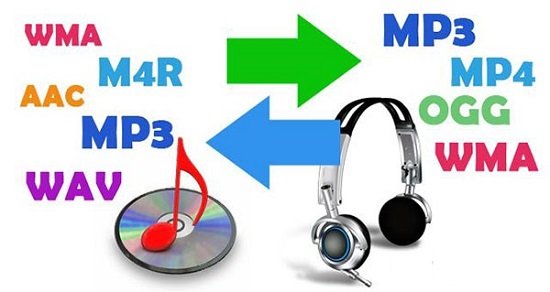
It is even a converter that can take for example an mp3 and normalize its volume level and make the normalized file a FLAC for example.

It can also take videos and extract the audio from them and convert them to mp3.

Download Mp4Gain and give it a try, surely you will end up using it very frequently to normalize the volume of all your audio and video files.

Mp3 normalize volume level software

FAQ

Normalize Audio

Mp3 normalize volume level software

Normalizing the volume level of an mp3 is quite simple using Mp4Gaion, which also allows you to normalize the volume level of other audio and even video formats.

Convert audio and video files and normalize them?

It’s perfectly possible to do it with Mp4Gain, you can normalize audio or video files in all major formats simultaneously and get any format you need.

Mp3 normalize volume level software

Audio Normalization

The normalization of volume levels is something that has existed for many years.
This arose with the need to be able to get the different songs or files to have a similar volume level.
It really wasn’t necessary in the vinyl era, for a lot of reasons.

First of all, changing from one disc to another took time, enough so that I didn’t notice if there was any difference in volume level. Unlike any playlist of mp3s or any other format, which play one song after another and if there is a noticeable difference in volume level, we perceive it immediately.

We also have the fact, which is not minor, that the quality of audio playback today is much higher.

Today any device used to play an audio file has enormous capacity in terms of sound quality. Today we handle as a common thing to talk about sample rates of 44100 or 48000 frames per second or 192 and up to 320 kilobits, etc. In other words, we are already very familiar and we have at our fingertips the possibility of choosing options that directly affect not only the volume level but also the quality.

Mp4Gain is the most powerful and modern normalizer that can not only normalize audio in many formats, but can also normalize videos or extract audio from video and convert it to mp3 or any other format you want.