Mp3 Normalizer – Masking Effects Part 2
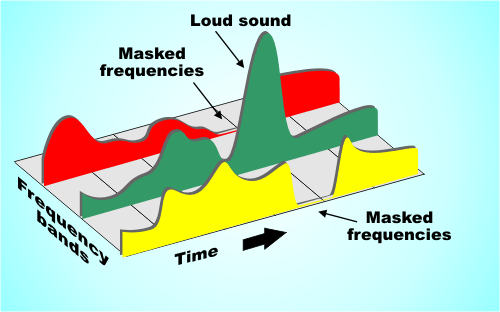
They are related to the frequency and relative loudness of sounds of different frequencies, whereas temporal masking is only related to time.

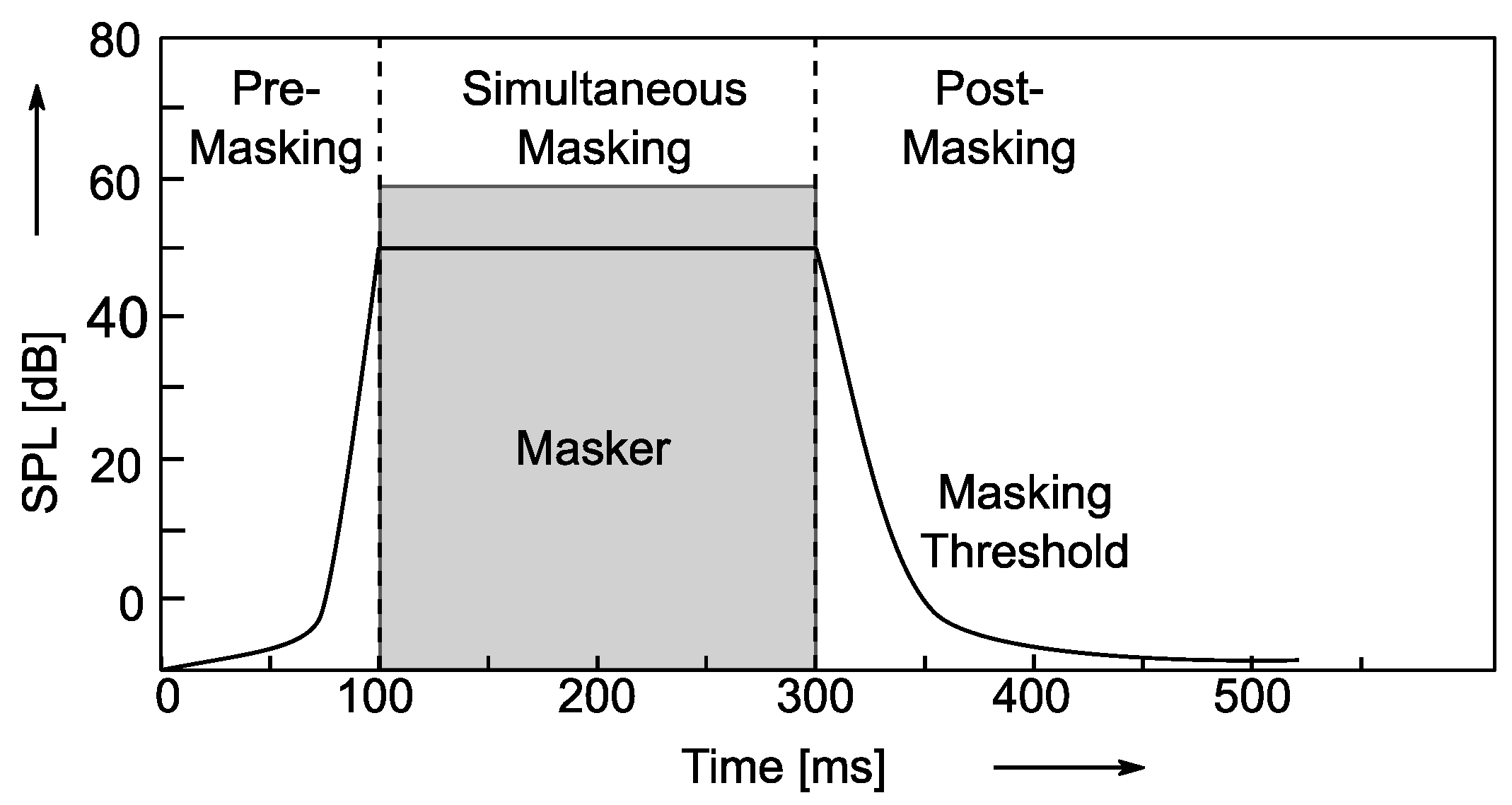
If two sounds are particularly close in time, humans may also have trouble telling them apart. For example, if a loud sound is followed by a very weak sound, the last sound will be difficult to hear. But if you play the second sound some time after the first sound stops, the last sound can be heard. How long should the interval be? For pure tones it is generally 5 ms. Of course, if the reverse effect is the same over time, if a lower sound appears before a higher sound, and the interval is too short, you won’t hear the lower sound.
Enter Bitrates, Stage Left La
JPEG compression can explicitly control the rate at which compression is discarded, but Mp3 users cannot. However, mp3 users can specify how many bits are used to store each second of music. The end effect is the same.
During encoding, the “garbage components” of the signal are compared to mathematical models of human psychoacoustics, as well as the bit rate used for compression, to decide which data to discard. The current bitrate used for mp3 compression is generally 128 kbps. The encoder will take this number into account when generating each data frame. If the bitrate is relatively low, the definition of “irrelevant” and “redundant” data will be relaxed, resulting in a large amount of data being considered useless data. Compressed audio will lose a lot of detail, resulting in a loss of sound quality. Conversely, if a higher bit rate encoding is used, the “irrelevance” and “redundancy” criteria are more precisely defined, details are preserved, but the file size is larger.
Please note that the bitrate of an mp3 file refers to the total bitrate of all encoded channels. That is, a 128 kbps stereo mp3 file is the same size as two 64 kbps mono mp3 files at the same time. But one 128kbps stereo file does sound better than two separate 64kbps mono files. Because in a stereo mp3 file, all the bits can be allocated (unevenly) to two channels as needed, for example, at a given time, one channel uses 60% of the bits and the other uses the remaining 40% , but the total number of bits will not exceed the bitrate parameter specified before encoding.
Fixed bit rate and variable bit rate
We assume that the mp3 encoding discussed here uses a fixed bitrate encoding method, which means that the output bitrate of the encoded file at any time period is whatever value you specify. The disadvantage of fixed bit rate encoding is that the amount of information in most sound files is not constant. In audio clips that use more musical instruments or have many people talking at the same time, the amount of information is large and vice versa, there are many factors that affect the amount of information in audio files. Variable bit rate encoding was developed to accommodate this characteristic of audio files. Variable bitrate encoding, which adjusts the bitrate used for encoding at any one time according to the dynamic characteristics of the audio data.
In most cases, variable bitrate encoding can achieve essentially the same sound quality as fixed bitrate encoding with a smaller file size. But variable bit rate encoding has its own drawbacks. First of all, some older players just don’t support decoding variable bitrate mp3 files and can’t play such files. Second, when the decoder plays a variable bitrate mp3, it cannot determine the current decode (play) position, and the “current play time” displayed on the player is inaccurate.
The information in the header of each frame is the same for a compressed fixed bitrate mp3 file, but not for the variable bitrate mp3 encoding. But when decoding, variable bitrate encoding does not require more computing power than a fixed bitrate file, because the mp3 decoder reads the full frame header even when playing a fixed bitrate mp3 file .