Understanding Audio Normalization


Free Download Mp4Gain
picture

Understanding Audio Normalization

Audio Normalization
Audio Normalization

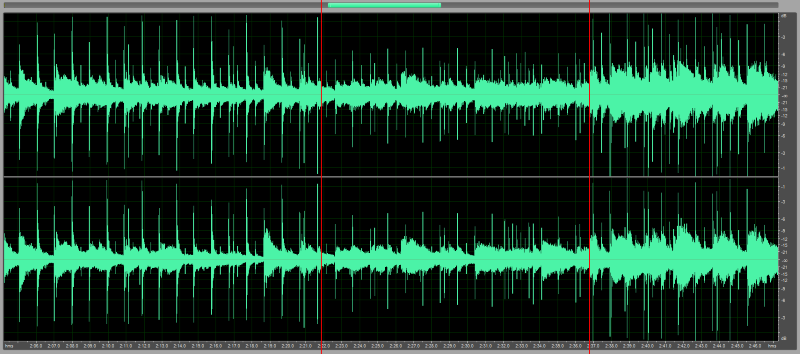
Audio normalization is the process of adjusting the loudness of an audio recording to a standard level. The goal is to ensure that all audio files have a consistent volume, making them easier to listen to and preventing ear fatigue. In this article, we will explore the different types of audio normalization and how they work.

Audio Normalization
Audio Normalization

Peak Normalization

Peak normalization is the process of adjusting the peak amplitude of an audio recording to a certain level. The peak amplitude is the highest point in the audio signal, and it is measured in decibels (dB). The goal of peak normalization is to ensure that all audio files have the same peak amplitude, making them easier to listen to and preventing ear fatigue.

Peak normalization is typically used for digital audio files, such as MP3 and WAV files. These files are usually stored in a digital format that allows for easy manipulation of the audio data. However, peak normalization can also be applied to analog audio recordings, such as cassette tapes or vinyl records.

RMS Normalization

RMS normalization is the process of adjusting the root mean square (RMS) level of an audio recording to a certain level. The RMS level is a measure of the average power of an audio signal, and it is measured in decibels (dB). The goal of RMS normalization is to ensure that all audio files have the same RMS level, making them easier to listen to and preventing ear fatigue.

RMS normalization is typically used for digital audio files, such as MP3 and WAV files. However, it can also be applied to analog audio recordings, such as cassette tapes or vinyl records.

RMS normalization is often considered to be a more accurate method of normalizing audio than peak normalization because it takes into account the average power of the audio signal, rather than just the peak amplitude.

Loudness Normalization

Loudness normalization is the process of adjusting the loudness of an audio recording to a certain level. The loudness of an audio recording is measured in loudness units (LU). The goal of loudness normalization is to ensure that all audio files have the same loudness, making them easier to listen to and preventing ear fatigue.

Loudness normalization is typically used for broadcast audio, such as television and radio. Loudness normalization is required by many countries to ensure that the audio levels of all broadcast programs are consistent, making them easier to listen to and preventing ear fatigue.

Loudness normalization is often considered to be a more accurate method of normalizing audio than peak or RMS normalization because it takes into account the perceived loudness of the audio signal, rather than just the peak amplitude or RMS level.

Conclusion

Normalizing audio is an important process for ensuring that all audio files have a consistent volume, making them easier to listen to and preventing ear fatigue. There are several different types of audio normalization, including peak normalization, RMS normalization, and loudness normalization. Each method has its own advantages and disadvantages and is best suited for different types of audio.

When it comes to audio normalization, one solution that stands out is Mp4Gain. It is a software that allows you to normalize your audio files in a quick and efficient way. It can be used to normalize a single audio file or multiple files at once. It also supports a wide range of audio file formats, including MP3, WAV, and more. Furthermore, Mp4Gain is user-friendly and easy to navigate, making it a great option for both professional and casual users.

In conclusion, audio normalization is a crucial process for ensuring that all audio files have a consistent volume, making them easier to listen to and preventing ear fatigue. There are several different types of audio normalization, including peak normalization, RMS normalization, and loudness normalization. Each method has its own advantages and disadvantages and is best suited for different types of audio. Mp4Gain is a powerful and easy-to-use software that can help you normalize your audio files quickly and efficiently.


Free Download Mp4Gain
picture


Mp4Gain Main Window
picture


Mp4Gain Features
picture


Free Download Mp4Gain
picture

Normalize audio

Normalize audio

Normalize audio
Normalize audio

normalize audio in video

Normalize audio
Normalize audio

Audio normalization is one of the most sought after and used resources for both audio and video files.
Originally replay gain and mp3gain meant the solution, while being the latest and most modern.

Today, however, given the boom in video, which ALSO needs audio normalization, and the advancement in audio playback quality, new needs have arisen.

Mp4Gai seems the most appropriate option, with a better price and a more professional result.

Mp4Gain allows you to extract the audio from any video, in the format of your choice (mp3, flac, ogg, m4a, aac, etc) or convert between audio or video formats. Which makes it very practical today.

Normalize audio is something so daily and common that anyone who has a good collection of audio or video and likes to play it frequently has an audio normalizer. Mp4Gain is by far the most modern and with the best results.

You will achieve a uniform or standard volume level and audio quality that will make listening to music or videos much more pleasant and enjoyable and will sound more even, with a pleasantly uniform sound level and standard quality.

Download Mp4Gain and have a try.

Sound normalizer

Sound normalizer

Sound normalizer
Sound normalizer

sound normalization

Sound normalizer
Sound normalizer

Since the audio was digitized, a noticeable difference in volume levels or loudness between different audio or video files began to be noticed.

What is amplification of sound?

Why does this difference or difference in audio volume or loudness occur between audio or video files after digitization?

The reasons are several and in general they are quite simple. The first is that in the days of vinyl records, since switching from one record to another took time, we generally didn’t notice much if there was a difference between them in terms of volume gain.

Neither were common users, without specialized preparation, who manipulated these vinyls. Today, on the other hand, any person using any software decides to take a CD and extract the audio using the parameters (bit rate, sample rate, etc.) that occur to them, almost at random.

And this capricious or random choice of audio settings generates a difference in quality in the long run and of course has a great impact on the volume of the audio, on the loudness of the mp3, flac, ogg, etc.

That is to say, nope, it is due exclusively to the differences that the original audio already contained, but to those that are introduced according to the settings to encode it into another format that occupies less space, such as an mp3.

This forces us to later use normalization as a method of reversing that disaster that amateur enthusiasts have introduced by encoding, without knowing what they are doing, the audio or video.

Mp4Gain is the ideal software to reverse and normalize all this in the main audio and/or video formats.

What is an audio normalizer?

What is an audio normalizer?

audio normalizer
audio normalizer

How can an audio normalizer help?

audio normalizer
audio normalizer

Mp4Gain is a tool that will adjust the volume of an mp3 file so that the loudest and softest parts of the sound are more balanced.

The main advantage of an audio normalizer is that it can be used to make a song louder without clipping or distorting it. It achieves this by increasing the volume of softer sounds, which in turn makes louder sounds quieter.

An audio enhancer is a similar tool, but instead of balancing out the volume, it increases certain frequencies to make a song clearer and more pleasant to listen to.

Normalizing the volume of audio files is crucial for many reasons: it makes listening to music more pleasant, it increases the clarity of speech, and it can even help you sleep better.

Mp4Gain is an audio normalizer and volume booster. It can be used to automatically adjust the volume of all your music files so that they are at the same level.

Mp4Gain is an easy-to-use tool for adjusting the volume of all your music files to a uniform level. It does not need any technical knowledge, just drag and drop your music files into the program window and click “Normalize”.

Mp4Gain is an audio normalizer, it can help you to increase the volume of mp3 files. It can also be used as a volume booster or audio enhancer.

What is the difference between MP3 and MP4? Part 2

What is the difference between MP3 and MP4? Part 2

MP3 vs. MP4
MP3 vs. MP4

At present, MP3 has entered a period of rapid growth and is slowly moving into a period of maturity, and the market has been formed on a large scale.

MP3 vs. MP4
MP3 vs. MP4


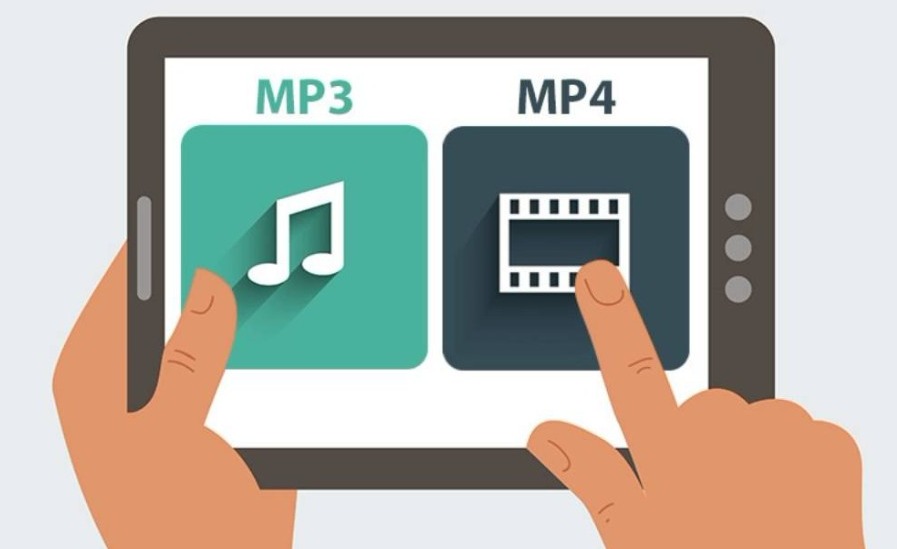
MP4 is in the market introduction period. Since ARCHOS released the first MP4 portable theater in 2002, many companies are optimistic about the development trend of MP4. The development momentum has become the latest growth point of mobile digital technology, and its development potential is even greater. than that of MP3 In about 3-5 years, it will form a huge market of nearly 10 billion in China. MP3 and MP4 will coexist and develop together for a long time. Ever since Sony invented the Walkman in 1978, portable music has reached people. Until 2004, the Walkman went through the Walkman-type tape, CD, and MD process. Today, it has become a digital MP3 Walkman, and Walkman music has become more portable and fashionable. In fact, as far as MP3 is concerned, with the further improvement of sound quality, the sound quality has approached CD quality, and the “listen” function of the Walkman has reached its peak. Many manufacturers began to consider the needs of consumers from other aspects, so a large number of multifunctional MP3 players began to appear on the market, and the Gmini400 of the French company ARCHOS even appeared in the MP3 player that can watch movies and play games. games. . So, in terms of technology development and trends, the integration of multifunction will be the final direction of MP3. However, although the growth of the MP3 market is amazing, MP3 can only be limited to the world of “listening”. To meet people’s need to “watch” with other people, ARCHOS, a famous French mobile digital manufacturer, proposed the concept of MP4 portable theater in 2002. And launched the world’s first MP 4 player, MP4 sounds very similar to MP3 in name, however, the functions between the two are very different. The main advantage of MP4 lies in the video aspect, and the perfect video function can make the dream of people who watch movies wherever they go come true. We know that the biggest shortcoming of MP3 players is that they can only hear your voices and not see your people. Although there are many large-capacity color-screen MP3 players on the market, they generally fall short of seeing pictures. and cannot enjoy video files. , what must be said is a pity. And MP4 is different. You can listen and watch, and it has rich entertainment functions. It is an entertainment novice in the digital age, and it is a big step forward than MP3. At present, most of the international manufacturers consider MP4 as their flagship product and add many popular features to MP4. Among them are complete portable theaters like the ARCHOS AV400. AV400 is based on video playback, audio playback, video recording, voice recorder, nearly 10 functions such as video output, mobile hard drive, digital camera add-on function have won the title of “Almighty King of Digital Entertainment” from just one time. At the same time, other MP4 functions on the market are also very rich. Entertainment pioneer. Take ARHCOS AV420 as an example, equipped with a 20GB hard drive, it can store more than 30 movies in MPEG-4 format, record and play 5000 pieces of music, and store tens of thousands of digital photos for up to 40 hours of TV. shows 3.5-inch TFT color LCD screen can play digital movies, recorded TV and digital photos in DVD quality, as well as excellent video playback and video output; support MP3 digital music playback, 30-320 kbit/s stereo MP3 music decoding, almost CD quality, support CBR, WMA, AAC format music; support CF card slot, can be used as a digital companion, using USB2. 0 fast transmission interface, can be used as a mobile hard disk. The industry believes that this kind of pocket-size digital entertainment product, which is compatible with MP3 and is based on “MEGP-4 dynamic picture decoding technology, can perform” move with you “(movies) on the TFT screen at high-definition color, you are taking with powerful audiovisual functions.”The magic wand of MP3 guides the development of digital mobile technology. However, although MP3 and MP4 have similar names, they are not completely substitutes. The appearance of MP4 is not to kill off MP3. The relationship between MP3 and MP4 is like the relationship between CD and DVD.

What is the difference between MP3 and MP4?

What is the difference between MP3 and MP4?

MP3 vs MP4
MP3 vs MP4

MP3 technology has been around for a few years.

MP3 vs MP4
MP3 vs MP4

On an ordinary music CD, it can only contain 60 to 90 minutes of music (about 15 songs), but if MP3 technology is used, the number of songs that can be stored on a CD of the same capacity will be ten times elderly. from a normal CD! —- MP3 uses MPEG Audio Layer 3 technology to compress ordinary sound information with a compression ratio of 1:10 or even 1:12, but it does not sound distorted to the human ear. —- There are many programs that can play MP3 files on the Internet, such as winamp, which is good. If your sound card also supports SRS technology (introduced in the previous issue of this edition), you will definitely enjoy more beautiful MP3 sound. glad. If you mean media format: MP3 music compression format encoding algorithm is taken from MPEG-1AudioLayer3, that is, it is part of MPEG-1 audio encoding algorithm. MP3 not only has a high compression rate, but also has a high fidelity of compressed music, so it is very popular with Internet users. On the other hand, MP3 also brings copyright protection issues. For this reason, many companies are researching new music compression formats that can effectively protect copyrights. MP4 is a format designed by GlobalMusicOutlet. Although MPEG4 is also often used by simply called MP4, but there is no relationship between the two. Compared to MP3, MP4 has a higher compression rate and fidelity. MP4 files are executable files with built-in players and carry the original copyright owner’s web address and copyright notice. In addition, MP4 also uses a special digital watermark technology, which can detect the music source even when MP4 music is played via FM/AM radio. MP4 has made many new attempts at copyright protection, and is expected to be welcomed by publishers, but certainly not as popular as MP3 by most Internet users. If you mean the player: We know that the biggest drawback of MP3 players is that they can only hear your voices and not see your people. Although there are many large-capacity color screen MP3 players on the market, they generally remain at the image display level It’s a pity that you can’t enjoy video files. And MP4 is different. You can listen and watch, and it has rich entertainment functions. It is an entertainment novice in the digital age, and it is a big step forward than MP3. At present, most of the international manufacturers consider MP4 as their flagship product and add many popular features to MP4. Among them are complete portable theaters like the ARCHOS AV400. AV400 is based on video playback, audio playback, video recording, voice recorder, nearly 10 functions such as video output, mobile hard drive, digital camera add-on function have won the title of “Almighty King of Digital Entertainment” from just one time. At the same time, other MP4 functions on the market are also very rich. Entertainment pioneer. Take ARHCOS AV420 as an example, equipped with a 20GB hard drive, it can store more than 30 movies in MPEG-4 format, record and play 5000 pieces of music, and store tens of thousands of digital photos for up to 40 hours of TV. shows 3. 0 fast transmission interface, can be used as a mobile hard disk. The industry believes that this kind of pocket-size digital entertainment product, which is compatible with MP3 and is based on “MEGP-4 dynamic picture decoding technology, can perform” move with you “(movies) on the TFT screen at high-definition color, you are taking with powerful audiovisual functions.”The magic wand of MP3 guides the development of digital mobile technology. However, although MP3 and MP4 have similar names, they are not completely substitutes. The appearance of MP4 is not to kill off MP3. The relationship between MP3 and MP4 is like the relationship between CD and DVD. Although they are aimed at partially overlapping consumers, they are not the same. MP3 is mainly for music lovers. In terms of MP3 music playback, MP3 works well and MP3 offers lower price and has spread very quickly in recent years. And MP4 pays more attention to video features and future digital entertainment features, focusing on the digital entertainment era, and its positioning is quite different.

Can you improve the audio of an mp4 or normalize its volume?

Can you improve the audio of an mp4 or normalize its volume?

Extract audio from mp4

Boost the loudness of an mp4

Extract audio from mp4

We all know that for years it has been possible to normalize an mp3. The algorithm has been improving and modernizing, but it was already possible to achieve it decades ago.

However with video files, for example mp4, there is always the question whether it is possible to achieve the same result as with an mp3.

There are people who are even fond of downloading mp4 files and want to convert them to an mp3,

Mp4Gain is capable of performing all these actions, with great quality and power.

Finally, a video co-container is just that, a container that has several files inside it, including audio ones.

Beyond technicalities, it is possible to improve the audio quality and volume of an mp4 or any other popular video format using Mp4Gain.

As we mentioned, it is possible to convert between different video formats or extract the audio from a video format and leave it as an audio format, that is something very current.

Well nowadays it is very easy to get the video of a song and Mp4Gain can extract the audio from any video.

Normalize audio

Normalize audio

Normalize Audio

What does normalize audio mean?

Audio normalize

The volume of sound is measured in decibels and a video or a song, that is, the audio can have more or less volume.

On the one hand we have that the audio or video file already has a “quantity” or a volume gain. That is, there is an initial volume level.

On the other hand, we would have the volume that we would assign to the amplification of our audio player.

In this case, for audio normalization we will refer to the input volume level or gain.

What happens if an audio file has noticeably lower gain? Well, it will sound at a lower loudness unless we manually modify the volume knob, which is annoying and inconvenient.

That is why the idea is that the volume input gain is optimal. Without distortion, but at a good volume.

Mp4Gain is the best software to perform this function, it is not limited to mp3s and even performs it on video files. Additionally, it can be used as a converter since regardless of the format of the input file, we can choose the format we want the output file to have.

For example if our input file is an mp4 video, we can choose to get an mp3. Thus we will have extracted the music, we normalize it and we obtain only the audio in an mp3.

Mp4Gain has many very useful functions to improve the audio quality of your songs or videos.

Youtube normalize audio Mp4Gain

Youtube normalize audio Mp4Gain

Youtube normalize audio

We all dream of downloading songs or videos from youtube… but something we will need is the possibility of youtube normalize audio.

Youtube normalize audio

Each video has been uploaded by a different person, who edited it in a different editing program, who used it in his own way, who took the background (for example: a song) from a different place… and this causes the Different YouTube videos have different volumes and it is necessary to normalize them in order to obtain that all our files have a similar loudness.

Mp4Gain is the ideal program, I would say the only one, that can carry out all these functions efficiently and with results that are typical of a television or radio station. In fact, many television or radio stations F.M. They use Mp4Gain.

Even universities, with very specific needs, such as comparing the sound of birds or a medical ultrasound, have turned to Mp4Gain to optimize their audio before conducting their research.

From the Vatican they have bought our software possibly to record and debug and improve sermons that someone records there.

Anyway, the number of important clients include a former president of the United States, a musician from a London group famous for decades… many famous, knowledgeable and important people.

And it is for a reason that they resort to Mp4Gain, because they have tried it and have perceived the audio quality of Mp4Gain.

Mp3 normalize volume level software

FAQ

Normalize Audio

Mp3 normalize volume level software

Normalizing the volume level of an mp3 is quite simple using Mp4Gaion, which also allows you to normalize the volume level of other audio and even video formats.

Convert audio and video files and normalize them?

It’s perfectly possible to do it with Mp4Gain, you can normalize audio or video files in all major formats simultaneously and get any format you need.

Mp3 normalize volume level software

Audio Normalization

The normalization of volume levels is something that has existed for many years.
This arose with the need to be able to get the different songs or files to have a similar volume level.
It really wasn’t necessary in the vinyl era, for a lot of reasons.

First of all, changing from one disc to another took time, enough so that I didn’t notice if there was any difference in volume level. Unlike any playlist of mp3s or any other format, which play one song after another and if there is a noticeable difference in volume level, we perceive it immediately.

We also have the fact, which is not minor, that the quality of audio playback today is much higher.

Today any device used to play an audio file has enormous capacity in terms of sound quality. Today we handle as a common thing to talk about sample rates of 44100 or 48000 frames per second or 192 and up to 320 kilobits, etc. In other words, we are already very familiar and we have at our fingertips the possibility of choosing options that directly affect not only the volume level but also the quality.

Mp4Gain is the most powerful and modern normalizer that can not only normalize audio in many formats, but can also normalize videos or extract audio from video and convert it to mp3 or any other format you want.