Audio Normalization Techniques: Peak vs. Loudness


Free Download Mp4Gain
picture

Audio Normalization Techniques: Peak vs. Loudness

Audio Normalization Techniques

As an audio optimization expert, I’m often asked about the best techniques for normalizing audio levels. In this article, I will explore two popular approaches: peak normalization and loudness normalization. These techniques, peak vs. loudness normalization, have their own unique advantages and considerations. Let’s dive in and uncover the secrets of achieving balanced and consistent audio!

Peak Normalization: Unleashing the Power of Dynamics

When it comes to peak normalization, it’s all about preserving the dynamics of your audio. Imagine a breathtaking symphony where the crescendos and diminuendos transport you to a different realm. With peak normalization, you ensure that the highest peaks of your audio reach their full potential without clipping or distortion. It’s like giving your audio the freedom to express itself with intensity and impact.

Loudness Normalization: The Harmony of Consistency

Now, let’s turn our attention to the world of loudness normalization. Have you ever experienced the frustration of constantly adjusting the volume while switching between songs or TV shows? Loudness normalization comes to the rescue! By analyzing the perceived loudness of your audio, it ensures a consistent listening experience across different tracks. Say goodbye to sudden volume jumps and immerse yourself in a harmonious soundscape.

Dynamic Range: The Dance of Soft and Loud

In the realm of audio normalization, we encounter the concept of dynamic range. Dynamic range represents the difference between the softest and loudest parts of an audio signal. Peak normalization respects the natural dynamic range, allowing the delicate whispers and thunderous roars to coexist in perfect balance. On the other hand, loudness normalization aims to reduce the dynamic range, providing a more even playing field for all elements of your audio.

Audio Clipping: Taming the Wild Peaks

Audio clipping is a notorious villain that can ruin your audio experience. Picture this: a sudden burst of sound that distorts and crackles, disrupting your enjoyment. Peak normalization acts as the hero in this story, taming those wild peaks and ensuring that your audio stays within safe limits. With peak normalization, your audio remains clean and free from the dreaded clipping monster.

LUFS: The Measure of Perceived Loudness

In the realm of loudness normalization, we encounter the term LUFS, which stands for Loudness Units Full Scale. LUFS provides a standardized measure of the perceived loudness of your audio. Loudness normalization algorithms analyze the integrated LUFS value and adjust the overall volume to match a specific target level. It’s like having a universal translator that ensures consistent loudness across different tracks and platforms.

Listening Environment: From Living Rooms to Concert Halls

Let’s talk about the listening environment and its impact on audio normalization. Every space has its unique characteristics, from the cozy intimacy of a living room to the grandeur of a concert hall. Loudness normalization takes into account these variations, delivering a consistent listening experience regardless of the environment. So whether you’re enjoying your favorite tunes at home or attending a live performance, the magic of normalization will make every moment memorable.

Personal Preference: Customizing Your Audio Journey

We all have our individual tastes and preferences when it comes to audio. Some crave the raw power of peak normalization, while others seek the comfort of consistent loudness through loudness normalization. The beauty of audio normalization techniques is that they allow you to customize your audio journey according to your personal taste. It’s like having a tailor-made suit that perfectly fits your unique style.

Metadata and Replay Gain: Enhancing the User Experience

Metadata and Replay Gain are powerful allies in the realm of audio normalization. Metadata provides valuable information about your audio, guiding normalization algorithms to make the right adjustments. Replay Gain takes it a step further by applying metadata tags to your audio files, ensuring consistent playback volume across different tracks. Together, they create a seamless and enhanced user experience, elevating your audio enjoyment to new heights.

Compression: Controlling the Sonic Landscape

Dynamic audio content, such as movies or live performances, often presents challenges for normalization. This is where compression enters the scene. Compression techniques allow you to shape the sonic landscape, reducing the dynamic range while maintaining audio quality. It’s like having a skilled conductor who ensures that every instrument is heard clearly, regardless of its volume.

Audio Editing and Mastering: Polishing the Gems

Lastly, let’s not forget the crucial role of audio editing and mastering in the pursuit of sonic perfection. Audio professionals meticulously fine-tune various parameters during the editing and mastering process. Audio normalization techniques become valuable tools in their arsenal, ensuring that the final product shines with balanced and consistent audio. It’s like adding the final touch of brilliance to your audio gems.

In conclusion, the choice between peak normalization and loudness normalization depends on your desired audio outcome. Whether you embrace the dynamic range or seek consistent loudness, these techniques empower you to create an audio experience that resonates with your vision. So go forth, unleash the power of normalization, and let your audio journey be a harmonious symphony of sound!


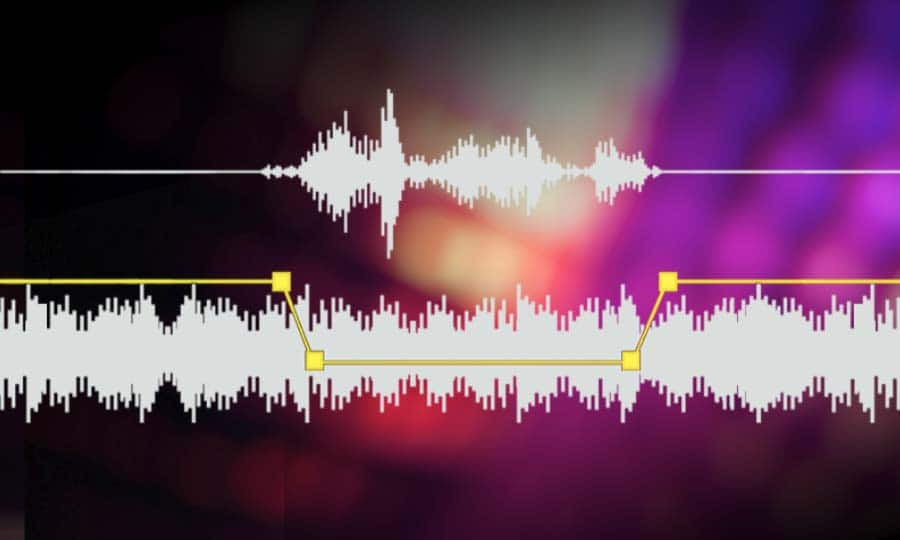
Free Download Mp4Gain
picture


Mp4Gain Main Window
picture


Mp4Gain Features
picture


Free Download Mp4Gain
picture

mp3 audio normalizer

mp3 audio normalizer


An mp3 audio normalizer is a tool to avoid differences in volume level in 2 or more audio files.

audio volume normalizer

There are various ways to do this, but the most common is to use software that can normalize the levels of the files automatically. This can be done with an audio editor, or with a dedicated mp3 normalizer program.

audio volume normalizer

Normalizing an audio file is checking each frame and adjusting it to be sure that each one is optimized to get the best possible volume without distortion.

An audio file can be normalized in two ways:

1. Peak Normalization:

This is where the audio file is analyzed and the highest peak is identified. The volume of the entire file is then increased or decreased so that this peak is at the maximum possible level without distortion.

2. RMS Normalization:

This is where the audio file is analyzed and the average volume level is identified. The volume of the entire file is then increased or decreased so that this average level is at the maximum possible level without distortion.

This behavior is similar to the compressor that keep the volume range of noisy and lower passages of the audio to keep both in a range that can sound fine.

The main difference is that the goal of an audio normalizer is not to change the sound of the audio, but to make sure that the volume levels of all the files are the same.

The most common format that is normalized is MP3, but other formats such as WAV can also be normalized.

In this times even video files can be normalized too.,

There are many reasons why you might want to normalize your audio files.

For example, if you have a number of files that were recorded at different levels, you may want to normalize them so that they all have the same volume level.

This can be useful if you want to create a playlist of files that are all the same volume, or if you want to make sure that all the files in a particular folder have the same volume level.

Another reason to normalize your audio files is if you want to make sure that they sound their best when played back on different devices.

For example, if you have an MP3 file that sounds great on your computer, but sounds terrible on your phone, you may want to normalize it so that it sounds its best on both devices.

Normalizing your audio files can also be useful if you want to make sure that they are suitable for use in different situations.

For example, if you have an MP3 file that you want to use as background music for a video, you may want to normalize it so that it is not too loud or too quiet.

Normalizing your audio files can also be useful if you want to make sure that they sound their best when played back at different speeds.

For example, if you have an MP3 file that sounds great when played back at normal speed, but sounds terrible when played back at double speed, you may want to normalize it so that it sounds its best at both speeds.

Normalizing your audio files can also be useful if you want to make sure that they sound their best when played back at different volumes.

For example, if you have an MP3 file that sounds great when played back at a low volume, but sounds terrible when played back at a high volume, you may want to normalize it so that it sounds its best at both volumes.

Normalizing your audio files can also be useful if you want to make sure that they are suitable for use in different environments.

For example, if you have an MP3 file that you want to use as background music for a party, you may want to normalize it so that it is not too loud or too quiet.

Normalizing your audio files can also be useful if you want to make sure that they are suitable for use in different places.

For example, if you have an MP3 file that you want to use as background music for a restaurant, you may want to normalize it so that it is not too loud or too quiet.

Normalizing your audio files can also be useful if you want to make sure that they are suitable for use at different times of the day.

For example, if you have an MP3 file that you want to use as background music for a morning show, you may want to normalize it so that it is.

What is a loudness normalizer or an audio volume normalizer?

What is a loudness normalizer or an audio volume normalizer?

audio volume normalizer

A volume normalizer is used to make sure that audio files play at the best possible volume without clipping and also that all audio files play at a similar volume.

audio volume normalizer

A volume normalizer analyzes an audio file and then adjusts it to sound at a specific volume level. This is often done with audio files that are uploaded to file sharing sites, so that all users can listen to the audio at a similar volume.

It is quite common to find volume differences in the files that are downloaded from the internet, since these have been created from a wav but different sampling and bit frequencies have been used to create them.

A volume normalizer can analyze an audio file and then apply gain or attenuation to adjust the volume of the file to a specified level. This is useful if you want to ensure that all audio files played on your website or in your application sound at a similar volume.

Because it’s frustrating to have a collection of audio or even video files and find that when you play them they play at different volumes.

For this reason, it is necessary to use a volume normalizer, with which you can make sure that all audio and video files are heard at a similar volume.

It is important to ask yourself if the bit rate is important for the quality of an audio or video file, the same for the sample rate.

The answer is no, not always.

Bit rate and sample rate refer to the amount of information that can be stored in an audio or video file.


The higher the bit rate, the higher the quality of the audio or video file.


However, sometimes a low-quality video or audio file can sound better than a high-quality file.


This is because the bit rate and sample rate are not always indicative of the quality of the audio or video file.


There are many factors that can affect the quality of an audio or video file, such as the encoder used to encode the file, the quality of the microphone used to record the file, the quality of the equipment used to play the file, etc.


In summary, the bit rate and the sample rate are not always indicative of the quality of the audio or video file.

Normalize audio

Normalize audio

Normalize Audio

What does normalize audio mean?

Audio normalize

The volume of sound is measured in decibels and a video or a song, that is, the audio can have more or less volume.

On the one hand we have that the audio or video file already has a “quantity” or a volume gain. That is, there is an initial volume level.

On the other hand, we would have the volume that we would assign to the amplification of our audio player.

In this case, for audio normalization we will refer to the input volume level or gain.

What happens if an audio file has noticeably lower gain? Well, it will sound at a lower loudness unless we manually modify the volume knob, which is annoying and inconvenient.

That is why the idea is that the volume input gain is optimal. Without distortion, but at a good volume.

Mp4Gain is the best software to perform this function, it is not limited to mp3s and even performs it on video files. Additionally, it can be used as a converter since regardless of the format of the input file, we can choose the format we want the output file to have.

For example if our input file is an mp4 video, we can choose to get an mp3. Thus we will have extracted the music, we normalize it and we obtain only the audio in an mp3.

Mp4Gain has many very useful functions to improve the audio quality of your songs or videos.

Mp3 normalize volume level software

FAQ

Normalize Audio

Mp3 normalize volume level software

Normalizing the volume level of an mp3 is quite simple using Mp4Gaion, which also allows you to normalize the volume level of other audio and even video formats.

Convert audio and video files and normalize them?

It’s perfectly possible to do it with Mp4Gain, you can normalize audio or video files in all major formats simultaneously and get any format you need.

Mp3 normalize volume level software

Audio Normalization

The normalization of volume levels is something that has existed for many years.
This arose with the need to be able to get the different songs or files to have a similar volume level.
It really wasn’t necessary in the vinyl era, for a lot of reasons.

First of all, changing from one disc to another took time, enough so that I didn’t notice if there was any difference in volume level. Unlike any playlist of mp3s or any other format, which play one song after another and if there is a noticeable difference in volume level, we perceive it immediately.

We also have the fact, which is not minor, that the quality of audio playback today is much higher.

Today any device used to play an audio file has enormous capacity in terms of sound quality. Today we handle as a common thing to talk about sample rates of 44100 or 48000 frames per second or 192 and up to 320 kilobits, etc. In other words, we are already very familiar and we have at our fingertips the possibility of choosing options that directly affect not only the volume level but also the quality.

Mp4Gain is the most powerful and modern normalizer that can not only normalize audio in many formats, but can also normalize videos or extract audio from video and convert it to mp3 or any other format you want.
