Video audio normalizer – volume enhancer.

Video audio normalizer – volume enhancer.

Video audio normalizer

Why do we need to improve the volume level of some videos?

Video audio normalizer

We have reached the point, due to the extremely high consumption of video and because much of this video is either produced domestically and not in specialized production companies, managed and poerated by technically qualified personnel, or because these videos have been downloaded by unusual methods and converted to other mform, atrosd, by people also domestically, without training.

In other words, in one way or another we consume video files that at some point have been manipulated by people who don’t really know what they’re doing, technically speaking.

Many of our videos have almost randomly determined bitrates… and the same goes for many other settings. They do not have those settings (eg that birate) as part of a conscious decision.

It should not surprise us that we notice differences, for example in volume level, between them and that we are forced to do something to correct that notorious disparity.

Mp4Gain does that, it helps us to give it uniformity and to correct, in the case of volume, these “defects” to bring our collection to the point where they all sound at the correct volume and therefore sound good when played one after the other.

Mp4Gain is unique, it is not only the best normalizer, but it is the only one capable of doing it with files of almost any audio or video format and making our collection of audio and video files sound uniformly at the correct volume level. .

By the way, Mp4Gain has other very useful functions, which we will talk about in another article, among them being the best audio and video converter.

Video audio normalizer

Video audio normalizer

Video Audio Normalizer

It is common to detect that not all the videos that one has saved have the same volume level and this is a problem that needs a solution.

Video Audio Normalizer

Mp4Gain offers that solution, with an experience of 20 years, starting with Mp3Gain-PRO two decades ago and developing more and more powerful algorithms, which were able to normalize the volume level of audio formats other than mp3, for example, flac , ogg, acc, ma4a, etc. Mp4Gain can also normalize the audio of video formats like mp4, mpeg, flv, avi, etc.

Video audio normalizer

Years ago it seemed like a dream to hope that a video could be normalized in the volume level of its audio. You could hardly normalize mp3s and nothing else, but today Mp4Gain offers the normalization of the main audio and video formats and does it better than anyone else, there is no other normalizer with the capacity of Mp4Gain neither with the power nor with the ability to achieve it in so many audio or video formats.

It is even a converter that can take for example an mp3 and normalize its volume level and make the normalized file a FLAC for example.

It can also take videos and extract the audio from them and convert them to mp3.

Download Mp4Gain and give it a try, surely you will end up using it very frequently to normalize the volume of all your audio and video files.

MP3 files at the same volume and with the same audio quality.

Now, on all people’s computers, one thing that is not lacking is music in the form of mp3 files.
These mp3 files come from very different sources, some may be derived from “ripping” some CDs, others are downloaded from the Internet or from P2P programs, or have been received by some friends.

Normalize Audio

Over time, everyone has their music collection made of mp3 files that are certainly different from each other in quality and volume.
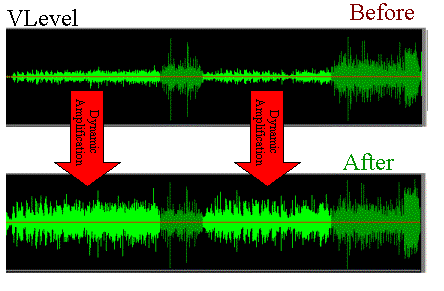
By playing a random playlist with the media player, you can listen to music at lower volume levels than others and with different audio quality.

We are certainly talking about subtleties, these differences in quality and volume, in most cases, even if perceived, it does not bother.
However, this problem can be easily corrected by setting all mp3 files to the same volume and sound quality.

Volume Normalizer

Normalizing the audio of two tracks or two songs becomes useful even if you need to combine them into a single mp3 file or if you want to create a video presentation with a soundtrack.

MP4Gain normalizes the volume of multiple audio and multiple music tracks by analyzing mp3 files and other formats to determine how much each volume should be corrected.

The operation is really simple and within everyone’s reach, also because Mp4Gain can also be downloaded easily.
First of all, after installing it, add the complete files or folders inside it by pressing the respective buttons.
The next step is to analyze the traces that, after a brief process, will result in an optimal volume level for combining songs and mp3 files.
The default value recommended by MP4Gain is 89.0 dB; Other programs choose 92.0 dB, but since the software works differently, it is always advisable to use the default values, especially if you are not experienced in sound techniques (in that case, more professional software will probably be used).
Analysis of the audio tracks highlights deviations from that value of 89.0 which is detected as the “normal” target volume.

Once the analysis process is complete, you can click the Normalize button and apply the suggested changes to the volume levels for each individual track. Thus,
MP4Gain should be used easily and without complications, managing to improve the problem of the different music volume levels of a collection of MP3 files, without compromising their quality.