youtube normalize audio


Free Download Mp4Gain
picture

FAQ

YouTube Normalize Audio

Youtube normalize audio, how?

Normalize Youtube audio

You can download videos from youtube using some online site and then with Mp4Gain you can normalize the video or you can extract the audio from the video and normalize to mp3, flac, ogg, aac, etc.

Youtube normalize audio… is it possible?

Yes, with modern programs like mp4Gain it is possible to normalize the videos you have downloaded from youtube or any streaming site and you can even extract the audio -if it is a song- to any popular audio format and normalize it.

youtube normalize audio

YouTube has meant enormous growth, to the extent that it is not only a streaming platform, but also the second most important search engine.

On the other hand, people tend to download the videos. Either the musicals to convert it into audio (mp3, flac, ogg, acc, etc) or to save them as video.

Logically they find themselves in the classic situation where they have different volumes and this requires a solution.

Youtube normalize audio, how?

Luckily Mp4Gain can do all this: It can normalize the volume of videos, it can extract audio from videos, normalize it like any popular audio format, etc.

Today that youtube is so fashionable, that it is possible to find almost any song from the 60s or before to the present, that you can download funny videos, etc. It is ideal to download them and achieve normalize their volume.

Before this would have been impossible, this was unimaginable in the decade of the 80s, but today, it is perfectly possible and we can well update ourselves and enjoy the technology that we have at our fingertips.


Free Download Mp4Gain
picture


Mp4Gain Main Window
picture


Mp4Gain Features
picture


Free Download Mp4Gain
picture

MP3 files at the same volume and with the same audio quality.

Now, on all people’s computers, one thing that is not lacking is music in the form of mp3 files.
These mp3 files come from very different sources, some may be derived from “ripping” some CDs, others are downloaded from the Internet or from P2P programs, or have been received by some friends.

Normalize Audio

Over time, everyone has their music collection made of mp3 files that are certainly different from each other in quality and volume.
By playing a random playlist with the media player, you can listen to music at lower volume levels than others and with different audio quality.

We are certainly talking about subtleties, these differences in quality and volume, in most cases, even if perceived, it does not bother.
However, this problem can be easily corrected by setting all mp3 files to the same volume and sound quality.

Volume Normalizer

Normalizing the audio of two tracks or two songs becomes useful even if you need to combine them into a single mp3 file or if you want to create a video presentation with a soundtrack.

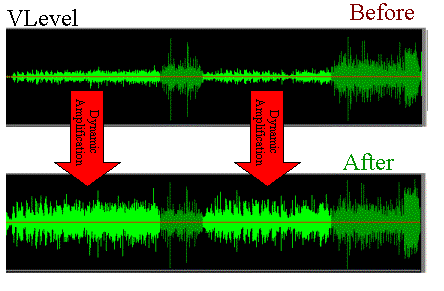
MP4Gain normalizes the volume of multiple audio and multiple music tracks by analyzing mp3 files and other formats to determine how much each volume should be corrected.

The operation is really simple and within everyone’s reach, also because Mp4Gain can also be downloaded easily.
First of all, after installing it, add the complete files or folders inside it by pressing the respective buttons.
The next step is to analyze the traces that, after a brief process, will result in an optimal volume level for combining songs and mp3 files.
The default value recommended by MP4Gain is 89.0 dB; Other programs choose 92.0 dB, but since the software works differently, it is always advisable to use the default values, especially if you are not experienced in sound techniques (in that case, more professional software will probably be used).
Analysis of the audio tracks highlights deviations from that value of 89.0 which is detected as the “normal” target volume.

Once the analysis process is complete, you can click the Normalize button and apply the suggested changes to the volume levels for each individual track. Thus,
MP4Gain should be used easily and without complications, managing to improve the problem of the different music volume levels of a collection of MP3 files, without compromising their quality.