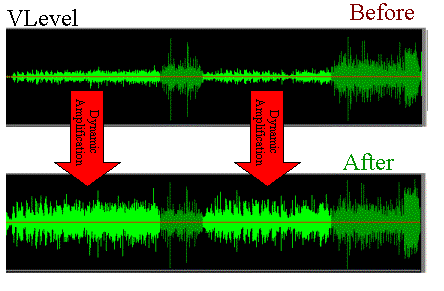
Normalize volume level – Boost the volume of your videos or audio files

When a person manages to put together a collection of videos or audio files, an urgent need is to normalize the volumes of these, because they will surely find very large differences in each video or file mp3, flac, aac, etc.

Normalize or Boost video’s volume level
For almost two decades, it became possible to normalize the volume of mp3s. Although with less modern algorithms than the ones used by Mp4Gain. (Although it is still available, if the user wishes, use Replay Gain, as an additional alternative within Mp4Gain).

But given the boom in the use of music videos or any other type, even videos that come from the user’s own cameras or editors, getting the video volume normalized, boosting the video volume, is an important need.
Mp4Gain is the answer and is capable of normalizing the main video formats (AVI, MPEG, MP4, 3GP, etc)
Normalize FLAC, OGG, AAC, MP3, etc.
On the other hand, the use of other formats in addition to mp3 has also generated the need to be able to normalize any of these (and other) audio formats.
Mp4Gain can do this too.
Normalize and convert video or audio files at the same time
You can also convert and normalize from one format to another. For example, normalize the audio of a video and at the same time convert it, let’s say MP3 or FLAC, OGG, etc.
It can even convert between different audio formats, while normalizing. The same happens with videos, you can normalize an MP4 and convert it to AVI simultaneously, or vice versa.
That is, you can convert between all your video and audio formats and at the same time normalize the volume, or not, you can simply convert or simply normalize, if you so decide.
Because nowadays, it is almost unthinkable to have a collection of videos or a collection of music in audio files and not normalize each of these to have them with the optimal volume, so that they sound as good as possible and at the appropriate volume.
Batch Normalize
You can even choose the “percentage” of normalize to be done to your video or audio file. On the other hand, you can additionally choose the dB you want as the final result. That is, the gamma of options is very wide, if you are an advanced user.
Because if you don’t want to do all these calculations, Mp4Gain does them automatically and normalizes the video or audio file with the push of a button.
Obviously you can normalize a single video or audio file or you can do it in batch normalize, normalizing how many you want to normalize the volume with a single click. You simply load how many videos or songs (you can load videos and songs at the same time) and a single click will be enough to complete the task in normalize batch.
Finally we comment that it can perform other functions such as correcting the equalization, modifying the pitch or tempo individually, etc.