How to Use an Equalizer


Free Download Mp4Gain
picture

How to Use an Equalizer: A Comprehensive Guide
How to Use an Equalizer

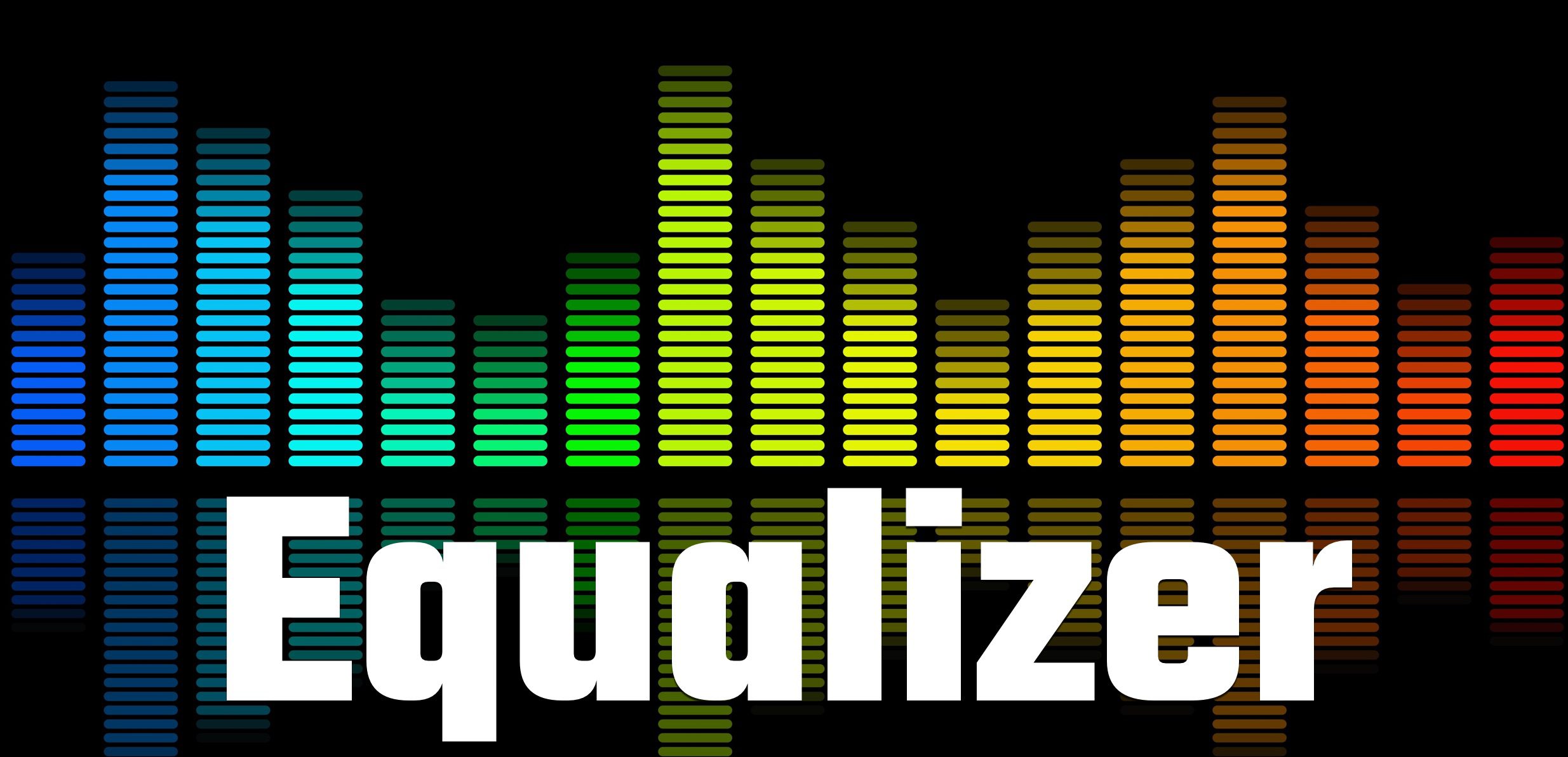
Equalizing – Introduction

How to Use an Equalizer

An equalizer is a device that adjusts the frequency response of an audio signal. It allows you to boost or cut specific frequencies to tailor the sound to your liking. Equalizers are commonly found in audio systems, whether it’s in your car, home, or studio.
In this article, we will discuss how to use an equalizer and provide a step-by-step guide on adjusting the EQ settings to achieve the desired sound.

Understanding the Basics of EQ

Before we dive into the specifics of using an equalizer, it’s important to understand the basics of EQ. EQ stands for equalization, which is the process of adjusting the balance between different frequency components in an audio signal.
An EQ consists of several bands, each of which controls a specific frequency range. The number of bands on an EQ can vary, but most consumer-grade EQs have between five and ten bands. Professional-grade EQs can have up to 31 bands or more.

Each band has a center frequency and a bandwidth. The center frequency is the frequency that the band affects, and the bandwidth determines how wide of a range of frequencies the band affects. A narrow bandwidth affects only a small range of frequencies, while a wide bandwidth affects a broader range of frequencies.

Step-by-Step Guide to Using an EQ

Now that we have a basic understanding of EQ, let’s dive into the step-by-step guide on using an EQ.
Step 1: Identify the problem areas in the audio signal.

Before making any EQ adjustments, it’s important to identify which frequencies need boosting or cutting. This can be done by listening to the audio signal and paying attention to any frequencies that sound too harsh, muddy, or boomy.

Step 2: Set all EQ bands to their default position.

Most EQs have a button or knob that allows you to reset all bands to their default position. This is typically labeled as “flat” or “0 dB.”

Step 3: Adjust the low-frequency band.

The low-frequency band controls the bass frequencies in the audio signal. If the audio signal lacks bass, you can boost this band. If the bass is too overpowering, you can cut this band.

Step 4: Adjust the mid-frequency bands.

The mid-frequency bands control the frequencies in the middle of the audio spectrum. If the audio signal lacks clarity, you can boost these bands. If the audio signal is too harsh, you can cut these bands.

Step 5: Adjust the high-frequency band.

The high-frequency band controls the treble frequencies in the audio signal. If the audio signal lacks brightness, you can boost this band. If the audio signal is too sibilant or hissy, you can cut this band.

Step 6: Make fine adjustments.

After making the initial adjustments, it’s important to listen to the audio signal again and make fine adjustments as needed. This can be done by making small changes to each band until the desired sound is achieved.

Frequently Asked Questions (FAQ)

Q1: How do I know which frequencies to adjust?

A1:

To identify which frequencies to adjust, listen to the audio signal and pay attention to any frequencies that sound too harsh, muddy, or boomy. You can also use a spectrum analyzer to visualize the frequency spectrum of the audio signal and identify any problem areas.

A2:

To use an equalizer, you should first identify the problem areas in the audio signal. Once you’ve identified the frequencies that need adjusting, you can use the EQ bands to boost or cut specific frequencies to achieve the desired sound. It’s important to make fine adjustments and listen to the audio signal again after making initial adjustments.
Q3: Can I use an EQ to make a bad recording sound better?

A3:

While an EQ can help improve the sound of a recording, it cannot make a bad recording sound good. EQ can only adjust the balance between different frequency components in an audio signal, but it cannot fix problems with the recording itself, such as distortion or noise.
Q4: Can I use an EQ to boost the volume of a recording?

A4:

An EQ can boost specific frequency ranges, but it cannot increase the overall volume of a recording. To increase the volume, you would need to use a compressor or a limiter.
Q5: What is the difference between a graphic EQ and a parametric EQ?

A5:

A graphic EQ has a fixed number of bands with fixed center frequencies and bandwidths. A parametric EQ, on the other hand, allows you to adjust the center frequency, bandwidth, and gain of each individual band.
Q6: How many bands should an EQ have?

A6:

The number of bands on an EQ can vary depending on the application. Consumer-grade EQs typically have between five and ten bands, while professional-grade EQs can have up to 31 bands or more.
Q7: Can I use an EQ on headphones?

A7:

Yes, you can use an EQ on headphones to adjust the frequency response of the audio signal. Some headphone amplifiers come with built-in EQs, or you can use software EQs on your computer or mobile device.
Q8: Should I use EQ when mixing a song?

A8:

EQ is an important tool for mixing a song, as it allows you to balance the different frequency components of each instrument or vocal track. However, it’s important to use EQ judiciously and not rely on it too heavily.
Q9: Can I use EQ to create special effects?

A9:

Yes, EQ can be used to create special effects, such as a telephone or radio effect. By cutting specific frequency ranges, you can simulate the sound of a low-quality recording or a specific environment.
Q10: What is a shelving EQ?

A10:

A shelving EQ is a type of EQ that boosts or cuts all frequencies above or below a certain frequency. For example, a high-shelf EQ would boost or cut all frequencies above a certain point, while a low-shelf EQ would boost or cut all frequencies below a certain point.
Q11: How can I avoid overusing EQ?

A11:

To avoid overusing EQ, it’s important to use it judiciously and not rely on it too heavily. Start by making subtle adjustments and listening to the effect on the overall sound. Use EQ to address specific problem areas, but don’t try to fix everything with EQ alone.
Q12: Can I use EQ to fix a room’s acoustics?

A12:

While an EQ can help compensate for some acoustic problems, such as a room with a boomy bass response, it cannot fix all acoustic problems. To improve the acoustics of a room, you would need to use acoustic treatment

FAQ

Q: How do I know which frequencies to adjust with EQ?

A:

You can use a frequency analyzer to identify the problem areas in the audio signal. A frequency analyzer will show you which frequencies are too loud or too quiet, allowing you to make adjustments with the EQ.
Q: How do I know when I’ve achieved the desired sound with EQ?

A:

The best way to know when you’ve achieved the desired sound with EQ is to use your ears. Make subtle adjustments and listen to the effect on the overall sound. Keep adjusting until you achieve the sound you’re looking for.
Q: Can I use EQ on live sound?

A:

Yes, you can use EQ on live sound to adjust the sound of the PA system or individual instruments. However, it’s important to make adjustments carefully and not to introduce feedback or other problems.
Q: Can I use EQ on vocals?

A:

Yes, you can use EQ on vocals to adjust the tone of the voice and improve clarity. However, it’s important to be careful not to overuse EQ, as this can make the vocals sound unnatural.
Q: How do I adjust EQ for different music genres?

A:

Different music genres have different frequency characteristics, so it’s important to adjust EQ accordingly. For example, rock music often has a lot of low-end energy, while jazz music may have a more balanced frequency response. Use your ears and listen to reference tracks to get a sense of what sounds right for each genre.
Q: Can EQ affect the stereo image?

A:

Yes, EQ can affect the stereo image if you make adjustments to the stereo field. For example, if you boost the high frequencies on one channel and cut them on the other, this can create a sense of width in the stereo image.
Q: How do I adjust EQ for headphones?

A:

Adjusting EQ for headphones is similar to adjusting EQ for speakers. Use your ears and listen to the overall sound, making adjustments to achieve the desired sound.
Q: Can I use EQ on a guitar amp?

A:

Yes, you can use EQ on a guitar amp to adjust the tone of the guitar. This can help you achieve a more balanced sound and improve clarity.
Q: Can I use EQ to remove noise from a recording?

A:

EQ cannot remove noise from a recording, as it cannot distinguish between the desired signal and unwanted noise. To remove noise from a recording, you would need to use noise reduction software or hardware.
Q: How do I adjust EQ for a bass guitar?

A:

Adjusting EQ for a bass guitar depends on the style of music and the sound you’re trying to achieve. Generally, you’ll want to boost the low frequencies to add warmth and punch to the sound, and cut the high frequencies to reduce harshness.
Q: Can I use EQ to make a small room sound bigger?

A:

EQ cannot make a small room sound bigger, as it cannot affect the physical dimensions of the room. To make a small room sound bigger, you would need to use reverb or other processing to create a sense of space.
Copy to Clipboard

Q: Can EQ be used to fix bad recordings?

A:

EQ can help improve the sound of a bad recording, but it cannot fix all issues. For example, if the recording is distorted or has other technical problems, EQ will not be able to fully fix these issues. However, EQ can be used to improve the overall tone and balance of the recording.
Q: Can EQ be used for mastering?

A:

Yes, EQ is an important tool in the mastering process. Mastering engineers use EQ to adjust the overall tone and balance of the music, and to make sure the different instruments and frequencies are well-balanced.
Q: Can I use EQ on a drum kit?

A:

Yes, you can use EQ on a drum kit to adjust the tone of each drum and improve overall balance. For example, you can boost the low frequencies on the kick drum to add more punch, or cut the high frequencies on the cymbals to reduce harshness.
Q: Can EQ be used on a podcast?

A:

Yes, EQ can be used on a podcast to adjust the tone and clarity of the voices. This can help make the podcast easier to listen to and improve overall sound quality.
Q: How do I know when to use EQ?

A:

You should use EQ when you need to adjust the tone and balance of an audio signal. This could be to improve clarity, reduce harshness, or to make different instruments or voices stand out.
Q: Can EQ be used for sound design?

A:

Yes, EQ can be used for sound design to shape and manipulate sounds. For example, you can use EQ to create a sense of distance or depth, or to emphasize certain frequencies in a sound.
Q: How do I avoid overusing EQ?

A:

To avoid overusing EQ, start by making subtle adjustments and listening to the effect on the overall sound. Use reference tracks to get a sense of what sounds natural and balanced, and avoid making drastic changes to the EQ.
Q: Can EQ be used on a video soundtrack?

A:

Yes, EQ can be used on a video soundtrack to adjust the tone and balance of the audio. This can help make the soundtrack easier to listen to and improve overall sound quality.
Q: Can EQ be used on individual tracks in a mix?

A:

Yes, EQ can be used on individual tracks in a mix to adjust the tone and balance of each instrument or voice. This can help create a well-balanced mix with each instrument or voice occupying its own space in the mix.
Q: How do I adjust EQ for a piano?

A:

Adjusting EQ for a piano depends on the style of music and the sound you’re trying to achieve. Generally, you’ll want to boost the low frequencies to add warmth and depth to the sound, and cut the high frequencies to reduce harshness.
Q: Can EQ be used for live streaming?

A:

Yes, EQ can be used for live streaming to adjust the sound of the audio being streamed. This can help make the audio easier to listen to and improve overall sound quality.


Free Download Mp4Gain
picture


Mp4Gain Main Window
picture


Mp4Gain Features
picture


Free Download Mp4Gain
picture

Lossless Audio

Lossless Audio

Lossless Audio
Lossless Audio


Lossless Audio
Lossless Audio


Lossless audio refers to a type of audio compression that preserves all of the original data and quality of a recording. This means that no information is lost when the audio file is compressed, unlike with other compression methods which discard some data to reduce the file size.

Why is Lossless Audio Important?

Lossless audio is important because it allows you to enjoy high-quality audio without sacrificing any of the original sound. This means that you can listen to music or watch movies with the same level of detail and clarity as the original recording, without any loss of quality.

How Does Lossless Audio Work?

Lossless audio works by compressing the audio data in a way that allows it to be reconstructed exactly as it was originally recorded. This is typically done using a codec, which is a type of software that compresses and decompresses audio files.

The most common lossless audio codecs are FLAC (Free Lossless Audio Codec) and ALAC (Apple Lossless Audio Codec). These codecs compress audio files in a way that preserves all of the original data, but without reducing the quality of the audio.

Examples of Lossless Audio

Lossless audio can be found in a variety of formats, including:

  • FLAC
  • ALAC
  • WAV
  • AIFF
  • DSD

These formats are often used by audiophiles and music enthusiasts who want the highest possible audio quality.

Benefits of Lossless Audio

There are several benefits to using lossless audio, including:

  • Preserves all of the original audio quality
  • No loss of data or detail
  • High-quality audio playback
  • Perfect for audiophiles and music enthusiasts

Conclusion

In summary, lossless audio is an important way to preserve the original quality of audio recordings, allowing you to enjoy high-quality sound without any loss of detail. If you’re an audiophile or music enthusiast, consider using lossless audio formats like FLAC or ALAC to get the best possible listening experience. And, if you need to adjust the volume of your lossless audio files, I recommend using a tool like mp4gain.

The History and Development of Lossless Audio

What is Lossless Audio?

Lossless audio is a type of audio compression that reduces file size without sacrificing audio quality. This is done by compressing the audio in a way that it can be reconstructed back to its original state without any loss of data or quality.

The Early Days of Lossless Audio

The idea of lossless audio compression has been around since the early days of digital audio, but it wasn’t until the mid-1990s that it started to gain traction. In 1995, two researchers at AT&T Bell Labs, Michael Cowan and Ken Turkowski, developed a lossless audio compression algorithm called Shorten. This algorithm was used to compress audio files for trading on the internet and quickly became popular among audiophiles.

FLAC and ALAC

In the early 2000s, two new lossless audio compression formats were developed: FLAC (Free Lossless Audio Codec) and ALAC (Apple Lossless Audio Codec). FLAC was developed by Josh Coalson and was released in 2001. ALAC was developed by Apple in 2004 and was primarily used on their iPod and iPhone devices.

The Popularity of Lossless Audio

As digital music became more popular, so did the demand for lossless audio formats. Audiophiles and music enthusiasts were no longer satisfied with compressed audio formats like MP3 and began to seek out lossless formats that preserved the original quality of the music. Today, lossless audio is widely used and supported by most digital music players and streaming services.

Advantages and Disadvantages of Lossless Audio

The biggest advantage of lossless audio is that it preserves the original quality of the music, which is important for audiophiles and music enthusiasts. However, lossless audio files are larger in size than compressed audio files, which means they take up more storage space and require more bandwidth to transfer over the internet.

Conclusion

Lossless audio has come a long way since the early days of digital audio. With the development of new compression algorithms and the growing popularity of lossless audio formats, it’s likely that we’ll continue to see improvements in the quality and efficiency of lossless audio in the years to come.

Audio Equalizer

Audio Equalizer

Audio Equalizer
Audio Equalizer
Audio Equalizer
Audio Equalizer

An audio equalizer works by adjusting the different frequencies of sound in a music or audio file. Frequencies are how we measure the pitch or tone of a sound, and they’re measured in Hertz (Hz). A low frequency, like the bass, is around 20-200 Hz, while a high frequency, like a cymbal crash or a bird chirping, is around 5,000-20,000 Hz.

Imagine you’re listening to a song and you notice that the bass isn’t as loud as you want it to be. You can use an equalizer to boost the bass frequency and make it louder. On an equalizer, you would turn up the knob that controls the bass frequency, usually located on the left side of the equalizer.

Similarly, if you notice that the high notes in a song are too piercing or bright, you can turn down the treble frequency, usually located on the right side of the equalizer. By adjusting the different frequencies, you can make the music sound more balanced and pleasant to your ears.

An audio equalizer can also have multiple bands or knobs for each frequency range. For example, a 10-band equalizer has 10 different knobs, each controlling a different frequency range. This gives you more precise control over the sound of the music.

Why Do People Use Audio Equalizers?

People use audio equalizers for different reasons. For example, if you’re listening to music in a noisy environment, like in a car or on a train, you might want to boost the mid-range frequencies, which are where most of the vocals and instruments are. This makes it easier to hear the music over the noise.

If you’re listening to music on headphones or a small speaker, you might want to boost the bass frequency to make it sound more powerful and full. Similarly, if you’re listening to classical music, you might want to boost the high frequencies to make the strings and woodwinds sound clearer and more detailed.

Finally, some people use audio equalizers to compensate for hearing loss. For example, if someone has trouble hearing high frequencies, they can boost those frequencies on an equalizer to make the music sound more balanced to them.

Conclusion

In summary, an audio equalizer is a tool that lets you adjust the different frequencies of sound in a music or audio file. You can use it to make the music sound more balanced, pleasant, and easier to hear in different environments. An equalizer works by adjusting the different frequency bands, which are measured in Hertz, and can have multiple knobs or bands for more precise control. If you need to adjust the volume levels of your audio files after equalizing them, you can use a program like mp4gain to do so.

The History of Equalizers

Equalizers have a long and interesting history, with the concept of adjusting audio frequencies dating back to the early days of telephony and radio communication. Here’s a closer look at the development of equalizers over the years:

Early Telephony and Radio Communication

In the late 1800s and early 1900s, telephony and radio communication were becoming more prevalent. As communication technology developed, it became clear that certain frequencies of audio were more easily transmitted and understood than others. As a result, early communication systems used filters to adjust the audio frequencies and improve clarity.

Early Recording and Playback

In the early 1900s, the first recording and playback devices were developed. However, these early devices were limited in their frequency response and did not provide a way to adjust audio frequencies. In the 1920s, the first equalizers were developed for use in theaters to improve the sound quality of motion pictures.

The Development of Graphic Equalizers

In the 1950s, graphic equalizers were developed. These devices allowed for more precise adjustment of audio frequencies by using a series of sliders to control specific frequency bands. Graphic equalizers were first used in the recording industry, allowing engineers to fine-tune the sound of recordings.

The Rise of Parametric Equalizers

In the 1970s, parametric equalizers were developed. These devices allowed for even more precise adjustment of audio frequencies by allowing engineers to control the center frequency, bandwidth, and level of each frequency band. Parametric equalizers became popular in recording studios and live sound systems.

Modern Digital Equalizers

With the rise of digital audio technology in the 1980s and 1990s, digital equalizers were developed. These devices allowed for even greater precision in adjusting audio frequencies and provided more flexibility in terms of signal routing and processing. Today, digital equalizers are widely used in recording studios, live sound systems, and consumer electronics.

Conclusion

Equalizers have come a long way since the early days of telephony and radio communication. Today, equalizers are essential tools for adjusting and enhancing the sound of music, movies, and other audio content. Whether you’re a recording engineer, a live sound engineer, or a music lover, understanding the history and development of equalizers can help you appreciate the technology and get the most out of your audio equipment. And remember, if you’re looking for an easy-to-use and effective equalizer tool, check out mp4gain!

All You Need to Know About MP3 Volume Boosters

All You Need to Know About MP3 Volume Boosters

Volume Booster
Volume Booster

If you’ve ever encountered a situation where your music or audio file is too quiet, then you know how frustrating it can be. You can find yourself turning up the volume higher and higher, but the sound still doesn’t quite reach the desired level. That’s where MP3 volume boosters come in.

Volume Booster
Volume Booster

An MP3 volume booster is a tool that increases the volume of an audio or music file. It’s also known as a “loudness maximizer” or “normalization software”, and it can be used to make any audio file louder, clearer, and punchier.

How Does an MP3 Volume Booster Work?

At its core, an MP3 volume booster works by adjusting the overall volume of an audio file. It increases the amplitude of the sound waves in the file, which in turn increases the loudness of the audio. This process is also known as “normalization”.

Most MP3 volume boosters also use algorithms to adjust the sound frequencies in the audio file. This ensures that the sound remains clear and balanced, even as the volume is increased.

In addition, most MP3 volume boosters also have features that allow you to adjust the sound frequencies manually. This allows you to fine-tune the sound of the audio file to your liking.

What Are the Benefits of Using an MP3 Volume Booster?

The most obvious benefit of using an MP3 volume booster is that it makes your audio files louder. This is especially useful if you’re creating a video or podcast and need to ensure that the audio is loud and clear.

But there are other benefits as well. By adjusting the sound frequencies in the audio file, an MP3 volume booster can also help make the audio sound fuller, richer, and more dynamic.

Finally, the ability to manually adjust the sound frequencies allows you to customize the sound of the audio to your liking. This can be especially useful if you’re creating a specific audio effect or soundscape.

How Do I Use an MP3 Volume Booster?

Most MP3 volume booster software is fairly straightforward to use. All you need to do is select the audio file you want to increase the volume of and then adjust the volume and sound frequencies as desired. Once you’re happy with the sound, you can save the file and you’re done.

If you’re looking for an easy-to-use MP3 volume booster, then we recommend Mp4Gain. Mp4Gain is a powerful and user-friendly tool that allows you to quickly and easily increase the volume of any audio file.

Conclusion

If you’re looking for an easy way to make your audio files louder and clearer, then an MP3 volume booster is a great option. Mp4Gain is one of the best solutions available, and it’s sure to help you get the most out of your audio files.

Volume equalizer, mp3 louder.

Volume equalizer, mp3 louder.

Volume equalizer

Anyone who has some mp3 or video files or music files of other formats will soon discover that some have a problem with the volume…they don’t sound at the same volume level as the other files.

Volume equalizer

And this forces him to start looking for a solution.

It is obvious that this solution is Mp4Gain, not only because it has the most modern algorithm to normalize the volume of an mp3, video, etc. But because it can also be a converter, that is, we normalize an mp4 but we want to obtain an mp3, for example.

And it also has certain advanced settings, which should only be used by someone who has very specific knowledge and needs, to get exactly what he is needing. For example, add Replay Gain.

For the rest of the users, Mp4Gain is so simple to use that it is enough to load one or several files (in batch mode) and press the button to normalize, just that and the program does everything without further need to modify or move settings.

Mp4Gain is powerful for those who need it and easy and simple to use for the rest, and offers the best results.

Volume equalizer – mp3 louder

Volume equalizer – mp3 louder

Volume equalizer

Equalize the volume of mp3, mp4 or any other audio or video file, in the main formats.

Volume equalizer

That is something that Mp4Gain offers and that it achieves with the best quality, because it is without a doubt the best audio normalizer in the world.

Anyone who has a fair amount of sound or video files has noticed that there is an unevenness in the volume level. Which is annoying to play them one after the other. Well, the difference between some of them is too noticeable, perhaps it sounds lower in volume or perhaps it sounds very loud.

The reasons why this happens and why we find these differences are many. Perhaps the most obvious is because they have been encoded (converted) by some amateur user, who chose the settings (bit rate, sample rate, etc) without knowing what he was doing… and it also turns out that we have a mixture of different bit rates, for example, in all our mp3.

Mp4Gain can not only standardize the bit rate, for example, but it analyzes the audio frame by frame (more than 40 thousand times per second) and finds the precise levels so that they have the same decibel level, which you can choose or let Mp4Gain does it automatically.

Volume equalizer, how does it work?

Volume equalizer, how does it work?

Volume Equalizer

Many people ask us how an mp3, mp4, etc. They save so much space.

volume equalizer

First of all there is obviously the zip type compression. That is, those algorithms that reduce the space basically seeking to eliminate the redundancy of symbols. That is, if in a row you find: 11111110000000 what you do is put 7-1,7-0 implying that there are 7 times a one and 7 times a zero. You save space by describing what you write when you have repetitive characters.

This is just a very simplified example.

But there is also another compression that is based on knowing how the human ear works. We already know that there are low and high frequencies that the human ear does not perceive, so everything that is outside the hearing range of the human ear can be ruled out.

There is also masking, which implies that if two similar frequencies sound almost simultaneously, one of them at a higher volume, it will mask the second, that is, we will not hear the second, so it can be discarded.

It is obvious that all these processes cause information to be discarded and that can damage the quality, but in general, if it is done correctly, the human ear, even the trained one, cannot perceive the difference.

Thousands of tests have been done making people, including musicians, listen to high bitrate mp3s and listen to a WAV and it has been verified that they cannot tell the difference.

Volume Booster – Volume Equalizer

Volume Booster – Volume Equalizer

Volume Equalizer

The need to achieve volume booster not only in mp3 files, but in any of the popular audio formats and now even video.

volume equalizer

Mp4Gain has that advantage and it is something unique, that it can offer the best volume normalization (volume booster) in the world… because Mp4Gain has without a doubt the best algorithm in the world to do volume boost.}

And now it offers it for both audio files and video files, it’s really a breakthrough that many of you enjoy.

Volume Booster for audio and video

Gone are those years when it was quite an achievement to get mp3s standardized and now that has been largely surpassed by Mp4Gain.

That is why we recommend that you download Mp4Gain and enjoy it on your computer.

Mp4Gain offers a very sophisticated range of options for normalizing audio. It offers from the Replay Gain (for those who want to use this option), as well as a range of other settings to fine tune exactly what the user wants to achieve.

If you download Mp4Gain you will be able to manipulate the audio volume normalization options in different ways and see how much you can adjust exactly what you want.

Why is the volume of music played by MP3 different?

Why is the volume of music played by MP3 different?

Why is the volume of music played by MP3 different?

When the MP3 player plays music, when the volume of the player is fixed, why some songs are loud and some are soft? Is there any way to solve this problem? Make MP3s play all music at the same volume.

Why is the volume of music played by MP3 different?

Mp4Gain manages to correct these differences in volume and optimize the quality of the audio, not only with mp3s, but with many audio and video formats as well.

When each music file is produced, the amplitude of the sound is included (the statement has nothing to do with bitrate). Therefore, different music files usually have different volume levels. This software can adjust to the same volume level in batches, MP4Gain is recommended.

These questions come to us all the time:

-How to deal with the different sound levels of the downloaded MP3 and put it in the MP3

MP4Gain is a volume adjustment software for
MP3 and many audio and video formats.
You can not only adjust the volume of a single
MP3, but also balance the volume of the entire album and also supports single channel adjustment.

It can analyze and adjust the volume of all MP3 or MP4 songs to the same size before burning a disc, so you don’t need to adjust the volume every time.

MP4Gain can analyze mp3 files to determine their loudness for human hearing. MP4Gain can then adjust mp3, mp4, flac, etc files so that the volume of each file is consistent without affecting the sound quality. In this way, you don’t have to adjust the volume buttons every time you play an mp3 when you play an mp3 with an mp3 player.

-The volume of downloaded mp3 or mp4 is different~
I put the downloaded songs in the player, but the volume is different and I can’t adjust the volume once I only listen to one song~ How to solve it?

With Mp4Gain you can simultaneously normalize audio or video files or extract the audio from a video and save it as mp3, flac, ogg, acc, m4a, etc.

Why some songs or videos play loud and others play low volume?

Why some songs or videos play loud and others play low volume?

Why some songs or videos play loud and others play low volume?

First of all, a correction, the concept of “recording level” should not be used here, because the music released is not the original dry material.

Why some songs or videos play loud and others play low volume?

Most commercially released music (except for special types such as classical) has been subjected to Maximize processing, which is equivalent to extreme compression processing, which reduces the dynamic contrast between loud and soft music and improves the overall level. “loudness war” in the industry.

However, not all music has the same dynamic, some music can make the dynamic fluctuation very small, but some can’t. For music that requires high dynamics, if the overall level is increased, the peak part will cause the level to overload, so the average level is reduced by the gap between the maximum level and the lowest level. medium loudness to judge the volume. Yes, in this way, we will feel that the volume of some music is “low”.

Also, some files downloaded from the Internet will have the Earning Tag parameter. If your player reads this parameter, it will adjust the relative level of the output via gain compensation, because the amount of gain compensation is different for different files. , so the volume goes up and down.

The solution? Mp4Gain that manages to avoid these differences in volume levels, not only in mp3, but in many audio or video formats.