Lossless Audio
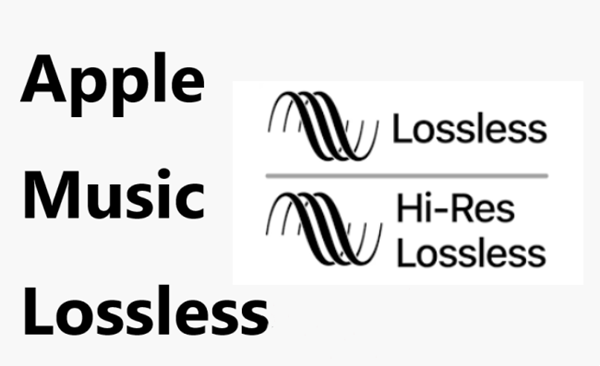
Lossless audio refers to a type of audio compression that preserves all of the original data and quality of a recording. This means that no information is lost when the audio file is compressed, unlike with other compression methods which discard some data to reduce the file size.
Why is Lossless Audio Important?
Lossless audio is important because it allows you to enjoy high-quality audio without sacrificing any of the original sound. This means that you can listen to music or watch movies with the same level of detail and clarity as the original recording, without any loss of quality.
How Does Lossless Audio Work?
Lossless audio works by compressing the audio data in a way that allows it to be reconstructed exactly as it was originally recorded. This is typically done using a codec, which is a type of software that compresses and decompresses audio files.
The most common lossless audio codecs are FLAC (Free Lossless Audio Codec) and ALAC (Apple Lossless Audio Codec). These codecs compress audio files in a way that preserves all of the original data, but without reducing the quality of the audio.
Examples of Lossless Audio
Lossless audio can be found in a variety of formats, including:
- FLAC
- ALAC
- WAV
- AIFF
- DSD
These formats are often used by audiophiles and music enthusiasts who want the highest possible audio quality.
Benefits of Lossless Audio
There are several benefits to using lossless audio, including:
- Preserves all of the original audio quality
- No loss of data or detail
- High-quality audio playback
- Perfect for audiophiles and music enthusiasts
Conclusion
In summary, lossless audio is an important way to preserve the original quality of audio recordings, allowing you to enjoy high-quality sound without any loss of detail. If you’re an audiophile or music enthusiast, consider using lossless audio formats like FLAC or ALAC to get the best possible listening experience. And, if you need to adjust the volume of your lossless audio files, I recommend using a tool like mp4gain.
The History and Development of Lossless Audio
What is Lossless Audio?
Lossless audio is a type of audio compression that reduces file size without sacrificing audio quality. This is done by compressing the audio in a way that it can be reconstructed back to its original state without any loss of data or quality.
The Early Days of Lossless Audio
The idea of lossless audio compression has been around since the early days of digital audio, but it wasn’t until the mid-1990s that it started to gain traction. In 1995, two researchers at AT&T Bell Labs, Michael Cowan and Ken Turkowski, developed a lossless audio compression algorithm called Shorten. This algorithm was used to compress audio files for trading on the internet and quickly became popular among audiophiles.
FLAC and ALAC
In the early 2000s, two new lossless audio compression formats were developed: FLAC (Free Lossless Audio Codec) and ALAC (Apple Lossless Audio Codec). FLAC was developed by Josh Coalson and was released in 2001. ALAC was developed by Apple in 2004 and was primarily used on their iPod and iPhone devices.
The Popularity of Lossless Audio
As digital music became more popular, so did the demand for lossless audio formats. Audiophiles and music enthusiasts were no longer satisfied with compressed audio formats like MP3 and began to seek out lossless formats that preserved the original quality of the music. Today, lossless audio is widely used and supported by most digital music players and streaming services.
Advantages and Disadvantages of Lossless Audio
The biggest advantage of lossless audio is that it preserves the original quality of the music, which is important for audiophiles and music enthusiasts. However, lossless audio files are larger in size than compressed audio files, which means they take up more storage space and require more bandwidth to transfer over the internet.
Conclusion
Lossless audio has come a long way since the early days of digital audio. With the development of new compression algorithms and the growing popularity of lossless audio formats, it’s likely that we’ll continue to see improvements in the quality and efficiency of lossless audio in the years to come.