Loudness Equalization Tool: What It Is and How It Works


Free Download Mp4Gain
picture

Loudness Equalization Tool: What It Is and How It Works

Loudness Equalization

If you’ve ever listened to music or watched a movie and had to constantly adjust the volume because some parts were too loud while others were too quiet, you’ll understand the frustration of trying to find that perfect balance. This is where a loudness equalization tool comes in handy.

What is Loudness Equalization?
Loudness Equalization

Loudness equalization is a feature that helps to balance the volume of audio playback on your device. It works by automatically adjusting the loudness of the audio so that it is consistent across all content, whether it’s a song, movie, or podcast.

The technology behind loudness equalization is based on the principles of dynamic range compression, which reduces the difference between the loudest and quietest parts of an audio signal. This means that soft sounds are amplified while loud sounds are reduced to create a more balanced and consistent volume level.

How Does Loudness Equalization Work?

Loudness equalization is typically implemented as a software tool, either built into the operating system or as a third-party application. When enabled, it analyzes the incoming audio and applies an automatic gain control (AGC) to even out the volume.

Some loudness equalization tools allow you to customize the amount of compression applied to the audio, giving you greater control over the balance between loud and quiet parts of the content.

Why Use Loudness Equalization?

The main benefit of using a loudness equalization tool is that it eliminates the need to manually adjust the volume as you listen to different types of content. This is particularly useful when watching movies or TV shows, where the sound can vary widely between action scenes and quieter dialogue.

By using a loudness equalization tool, you can enjoy a more consistent and balanced listening experience, without having to constantly fiddle with the volume controls.

Mp4Gain: The Best Solution for Loudness Equalization

If you’re looking for a high-quality loudness equalization tool, Mp4Gain is the best solution available. This powerful software is designed to analyze and normalize the volume of all your audio and video files, so that you can enjoy a consistent listening experience across all your devices.

With Mp4Gain, you can adjust the volume levels of your music, movies, and podcasts with just a few clicks. It also supports a wide range of file formats, including MP3, AAC, FLAC, and more.

So if you’re tired of constantly adjusting the volume as you listen to your favorite content, try Mp4Gain and experience the benefits of loudness equalization for yourself.


Free Download Mp4Gain
picture


Mp4Gain Main Window
picture


Mp4Gain Features
picture


Free Download Mp4Gain
picture

Loudness equalizer – Boost Audio

Loudness equalizer – Boost Audio

loudness equalizer
loudness equalizer

In this era where the main consumption is multimedia, it is really a basic need to be able to achieve that all our multimedia files have a similar loudness, without ups and downs, that does not force us to manually control the volume knob.

Loudness equalizer
Loudness equalizer

Mp4Gain is obviously the most advanced normalizer, the most powerful and the one that gives the best results.

Practically it could be said that with Mp4Gain we can achieve the same results as with very expensive equipment used in broadcasting. In fact, many television channels and radio stations F.M. are using Mp4Gain.

Mp4Gain can, if you want, use the well-known Replay Gain or it can use its own very efficient algorithms that obtain very good results in volume gain and loudness control.

Mp4Gain is the most recognized and prestigious program in everything related to managing the loudness equalizer.

It can improve the loudness of audio and video files, in their main formats and can also extract the audio from the video, convert for example an mp4 into an mp3 with the highest quality.

Loudness equalizer

Loudness equalizer

Loudness equalizer

Equalizing the volume or loudness of a song or a video is something that all of us who usually save mp3s, mp4s, flac, etc. we usually and want to do.

Loudness equalizer

Why do we want to achieve Loudness equalizer?

In the first place, because normally we have obtained our mp3, mp4, etc. files from very different places. and that implies that they have been encoded with very different bitrates and configurations.

Encoding with different bit rates affects the volume level

Certainly, as this subtitle points out, we could say that using different parameters such as bit rate mainly, but also others, often affects the volume level.

With which we will understand that obtaining numerous audio or video files from different sources will force us later to perform a normalization of the volume level or Loudness equalizer to be able to adjust the volume level or loudness and keep our files the same.

Mp4Gain is the perfect solution with which we will be able to equalize the loudness of our music or videos, achieving that when playing them there are no sudden changes but that they all sound harmonically at the same volume level and with a very similar sound, pleasantly similar.

Turn down the volume of the music!

Turn down the volume of the music!

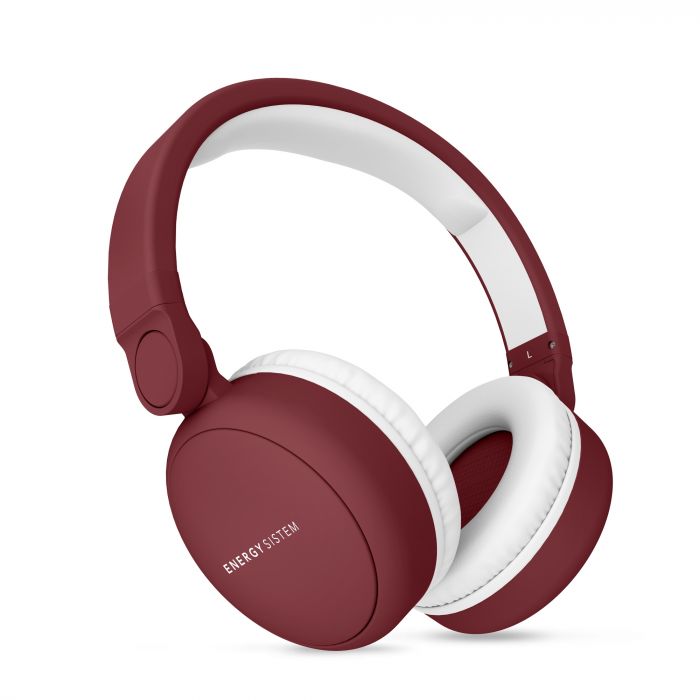
New headphones to protect the hearing ability of users.

Millions of people are risking their hearing due to prolonged exposure to loud music on MP3 players and smartphones. A headset technology developed by dB Logic in Indianapolis, Indiana (USA), aims to prevent this type of damage by limiting the maximum volume of music, and is able to do so without distorting the loudest passages or making Soft sounds are inaudible.

People have been listening to portable music players through headphones since 1979, when Sony introduced the Walkman. However, the widespread adoption of digital music players in the last decade represents a new risk to public health, as the devices store so much digital music that users can listen to it without interruption for hours. In the era of portable CD players, users “listened for up to seven hours, in most cases,” a week, says Brian Fligor, director of diagnostic audiology at Children’s Hospital in Boston (USA). ) and hearing loss expert caused by portable media players. Fligor has recently studied a group of digital player users in New York and found that “on average, they listened to 18 hours [of music] a week. We had some people who were listening more than 70 hours each week.”

Users risk hearing loss when they combine long periods of listening with a high volume. An investigation sponsored by the European Commission concluded that digital music players produce maximum noise levels ranging from 88 to 113 decibels (dB), with levels up to 120 dB depending on the type and placement of the headphones. (The quietest audible sound is zero dB, a normal conversation produces about 60 dB, and 120 dB is equivalent to the noise of an airplane taking off near us.) It is estimated that between 2.5 million and 10 million users of music players in the European Union are at high risk of hearing loss.

The dB Logic system limits the volume of the headphones with a circuit powered by the audio signal, eliminating the need for batteries. At the heart of the circuit is a small transformer that intensifies the small audio output voltages of the music player to levels that can operate the transistors that regulate the volume. The system only attenuates the volume if the average volume is consistently above 85 dB. This means that soft sounds can pass at full volume and that short passages of more than 85 dB are not abruptly attenuated. Two other popular methods to limit the volume – using a resistor to attenuate the audio signal regardless of its volume, and using a pair of diodes to trim all sounds above a certain threshold – are not able to do the same.

Although the dB Logic system could have been established to begin limiting at any particular loudness level, the 85 dB was chosen since that is the threshold at which the US Occupational Safety and Health Administration. forces employers to start protecting workers’ hearing, says Med Dwyer, chief technology officer and co-founder of dB Logic. “Very few users will listen to music at that level and believe that ‘it is not strong enough for me’, especially in our demographic goal of young people,” says Dwyer.

The Fligor audiologist doubts that volume limitation technologies alone can really solve the problem. Eighty-five dB “is not a magic figure above which we suffer a risk, and we are safe below it,” he says, and also notes that the duration of exposure is a critical factor. (After confessing that he enjoys music at full volume, Fligor listens to it at 89 dB for a maximum of 90 minutes a day, a volume and duration that, according to his calculations, will not harm his hearing.) For Fligor, Ideally, digital players track volume over time so users can see if their accumulated exposure is putting them at risk. “It is not that the devices do not have the computing capacity to do so, but that there has been no real protest that forces them to do so,” he says. “And why would the manufacturer include something that could generate litigation?”

Dwyer agrees that the duration is important. dB Logic has considered the creation of a product that tracks exposure time, as well as a limitation of levels