Audio Extraction

The Ultimate Guide to Audio Extraction: How to Get the Most Out of Your Audio Files


Audio Extraction
Audio Extraction
Audio Extraction
Audio Extraction


Introduction to Audio Extraction

Have you ever wanted to extract audio from a video or a song, but didn’t know how to do it? Audio extraction is the process of separating the audio track from a video file, music video or even a DVD. This can be useful for a variety of reasons, such as creating a music playlist, removing background music or sound effects from a video, or simply enjoying the audio on its own.

In this guide, we will discuss everything you need to know about audio extraction, including what it is, how it works, and the best tools to use for extracting audio from various sources.

What is Audio Extraction?

Audio extraction is the process of isolating the audio from a multimedia file, such as a video or a DVD, and saving it as a separate audio file. This can be done using specialized software or online tools, and it can be used for a variety of purposes, such as creating a music playlist or removing unwanted audio from a video.

How Does Audio Extraction Work?

Audio extraction works by separating the audio track from the video or DVD file. This can be done using software that is specifically designed for audio extraction, such as VLC Media Player or Audacity. These tools allow you to import the video or DVD file, and then select the audio track that you want to extract.

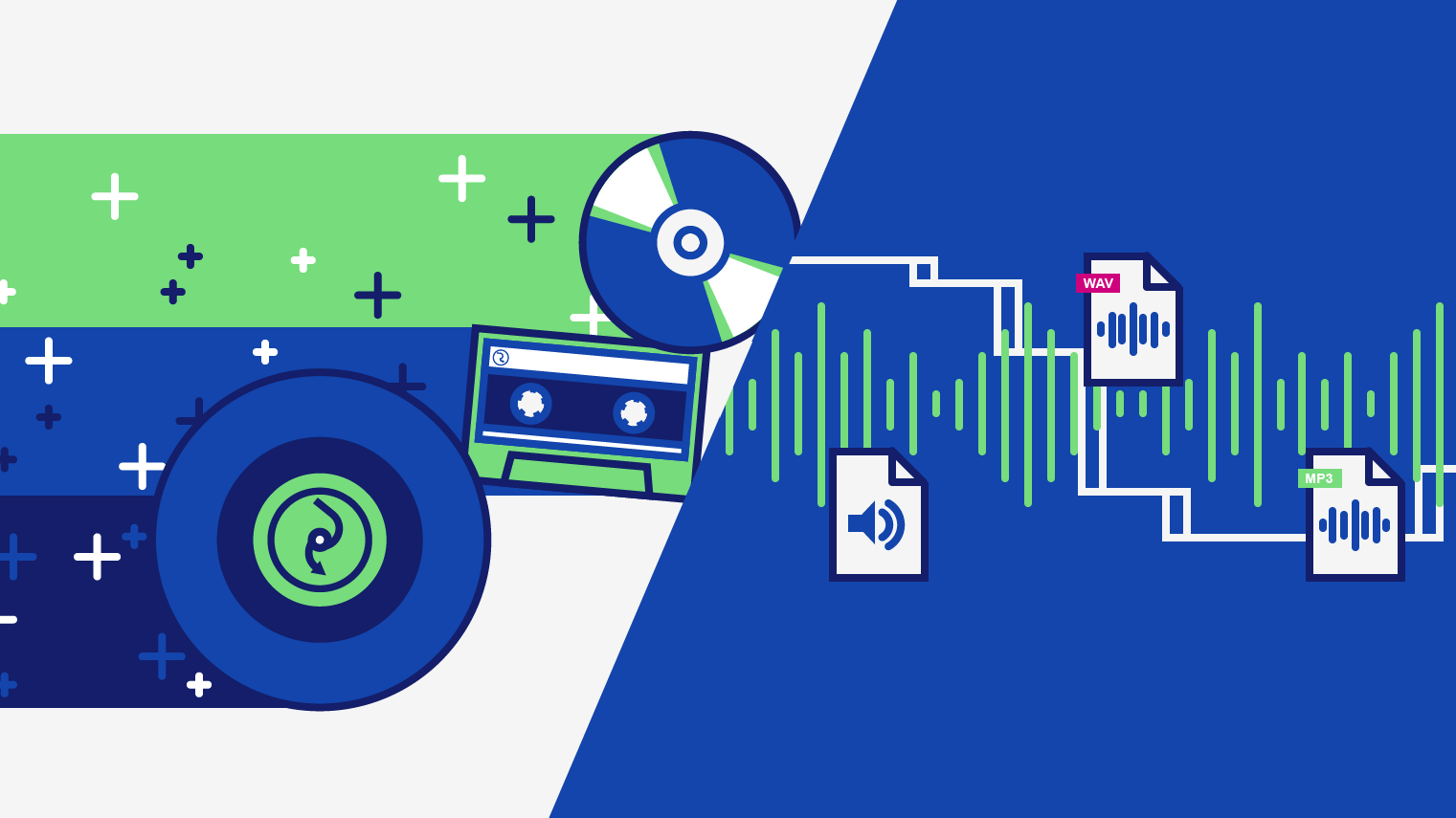
Once you have selected the audio track, you can then save it as a separate audio file in a variety of formats, such as MP3, WAV, or AAC. The resulting audio file will contain only the audio from the original video or DVD file.

Best Tools for Audio Extraction:

There are a variety of tools that you can use for audio extraction, depending on your needs and preferences. Here are some of the best tools for audio extraction:

  1. VLC Media Player: VLC is a popular media player that also has built-in audio extraction capabilities. Simply open the video or DVD file in VLC, select the audio track that you want to extract, and save it as a separate audio file.
  2. Audacity: Audacity is a free, open-source audio editing tool that can also be used for audio extraction. Import the video or DVD file into Audacity, select the audio track, and then export it as a separate audio file.
  3. Any Audio Converter: Any Audio Converter is a free tool that allows you to extract audio from a variety of sources, including videos and DVDs. Simply import the video or DVD file, select the audio track, and then save it as a separate audio file.

FAQs:

1. Is it legal to extract audio from a video or DVD?

The legality of audio extraction depends on the copyright laws in your country. In some cases, it may be legal to extract audio for personal use, but illegal to distribute or share the extracted audio. It’s always best to consult a legal professional if you have any doubts.

2. Can I extract audio from streaming services like Netflix or Amazon Prime Video?

Extracting audio from streaming services is often prohibited by the terms of service for these services. It is best to check the terms of service before attempting to extract audio from any streaming service.

3. What formats can I save the extracted audio in?

The formats you can save the extracted audio in will depend on the software or tool you are using for audio extraction. However, common formats include MP3, WAV, and AAC.

4. Can I extract audio from a video with multiple audio tracks?

Yes, you can extract audio from a video with multiple audio tracks. Most audio extraction tools will allow you to select the specific audio track you want to extract.

5. What can I do with extracted audio?

There are many things you can do with extracted audio, including creating a music playlist, removing background music or sound effects from a video, or simply enjoying the audio on its own.

Conclusion:

Audio extraction is a useful process that allows you to isolate and save audio from a multimedia file. With the right tools, you can extract audio from videos, music videos, and even DVDs. Whether you want to create a music playlist or remove unwanted audio from a video, audio extraction is a valuable tool to have in your arsenal.

We hope this guide has helped you understand what audio extraction is, how it works, and the best tools to use for audio extraction. Remember to always check the copyright laws in your country before extracting audio from any multimedia file.

Digital audio: a simple but deep explanation about digital audio. Part 1

Sound is a phenomenon that implies a propagation of waves generally produced by a vibratory movement of a body. The propagation of sound implies a transport of energy without carrying out a transport of matter.

digital audio

As the sound is produced by a wave movement when applying the Fourier transform we can express it by a sum of sinusoidal curves that correspond to pure tones that can be characterized by the magnitudes of any wave such as:

-Period It is the time elapsed between two equivalent points of a wave.
– Wavelength It is the real distance a wave travels from its highest point to the next equivalent point.
-Frequency It is the magnitude that measures the number of repetitions in a space of time.
-Amplitude It is the distance between the furthest point of the wave with the equilibrium point.

These magnitudes give the sound a series of characteristics such as:

-Duration: Determines the length or short of the sound due to the time, measured in seconds, it occupies.
-Intensity: Determines the high or low sound due to what we know in relative terms as volume, which is measured in decibels (it is a logarithmic scale).
-Timbre: Determines the proper nuance of each instrument or sound source due to the different harmonics that compose it.
– Hue: Determines the acute or serious sound due to the frequency it has. The frequency is measured in hertz (Hz).

If we carefully consider it, we will see that the initial concept of Mp3Gain was intensity, which is measured in decibels and represents the loudness we perceive.

digital audio

Digital audio

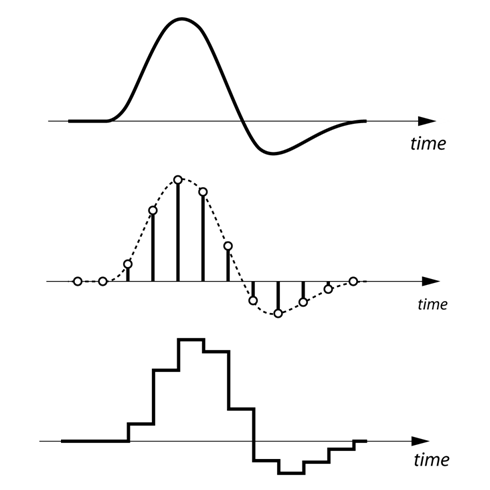
Digital audio is the digital coding of an electrical signal that represents any sound wave. This electrical signal is picked up for example by a microphone, which takes the sound whose nature is analog and transforms it into electricity that still has the same type of analog nature, then through the necessary hardware and software it can be transformed into binary information, turning Something continuous in discreet. This process involves two tasks: sampling and digital quantification of the electrical signal.

Within the digital audio there are different types of formats to represent the audio:

-PCM: They contain all the information received from the analog to digital converter, without any omission of data. This makes the type of formats that have the best quality in the digital world. WAV is an example of this type of format in question.

-Compressed: It is similar to the previous one, but specific compression techniques are used in which “non-essential” information can be lost to reduce the size of the final file. They usually have good quality in relation to the weight of the file, but as noted above, information is lost, so those with sufficiently developed / trained ears might perceive that there is something strange in a song for example. On the one hand we have formats such as MP3 and OGG that compress with loss, compared to FLAC that compresses without loss. Obviously between one format and the other there is a notable difference in the size of the final file.

-Descriptive: They are used primarily to make music and contain mainly a description of what would be the “score” of the song. With this description, the algorithm, which reproduces the song, can take a sound source with samples of the instruments that the composition needs, to synthesize the final sound based on the indications of the “score”. Examples of this format are MIDI and tracker formats (MOD, XM, IT, etc.). The difference between MIDI and tracker formats is that the latter bring built-in sound sources into the file, so the final file weighs more than using MIDI. However, with MIDI we will need to obtain a sound source on our own or use the one that brings the default sound card (which is not usually too good).