There are several types such as WAV, MP3 and FLAC, but what is the difference? Part 4

There are several types such as WAV, MP3 and FLAC, but what is the difference? Part 4

ANALOG vs. DIGITAL AUDIO

There are several types such as WAV, MP3 and FLAC, but what is the difference? Comprehensive research on music file formats

analog audio disc

Data and music
Does the boom from the analog discs come back?

In recent years, the world boom of analog discs has arrived. According to the Association of the Recording Industry of the Public Corporation in General of Japan, the national disk market is the production number of 2017 1063000 sheets. In terms of Amount, it was 1,916 million yen, the highest of the last 10 years.

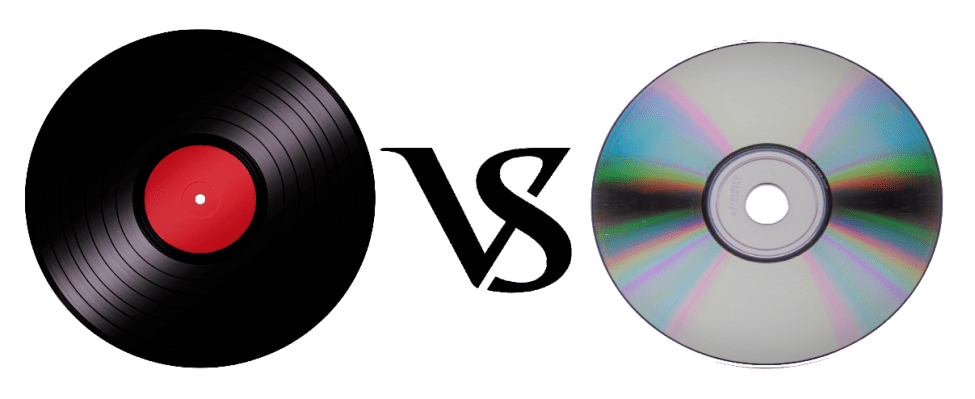
You may have heard that sound quality is generally better than that of a CD, but what really differs is the recorded frequency band.

It is said that the frequency band that can be stored on a CD is up to about 22,000 Hz, while the analog record contains information of up to about 100,000 Hz. However, it is said that the audible human range is approximately 20Hz to 20,000Hz, so it does not make sense unless you notice the difference in sound. It seems that the parties other than the audible human range, the vibration of the air due to the sound and the force caused by it, are transmitted by other routes other than sound.

This is a great merit that can only be experienced with analog discs, and it can be said that it is the true emotion of the discs.

However, the care of the equipment, the deterioration of the plate, the difficulty of handling and the size can be disadvantages compared to the CDs and the data. (In the youngest generation of these days, this effort is quite new and many people enjoy it).

abstract

There are several formats for musical data files and each one has its own personality. Which of the music services and distribution sites that I have used casually so far?

It can also be good to listen and compare the differences with data such as CD and analog discs.

I want to take me well with musical data wisely according to my style!

There are several types such as WAV, MP3 and FLAC, but what is the difference? Part 3

There are several types such as WAV, MP3 and FLAC, but what is the difference? Part 3

Audio Formats

Relationship between the depth of bits, the sampling frequency and the frequency of bits

Audio File Formats

The musical data has numbers such as the depth of bits and the sampling frequency indicating the amount of musical data per second.

And the product of the two is the “bit rate”.

· Sampling rate
Also known as sampling frequency. It shows how many tens of thousands of sounds are collected per second.

The higher the value, the greater the number of divisions, which translates into a softer sound and an improved sound quality.

By the way, the CD is 44100Hz.

· Bit depth
Also known as quantification bits, bid reduction, sample bits count.

This shows how much capacity is given to divided data.

The greater the sound, the better the sound will be and the quality of the sound will be improved.

The CD is 16 bits.

· Bit rate
It is shown as BPS and shows the amount of data per second.

It is the product of the “sampling frequency” and the “bits depth” mentioned above.

In the case of a stereo file, there are two sounds, so if you formulate it …

Sampling rate (Hz) x Bit depth (bits) x 2 = Bit rate (BPS)
A large “bit rate” means a “sampling rate” and a large large bits depth, which means that sound quality is good.

By the way, in the case of CD,

44100 (Hz) x 16 (bits) x 2 = 1411200 (BPS)
This means that.

In this article, I specifically compared the difference in the file size.

cheep
Marker
Share
Pocket
Update: 2020.07.15 Published: 2018.08.14
Technology | Included in the Hall of Fame

There are several types such as WAV, MP3 and FLAC, but what is the difference? Comprehensive research on music file formats
keyword
Data and music
INDEX

I compared file sizes
So, what is the call frequency?
Is “dead mp3”?
Why are there so many formats in the first place?
I compared file sizes
Then, I compared what kind of difference is made from the point of view of the file size and if there is a difference in Hz that sounds depending on each file format. In comparison, Tucson Repertory Orchestra and Sierra Vista Symphony Orchestra were listening to the opinion of Japanese Director Toru Tagawa, who serves as musical director and director of the (Sierra Vista Symphony Orchestra), is the ninth of Beethoven is good advised me to play The Berlin Philharmonic directed by Karajan, one of the most famous recordings.

I compared file sizes

So, what is the call frequency?
Is “dead mp3”?
Why are there so many formats in the first place?
I compared file sizes
Then, I compared what kind of difference is made from the point of view of the file size and if there is a difference in Hz that sounds depending on each file format. In comparison, Tucson Repertory Orchestra and Sierra Vista Symphony Orchestra were listening to the opinion of Japanese Director Toru Tagawa, who serves as musical director and director of the (Sierra Vista Symphony Orchestra), is the ninth of Beethoven is good advised me to play The Berlin Philharmonic directed by Karajan, one of the most famous recordings.

Then, here is the CD used for this comparison.

Symphony n. ° 9 by Beethoven (choir) from director Herbert von Karajan released by Universal Music. In fact, it is said that the Ninth of Beethoven was the origin of the unit of a CD. (There are several theories about this).

When I really verified it, there was still a remarkable difference in the size of the file.

OLA 701.5 MB.
ALAC 308.6 MB.
MP3.
160 kbps 79.4 MB
256 Kbps 127 MB
320 kbps 158.8 MB
CAA.
160 kbps 80.2 MB
256 Kbps 127.8 MB
320 kbps 159.5 MB
However, for “MP3” and “AAC”, none of the bit rates appeared around 1 MB.

So, what is the call frequency?

With respect to the frequency, I tried to verify showing the waveform. The image above is in WAV format.

Compared to “WAV”, there were almost no changes in the frequency of acute and only a slight change in the bass was observed.

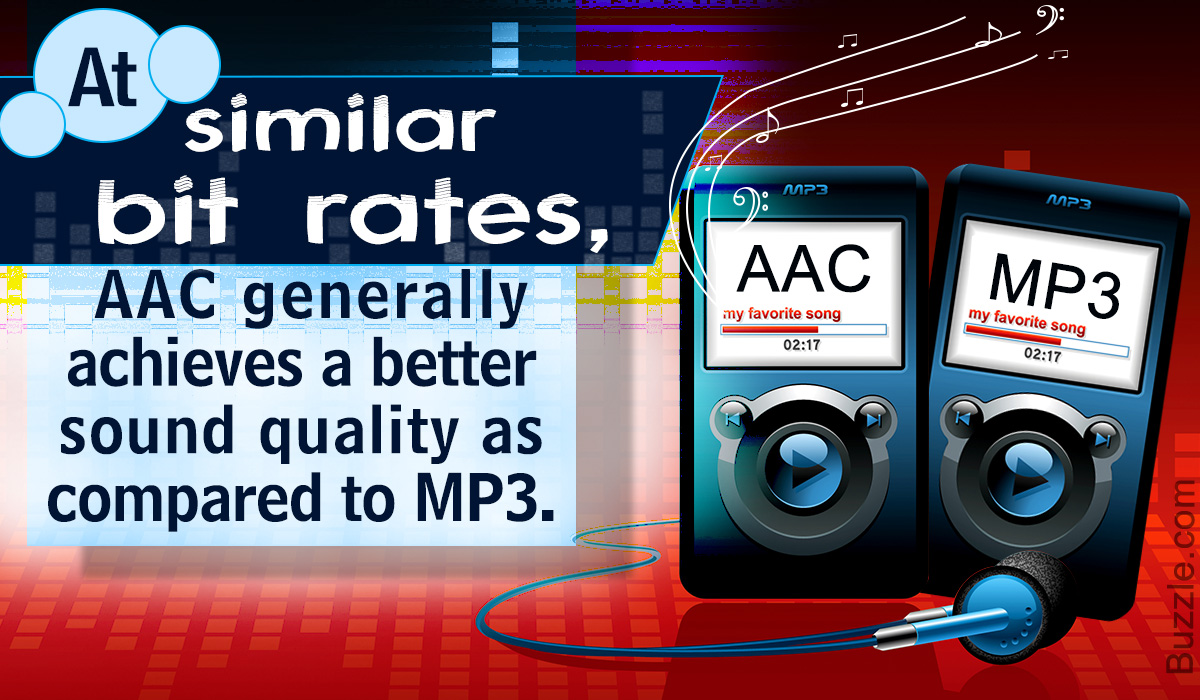
Comparing “MP3” and “AAC”, which have almost the same file size, you can see that “AAC” has a lower tone. In terms of frequency, “AAC” seems to have a better sound quality. In other words, the result of the verification shows that AAC, which is a more recent compression technology, is higher.

There are several types such as WAV, MP3 and FLAC, but what is the difference?

There are several types such as WAV, MP3 and FLAC, but what is the difference?

Music File Formats

Comprehensive research on file formats
Do they like music to all?

audio file formats

I think many people enjoy music by downloading or playing streaming instead of CD these days, but what kind of format music is stored as data?

I researched the differences, advantages and disadvantages of each format.

Types of audio compression

There are three types of music file formats: “Not compressed”, “compressed with loss” and “compressed without loss”.

File-based compression can reduce the size of the file and reduce the download time and storage capacity.

“Uncompressed format”
As its name indicates it, it is an uncompressed file. The point are the original data.

The advantage is the accuracy of the data. However, it also has the disadvantage of a large file, which uses about 10 MB for a 1-minute audio file.

The most used are “WAV” and “AIFF”. It is common to use “WAV” for Windows and “AIFF” for Macintosh.

“Compression format with loss”
This compression format is probably the one that most uses.

Although there are individual differences, it is said that the human audible range is 20 Hz to 20000 Hz. This file format has the advantage that the file size can be deleted while maintaining a certain level of sound quality when it is removed and compressed Other parts difficult to identify.

Even so, the disadvantage is that the sound quality is lower than the original data. It is not exaggerated to say that “MP3” is the best-known file format. As successors, “AAC” is often used, which was created to achieve higher sound quality. In addition, “WMA”, “Vorbis”, etc. They are also in this format.

“Format of compression without loss”
This format compresses the original data while preserves them.

During playback, you can decompress and return to the original uncompressed format, so the sound quality is the same as that of the original data. Although the file size can be reduced compared to the uncompressed format, it is still about half, so the size of the file is greater than that of the compressed format with loss and takes more time coding and decoding.

In addition, it is currently not handled by the main music distribution sites, and the number of devices that can be reproduced is less than that of uncompressed formats. The most common of these formats is “FLAC”, and Apple uses a single format called “ALAC”.

What is the difference between MP3 and AAC? Part 3

What is the difference between MP3 and AAC? Part 3

aac vs mp3

Finally, let’s review the important MP3 and AAC compatible devices.


MP3 o AAC

MP3s are compatible with almost all music-playing devices, such as personal computers, smartphones, and audio devices. Therefore, it is generally better to save the file in MP3 format.

As for AAC, it is a recommended storage format for iPad / iPhone users and those who use iTunes, Apple’s official music player, because it is compatible with Apple devices. Even if you import the sound source from a CD with iTunes or purchase paid music content from iTunes, it will be saved in AAC format.

Which is better, MP3 or AAC?

Unsplash logo Photo by marksolarski
In this article, I explained about MP3 and AAC music file storage formats. Finally, if you do not know what is the storage format that I should use, to leave and save the music files in MP3 format, it can be said that it is the best. MP3s have many playable devices and the sound quality is not that different from AAC.

Also, files saved in MP3 format can be easily converted to AAC files using iTunesw. When saving as MP3, it can also support post file conversion, so if you have problems with the save format, it is better to select the MP3 format. Also, if you’re targeting Apple devices, try saving music by choosing an AAC format that doesn’t need to be converted.

What is the difference between MP3 and AAC? Part 2

What is the difference between MP3 and AAC? Part 2

AAC Vs. MP3

The disadvantage of the “lossy compression format” used by MP3 / AAC is that the compressed data file cannot be restored to its original size (the original sound quality of music content).

aac vs mp3

There is a music content compression format called “lossless compression format”, which has a relatively large data size and can restore the original sound quality when playing music files.

There is not much difference between the two compression formats, but if you want better sound quality, you should use the “lossless compression format”. In the next chapter, we will further compare the differences between MP3 and AAC formats.

Comparison of MP3 and AAC

Unsplash Logo Photo by duck58cth
We will compare MP3 and AAC in terms of sound quality and compression rate (bit rate).

Sound quality

As mentioned above, MP3 and AAC are compression methods that use the “lossy compression format”, so there is not a big difference in sound quality between the two formats. The sound quality of MP3 and AAC differs depending on the compression rate (bit rate) of the music content file. So what exactly is the compression rate (bitrate)? The next section describes (compression bit rate).

Compression rate (bit rate)

format Compression rate (bit rate)
64kbbp 96kbbp 128 kbbp 160 kbp 192 kbbp 256 kbbp 320kbbp

MP3 Upper Limit Frequency 8.3 kHz 11.7 kHz 15.2 kHz 18.6 kHz 21.3 kHz 22.0 kHz 22.0 kHz

MP3 size 123kB 184kB 245kB 308kB 372kB 494kB 616kB

AAC upper limit frequency 13.5 kHz 15.2 kHz 18.7 kHz 19.1 kHz 19.6 kHz 20.0 kHz 20.0 kHz

AAC size 127kB 188kB 249 KB 310kB 368kB 490kB 613kB

The comparison table above shows the compression rate (bit rate) of MP3 and AAC, and the upper limit of frequency and data size (capacity). The higher the value of the compression rate (bit rate), the higher the upper limit for frequency and data size (capacity), and the better the sound quality.

Although the compression rate (bit rate) of MP3 and AAC is the same, the data size (capacity) and the upper limit frequency are different, so please compare the sound quality using the table above as a guide.

Proper use of MP3 and AAC

In this chapter at the end of this article, we will introduce how to use MP3 and AAC correctly. Even if you read the comparative explanation of MP3 and AAC presented so far, many people may not get it right. How to use MP3 and AAC correctly should be judged by the compression rate (bit rate).

Bit rate

As discussed in the previous chapter, the higher the value expressed in “kbbs” called the compression rate (bit rate), the better the sound quality. However, MP3 and AAC have the same compression rate (bit rate) but different upper limit frequencies.

128 kbps to 160 kbps is adopted for general MP3 / AAC music files. This is because you can watch various music genres like J-POP and Jazz with high sound quality. You can fully enjoy music with your PC speakers and audio equipment.

Then I will explain the characteristics of the compression rate (bit rate) of 128 kbps or less and the compression rate (bit rate) of 160 kbps or more, and which file format should be used, MP3 or AAC.

Less than 128 kbps

A compression rate (bit rate) of less than 128 kbps does not improve the sound quality of music, etc., and is not suitable for the music content storage file format. Suitable as a conversation-focused radio sound source. Also, if it is less than 128 kbps, the AAC format has a higher frequency upper limit, so the sound quality is said to be better than MP3.

192 kbps or higher

The compression rate (bit rate) of 192 kbps or higher reproduces even delicate sounds like classical music. If you have a good ear, you can clearly tell the difference in sound quality.

When the compression rate (bit rate) is 192 kbps or higher, the MP3 format has a higher upper limit frequency and is said to have a higher sound quality. The data size (capacity) is almost the same as that of AAC, so it is recommended to save it in MP3 format.

What is digital audio?

What is digital audio?

Digital Audio

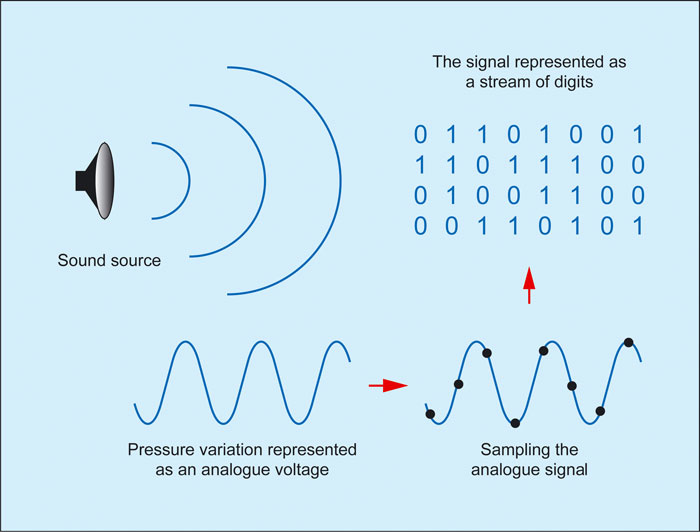
Digital sound is nothing more than a combination of numbers. With a certain algorithm, sound, such as air pressure, is converted into data streams and encoded for further processing and playback. Depending on the algorithm used, the music file has one format or another, one or another extension.

Analog Vs. Digital Sound

Remember that along with digital sound, there is analog sound, which is represented by a continuous electrical signal that reflects the change in the sound wave. The analog to digital sound conversion is a setting of the numerical value of the amplitude at a given time with a given density of values. Consequently, the more values ​​that are recorded, the more reliable and accurate the image of the digitized sound fragment is recreated. With such digitization, very voluminous data matrices emerge that, depending on the format used, differ in the sound quality / volume ratio of the final file.

Perhaps the main advantage of digital audio over analog is the ability to store and copy data indefinitely without losing the original quality (whereas when copying from one analog medium to another, a decrease in recording quality is quite noticeable).

The most widespread and popular digital audio format today is MP3 (MPEG Layer 3). It was developed, after a series of intermediate formats and investigations, started in 1987, by the Fraunhofer Institute in Germany.

The developers of the format were faced with the task of simplifying and reducing the cost of shipping long musical fragments. As you know, one minute of a stereo signal from a CD (16 bit, 44.1 kHz sample rate) takes up about ten megabytes of memory. At the same time, unlike text or graphic files, the audio signal cannot be compressed without loss of quality. Thus, modem transmission of an uncompressed composition from an audio CD lasting 3 minutes at a data transfer rate of, say, 24 kbps will take several hours. Scientists at the Fraunhofer Institute managed to achieve multiple file size compression: on average, one minute of a compressed audio signal in MP3 format takes about 1 megabyte. The principle of compression is based on the elimination of “unnecessary” sounds from the music file, to which the human ear is immune, or that duplicate each other.

The main factor that determines the relationship between file size and sound quality within a given format is the bit rate. Bit rate is an indicator of how much information a second of sound encodes. The higher it is, the less distortion and the closer the encoded composition is to the original. The most common on the Internet are compositions with 128 and 192 Kbps bitrates. The maximum bitrate supported by programs and devices that work with MP3 is 320 Kbps. In practice, only an expert or a professional who works with sound can notice the differences between an MP3 file with a 320 bit rate.

To optimize the size of MP3 music files while maintaining decent quality, a variable bit rate (abbreviation VBR – variable bit rate) is used. In this case, the encoding program divides the file into fragments of different spectral saturation and encodes them with a suitable bit rate. Most modern MP3 players support variable bit rate playback. A significant advantage of MP3 files is that they can contain the name of the artist, the name of the track and the album, the year of its release, etc. The set of this data is called ID3 tags. Most modern gamers can read and display them on the screen.

In 2001, Swedish Coding Technologies and Thomson Multimedia developed the MP3 Pro codec. It is MP3-based and as a result is fully MP3 backward compatible and only partially forward compatible. It uses SBR (Spectral Band Replication) technology, so the codec provides good quality at low bit rates. However, the encoding quality at medium to high bit rates is inferior to that of most other codecs. For this reason, this format is mainly used for broadcasts on the Internet and demonstrations of fragments of new musical compositions.

Another type of MP3 was the development of MP3 Surround, recently introduced by the creators of MP3: the Fraunhofer Institute. This format repeats all the characteristics of multichannel sound, while still being compatible with standard stereo MP3: information describing the spatial characteristics of the sound is recorded on an additional track. By playing files of this format on special equipment capable of reading this track, you can obtain surround sound that conforms to the Surround 5.1 standard.