What is digital audio?


Free Download Mp4Gain
picture

What is digital audio?
Digital Audio
Digital Audio

How does digital audio work?

Digital Audio
Digital Audio

What is the rate? Of course, I can’t directly explain to you that “rate is bitrate”. When you play sound files with some software, you should notice a small message. For example, “128Kbps”, “1411Kbps”… Some friends also know that under normal circumstances, the larger the number in front of “Kbps”, the better the sound effect, for example, CD is “1411Kbps”. So what exactly do these numbers represent? In a nutshell, how much data is converted into sound per second. The reason CDs sound better than MP3s is that CDs have more information per second than MP3s. For example, compared to a 1411 Kbps CD file, a 128 Kbps MP3 file can convert almost 12 times less data per second than a CD. For the same song, the CD is much more delicate to listen to (of course, there is a group of people in the crowd known as “mushrooms” who can feel that the effect is the same) MP3 expresses the same content with less data and, of course, its level of detail is not as good as that of a CD.


2. Sampling rate.


Sampling rate is also a very common term. The specific form is “XXHz”, where “XX” is a specific number. Such as “44100Hz (44.1KHz)”, “32000Hz (32KHz)” and so on. As mentioned above, digital audio files are made up of many “points”, so the sample rate is actually a standard “quantity” to collect these “points”. Obviously, the sampling rate of “44100 Hz” is higher than that of “32000 Hz”, so more points are collected per time unit (1 second). The more points per unit of time, the more complete the sound information and, of course, the closer to reality. So if the guaranteed rate is the same, the file “44100Hz” is better than “32000Hz” (of course, this is not absolute).


————————————————–


lossy compression


In fact, we are all familiar with lossy compressed audio sources. At present, popular lossy formats mainly include MP3, WMA, OGG, MP3pro, AAC, VQF, ASF, etc.


2.WMV format


The full name of WMA is WindowsMedia Audio, which is an audio format promoted by Microsoft. The WMA format achieves a higher compression ratio by reducing the data stream while maintaining sound quality. The compression ratio can usually reach 1:18, and the generated file size is only half of the corresponding MP3 file.


3.MP3 format


The full name of MP3 is MovingPicture Experts Group Audio Layer Ⅲ. In a nutshell, MP3 is an audio compression technology. Since the full name of this compression method is called MPEGAAudio Layer 3, people call it MP3 for short. It was born in 1993, and its “parents” are the German FaunhofeIIS and the French Thomson.


MP3 uses MPEGAudio Layer 3 technology to compress music into smaller files with a compression ratio of 1:10 or even 1:12. In other words, you can compress files to a smaller size with little loss of sound quality. And it keeps the original sound quality very well. It is precisely because of MP3’s small size and high sound quality that the MP3 format has become almost synonymous with online music. The MP3 format of music per minute is only 1 MB in size, so the size of each song is only 3-4 megabytes. Use an MP3 player to uncompress (decode) MP3 files in real time so that high-quality MP3 music can be played.


Free Download Mp4Gain
picture


Mp4Gain Main Window
picture


Mp4Gain Features
picture


Free Download Mp4Gain
picture

What is digital audio?

What is digital audio?

Digital Audio
Digital Audio

How does digital audio work?

Digital Audio
Digital Audio

In our daily lives, we listen to all kinds of music, and most of this music is transmitted in digital form, whether it is listened to or downloaded to a computer or played on an MP3 or CD player. Of course, you will often see various formats like MP3, WMV, APE, etc., but do you understand the meaning of these formats? Below I have compiled some of this content for you, I hope it helps you.


1. Introduction to digital music


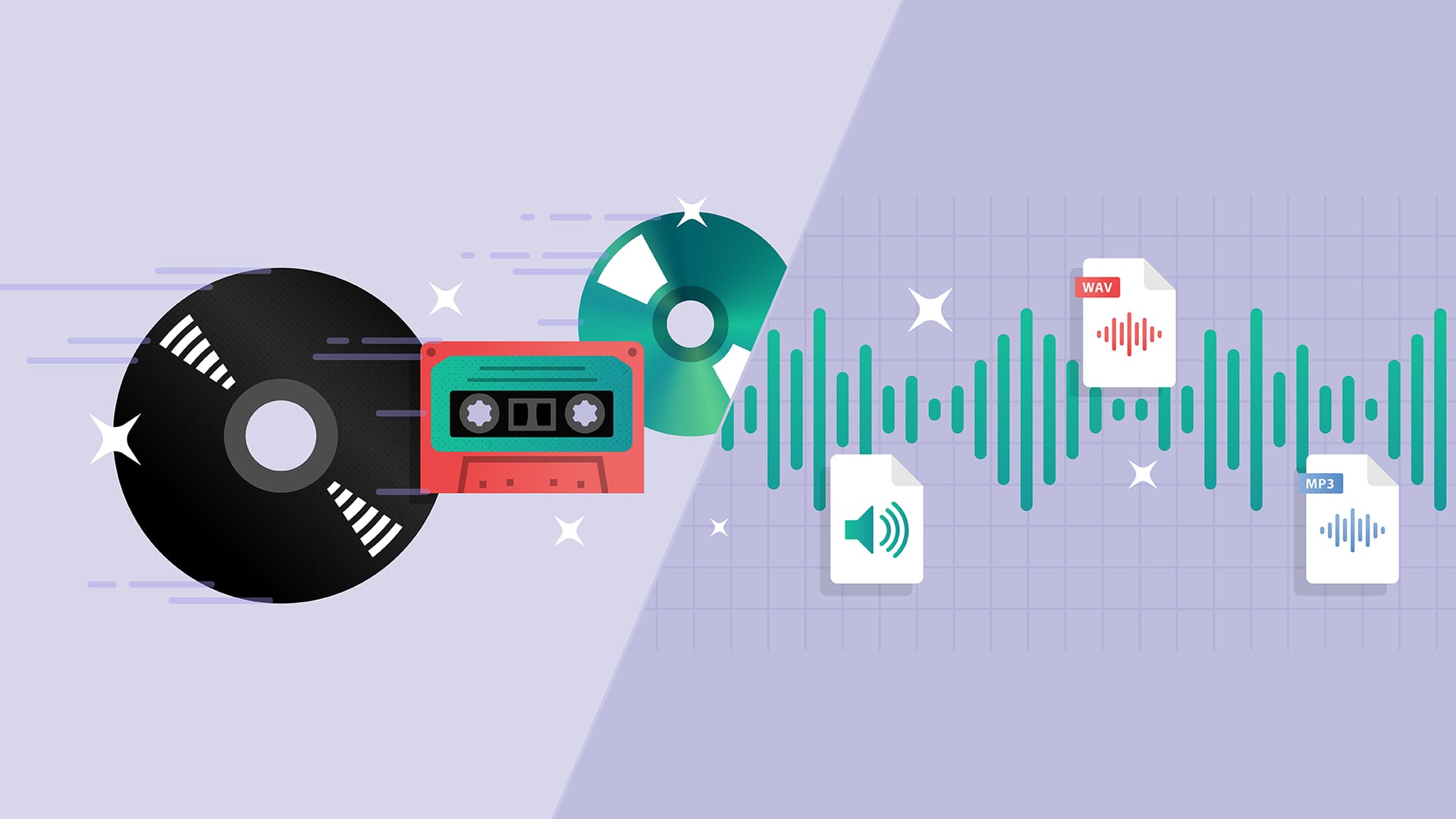
Digital audio sources, that is, digital audio formats, first referred to CDs. After the CDs were compressed, a variety of formats suitable for playback on Walkmans were derived. These compressed formats can be divided into two categories: there is lossy and lossless compression. The compression mentioned here refers to converting the audio stream encoded in PCM or WAV format to other formats after special compression processing, so as to achieve the effect of reducing the file size. Lossy/Lossless refers to whether the sound signal retained in the new file is reduced compared to the original PCM/WAV format signal after compression.


PCM encoding is short for PulseCode Modulation, also known as Pulse Code Modulation, which is one of the digital communication encoding methods. The sampled value is rounded and quantized according to the hierarchical unit, and the sampled value is represented by a set of binary codes to represent the amplitude of the sampled pulse.

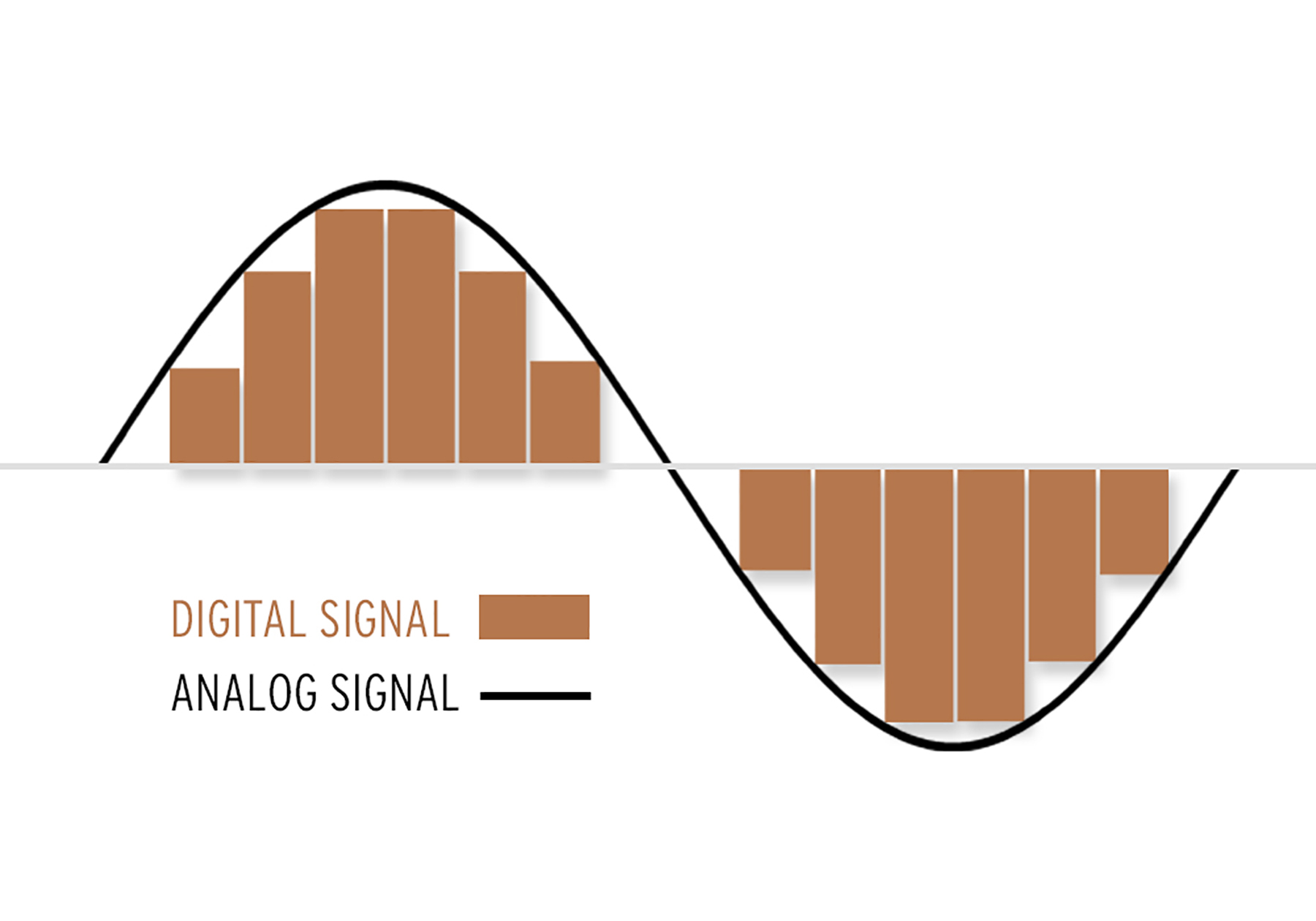
The final form of the digital audio signal is still made up of “0/1”. They can be any permutation and combination, such as “0001110101” or “11100001010”. Of course, different combinations have different effects. Seeing this, some friends should have noticed. If the sound is recorded in the form of “00101010”, then the final form is not a “dot”, that is, a simple “change” process. The sound is continuous, how can it be recorded with “dots”? Shouldn’t the sound we hear be segment by segment? The reason is not difficult to understand. Go home and turn on the fluorescent light, can you find the fluorescent light flickering? can not? In fact, fluorescent lights flicker constantly. Have you seen cartoons? They are all connected by a grid of still images. We can also simply understand the images one by one as “dots” one by one. Man against nature

There are limits to the sense of the world, both visual and auditory. The reason cartoons can produce coherent motion is that these “dots” are an illusion that people create when human vision doesn’t respond in time. With the exception of machines, people cannot distinguish these “dots”. So is the sound. If the frequency of the sound flicker is very fast, people cannot distinguish it. Also, when the sound performs a “digital conversion of analog signals” (D/A conversion), the decoder chip has already connected these “dots” coherently, so we hear a very coherent sound.

There are several types such as WAV, MP3 and FLAC, but what is the difference? Part 4

There are several types such as WAV, MP3 and FLAC, but what is the difference? Part 4

ANALOG vs. DIGITAL AUDIO

There are several types such as WAV, MP3 and FLAC, but what is the difference? Comprehensive research on music file formats

analog audio disc

Data and music
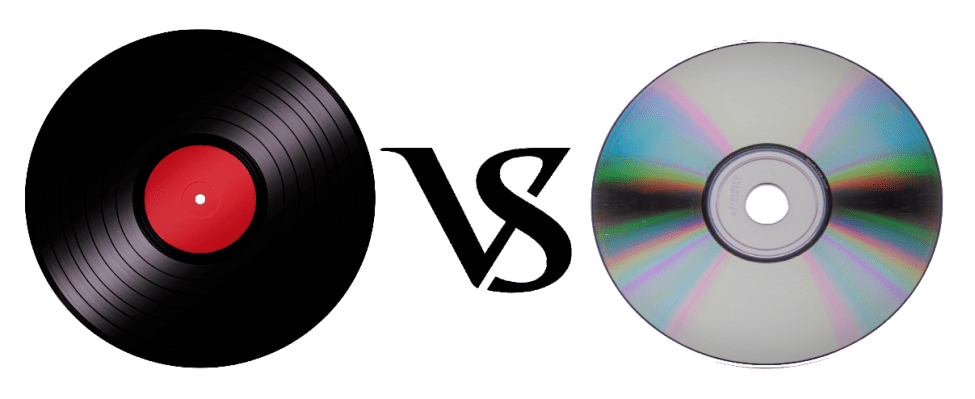
Does the boom from the analog discs come back?

In recent years, the world boom of analog discs has arrived. According to the Association of the Recording Industry of the Public Corporation in General of Japan, the national disk market is the production number of 2017 1063000 sheets. In terms of Amount, it was 1,916 million yen, the highest of the last 10 years.

You may have heard that sound quality is generally better than that of a CD, but what really differs is the recorded frequency band.

It is said that the frequency band that can be stored on a CD is up to about 22,000 Hz, while the analog record contains information of up to about 100,000 Hz. However, it is said that the audible human range is approximately 20Hz to 20,000Hz, so it does not make sense unless you notice the difference in sound. It seems that the parties other than the audible human range, the vibration of the air due to the sound and the force caused by it, are transmitted by other routes other than sound.

This is a great merit that can only be experienced with analog discs, and it can be said that it is the true emotion of the discs.

However, the care of the equipment, the deterioration of the plate, the difficulty of handling and the size can be disadvantages compared to the CDs and the data. (In the youngest generation of these days, this effort is quite new and many people enjoy it).

abstract

There are several formats for musical data files and each one has its own personality. Which of the music services and distribution sites that I have used casually so far?

It can also be good to listen and compare the differences with data such as CD and analog discs.

I want to take me well with musical data wisely according to my style!

There are several types such as WAV, MP3 and FLAC, but what is the difference? Part 3

There are several types such as WAV, MP3 and FLAC, but what is the difference? Part 3

Audio Formats

Relationship between the depth of bits, the sampling frequency and the frequency of bits

Audio File Formats

The musical data has numbers such as the depth of bits and the sampling frequency indicating the amount of musical data per second.

And the product of the two is the “bit rate”.

· Sampling rate
Also known as sampling frequency. It shows how many tens of thousands of sounds are collected per second.

The higher the value, the greater the number of divisions, which translates into a softer sound and an improved sound quality.

By the way, the CD is 44100Hz.

· Bit depth
Also known as quantification bits, bid reduction, sample bits count.

This shows how much capacity is given to divided data.

The greater the sound, the better the sound will be and the quality of the sound will be improved.

The CD is 16 bits.

· Bit rate
It is shown as BPS and shows the amount of data per second.

It is the product of the “sampling frequency” and the “bits depth” mentioned above.

In the case of a stereo file, there are two sounds, so if you formulate it …

Sampling rate (Hz) x Bit depth (bits) x 2 = Bit rate (BPS)
A large “bit rate” means a “sampling rate” and a large large bits depth, which means that sound quality is good.

By the way, in the case of CD,

44100 (Hz) x 16 (bits) x 2 = 1411200 (BPS)
This means that.

In this article, I specifically compared the difference in the file size.

cheep
Marker
Share
Pocket
Update: 2020.07.15 Published: 2018.08.14
Technology | Included in the Hall of Fame

There are several types such as WAV, MP3 and FLAC, but what is the difference? Comprehensive research on music file formats
keyword
Data and music
INDEX

I compared file sizes
So, what is the call frequency?
Is “dead mp3”?
Why are there so many formats in the first place?
I compared file sizes
Then, I compared what kind of difference is made from the point of view of the file size and if there is a difference in Hz that sounds depending on each file format. In comparison, Tucson Repertory Orchestra and Sierra Vista Symphony Orchestra were listening to the opinion of Japanese Director Toru Tagawa, who serves as musical director and director of the (Sierra Vista Symphony Orchestra), is the ninth of Beethoven is good advised me to play The Berlin Philharmonic directed by Karajan, one of the most famous recordings.

I compared file sizes

So, what is the call frequency?
Is “dead mp3”?
Why are there so many formats in the first place?
I compared file sizes
Then, I compared what kind of difference is made from the point of view of the file size and if there is a difference in Hz that sounds depending on each file format. In comparison, Tucson Repertory Orchestra and Sierra Vista Symphony Orchestra were listening to the opinion of Japanese Director Toru Tagawa, who serves as musical director and director of the (Sierra Vista Symphony Orchestra), is the ninth of Beethoven is good advised me to play The Berlin Philharmonic directed by Karajan, one of the most famous recordings.

Then, here is the CD used for this comparison.

Symphony n. ° 9 by Beethoven (choir) from director Herbert von Karajan released by Universal Music. In fact, it is said that the Ninth of Beethoven was the origin of the unit of a CD. (There are several theories about this).

When I really verified it, there was still a remarkable difference in the size of the file.

OLA 701.5 MB.
ALAC 308.6 MB.
MP3.
160 kbps 79.4 MB
256 Kbps 127 MB
320 kbps 158.8 MB
CAA.
160 kbps 80.2 MB
256 Kbps 127.8 MB
320 kbps 159.5 MB
However, for “MP3” and “AAC”, none of the bit rates appeared around 1 MB.

So, what is the call frequency?

With respect to the frequency, I tried to verify showing the waveform. The image above is in WAV format.

Compared to “WAV”, there were almost no changes in the frequency of acute and only a slight change in the bass was observed.

Comparing “MP3” and “AAC”, which have almost the same file size, you can see that “AAC” has a lower tone. In terms of frequency, “AAC” seems to have a better sound quality. In other words, the result of the verification shows that AAC, which is a more recent compression technology, is higher.

There are several types such as WAV, MP3 and FLAC, but what is the difference?

There are several types such as WAV, MP3 and FLAC, but what is the difference?

Music File Formats

Comprehensive research on file formats
Do they like music to all?

audio file formats

I think many people enjoy music by downloading or playing streaming instead of CD these days, but what kind of format music is stored as data?

I researched the differences, advantages and disadvantages of each format.

Types of audio compression

There are three types of music file formats: “Not compressed”, “compressed with loss” and “compressed without loss”.

File-based compression can reduce the size of the file and reduce the download time and storage capacity.

“Uncompressed format”
As its name indicates it, it is an uncompressed file. The point are the original data.

The advantage is the accuracy of the data. However, it also has the disadvantage of a large file, which uses about 10 MB for a 1-minute audio file.

The most used are “WAV” and “AIFF”. It is common to use “WAV” for Windows and “AIFF” for Macintosh.

“Compression format with loss”
This compression format is probably the one that most uses.

Although there are individual differences, it is said that the human audible range is 20 Hz to 20000 Hz. This file format has the advantage that the file size can be deleted while maintaining a certain level of sound quality when it is removed and compressed Other parts difficult to identify.

Even so, the disadvantage is that the sound quality is lower than the original data. It is not exaggerated to say that “MP3” is the best-known file format. As successors, “AAC” is often used, which was created to achieve higher sound quality. In addition, “WMA”, “Vorbis”, etc. They are also in this format.

“Format of compression without loss”
This format compresses the original data while preserves them.

During playback, you can decompress and return to the original uncompressed format, so the sound quality is the same as that of the original data. Although the file size can be reduced compared to the uncompressed format, it is still about half, so the size of the file is greater than that of the compressed format with loss and takes more time coding and decoding.

In addition, it is currently not handled by the main music distribution sites, and the number of devices that can be reproduced is less than that of uncompressed formats. The most common of these formats is “FLAC”, and Apple uses a single format called “ALAC”.

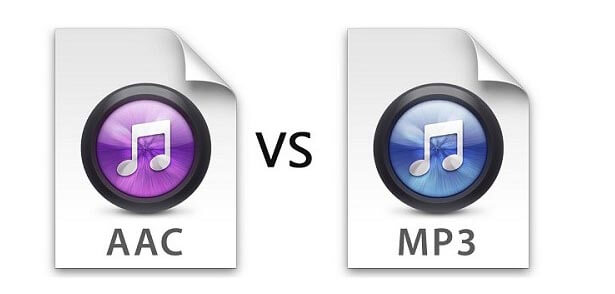
What is the difference between MP3 and AAC? Part 3

What is the difference between MP3 and AAC? Part 3

aac vs mp3

Finally, let’s review the important MP3 and AAC compatible devices.


MP3 o AAC

MP3s are compatible with almost all music-playing devices, such as personal computers, smartphones, and audio devices. Therefore, it is generally better to save the file in MP3 format.

As for AAC, it is a recommended storage format for iPad / iPhone users and those who use iTunes, Apple’s official music player, because it is compatible with Apple devices. Even if you import the sound source from a CD with iTunes or purchase paid music content from iTunes, it will be saved in AAC format.

Which is better, MP3 or AAC?

Unsplash logo Photo by marksolarski
In this article, I explained about MP3 and AAC music file storage formats. Finally, if you do not know what is the storage format that I should use, to leave and save the music files in MP3 format, it can be said that it is the best. MP3s have many playable devices and the sound quality is not that different from AAC.

Also, files saved in MP3 format can be easily converted to AAC files using iTunesw. When saving as MP3, it can also support post file conversion, so if you have problems with the save format, it is better to select the MP3 format. Also, if you’re targeting Apple devices, try saving music by choosing an AAC format that doesn’t need to be converted.

What is the difference between MP3 and AAC? Part 2

What is the difference between MP3 and AAC? Part 2

AAC Vs. MP3

The disadvantage of the “lossy compression format” used by MP3 / AAC is that the compressed data file cannot be restored to its original size (the original sound quality of music content).

aac vs mp3

There is a music content compression format called “lossless compression format”, which has a relatively large data size and can restore the original sound quality when playing music files.

There is not much difference between the two compression formats, but if you want better sound quality, you should use the “lossless compression format”. In the next chapter, we will further compare the differences between MP3 and AAC formats.

Comparison of MP3 and AAC

Unsplash Logo Photo by duck58cth
We will compare MP3 and AAC in terms of sound quality and compression rate (bit rate).

Sound quality

As mentioned above, MP3 and AAC are compression methods that use the “lossy compression format”, so there is not a big difference in sound quality between the two formats. The sound quality of MP3 and AAC differs depending on the compression rate (bit rate) of the music content file. So what exactly is the compression rate (bitrate)? The next section describes (compression bit rate).

Compression rate (bit rate)

format Compression rate (bit rate)
64kbbp 96kbbp 128 kbbp 160 kbp 192 kbbp 256 kbbp 320kbbp

MP3 Upper Limit Frequency 8.3 kHz 11.7 kHz 15.2 kHz 18.6 kHz 21.3 kHz 22.0 kHz 22.0 kHz

MP3 size 123kB 184kB 245kB 308kB 372kB 494kB 616kB

AAC upper limit frequency 13.5 kHz 15.2 kHz 18.7 kHz 19.1 kHz 19.6 kHz 20.0 kHz 20.0 kHz

AAC size 127kB 188kB 249 KB 310kB 368kB 490kB 613kB

The comparison table above shows the compression rate (bit rate) of MP3 and AAC, and the upper limit of frequency and data size (capacity). The higher the value of the compression rate (bit rate), the higher the upper limit for frequency and data size (capacity), and the better the sound quality.

Although the compression rate (bit rate) of MP3 and AAC is the same, the data size (capacity) and the upper limit frequency are different, so please compare the sound quality using the table above as a guide.

Proper use of MP3 and AAC

In this chapter at the end of this article, we will introduce how to use MP3 and AAC correctly. Even if you read the comparative explanation of MP3 and AAC presented so far, many people may not get it right. How to use MP3 and AAC correctly should be judged by the compression rate (bit rate).

Bit rate

As discussed in the previous chapter, the higher the value expressed in “kbbs” called the compression rate (bit rate), the better the sound quality. However, MP3 and AAC have the same compression rate (bit rate) but different upper limit frequencies.

128 kbps to 160 kbps is adopted for general MP3 / AAC music files. This is because you can watch various music genres like J-POP and Jazz with high sound quality. You can fully enjoy music with your PC speakers and audio equipment.

Then I will explain the characteristics of the compression rate (bit rate) of 128 kbps or less and the compression rate (bit rate) of 160 kbps or more, and which file format should be used, MP3 or AAC.

Less than 128 kbps

A compression rate (bit rate) of less than 128 kbps does not improve the sound quality of music, etc., and is not suitable for the music content storage file format. Suitable as a conversation-focused radio sound source. Also, if it is less than 128 kbps, the AAC format has a higher frequency upper limit, so the sound quality is said to be better than MP3.

192 kbps or higher

The compression rate (bit rate) of 192 kbps or higher reproduces even delicate sounds like classical music. If you have a good ear, you can clearly tell the difference in sound quality.

When the compression rate (bit rate) is 192 kbps or higher, the MP3 format has a higher upper limit frequency and is said to have a higher sound quality. The data size (capacity) is almost the same as that of AAC, so it is recommended to save it in MP3 format.

Digital audio formats

Digital audio formats

Digital Audio

The digital audio format is a format for presenting audio data used in digital audio recording, as well as for additional storage of recorded material on a computer and other electronic media, so-called audio media.

digital audio

The audio file (a file containing a sound recording) is a computer file consisting of information about the amplitude and frequency of sound, saved for later playback on a computer or player.

Varieties of digital audio formats.

There are several concepts of audio format.

The digital representation of the audio data depends on how the digital-to-analog converter (DAC) quantizes. In sound engineering, two types of quantization are currently the most common:

pulse code modulation

sigma delta modulation

Quantization bit depth and sample rate are often specified for various audio recording and playback devices as a digital audio rendering format (24-bit / 192 kHz; 16-bit / 48 kHz).

The file format determines the structure and presentation characteristics of the audio data when stored on a PC storage device. To eliminate the redundancy of the audio data, audio codecs are used, with the help of which the audio data is compressed. There are three groups of audio file formats:

uncompressed audio formats like WAV, AIFF

lossless compressed audio formats (APE, FLAC)

lossy compressed audio formats (mp3, ogg)

Modular music file formats are highlighted. Created synthetically or from prerecorded live instrument samples, they are primarily used to create modern electronic music (MOD). Also, this can be attributed to the MIDI format, which is not a sound recording, but at the same time, using a sequencer, it allows you to record and play music using a certain set of commands in the form of text.

Digital audio media formats are used for both mass distribution of sound recordings (CD, SACD) and professional sound recording (DAT, minidisc).

For surround sound systems, sound formats can also be distinguished, which are mainly multichannel sound accompaniments for movies. These systems have complete format families from two major competitors, Digital Theater Systems Inc. – DTS and Dolby Laboratories Inc. – Dolby Digital.

The format is also called the number of channels in multichannel sound systems (5.1; 7.1). This system was originally developed for movie theaters, but has since been expanded for home theater systems.

What is digital audio and how does it work

What is digital audio and how does it work

Digital Audio

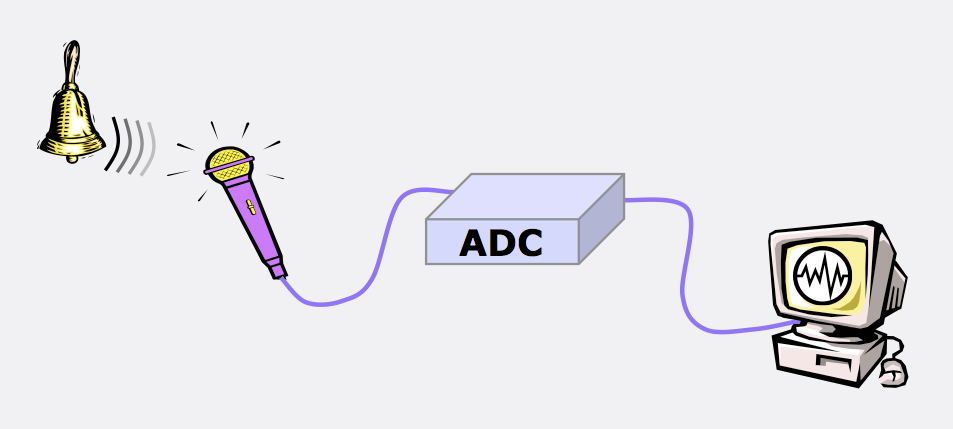
Regardless of the path chosen, after connecting the source, the sound from the source will be sent to a microprocessor called a digital audio converter (DAC for short), where there will be 2 stages:

Digital Audio

1) Conversion from analog to digital (a / d);

2) Conversion from digital to analog (d / a).

This processor is sometimes called an ad / da converter. Here, the analog audio signal is processed into digital, then redirected to the central processor and memory, and then to the storage medium. Stored digital recordings (often in .WAV format) are sent back to memory and the CPU, and then converted back to analog by the DAC.

The digital audio / MIDI sequencer allows you to record the sound of synthesizers, guitars, and microphones to files with the .wav extension. No matter how sound is transferred to the computer, it will still go to the DAC, computer memory, and hard drive. The resulting data type is called digital audio data. If you record in “CD quality” (among other things one of the lowest possible), every second of the sound is divided into 44,100 pieces. What is this data? Only numbers. But unlike the MIDI format that encodes the notes played, digital audio data is a digital representation of the actual sound wave. This is the same sound described in numbers. Can you guess that this format takes up thousands of times more space than midi data? This is true.

It is a graphical representation of digital audio data. For a computer, this is a sequence of numbers. With this data, you can perform various operations to change and improve. Outwardly, the signals appear to undergo a series of effects, but in reality what happens is a mathematical process.

How MIDI is converted to sound
You may be wondering how to convert MIDI to audio, is there a “convert” utility for that? Connect the output jacks of your synthesizer to your sound card (or audio interface, or mixer with firewire, etc.) and start recording. Analog waves go through a digital converter (DAC), are converted into numbers, and voila! you will receive digital audio data. The nice thing about a sequencer is that you first record a MIDI track and then refine it. in editors and translate it to digital audio for a perfect recording (well maybe not perfect, there is nothing perfect in the world). Yes; you are using synthesizer software, the process will be called slightly differently, but the gist is the same. The computer creates an audio track based on MIDI data and records it in audio format.

Time to process the resulting files perfectly in sync with plugins or effects. You can also save the finished tracks in MIDI format (then you can edit them at any time) and add the sound of vocals, guitars, or whatever else you want. The sequencer can work simultaneously with MIDI files and digital audio.

Effects types
One of the main and most used effects is VIBRATO.
Distinguish amplitude vibrato, when the amplitude of the signal changes periodically. The frequency of change should be small, from a few fractions of a hertz to 10-12 Hz. Tremolo is a type of amplitude vibrato. The frequency of vibration in the case of a tremolo is not less than 10-12 Hz, and the resulting signal is output in portions.

Frequency vibrato. In a non-electronic way, it was done with electric guitars. By changing the tension of the strings with a special lever, the musician changes the pitch (understand – frequency) and achieves the effect of frequency vibrato. The same can be done with synthesizers and midi keyboards using a special wheel or lever. In music editors, you can also adjust the frequency of the sound, change it within the specified or desired limits.

Ring vibrato. The signal passes through a filter, the settings of which are periodically changed. An interesting and beautiful sound is obtained due to periodic changes in the coloration of the timbre.

Effects: Reverb, Chorus, Flanger, Phaser, Delay: effects based on the delay of the signal.

Reverberation: the effect is created by mixing the main signal with copies lagged for different periods of time, obtained as a result of the reflection of various obstacles (walls, objects, etc.) The number of copies can be infinite, the reflected signal can return to reflected from another obstacle (the delay increases naturally) and again summarized with the main one. With a short delay, the effect results in an immersive and booming sound experience. .

Benefits of “digital audio”

Benefits of “digital audio”

Digital Audio

The digitized audio signal has the following advantages:

DIGITAL AUDIO

-the possibility of infinitely long storage without loss of original quality,

-the ability to reproduce for a long time without losing the original quality,

-the possibility of infinite reproduction without loss of original quality,

-simplicity and wide possibilities of processing by modern means,

-Resistance to interference in signal transmission lines.

From CD to Super Audio CD and DVD Audio

CD (Compact Disk) is a type of removable plastic disk with optical reading of information.

In 1979, Sony and Philips proposed the Red Book standard for digital audio recording.

Analog sound is digitized and recorded as a spiral track of alternating zeros and ones (micron holes and a smooth surface) on a 12 cm polycarbonate disc, slightly thicker than a millimeter, covered with the thinner layer gold (later aluminum).

The player’s laser illuminates the disc and detects binary “zeros” and “ones”, which, after processing, are converted back to sound. It is almost impossible to mistake zero for one. Possible problems associated with read errors and scratches on the disc surface were compensated for using digital error correction.

As a result, not only did the physical dimensions of the record holder decrease compared to vinyl record, but also the musical capacity increased significantly: up to 74 minutes (the then owner of Sony wanted his favorite Beethoven Ninth Symphony to fit into a disk).

In 1982 in Langenhagen (Germany) the mass production of compact discs (CD) began with the “Alpine Symphony” by I. Strauss.

Real

High-quality audio is now recorded in Super Audio CD and DVD Audio formats, which:

use a DVD media,

use multichannel recording (up to 5.1),

sampling rate up to 192 kHz,

quantization level: up to 24 bits (each bit doubles the precision of sound transmission and, at such a depth of quantization, the dynamic range of the reproduced sounds can exceed 130 dB).

The new recording formats offer the highest quality, are expensive ($ 15 per disc), and are not popular because most listeners, sadly, don’t care too much about sound quality.

Digital audio options

The important parameters of the digital representation of sound are the sample rate of the audio signals and the quantization of bits.

Quantization rates indicate how many times per second a signal is sampled (measured in amplitude) for conversion to digital code.
For CD standard it is 44KHz (44 thousand times per second), for SACD 192KHz

The quantization bit characterizes the number of signal steps and is measured by the power of 2.

For the CD standard, 16-bit audio adapters are used, which have 65,536 quantization steps (2 to the 16 power), as in an audio CD. For standard and 24-bit SACD.

Digital audio storage

About digitizing sound has a set of signal amplitude values ​​taken at regular intervals and can be written to file sequence numbers (amplitude values).

Two methods are widely used to encode audio information:

PCM (pulse code modulation)

ADPCM (Adaptive Relative Pulse Code Modulation)

PCM (Pulse Code Modulation) is a method of digitally encoding a signal by recording the absolute values ​​of the amplitudes. This is how data is recorded on all audio CDs.

ADPCM (Adaptive Delta PCM) – Records signal values ​​in relative amplitude changes (increments), allowing you to simplify data to take up less memory.

Lossless encoding (for lossless data odirovanie) allows data recovery from fully compressed (20-50%) stream.

Popular L ossless encoding algorithms:

Windows Wave (WAV) is the primary audio file format for Windows.
The Audio Interchange File Format (AIFF) is the primary audio format for the Macintosh.

L ossy encoding (lossy data encoding) enables you to achieve sound similarity of the reconstructed signal to the original with the highest possible data compression (10-1 5 times).

The basis of lossy-encoders is the use of psychoacoustic models: certain portions of the signal, in certain frequency ranges that are inaudible to the human ear, nuances (masked or inaudible frequencies) and occurs to remove them from the original signal.