Digital Audio Encoding

Digital Audio Encoding

Digital Audio Encoding

What is Digital Audio Encoding?

Digital Audio Encoding is the process of converting an analog audio signal into a digital format, which can be stored, processed, and transmitted electronically. It involves the use of an Analog-to-Digital Converter (ADC) to sample and quantize the analog audio waveform into a series of binary numbers that can be interpreted by a digital device. The resulting digital audio data can then be compressed, processed, and transmitted over various digital platforms, such as the internet, CDs, DVDs, and other digital storage devices.

The Importance of Digital Audio Encoding

Digital Audio Encoding has revolutionized the way we consume and produce audio content. It has made it possible to store, edit, and transmit high-quality audio content with minimal loss of quality. Some of the benefits of digital audio encoding include:

  • Improved sound quality: Digital audio encoding allows for high-quality audio content that is free from the distortions and noise associated with analog audio.
  • Easy storage and transfer: Digital audio files can be easily stored and transferred over various digital platforms with minimal loss of quality.
  • Efficient compression: Digital audio files can be compressed into smaller file sizes without significant loss of quality, making it easier to store and transfer large audio files.
  • Greater accessibility: Digital audio content can be easily accessed over various digital platforms, including the internet, mobile devices, and other digital devices.

The Digital Audio Encoding Process

The Digital Audio Encoding process involves several steps, which include:

  1. Sampling: The analog audio waveform is sampled at regular intervals using an Analog-to-Digital Converter (ADC).
  2. Quantization: The sampled waveform is quantized, i.e., each sample is assigned a binary number that represents its amplitude value.
  3. Encoding: The quantized samples are encoded into a digital format, such as WAV, MP3, or AAC.
  4. Compression: The encoded digital audio file can be compressed using lossy or lossless compression algorithms to reduce its file size.

Lossy vs. Lossless Audio Compression

Lossy and lossless audio compression are two types of compression algorithms used in digital audio encoding. Lossy compression algorithms compress audio files by removing data that is deemed unnecessary or redundant. This results in a smaller file size but may result in a loss of audio quality. Lossless compression algorithms, on the other hand, compress audio files without any loss of quality. This results in a larger file size but maintains the original audio quality.

Bitrate and its Importance in Digital Audio Encoding

Bitrate is a measure of the amount of data used to represent each second of digital audio. It is measured in bits per second (bps) or kilobits per second (kbps). The bitrate of a digital audio file has a significant impact on its quality and file size. Higher bitrates result in higher quality audio files but also larger file sizes. Lower bitrates result in smaller file sizes but may result in a loss of audio quality.

Common Digital Audio Formats

There are several digital audio formats used in digital audio encoding, including:

  • WAV: WAV is a lossless audio format that is commonly used for storing high-quality audio content.
  • MP3: MP3 is a lossy audio format that is commonly used for compressing and storing digital audio files for playback on various digital devices.
  • AAC: AAC is a lossy audio format that is commonly used for compressing and streaming digital audio content over the internet.
  • FLAC: FLAC is a lossless audio format that is commonly used for storing high-quality audio content, similar to WAV.

Challenges in Digital Audio Encoding

Despite the many benefits of digital audio encoding, there are several challenges that must be addressed to ensure optimal audio quality. These challenges include:

  • Sampling rate limitations: The sampling rate of an ADC can affect the accuracy of the digital audio representation. Higher sampling rates generally result in higher accuracy, but also require larger file sizes.
  • Bit depth limitations: The bit depth of an ADC can affect the dynamic range and noise floor of the digital audio representation. Higher bit depths generally result in higher accuracy, but also require larger file sizes.
  • Compression artifacts: Lossy compression algorithms can introduce compression artifacts, such as distortion and noise, which can degrade audio quality.

Future Developments in Digital Audio Encoding

Digital Audio Encoding is an ever-evolving field, with ongoing developments aimed at improving audio quality, reducing file sizes, and enhancing accessibility. Some of the latest developments include:

  • High-resolution audio: High-resolution audio formats, such as MQA and DSD, offer even higher audio quality than standard digital audio formats.
  • Immersive audio: Immersive audio formats, such as Dolby Atmos and DTS:X, offer a more immersive listening experience by incorporating height and surround sound elements.
  • Object-based audio: Object-based audio formats, such as MPEG-H 3D Audio, offer greater flexibility in audio content creation and delivery by enabling individual audio objects to be separately mixed and streamed.

FAQs

1. What is digital audio encoding?

Digital audio encoding is the process of converting an analog audio signal into a digital format, which can be stored, processed, and transmitted electronically.

2. Why is digital audio encoding important?

Digital audio encoding has revolutionized the way we consume and produce audio content by providing improved sound quality, easy storage and transfer, efficient compression, and greater accessibility.

3. What are some common digital audio formats?

Some common digital audio formats include WAV, MP3, AAC, and FLAC.

4. What is the difference between lossy and lossless audio compression?

Lossy compression algorithms compress audio files by removing data that is deemed unnecessary or redundant, resulting in a smaller file size but may result in a loss of audio quality. Lossless compression algorithms compress audio files without any loss of quality, resulting in a larger file size but maintaining the original audio quality.

5. What is bitrate and why is it important in digital audio encoding?

Bitrate is a measure of the amount of data used to represent each second of digital audio. It is important in digital audio encoding because it has a significant impact on audio quality and file size.

6. What are some challenges in digital audio encoding?

Some challenges in digital audio encoding include sampling rate limitations, bit depth limitations, and compression artifacts.

7. What are some future developments in digital audio encoding?

Some future developments in digital audio encoding include high-resolution audio, immersive audio, and object-based audio.

8. What is the difference between a lossy and lossless audio format?

Lossy audio formats use compression algorithms to reduce file size, sacrificing some audio quality in the process. Lossless audio formats, on the other hand, use compression algorithms that do not compromise audio quality, resulting in larger file sizes.

9. What is a sampling rate and how does it affect audio quality?

A sampling rate is the number of times per second that an analog audio signal is measured and converted into a digital signal. The higher the sampling rate, the more accurately the digital signal represents the original analog signal, resulting in higher audio quality. However, higher sampling rates also require larger file sizes and more processing power.

10. What is bit depth and how does it affect audio quality?

Bit depth refers to the number of bits used to represent each audio sample in a digital audio file. A higher bit depth allows for a greater dynamic range and lower noise floor, resulting in higher audio quality. However, higher bit depths also require larger file sizes and more processing power.

11. What is lossless compression?

Lossless compression is a compression algorithm that reduces the size of a digital audio file without sacrificing any audio quality. This is achieved by identifying and removing redundant or unnecessary data in the audio file.

12. What is immersive audio and how does it enhance the listening experience?

Immersive audio is an audio format that uses spatial sound technology to create a more immersive listening experience. This is achieved by incorporating height and surround sound elements, which create a more three-dimensional soundstage. This allows for a more realistic and engaging listening experience, especially when combined with a surround sound system.

Conclusion

Digital audio encoding has revolutionized the way we produce and consume audio content, providing improved sound quality, easy storage and transfer, efficient compression, and greater accessibility. While there are some challenges to overcome, ongoing developments in high-resolution, immersive, and object-based audio formats promise to further enhance the digital audio experience.

References

  • Bosi, M., & Goldberg, R. (2012). Introduction to digital audio coding and standards. Springer Science & Business Media.
  • Thompson, J. (2013). Understanding digital audio. Focal Press.

There are several types such as WAV, MP3 and FLAC, but what is the difference? Part 4

There are several types such as WAV, MP3 and FLAC, but what is the difference? Part 4

ANALOG vs. DIGITAL AUDIO

There are several types such as WAV, MP3 and FLAC, but what is the difference? Comprehensive research on music file formats

analog audio disc

Data and music
Does the boom from the analog discs come back?

In recent years, the world boom of analog discs has arrived. According to the Association of the Recording Industry of the Public Corporation in General of Japan, the national disk market is the production number of 2017 1063000 sheets. In terms of Amount, it was 1,916 million yen, the highest of the last 10 years.

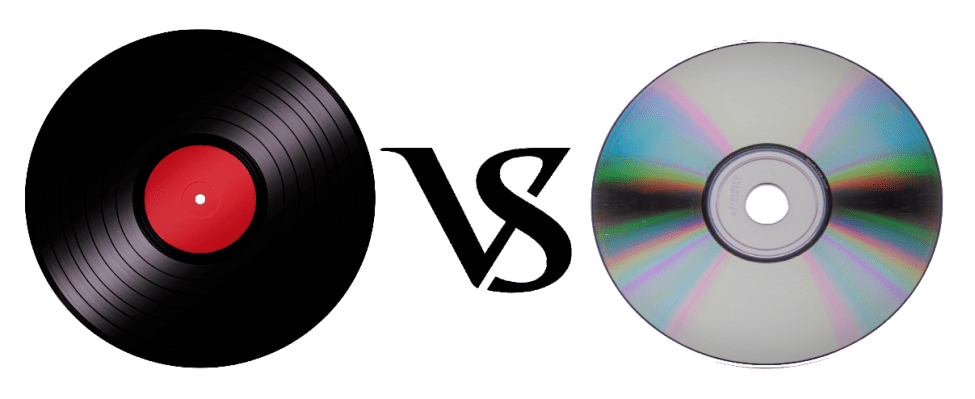
You may have heard that sound quality is generally better than that of a CD, but what really differs is the recorded frequency band.

It is said that the frequency band that can be stored on a CD is up to about 22,000 Hz, while the analog record contains information of up to about 100,000 Hz. However, it is said that the audible human range is approximately 20Hz to 20,000Hz, so it does not make sense unless you notice the difference in sound. It seems that the parties other than the audible human range, the vibration of the air due to the sound and the force caused by it, are transmitted by other routes other than sound.

This is a great merit that can only be experienced with analog discs, and it can be said that it is the true emotion of the discs.

However, the care of the equipment, the deterioration of the plate, the difficulty of handling and the size can be disadvantages compared to the CDs and the data. (In the youngest generation of these days, this effort is quite new and many people enjoy it).

abstract

There are several formats for musical data files and each one has its own personality. Which of the music services and distribution sites that I have used casually so far?

It can also be good to listen and compare the differences with data such as CD and analog discs.

I want to take me well with musical data wisely according to my style!

There are several types such as WAV, MP3 and FLAC, but what is the difference? Part 3

There are several types such as WAV, MP3 and FLAC, but what is the difference? Part 3

Audio Formats

Relationship between the depth of bits, the sampling frequency and the frequency of bits

Audio File Formats

The musical data has numbers such as the depth of bits and the sampling frequency indicating the amount of musical data per second.

And the product of the two is the “bit rate”.

· Sampling rate
Also known as sampling frequency. It shows how many tens of thousands of sounds are collected per second.

The higher the value, the greater the number of divisions, which translates into a softer sound and an improved sound quality.

By the way, the CD is 44100Hz.

· Bit depth
Also known as quantification bits, bid reduction, sample bits count.

This shows how much capacity is given to divided data.

The greater the sound, the better the sound will be and the quality of the sound will be improved.

The CD is 16 bits.

· Bit rate
It is shown as BPS and shows the amount of data per second.

It is the product of the “sampling frequency” and the “bits depth” mentioned above.

In the case of a stereo file, there are two sounds, so if you formulate it …

Sampling rate (Hz) x Bit depth (bits) x 2 = Bit rate (BPS)
A large “bit rate” means a “sampling rate” and a large large bits depth, which means that sound quality is good.

By the way, in the case of CD,

44100 (Hz) x 16 (bits) x 2 = 1411200 (BPS)
This means that.

In this article, I specifically compared the difference in the file size.

cheep
Marker
Share
Pocket
Update: 2020.07.15 Published: 2018.08.14
Technology | Included in the Hall of Fame

There are several types such as WAV, MP3 and FLAC, but what is the difference? Comprehensive research on music file formats
keyword
Data and music
INDEX

I compared file sizes
So, what is the call frequency?
Is “dead mp3”?
Why are there so many formats in the first place?
I compared file sizes
Then, I compared what kind of difference is made from the point of view of the file size and if there is a difference in Hz that sounds depending on each file format. In comparison, Tucson Repertory Orchestra and Sierra Vista Symphony Orchestra were listening to the opinion of Japanese Director Toru Tagawa, who serves as musical director and director of the (Sierra Vista Symphony Orchestra), is the ninth of Beethoven is good advised me to play The Berlin Philharmonic directed by Karajan, one of the most famous recordings.

I compared file sizes

So, what is the call frequency?
Is “dead mp3”?
Why are there so many formats in the first place?
I compared file sizes
Then, I compared what kind of difference is made from the point of view of the file size and if there is a difference in Hz that sounds depending on each file format. In comparison, Tucson Repertory Orchestra and Sierra Vista Symphony Orchestra were listening to the opinion of Japanese Director Toru Tagawa, who serves as musical director and director of the (Sierra Vista Symphony Orchestra), is the ninth of Beethoven is good advised me to play The Berlin Philharmonic directed by Karajan, one of the most famous recordings.

Then, here is the CD used for this comparison.

Symphony n. ° 9 by Beethoven (choir) from director Herbert von Karajan released by Universal Music. In fact, it is said that the Ninth of Beethoven was the origin of the unit of a CD. (There are several theories about this).

When I really verified it, there was still a remarkable difference in the size of the file.

OLA 701.5 MB.
ALAC 308.6 MB.
MP3.
160 kbps 79.4 MB
256 Kbps 127 MB
320 kbps 158.8 MB
CAA.
160 kbps 80.2 MB
256 Kbps 127.8 MB
320 kbps 159.5 MB
However, for “MP3” and “AAC”, none of the bit rates appeared around 1 MB.

So, what is the call frequency?

With respect to the frequency, I tried to verify showing the waveform. The image above is in WAV format.

Compared to “WAV”, there were almost no changes in the frequency of acute and only a slight change in the bass was observed.

Comparing “MP3” and “AAC”, which have almost the same file size, you can see that “AAC” has a lower tone. In terms of frequency, “AAC” seems to have a better sound quality. In other words, the result of the verification shows that AAC, which is a more recent compression technology, is higher.

There are several types such as WAV, MP3 and FLAC, but what is the difference?

There are several types such as WAV, MP3 and FLAC, but what is the difference?

Music File Formats

Comprehensive research on file formats
Do they like music to all?

audio file formats

I think many people enjoy music by downloading or playing streaming instead of CD these days, but what kind of format music is stored as data?

I researched the differences, advantages and disadvantages of each format.

Types of audio compression

There are three types of music file formats: “Not compressed”, “compressed with loss” and “compressed without loss”.

File-based compression can reduce the size of the file and reduce the download time and storage capacity.

“Uncompressed format”
As its name indicates it, it is an uncompressed file. The point are the original data.

The advantage is the accuracy of the data. However, it also has the disadvantage of a large file, which uses about 10 MB for a 1-minute audio file.

The most used are “WAV” and “AIFF”. It is common to use “WAV” for Windows and “AIFF” for Macintosh.

“Compression format with loss”
This compression format is probably the one that most uses.

Although there are individual differences, it is said that the human audible range is 20 Hz to 20000 Hz. This file format has the advantage that the file size can be deleted while maintaining a certain level of sound quality when it is removed and compressed Other parts difficult to identify.

Even so, the disadvantage is that the sound quality is lower than the original data. It is not exaggerated to say that “MP3” is the best-known file format. As successors, “AAC” is often used, which was created to achieve higher sound quality. In addition, “WMA”, “Vorbis”, etc. They are also in this format.

“Format of compression without loss”
This format compresses the original data while preserves them.

During playback, you can decompress and return to the original uncompressed format, so the sound quality is the same as that of the original data. Although the file size can be reduced compared to the uncompressed format, it is still about half, so the size of the file is greater than that of the compressed format with loss and takes more time coding and decoding.

In addition, it is currently not handled by the main music distribution sites, and the number of devices that can be reproduced is less than that of uncompressed formats. The most common of these formats is “FLAC”, and Apple uses a single format called “ALAC”.

What is the difference between MP3 and AAC? Part 3

What is the difference between MP3 and AAC? Part 3

aac vs mp3

Finally, let’s review the important MP3 and AAC compatible devices.


MP3 o AAC

MP3s are compatible with almost all music-playing devices, such as personal computers, smartphones, and audio devices. Therefore, it is generally better to save the file in MP3 format.

As for AAC, it is a recommended storage format for iPad / iPhone users and those who use iTunes, Apple’s official music player, because it is compatible with Apple devices. Even if you import the sound source from a CD with iTunes or purchase paid music content from iTunes, it will be saved in AAC format.

Which is better, MP3 or AAC?

Unsplash logo Photo by marksolarski
In this article, I explained about MP3 and AAC music file storage formats. Finally, if you do not know what is the storage format that I should use, to leave and save the music files in MP3 format, it can be said that it is the best. MP3s have many playable devices and the sound quality is not that different from AAC.

Also, files saved in MP3 format can be easily converted to AAC files using iTunesw. When saving as MP3, it can also support post file conversion, so if you have problems with the save format, it is better to select the MP3 format. Also, if you’re targeting Apple devices, try saving music by choosing an AAC format that doesn’t need to be converted.

What is the difference between MP3 and AAC? Part 2

What is the difference between MP3 and AAC? Part 2

AAC Vs. MP3

The disadvantage of the “lossy compression format” used by MP3 / AAC is that the compressed data file cannot be restored to its original size (the original sound quality of music content).

aac vs mp3

There is a music content compression format called “lossless compression format”, which has a relatively large data size and can restore the original sound quality when playing music files.

There is not much difference between the two compression formats, but if you want better sound quality, you should use the “lossless compression format”. In the next chapter, we will further compare the differences between MP3 and AAC formats.

Comparison of MP3 and AAC

Unsplash Logo Photo by duck58cth
We will compare MP3 and AAC in terms of sound quality and compression rate (bit rate).

Sound quality

As mentioned above, MP3 and AAC are compression methods that use the “lossy compression format”, so there is not a big difference in sound quality between the two formats. The sound quality of MP3 and AAC differs depending on the compression rate (bit rate) of the music content file. So what exactly is the compression rate (bitrate)? The next section describes (compression bit rate).

Compression rate (bit rate)

format Compression rate (bit rate)
64kbbp 96kbbp 128 kbbp 160 kbp 192 kbbp 256 kbbp 320kbbp

MP3 Upper Limit Frequency 8.3 kHz 11.7 kHz 15.2 kHz 18.6 kHz 21.3 kHz 22.0 kHz 22.0 kHz

MP3 size 123kB 184kB 245kB 308kB 372kB 494kB 616kB

AAC upper limit frequency 13.5 kHz 15.2 kHz 18.7 kHz 19.1 kHz 19.6 kHz 20.0 kHz 20.0 kHz

AAC size 127kB 188kB 249 KB 310kB 368kB 490kB 613kB

The comparison table above shows the compression rate (bit rate) of MP3 and AAC, and the upper limit of frequency and data size (capacity). The higher the value of the compression rate (bit rate), the higher the upper limit for frequency and data size (capacity), and the better the sound quality.

Although the compression rate (bit rate) of MP3 and AAC is the same, the data size (capacity) and the upper limit frequency are different, so please compare the sound quality using the table above as a guide.

Proper use of MP3 and AAC

In this chapter at the end of this article, we will introduce how to use MP3 and AAC correctly. Even if you read the comparative explanation of MP3 and AAC presented so far, many people may not get it right. How to use MP3 and AAC correctly should be judged by the compression rate (bit rate).

Bit rate

As discussed in the previous chapter, the higher the value expressed in “kbbs” called the compression rate (bit rate), the better the sound quality. However, MP3 and AAC have the same compression rate (bit rate) but different upper limit frequencies.

128 kbps to 160 kbps is adopted for general MP3 / AAC music files. This is because you can watch various music genres like J-POP and Jazz with high sound quality. You can fully enjoy music with your PC speakers and audio equipment.

Then I will explain the characteristics of the compression rate (bit rate) of 128 kbps or less and the compression rate (bit rate) of 160 kbps or more, and which file format should be used, MP3 or AAC.

Less than 128 kbps

A compression rate (bit rate) of less than 128 kbps does not improve the sound quality of music, etc., and is not suitable for the music content storage file format. Suitable as a conversation-focused radio sound source. Also, if it is less than 128 kbps, the AAC format has a higher frequency upper limit, so the sound quality is said to be better than MP3.

192 kbps or higher

The compression rate (bit rate) of 192 kbps or higher reproduces even delicate sounds like classical music. If you have a good ear, you can clearly tell the difference in sound quality.

When the compression rate (bit rate) is 192 kbps or higher, the MP3 format has a higher upper limit frequency and is said to have a higher sound quality. The data size (capacity) is almost the same as that of AAC, so it is recommended to save it in MP3 format.