WMA Audio Signal Correlation


Free Download Mp4Gain
picture

WMA Audio Signal Correlation
Let’s talk about WMA Audio Signal Correlation

As a specialist in audio engineering, I understand the importance of WMA (Windows Media Audio) format and its correlation with audio signals. When we delve into the realm of digital audio, understanding how WMA audio signals correlate becomes crucial for optimizing sound quality, compression, and compatibility across various platforms. WMA, developed by Microsoft, offers efficient compression without significant loss of audio quality, making it a popular choice for digital audio storage and streaming. In this comprehensive guide, I’ll explore the intricacies of WMA audio signal correlation, shedding light on its significance, technical aspects, and practical applications.

The Fundamentals of WMA Audio Format

Starting with the basics, let’s dissect the WMA audio format. Windows Media Audio is a proprietary format developed by Microsoft to compete with other popular audio formats like MP3 and AAC. WMA utilizes various codecs to compress audio data, allowing for smaller file sizes while maintaining reasonable audio quality. Unlike uncompressed formats like WAV, WMA employs lossy compression techniques, meaning some audio data is permanently discarded during encoding. However, the goal of WMA is to achieve a balance between file size and audio fidelity, making it suitable for a wide range of applications, from digital music distribution to streaming services.

Lossy Compression in WMA

  • Understanding the trade-offs: WMA’s approach to compression.
  • How lossy compression affects audio quality.
  • Bitrate selection and its impact on WMA audio files.

When discussing WMA audio signal correlation, it’s essential to grasp the concept of lossy compression. Unlike lossless formats that preserve all original audio data, lossy compression selectively discards information deemed less critical to human perception. In the context of WMA, this means analyzing audio signals, identifying redundancies or imperceptible details, and removing them to reduce file size. While this process inevitably results in some loss of audio quality, modern WMA codecs employ sophisticated algorithms to minimize perceptible artifacts, ensuring satisfactory listening experiences for most users.

Compatibility and Encoding

  • Platform compatibility: Where can you use WMA files?
  • Choosing the right encoding settings for optimal results.
  • Conversion tools and techniques for WMA audio files.

One of the critical aspects of WMA audio signal correlation is understanding its compatibility and encoding options. While WMA offers efficient compression, its adoption across different platforms and devices varies. Compatibility issues may arise when attempting to play WMA files on non-Windows devices or older hardware. Therefore, selecting appropriate encoding settings becomes paramount to ensure broad compatibility without sacrificing too much audio quality. Additionally, familiarity with conversion tools and techniques allows users to transcode WMA files into other formats when necessary, further enhancing flexibility and accessibility.

Advanced Techniques in WMA Signal Processing

Moving beyond the basics, let’s explore some advanced techniques in WMA signal processing. While standard encoding methods suffice for general use cases, specialized applications may require additional considerations to achieve optimal results. From audio mastering to broadcast engineering, understanding these advanced techniques empowers audio professionals to leverage WMA’s capabilities effectively.

Dynamic Range Compression

  • Enhancing perceived loudness and consistency.
  • Applying dynamic range compression in WMA encoding.
  • Trade-offs between dynamic range and audio fidelity.

Dynamic range compression is a common technique used in audio production to reduce the dynamic range of audio signals, making quieter sounds louder and louder sounds quieter. In the context of WMA encoding, dynamic range compression can help enhance perceived loudness and consistency, particularly useful in scenarios where audio needs to compete with ambient noise or maintain a consistent volume level across tracks. However, it’s essential to strike a balance between dynamic range compression and preserving natural audio dynamics to avoid unwanted side effects such as pumping or distortion.

Multi-Channel Audio Encoding

  • Supporting surround sound and immersive audio formats.
  • Encoding multi-channel audio in WMA.
  • Considerations for bitrate allocation and channel mapping.

With the proliferation of surround sound systems and immersive audio formats, multi-channel audio encoding has become increasingly important. WMA supports multi-channel configurations, allowing for the encoding of audio streams with multiple channels, such as 5.1 or 7.1 surround sound. When encoding multi-channel audio in WMA, considerations include bitrate allocation, ensuring sufficient data for each channel while maintaining overall file size efficiency, and channel mapping, specifying the spatial placement of audio channels for accurate playback.

Practical Applications and Use Cases

Now that we’ve covered the fundamentals and advanced techniques in WMA audio signal correlation, let’s explore some practical applications and use cases where this knowledge proves invaluable. Whether you’re a music enthusiast, audio engineer, or content creator, understanding how to leverage WMA effectively opens up a world of possibilities in digital audio production and distribution.

Music Streaming and Distribution

  • Optimizing audio quality and file size for streaming platforms.
  • Maximizing reach and accessibility with WMA-encoded music.
  • Ensuring compatibility across different streaming services and devices.

In the realm of music streaming and distribution, WMA plays a significant role in delivering high-quality audio to listeners worldwide. By encoding music in WMA format, artists and record labels can strike a balance between audio quality and streaming efficiency, ensuring smooth playback even under varying network conditions. Moreover, WMA’s broad compatibility ensures that music encoded in this format can reach a wide audience across different streaming platforms and devices, from smartphones to smart speakers.

Audio Broadcasting and Podcasting

  • Optimizing audio files for radio broadcasting and podcast distribution.
  • Reducing file size without compromising audio fidelity.
  • Delivering consistent audio quality across various listening environments.

For broadcasters and podcasters, WMA offers an efficient solution for encoding and distributing audio content. By leveraging WMA’s compression capabilities, broadcasters can reduce file sizes without significant loss of audio quality, facilitating faster uploads and downloads for listeners. Additionally, WMA’s compatibility with broadcasting software and hardware ensures seamless integration into existing workflows, allowing broadcasters to focus on creating engaging content without worrying about technical limitations.

Latest words on WMA Audio Signal Correlation

In conclusion, understanding WMA audio signal correlation is essential for anyone involved in digital audio production, distribution, or consumption. By grasping the fundamentals of WMA format, exploring advanced signal processing techniques, and identifying practical applications, audio professionals can harness the full potential of WMA to deliver high-quality audio experiences across various platforms and devices. Whether you’re streaming music online, broadcasting a radio show, or producing a podcast, WMA remains a versatile and reliable choice for encoding audio content.

Comments:

This article is very informative! I’ve always wondered how WMA compression works and its impact on audio quality. Thanks for breaking it down in such a clear and concise manner. – MusicLover123

Great article! As a podcast producer, I found the section on optimizing audio files for broadcasting and podcasting particularly useful. I’ll definitely be implementing some of these techniques in my workflow. – PodcastPro

I appreciate the depth of information provided in this article. However, I’d love to see more discussion on the history and evolution of WMA format. Overall, though, it’s a valuable resource for anyone interested in audio engineering. – SoundEnthusiast

This article helped me understand the technical aspects of WMA compression better. I’ve been struggling with audio file sizes for my streaming platform, and now I have some practical solutions to explore. – StreamMaster

As someone new to audio engineering, I found this article incredibly insightful. It’s refreshing to see complex topics explained in a way that’s easy to understand. Looking forward to more content like this! – NoviceEngineer

Wow, I didn’t realize there were so many factors to consider when encoding audio in WMA format. This article opened my eyes to the intricacies of digital audio processing. Kudos to the author for such comprehensive coverage! – AudioExplorer

This article provided some valuable insights into the world of WMA audio compression. However, I wish there were more examples illustrating the practical applications of dynamic range compression and multi-channel encoding. – TechSavvyListener

As a radio broadcaster, I found the section on optimizing audio files for broadcasting extremely helpful. It’s always a challenge to balance audio quality and file size, but this article offered some great tips for achieving the perfect mix. – RadioHost

Excellent article! I’ve been looking for a comprehensive guide to WMA audio signal correlation, and this exceeded my expectations. The explanations are clear, and the practical examples make it easy to apply this knowledge in real-world scenarios. – AudioTechJunkie

This article provides a solid overview of WMA audio signal correlation, but I’d love to see a deeper dive into the technical specifications and limitations of the format. Nonetheless, it’s a great starting point for anyone interested in learning more about digital audio compression. – TechEnthusiast


Free Download Mp4Gain
picture


Mp4Gain Main Window
picture


Mp4Gain Features
picture


Free Download Mp4Gain
picture

There are several types such as WAV, MP3 and FLAC, but what is the difference? Part 4

There are several types such as WAV, MP3 and FLAC, but what is the difference? Part 4

ANALOG vs. DIGITAL AUDIO

There are several types such as WAV, MP3 and FLAC, but what is the difference? Comprehensive research on music file formats

analog audio disc

Data and music
Does the boom from the analog discs come back?

In recent years, the world boom of analog discs has arrived. According to the Association of the Recording Industry of the Public Corporation in General of Japan, the national disk market is the production number of 2017 1063000 sheets. In terms of Amount, it was 1,916 million yen, the highest of the last 10 years.

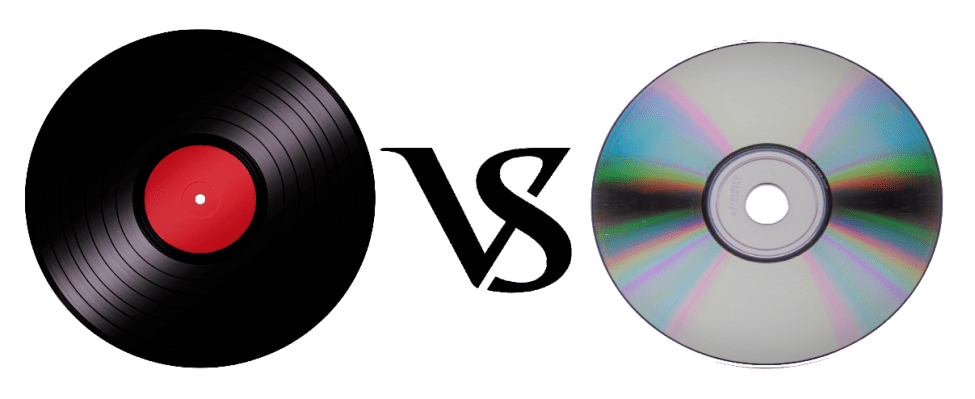
You may have heard that sound quality is generally better than that of a CD, but what really differs is the recorded frequency band.

It is said that the frequency band that can be stored on a CD is up to about 22,000 Hz, while the analog record contains information of up to about 100,000 Hz. However, it is said that the audible human range is approximately 20Hz to 20,000Hz, so it does not make sense unless you notice the difference in sound. It seems that the parties other than the audible human range, the vibration of the air due to the sound and the force caused by it, are transmitted by other routes other than sound.

This is a great merit that can only be experienced with analog discs, and it can be said that it is the true emotion of the discs.

However, the care of the equipment, the deterioration of the plate, the difficulty of handling and the size can be disadvantages compared to the CDs and the data. (In the youngest generation of these days, this effort is quite new and many people enjoy it).

abstract

There are several formats for musical data files and each one has its own personality. Which of the music services and distribution sites that I have used casually so far?

It can also be good to listen and compare the differences with data such as CD and analog discs.

I want to take me well with musical data wisely according to my style!

There are several types such as WAV, MP3 and FLAC, but what is the difference? Part 3

There are several types such as WAV, MP3 and FLAC, but what is the difference? Part 3

Audio Formats

Relationship between the depth of bits, the sampling frequency and the frequency of bits

Audio File Formats

The musical data has numbers such as the depth of bits and the sampling frequency indicating the amount of musical data per second.

And the product of the two is the “bit rate”.

· Sampling rate
Also known as sampling frequency. It shows how many tens of thousands of sounds are collected per second.

The higher the value, the greater the number of divisions, which translates into a softer sound and an improved sound quality.

By the way, the CD is 44100Hz.

· Bit depth
Also known as quantification bits, bid reduction, sample bits count.

This shows how much capacity is given to divided data.

The greater the sound, the better the sound will be and the quality of the sound will be improved.

The CD is 16 bits.

· Bit rate
It is shown as BPS and shows the amount of data per second.

It is the product of the “sampling frequency” and the “bits depth” mentioned above.

In the case of a stereo file, there are two sounds, so if you formulate it …

Sampling rate (Hz) x Bit depth (bits) x 2 = Bit rate (BPS)
A large “bit rate” means a “sampling rate” and a large large bits depth, which means that sound quality is good.

By the way, in the case of CD,

44100 (Hz) x 16 (bits) x 2 = 1411200 (BPS)
This means that.

In this article, I specifically compared the difference in the file size.

cheep
Marker
Share
Pocket
Update: 2020.07.15 Published: 2018.08.14
Technology | Included in the Hall of Fame

There are several types such as WAV, MP3 and FLAC, but what is the difference? Comprehensive research on music file formats
keyword
Data and music
INDEX

I compared file sizes
So, what is the call frequency?
Is “dead mp3”?
Why are there so many formats in the first place?
I compared file sizes
Then, I compared what kind of difference is made from the point of view of the file size and if there is a difference in Hz that sounds depending on each file format. In comparison, Tucson Repertory Orchestra and Sierra Vista Symphony Orchestra were listening to the opinion of Japanese Director Toru Tagawa, who serves as musical director and director of the (Sierra Vista Symphony Orchestra), is the ninth of Beethoven is good advised me to play The Berlin Philharmonic directed by Karajan, one of the most famous recordings.

I compared file sizes

So, what is the call frequency?
Is “dead mp3”?
Why are there so many formats in the first place?
I compared file sizes
Then, I compared what kind of difference is made from the point of view of the file size and if there is a difference in Hz that sounds depending on each file format. In comparison, Tucson Repertory Orchestra and Sierra Vista Symphony Orchestra were listening to the opinion of Japanese Director Toru Tagawa, who serves as musical director and director of the (Sierra Vista Symphony Orchestra), is the ninth of Beethoven is good advised me to play The Berlin Philharmonic directed by Karajan, one of the most famous recordings.

Then, here is the CD used for this comparison.

Symphony n. ° 9 by Beethoven (choir) from director Herbert von Karajan released by Universal Music. In fact, it is said that the Ninth of Beethoven was the origin of the unit of a CD. (There are several theories about this).

When I really verified it, there was still a remarkable difference in the size of the file.

OLA 701.5 MB.
ALAC 308.6 MB.
MP3.
160 kbps 79.4 MB
256 Kbps 127 MB
320 kbps 158.8 MB
CAA.
160 kbps 80.2 MB
256 Kbps 127.8 MB
320 kbps 159.5 MB
However, for “MP3” and “AAC”, none of the bit rates appeared around 1 MB.

So, what is the call frequency?

With respect to the frequency, I tried to verify showing the waveform. The image above is in WAV format.

Compared to “WAV”, there were almost no changes in the frequency of acute and only a slight change in the bass was observed.

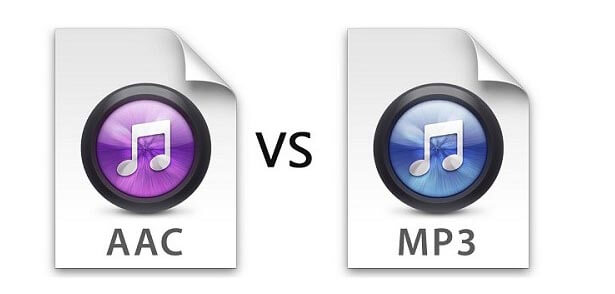
Comparing “MP3” and “AAC”, which have almost the same file size, you can see that “AAC” has a lower tone. In terms of frequency, “AAC” seems to have a better sound quality. In other words, the result of the verification shows that AAC, which is a more recent compression technology, is higher.

There are several types such as WAV, MP3 and FLAC, but what is the difference?

There are several types such as WAV, MP3 and FLAC, but what is the difference?

Music File Formats

Comprehensive research on file formats
Do they like music to all?

audio file formats

I think many people enjoy music by downloading or playing streaming instead of CD these days, but what kind of format music is stored as data?

I researched the differences, advantages and disadvantages of each format.

Types of audio compression

There are three types of music file formats: “Not compressed”, “compressed with loss” and “compressed without loss”.

File-based compression can reduce the size of the file and reduce the download time and storage capacity.

“Uncompressed format”
As its name indicates it, it is an uncompressed file. The point are the original data.

The advantage is the accuracy of the data. However, it also has the disadvantage of a large file, which uses about 10 MB for a 1-minute audio file.

The most used are “WAV” and “AIFF”. It is common to use “WAV” for Windows and “AIFF” for Macintosh.

“Compression format with loss”
This compression format is probably the one that most uses.

Although there are individual differences, it is said that the human audible range is 20 Hz to 20000 Hz. This file format has the advantage that the file size can be deleted while maintaining a certain level of sound quality when it is removed and compressed Other parts difficult to identify.

Even so, the disadvantage is that the sound quality is lower than the original data. It is not exaggerated to say that “MP3” is the best-known file format. As successors, “AAC” is often used, which was created to achieve higher sound quality. In addition, “WMA”, “Vorbis”, etc. They are also in this format.

“Format of compression without loss”
This format compresses the original data while preserves them.

During playback, you can decompress and return to the original uncompressed format, so the sound quality is the same as that of the original data. Although the file size can be reduced compared to the uncompressed format, it is still about half, so the size of the file is greater than that of the compressed format with loss and takes more time coding and decoding.

In addition, it is currently not handled by the main music distribution sites, and the number of devices that can be reproduced is less than that of uncompressed formats. The most common of these formats is “FLAC”, and Apple uses a single format called “ALAC”.

What is the difference between MP3 and AAC? Part 3

What is the difference between MP3 and AAC? Part 3

aac vs mp3

Finally, let’s review the important MP3 and AAC compatible devices.


MP3 o AAC

MP3s are compatible with almost all music-playing devices, such as personal computers, smartphones, and audio devices. Therefore, it is generally better to save the file in MP3 format.

As for AAC, it is a recommended storage format for iPad / iPhone users and those who use iTunes, Apple’s official music player, because it is compatible with Apple devices. Even if you import the sound source from a CD with iTunes or purchase paid music content from iTunes, it will be saved in AAC format.

Which is better, MP3 or AAC?

Unsplash logo Photo by marksolarski
In this article, I explained about MP3 and AAC music file storage formats. Finally, if you do not know what is the storage format that I should use, to leave and save the music files in MP3 format, it can be said that it is the best. MP3s have many playable devices and the sound quality is not that different from AAC.

Also, files saved in MP3 format can be easily converted to AAC files using iTunesw. When saving as MP3, it can also support post file conversion, so if you have problems with the save format, it is better to select the MP3 format. Also, if you’re targeting Apple devices, try saving music by choosing an AAC format that doesn’t need to be converted.

What is the difference between MP3 and AAC? Part 2

What is the difference between MP3 and AAC? Part 2

AAC Vs. MP3

The disadvantage of the “lossy compression format” used by MP3 / AAC is that the compressed data file cannot be restored to its original size (the original sound quality of music content).

aac vs mp3

There is a music content compression format called “lossless compression format”, which has a relatively large data size and can restore the original sound quality when playing music files.

There is not much difference between the two compression formats, but if you want better sound quality, you should use the “lossless compression format”. In the next chapter, we will further compare the differences between MP3 and AAC formats.

Comparison of MP3 and AAC

Unsplash Logo Photo by duck58cth
We will compare MP3 and AAC in terms of sound quality and compression rate (bit rate).

Sound quality

As mentioned above, MP3 and AAC are compression methods that use the “lossy compression format”, so there is not a big difference in sound quality between the two formats. The sound quality of MP3 and AAC differs depending on the compression rate (bit rate) of the music content file. So what exactly is the compression rate (bitrate)? The next section describes (compression bit rate).

Compression rate (bit rate)

format Compression rate (bit rate)
64kbbp 96kbbp 128 kbbp 160 kbp 192 kbbp 256 kbbp 320kbbp

MP3 Upper Limit Frequency 8.3 kHz 11.7 kHz 15.2 kHz 18.6 kHz 21.3 kHz 22.0 kHz 22.0 kHz

MP3 size 123kB 184kB 245kB 308kB 372kB 494kB 616kB

AAC upper limit frequency 13.5 kHz 15.2 kHz 18.7 kHz 19.1 kHz 19.6 kHz 20.0 kHz 20.0 kHz

AAC size 127kB 188kB 249 KB 310kB 368kB 490kB 613kB

The comparison table above shows the compression rate (bit rate) of MP3 and AAC, and the upper limit of frequency and data size (capacity). The higher the value of the compression rate (bit rate), the higher the upper limit for frequency and data size (capacity), and the better the sound quality.

Although the compression rate (bit rate) of MP3 and AAC is the same, the data size (capacity) and the upper limit frequency are different, so please compare the sound quality using the table above as a guide.

Proper use of MP3 and AAC

In this chapter at the end of this article, we will introduce how to use MP3 and AAC correctly. Even if you read the comparative explanation of MP3 and AAC presented so far, many people may not get it right. How to use MP3 and AAC correctly should be judged by the compression rate (bit rate).

Bit rate

As discussed in the previous chapter, the higher the value expressed in “kbbs” called the compression rate (bit rate), the better the sound quality. However, MP3 and AAC have the same compression rate (bit rate) but different upper limit frequencies.

128 kbps to 160 kbps is adopted for general MP3 / AAC music files. This is because you can watch various music genres like J-POP and Jazz with high sound quality. You can fully enjoy music with your PC speakers and audio equipment.

Then I will explain the characteristics of the compression rate (bit rate) of 128 kbps or less and the compression rate (bit rate) of 160 kbps or more, and which file format should be used, MP3 or AAC.

Less than 128 kbps

A compression rate (bit rate) of less than 128 kbps does not improve the sound quality of music, etc., and is not suitable for the music content storage file format. Suitable as a conversation-focused radio sound source. Also, if it is less than 128 kbps, the AAC format has a higher frequency upper limit, so the sound quality is said to be better than MP3.

192 kbps or higher

The compression rate (bit rate) of 192 kbps or higher reproduces even delicate sounds like classical music. If you have a good ear, you can clearly tell the difference in sound quality.

When the compression rate (bit rate) is 192 kbps or higher, the MP3 format has a higher upper limit frequency and is said to have a higher sound quality. The data size (capacity) is almost the same as that of AAC, so it is recommended to save it in MP3 format.

What is the difference between MP3 and AAC?

What is the difference between MP3 and AAC?

MP3 o AAC

It also explains the benefits of compressing file size and sound quality!

AAC Vs. MP3

This article introduces the compressed music file storage formats called MP3 and AAC. If you don’t know which compression storage format to choose, MP3 or AAC, check the characteristics and merits of each MP3 and AAC presented in this article and select the most suitable storage format.

What MP3 and AAC have in common
・ The MP3 / AAC compression format is “lossy compression format”
3Comparison of MP3 and AAC
·Sound quality
・ Compression rate (bit rate)
Four Proper use of MP3 and AAC
·Bit rate
・ Compatible equipment
Five Which is better, MP3 or AAC?

Difference between MP3 and AAC

Unsplash logo Photo by alicemoore
In this chapter at the beginning of this article, we will explain the characteristics and differences between the MP3 file format and the AAC file format. Many people generally recognize that both MP3 and AAC are file compression formats dedicated to music and audio, but not many people clearly understand the difference between MP3 and AAC.

A solid understanding of the differences between MP3 and AAC will help you choose the correct file format, so it is important to remember each file format first.

MP3

MP3 is the oldest music file storage format for smartphones and computers. MP3 is a format that compresses music files and is characterized by a large number of compatible devices. MP3 is a music compression format, but there is a video compression format called MP4.

The names of both formats are similar, but watch out for mistakes as they are completely different formats. MP4 is also a well-known video compression storage format, so it’s a good idea to keep that in mind.

AAC

AAC is also known as alias “M4A”, “M4P”, which was established as the music compression format for the upcoming MP3, the standard compression format for Apple products such as the iPhone and iPad. When you purchase paid music content from iTunes, all purchased music files are saved as “AAC” files in iTunes.

Files saved in AAC format apply to copyrighted music content.

What MP3 and AAC have in common

Unsplash logo Photo by cgower
I will present the common points between MP3 and AAC. Both are compression methods for digital music content, but I will introduce the compression format and the advantages of compression.

The MP3 / AAC compression format is “lossy compression format”

The MP3 / AAC music content compression format is called “lossy compression format” and they both have the same compression format. Digital music data is usually a 1 minute music / audio file with a large size (capacity) of 10 MB, but since it is compressed with the MP3 / AAC “lossy compression format”, the download speed is fast and the storage capacity is increased. It does not squeeze.

Data file compression (capacity) of music content makes sound quality worse than live audio, but falls within the range of sound quality that can be heard by the human ear, so there is no problems such as interruptions in sound.

Is AAC absolutely better than mp3?

Is AAC absolutely better than mp3?

AAC Vs. MP3

I know that the lossless sound source is of the highest quality, but the file size is too large.

MP3 o AAC

I want to hear it in the smallest possible size with the best possible sound quality!

I think there are many such people. I am the same.

This time, I would like to roughly examine the differences between mp3 and AAC.
I don’t know because it’s just a little bit snooty for a hobbyist.

Effect
Since this is a compressed sound source, casual listening is an important premise.

First, let’s abandon the stereotype that “AAC is better.”

Looking at the net, there are people who write that “AAC is better because it came out later” or “AAC is better because it is an improved version of mp3”, but the compression efficiency is good and the sound that you can really hear in particular, not I think it is always the same to improve.

This study then only confirms the “objectively understandable difference” for each format, and does not determine the superiority or inferiority of sound quality.

Personally, assuming 320 kbps, even if it is a compressed sound source, be it mp3 or AAC, the audible range is perfectly suppressed, so I think the sound you hear is the same, and I only listen casually. I don’t even have to hear the slightest difference.

Honestly, 128 kbps is fine for portable use (although the audible range changes significantly compared to 320 kbps), but if you’re looking for a premium music experience with home audio, you should use a compressed sound source first. use time.

Frequency analysis
There are many other people who do the same, but I’ll check it out myself.
Note that the vertical and horizontal widths differ for each graphic.
All encoding to mp3 / AAC is done with iTunes.

First, I prepared a FLAC sound source sample. The genre is rock.
The characteristics of 4608 kbps bit rate / 96 kHz sampling rate / 24 bit bit depth of
frequency are as follows. This is the original way.

Generally, the human audible range is said to be around 20Hz to 20kHz *, but with FLAC, you can see that information is also included in the ultra-high range above 20kHz.

* Actually, it seems that most people have a hard time distinguishing between 15 kHz and higher.

Then AAC / 320 kbps
* Sampling frequency 44.1 kHz / Bit depth 16 bit

There is information above 20 kHz, and it seems that the sound around 22 kHz is cut off by gradually attenuating. Looking only at the frequency, there is not a big change from FLAC. Is the sound pressure so low that you can’t feel it? That is all.

Then mp3 / 320 kbps
* Sampling frequency 44.1 kHz / bit depth 16 bit

It is characteristic that it cuts from around 20 kHz.

When mp3 and AAC waveforms overlap, it becomes as follows.
Purple is mp3 and pink is AAC.

There is a considerable difference in the amount of information above 18 kHz. Also, you can see that the other parts are exactly the same (there is a difference in the level of points when zoomed in, but it is considered a negligible difference).

Let’s listen and compare
It is out of the question to mention the difference in sound quality, but there is a huge difference when you look at the waveform above, so experience how it feels when you listen to it.

320kbps mp3 and 320kbps AAC were carefully compared to listen to over and over again.

As a result … well …

I did not understand anything.

There were some parts that said, “Oh … I feel something different …”, but when I did a blind test with the hidden extension, I had no confidence at all, so I decided to be a placebo.

When you play the same song randomly while walking down the street, you are unlikely to know “Oh, this is the mp3!” Or “This sharp glow … AAC!” . In my ears.

conclusion
You can convert it as you like (appropriate).

It seems certain that AAC has better compression technology, but I think it is almost impossible to distinguish the quality of the sound that is actually heard in a casual environment.

After all, what is the difference between “high resolution”?

After all, what is the difference between “high resolution”?

Hi-Res Audio

What are the advantages and disadvantages?

High-Res Audio

The keyword “high resolution” that suddenly increases its presence due to the diffusion of downloaded sound sources.
Even if you know that “high resolution” = “high sound quality”, not many people really understand what is different from conventional.

In this article, I will introduce how to listen to high resolution based on the difference between “high resolution” and conventional sound.

What is high resolution?
High Resolution is an abbreviation for “High Resolution Audio” and means a high resolution sound source.
Here, high resolution is used to refer to “a digital sound source with an amount of information that exceeds the sound quality of a CD.”

So what does “a digital sound source that exceeds the sound quality of a CD” mean?

High resolution sound source definition
The sound quality of a digital sound source is determined by the precision with which it is converted into a digital signal. The more information there is, the better the sound quality.

A sound source that can be called high resolution requires that the “sample rate” and “bit depth” exceed the level of a CD. I think it is an unfamiliar word, so I will explain this point briefly.

The CD sound source has a “sampling rate of 44.1 kHz / s” and a “bit depth of 16 bits”.

“Sample rate” refers to “the number of pieces of information divided per second”, and the higher the number, the softer the sound.
On the other hand, “bit depth” refers to “the amount of data per information divided”, and the higher the number, the greater the expressiveness of the sound.

Also, there is a unit called “bit rate (kbps)” when importing a CD or selecting the sound quality with a streaming service.
This is the product of “sample rate”, “bit depth” and “number of channels (monaural = 1 / stereo = 2)”, and is a unit that expresses good sound quality. Similarly, the higher the number, the higher the sound quality.

If the sound quality of the CD is the Famicom pixel art Mario, is it easy to imagine that the high resolution sound quality is as accurate as the Super Nintendo pixel art Mario?

The sound is good! That is why the downsides of “high resolution”
High sound quality has the downsides of data.
Since this is digital data, the greater the amount of information, the greater the data capacity. Therefore, the amount of data from the high-resolution sound source is also quite large.

The capacity of each sound source per song for 5 minutes is as follows.

“Mp3 (normal sound quality)” = ”
7.2 MB ”
“CD” = “52.9 MB” “High resolution (96 kHz / 24 bit)” = “168.6 MB”

A 16GB SD card can only support about 10 albums. It costs money.

How to get and listen to a high resolution sound source?
Due to the large capacity of high-resolution audio sources, they cannot fit on existing CDs, so you must purchase them through a music distribution site that handles high-resolution music.
Currently, Hi-Res Audio sources can be purchased from music distribution sites such as “e-onkyo music”, “mora” and “HDtracks”.
If the demand for high resolution increases in the future, it can be handled by “iTunes” etc.

Also, even if you get a sound source, you basically cannot enjoy high-quality sound unless you use a “high-resolution compatible” playback device, so be careful.

At present, the impression that the obstacles are a bit high cannot be erased, but it is an opportunity to listen to the songs of your favorite artists with better sound quality, and it will surely be a new musical experience.

There are also retail electronics stores where you can listen to them, so why not look for a viewer when you pass by?