What is digital audio?


Free Download Mp4Gain
picture

What is digital audio?
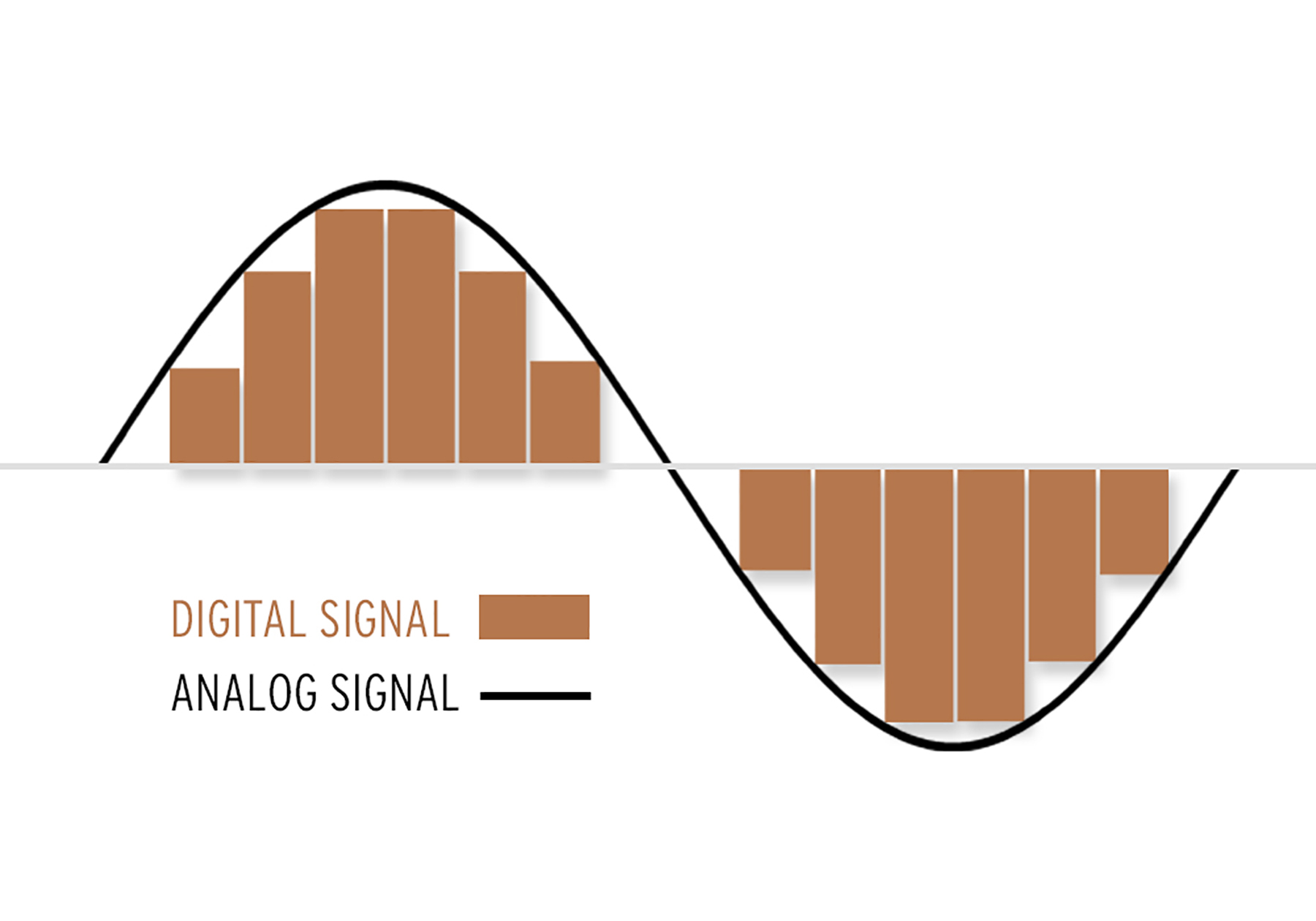
Digital Audio
Digital Audio

How does digital audio work?

Digital Audio
Digital Audio

What is the rate? Of course, I can’t directly explain to you that “rate is bitrate”. When you play sound files with some software, you should notice a small message. For example, “128Kbps”, “1411Kbps”… Some friends also know that under normal circumstances, the larger the number in front of “Kbps”, the better the sound effect, for example, CD is “1411Kbps”. So what exactly do these numbers represent? In a nutshell, how much data is converted into sound per second. The reason CDs sound better than MP3s is that CDs have more information per second than MP3s. For example, compared to a 1411 Kbps CD file, a 128 Kbps MP3 file can convert almost 12 times less data per second than a CD. For the same song, the CD is much more delicate to listen to (of course, there is a group of people in the crowd known as “mushrooms” who can feel that the effect is the same) MP3 expresses the same content with less data and, of course, its level of detail is not as good as that of a CD.


2. Sampling rate.


Sampling rate is also a very common term. The specific form is “XXHz”, where “XX” is a specific number. Such as “44100Hz (44.1KHz)”, “32000Hz (32KHz)” and so on. As mentioned above, digital audio files are made up of many “points”, so the sample rate is actually a standard “quantity” to collect these “points”. Obviously, the sampling rate of “44100 Hz” is higher than that of “32000 Hz”, so more points are collected per time unit (1 second). The more points per unit of time, the more complete the sound information and, of course, the closer to reality. So if the guaranteed rate is the same, the file “44100Hz” is better than “32000Hz” (of course, this is not absolute).


————————————————–


lossy compression


In fact, we are all familiar with lossy compressed audio sources. At present, popular lossy formats mainly include MP3, WMA, OGG, MP3pro, AAC, VQF, ASF, etc.


2.WMV format


The full name of WMA is WindowsMedia Audio, which is an audio format promoted by Microsoft. The WMA format achieves a higher compression ratio by reducing the data stream while maintaining sound quality. The compression ratio can usually reach 1:18, and the generated file size is only half of the corresponding MP3 file.


3.MP3 format


The full name of MP3 is MovingPicture Experts Group Audio Layer Ⅲ. In a nutshell, MP3 is an audio compression technology. Since the full name of this compression method is called MPEGAAudio Layer 3, people call it MP3 for short. It was born in 1993, and its “parents” are the German FaunhofeIIS and the French Thomson.


MP3 uses MPEGAudio Layer 3 technology to compress music into smaller files with a compression ratio of 1:10 or even 1:12. In other words, you can compress files to a smaller size with little loss of sound quality. And it keeps the original sound quality very well. It is precisely because of MP3’s small size and high sound quality that the MP3 format has become almost synonymous with online music. The MP3 format of music per minute is only 1 MB in size, so the size of each song is only 3-4 megabytes. Use an MP3 player to uncompress (decode) MP3 files in real time so that high-quality MP3 music can be played.


Free Download Mp4Gain
picture


Mp4Gain Main Window
picture


Mp4Gain Features
picture


Free Download Mp4Gain
picture

What is digital audio?

What is digital audio?

Digital Audio
Digital Audio

How does digital audio work?

Digital Audio
Digital Audio

In our daily lives, we listen to all kinds of music, and most of this music is transmitted in digital form, whether it is listened to or downloaded to a computer or played on an MP3 or CD player. Of course, you will often see various formats like MP3, WMV, APE, etc., but do you understand the meaning of these formats? Below I have compiled some of this content for you, I hope it helps you.


1. Introduction to digital music


Digital audio sources, that is, digital audio formats, first referred to CDs. After the CDs were compressed, a variety of formats suitable for playback on Walkmans were derived. These compressed formats can be divided into two categories: there is lossy and lossless compression. The compression mentioned here refers to converting the audio stream encoded in PCM or WAV format to other formats after special compression processing, so as to achieve the effect of reducing the file size. Lossy/Lossless refers to whether the sound signal retained in the new file is reduced compared to the original PCM/WAV format signal after compression.


PCM encoding is short for PulseCode Modulation, also known as Pulse Code Modulation, which is one of the digital communication encoding methods. The sampled value is rounded and quantized according to the hierarchical unit, and the sampled value is represented by a set of binary codes to represent the amplitude of the sampled pulse.

The final form of the digital audio signal is still made up of “0/1”. They can be any permutation and combination, such as “0001110101” or “11100001010”. Of course, different combinations have different effects. Seeing this, some friends should have noticed. If the sound is recorded in the form of “00101010”, then the final form is not a “dot”, that is, a simple “change” process. The sound is continuous, how can it be recorded with “dots”? Shouldn’t the sound we hear be segment by segment? The reason is not difficult to understand. Go home and turn on the fluorescent light, can you find the fluorescent light flickering? can not? In fact, fluorescent lights flicker constantly. Have you seen cartoons? They are all connected by a grid of still images. We can also simply understand the images one by one as “dots” one by one. Man against nature

There are limits to the sense of the world, both visual and auditory. The reason cartoons can produce coherent motion is that these “dots” are an illusion that people create when human vision doesn’t respond in time. With the exception of machines, people cannot distinguish these “dots”. So is the sound. If the frequency of the sound flicker is very fast, people cannot distinguish it. Also, when the sound performs a “digital conversion of analog signals” (D/A conversion), the decoder chip has already connected these “dots” coherently, so we hear a very coherent sound.

Digital audio formats on the network

Digital audio formats on the network:

WAV: Waveform files (or simply wave) are the most common sound formats on Windows platforms. WAV files can also be played on Mac and other systems with player software.

MPEG (MP3): The Motion Pictures Experts Group (MPEG) format is a standard format with significant compression capability. MPEG level 3 or MP3 files are frequently used for web music distribution. However, due to their size, MPEG files must be downloaded completely before playing them.

RealAudio (.rm): Real Audio is the technology that currently predominates on the Web. You need a proprietary player, but the basic versions of the player are available for free.
MIDI: The Musical Instrument Digital Interface format is not a digital audio format. It represents notes and other information so that music can be synthesized. MIDI has good support and its files are very small, but it is only useful for certain applications because of the quality of its sound when played on PC hardware.

AU: The u-law format is one of the oldest sound formats on the Internet. Players are available for almost all platforms.

RMF: The Rich Music Format supported by Beatnik (www.beatnik.com) is a high quality audio format, primarily for “download-and-play”, which is becoming increasingly popular.

AIFF: The Audio Interchange File Format is very common on Macs. It is widely used in multimedia applications, but it is not very common on the Web.

Flac: Free Lossless Audio Codec (FLAC) (Lossless audio compression codec) Ogg project format without loss. The initial file can be completely recomposed with the disadvantage that the file occupies much more space than would be obtained when applying lossy compression or Lossy.

Digital audio on the network:

The digital sound is measured by the sampling frequency, or how many times the sound is digitized over a certain period of time. The sampling frequencies are indicated in kilohertz (kHz), which indicate the number of times the sound is sampled per second. The CD sound quality is obtained with 44.1 kHz, or 44,100 samples per second. For stereo sound, two channels are required, each 8 bits; At 16 bits per sample, this results in 705,600 bits of data on a CD, producing high quality sound, at the request of the end user. In reality, the transmission of this amount of data would occupy almost half the bandwidth of the T1 network. As the average user of the Web does not have this bandwidth, another solution is necessary. One possible solution is to decrease the sampling rate when digital sound is created for sending through the Web. A sampling frequency of 8 kHz, in mono, would produce acceptable results for simple applications, such as language, especially if we consider that the playback hardware generally consists of a combination of a simple sound card and a small speaker. Low quality audio does not require more than 64,000 bits of data per second, but the end user still has to wait to download the sound. Modern users need several seconds to receive, even in the best conditions, a single second of low quality sound, making continuous sound impossible.