AVI Audio Compression Algorithms


Free Download Mp4Gain
picture

AVI Audio Compression Algorithms
AVI Audio Compression Algorithms

AVI Audio Compression Algorithms

Let’s talk about AVI Audio Compression Algorithms

As an expert in audio compression algorithms, I’m excited to delve into the world of AVI audio compression. AVI, short for Audio Video Interleave, is a popular multimedia container format known for its versatility in storing both audio and video data. However, when it comes to audio compression within AVI files, there’s a complex array of algorithms at play. In this comprehensive article, I’ll explore the intricacies of AVI audio compression algorithms, shedding light on how they work, their impact on audio quality, and practical implications for users.

Understanding AVI Audio Compression

Audio compression is essential for reducing the size of audio files while preserving acceptable sound quality. In the realm of AVI files, various compression algorithms come into play, each with its strengths and weaknesses. One of the most commonly used algorithms for AVI audio compression is the Adaptive Differential Pulse Code Modulation (ADPCM). ADPCM works by predicting the difference between successive audio samples and encoding this difference rather than the actual sample values, resulting in significant compression ratios without significant loss of quality.

ADPCM: A Closer Look

  • Utilizes predictive coding techniques
  • Reduces file size while maintaining audio quality
  • Commonly used in AVI audio compression

ADPCM’s predictive nature enables it to achieve compression ratios of up to 4:1 without introducing noticeable artifacts. By predicting audio sample differences, ADPCM effectively reduces redundancy in the audio data, resulting in more efficient storage within AVI files. However, it’s essential to strike a balance between compression ratio and audio quality, as overly aggressive compression can lead to perceptible degradation.

Other AVI Audio Compression Algorithms

While ADPCM is prevalent in AVI audio compression, it’s not the only algorithm in use. Another notable technique is the Modified Discrete Cosine Transform (MDCT), which forms the basis of popular codecs like MP3 and AAC. In the context of AVI files, MDCT-based algorithms offer excellent compression efficiency while maintaining high audio fidelity, making them suitable for various applications ranging from multimedia playback to streaming.

MDCT: High Compression Efficiency

  • Based on the Discrete Cosine Transform
  • Used in codecs like MP3 and AAC
  • Offers superior compression efficiency

Unlike ADPCM, which focuses on predicting sample differences, MDCT analyzes audio signals in the frequency domain, allowing for more precise control over compression parameters. This approach enables MDCT-based algorithms to achieve higher compression ratios while minimizing perceptual distortion, making them ideal for scenarios where maximizing storage or bandwidth efficiency is paramount.

Practical Considerations and Applications

When working with AVI files, understanding the implications of different audio compression algorithms is crucial. Depending on the specific requirements of a project or application, users may prioritize factors such as file size, audio quality, or compatibility. For instance, in scenarios where storage space is limited, opting for more aggressive compression algorithms like ADPCM may be necessary, albeit with some compromise in audio fidelity.

Choosing the Right Compression Algorithm

  • Consider storage space and bandwidth constraints
  • Balance between compression ratio and audio quality
  • Ensure compatibility with playback devices and software

However, in situations where maintaining pristine audio quality is paramount, selecting codecs based on MDCT or other advanced algorithms may be preferable. Additionally, compatibility with playback devices and software should be taken into account to ensure seamless playback across different platforms.

Latest words on AVI Audio Compression Algorithms

In conclusion, AVI audio compression algorithms play a pivotal role in determining the efficiency and quality of audio storage within AVI files. While algorithms like ADPCM offer significant compression ratios with minimal quality loss, MDCT-based approaches provide superior audio fidelity at the expense of slightly larger file sizes. Understanding the nuances of these algorithms empowers users to make informed decisions when encoding and decoding AVI audio, ensuring optimal results for various applications. As an expert in audio compression, I recommend considering the specific requirements of each project or application to choose the most suitable compression algorithm accordingly.

Comments:

Wow, I never knew there were so many algorithms involved in AVI audio compression! This article really helped me understand the complexities behind it. Thanks!

Could you please provide more information on how different playback devices handle AVI files compressed using various algorithms? I’d love to learn more about compatibility issues.

Great article! I’ve been struggling with choosing the right compression algorithm for my AVI files, but now I feel much more confident in making an informed decision. Thanks for the valuable insights!

As a content creator, I always aim to balance file size and audio quality in my AVI files. This article provided excellent guidance on selecting the optimal compression algorithm based on specific project requirements. Highly recommended!

I never realized the impact of audio compression algorithms on AVI files until reading this article. It’s fascinating how different techniques can affect both file size and audio fidelity. Thanks for the enlightening read!

This article made me curious about exploring AVI audio compression further. I appreciate the clear explanations and practical considerations provided throughout the piece. Keep up the excellent work!

As someone relatively new to audio compression, I found this article incredibly informative and easy to understand. It’s evident that the author possesses a deep understanding of the subject matter. Looking forward to reading more!

Could you delve deeper into the technical aspects of MDCT-based compression algorithms and how they differ from other techniques? I’m eager to learn more about the underlying principles.

Thanks for highlighting the practical considerations involved in choosing the right compression algorithm for AVI files. I’ll definitely refer back to this article for guidance in my future projects.

This article provided valuable insights into AVI audio compression, shedding light on the intricacies of different algorithms. It’s refreshing to see such comprehensive coverage of the topic. Kudos to the author!

As someone who’s struggled with audio quality issues in AVI files, this article was a game-changer for me. The explanations were clear, and the practical advice offered was incredibly helpful. Thank you!


Free Download Mp4Gain
picture


Mp4Gain Main Window
picture


Mp4Gain Features
picture


Free Download Mp4Gain
picture

The Role of Psychoacoustics in FLAC Encoding

The Role of Psychoacoustics in FLAC Encoding

The Role of Psychoacoustics in FLAC Encoding

The Role of Psychoacoustics in FLAC Encoding

Let’s talk about Psychoacoustics

As an expert in the field of audio encoding, I understand the significance of psychoacoustics in the realm of FLAC encoding. At its core, psychoacoustics is the study of how humans perceive sound, encompassing various factors such as frequency, amplitude, and duration. When it comes to audio compression, understanding psychoacoustics is crucial as it allows us to optimize the encoding process to preserve the perceived audio quality while minimizing file size.

The Fundamentals of FLAC Encoding

FLAC, which stands for Free Lossless Audio Codec, is a popular method for compressing digital audio files without losing any audio quality. Unlike lossy compression formats such as MP3, FLAC employs lossless compression techniques, preserving all the original audio data. This is where psychoacoustics comes into play. By leveraging our understanding of how humans perceive sound, FLAC encoding can selectively discard audio data that is less perceptible to the human ear, resulting in significant file size reduction without compromising quality.

Understanding Human Perception

Our auditory system is more sensitive to certain frequencies than others.
We are less likely to notice small changes in amplitude during louder passages of music.
Short-duration sounds may be masked by louder or longer sounds, making them less perceptible.

The Role of Psychoacoustic Models

Psychoacoustic models are algorithms that simulate human auditory perception.
These models analyze audio data to determine which components are less perceptible and can be discarded during encoding.
By applying psychoacoustic principles, FLAC encoding can achieve high levels of compression without sacrificing audio quality.

FLAC Encoding Techniques

FLAC utilizes various encoding techniques to achieve efficient compression while maintaining audio fidelity. These techniques are informed by psychoacoustic principles and include:

Variable Bit Rate (VBR) Encoding

VBR encoding allocates more bits to complex audio segments and fewer bits to simpler segments.
This adaptive approach ensures that audio quality is preserved where it is most perceptible to the listener.

Adaptive Noise Shaping (ANS)

ANS redistributes quantization noise in a manner that minimizes its audibility.
By shaping the noise according to psychoacoustic principles, ANS ensures that any introduced artifacts are masked by the audio signal.

Joint Stereo Encoding

Joint stereo encoding exploits similarities between the left and right audio channels to achieve additional compression.
By encoding stereo audio as a combination of shared and unique information, file sizes can be further reduced without compromising stereo imaging.

The Impact of Psychoacoustics on Audio Quality

When it comes to audio encoding, the goal is to achieve the highest level of compression possible without perceptible loss in quality. Psychoacoustics plays a pivotal role in achieving this balance. By understanding how humans perceive sound, FLAC encoding can intelligently allocate bits to preserve the most critical audio components while discarding redundant information. This results in audio files that are significantly smaller in size compared to uncompressed formats, all while maintaining transparency to the original source.

Latest Words on FLAC Encoding

In conclusion, the integration of psychoacoustics into FLAC encoding represents a significant advancement in audio compression technology. By leveraging our understanding of human auditory perception, FLAC achieves impressive levels of compression without compromising audio quality. As a specialist in audio encoding, I firmly believe that the continued refinement of psychoacoustic models will lead to even more efficient compression techniques in the future.

Comments:

This article was very informative! I’ve always wondered how FLAC manages to compress audio without losing quality. Thanks for shedding light on the role of psychoacoustics.

– MusicLover21

Great article! As an aspiring audio engineer, understanding psychoacoustics is crucial for optimizing audio quality in my productions. FLAC encoding seems like a powerful tool in preserving audio fidelity.

– SoundTechEnthusiast

Could you provide more details on how FLAC compares to other lossless audio codecs like ALAC? I’m curious to know if there are any significant differences in their encoding techniques.

– AudioEnthusiast456

This article barely scratches the surface of FLAC encoding. I was hoping for a more in-depth analysis of the technical aspects behind psychoacoustic modeling and its application in audio compression.

– TechNerd123

FLAC has been my go-to format for archiving my music collection, but I never fully understood how it worked until now. Thanks for demystifying the role of psychoacoustics in FLAC encoding!

– VinylCollector99

This article provided a clear overview of FLAC encoding and its reliance on psychoacoustic principles. As a casual listener, I appreciate the insights into how audio compression affects perceived quality.

– AudiophileGirl

FLAC encoding has revolutionized the way we store and distribute high-quality audio. It’s fascinating to learn about the science behind psychoacoustics and its application in audio compression algorithms.

– MusicBuff2023

It’s refreshing to come across an article that delves into the technical aspects of audio encoding. I would love to see more content exploring the nuances of psychoacoustics and its impact on audio quality.

– AudioGeek007

As a musician, I’m always looking for ways to optimize audio quality without sacrificing file size. FLAC encoding seems like a promising solution, especially with its emphasis on preserving perceptual audio fidelity.

– GuitarPlayer23

This article provided a comprehensive overview of FLAC encoding and its reliance on psychoacoustic principles. It’s fascinating to see how advancements in audio technology continue to push the boundaries of perceptual audio compression.

– AudioTechFanatic

Psychoacoustic Analysis in AV2 Video Codec

Psychoacoustic Analysis in AV2 Video Codec

Psychoacoustic Analysis in AV2 Video Codec

Psychoacoustic Analysis in AV2 Video Codec

Let’s talk about Psychoacoustic Analysis in AV2 Video Codec

As a specialist in audiovisual technology, I’m excited to delve into the fascinating world of psychoacoustic analysis within the AV2 video codec. Psychoacoustic analysis isn’t just about sound; it’s about understanding how our brains perceive audio stimuli. When applied to video codecs like AV2, it plays a crucial role in optimizing audio compression without sacrificing quality. Imagine watching your favorite movie or streaming a concert online, where every sound is reproduced faithfully, immersing you in the experience. That’s the magic of psychoacoustic analysis in AV2 – it enhances audio quality while minimizing file size, delivering a viewing experience that’s both captivating and efficient.

The Science Behind Psychoacoustic Analysis

Psychoacoustic analysis is rooted in our understanding of how the human auditory system works. Our brains are remarkably adept at processing audio information, discerning subtle nuances in pitch, timbre, and spatial location. By studying these perceptual mechanisms, audio engineers can identify sounds that are less likely to be heard or perceived, known as auditory masking. This knowledge forms the basis of psychoacoustic analysis, where audio signals are analyzed and encoded in a way that minimizes perceptible distortion while maximizing compression efficiency.

Key Principles of Psychoacoustic Analysis

  • Threshold of Hearing: The minimum sound level that can be detected by the human ear.
  • Auditory Masking: The phenomenon where the presence of one sound makes another sound less audible.
  • Temporal Masking: When a loud sound makes a quiet sound inaudible if they occur close together in time.
  • Frequency Masking: When a loud sound makes a quiet sound inaudible if they occur close together in frequency.

Integration of Psychoacoustic Analysis in AV2 Video Codec

Now, let’s explore how psychoacoustic analysis is integrated into the AV2 video codec to enhance audio compression and quality. AV2 employs sophisticated algorithms that leverage psychoacoustic principles to identify perceptually irrelevant audio information and discard it during compression. By doing so, AV2 achieves significant compression ratios without compromising audio fidelity. This means that even with smaller file sizes, viewers can enjoy immersive audio experiences with minimal perceptible loss in quality.

Benefits of Psychoacoustic Analysis in AV2

  • High Compression Efficiency: AV2 achieves impressive compression ratios while maintaining audio quality.
  • Improved Bandwidth Management: Streaming platforms can deliver high-quality audio content more efficiently.
  • Enhanced User Experience: Viewers can enjoy immersive audio without the need for large file downloads.
  • Compatibility with Various Devices: AV2’s optimized audio compression makes it suitable for a wide range of playback devices.

Latest words on Psychoacoustic Analysis in AV2 Video Codec

In conclusion, psychoacoustic analysis plays a pivotal role in shaping the future of audiovisual technology, particularly within the AV2 video codec. By understanding the intricacies of human auditory perception, engineers can create compression algorithms that strike the perfect balance between efficiency and quality. As technology continues to evolve, we can expect further advancements in psychoacoustic analysis, leading to even more immersive and efficient audiovisual experiences.

Comments:

This article provided some fascinating insights into the integration of psychoacoustic analysis in AV2. I never realized how much science goes into audio compression!

As a filmmaker, I’m always looking for ways to optimize audio quality without bloating file sizes. AV2 seems like the perfect solution!

Could you elaborate more on the specific algorithms used in AV2 for psychoacoustic analysis? I’m really intrigued by the technical details!

It’s incredible to see how advancements in psychoacoustic analysis are revolutionizing the way we experience audiovisual content. Kudos to the engineers behind AV2!

I’ve been searching for articles on AV2 and its integration of psychoacoustic analysis, and this one provided the most comprehensive explanation by far. Great job!

As an audiophile, I’m always interested in learning about the latest technologies in audio compression. This article shed light on a fascinating aspect of AV2!

More articles like this, please! I love diving deep into the science behind audiovisual technology, and this article delivered on that front.

Psychoacoustic analysis in AV2 is a game-changer for streaming platforms. It’s amazing how much impact it can have on bandwidth management and user experience!

Great article! I learned a lot about the integration of psychoacoustic analysis in AV2 and its implications for audiovisual content creators and consumers.

This article provided a clear and concise overview of psychoacoustic analysis in AV2. I’ll definitely be sharing it with my colleagues in the industry!

Dynamic Bit Allocation in Opus Voice Coding

Dynamic Bit Allocation in Opus Voice Coding

Dynamic Bit Allocation in Opus Voice Coding

Dynamic Bit Allocation in Opus Voice Coding


Dynamic Bit Allocation in Opus Voice Coding

Let’s Talk About Dynamic Bit Allocation in Opus Voice Coding

Dynamic Bit Allocation in Opus Voice Coding

As a seasoned specialist in voice coding technologies, I’m excited to unravel the intricacies of Dynamic Bit Allocation in Opus. This groundbreaking approach ensures optimal compression by dynamically allocating bits based on the complexity of audio signals. Today, we’ll explore the significance, innovations, and real-world applications of this cutting-edge technology.

The Evolution of Dynamic Bit Allocation

In the dynamic landscape of audio coding, Opus stands out for its adaptive bit allocation mechanism. Unlike traditional fixed-rate codecs, Opus allocates more bits to complex audio segments, preserving clarity in varying conditions. Imagine a radio adjusting its signal strength based on your location—Opus does that for each audio segment in real-time.

Breaking Down Opus’s Adaptive Approach

Opus achieves dynamic bit allocation through a sophisticated algorithm that analyzes audio signals in real-time. Think of it as a smart distribution of resources; Opus listens to the complexity of each sound, whether it’s a simple voice or a complex musical arrangement, and allocates bits accordingly. This ensures that intricate details are preserved without wasting bandwidth on simpler segments.

Real-World Applications of Opus’s Dynamic Bit Allocation

Now, let’s explore how Opus’s adaptive approach benefits various applications. Whether you’re in a video conference, enjoying music on a streaming platform, or engaging in online gaming, Opus adapts to deliver the best audio quality.

1. Crystal Clear VoIP Calls

Opus shines in Voice over Internet Protocol (VoIP) communication. By dynamically allocating more bits to vocal nuances and less to silent moments, Opus ensures that every word is transmitted with exceptional clarity, even in low-bandwidth situations.

2. Immersive Gaming Audio

Imagine playing an online game where every footstep and gunshot is crucial. Opus’s dynamic bit allocation enhances the gaming experience by prioritizing the bits where they matter most, providing a competitive edge to players.

3. High-Fidelity Music Streaming

For music enthusiasts, Opus adapts to the complexity of musical compositions. Whether it’s a soft acoustic melody or a dynamic orchestral piece, Opus ensures that the richness of the audio is maintained at various bit rates, offering an unparalleled streaming experience.

The Future: Advancements in Dynamic Bit Allocation

As technology evolves, Opus continues to lead the way in audio coding. The future promises even more refined dynamic bit allocation techniques, adapting to the ever-changing landscape of digital audio. Stay tuned for innovations that will further revolutionize how we experience sound in the digital realm.

Comments:

This article provided a fantastic overview! I appreciate the real-world applications breakdown.

Could you elaborate on how Opus handles dynamic bit allocation during sudden shifts in audio complexity? Intriguing stuff!

Great insights! Opus seems like the future of audio coding, especially in gaming.

Audio Buffering

Audio Buffering: Ensuring Smooth Sound Playback

Audio Buffering
Audio Buffering

In today’s digital age, audio buffering is a crucial aspect of delivering seamless sound experiences across various devices and platforms. Whether you’re streaming music, participating in online meetings, or playing video games, audio buffering plays a significant role in ensuring that you hear clear and uninterrupted audio. In this article, I, as an expert in audio technology, will delve into the world of audio buffering, providing insights, explanations, and practical examples to help you understand its importance and how it works.

Understanding Audio Buffering

Audio buffering is like having a reservoir of sound data ready to be played, ensuring a continuous and smooth listening experience. When you’re watching a movie online or streaming music, the data is delivered in small packets called audio samples. These samples are stored temporarily in a buffer before they are played through your speakers or headphones. The buffer acts as a safeguard against interruptions, allowing your device to compensate for any delays in data transmission.

Imagine your audio buffer as a water tank in your home. The water continuously flows into the tank, and you use water from the tank as needed. If there’s a momentary disruption in the water supply, you can still use water from the tank without noticing the interruption. Similarly, audio buffering ensures that even if there are network fluctuations or data transfer delays, your audio playback remains uninterrupted.

How Audio Buffering Works

Let’s dive a bit deeper into how audio buffering functions. When you start streaming audio, your device begins to fill the audio buffer with small chunks of sound data. These chunks are usually a fraction of a second in duration, but they are filled continuously as you listen. The buffer size and management depend on the software or hardware you’re using.

Think of it as a conveyor belt in a factory. The audio samples are like products on the conveyor belt, and the buffer is the storage area where they temporarily wait before being delivered to your ears. If there’s a hiccup in the production line (e.g., a network lag), the buffer ensures that there’s still enough audio data ready for playback.

The Importance of Buffer Size

Now, let’s discuss the significance of buffer size. The size of the audio buffer affects the delay you experience while listening to audio. A larger buffer can store more data, which reduces the chances of audio dropouts but may introduce some delay. Conversely, a smaller buffer reduces delay but may result in more interruptions if there are data hiccups.

Imagine driving a car on a busy highway. A larger buffer is like keeping a safe distance from the car in front of you, reducing the risk of sudden stops. In contrast, a smaller buffer is like tailgating, which might get you to your destination faster but increases the chances of abrupt stops. Finding the right buffer size depends on the context; for live streaming or online gaming, low latency is crucial, while for offline playback, a larger buffer can ensure smoother playback.

Now, let’s explore some common questions related to audio buffering:

Why Do I Hear Audio Glitches During Online Calls?

Online calls, such as video conferences or VoIP calls, require real-time audio communication. In such scenarios, a small audio buffer is preferred to minimize latency. However, if you hear audio glitches during online calls, it could be due to network issues, insufficient bandwidth, or software problems. Ensuring a stable internet connection and using reliable communication software can help mitigate these glitches.

How Can I Optimize Audio Buffering for Gaming?

Gaming demands both low latency and high audio quality. To optimize audio buffering for gaming, you can tweak the buffer settings in your game or audio software to find the right balance between delay and audio smoothness. Additionally, using a gaming-specific headset with low latency features can enhance your gaming experience.

What Is the Impact of Buffer Size on Music Streaming?

When streaming music, a larger buffer can provide a smoother listening experience, especially in areas with unreliable internet connections. However, it may introduce a slight delay when you start playback. To strike the right balance, music streaming services often adjust buffer sizes dynamically based on network conditions.

How Does Buffering Affect Podcast Playback?

Podcast playback typically involves downloading the entire episode before listening. In this case, buffering isn’t as critical because the audio is preloaded. However, some podcast apps may use small buffers to ensure seamless playback even if your internet connection briefly drops.

Buffering for Video: A Multifaceted Approach

When it comes to video streaming, audio buffering is just one piece of the puzzle. Video and audio synchronization, network performance, and device capabilities also play crucial roles in delivering a smooth viewing experience. The buffer size for video often differs from that of audio to ensure synchronization and minimize lag.

Buffering: The Bridge to Seamless Audio

In conclusion, audio buffering is the unsung hero behind smooth sound playback in our digital lives. Whether you’re binge-watching your favorite series, engaging in a video call, or immersed in a gaming session, understanding how audio buffering works can enhance your overall audio experience. Buffer size and optimization depend on the context, but they all aim to ensure that you hear what you want, when you want it, without interruptions. So, the next time you enjoy your favorite audio content, remember that audio buffering is there, silently working to provide you with a flawless experience.

Last Words

In the realm of audio technology, audio buffering stands as a critical component that often goes unnoticed. It bridges the gap between data transmission and your ears, making sure that your audio experience remains uninterrupted and enjoyable. As an expert in the field, I’ve shared insights and knowledge to demystify audio buffering, helping you grasp its significance and impact on your daily digital interactions. So, the next time you encounter seamless audio playback, you’ll have a deeper appreciation for the role played by this essential technology.

Audio Latency Compensation

Understanding Audio Latency Compensation

Audio Latency Compensation

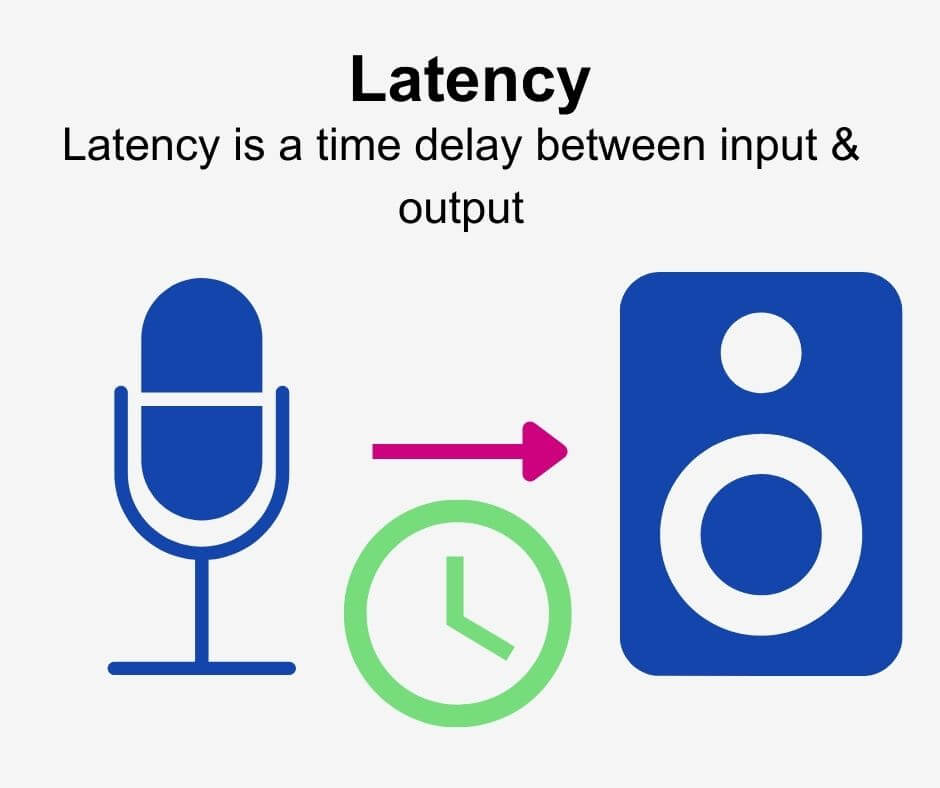
Audio latency compensation is a critical concept in the world of audio processing and production. It refers to the delay that can occur when processing audio signals, and it’s a topic that impacts everything from live performances to recording studio sessions and even everyday experiences like watching TV or playing video games. In this article, I’ll delve into the intricacies of audio latency compensation, exploring its significance, how it affects various applications, and how it can be managed for optimal audio experiences.

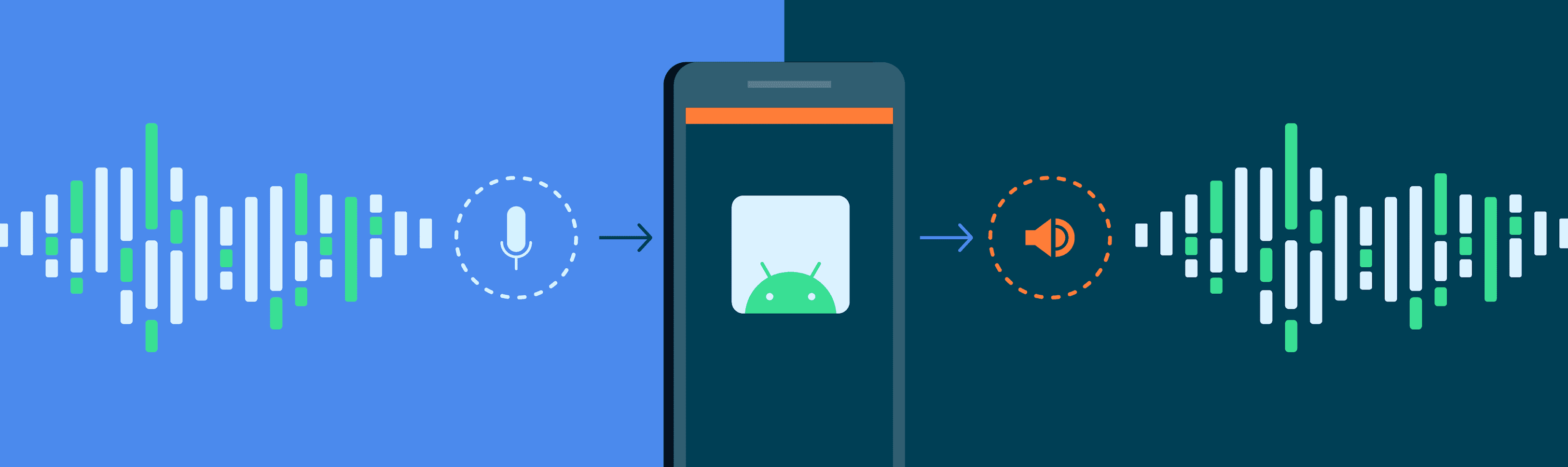
Audio latency compensation is essentially the delay that occurs when an audio signal is processed or transmitted from its source to its destination. This delay can be introduced at various stages of audio processing, such as when recording instruments, mixing tracks, or even during live performances. It’s measured in milliseconds and is a critical factor in ensuring that audio remains synchronized and cohesive.

Why Does Audio Latency Matter?

Audio Latency Compensation

The importance of audio latency compensation becomes evident when you consider scenarios where timing is crucial. For instance, in a live concert, the sound from microphones and instruments must reach the audience’s ears in sync with what they see on stage. Any delay can lead to a disjointed experience. Similarly, in music production, when multiple tracks are mixed, misaligned audio can result in muddiness or phase cancellation, affecting the overall quality of the recording.

Audio latency also plays a significant role in gaming. Gamers rely on audio cues for spatial awareness, and any latency can disrupt their ability to react quickly. Imagine playing a first-person shooter where the gunshot sound lags behind the visual animation; it could be the difference between victory and defeat.

Managing Audio Latency

To address audio latency, various techniques and technologies are employed. One common method is buffer size adjustment. This involves adjusting the size of data buffers in audio processing software or hardware to minimize delay. Smaller buffer sizes reduce latency but may strain the computer’s processing power, while larger buffers reduce strain but increase latency.

In professional audio setups, dedicated hardware interfaces with low-latency capabilities are used to minimize delay. These interfaces are designed to handle audio signals efficiently, ensuring minimal latency during recording and playback.

In the realm of gaming and live audio, technologies like ASIO (Audio Stream Input/Output) and low-latency audio drivers are employed to achieve near-instantaneous audio processing.

People Also Asked About Audio Latency Compensation

1. What Causes Audio Latency?

Audio latency can be caused by several factors, including:

Hardware Processing: Slow processors or insufficient RAM can lead to latency when processing audio.
Software Buffering: When audio data is buffered for processing, it can introduce delay, especially if the buffer size is too large.
Network Latency: In online applications, data transmission over the internet can introduce latency.

2. How Does Latency Affect Streaming and Online Calls?

In streaming and online calls, high latency can result in delays between audio and video, leading to unsynchronized experiences. This is often noticeable in live broadcasts or video conferencing.

3. Are There Differences Between Latency in Music Production and Gaming?

Yes, there are differences. In music production, low-latency is critical for real-time monitoring and recording. In gaming, low-latency ensures that audio cues match gameplay actions for a seamless experience.

4. Can Latency Be Completely Eliminated?

While we can minimize latency to imperceptible levels, complete elimination is challenging due to the limitations of hardware, software, and network transmission. Achieving extremely low latency is the goal, but there will always be some minimal delay.

Keywords with Identical Search Intent

1. Audio Delay Reduction Techniques

Reducing audio delay involves techniques like buffer size optimization, hardware upgrades, and low-latency drivers. These methods aim to minimize the time it takes for audio signals to travel from source to output.

2. Real-time Audio Processing

Real-time audio processing is crucial in applications like live sound engineering and gaming. It involves minimizing latency to ensure that audio signals are processed and delivered without noticeable delays.

3. Low-Latency Audio Interfaces

Low-latency audio interfaces are specialized hardware devices that enable musicians and producers to work with minimal audio delay. They are essential tools in professional music studios.

4. Latency Compensation in Audio Software

Audio software often includes features for latency compensation, allowing users to adjust settings and reduce delays during recording and playback. Understanding and utilizing these features is vital for audio professionals.

Last Words

In the world of audio, timing is everything. Whether you’re a musician, a gamer, or simply a fan of high-quality audio, understanding and managing audio latency compensation is essential for an immersive and seamless experience. By employing the right techniques and technologies, you can ensure that audio signals reach your ears with minimal delay, preserving the integrity of the sound and enhancing your overall enjoyment. So, whether you’re rocking out at a concert, producing your next hit song, or conquering virtual worlds in gaming, remember that audio latency compensation plays a pivotal role in shaping your auditory experience.

What is digital audio and video?

What is digital audio and video?

Digital Audio and Video

Digital audio and video are types of data that we can store on a computer or other electronic device. They are made up of a series of numbers that represent the sound or image we want to save. This means that instead of using physical materials like film or tape to record sound or video, we can use a computer to store and manipulate digital versions of that data.

Digital Audio and Video

How is sound digitized?

Sound is a type of wave that travels through the air. When we want to digitize sound, we need to find a way to measure that wave and turn it into a series of numbers. We do this by using a device called a microphone, which converts sound waves into electrical signals that can be processed by a computer.

Here’s an example: imagine you’re at a concert and you want to record a song using your phone. You turn on the voice memo app and hold your phone up to the speakers. The microphone in your phone converts the sound waves from the speakers into electrical signals that are then turned into a digital audio file that you can listen to later.

How are multiple sounds combined into a single file?

When we record sound using a microphone, we’re not just capturing one sound at a time. We’re also picking up any other sounds that might be happening in the background, like people talking or the sound of a car driving by. So how do we store all of these different sounds in a single file?

The answer is that each sound is given its own “channel” in the digital audio file. Imagine that you have a stereo system with two speakers – one on the left and one on the right. When you record a song using your phone, the sound that’s coming out of the left speaker is saved in one channel of the audio file, while the sound that’s coming out of the right speaker is saved in another channel.

How are different instruments and voices saved in a single channel?

So now we know how to store multiple sounds in a digital audio file using different channels. But what if we want to save a song that has lots of different instruments and voices playing at the same time? How can we separate out all of those different sounds and make sure they’re saved correctly in the file?

The answer is that each sound is given its own “frequency” in the digital audio file. Think of it like a rainbow: just like how a rainbow has lots of different colors, sound has lots of different frequencies. When we record a song, we’re capturing all of those different frequencies at the same time.

So let’s say we’re recording a song that has a guitar, a bass, a drum set, and a singer. Each of those instruments and the singer’s voice has a different set of frequencies that make up its sound. The guitar might have a lot of high frequencies, while the bass might have a lot of low frequencies. When we record the song, we capture all of those frequencies at the same time and save them in the digital audio file.

How are timbres saved in a digital audio file?

The “timbre” of a sound refers to its unique quality or tone. For example, if you hear a trumpet and a violin playing the same note, you can still tell the difference between the two because they have different timbres. So how do we save the timbre of each instrument or voice in a digital audio file?

To save the timbre of each sound, we use a process called “sampling”. Sampling involves taking tiny snapshots of the sound wave at regular intervals and saving those snapshots as numbers in the digital audio file. The more snapshots we take, the more accurately we can capture the unique timbre of each sound.

Here’s an example: let’s say we’re recording a piano playing a single note. We take 44,100 snapshots of the sound wave per second and save each snapshot as a number in the digital audio file. When we play back the file, the computer reads those numbers and uses them to recreate the sound of the piano note. Because we took so many snapshots per second, we’re able to capture all of the nuances of the piano’s timbre and make it sound like a real piano.

How are noises and other sounds saved in a digital audio file?

When we record sound using a microphone, we’re not just capturing the sounds we want to hear – we’re also capturing any background noise that might be happening. This can include things like people talking, cars driving by, or birds chirping. So how do we deal with all of that extra noise when we save the sound as a digital file?

One way to deal with background noise is to use a process called “noise reduction”. This involves analyzing the digital audio file and looking for parts of the sound that are consistent over time – like the sound of a fan running or the hum of a fluorescent light. The computer can then remove those consistent sounds from the file, leaving behind just the sounds we want to hear.

Another way to deal with background noise is to use a process called “EQ” (short for “equalization”). EQ allows us to boost or cut certain frequencies in the sound to make it sound better. For example, if there’s a lot of low-frequency rumble in a recording, we can use EQ to cut out some of those frequencies and make the sound clearer.

What is digital video?

Digital video is similar to digital audio, but instead of capturing sound waves, we’re capturing images. When we record a video, we’re capturing a series of still images (or frames) at regular intervals and saving them as a digital file.

How are videos saved in digital format?

To save a video in digital format, we need to capture a series of still images (or frames) and save them as a digital file. We do this using a device called a camera, which captures light from the scene we’re filming and turns it into an electrical signal that can be processed by a computer.

Here’s an example: imagine you’re filming a video of your dog playing in the park. You hold up your phone and hit the record button. The camera in your phone captures a series of still images (or frames) of your dog playing and saves them as a digital video file that you can watch later.

How are multiple images combined into a single video file?

When we capture a video, we’re capturing a series of still images (or frames) at regular intervals. To create a smooth video, we need to combine all of those frames into a single file. This is done using a process called “video compression”.

Video compression works by looking for parts of the image that are similar from frame to frame and only saving the parts that are different. For example, if you’re filming a video of a person sitting in a chair, the background behind them might not change much from frame to frame, so the computer can save that part of the image just once and only save the parts that are changing (like the person’s movements).

By only saving the parts of the image that are changing, we’re able to save space and create smaller video files that are easier to store and share. However, too much compression can make the video look blurry or pixelated. So, it’s important to find a balance between file size and video quality when compressing videos.

How do we add sound to a digital video file?

To add sound to a digital video file, we use a process called “audio syncing”. Audio syncing involves combining the digital audio file (which we learned about earlier) with the digital video file so that the sound matches up with the images.

Here’s an example: let’s say you’re filming a concert and you want to create a video of one of the songs. You record the video using your camera and the audio using a separate recording device. When you go to edit the video, you import both the digital audio file and the digital video file into your editing software. Then, you use audio syncing to line up the audio with the video so that the sound matches up with the images.

Conclusion

In conclusion, digital audio and video are complex subjects, but they can be explained in a way that a 6-year-old can understand. Digital audio involves converting sound waves into numbers that can be saved in a digital file. We use sampling to capture the unique timbre of each sound, and we use noise reduction and EQ to deal with background noise. Digital video involves capturing a series of still images (or frames) and saving them as a digital file. We use video compression to combine those frames into a single file and audio syncing to add sound to the video. By understanding these concepts, we can appreciate the technology behind the digital media that we enjoy every day.