Lossy vs Lossless Data Representation in MP3


Free Download Mp4Gain
picture

Lossy vs Lossless Data Representation in MP3
Let’s talk about lossy vs lossless data representation in MP3

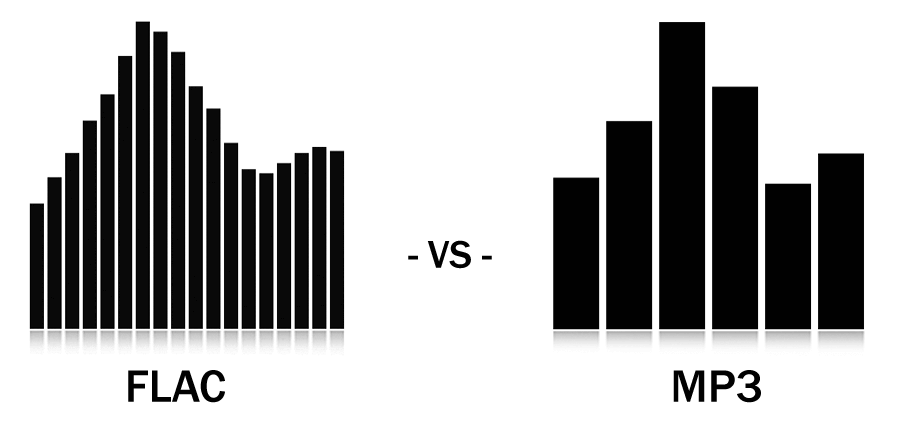
When we discuss MP3 audio, one of the most debated topics is the difference between lossy and lossless data representation. As someone who has spent years studying audio formats, I’ve encountered countless situations where understanding these differences made all the difference. Lossy compression is designed to reduce file size by removing data that is considered less perceptible to the human ear. On the other hand, lossless compression preserves every bit of audio information, even though the file sizes are larger.

Imagine a high-quality photograph being compressed for storage. If you save it as a smaller file, some details—like subtle textures—might get blurred or lost entirely. This is similar to lossy compression in MP3. Lossless compression is like folding a large map so you can carry it in your pocket and then unfolding it to reveal every detail when you need it. Both have unique applications, and choosing between them depends on your priorities, like audio quality or storage capacity.

What is lossy data representation?

Lossy data representation is all about efficiency. It works by removing audio data that our ears might not notice is missing. The MP3 format uses psychoacoustic models to determine which sounds are less critical based on how we perceive audio. For example, if two sounds are playing at the same time and one is much louder, the quieter sound might be eliminated during lossy compression.

I’ve tested this extensively in my studio. A typical MP3 file compressed at 128 kbps sounds clear to many listeners, but if you pay close attention with high-end headphones, subtle details like background reverb or high-frequency harmonics might be missing. That’s because lossy compression prioritizes reducing file size over preserving every nuance of the original audio.

How does lossless data representation work?

Lossless compression, on the other hand, doesn’t remove any data. Instead, it uses algorithms to reduce file size without losing any information. Think of it like packing a suitcase more efficiently without leaving anything behind. Formats like FLAC or WAV are excellent examples of lossless audio compression.

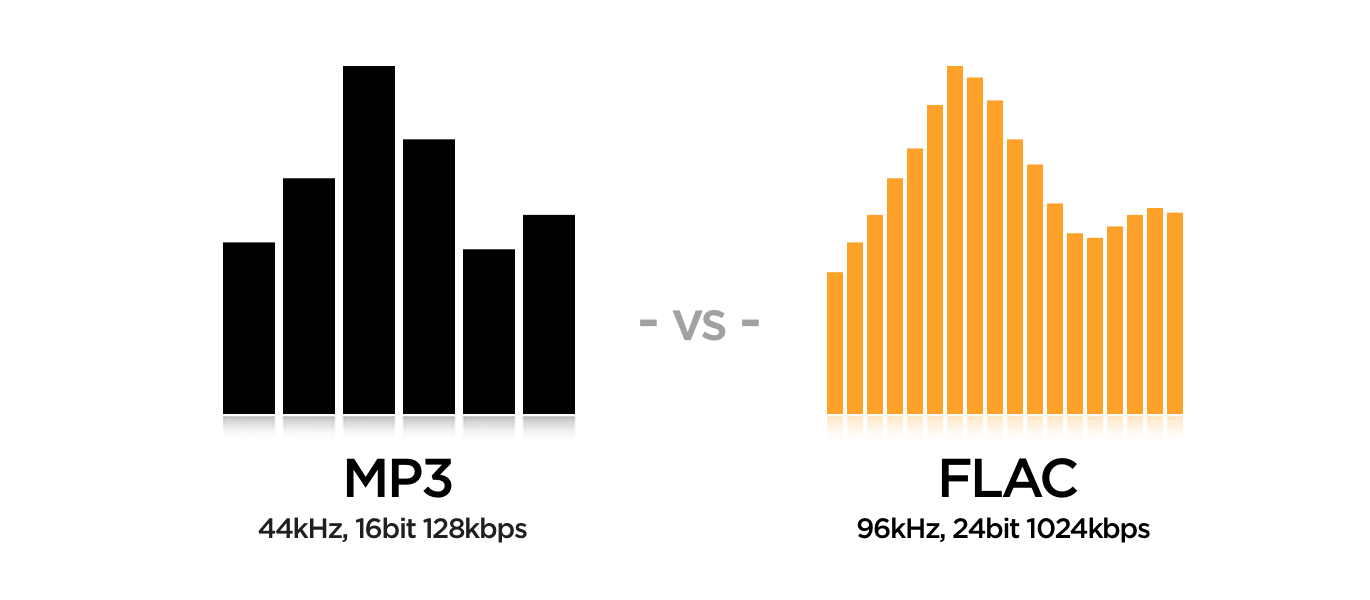
In practice, I’ve noticed that lossless audio sounds identical to the original recording. If you’re working on music production or you’re an audiophile, lossless compression is essential because it ensures that no detail is compromised. However, this comes with a trade-off: lossless files are much larger, sometimes five to ten times the size of lossy MP3s.

When is lossy compression useful?

Lossy compression shines in situations where storage space or bandwidth is limited. Streaming platforms like Spotify and YouTube rely heavily on lossy formats to deliver music and video efficiently to millions of users. If you’re commuting and streaming over a mobile network, you might not notice the slight reduction in quality compared to a lossless file.

I’ve also seen its impact in file sharing. Back when we used CDs and flash drives to transfer files, lossy MP3s were a lifesaver. A single gigabyte of storage could hold hundreds of songs, making it convenient for music lovers.

  • Streaming platforms benefit from smaller file sizes.
  • Ideal for casual listening on standard devices.
  • Allows faster downloads and less buffering during playback.

Why is lossless compression preferred by professionals?

Lossless compression is often the gold standard for professionals in music and sound design. In my studio, I always work with lossless files during production. This ensures that the final product retains every detail when mastered. Imagine painting a masterpiece—if you start with a high-resolution canvas, every brushstroke stands out.

When archiving music or creating remixes, lossless files are invaluable because they preserve all the nuances of the original track. Even though these files require more storage, the quality is well worth the investment for critical applications.

  • Perfect for audio editing and production.
  • Essential for preserving original recordings.
  • Provides unmatched audio clarity and detail.

How does MP3 manage lossy compression so effectively?

MP3 stands out for its clever use of perceptual coding. It takes advantage of the way our brains process sound, removing data that we’re unlikely to notice. This includes masking, where a loud sound can make nearby quieter sounds inaudible. By focusing on what we can actually hear, MP3 files achieve impressive compression ratios.

I’ve tested MP3 encoding on various devices and noticed how it maintains quality despite reducing file size. For example, a three-minute song might shrink from 30 MB in WAV format to just 3 MB as an MP3 at 128 kbps. This balance between quality and size is why MP3 became the dominant audio format for decades.

What are the limitations of lossy MP3 files?

While MP3 files are convenient, they come with drawbacks. High levels of compression can introduce audible artifacts like ringing or a hollow sound. These issues become more noticeable on high-end audio systems or when editing the files further.

For instance, I’ve encountered situations where a client wanted to enhance the bass in an MP3 track. Because some low-frequency data had already been removed during compression, boosting the bass revealed unwanted distortions. This limitation makes lossy MP3s less suitable for professional applications.

Which is better for everyday use?

The choice between lossy and lossless depends on your needs. If you’re streaming music on a smartphone or sharing files quickly, lossy MP3s are the practical option. They sound great on most headphones and speakers, especially in everyday environments like a car or gym.

However, if you’re a music enthusiast with a high-quality audio setup, you’ll likely notice the difference in a lossless file. I always recommend lossless formats for anyone who values audio fidelity or plans to archive their music collection for future use.

Latest words on lossy vs lossless data representation in MP3

In the debate between lossy and lossless, there’s no one-size-fits-all answer. Each has its place depending on the context. As someone deeply immersed in audio production, I’ve seen firsthand how lossy MP3s revolutionized the way we consume music. But I also recognize the unmatched quality of lossless formats for critical applications.

If you’re serious about audio quality and want to optimize your files for both lossy and lossless use cases, tools like Mp4Gain can make the process seamless.

FAQs about Lossy vs Lossless Data Representation in MP3

What is lossy compression in MP3?

Lossy compression reduces file size by removing less noticeable audio data, using perceptual models to maintain acceptable quality.

How does lossless audio differ from lossy audio?

Lossless audio retains all original data for perfect fidelity, while lossy audio sacrifices some data for smaller file sizes.

Why is MP3 considered lossy?

MP3 uses lossy compression to reduce file size by removing inaudible or less noticeable parts of the audio.

Can you hear the difference between lossy and lossless files?

On high-end audio systems, the differences are noticeable, especially in the finer details and dynamic range of lossless files.

Are lossless files always better than lossy?

Lossless files offer better quality but require more storage. Lossy files are better for casual use due to their smaller size.

What is the main advantage of lossy compression?

The main advantage is significantly smaller file sizes, making it ideal for streaming and portable devices.

Do streaming platforms use lossy or lossless formats?

Most platforms use lossy formats to optimize streaming efficiency, but some offer lossless options for premium users.

Why do audiophiles prefer lossless formats?

Audiophiles prefer lossless formats for their superior sound quality and faithful reproduction of original recordings.

Is MP3 still relevant in 2025?

Yes, MP3 remains popular due to its compatibility and efficiency, despite newer formats offering better quality at smaller sizes.

What’s the best tool to convert files between lossy and lossless formats?

Mp4Gain is a great tool for optimizing and converting audio files while maintaining the best quality for any format.

Comments:

Finally, someone explained lossy and lossless in a way I can understand. Great article, very useful!

Wait, so if I rip my CDs to MP3, am I losing quality? I feel like I need a better explanation of what actually gets lost!

This was super helpful. I was confused about lossy vs lossless, especially for archiving my vinyl collection.

I think lossless is overkill for most people, but this article gave me a new appreciation for why it matters. Thanks!

Why don’t more streaming platforms offer lossless as a default? I’d love better sound quality without needing expensive gear.

Great write-up! One question though, how does lossy compression handle live recordings? Are they more affected?

Honestly, I didn’t think I’d notice the difference, but after trying lossless, it’s hard to go back. Thanks for explaining this so clearly!

Can you do a follow-up article on how to best optimize files for lossless storage? I’m trying to build a music archive!

I like how you used examples to explain complex stuff. Made it much easier to follow.

This is the most in-depth guide I’ve read. Still, I’d love more tips on managing file sizes without sacrificing too much quality.


Free Download Mp4Gain
picture


Mp4Gain Main Window
picture


Mp4Gain Features
picture


Free Download Mp4Gain
picture

Lossy vs Lossless Audio in OGG

Lossy vs Lossless Audio in OGG

Lossy vs Lossless Audio in OGG

Let’s talk about Lossy vs Lossless Audio in OGG

When it comes to audio quality, choosing between lossy and lossless audio can make a big difference. In audio compression, “lossy” means some data gets removed to make the file smaller, while “lossless” keeps all the original audio information. OGG is a popular format known for flexibility with both lossy and lossless compression, so you can get high-quality sound in a smaller file size. As an audio expert, I’ll walk you through the ins and outs of these formats, drawing from my years of experience with audio compression, so you can make the best choice for your needs.

Understanding OGG Format Basics

The OGG format is like a sturdy container, housing different types of audio codecs. It’s especially popular for its open-source, patent-free nature, and high-quality sound. With OGG, you can have lossy or lossless compression, depending on what matters more—quality or file size. Think of it like packing for a trip: sometimes you need to pack light (lossy), and other times, you want to bring everything (lossless). The flexibility of OGG makes it perfect for anyone who values good sound, but also wants control over file size.

What is Lossy Audio Compression?

Lossy audio compression removes “unnecessary” parts of audio that our ears may not easily pick up, which makes the file size much smaller. It’s like skimming off the less noticeable sounds in a song or recording. MP3 and OGG Vorbis are common lossy formats. If you’re streaming music online, lossy formats are everywhere. But while the space savings are great, there’s a trade-off: you lose some detail in sound quality. For casual listeners, it’s often a non-issue, but for audiophiles, those subtle sounds matter.

What is Lossless Audio Compression?

In lossless audio compression, all the original audio data is preserved. This format, like OGG FLAC, doesn’t cut any corners. Imagine you’re saving a photo without changing a single pixel; that’s what lossless does for sound. The file is bigger, yes, but you get pure, untouched audio. In my experience, musicians, DJs, and audio engineers often prefer lossless formats because every sound, every subtle tone, is kept intact. For casual listening, though, the larger file size might be more of a hassle than it’s worth.

Comparing OGG Vorbis (Lossy) with OGG FLAC (Lossless)

Comparing OGG Vorbis and OGG FLAC is a bit like comparing a paperback book to a hardcover. OGG Vorbis reduces file size by about 90%, perfect for quick downloads or streaming. OGG FLAC, on the other hand, maintains top quality, but it’s bigger. OGG Vorbis is great for everyday listening, but if you’re an audio purist, OGG FLAC is where you’ll hear the difference. You’ll notice richer, fuller sounds in OGG FLAC, especially in classical or jazz music where subtlety is key.

  • Quality Differences: Audible or Not?

  • File Size Considerations

  • Performance for Streaming vs. Offline Playback

How Lossy Compression Works in OGG Vorbis

OGG Vorbis, the lossy version of OGG, uses advanced algorithms to remove sounds our ears aren’t as sensitive to. It’s like compressing a sponge and squeezing out the excess water, keeping the sponge itself intact but smaller. This way, you get a smaller file size with audio that’s nearly identical to the original. It’s commonly used for streaming music because it keeps quality high and file size low—essential for avoiding buffering issues on slow networks.

The Science Behind Lossless Compression in OGG FLAC

Lossless compression in OGG FLAC is more like folding a sheet—no material is removed; it’s just compacted in a way that you can unfold it back to its original form. The audio data is untouched, making it a favorite among sound engineers who need top fidelity. OGG FLAC is especially valuable in professional settings, like when recording a song or podcast, where every little detail counts.

Pros and Cons of Using Lossy OGG for Audio

Using lossy OGG has a lot of perks, especially if you need to save space. It’s like having a lighter suitcase for travel—you can take it anywhere without the bulk. However, lossy compression may sacrifice some subtle details, so it’s not ideal for everyone. Here are some quick points:

  • Smaller File Size

  • Great for Streaming and Download Speeds

  • Minor Loss of Audio Detail

  • Not Ideal for High-End Sound Systems

Pros and Cons of Using Lossless OGG for Audio

Lossless OGG, like FLAC, maintains full sound quality. It’s like a heavy-duty suitcase that carries everything you need. While the file size is larger, the quality remains top-notch. Here’s a rundown of pros and cons:

  • Exceptional Audio Quality

  • Perfect for Archival Storage

  • Larger File Size

  • More Demanding on Storage Space

Is Lossy or Lossless Better for Music Streaming?

If you’re streaming music, you’ll likely lean toward lossy OGG, especially with slower internet speeds. Lossy compression keeps file sizes manageable and minimizes buffering. But for platforms dedicated to high-quality sound, lossless is increasingly common. Lossy streaming is a compromise between quality and accessibility, while lossless streaming is all about giving you the best audio, especially on platforms where fidelity is a top priority.

Best Scenarios for Choosing Lossy OGG

Lossy OGG is perfect for everyday listening, especially when you’re on the go. Whether it’s on a jog or commuting, lossy audio offers high-quality sound without filling up your phone’s storage. When you’re not looking for flawless quality but still want something that sounds good, lossy OGG is the way to go. It’s especially great if you’re listening on devices where audio fidelity isn’t as noticeable.

Best Scenarios for Choosing Lossless OGG

Lossless OGG really shines when quality is paramount, like for a professional DJ or a music producer. It’s also ideal for creating a digital archive of your favorite albums. Lossless OGG ensures every note, every instrument, is perfectly preserved. If you’ve got the storage space and care about every detail in the music, go for lossless OGG. It’s also an excellent choice if you plan to listen on high-quality sound systems where every sound matters.

Do File Size and Storage Space Matter to You?

Lossy OGG saves a ton of space, perfect if you’re low on storage. However, if storage is abundant, lossless OGG is a good way to get premium sound without compromise. I always ask myself, “How important is quality versus storage for me?” If I want to fit more music on my phone, I’ll go lossy. If I’m working on a sound project where I need the best quality, lossless OGG it is.

Final Words on Lossy vs Lossless Audio in OGG

Ultimately, the choice between lossy and lossless OGG depends on your needs and setup. For most listeners, lossy OGG offers a great balance between quality and file size. But for audiophiles, sound engineers, and music lovers who want every detail, lossless OGG can’t be beat. If you’re still on the fence, try testing out both formats in your own environment to hear the difference. And when you’re ready to optimize your audio, MP4Gain is here to help ensure every sound, whether lossy or lossless, is just right.

Comments:

Jackson: Really helpful breakdown! I didn’t even know the difference between lossy and lossless. Helped a lot for my project!

Marie123: Finally I get it! All the tech words usually confuse me but this article was simple and super clear.

SoundwaveMike: Good info, but I’d love to see more on how the lossy compression actually affects different genres of music.

LeeGuitarist: Wow, never knew OGG was that versatile! I always stuck with MP3, but now I’m gonna try OGG FLAC!

BobTheBuilder: Too much detail for my taste, but good for people who want to learn everything about audio!

Anna_Loves_Music: This explained a

lot! I’ve been trying to figure out how to save space on my phone without losing my fave tunes.

https://x.com/ricardo_mx_news/status/1850633331957813490

The Role of Psychoacoustics in FLAC Encoding

The Role of Psychoacoustics in FLAC Encoding

The Role of Psychoacoustics in FLAC Encoding

The Role of Psychoacoustics in FLAC Encoding

Let’s talk about Psychoacoustics

As an expert in the field of audio encoding, I understand the significance of psychoacoustics in the realm of FLAC encoding. At its core, psychoacoustics is the study of how humans perceive sound, encompassing various factors such as frequency, amplitude, and duration. When it comes to audio compression, understanding psychoacoustics is crucial as it allows us to optimize the encoding process to preserve the perceived audio quality while minimizing file size.

The Fundamentals of FLAC Encoding

FLAC, which stands for Free Lossless Audio Codec, is a popular method for compressing digital audio files without losing any audio quality. Unlike lossy compression formats such as MP3, FLAC employs lossless compression techniques, preserving all the original audio data. This is where psychoacoustics comes into play. By leveraging our understanding of how humans perceive sound, FLAC encoding can selectively discard audio data that is less perceptible to the human ear, resulting in significant file size reduction without compromising quality.

Understanding Human Perception

Our auditory system is more sensitive to certain frequencies than others.
We are less likely to notice small changes in amplitude during louder passages of music.
Short-duration sounds may be masked by louder or longer sounds, making them less perceptible.

The Role of Psychoacoustic Models

Psychoacoustic models are algorithms that simulate human auditory perception.
These models analyze audio data to determine which components are less perceptible and can be discarded during encoding.
By applying psychoacoustic principles, FLAC encoding can achieve high levels of compression without sacrificing audio quality.

FLAC Encoding Techniques

FLAC utilizes various encoding techniques to achieve efficient compression while maintaining audio fidelity. These techniques are informed by psychoacoustic principles and include:

Variable Bit Rate (VBR) Encoding

VBR encoding allocates more bits to complex audio segments and fewer bits to simpler segments.
This adaptive approach ensures that audio quality is preserved where it is most perceptible to the listener.

Adaptive Noise Shaping (ANS)

ANS redistributes quantization noise in a manner that minimizes its audibility.
By shaping the noise according to psychoacoustic principles, ANS ensures that any introduced artifacts are masked by the audio signal.

Joint Stereo Encoding

Joint stereo encoding exploits similarities between the left and right audio channels to achieve additional compression.
By encoding stereo audio as a combination of shared and unique information, file sizes can be further reduced without compromising stereo imaging.

The Impact of Psychoacoustics on Audio Quality

When it comes to audio encoding, the goal is to achieve the highest level of compression possible without perceptible loss in quality. Psychoacoustics plays a pivotal role in achieving this balance. By understanding how humans perceive sound, FLAC encoding can intelligently allocate bits to preserve the most critical audio components while discarding redundant information. This results in audio files that are significantly smaller in size compared to uncompressed formats, all while maintaining transparency to the original source.

Latest Words on FLAC Encoding

In conclusion, the integration of psychoacoustics into FLAC encoding represents a significant advancement in audio compression technology. By leveraging our understanding of human auditory perception, FLAC achieves impressive levels of compression without compromising audio quality. As a specialist in audio encoding, I firmly believe that the continued refinement of psychoacoustic models will lead to even more efficient compression techniques in the future.

Comments:

This article was very informative! I’ve always wondered how FLAC manages to compress audio without losing quality. Thanks for shedding light on the role of psychoacoustics.

– MusicLover21

Great article! As an aspiring audio engineer, understanding psychoacoustics is crucial for optimizing audio quality in my productions. FLAC encoding seems like a powerful tool in preserving audio fidelity.

– SoundTechEnthusiast

Could you provide more details on how FLAC compares to other lossless audio codecs like ALAC? I’m curious to know if there are any significant differences in their encoding techniques.

– AudioEnthusiast456

This article barely scratches the surface of FLAC encoding. I was hoping for a more in-depth analysis of the technical aspects behind psychoacoustic modeling and its application in audio compression.

– TechNerd123

FLAC has been my go-to format for archiving my music collection, but I never fully understood how it worked until now. Thanks for demystifying the role of psychoacoustics in FLAC encoding!

– VinylCollector99

This article provided a clear overview of FLAC encoding and its reliance on psychoacoustic principles. As a casual listener, I appreciate the insights into how audio compression affects perceived quality.

– AudiophileGirl

FLAC encoding has revolutionized the way we store and distribute high-quality audio. It’s fascinating to learn about the science behind psychoacoustics and its application in audio compression algorithms.

– MusicBuff2023

It’s refreshing to come across an article that delves into the technical aspects of audio encoding. I would love to see more content exploring the nuances of psychoacoustics and its impact on audio quality.

– AudioGeek007

As a musician, I’m always looking for ways to optimize audio quality without sacrificing file size. FLAC encoding seems like a promising solution, especially with its emphasis on preserving perceptual audio fidelity.

– GuitarPlayer23

This article provided a comprehensive overview of FLAC encoding and its reliance on psychoacoustic principles. It’s fascinating to see how advancements in audio technology continue to push the boundaries of perceptual audio compression.

– AudioTechFanatic

Audio File Size Optimization

Audio File Size Optimization


Audio File Size Optimization


Audio File Size Optimization


Audio compression techniques

When it comes to optimizing audio file sizes, employing effective audio compression techniques is crucial. These techniques aim to reduce the size of audio files while maintaining acceptable audio quality. Here are some key audio compression methods:

  1. Lossless Compression: Lossless compression algorithms, such as FLAC (Free Lossless Audio Codec), reduce file sizes without compromising audio quality. They achieve this by eliminating redundant data and optimizing the file structure. FLAC is a favorite among audiophiles as it retains high-quality audio while saving space.
  2. Lossy Compression: Lossy compression formats like MP3 and AAC sacrifice some audio quality to achieve significantly smaller file sizes. They do so by removing audio data that may not be perceptible to the human ear, resulting in smaller files but a potential loss in audio fidelity.
  3. Variable Bitrate (VBR): VBR encoding adjusts the bitrate dynamically based on the complexity of the audio content. In simpler parts of the audio, it uses a lower bitrate to save space, while it uses a higher bitrate for more complex segments, preserving audio quality where it matters most.

Reducing audio file size

Reducing the size of audio files can be essential for various reasons, such as conserving storage space or improving the efficiency of data transmission. Here are some strategies to effectively reduce audio file sizes:

  1. Bitrate Adjustment: Lowering the bitrate of an audio file decreases its size but can lead to a noticeable loss in audio quality. Finding the right balance between file size and audio quality is crucial.
  2. Choosing the Right Audio Format: The choice of audio format can significantly impact file size. Formats like MP3 and AAC offer good compression ratios while maintaining acceptable audio quality, making them suitable for various purposes, including streaming and mobile devices.
  3. Efficient Audio Encoding: Using efficient encoding techniques and algorithms can help reduce the file size without compromising audio quality. Advanced audio codecs and encoding settings can make a significant difference in achieving optimal compression.

Minimizing audio file size

Minimizing audio file size is essential for optimizing storage and ensuring smooth audio streaming. Here are some additional tips to achieve this:

  1. Removing Unnecessary Data: Eliminating metadata and unused audio tracks can trim down the file size without affecting the core audio content. This is particularly useful for audio files with extensive metadata.
  2. Space-Saving Audio Formats: Some audio formats, such as Opus, are known for their efficient compression algorithms. Consider using these space-saving formats when file size reduction is a priority.

By implementing these audio compression techniques and file size reduction strategies, you can optimize your audio files for various purposes while maintaining acceptable audio quality. Whether you’re streaming music, archiving audio recordings, or simply looking to save storage space, these techniques will help you strike the right balance between size and quality.

Final Words

Optimizing audio file sizes is a valuable skill in today’s digital age. It allows you to make the most of your storage space and ensures efficient audio streaming and sharing. Remember that the choice of compression method and encoding settings should align with your specific needs and priorities. Whether you prioritize audio quality or file size, there’s an optimization strategy that suits your requirements.

Mp3 vs Flac: Which is Better?

Mp3 vs Flac: Which is Better?

Mp3 vs Flac
Mp3 vs Flac
Mp3 vs Flac
Mp3 vs Flac

MP3 vs. FLAC: Understanding the Difference and Choosing the Best Audio Format

In the world of digital music, two audio formats have dominated the landscape for years: MP3 and FLAC. Each format has its own unique characteristics, advantages, and disadvantages, making it essential for music enthusiasts to understand the differences between them. This article delves into the comparison of MP3 and FLAC, aiming to shed light on which format might be the better choice for different scenarios.

MP3: The Pioneer of Digital Audio Compression

The MP3 format, short for “MPEG Audio Layer III,” revolutionized the way music was consumed and shared since its introduction in the 1990s. Its main advantage lies in its ability to significantly reduce the file size of audio tracks without compromising audio quality too severely. This compression is achieved by discarding some audio information that the human ear may not easily perceive. As a result, MP3 files are much smaller compared to the original CD-quality audio, making them easy to store and share.
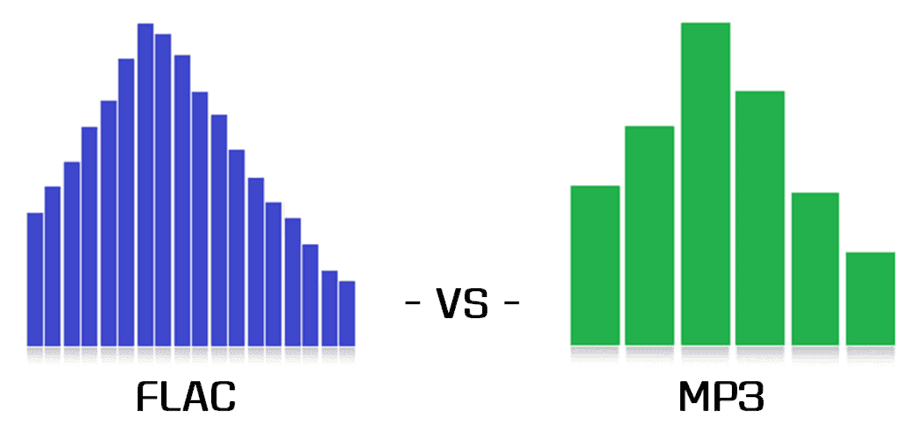
However, this level of compression does come at a cost. Audiophiles and music purists argue that the removal of some audio data can result in a loss of sound fidelity, leading to a phenomenon known as “lossy” compression. While the difference in quality might not be noticeable to the average listener, those with a keen ear or listening on high-end audio equipment might discern a slight reduction in audio clarity.

FLAC: Uncompromising Audio Quality for Audiophiles

FLAC, short for “Free Lossless Audio Codec,” is the go-to format for audiophiles and music professionals seeking the highest level of audio quality. Unlike MP3, FLAC uses “lossless” compression, which retains all the original audio data during encoding. This means that no audio information is discarded, resulting in bit-for-bit identical sound quality to the source material, typically CD-quality audio.

The advantage of FLAC lies in its ability to offer pristine audio quality while maintaining a much smaller file size compared to uncompressed audio formats like WAV. This makes it an ideal choice for audiophiles who demand top-notch sound reproduction and a preference for archival purposes. However, due to the lack of audio data removal, FLAC files are considerably larger than MP3s, which can be a drawback for those with limited storage space or slower internet connections.

As J.R.R. Tolkien once said in “The Lord of the Rings,” “Not all those who wander are lost.” Similarly, in the realm of digital audio formats, not all users have the same requirements. Deciding between MP3 and FLAC ultimately depends on your individual needs, preferences, and listening habits. If you prioritize convenience, easy sharing, and reasonable audio quality, MP3 might suit your needs. On the other hand, if you’re an audiophile who values uncompromising sound fidelity and doesn’t mind the larger file sizes, FLAC could be the perfect fit.

In conclusion, the choice between MP3 and FLAC boils down to a trade-off between file size and audio quality. MP3 offers convenience and reasonable audio quality, making it an excellent choice for casual listeners, while FLAC delivers unparalleled sound fidelity for the most discerning ears. Regardless of your choice, both formats have significantly shaped the way we enjoy and consume music in the digital era. So, whether you’re on a road trip, at the gym, or relaxing at home, the right audio format will ensure you have a memorable musical experience.