
Lossy vs Lossless Data Representation in MP3
Let’s talk about lossy vs lossless data representation in MP3
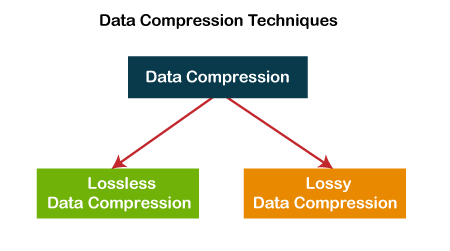
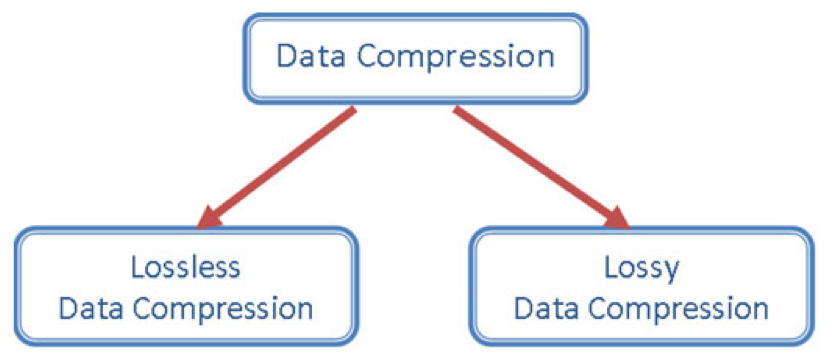
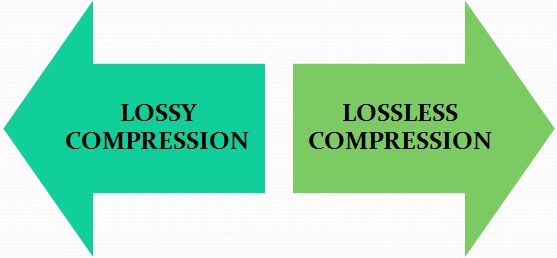
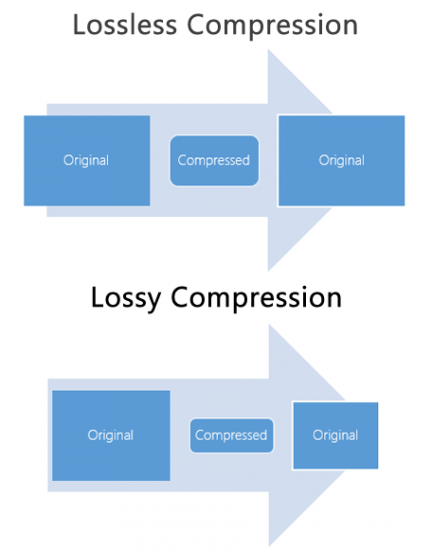
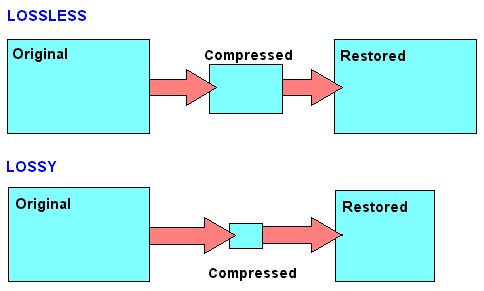
When we discuss MP3 audio, one of the most debated topics is the difference between lossy and lossless data representation. As someone who has spent years studying audio formats, I’ve encountered countless situations where understanding these differences made all the difference. Lossy compression is designed to reduce file size by removing data that is considered less perceptible to the human ear. On the other hand, lossless compression preserves every bit of audio information, even though the file sizes are larger.
Imagine a high-quality photograph being compressed for storage. If you save it as a smaller file, some details—like subtle textures—might get blurred or lost entirely. This is similar to lossy compression in MP3. Lossless compression is like folding a large map so you can carry it in your pocket and then unfolding it to reveal every detail when you need it. Both have unique applications, and choosing between them depends on your priorities, like audio quality or storage capacity.
What is lossy data representation?
Lossy data representation is all about efficiency. It works by removing audio data that our ears might not notice is missing. The MP3 format uses psychoacoustic models to determine which sounds are less critical based on how we perceive audio. For example, if two sounds are playing at the same time and one is much louder, the quieter sound might be eliminated during lossy compression.
I’ve tested this extensively in my studio. A typical MP3 file compressed at 128 kbps sounds clear to many listeners, but if you pay close attention with high-end headphones, subtle details like background reverb or high-frequency harmonics might be missing. That’s because lossy compression prioritizes reducing file size over preserving every nuance of the original audio.
How does lossless data representation work?
Lossless compression, on the other hand, doesn’t remove any data. Instead, it uses algorithms to reduce file size without losing any information. Think of it like packing a suitcase more efficiently without leaving anything behind. Formats like FLAC or WAV are excellent examples of lossless audio compression.
In practice, I’ve noticed that lossless audio sounds identical to the original recording. If you’re working on music production or you’re an audiophile, lossless compression is essential because it ensures that no detail is compromised. However, this comes with a trade-off: lossless files are much larger, sometimes five to ten times the size of lossy MP3s.
When is lossy compression useful?
Lossy compression shines in situations where storage space or bandwidth is limited. Streaming platforms like Spotify and YouTube rely heavily on lossy formats to deliver music and video efficiently to millions of users. If you’re commuting and streaming over a mobile network, you might not notice the slight reduction in quality compared to a lossless file.
I’ve also seen its impact in file sharing. Back when we used CDs and flash drives to transfer files, lossy MP3s were a lifesaver. A single gigabyte of storage could hold hundreds of songs, making it convenient for music lovers.
- Streaming platforms benefit from smaller file sizes.
- Ideal for casual listening on standard devices.
- Allows faster downloads and less buffering during playback.
Why is lossless compression preferred by professionals?
Lossless compression is often the gold standard for professionals in music and sound design. In my studio, I always work with lossless files during production. This ensures that the final product retains every detail when mastered. Imagine painting a masterpiece—if you start with a high-resolution canvas, every brushstroke stands out.
When archiving music or creating remixes, lossless files are invaluable because they preserve all the nuances of the original track. Even though these files require more storage, the quality is well worth the investment for critical applications.
- Perfect for audio editing and production.
- Essential for preserving original recordings.
- Provides unmatched audio clarity and detail.
How does MP3 manage lossy compression so effectively?
MP3 stands out for its clever use of perceptual coding. It takes advantage of the way our brains process sound, removing data that we’re unlikely to notice. This includes masking, where a loud sound can make nearby quieter sounds inaudible. By focusing on what we can actually hear, MP3 files achieve impressive compression ratios.
I’ve tested MP3 encoding on various devices and noticed how it maintains quality despite reducing file size. For example, a three-minute song might shrink from 30 MB in WAV format to just 3 MB as an MP3 at 128 kbps. This balance between quality and size is why MP3 became the dominant audio format for decades.
What are the limitations of lossy MP3 files?
While MP3 files are convenient, they come with drawbacks. High levels of compression can introduce audible artifacts like ringing or a hollow sound. These issues become more noticeable on high-end audio systems or when editing the files further.
For instance, I’ve encountered situations where a client wanted to enhance the bass in an MP3 track. Because some low-frequency data had already been removed during compression, boosting the bass revealed unwanted distortions. This limitation makes lossy MP3s less suitable for professional applications.
Which is better for everyday use?
The choice between lossy and lossless depends on your needs. If you’re streaming music on a smartphone or sharing files quickly, lossy MP3s are the practical option. They sound great on most headphones and speakers, especially in everyday environments like a car or gym.
However, if you’re a music enthusiast with a high-quality audio setup, you’ll likely notice the difference in a lossless file. I always recommend lossless formats for anyone who values audio fidelity or plans to archive their music collection for future use.
Latest words on lossy vs lossless data representation in MP3
In the debate between lossy and lossless, there’s no one-size-fits-all answer. Each has its place depending on the context. As someone deeply immersed in audio production, I’ve seen firsthand how lossy MP3s revolutionized the way we consume music. But I also recognize the unmatched quality of lossless formats for critical applications.
If you’re serious about audio quality and want to optimize your files for both lossy and lossless use cases, tools like Mp4Gain can make the process seamless.
FAQs about Lossy vs Lossless Data Representation in MP3
What is lossy compression in MP3?
Lossy compression reduces file size by removing less noticeable audio data, using perceptual models to maintain acceptable quality.
How does lossless audio differ from lossy audio?
Lossless audio retains all original data for perfect fidelity, while lossy audio sacrifices some data for smaller file sizes.
Why is MP3 considered lossy?
MP3 uses lossy compression to reduce file size by removing inaudible or less noticeable parts of the audio.
Can you hear the difference between lossy and lossless files?
On high-end audio systems, the differences are noticeable, especially in the finer details and dynamic range of lossless files.
Are lossless files always better than lossy?
Lossless files offer better quality but require more storage. Lossy files are better for casual use due to their smaller size.
What is the main advantage of lossy compression?
The main advantage is significantly smaller file sizes, making it ideal for streaming and portable devices.
Do streaming platforms use lossy or lossless formats?
Most platforms use lossy formats to optimize streaming efficiency, but some offer lossless options for premium users.
Why do audiophiles prefer lossless formats?
Audiophiles prefer lossless formats for their superior sound quality and faithful reproduction of original recordings.
Is MP3 still relevant in 2025?
Yes, MP3 remains popular due to its compatibility and efficiency, despite newer formats offering better quality at smaller sizes.
What’s the best tool to convert files between lossy and lossless formats?
Mp4Gain is a great tool for optimizing and converting audio files while maintaining the best quality for any format.



Comments:
Finally, someone explained lossy and lossless in a way I can understand. Great article, very useful!
Wait, so if I rip my CDs to MP3, am I losing quality? I feel like I need a better explanation of what actually gets lost!
This was super helpful. I was confused about lossy vs lossless, especially for archiving my vinyl collection.
I think lossless is overkill for most people, but this article gave me a new appreciation for why it matters. Thanks!
Why don’t more streaming platforms offer lossless as a default? I’d love better sound quality without needing expensive gear.
Great write-up! One question though, how does lossy compression handle live recordings? Are they more affected?
Honestly, I didn’t think I’d notice the difference, but after trying lossless, it’s hard to go back. Thanks for explaining this so clearly!
Can you do a follow-up article on how to best optimize files for lossless storage? I’m trying to build a music archive!
I like how you used examples to explain complex stuff. Made it much easier to follow.
This is the most in-depth guide I’ve read. Still, I’d love more tips on managing file sizes without sacrificing too much quality.