FLAC Volume Booster


Free Download Mp4Gain
picture

FLAC Volume Booster

FLAC Volume Booster
FLAC Volume Booster
FLAC Volume Booster
FLAC Volume Booster

If you’re looking to enhance the audio experience of your FLAC files, you’ve come to the right place. FLAC (Free Lossless Audio Codec) is known for its high-quality sound, but sometimes you may find that certain tracks are quieter than others or just not hitting the right volume level. Here, we’ll explore various methods and tools to boost the volume of your FLAC files effectively.

FLAC Audio Normalization

Audio normalization is the process of adjusting the volume of an audio file to a standardized level, making it consistent across all tracks. Many software applications and audio players offer this feature, allowing you to normalize your FLAC files with ease. By doing so, you can eliminate the hassle of manually adjusting the volume for each track and ensure a consistent listening experience.

FLAC Gain Adjustment

FLAC files often come with metadata tags that store information about the audio, including its volume level. Some audio players and software can read these tags and adjust the playback volume accordingly. By tweaking the gain or volume adjustment settings in your FLAC player or editor, you can fine-tune the volume to your liking without altering the original audio quality.

FLAC Volume Boosting Software

If you’re dealing with a large collection of FLAC files and want a quick and efficient way to boost their volume, consider using specialized FLAC volume boosting software. These tools are designed to analyze and amplify the audio within your FLAC files, ensuring that they sound louder and clearer without distortion.

FLAC Equalization

Equalization (EQ) is another technique that can help you achieve the desired volume for your FLAC files. It involves adjusting specific frequency bands in the audio to enhance or reduce certain aspects of the sound. By carefully applying EQ settings, you can make your FLAC tracks sound louder and more balanced.

FLAC Audio Converters

Converting your FLAC files to a different audio format can also impact their volume. Some formats, such as MP3, have built-in volume normalization during the encoding process. By converting your FLAC files to a format like MP3 with volume normalization enabled, you can ensure consistent volume levels across your music library.

FLAC Playback Enhancements

Exploring your audio player’s settings and features can often reveal hidden options for volume enhancement. Some players offer dynamic range compression (DRC) or volume leveling features that can automatically adjust the volume of your FLAC files as they play.

FLAC Replay Gain Tags

Replay Gain is a standardized method of calculating and storing volume adjustment information within audio files. Many FLAC files come with Replay Gain tags that can be utilized by compatible audio players to adjust playback volume automatically. Enabling this feature can simplify the process of achieving consistent audio levels.

FLAC Batch Processing

If you have numerous FLAC files that require volume adjustment, consider using batch processing tools. These applications allow you to apply volume boosting or normalization settings to multiple files simultaneously, saving you time and effort.

FLAC Volume Control Hardware

For audiophiles seeking precise control over their FLAC playback volume, dedicated hardware solutions are available. These devices offer analog or digital volume control to ensure that your FLAC files sound just the way you want them to.

FLAC Volume Boosting Apps

Mobile users can also enjoy enhanced FLAC audio with volume boosting apps. These apps are designed for smartphones and tablets, providing a convenient way to increase the volume and overall audio quality of your FLAC files on the go.

Final Words

Boosting the volume of your FLAC files can significantly improve your listening experience. Whether you prefer software-based solutions, hardware enhancements, or specialized apps, there are plenty of options to choose from. Experiment with these methods to find the one that suits your needs and enjoy your FLAC music at the perfect volume.


Free Download Mp4Gain
picture


Mp4Gain Main Window
picture


Mp4Gain Features
picture


Free Download Mp4Gain
picture

FLAC Louder

FLAC Louder

FLAC Louder
FLAC Louder
FLAC Louder
FLAC Louder

Is FLAC volume higher than MP3?

The FLAC (Free Lossless Audio Codec) and MP3 are both audio formats, but they have different technical structures and purposes. Many users often wonder if FLAC volume is inherently higher than MP3. To answer this, we need to understand the nature of these formats. FLAC is lossless, meaning it retains all the audio data from the original source. MP3, on the other hand, is lossy and compresses audio by removing some of its information. The perception of loudness can be influenced by the quality and details retained in an audio file. With FLAC’s lossless nature, it can potentially sound more detailed and vibrant, leading some to believe it’s “louder” than its MP3 counterpart.

Yet, the actual loudness of a track is determined by its mastering process, not just its format. A well-mastered MP3 might sound louder and clearer than a poorly mastered FLAC. It’s essential to differentiate between clarity and loudness.

“Music is the divine way to tell beautiful, poetic things to the heart.” – Pablo Casals

Does FLAC format have increased loudness?

It’s a misconception to think that FLAC format intrinsically has increased loudness. The format itself is designed to deliver lossless audio quality, preserving all the nuances and details of the original recording. This retention of detail can sometimes lead to a perception of greater dynamic range, which some listeners equate with loudness.

However, it’s vital to note that perceived loudness is multifaceted. Factors like frequency, duration, and intensity all play a role. FLAC’s fidelity might make certain aspects of a track more noticeable, but that doesn’t necessarily equate to an increased volume.

“Without music, life would be a mistake.” – Friedrich Nietzsche

Can FLAC files sound louder than other formats?

FLAC files have the potential to sound more detailed and full than some other formats because of their lossless nature. However, saying they are categorically “louder” can be misleading. The actual volume of any audio track, regardless of its format, largely depends on its original mastering. For example, a song released in the 1960s might inherently be quieter than a song released in the 2010s due to differences in recording technology and mastering standards.

It’s also worth considering the playback equipment. On certain sound systems or headphones, FLAC files might seem to have a richer sound or more depth, leading some listeners to perceive them as “louder.”

“Music can change the world because it can change people.” – Bono

Why might FLAC audio seem louder?

The perceived loudness of FLAC audio might stem from its detailed and uncompressed nature. Without the loss of data, FLAC can reproduce frequencies and nuances that might be lost in other formats. Such details might be subtle reverberations, background instruments, or the resonance of vocals. When these elements are more apparent to the listener, the audio can feel fuller, more layered, and thus, “louder.”

It’s a sensory experience more than an objective measurement. Our ears pick up on the richness of the sound, and our brains might interpret this as increased loudness.

“The only truth is music.” – Jack Kerouac

Comparing volume levels in FLAC files.

When comparing volume levels between FLAC files and other formats, one might not always find consistent differences. That’s because the format itself doesn’t dictate loudness; the mastering does. Two tracks, one in FLAC and the other in a different format, might have the same loudness levels if they were mastered the same way.

However, FLAC’s ability to reproduce audio without data loss means that if there are any details in the original audio that contribute to its fullness or depth, FLAC will render them accurately. This fidelity can sometimes be mistaken for increased volume.

“Music touches us emotionally, where words alone can’t.” – Johnny Depp

Is loudness different in FLAC versus WAV?

Both FLAC and WAV are lossless audio formats. They retain all of the original audio data, which means their fidelity is high. However, they store data differently. FLAC is compressed (without data loss), while WAV is generally uncompressed. Despite this, their sound quality is largely comparable. When it comes to loudness, neither format has an inherent advantage. The perceived volume will mostly hinge on the track’s mastering.

“Music is the shorthand of emotion.” – Leo Tolstoy

What causes the perceived loudness in FLAC tracks?

Several factors contribute to the perceived loudness in FLAC tracks. First, the preservation of all audio data means no detail is lost. Second, listeners might be using high-quality audio equipment that better reproduces the nuances of FLAC files. Lastly, psychoacoustics plays a role; our brains might interpret the richness and fullness of FLAC as louder, even if the decibel level remains unchanged.

“Music is the wine that fills the cup of silence.” – Robert Fripp

Does FLAC have a better dynamic range?

Dynamic range refers to the difference between the quietest and loudest parts of a track. FLAC, being lossless, has the potential to preserve the dynamic range of the original recording fully. This means, if the original audio had a broad dynamic range, the FLAC file would reflect that. However, it’s not the format itself but the source that determines dynamic range.

“Where words fail, music speaks.” – Hans Christian Andersen

Loudness factor in FLAC audio.

The loudness factor in FLAC audio is more about its ability to capture every detail from the source than about boosting volume. It provides a more authentic and unaltered listening experience. This fidelity can make certain elements of a track stand out more, which some might interpret as a volume increase.

“Music is the divine way to tell beautiful, poetic things to the heart.” – Pablo Casals

How does FLAC’s bit rate affect volume?

FLAC’s bit rate pertains to the amount of data processed per second. A higher bit rate often equates to better audio quality, as more data means more detail can be captured. However, bit rate doesn’t directly influence volume. It does, however, influence the clarity and richness of sound. Therefore, while a higher bit rate might make a track sound

Mp3 vs Flac: Which is Better?

Mp3 vs Flac: Which is Better?

Mp3 vs Flac
Mp3 vs Flac
Mp3 vs Flac
Mp3 vs Flac

MP3 vs. FLAC: Understanding the Difference and Choosing the Best Audio Format

In the world of digital music, two audio formats have dominated the landscape for years: MP3 and FLAC. Each format has its own unique characteristics, advantages, and disadvantages, making it essential for music enthusiasts to understand the differences between them. This article delves into the comparison of MP3 and FLAC, aiming to shed light on which format might be the better choice for different scenarios.

MP3: The Pioneer of Digital Audio Compression

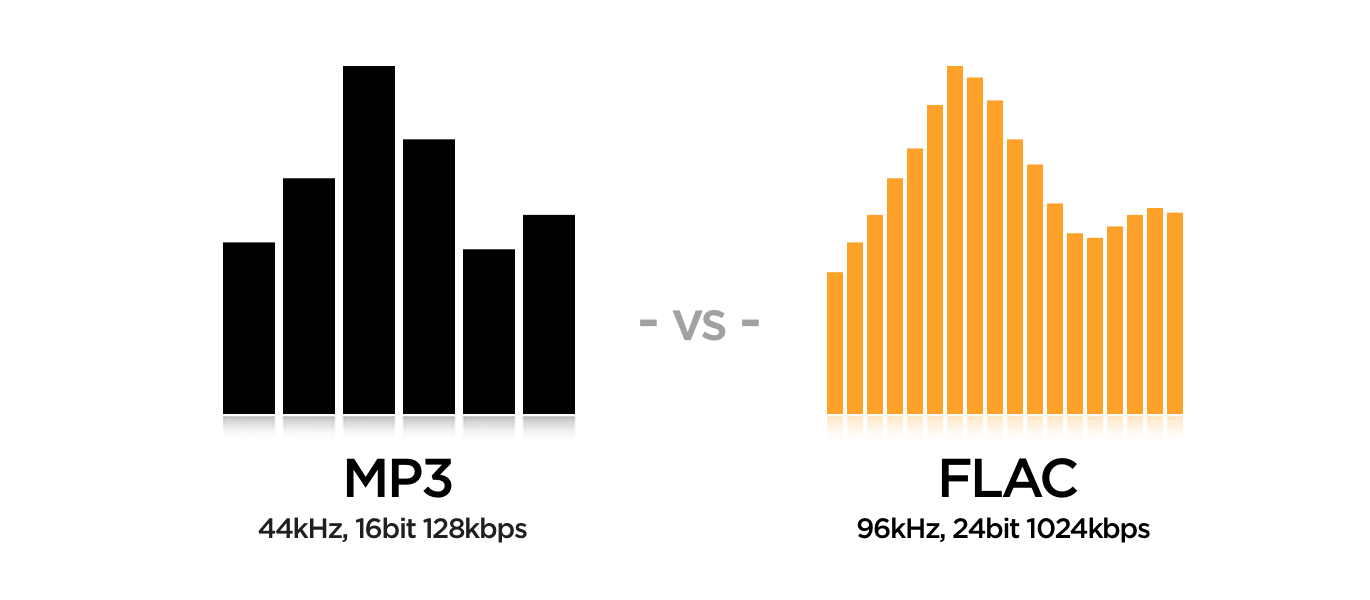
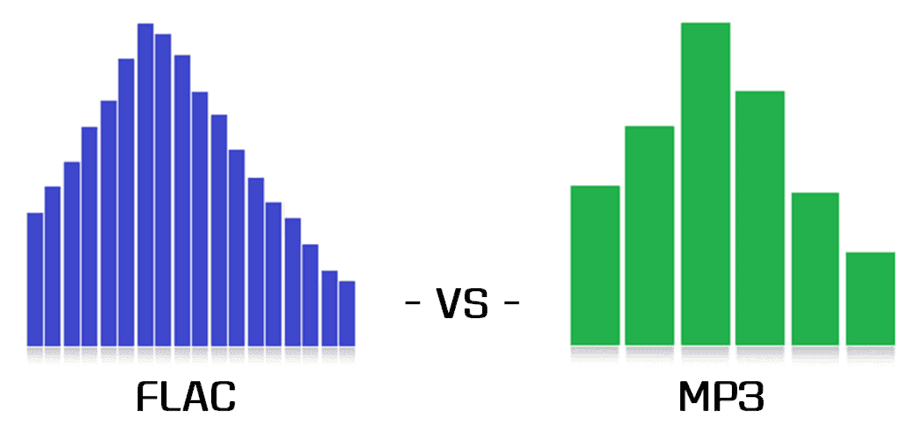
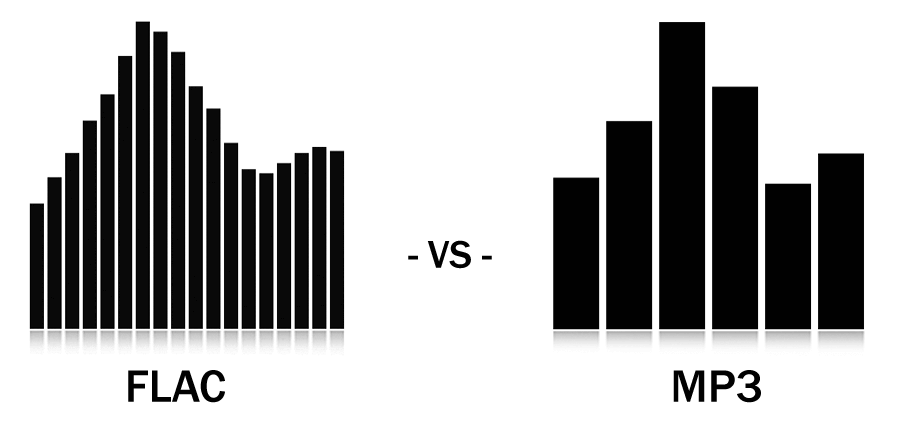
The MP3 format, short for “MPEG Audio Layer III,” revolutionized the way music was consumed and shared since its introduction in the 1990s. Its main advantage lies in its ability to significantly reduce the file size of audio tracks without compromising audio quality too severely. This compression is achieved by discarding some audio information that the human ear may not easily perceive. As a result, MP3 files are much smaller compared to the original CD-quality audio, making them easy to store and share.
However, this level of compression does come at a cost. Audiophiles and music purists argue that the removal of some audio data can result in a loss of sound fidelity, leading to a phenomenon known as “lossy” compression. While the difference in quality might not be noticeable to the average listener, those with a keen ear or listening on high-end audio equipment might discern a slight reduction in audio clarity.

FLAC: Uncompromising Audio Quality for Audiophiles

FLAC, short for “Free Lossless Audio Codec,” is the go-to format for audiophiles and music professionals seeking the highest level of audio quality. Unlike MP3, FLAC uses “lossless” compression, which retains all the original audio data during encoding. This means that no audio information is discarded, resulting in bit-for-bit identical sound quality to the source material, typically CD-quality audio.

The advantage of FLAC lies in its ability to offer pristine audio quality while maintaining a much smaller file size compared to uncompressed audio formats like WAV. This makes it an ideal choice for audiophiles who demand top-notch sound reproduction and a preference for archival purposes. However, due to the lack of audio data removal, FLAC files are considerably larger than MP3s, which can be a drawback for those with limited storage space or slower internet connections.

As J.R.R. Tolkien once said in “The Lord of the Rings,” “Not all those who wander are lost.” Similarly, in the realm of digital audio formats, not all users have the same requirements. Deciding between MP3 and FLAC ultimately depends on your individual needs, preferences, and listening habits. If you prioritize convenience, easy sharing, and reasonable audio quality, MP3 might suit your needs. On the other hand, if you’re an audiophile who values uncompromising sound fidelity and doesn’t mind the larger file sizes, FLAC could be the perfect fit.

In conclusion, the choice between MP3 and FLAC boils down to a trade-off between file size and audio quality. MP3 offers convenience and reasonable audio quality, making it an excellent choice for casual listeners, while FLAC delivers unparalleled sound fidelity for the most discerning ears. Regardless of your choice, both formats have significantly shaped the way we enjoy and consume music in the digital era. So, whether you’re on a road trip, at the gym, or relaxing at home, the right audio format will ensure you have a memorable musical experience.

Why FLAC is the Future of Music Streaming

Why FLAC is the Future of Music Streaming

Why FLAC is the Future of Music Streaming

FLAC stands for Free Lossless Audio Codec and is becoming increasingly popular for music streaming. Unlike MP3 and other lossy formats, FLAC preserves the original quality of the music and does not compromise on the sound quality. This makes it the perfect choice for music lovers who want to experience their favorite tracks in the best possible quality.

Why FLAC is the Future of Music Streaming

Why is FLAC Better than MP3?

When music is compressed into MP3 format, some of the data is lost. This can result in a noticeable difference in the sound quality, especially if you have high-quality audio equipment. FLAC, on the other hand, is a lossless format, meaning that no data is lost during the compression process. This means that the sound quality is exactly the same as the original recording, giving you the full, rich sound that the artist intended.

Another advantage of FLAC is that it offers a higher level of compression compared to MP3, making it possible to store more music on your device without taking up too much space. This is especially important for music lovers who have a large collection of tracks and want to keep them all in one place.

Why is FLAC the Future of Music Streaming?

As technology continues to advance, music lovers are demanding higher-quality audio and FLAC is the perfect solution. With the popularity of high-end audio equipment, such as headphones and speakers, the demand for high-quality music is only going to increase. FLAC offers the perfect combination of high-quality audio and efficient compression, making it the ideal choice for music streaming services.

Music streaming services that offer FLAC as a format have already seen an increase in popularity among music lovers who want to enjoy their favorite tracks in the best possible quality. Additionally, with the rise of high-speed internet and powerful smartphones, it is now possible to stream high-quality music on the go, making FLAC a convenient option for anyone who wants to enjoy their music on the move.

How Does FLAC Benefit Music Lovers?

For music lovers, FLAC offers a number of benefits. Firstly, it provides a high-quality listening experience, allowing you to enjoy your favorite tracks in the best possible quality. Secondly, FLAC is a versatile format that can be played on a range of devices, from computers and smartphones to home entertainment systems. This means that you can enjoy your music wherever you go, without having to worry about compatibility issues.

Finally, FLAC is a cost-effective solution for music lovers. With the rise of music streaming services, there is no longer any need to buy CDs or download individual tracks. Instead, you can subscribe to a service that offers FLAC as a format and enjoy a huge library of high-quality music for a low monthly fee.

Conclusion

FLAC is the future of music streaming and is the perfect choice for music lovers who want to experience their favorite tracks in the best possible quality. With its combination of high-quality audio and efficient compression, FLAC is sure to become the go-to format for music streaming services and music lovers alike. If you’re looking for the best solution to improve your music experience, look no further than Mp4Gain.