Mp3 vs Flac: Which is Better?


Free Download Mp4Gain
picture

Mp3 vs Flac: Which is Better?
Mp3 vs Flac
Mp3 vs Flac
Mp3 vs Flac
Mp3 vs Flac

MP3 vs. FLAC: Understanding the Difference and Choosing the Best Audio Format

In the world of digital music, two audio formats have dominated the landscape for years: MP3 and FLAC. Each format has its own unique characteristics, advantages, and disadvantages, making it essential for music enthusiasts to understand the differences between them. This article delves into the comparison of MP3 and FLAC, aiming to shed light on which format might be the better choice for different scenarios.

MP3: The Pioneer of Digital Audio Compression

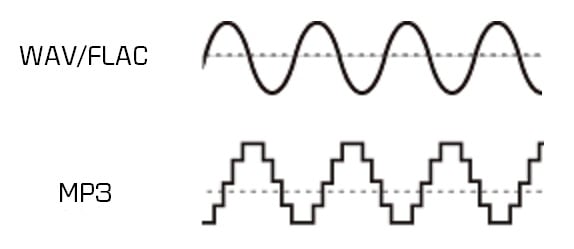
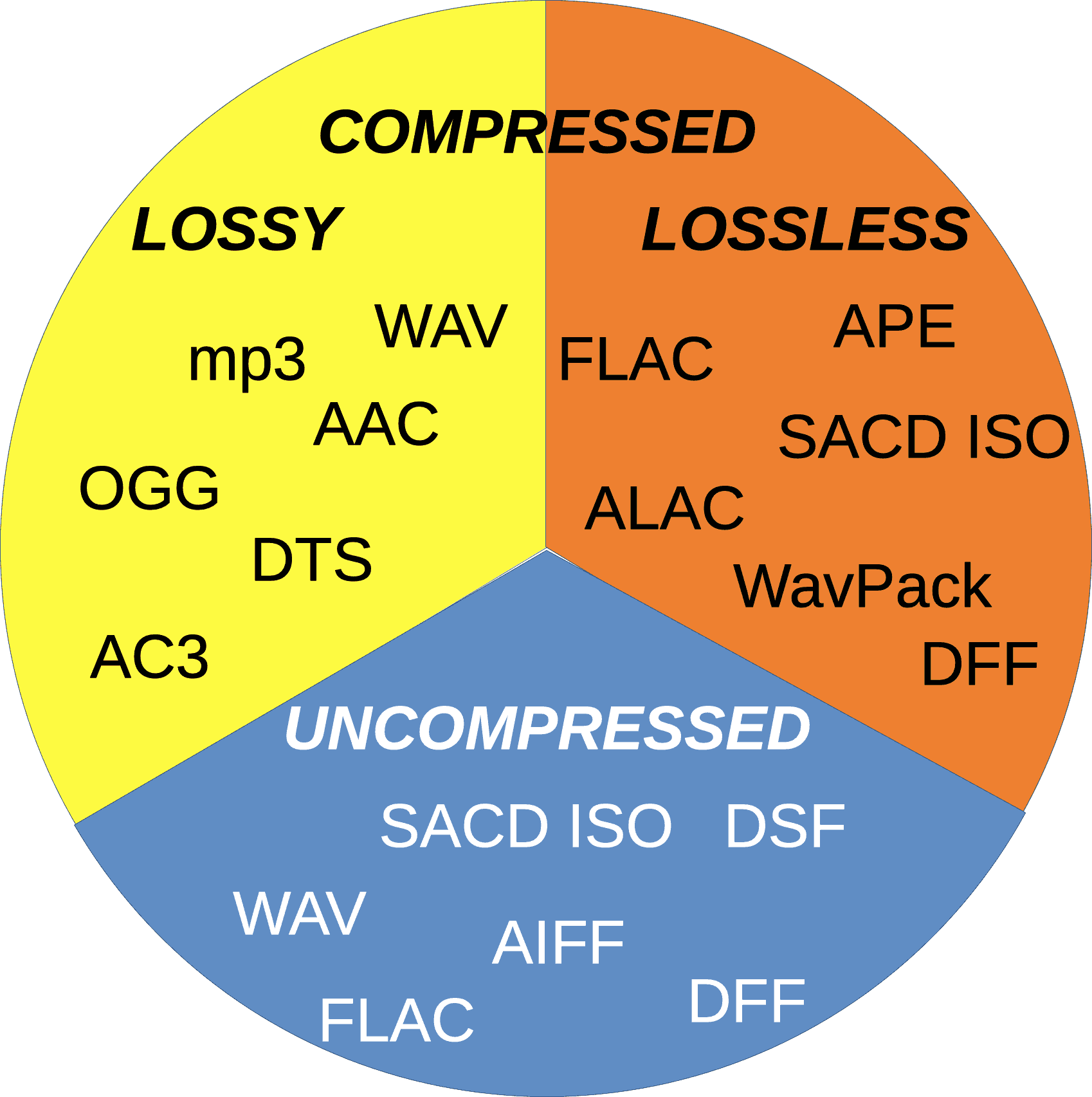
The MP3 format, short for “MPEG Audio Layer III,” revolutionized the way music was consumed and shared since its introduction in the 1990s. Its main advantage lies in its ability to significantly reduce the file size of audio tracks without compromising audio quality too severely. This compression is achieved by discarding some audio information that the human ear may not easily perceive. As a result, MP3 files are much smaller compared to the original CD-quality audio, making them easy to store and share.
However, this level of compression does come at a cost. Audiophiles and music purists argue that the removal of some audio data can result in a loss of sound fidelity, leading to a phenomenon known as “lossy” compression. While the difference in quality might not be noticeable to the average listener, those with a keen ear or listening on high-end audio equipment might discern a slight reduction in audio clarity.

FLAC: Uncompromising Audio Quality for Audiophiles

FLAC, short for “Free Lossless Audio Codec,” is the go-to format for audiophiles and music professionals seeking the highest level of audio quality. Unlike MP3, FLAC uses “lossless” compression, which retains all the original audio data during encoding. This means that no audio information is discarded, resulting in bit-for-bit identical sound quality to the source material, typically CD-quality audio.

The advantage of FLAC lies in its ability to offer pristine audio quality while maintaining a much smaller file size compared to uncompressed audio formats like WAV. This makes it an ideal choice for audiophiles who demand top-notch sound reproduction and a preference for archival purposes. However, due to the lack of audio data removal, FLAC files are considerably larger than MP3s, which can be a drawback for those with limited storage space or slower internet connections.

As J.R.R. Tolkien once said in “The Lord of the Rings,” “Not all those who wander are lost.” Similarly, in the realm of digital audio formats, not all users have the same requirements. Deciding between MP3 and FLAC ultimately depends on your individual needs, preferences, and listening habits. If you prioritize convenience, easy sharing, and reasonable audio quality, MP3 might suit your needs. On the other hand, if you’re an audiophile who values uncompromising sound fidelity and doesn’t mind the larger file sizes, FLAC could be the perfect fit.

In conclusion, the choice between MP3 and FLAC boils down to a trade-off between file size and audio quality. MP3 offers convenience and reasonable audio quality, making it an excellent choice for casual listeners, while FLAC delivers unparalleled sound fidelity for the most discerning ears. Regardless of your choice, both formats have significantly shaped the way we enjoy and consume music in the digital era. So, whether you’re on a road trip, at the gym, or relaxing at home, the right audio format will ensure you have a memorable musical experience.


Free Download Mp4Gain
picture


Mp4Gain Main Window
picture


Mp4Gain Features
picture


Free Download Mp4Gain
picture

MP3 vs Lossless

MP3 vs Lossless

MP3 vs Lossless
MP3 vs Lossless
MP3 vs Lossless
MP3 vs Lossless

Meta Description: Discover the difference between MP3 and lossless audio formats and understand which one suits your listening preferences.

Introduction

Music is an essential part of our lives. It can evoke emotions, motivate us, and even help us relax. The format we listen to music in can have a significant impact on our listening experience. Two of the most popular audio formats are MP3 and lossless. While MP3 is widely used, lossless audio formats are gaining popularity. This article will explore the differences between MP3 and lossless audio formats and help you understand which one is best for your listening preferences.

MP3 vs Lossless: What’s the Difference?

MP3 is a compressed audio format that reduces the file size of audio recordings while maintaining reasonable sound quality. Lossless audio formats, on the other hand, preserve the audio quality of the original recording. Let’s delve deeper into the differences between MP3 and lossless audio formats.

Compression

MP3 audio files are compressed to reduce the file size. This compression results in some data loss, which affects the audio quality. Lossless audio formats, such as FLAC or ALAC, compress audio files without losing any data. This compression is possible due to the fact that these audio formats eliminate redundancy in audio data.

Audio Quality

MP3 audio files have a lower audio quality than lossless audio formats. The audio quality is reduced due to data compression. Lossless audio formats maintain the audio quality of the original recording, making them a better choice for audiophiles and music enthusiasts who want the best possible sound quality.

File Size

MP3 files are significantly smaller in size than lossless audio formats. This small size makes MP3 files easy to share and store, making them a popular choice for digital music distribution. Lossless audio formats, on the other hand, are larger in size, which makes them more challenging to share and store.

Compatibility

MP3 audio files are compatible with a wide range of devices and media players, making them an accessible audio format. Lossless audio formats, on the other hand, have limited compatibility and require specialized software or hardware to play them.

Head-to-Head Comparison: MP3 vs Lossless

Let’s compare MP3 and lossless audio formats head-to-head based on the following factors:

Audio Quality: MP3 compresses audio data, which results in reduced audio quality. Lossless audio formats preserve the audio quality of the original recording.

File Size: MP3 files are significantly smaller in size than lossless audio formats.

Compatibility: MP3 files are compatible with a wide range of devices and media players. Lossless audio formats have limited compatibility and require specialized software or hardware to play them.

Portability: MP3 files are easy to share and store due to their small size. Lossless audio formats are larger in size, making them more challenging to share and store.

Ease of Use: MP3 files are easy to use and require no specialized software or hardware. Lossless audio formats require specialized software or hardware to play them.

Based on the above comparison, MP3 audio files are an excellent choice for those who value portability and ease of use, while lossless audio formats are a better choice for audiophiles who value audio quality over file size.

FAQs

Q: Is MP3 audio quality good enough? A: MP3 audio quality is good enough for most casual listeners. However, audiophiles and music enthusiasts may prefer lossless audio formats for their superior audio quality.

Q: Are lossless audio formats worth the larger file size? A: Lossless audio formats are worth the larger file size for audiophiles and music enthusiasts who value audio quality over file size.

Q: Converting MP3 to Lossless Audio Formats

It is possible to convert MP3 files to lossless audio formats like FLAC or ALAC. However, this conversion does not improve the audio quality of the original MP3 file. The converted file will have the same audio quality as the original MP3 file. Converting an MP3 file to a lossless format only increases the file size and does not improve the audio quality.

Choosing the Right Audio Format for You

When choosing between MP3 and lossless audio formats, it is essential to consider your listening preferences. If you value portability and ease of use, MP3 is the way to go. MP3 files are compatible with a wide range of devices and media players and have a small file size, making them easy to share and store. However, if you are an audiophile or music enthusiast who values audio quality over file size, lossless audio formats like FLAC or ALAC are the way to go. These formats preserve the audio quality of the original recording and provide a superior listening experience.

Conclusion

In conclusion, the choice between MP3 and lossless audio formats ultimately depends on your listening preferences. MP3 files are excellent for those who value portability and ease of use, while lossless audio formats are the better choice for those who prioritize audio quality over file size. Regardless of which format you choose, music is a universal language that brings people together and enhances our lives in countless ways.

MP3 vs FLAC: Which audio format is better for you?

MP3 vs FLAC: Which audio format is better for you?

FLAC vs MP3
FLAC vs MP3

If you like listening to music, you’ve probably heard of the MP3 and FLAC formats. Both are popular, but which one is best for you?

FLAC vs. MP3
FLAC vs. MP3

What is the MP3 format?

MP3 is a very popular audio format used to compress music files. This means you can have more songs on your phone or computer without taking up a lot of storage space. Plus, it’s easy to play on most devices, including phones, computers, and MP3 players.

What is the FLAC format?

FLAC is a lossless audio format, which means that no audio quality is lost during compression. This means that you will hear the music exactly as it was recorded by the artists. FLAC is ideal for those who value audio quality and want to hear their music with maximum clarity and detail.

What is the difference between MP3 and FLAC?

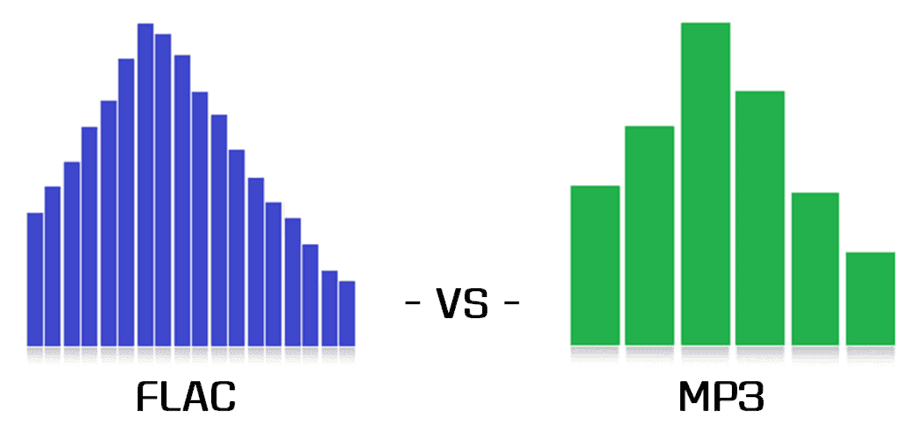
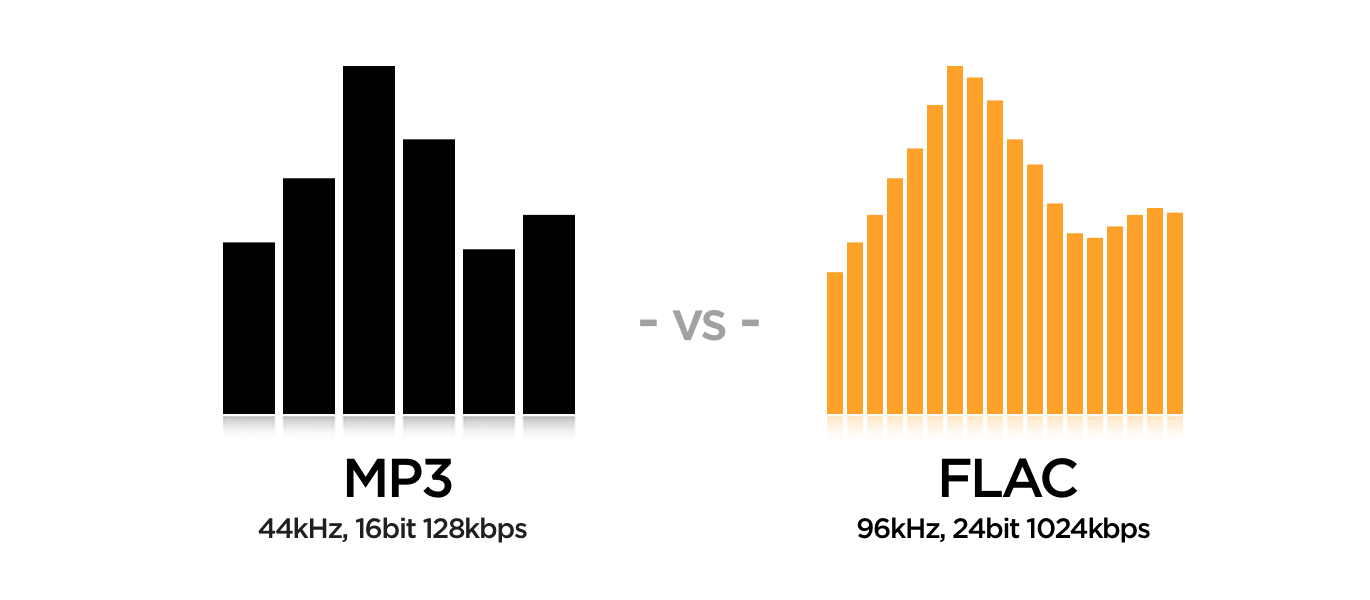
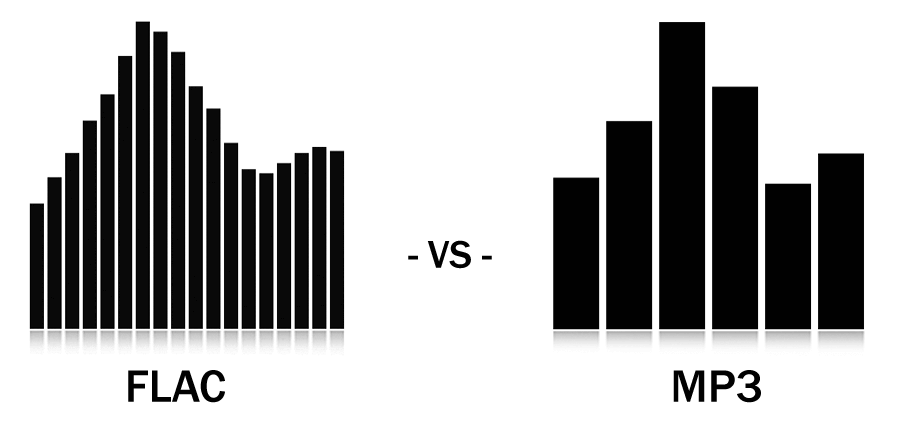
The main difference between MP3 and FLAC is the audio quality. MP3 is a compressed format that may lose some audio quality during the process, while FLAC is a lossless format that maintains all of the original quality of the recording. Also, FLAC files are larger than MP3 files, which means you need more storage space to save them.

Which is best for you?

It depends on your personal needs and preferences. If you want more music on your device and don’t mind a slight drop in audio quality, then MP3 may be the best option for you. If you are a music enthusiast and want to hear your music with maximum clarity and detail, then FLAC is the perfect choice for you.

Mp4Gain is the ideal program to normalize and convert both formats because it is the software developed exactly for that purpose for most audio and video formats.

What is the difference between MP3 and lossless sound quality?

What is the difference between MP3 and lossless sound quality?

MP3 LOSSLESS
MP3 LOSSLESS


Is it possible to distinguish Mp3 quality from CD Quality?


mp3 lossless
mp3 lossless


Although the sound quality of a CD does not reach the true hearing limit of the human ear, it is impossible for most people to tell the difference between a CD and a higher sampling rate, so everyone assumes that the CD sound quality is 44.1 kHz can be converted to lossless sound quality.

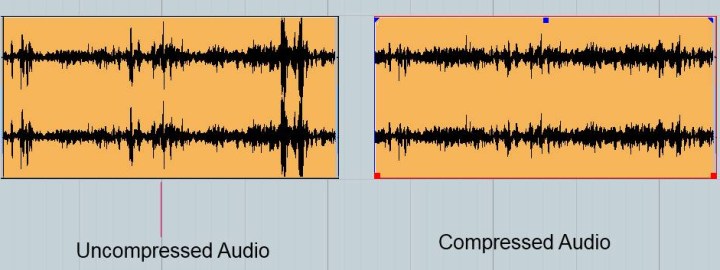
In the past, the capacity of storage media was not large. To store more music and make it easier to stream, we used to compress large CD audio files. High frequency and low volume sounds are removed to achieve the purpose of reducing file size. Similar formats include 3GP, M4A, AA3, WMA, etc.

With the development of the Internet and storage media, the size of audio files is no longer important, so lossless compression has gradually become popular. Common formats are APE, FLAC, etc., which are similar to the beginning of ZIP compressed files, compress audio files AND packed, the final file size is basically only half of the original CD file. Here it is emphasized that the WAV format we often say is a waveform record file, which uses uncompressed PCM encoding, which is also a relatively large WAV file. 44.1 kHz 16-bit WAV audio can also be considered uncompressed. Lossless sound quality.

Since different devices support different audio compression formats, we often need to transcode, and each transcode will cause some loss in audio. For example: If you convert MP3 to lossless format, you can only achieve the sound quality of the original MP3 file. This lossless can also be called false lossless. This is the case for most lossless music provided by music portals.

I have been recording for many years and have used speakers ranging from tens of thousands to millions of dollars. Why do I rarely use speakers under 10,000 yuan? Because speakers under 10,000 yuan cannot be used as monitors. I advise everyone not to charge money for listening to music on music portals for lossless sound quality. Untrained ears will not be able to hear the difference between true and false without loss. For normal ears, MP3 with a bit rate of 320 kbps is already the best.

What is the difference between MP3 and lossless sound quality?

What is the difference between MP3 and lossless sound quality?

Mp3 Lossless
Mp3 Lossless

Now, many people think that it is impossible to listen to MP3, so they search for lossless music everywhere on the Internet.

Mp3 Lossless
Mp3 Lossless

So what is the difference between lossless music and MP3? What about the various lossless music formats?

A few days ago, a friend of mine bought a Porsche sports car and then came to ask me for lossless sound quality music. I told him there was no need to play MP3s, but people weren’t happy. The sound in the car was fine. Playing MP3 is a loss of audio.

Now there are many music websites that give lossless to the myth, but do you know what lossless is? What is the difference between lossless music and ordinary MP3? Today I come to talk to you about those things that have no losses.

I remember when Apple held the Iphone4 conference, it came up with a definition: retina display. In short, it has been replaced by a high resolution screen with pixels that exceed the recognition limit of the human eye since the Iphone4. I must say that Mr. Qiao’s trick is very good, he defines a word that everyone can accept and makes Apple mobile phones sell all over the world.

However, the same concept is much older in the world of acoustics. Sound is a type of energy wave. After the experimental research of countless generations of ancestors, it is believed that 40 kHz is a value that can well restore the sound heard by the human ear. Later, for various commercial reasons, some record companies defined the sample rate of CDs at 44.1 kHz, which they considered to be the “retina display” that the ears could hear. Later, 44.1 kHz brought innumerable problems to subsequent generations, because it is not an integer and cannot be divided and multiplied simply by performing SRC sampling, so early Inter defined the output sample rate of the sound card as 48 kHz to save problem. , which creates a sample rate conversion problem that all sound engineers hate

MP3 and FLAC audio formats Part 6

MP3 and FLAC audio formats Part 6

Audio Formats

At the conclusion of this article, I cannot ignore one of the most popular questions from locals: which is better, FLAC or MP3?

Audio Format

The questioner generally wants to get a simple, unequivocal, and fair answer in all cases. However, there is no such thing and it cannot be. Below, I will give my opinion on when and why each of the discussed formats should be used.

In terms of sound quality, experience shows that with a competent approach to the MP3 compression process, the difference between MP3 and non-hearing loss formats is very small in the vast majority of situations. Only well-trained people can reliably record differences when listening to proper music on high-end equipment. Yes, there are specially selected test samples where the lossy compression artifacts are clearly visible to everyone, but ask yourself a question: are you planning to listen to these samples or is it just ordinary music? Overall, the bottom line is clear: MP3 is more than adequate as a music storage format for high-quality playback. But I will repeat once more: this thesis is true only if the audio files are prepared correctly. Unfortunately, the web is full of MP3s,

To form your own unbiased opinion on the topic under discussion, I strongly recommend that the reader personally try different formats in blind tests. This is not only educational, but also quite an exciting activity.

Now let’s see the advantages of using FLAC or other lossless formats.

Unlike the situation with MP3, where the quality of the output is highly dependent on the encoder ratings, in principle it is impossible to spoil the sound with compression in FLAC. Therefore, the question of how and how the material was coded loses its relevance (with the exception of the clinical cases of FLAC production by loss described above, but this is easily verified). When listening to lossless music, you can be sure that imperfections in the sound, if any, are not the result of someone’s crooked hands at the compression stage, but rather a property of the original phonogram that you have to accept with.
The same confidence that the registry is stored “as is”, without irreversible loss, provides some people with psychological comfort. In an area as subtle as audio, this factor can be quite significant.
The lossless material is ideal for a variety of processes: it can be compressed into any other format, edited, cut into samples without fear of getting “canned meat” at the output. For those who are serious about sound, this is important.
Isn’t all of the above about you? Then there is no point in bothering with lossless formats, feel free to use MP3 or other lossy formats.

Personally, at home, I save and listen to music mainly in FLAC, and I make MP3 myself if necessary, for example to use on portable devices.

MP3 and FLAC audio formats Part 5

MP3 and FLAC audio formats Part 5

Audio File Format

FLAC encoding and decoding

audio file format

Let’s consider file compression with the FLAC encoder, which can be downloaded here. For it to work, we need the flac.exe file. If you run it without parameters, you will get a short help on using the encoder. For detailed help, type flac –help (the information will be displayed) or flac –help> usage.txt (the information will be displayed in the uses.txt file).

WAV to FLAC encoding with default compression ratio (5):

flac infile.wav

WAV to FLAC encoding with specified compression ratio:

flac -n infile.wav where n is a number from 0 (minimum compression) to 8 (maximum compression).

FLAC to WAV decoding:

flac -d infile.flac

To ensure that FLAC compresses the data without loss, you can use any software that can compare files bit by bit, for example the built-in Windows utility fc. For the experiment, select any WAV file and perform the following transformations on it: original.wav (original file)> compressed.flac (encode file to FLAC)> decompressed.wav (decode FLAC back to WAV). Next, compare original.wav and decompressed.wav using fc in binary comparison mode:

fc / b original.wav decompressed.wav

After the verification is complete, the utility will display the message “No differences found between files”, indicating your full identity. This means that when converting to FLAC and vice versa, not a single bit was lost, which needed testing. If you do the same experiment with MP3, the result will be completely different, there will be a lot of differences between the files.

MP3 and FLAC audio formats Part 4

MP3 and FLAC audio formats Part 4

Audio File Formats

Does the encoder setting affect the sound quality when compressing in FLAC? What compression ratio should I choose?

Music File Formats

The FLAC encoder settings do not affect the sound quality at all. Only the size of the resulting files and the time spent on compression can depend on them, and even that is negligible. So most of the time I don’t bother and code in FLAC with the default settings, which I advise you to do as well. In rare cases, when you need to get files of the minimum size and have to save every byte, it makes sense to increase the compression ratio to the maximum value.

Does the cable box affect the sound quality when listening to FLAC material? What is the best way to play FLAC on your PC?

In the case of FLAC and other lossless formats, the decoder does not affect the sound quality, the original audio data is restored with bit precision during playback. Therefore, to listen to FLAC, you can use any player that supports this format and you personally like it. However, I will once again recommend foobar2000 as a time-tested all-in-one solution for playing music on Windows.

MP3 encoding and decoding with LAME
As mentioned above, in the case of MP3, the sound quality of the resulting files is directly dependent on the choice of the encoder and its settings during compression. To date, the LAME encoder provides the best results for this format. The original project site seems a bit confusing, so I’ll immediately give a link to the files. From the archive, we need the lame.exe file. We open the command line.

For a quick reference on using LAME, type lame –help (the information will be displayed) or lame –help> usage.txt (the information will be displayed in the uses.txt file). For detailed help, replace –help with –longhelp.

Let’s get straight to the compression functionality. Should bit rate and other compression settings be specified separately? No, this is completely optional, the developers did most of the work for us, making it as easy as possible to use the encoder. LAME has a set of presets (presets) that allow the user to obtain excellent results with a minimum of technical knowledge. Almost all presets use VBR (Variable Bit Rate) mode, which provides an optimal balance between sound quality and file size. The command invokes help for the lame presets –preset help. Let’s consider the most relevant presets.

The preset standard. Description of built-in help:

This preset should be “transparent” to most people in most music, with a fairly high quality.

The average bit rate when using the standard is 170-210 kbps, the HF cutoff starts at about 18.7 kHz. I recommend using this preset as the default mode, it is the most balanced in terms of combination of features.

Encode WAV to MP3 with this preset:

lame –preset standard infile.wav outfile.mp3, where infile.wav is the name of the source WAV file, outfile.mp3 is the name of the resulting MP3 file (the latter can be omitted).

Extreme preset. Description of built-in help:

If you have extremely good hearing and the same equipment, this preset will give you slightly higher-than-standard quality.

The average bit rate when extreme is used is 220-260 kbps, the high pass filter is not used. I recommend using this preset when you want to get MP3 with very high sound quality. When listening to music on an average computer, this preset, compared to the standard, generally does nothing more than increase the file size.

Encode WAV to MP3 with this preset:

lame –preset extreme infile.wav outfile.mp3

MP3 and FLAC audio formats Part 3

MP3 and FLAC audio formats Part 3

Audio File Formats

Is it possible to compress material from loss to loss, eg MP3 with lower bit rate to MP3 with higher bit rate?

audio file formats

If you want to get an improvement in the quality of such a clamp, then no, you do not need to do this: the sound will not only not improve, but will even slightly deteriorate. If your goal is to reduce file size and sound quality is not very critical, then compressing from a higher bit rate to a lower one is quite justified.

Which lossless format is the best in terms of sound quality: FLAC, Monkey’s Audio, WavPack?

As mentioned above, lossless formats compress data losslessly. This means that, in terms of sound quality, they are all absolutely identical. You should choose a lossless format to use in each specific case, focusing solely on its compatibility with the software / equipment and your personal preferences.

Does the choice of encoder and its settings affect the sound quality when compressing material to MP3?

It affects significantly. About which encoder and with what settings provides the optimal result, I will tell you below.

Does the cable box affect the sound quality when listening to MP3 material? What is the best way to play MP3 on PC?

The MP3 decoder can affect the sound quality. Some decoders (especially older ones) noticeably distort the sound when playing MP3, which can create a false impression of the inferiority of this format as such. To play music on a PC, you must use proven playback programs, preferably the latest versions. I use foobar2000, which I recommend to everyone; it has no problem with the quality of playback of MP3 and other supported formats.

Does the encoder setting affect the sound quality when compressing in FLAC? What compression ratio should I choose?

The FLAC encoder settings do not affect the sound quality at all. Only the size of the resulting files and the time spent on compression can depend on them, and even that is negligible. So most of the time I don’t bother and code in FLAC with the default settings, which I advise you to do as well. In rare cases, when you need to get files of the minimum size and have to save every byte, it makes sense to increase the compression ratio to the maximum value.

Does the cable box affect the sound quality when listening to FLAC material? What is the best way to play FLAC on your PC?

In the case of FLAC and other lossless formats, the decoder does not affect the sound quality, the original audio data is restored with bit precision during playback. Therefore, to listen to FLAC, you can use any player that supports this format and you personally like it. However, I will once again recommend foobar2000 as a time-tested all-in-one solution for playing music on Windows.