MP3 vs. AAC


Free Download Mp4Gain
picture

MP3 vs. AAC: Audio Quality Comparison
MP3 vs. AAC
MP3 vs. AAC
MP3 vs. AAC
MP3 vs. AAC

MP3 Audio Compression

MP3, or MPEG Audio Layer-3, is a widely-used audio format known for its efficient compression. It uses perceptual coding techniques to discard certain audio frequencies that are less perceptible to the human ear. This compression allows for smaller file sizes while maintaining an acceptable level of audio quality.

AAC Audio Codec

AAC, or Advanced Audio Coding, is a successor to MP3 and offers improved audio quality at similar bitrates. AAC utilizes more advanced compression algorithms, including perceptual noise shaping and temporal noise shaping, resulting in better sound reproduction and higher fidelity compared to MP3.

Differences in Audio Quality

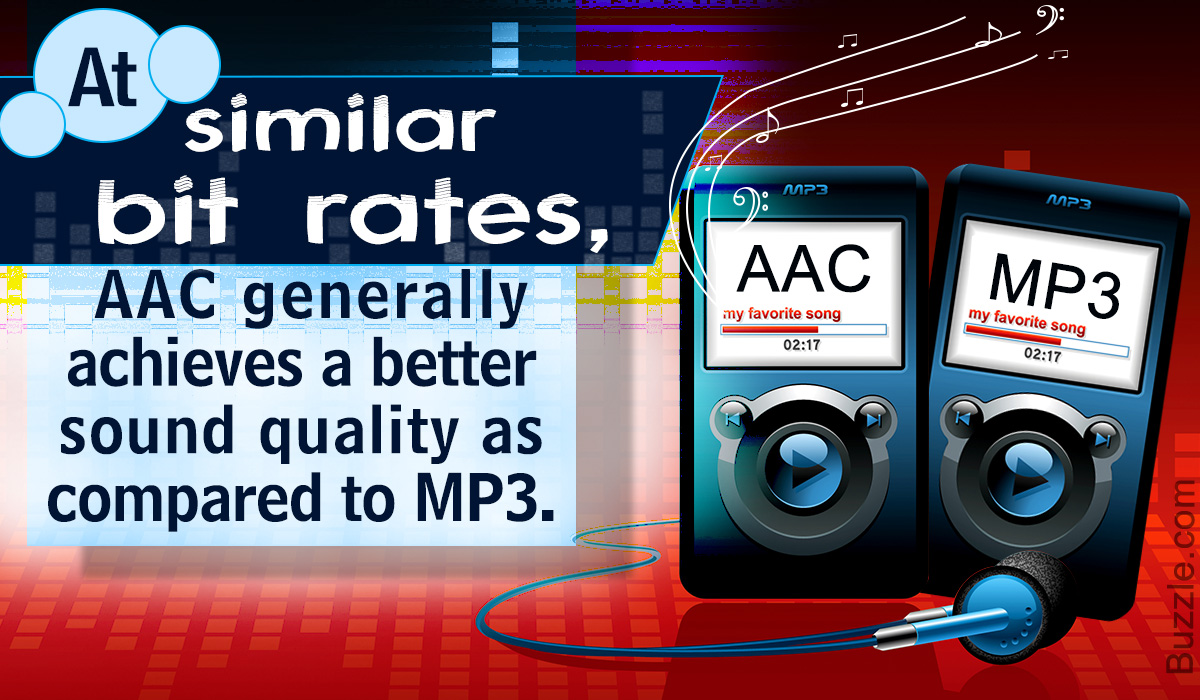
When comparing MP3 and AAC in terms of audio quality, there are several factors to consider. AAC generally provides better sound quality than MP3 at similar bitrates. This is because AAC is capable of preserving more audio details and nuances, resulting in a more accurate reproduction of the original sound.

Bitrate Efficiency

One advantage of MP3 over AAC is its superior bitrate efficiency. MP3 achieves good audio quality while keeping file sizes relatively small. This makes it suitable for applications with limited storage or low bandwidth, such as online music streaming or portable audio players.

Transparent Compression

AAC is often considered a “transparent” audio codec, meaning it can achieve audio quality indistinguishable from the original source, even at lower bitrates. This makes AAC a preferred choice for high-quality audio applications, such as digital music distribution and professional audio production.

Compatibility and Support

MP3 enjoys broad compatibility across various devices and platforms due to its widespread adoption. It is supported by virtually all audio players, software, and hardware devices. AAC, on the other hand, may require specific codecs or software support, although it has gained significant popularity and compatibility in recent years.

Application Considerations

Choosing between MP3 and AAC depends on the specific application and user preferences. If file size and compatibility are the primary concerns, MP3 may be the preferred choice. However, for applications where audio quality is paramount, such as music production or high-fidelity audio playback, AAC offers a superior option.

Transcoding and Conversion

Transcoding or converting audio files from one format to another may result in some loss of audio quality. If transcoding from MP3 to AAC, the original MP3 compression artifacts may be retained or exacerbated. It is generally recommended to use the highest-quality source file available to maintain audio fidelity.

Subjective Listening Tests

Subjective listening tests involving trained listeners have consistently shown that AAC often provides better audio quality compared to MP3 at similar bitrates. However, individual preferences can vary, and some listeners may not perceive significant differences between the two formats in certain scenarios.

Choosing the Right Format

Ultimately, the choice between MP3 and AAC depends on factors such as the intended use, available storage or bandwidth, desired audio quality, and compatibility requirements. Evaluating these factors and conducting listening tests can help determine the most suitable audio format for a specific application or use case.

Optimizing Audio Quality

To optimize audio quality, it is important to consider not only the choice of audio format but also factors such as the source recording quality, mastering techniques, and the playback equipment used. Additionally, using higher bitrates


Free Download Mp4Gain
picture


Mp4Gain Main Window
picture


Mp4Gain Features
picture


Free Download Mp4Gain
picture

MP3 or WAV: who offers more advantages

MP3 or WAV: who offers more advantages

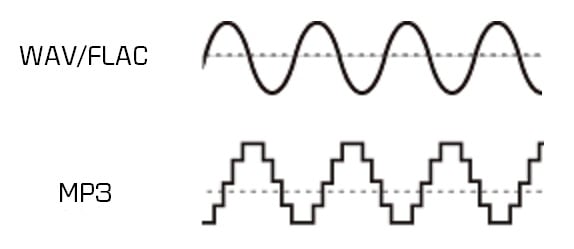
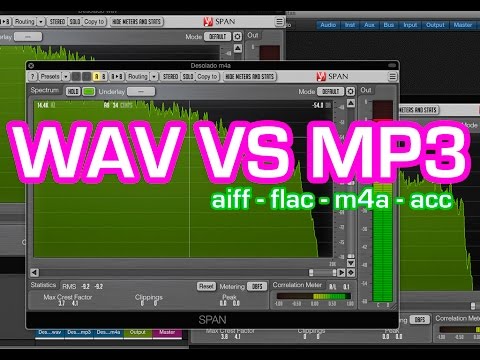
MP3 and WAV are two of the most popular audio formats in the world. Even if for many the only difference lies in the size of the files, there is much more that distinguishes these two formats. For example, there are differences in the display accuracy of many spectral components and many other things that are explained in more detail below. Then you will know exactly where the differences are between WAV and MP3 and what is the optimal application area for the respective format.

WAV vs. MP3

Everyone has to find out for themselves which format offers them the most advantages and which special application area is really important to them. For example, if you only listen to music on your cell phone or in the car, MP3 may be what you need as it takes up little space and is therefore particularly practical. If you work with music a lot, and especially create music yourself, WAV may be more suitable for you, as it brings some additional aspects to processing.

Mp3 vs Wav

The differences between the two formats:

-An MP3 file reaches the quality of a normal CD at about 128 kbit / s. However, with a WAV file, around 1400 kbit / s are required.
-In theory, WAV can have up to 65535 channels of audio, while an MP3 surround can only have six.
-WAV files are usually uncompressed PCM files.
-MP3, on the other hand, is a codec. Therefore, it is the result of compression, which, however, does not normally lead to a noticeable loss of quality.

A WAV file is suitable here:

When producing music. WAV should always be the first choice here, because with WAV files you can make any specific frequency range higher. In the case of MP3 files, on the other hand, it may happen that the desired frequency range is encoded precisely and therefore no longer reflects the natural dynamics of the original signal. This quickly creates noise that does not exist with WAV files.
Also, WAV is much more flexible as you can save the files with a variety of channels. For example, an optimal 7.1 music performance can only be created thanks to WAV.
You should also always prefer WAV for analytical measurements, as MP3 can produce noises that were only created later by the encoder.
If you are bothered by the “large” storage space that is lost due to WAV files, you can convert these files even further. In the FLAC format, WAV files are also reduced by up to 60%.

For this, you should prefer MP3:

With no audible loss of quality, MP3 files can be extremely compressed without most people hearing them. You can save up to 90% storage space without having to accept a noticeable loss of quality! You can also save huge music collections on your mobile devices without any hassle.
In addition, MP3 is now so widespread that there is practically no device that does not support this format. All DVD and BluRay players, smartphones, consoles or car radios should be able to play your MP3 files without any problem. So you never have to worry about whether you can play your favorite songs with it before buying a new device.
If any of the formats particularly convince you, you can convert your files very easily and, above all, free to the format you want. If, for example, the facts you just read inspire you for the MP3 format, you can convert your WAV files to MP3 quickly and easily. There are numerous free and understandable programs for this, with which you can convert as a loan in a few minutes.