What is an .MP3 file?


Free Download Mp4Gain
picture

What is an .MP3 file?

mp3 file
mp3 file

File extension: .mp3

mp3 file
mp3 file

Format Type: Lossy Compressed

Uncompressed audio formats such as WAV and AIFF offer great sound quality at the cost of large file sizes. With the rise of Internet file sharing in the mid-1990s, people quickly realized that sending uncompressed files over a dial-up connection was impractical and often impossible. Thus, MP3 (MPEG-2 Audio Layer III encoding) was born.

A three-minute song would take about 30MB to output in WAV or AIFF format, while converting to MP3 would take a tenth of the space, about 3MB. Thanks to efficient compression algorithms, MP3 has become a staple of the Internet age and has remained strong.

PS: Previously, everyone called all music players “MP3”. For example, when they met, they said, “Did you buy an MP3?”


Like images, smaller audio files lose clarity and detail.

However, small files sacrifice sound quality. Take the image above. On the left, you can vividly see every little wrinkle and color. However, the highly compressed image (on the right) becomes very pixelated and loses all sharpness and detail (but still makes sense). The same thing happens when compressing audio files.

Different compression formats use different methods to re-encode data in a space-efficient way. However, this space-saving method means that some data must be lost in the process. High frequencies are usually the first to be lost because most people’s ears cannot hear details in the high frequencies. The lower the encoding quality, the more frequencies and details will be lost in the audio.

That said, modern compression algorithms allow for higher bit rates, which in turn means they can achieve high compression rates with very little loss in audio quality. Bitrate indicates the amount of data transferred per second of audio content, and a general rule of thumb is: smallest bitrate = smallest file size. So if you want to maintain good quality, but still take advantage of the fact that MP3s are easy to share, you should keep your bitrate above 128 Kbps (kilobits per second).


What is an M4A/MP4 file?
File extensions: .m4a, .mp4

Format Type: Lossy Compressed

M4A (MPEG-4 Part 14) files are Apple’s answer to MP3. Often considered the successor to MP3, this Mac-focused compressed audio format has gained popularity with the birth of the iTunes Store. In the iTunes Store, M4A became the main format for music purchases through the online music store. It remains the format of choice for all audio included in apps published in the Mac and iOS app stores, as well as in Nintendo and PlayStation products.

M4A files are encoded using the lossy Advanced Audio Coding (AAC) codec, which is capable of delivering the same bitrate as MP3, but with better compression. This reduces file size while providing higher audio quality.

Although many audio players can play M4A files on various platforms, the compatibility is still not as good as MP3, so MP3 is still the most viewed.


Free Download Mp4Gain
picture


Mp4Gain Main Window
picture


Mp4Gain Features
picture


Free Download Mp4Gain
picture

How does an mp3 work?

How does an mp3 work?

Mp3 Compression
Mp3 Compression

Why is an mp3 more compact?

Mp3 Compression
Mp3 Compression

The format known as mp3 was created with the intention of being able to contain the audio that a WAV contained, for example, but occupying much less space.

That is, it is not an audio container variant made for other purposes. It was specifically designed, created and thought to be able to compress an audio that to human ears would sound the same as the original WAV but that by various means would occupy much less space.

Obviously the first tool is zip compression and redundancy compression.

For example, if a piece to be compressed was the following:

00000111110000011111

The mathematical way to compress it (seen from a simplified point of view) would be:

0(5)1(5)0(5)1(5)

That is, five zeros, followed by 6 zeros, followed by 4 zeros and ending with 6 zeros.

It is much easier to decipher it that way and it occupies much less space uew using the zeros and ones.

That is the basic way to save space: looking for a way to express the same thing, but using much fewer signs or elements.

Imagine that the first three seconds are silent:

000000000000000000000000 and so on for 200 zeros. It is easier to write in some way that at the beginning there will be 324 zero numbers.

Later, and we will see this later, the mp3 uses the well-known way in which the human ear captures sound, to decide which elements can be eliminated (for example, frequencies that the human ear cannot distinguish) and thus save more space.

MP3 or WAV: who offers more advantages

MP3 or WAV: who offers more advantages

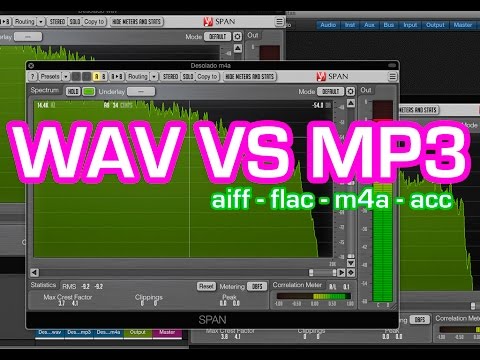
MP3 and WAV are two of the most popular audio formats in the world. Even if for many the only difference lies in the size of the files, there is much more that distinguishes these two formats. For example, there are differences in the display accuracy of many spectral components and many other things that are explained in more detail below. Then you will know exactly where the differences are between WAV and MP3 and what is the optimal application area for the respective format.

WAV vs. MP3

Everyone has to find out for themselves which format offers them the most advantages and which special application area is really important to them. For example, if you only listen to music on your cell phone or in the car, MP3 may be what you need as it takes up little space and is therefore particularly practical. If you work with music a lot, and especially create music yourself, WAV may be more suitable for you, as it brings some additional aspects to processing.

Mp3 vs Wav

The differences between the two formats:

-An MP3 file reaches the quality of a normal CD at about 128 kbit / s. However, with a WAV file, around 1400 kbit / s are required.
-In theory, WAV can have up to 65535 channels of audio, while an MP3 surround can only have six.
-WAV files are usually uncompressed PCM files.
-MP3, on the other hand, is a codec. Therefore, it is the result of compression, which, however, does not normally lead to a noticeable loss of quality.

A WAV file is suitable here:

When producing music. WAV should always be the first choice here, because with WAV files you can make any specific frequency range higher. In the case of MP3 files, on the other hand, it may happen that the desired frequency range is encoded precisely and therefore no longer reflects the natural dynamics of the original signal. This quickly creates noise that does not exist with WAV files.
Also, WAV is much more flexible as you can save the files with a variety of channels. For example, an optimal 7.1 music performance can only be created thanks to WAV.
You should also always prefer WAV for analytical measurements, as MP3 can produce noises that were only created later by the encoder.
If you are bothered by the “large” storage space that is lost due to WAV files, you can convert these files even further. In the FLAC format, WAV files are also reduced by up to 60%.

For this, you should prefer MP3:

With no audible loss of quality, MP3 files can be extremely compressed without most people hearing them. You can save up to 90% storage space without having to accept a noticeable loss of quality! You can also save huge music collections on your mobile devices without any hassle.
In addition, MP3 is now so widespread that there is practically no device that does not support this format. All DVD and BluRay players, smartphones, consoles or car radios should be able to play your MP3 files without any problem. So you never have to worry about whether you can play your favorite songs with it before buying a new device.
If any of the formats particularly convince you, you can convert your files very easily and, above all, free to the format you want. If, for example, the facts you just read inspire you for the MP3 format, you can convert your WAV files to MP3 quickly and easily. There are numerous free and understandable programs for this, with which you can convert as a loan in a few minutes.