Mp3 from mp4


Free Download Mp4Gain
picture

Mp3 from mp4

Mp3 from mp4
Mp3 from mp4

Extract an mp3 from an mp4
Mp3 from mp4
Mp3 from mp4

Today it is relatively easy to find almost any song in its original version, with good audio quality on sites like YouTube.

But we know they are in mp4 format if we manage to get this video.
How to convert it into an mp3?
How to extract an mp3 from an mp4?

Mp4Gain is a volume normalizer that has many other functions, among them is a converter that can -among other things- convert a video format of a popular format to an audio music file in another popular format.

Mp4 to mp3, avi to mp3, mp4 to flac, etc.

And all this will generate an audio format that also has a normalized volume level and high audio quality, remember that you can choose a bitrate that has high quality.

Mp4 volume booster

You can do Mp4 volume booster and also make volume booster for the most common audio and video formats, using the most modern and updated algorithm using Mp4Gain.

Video volume increaser

If you need to make video volume increaser in any video or audio format or even extract the audio from a video and convert it to an audio file, use Mp4Gain. It is by far the best option.
So you can convert it to an mp3 or other popular audio format.

So recapitulating we will see that what you need is to get a video for example an mp4 or any other popular video format to be able to extract the audio track and convert them into an MP3 file or some other popular audio format and also at the same time achieve It is up to you that the audio is normalized so that the volume is optimized to sound at its best.

Mp4Gain is the necessary tool for this.


Free Download Mp4Gain
picture


Mp4Gain Main Window
picture


Mp4Gain Features
picture


Free Download Mp4Gain
picture

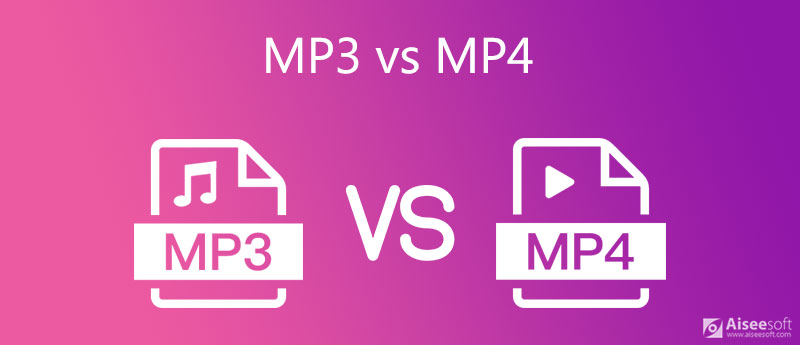
MP3 vs. MP4 | Difference between MP3 and MP4

MP3 vs. MP4 | Difference between MP3 and MP4

MP3 vs. MP4
MP3 vs. MP4

MP3 vs. MP4

MP3 vs. MP4
MP3 vs. MP4

MP3 vs. MP4 | What is the MP4 file format?
As mentioned earlier in this MP3 vs MP4 review, MP3 is an audio file format and MP4 can store both audio and video. Also, even some other data like subtitles can be stored in MP4 files.

It just means that if you see a filename with an .mp4 extension, you won’t know if it’s audio or video without playing it. And just as MP3 is short for MPEG-1 Audio Layer 3, MP4 is also short for MPEG-4 Part 14.

MP4 is a container, so it’s up to you to decide which audio codec to use for your audio data. Typically, the Advanced Audio Coding (AAC) codec is used. AAC is the latest compression technology.

Also, for MP4 files, ALAC can also be selected. ALAC can keep all the data on a vinyl record or CD, but still compress the original size to a smaller size. If you need to archive music, this is a good option for you.

Difference between MP3 and MP4
Now that you have a basic understanding of exactly what MP3 and MP4 are, you will have no trouble understanding the difference between the two. Below I have listed the most important and important differences for you to quickly understand:

MP3 is an audio file format. This means that it cannot handle video files. MP4, on the other hand, can handle audio, video, and even subtitles.
MP3 is both a codec and a file format. And on the other hand, MP4 is a container.
Compared to MP3, MP4 better preserves the nuances and details of the music in the file.
MP3 is a short form of MPEG-1 Audio Layer 3. MP4, on the other hand, is a short form of MPEG-4 Part 14.
The options for ALAC are for MP4, but not for MP3.
Not all music players support MP4. However, on the other hand, almost all types of music players available today can easily support the MP3 format.
MP3 came out in 1994 and MP4 was released in 2003.
MP4 files take up more space than MP3 files.
ISO developed the MP4 format. Also, MP3 was developed by Fraunhofer, IRT, and some engineers at Society & Phillips.
MP3 files have the extension .mp3. MP4 files can come with various types of file extensions.
If you compress MP3 files, you will lose quality. On the other hand, in the case of compressing MP4 audio files, lossless compression occurs.
Which is better: MP3 or MP4?

In this review of MP3 vs. MP4, MP4/AAC far outperforms similarly sized MP3s in terms of quality. That’s because AAC is the latest compression technology (as mentioned above). Also, audio or music files archived in MP4 using ALAC is much better than MP3.

The reason is that ALAC can preserve all the details of a vinyl record or CD (as described above) while reducing the original size of the data. Also, said MP4 can be converted to MP3 anytime you need. But in the case of MP3, it is never possible to convert it back to MP4.

Also, if you want to know how to convert h264 to mp4, this guide is just for you.

MP3 vs. MP4 | Difference between MP3 and MP4

MP3 vs. MP4 | Difference between MP3 and MP4

MP3 vs. MP4
MP3 vs. MP4

MP3 vs. MP4

MP3 vs. MP4
MP3 vs. MP4

Anyone who likes to listen to music knows the MP3 file format very well. This is a format that is over 4 years old and has now been superseded by MP4.

However, the numbers in the format name (3 and 4) are simply different, which may indicate that MP4 is the next generation of MP3. Yes, that’s true, but actually, that’s not the only difference.

Currently, MP3 and MP4 formats are available. So what is the difference between MP3 and MP4? Which is better and which should I use?

In this article, I have explained the topic of MP3 vs MP4 in detail. So keep reading until the end.

Before moving on to understand the difference between MP3 and MP4, it is recommended to first understand what exactly MP3 and MP4 mean. Once you understand their difference, it will be easy to understand the difference between them as well.

MP3 vs. MP4 | Difference between MP3 and MP4
MP3 vs. MP4
Anyone who likes to listen to music knows the MP3 file format very well. This is a format that is over 4 years old and has now been superseded by MP4.

However, the numbers in the format name (3 and 4) are simply different, which may indicate that MP4 is the next generation of MP3. Yes, that’s true, but actually, that’s not the only difference.

Currently, MP3 and MP4 formats are available. So what is the difference between MP3 and MP4? Which is better and which should I use?

In this article, I have explained the topic of MP3 vs MP4 in detail. So keep reading until the end.

Before moving on to understand the difference between MP3 and MP4, it is recommended to first understand what exactly MP3 and MP4 mean. Once you understand their difference, it will be easy to understand the difference between them as well.

MP3 sample rate and bit rate

When creating MP3 files from CDs or vinyl records, two main parameters need to be determined. The two parameters are the sample rate and the bit rate. Also, these parameters will determine the file size and quality of the MP3 that will be created.

For the sample rate, a value of 44.1 kHz is generally used. But the bit rate can take values ​​in the range of 8 kbps to 320 kbps. 320 kbps will create the lowest quality file. On the other hand, 320 kbps will create the highest quality. At 3 kbps, the quality will be so high that you won’t notice the difference between the created MP3 and the original CD.

Also, the higher the bitrate, the larger the file size. So if you don’t want very large files, it’s best not to use too high a bitrate. But also keep quality in mind, 128 kbps is the minimum recommended bitrate.

This is because, below 128 kbps, anyone can easily notice a deterioration in sound quality. Therefore, you must use a bit rate of at least 128 kbps or even higher.

What is an .MP3 file?

What is an .MP3 file?

mp3 file
mp3 file

File extension: .mp3

mp3 file
mp3 file

Format Type: Lossy Compressed

Uncompressed audio formats such as WAV and AIFF offer great sound quality at the cost of large file sizes. With the rise of Internet file sharing in the mid-1990s, people quickly realized that sending uncompressed files over a dial-up connection was impractical and often impossible. Thus, MP3 (MPEG-2 Audio Layer III encoding) was born.

A three-minute song would take about 30MB to output in WAV or AIFF format, while converting to MP3 would take a tenth of the space, about 3MB. Thanks to efficient compression algorithms, MP3 has become a staple of the Internet age and has remained strong.

PS: Previously, everyone called all music players “MP3”. For example, when they met, they said, “Did you buy an MP3?”


Like images, smaller audio files lose clarity and detail.

However, small files sacrifice sound quality. Take the image above. On the left, you can vividly see every little wrinkle and color. However, the highly compressed image (on the right) becomes very pixelated and loses all sharpness and detail (but still makes sense). The same thing happens when compressing audio files.

Different compression formats use different methods to re-encode data in a space-efficient way. However, this space-saving method means that some data must be lost in the process. High frequencies are usually the first to be lost because most people’s ears cannot hear details in the high frequencies. The lower the encoding quality, the more frequencies and details will be lost in the audio.

That said, modern compression algorithms allow for higher bit rates, which in turn means they can achieve high compression rates with very little loss in audio quality. Bitrate indicates the amount of data transferred per second of audio content, and a general rule of thumb is: smallest bitrate = smallest file size. So if you want to maintain good quality, but still take advantage of the fact that MP3s are easy to share, you should keep your bitrate above 128 Kbps (kilobits per second).


What is an M4A/MP4 file?
File extensions: .m4a, .mp4

Format Type: Lossy Compressed

M4A (MPEG-4 Part 14) files are Apple’s answer to MP3. Often considered the successor to MP3, this Mac-focused compressed audio format has gained popularity with the birth of the iTunes Store. In the iTunes Store, M4A became the main format for music purchases through the online music store. It remains the format of choice for all audio included in apps published in the Mac and iOS app stores, as well as in Nintendo and PlayStation products.

M4A files are encoded using the lossy Advanced Audio Coding (AAC) codec, which is capable of delivering the same bitrate as MP3, but with better compression. This reduces file size while providing higher audio quality.

Although many audio players can play M4A files on various platforms, the compatibility is still not as good as MP3, so MP3 is still the most viewed.

How does an mp3 work?

How does an mp3 work?

Mp3 Compression
Mp3 Compression

Why is an mp3 more compact?

Mp3 Compression
Mp3 Compression

The format known as mp3 was created with the intention of being able to contain the audio that a WAV contained, for example, but occupying much less space.

That is, it is not an audio container variant made for other purposes. It was specifically designed, created and thought to be able to compress an audio that to human ears would sound the same as the original WAV but that by various means would occupy much less space.

Obviously the first tool is zip compression and redundancy compression.

For example, if a piece to be compressed was the following:

00000111110000011111

The mathematical way to compress it (seen from a simplified point of view) would be:

0(5)1(5)0(5)1(5)

That is, five zeros, followed by 6 zeros, followed by 4 zeros and ending with 6 zeros.

It is much easier to decipher it that way and it occupies much less space uew using the zeros and ones.

That is the basic way to save space: looking for a way to express the same thing, but using much fewer signs or elements.

Imagine that the first three seconds are silent:

000000000000000000000000 and so on for 200 zeros. It is easier to write in some way that at the beginning there will be 324 zero numbers.

Later, and we will see this later, the mp3 uses the well-known way in which the human ear captures sound, to decide which elements can be eliminated (for example, frequencies that the human ear cannot distinguish) and thus save more space.

What is the difference between MP3 and MP4?

What is the difference between MP3 and MP4?

MP3 vs. MP4

MP4 files are just a newer and better version of MP3 files, right? The answer is no. This ambiguous difference may give the impression that they are the same thing, but nothing could be further from the truth. Each has its own uses, history, and benefits, so let me repeat: MP3 and MP4 are not two versions of the same thing. In this article, I’ll explain some of the key differences that everyone should know about.

MP3 vs MP4

When you have finished reading, you will know exactly which file type is right for your needs. MPEG Overview But before delving into the differences, it is important to understand where these two types of files come from. Mp3 is short for MPEG-1 Audio Layer 3. It was one of two formats that were considered for the MPEG audio standard in the early 1990s. Philips, the French research institute CCETT, and the German Institute of Technology for Broadcasting have supported the format because of its simplicity, minimal error, and computational efficiency.

The decision was made in 1991 and the MP3 files were made available to the public in 1993. MP4 stands for MPEG-4 Part 14. This technology is based on Apple’s QuickTime MOV format, but adds support for various other MPEG functions. . The file type was first released in 2001, but it is a 2003 reissue and is now commonly used when viewing MP4 files. Audio and digital media only

The most fundamental difference between MP3 and MP4 is the type of data they store. MP3 files can only be used for audio, while MP4 files can store audio, video, still images, subtitles, and text. Technically speaking, MP3 is an “audio encoding” format and MP4 is a “digital media container.” MP3: King of Audio Because they are so good at storing audio, MP3 files have become the de facto standard for audio formats for music software, digital audio players, and music streaming sites. Regardless of the operating system or device you have, you can be sure that MP3s will work right out of the box without any problems. The main reason they are so popular is the way the file type works. MP3 files use lossy compression, which greatly reduces the size of the audio file with little effect on its quality.

The process works by removing all the data that is beyond the average person’s hearing and then compressing the rest as much as possible. MP3 also allows users to balance sound quality and file size. If you are an audiophile, you can go for larger files with higher bit rates and better sound quality. On the other hand, if you want to compress as much music as possible on your portable device, you can reduce the file size and sound quality accordingly. Also, MP3s will always be smaller than equivalent MP4 files.

If your audio player or smartphone is getting crowded, you can convert any audio saved as MP4 format to MP3. Be aware that the sound quality may decrease in the process. MP4: more use, more flexibility MP4 files are “containers”: instead of storing the code of the file, they store data. So MP4 files don’t have their own way of handling file encoding. They are based on specific codecs to determine how encoding and compression will be handled. There are currently hundreds of codecs, but not many work with MP4. For the device to be able to read and play the MP4 file, it must have the same codec. Most supported codecs: Video: MPEG-4 Part 10 (H.264) and MPEG-4 Part 2. Audio: AAC, ALS, SLS, TTSI, MP3 and Subtitles: MPEG-4 Timed Text. These codecs give MP4 much more flexibility than MP3. For example, M4A files (which are MP4 files that only contain audio) can handle both Advanced Audio Coding (AAC) and Apple Lossless Audio Coding (ALAC). The choice of quality is up to the user. Either way, the file will appear as an MP4 file, but the data in the file will vary significantly. Besides audio, MP4 files can also contain video, images, and text. You will often see multiple file extensions indicating the type of data in the container. Some of the most common are: MP4 is an official extension. M4A: unprotected audio. M4 P: encrypted audio recording (digital rights management) M4B: audiobooks and podcasts. M4V: MPEG-4 visual bitstreams.