Mp3 to wav: Mp3 to wav converter


Free Download Mp4Gain
picture

Mp3 to wav: Mp3 to wav converter
MP3 to WAV converter

An mp3 file is a file that has been encoded to save a lot of disk space, as it can make the mp3 take up about a tenth of what the original file did.

Mp3 to wav converter is a need that exists without a doubt, many people look for a way to convert mp3 files to wav format.
Mp3 to Wav converter

Today that the size of an audio file is no longer as important as it was before, but today quality is the priority for many users, it is possible to use a tool like Mp4Gain to convert an mp3 to wav and give it a realize, not only normalizing the volume, but correcting the equalization, etc.

Furthermore, we would say that only Mp4Gain can convert mp3 to wav, and among many other audio and video formats. The main audio formats can be converted to each other (FLAC, OGG, AAC, A4C, WAV, etc.) and they can even be extracted from the most important video formats.

MP3 TO WAV CONVERTER

A converter must contribute, and Mp4Gain does, with a number of features that it offers in addition to the conversion. From normalization, to modifying the tempo or pitch, etc.

Why WAV?

As we said before, today size is already a priority as it was 20 years ago. Today it is no longer necessary to reduce audio files to the maximum, at least not for all users.
The WAV format has a whole series of advantages and there are those who want to enjoy their music or audio in that format.

One of many advantages is that many devices will natively play the WAV format and have a lot of sound quality. If by the way, when converting it, you take advantage of the fact that it is possible to normalize the volume level using Mp4Gain, then you already have an additional advantage.

Especially when the normalization that today can be done with the Mp4Gain, if the user wishes, is a dynamic normalization of the volume, which goes further and achieves fantastic results.

Definitely if you are wanting to convert mp3 to WAV, it is most possible that Mp4Gain is the ideal option to achieve the best results.


Free Download Mp4Gain
picture


Mp4Gain Main Window
picture


Mp4Gain Features
picture


Free Download Mp4Gain
picture

MP3 or WAV: who offers more advantages

MP3 or WAV: who offers more advantages

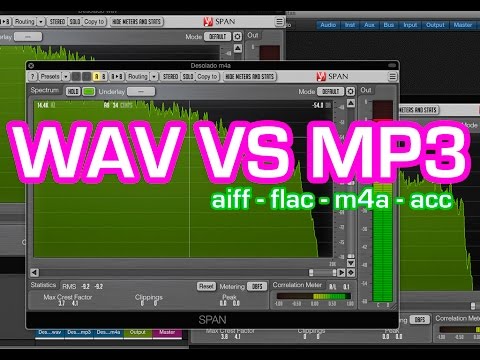
MP3 and WAV are two of the most popular audio formats in the world. Even if for many the only difference lies in the size of the files, there is much more that distinguishes these two formats. For example, there are differences in the display accuracy of many spectral components and many other things that are explained in more detail below. Then you will know exactly where the differences are between WAV and MP3 and what is the optimal application area for the respective format.

WAV vs. MP3

Everyone has to find out for themselves which format offers them the most advantages and which special application area is really important to them. For example, if you only listen to music on your cell phone or in the car, MP3 may be what you need as it takes up little space and is therefore particularly practical. If you work with music a lot, and especially create music yourself, WAV may be more suitable for you, as it brings some additional aspects to processing.

Mp3 vs Wav

The differences between the two formats:

-An MP3 file reaches the quality of a normal CD at about 128 kbit / s. However, with a WAV file, around 1400 kbit / s are required.
-In theory, WAV can have up to 65535 channels of audio, while an MP3 surround can only have six.
-WAV files are usually uncompressed PCM files.
-MP3, on the other hand, is a codec. Therefore, it is the result of compression, which, however, does not normally lead to a noticeable loss of quality.

A WAV file is suitable here:

When producing music. WAV should always be the first choice here, because with WAV files you can make any specific frequency range higher. In the case of MP3 files, on the other hand, it may happen that the desired frequency range is encoded precisely and therefore no longer reflects the natural dynamics of the original signal. This quickly creates noise that does not exist with WAV files.
Also, WAV is much more flexible as you can save the files with a variety of channels. For example, an optimal 7.1 music performance can only be created thanks to WAV.
You should also always prefer WAV for analytical measurements, as MP3 can produce noises that were only created later by the encoder.
If you are bothered by the “large” storage space that is lost due to WAV files, you can convert these files even further. In the FLAC format, WAV files are also reduced by up to 60%.

For this, you should prefer MP3:

With no audible loss of quality, MP3 files can be extremely compressed without most people hearing them. You can save up to 90% storage space without having to accept a noticeable loss of quality! You can also save huge music collections on your mobile devices without any hassle.
In addition, MP3 is now so widespread that there is practically no device that does not support this format. All DVD and BluRay players, smartphones, consoles or car radios should be able to play your MP3 files without any problem. So you never have to worry about whether you can play your favorite songs with it before buying a new device.
If any of the formats particularly convince you, you can convert your files very easily and, above all, free to the format you want. If, for example, the facts you just read inspire you for the MP3 format, you can convert your WAV files to MP3 quickly and easily. There are numerous free and understandable programs for this, with which you can convert as a loan in a few minutes.