
AAC vs MP3 Quality at Low Bitrates
Let’s talk about AAC vs MP3 quality at low bitrates
When choosing between AAC and MP3 for low-bitrate audio, the stakes are high for sound quality. Both formats are ubiquitous, but their performance diverges significantly at lower bitrates. In my experience, AAC consistently outshines MP3 when every kilobit counts, providing clearer audio and a more natural listening experience.
Understanding AAC and MP3 technologies
AAC, or Advanced Audio Codec, is a more modern compression format designed to overcome MP3’s limitations. Its advanced algorithms allow it to handle audio nuances more effectively. By contrast, MP3, while revolutionary in its time, uses older methods that struggle to maintain quality as the bitrate drops.
Why low-bitrate quality matters
Low-bitrate audio is essential in scenarios where bandwidth or storage is limited. Whether streaming on a slow connection or saving space on a device, the right format ensures you don’t sacrifice sound quality. I’ve often found that AAC keeps instruments and voices distinct, even at just 64 kbps, whereas MP3 can sound muddy.
How AAC improves audio at low bitrates
AAC’s edge lies in its efficient compression techniques. It leverages perceptual audio coding and finer frequency analysis to maintain clarity. For example:
- Better handling of complex sounds like overlapping instruments
- Preservation of spatial audio cues for immersive listening
- Enhanced vocal clarity in podcasts or songs
These features make AAC a favorite for low-bitrate streaming services and mobile apps.
Real-world examples of AAC vs MP3 performance
Imagine listening to an audiobook at 48 kbps. With MP3, you might hear sibilance distortions or a robotic tone in the narrator’s voice. AAC, on the other hand, retains natural speech patterns, making the experience less fatiguing. Similarly, in bass-heavy music tracks, AAC prevents the “booming” effect that MP3 often introduces.
File size comparison between AAC and MP3
AAC offers better quality in smaller files. A 96 kbps AAC file can sound comparable to or better than a 128 kbps MP3. This efficiency means you can store more songs or enjoy uninterrupted streaming without buffering.
Compatibility of AAC and MP3 formats
MP3 has wider device compatibility due to its age. However, AAC is now supported by most modern devices, from smartphones to gaming consoles. I’ve rarely encountered issues playing AAC files, especially since popular platforms like iTunes and Spotify favor the format.
Environmental impact of AAC and MP3
Using AAC for low-bitrate streaming can reduce data usage, which translates to lower energy consumption for servers and devices. While it might seem minor, this efficiency matters in a world where millions of users stream daily.
Challenges of switching to AAC
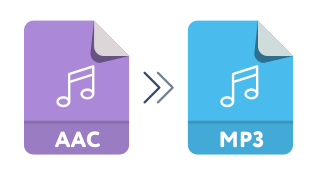
One challenge is converting existing MP3 libraries to AAC without losing quality. Recompression can degrade audio further, so original files are crucial. Still, the benefits of AAC for future audio storage and streaming outweigh the initial inconvenienc
AAC vs MP3 Quality at Low Bitrates – FAQ
What is the main difference between AAC and MP3 at low bitrates?
The main difference is that AAC provides better audio quality at lower bitrates compared to MP3. This is due to its more advanced compression algorithms that preserve clarity and reduce distortion in complex audio elements like vocals and instruments.
Why is AAC better for streaming at low bitrates?
AAC is better for streaming at low bitrates because it delivers higher quality audio in smaller file sizes. This makes it ideal for scenarios where bandwidth is limited, ensuring smoother streaming and less buffering without compromising sound quality.
Can all devices play AAC files?
Most modern devices support AAC, including smartphones, tablets, gaming consoles, and streaming platforms. However, some older devices might not natively support AAC, requiring conversion or additional software.
How does AAC achieve better sound quality at lower bitrates?
AAC uses advanced techniques like perceptual audio coding and better frequency resolution. These features allow AAC to retain more details in the audio, such as spatial cues and natural tones, even at lower bitrates.
Is it worth converting MP3 files to AAC?
It’s not recommended to convert MP3 files to AAC because recompression can degrade the audio quality further. Instead, start with the original source file when creating AAC versions for the best results.
Which bitrate should I use for AAC to outperform MP3?
AAC at 96 kbps often provides comparable or better quality than MP3 at 128 kbps. For streaming or storage efficiency, this makes AAC the superior choice at equivalent or lower bitrates.
Why does AAC sound clearer than MP3 at low bitrates?
AAC maintains clarity better than MP3 by optimizing how it compresses audio data. It reduces distortions like sibilance and improves the handling of overlapping sounds, which MP3 struggles with at lower bitrates.
Is AAC more efficient for portable devices?
Yes, AAC is more efficient for portable devices because it delivers higher quality in smaller file sizes. This helps save storage space and prolongs battery life during playback or streaming.
Does AAC require more processing power than MP3?
AAC typically requires slightly more processing power due to its advanced compression algorithms. However, most modern devices handle this efficiently, so the difference is negligible in everyday use.
What’s the best format for audiobooks at low bitrates?
AAC is the best format for audiobooks at low bitrates because it preserves vocal clarity and natural speech patterns better than MP3. This results in a more enjoyable and less fatiguing listening experience.
in preserving sound integrity, supports modern platforms, and uses storage more efficiently. While MP3 remains a familiar choice, its limitations at low bitrates make it less ideal in today’s audio landscape. For anyone looking to optimize their audio experience, AAC is the smarter choice. And if you’re managing audio files and need professional-grade normalization or conversion, Mp4Gain is a reliable solution to consider.



:max_bytes(150000):strip_icc()/AAC-vs-MP3-861dbce7e28045dda598a9c5cd2a6b65.jpg)
Comments:
I’ve been using AAC for years, and the difference at lower bitrates is night and day compared to MP3. Great article!
Could you dive deeper into how AAC achieves better bass response at low bitrates? I’m really curious about the technical details.
Honestly, I still prefer MP3 because of its compatibility. Not all devices I own support AAC.
Thanks for explaining this so clearly! I’ve always wondered why my Spotify tracks sound better on low data modes.
I didn’t realize AAC was so efficient at preserving quality. Time to rethink my music library format!
This was super helpful. I do a lot of streaming in areas with bad internet, and AAC seems like the better choice for me.
Interesting read! Wish you had included a few side-by-side audio comparisons for us to hear the difference.
I’ve heard AAC is great, but does it drain more battery compared to MP3 on older devices?
Good article, but I feel like it could’ve mentioned some specific apps that benefit from AAC’s advantages.
After reading this, I think I’ll switch my podcast uploads to AAC for better listener experience. Thanks for the info!
I still have a ton of MP3 files. Any recommendations for converting them without losing quality?
Awesome explanation. I had no idea AAC was better for data-saving while keeping decent sound quality.
MP3 has been my go-to for years, but I think I’ll give AAC a try now after reading this.
Could you do a follow-up about AAC vs other newer formats like Opus? That’d be super helpful!
This makes me wonder why MP3 still dominates some platforms. AAC seems like the future for sure.