Comparison of AAC and MP3 compression


Free Download Mp4Gain
picture

Comparison of AAC and MP3 Compression
Comparison of AAC and MP3 compression

Let’s talk about AAC and MP3 compression

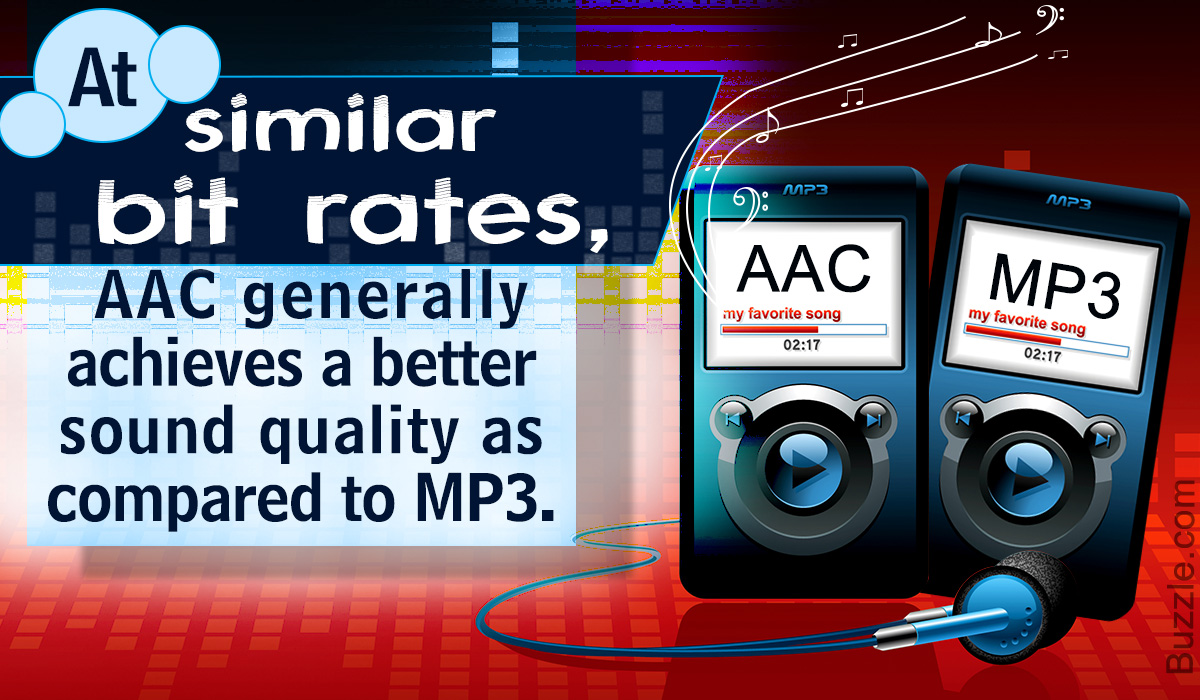
When I first began exploring audio compression, the difference between AAC and MP3 stood out as crucial. Both are popular, but AAC often feels like the more efficient option. It’s like comparing an old-school flip phone to a modern smartphone—they both work, but one offers so much more with the same resources. AAC provides higher sound quality at similar bitrates, which makes it a favorite for streaming services and high-quality playback.

MP3, however, has been around longer and is compatible with virtually every device. I’ve used MP3 files on ancient MP3 players that AAC wouldn’t even recognize. But as audio technology evolves, AAC is becoming the go-to choice for those who value efficiency and superior sound.

How does audio compression work?

Compression works by removing parts of the audio that most people won’t notice. Imagine you’re cleaning out your closet—you toss items you haven’t used in years, freeing up space without really losing anything important. That’s essentially what AAC and MP3 do with audio data. They strip out redundant or less noticeable sounds to shrink the file size.

MP3 uses an older algorithm, which means it’s like using a blunt tool. AAC, on the other hand, employs advanced techniques to preserve more detail. When I listen to an AAC file, I often catch subtle nuances like soft background harmonies that might disappear in an MP3 version.

Sound quality differences between AAC and MP3

When I compare AAC and MP3 at the same bitrate, AAC consistently sounds better. For example, at 128 kbps, AAC audio feels fuller and richer, while MP3 can sound flat or distorted. It’s like the difference between watching a high-definition video and a blurry old VHS tape—both convey the same message, but one does it with far more clarity.

In real-life situations, like playing music in my car or through my phone’s speakers, AAC handles compression artifacts better. MP3 files often introduce a noticeable hiss or clipping in quieter passages, which can be distracting if you’re a music enthusiast like me.

Device compatibility and support

MP3 wins when it comes to compatibility. It’s the universal format that works on everything from 90s-era CD players to modern smartphones. I’ve even found old alarm clocks with MP3 support. AAC, however, isn’t always as widely supported, especially on older hardware.

That said, most newer devices and platforms, like iPhones, Android phones, and streaming services like Spotify, fully support AAC. If you’re living in the modern tech world, AAC compatibility likely won’t be an issue.

Bitrate efficiency: AAC vs. MP3

AAC is more efficient than MP3 at delivering high-quality audio at lower bitrates. Think of it like a fuel-efficient car—AAC gets more “miles per gallon.” At 96 kbps, AAC can sound as good as or better than MP3 at 128 kbps. This is why streaming platforms and digital radio stations prefer AAC; it saves bandwidth while maintaining quality.

I’ve tested this myself by converting the same song into both formats at different bitrates. AAC consistently performed better, preserving details like crisp vocals and dynamic bass lines that MP3 often muddled.

Use cases for AAC and MP3

Both formats have their ideal use cases. MP3 is perfect for older devices or situations where compatibility is critical. For instance, I still use MP3 for transferring music to a friend’s vintage MP3 player or for simple tasks like ringtones.

AAC shines in modern applications, particularly streaming. Apple Music and YouTube use AAC to deliver high-quality audio efficiently. It’s also great for personal libraries if you prioritize quality over universal compatibility.

  • MP3: Best for older hardware and universal compatibility.
  • AAC: Ideal for streaming, modern devices, and high-quality playback.

File size comparison

When I tested file sizes, AAC files were generally smaller than MP3 files at the same perceived quality level. For example, a three-minute song at 128 kbps might take up 3 MB as an MP3 but only 2.5 MB as AAC. Over a large library, this adds up to significant space savings.

It’s like packing a suitcase—AAC is the expert packer who fits everything neatly, while MP3 takes up more room with less care for efficiency.

Encoding speed and performance

Encoding AAC files tends to be slightly slower than MP3 because of its more advanced algorithm. However, in real-world use, this difference is negligible unless you’re encoding hundreds of files at once. I’ve converted albums into both formats, and while AAC took a bit longer, the improved quality made the wait worthwhile.

Which format is better for streaming?

Streaming platforms almost universally prefer AAC. Its efficiency means smoother playback with less buffering, even on slower internet connections. I’ve noticed that AAC streams maintain consistent quality, while MP3 streams can dip or distort under the same conditions.

For streaming, AAC also supports features like HE-AAC, which optimizes audio even further for low-bandwidth scenarios. It’s why platforms like Netflix and YouTube rely on AAC for their audio streams.

Latest words on AAC and MP3 compression

If you’re deciding between AAC and MP3, consider your needs. AAC offers better quality at smaller file sizes and is perfect for modern devices and streaming. MP3, while older, remains reliable and universally compatible. Personally, I’ve transitioned most of my library to AAC, as it delivers superior sound for my listening setup.

For those looking to manage and optimize audio files, tools like Mp4Gain can help you analyze and convert formats efficiently. It’s an excellent way to ensure your files are ready for any playback scenario.

FAQ

Which format offers better audio quality, AAC or MP3?

AAC typically offers better audio quality than MP3 at the same bitrate, delivering richer and clearer sound.

Is AAC better than MP3 for streaming?

Yes, AAC is more efficient and widely used for streaming due to its ability to deliver high-quality audio at lower bitrates.

Can all devices play AAC files?

Most modern devices support AAC, but older hardware might only recognize MP3 files.

Why is AAC more efficient than MP3?

AAC uses advanced compression techniques to retain more audio detail at lower bitrates compared to MP3.

Comments:

Wow, I didn’t know AAC could save that much space without sacrificing quality. Thanks for the detailed comparison!

I’ve always used MP3 for compatibility, but maybe it’s time to switch to AAC for my streaming playlists. Good info here.

Can you explain more about HE-AAC? I feel like it wasn’t covered enough in the article. Thanks in advance!

Great article! I’ve been debating which format to use for my music library. This helped a lot.

I tried converting some MP3 files to AAC, but they didn’t sound much better. Is that normal?


Free Download Mp4Gain
picture


Mp4Gain Main Window
picture


Mp4Gain Features
picture


Free Download Mp4Gain
picture

AAC vs MP3 Quality at Low Bitrates

AAC vs MP3 Quality at Low Bitrates

AAC vs MP3 Quality at Low Bitrates

Let’s talk about AAC vs MP3 quality at low bitrates

When choosing between AAC and MP3 for low-bitrate audio, the stakes are high for sound quality. Both formats are ubiquitous, but their performance diverges significantly at lower bitrates. In my experience, AAC consistently outshines MP3 when every kilobit counts, providing clearer audio and a more natural listening experience.

Understanding AAC and MP3 technologies

AAC, or Advanced Audio Codec, is a more modern compression format designed to overcome MP3’s limitations. Its advanced algorithms allow it to handle audio nuances more effectively. By contrast, MP3, while revolutionary in its time, uses older methods that struggle to maintain quality as the bitrate drops.

Why low-bitrate quality matters

Low-bitrate audio is essential in scenarios where bandwidth or storage is limited. Whether streaming on a slow connection or saving space on a device, the right format ensures you don’t sacrifice sound quality. I’ve often found that AAC keeps instruments and voices distinct, even at just 64 kbps, whereas MP3 can sound muddy.

How AAC improves audio at low bitrates

AAC’s edge lies in its efficient compression techniques. It leverages perceptual audio coding and finer frequency analysis to maintain clarity. For example:

  • Better handling of complex sounds like overlapping instruments
  • Preservation of spatial audio cues for immersive listening
  • Enhanced vocal clarity in podcasts or songs

These features make AAC a favorite for low-bitrate streaming services and mobile apps.

Real-world examples of AAC vs MP3 performance

Imagine listening to an audiobook at 48 kbps. With MP3, you might hear sibilance distortions or a robotic tone in the narrator’s voice. AAC, on the other hand, retains natural speech patterns, making the experience less fatiguing. Similarly, in bass-heavy music tracks, AAC prevents the “booming” effect that MP3 often introduces.

File size comparison between AAC and MP3

AAC offers better quality in smaller files. A 96 kbps AAC file can sound comparable to or better than a 128 kbps MP3. This efficiency means you can store more songs or enjoy uninterrupted streaming without buffering.

Compatibility of AAC and MP3 formats

MP3 has wider device compatibility due to its age. However, AAC is now supported by most modern devices, from smartphones to gaming consoles. I’ve rarely encountered issues playing AAC files, especially since popular platforms like iTunes and Spotify favor the format.

Environmental impact of AAC and MP3

Using AAC for low-bitrate streaming can reduce data usage, which translates to lower energy consumption for servers and devices. While it might seem minor, this efficiency matters in a world where millions of users stream daily.

Challenges of switching to AAC

One challenge is converting existing MP3 libraries to AAC without losing quality. Recompression can degrade audio further, so original files are crucial. Still, the benefits of AAC for future audio storage and streaming outweigh the initial inconvenienc

AAC vs MP3 Quality at Low Bitrates – FAQ

What is the main difference between AAC and MP3 at low bitrates?

The main difference is that AAC provides better audio quality at lower bitrates compared to MP3. This is due to its more advanced compression algorithms that preserve clarity and reduce distortion in complex audio elements like vocals and instruments.
Why is AAC better for streaming at low bitrates?

AAC is better for streaming at low bitrates because it delivers higher quality audio in smaller file sizes. This makes it ideal for scenarios where bandwidth is limited, ensuring smoother streaming and less buffering without compromising sound quality.

Can all devices play AAC files?

Most modern devices support AAC, including smartphones, tablets, gaming consoles, and streaming platforms. However, some older devices might not natively support AAC, requiring conversion or additional software.

How does AAC achieve better sound quality at lower bitrates?

AAC uses advanced techniques like perceptual audio coding and better frequency resolution. These features allow AAC to retain more details in the audio, such as spatial cues and natural tones, even at lower bitrates.

Is it worth converting MP3 files to AAC?

It’s not recommended to convert MP3 files to AAC because recompression can degrade the audio quality further. Instead, start with the original source file when creating AAC versions for the best results.

Which bitrate should I use for AAC to outperform MP3?

AAC at 96 kbps often provides comparable or better quality than MP3 at 128 kbps. For streaming or storage efficiency, this makes AAC the superior choice at equivalent or lower bitrates.

Why does AAC sound clearer than MP3 at low bitrates?

AAC maintains clarity better than MP3 by optimizing how it compresses audio data. It reduces distortions like sibilance and improves the handling of overlapping sounds, which MP3 struggles with at lower bitrates.

Is AAC more efficient for portable devices?

Yes, AAC is more efficient for portable devices because it delivers higher quality in smaller file sizes. This helps save storage space and prolongs battery life during playback or streaming.

Does AAC require more processing power than MP3?

AAC typically requires slightly more processing power due to its advanced compression algorithms. However, most modern devices handle this efficiently, so the difference is negligible in everyday use.

What’s the best format for audiobooks at low bitrates?

AAC is the best format for audiobooks at low bitrates because it preserves vocal clarity and natural speech patterns better than MP3. This results in a more enjoyable and less fatiguing listening experience.

in preserving sound integrity, supports modern platforms, and uses storage more efficiently. While MP3 remains a familiar choice, its limitations at low bitrates make it less ideal in today’s audio landscape. For anyone looking to optimize their audio experience, AAC is the smarter choice. And if you’re managing audio files and need professional-grade normalization or conversion, Mp4Gain is a reliable solution to consider.

Comments:

I’ve been using AAC for years, and the difference at lower bitrates is night and day compared to MP3. Great article!

Could you dive deeper into how AAC achieves better bass response at low bitrates? I’m really curious about the technical details.

Honestly, I still prefer MP3 because of its compatibility. Not all devices I own support AAC.

Thanks for explaining this so clearly! I’ve always wondered why my Spotify tracks sound better on low data modes.

I didn’t realize AAC was so efficient at preserving quality. Time to rethink my music library format!

This was super helpful. I do a lot of streaming in areas with bad internet, and AAC seems like the better choice for me.

Interesting read! Wish you had included a few side-by-side audio comparisons for us to hear the difference.

I’ve heard AAC is great, but does it drain more battery compared to MP3 on older devices?

Good article, but I feel like it could’ve mentioned some specific apps that benefit from AAC’s advantages.

After reading this, I think I’ll switch my podcast uploads to AAC for better listener experience. Thanks for the info!

I still have a ton of MP3 files. Any recommendations for converting them without losing quality?

Awesome explanation. I had no idea AAC was better for data-saving while keeping decent sound quality.

MP3 has been my go-to for years, but I think I’ll give AAC a try now after reading this.

Could you do a follow-up about AAC vs other newer formats like Opus? That’d be super helpful!

This makes me wonder why MP3 still dominates some platforms. AAC seems like the future for sure.

MP3 vs. AAC

MP3 vs. AAC: Audio Quality Comparison

MP3 vs. AAC
MP3 vs. AAC
MP3 vs. AAC
MP3 vs. AAC

MP3 Audio Compression

MP3, or MPEG Audio Layer-3, is a widely-used audio format known for its efficient compression. It uses perceptual coding techniques to discard certain audio frequencies that are less perceptible to the human ear. This compression allows for smaller file sizes while maintaining an acceptable level of audio quality.

AAC Audio Codec

AAC, or Advanced Audio Coding, is a successor to MP3 and offers improved audio quality at similar bitrates. AAC utilizes more advanced compression algorithms, including perceptual noise shaping and temporal noise shaping, resulting in better sound reproduction and higher fidelity compared to MP3.

Differences in Audio Quality

When comparing MP3 and AAC in terms of audio quality, there are several factors to consider. AAC generally provides better sound quality than MP3 at similar bitrates. This is because AAC is capable of preserving more audio details and nuances, resulting in a more accurate reproduction of the original sound.

Bitrate Efficiency

One advantage of MP3 over AAC is its superior bitrate efficiency. MP3 achieves good audio quality while keeping file sizes relatively small. This makes it suitable for applications with limited storage or low bandwidth, such as online music streaming or portable audio players.

Transparent Compression

AAC is often considered a “transparent” audio codec, meaning it can achieve audio quality indistinguishable from the original source, even at lower bitrates. This makes AAC a preferred choice for high-quality audio applications, such as digital music distribution and professional audio production.

Compatibility and Support

MP3 enjoys broad compatibility across various devices and platforms due to its widespread adoption. It is supported by virtually all audio players, software, and hardware devices. AAC, on the other hand, may require specific codecs or software support, although it has gained significant popularity and compatibility in recent years.

Application Considerations

Choosing between MP3 and AAC depends on the specific application and user preferences. If file size and compatibility are the primary concerns, MP3 may be the preferred choice. However, for applications where audio quality is paramount, such as music production or high-fidelity audio playback, AAC offers a superior option.

Transcoding and Conversion

Transcoding or converting audio files from one format to another may result in some loss of audio quality. If transcoding from MP3 to AAC, the original MP3 compression artifacts may be retained or exacerbated. It is generally recommended to use the highest-quality source file available to maintain audio fidelity.

Subjective Listening Tests

Subjective listening tests involving trained listeners have consistently shown that AAC often provides better audio quality compared to MP3 at similar bitrates. However, individual preferences can vary, and some listeners may not perceive significant differences between the two formats in certain scenarios.

Choosing the Right Format

Ultimately, the choice between MP3 and AAC depends on factors such as the intended use, available storage or bandwidth, desired audio quality, and compatibility requirements. Evaluating these factors and conducting listening tests can help determine the most suitable audio format for a specific application or use case.

Optimizing Audio Quality

To optimize audio quality, it is important to consider not only the choice of audio format but also factors such as the source recording quality, mastering techniques, and the playback equipment used. Additionally, using higher bitrates

AAC vs. MP3

Understanding Audio Codecs: AAC vs. MP3

AAC vs. MP3
AAC vs. MP3
AAC vs. MP3
AAC vs. MP3


Audio codecs are a type of data compression algorithm that is used to reduce the size of digital audio files. This makes it possible to store and transfer audio files more efficiently, and to play them back on devices with limited storage space.

There are two main types of audio codecs: lossy and lossless. Lossy codecs reduce the size of audio files by removing some of the data from the original audio signal. This can result in a loss of quality, but it can also result in a significant reduction in file size. Lossless codecs, on the other hand, do not remove any data from the original audio signal. This means that the quality of the audio is preserved, but the file size is not reduced as much.

In this article, we will compare two of the most popular audio codecs: AAC and MP3. We will discuss the advantages and disadvantages of each codec, and we will help you decide which codec is right for you.

AAC

AAC stands for Advanced Audio Coding. It is a lossy audio codec that was developed by the Moving Picture Experts Group (MPEG). AAC is designed to provide better sound quality than MP3 at the same file size. AAC is also more efficient than MP3, which means that it can achieve even better sound quality at lower file sizes.

AAC is supported by a wide range of devices, including smartphones, tablets, computers, and home audio systems. It is also the default audio format for many streaming services, such as Spotify and Apple Music.

MP3

MP3 stands for MPEG-1 Audio Layer 3. It is a lossy audio codec that was developed by the Moving Picture Experts Group (MPEG). MP3 is the most popular audio codec in the world. It is supported by a wide range of devices, and it is the default audio format for many music file sharing services.

MP3 is not as efficient as AAC, which means that it cannot achieve the same sound quality at lower file sizes. However, MP3 is still a good choice for most people. It is a reliable and widely supported codec that offers good sound quality at a reasonable file size.

Which Audio Codec is Right for You?

The best audio codec for you depends on your needs. If you want the best possible sound quality, then AAC is the better choice. However, if you are looking for a codec that is widely supported and that offers good sound quality at a reasonable file size, then MP3 is a good option.

Conclusion

AAC and MP3 are two of the most popular audio codecs in the world. Both codecs offer good sound quality, but AAC is generally considered to be the better choice for people who want the best possible sound quality. MP3 is a good option for people who are looking for a codec that is widely supported and that offers good sound quality at a reasonable file size.

AAC and MP3 audio quality

AAC and MP3 audio quality

AAC
AAC

AAC and MP3 licenses and patents

AAC
AAC

Stream or distribute content in AAC format without a license or payment. Compared to MP3, this makes AAC a more attractive format for distributing content, especially for streaming content such as Internet radio. However, all manufacturers or developers of AAC codecs require a patent license. Therefore, FOSS implementations such as FAAC and FAAD are distributed only in source code to avoid patent infringement.

On the other hand, Thomson, Fraunhofer IIS, Sisvel (and its American subsidiary Audio MPEG), Texas MP3 Technologies, and Alcatel-Lucent claim legal control over the relevant MP3 patents related to the decoder. Therefore, the legal status of MP3 remains unclear in those countries where the patent is valid. But while these patent and licensing issues plagued the company, consumers generally didn’t care, and the MP3 format’s popularity did not wane.

They have been predicting for years that the mp3 is dead and that the mp3 will no longer be popular and the truth is that it does not happen nor does it seem that it will happen.

The reasons are quite simple, in the first place for the common listener the mp3 has a good enough sound, despite the fact that much is published to the contrary. The truth is that for the devices we currently have, the mp3 can sound good enough if it is treated with software like Mp4Gain.

AAC and MP3 audio quality

AAC and MP3 audio quality

Advanced Audio Codec

The AAC format is designed to enhance MP3 in the following ways:

Advanced Audio Codec

More sample rates (8 kHz to 96 kHz) than MP3 (16 kHz to 48 kHz)
Up to 48 channels (MP3 supports up to two channels in MPEG-1 mode and up to 5.1 channels in MPEG-2 mode)
Arbitrary bit rate and variable frame length. Constant bit rate normalized with bit bank.
More efficient and simpler filter banks (AAC uses pure MDCT instead of hybrid MP3 encoding)
More efficient encoding for still signals (AAC uses a block size of 1024 or 960 samples, which is more efficient than MP3’s 576-sample block)
Higher encoding accuracy for transient signals (AAC uses a 128- or 120-sample block size, allowing more accurate encoding than MP3’s 192-sample block)
Spectral leakage can be removed using a Kaiser-Bessel derived window function, but at the expense of expanding the main lobe
Better audio handling above 16 kHz
More flexible joint stereo (different methods can be used in different frequency ranges)
Added additional modules (tools) to improve compression efficiency: TNS, backward prediction, PNS, etc. These modules can be combined to form different encoding profiles.

In general, the AAC format gives developers more flexibility in codec design than MP3 and can correct many of the design choices made in the original MPEG-1 audio specification. This greater flexibility generally results in more concurrent encoding strategies and thus more efficient compression.

The MP3 specification, although outdated, has proven to be surprisingly robust despite its many flaws. AAC and HE-AAC outperform MP3 at low bit rates (typically less than 128 kb/s). This is especially true at extremely low bit rates, where excellent stereo encoding, pure MDCT, and more ideal conversion window sizes prevent MP3 from competing. However, as the bitrate increases, the efficiency of the audio format becomes less important relative to the efficiency achieved by the encoder, and the inherent advantages of AAC over MP3 no longer dominate.

Find out in detail what is the MP3 and ACC music format

Find out in detail what is the MP3 and ACC music format

MP3 o AAC

Songs have become part of our daily life and we rarely listen to a single song during our day, during our breaks or in our free time. New music never stops appearing and it is likely that on many occasions we would like to download these songs.

MP3 VS AAC

Many of us listen to hundreds of songs by our favorite bands every day, and we may never really analyze the format of each song in detail. We have heard of the existing formats, but we really do not know the benefits of each of them and their characteristics.

For this reason, Solvetic on this day will analyze in detail the two most common formats at a musical level, such as MP3 and ACC.

What is AAC?

AAC (Advanced Audio Coding) is a new audio format developed by the Fraunhofer Institute in Germany in collaboration with companies such as AT&T, Nokia, Sony and Dolby.

AAC, whose extension is m4a, is responsible for compressing a part of the audio files of an element called lossy compression, that is, some data that affects its optimal quality since inaudible frequencies are removed from the audio element, etc.

This AAC format is based on the international standard ISO / IEC 13818-7 and is basically an extension of MPEG-2. It is important to note that Apple chose AAC as the default format for the iPod and for iTunes, demonstrating its high level of quality.

Among its main characteristics we find:

It uses a bit rate encoding variable called VBR, which adapts the number of bits used in one second to encrypt the audio data.
Supports up to 48 channels for polyphonic sounds
It offers frequencies ranging from 8Hz to 96.0kHz.
They are smaller in MP3 size
AAC focuses on broadband usage
Provide high quality sound
As we can see little by little, AAC is establishing itself as one of the best music formats of the time.

What is MP3

MP3 (Motion Picture Experts Group) is an audio format that delivers quality while drastically reducing file size.

MP3 uses a lossy algorithm with which we can reduce the size of an element without losing its quality. This format, like AAC, was developed at the Fraunhofer Institute in Germany. MP3 has the ability to compress using a lower or higher bit rate, which will affect the sound quality.

Its main characteristics are:

Supports frequencies from 16 to 48 kHz
Allows compression of the audio object with a ratio of 11: 1
With the MP3 format, music is divided 44,100 times per second and each of these parts is 16 bits.
MP3 can contain tags with information about the included file
With these concepts in mind, we will see that AAC and MP3 behave in certain situations.

Audio file size

Both formats perform the function of reducing the size of the original file while maintaining sound quality. At this point AAC reduces the file size more than MP3, for example a 20MB MP3 file will weigh 16MB in AAC format.

compatibility

As we already mentioned, the ACC is being implemented by Apple for its devices, and therefore there is no doubt that the most compatible format is MP3, since since the 90s it has accompanied us on various devices such as cell phones, audio systems, televisions. , team. calculations, etc.

Sound quality

In this regard, AAC surpasses Mp3 for technical reasons such as a higher audio frequency, a higher level of audio compression to eliminate elements that affect its quality, better encoding, among other things.

Next, we will see the relationship between these two audio files:

The death of the MP3 has been mentioned in some places, but this is not really the case where the licenses of this format have stopped being active, so the MP3 will continue to be active in many of the songs we listen to, and there is no doubt that that ACC will gradually gain strength until it surpasses it. MP3 medium term, but for now, AAC users can enjoy and appreciate AAC.

Let’s continue enjoying our favorite songs and remember that the purpose of these files is to offer quality sound in a small storage space.

AAC vs mp3 quality

AAC vs mp3 quality

MP3 vs AAC

Answer 1 :
Q: What is the difference between AAC and MP3?

AAC vs MP3

The other answers here helped to talk about the technical differences between the two lossy compression formats.

I’ll take a different tactic with this answer and explain how they sound different to the ear.

To explain the difference in abbreviated form, at any given bitrate, AAC will sound better in the higher ranges, while MP3 will sound better in the lower ranges.

MP3 compression adds a specific sound to the sound. This is very noticeable at bit rates of 128 kbps and below; everything sounds confusing. At higher bit rates like 256 kbps (where it’s hard to hear) or 320 kbps (where you need high-end hardware to listen to artifacts), MP3 compression is much less of a problem.

AAC compression is much better at high frequencies. “AAC” in AAC is that music sounds weak, especially at low bit rates. If you like music with significant low frequency content (drums, electronic drums, bass, bass, etc.), you will miss some of that bass in AAC files; they just sound like they lack solidity. However, as with MP3, the higher the bit rate, the less problem you will be able to hear.

At any bit rate below 256 kbps, I personally prefer AAC. The lack of solidity in AAC compressed music is less undesirable than in Futz with MP3 compression.

At 320 kbps, these artifacts are very difficult to hear in any compression format, so the fact that MP3 is more compatible in most cases gives this compression algorithm an advantage.

But we also live in today’s world where conventional hard drives have more than 12 terabytes. A completely uncompressed album (that is, AIFF or WAV format) is less than 650 megabytes in size. (** grip calculator **) You can put 18,461 uncompressed WAV or AIFF albums on a 12TB hard drive. So why do we continue to use MP3 and AAC today?

Answer 2:
Both are compressed audio files, and although the audio quality is fairly similar, the AAC format was designed to improve over MP3 in the following ways:

Higher sampling frequency (8 kHz to 96 kHz) than MP3 (16 kHz to 48 kHz)
Up to 48 channels (MP3 supports up to two channels in MPEG-1 mode and up to 5.1 channels in MPEG-2 mode)
Arbitrary bit rates and variable frame length. A constant bit rate standardized with a bit pool.
Higher efficiency and simpler filter bank (uses pure MDCT instead of hybrid MP3 encoding)
Higher encoding efficiency for stationary signals (AAC uses a block size of 1024 or 960 samples, which can be encoded more efficiently than 576 MP3 blocks)
Higher encoding precision for transition signals (AAC uses 128 or 120 sample block size, which provides more precise encoding than 192 MP3 sample blocks)
You can use a Kaiser-Bessel derived window function to eliminate spectral leakage by enlarging the main lobe
Much better handling of audio frequencies above 16 kHz
More flexible articulation stereo (different methods can be used in different frequency ranges)
Add additional modules (tools) to improve compression efficiency: TNS, inverse prediction, PNS, etc. These modules can be combined to create different encoding profiles.

Answer 3:
Both are lossy codecs, aimed at significantly reducing file size without affecting sound quality as much as you might think.

AAC is 2 generations younger than MP3, so by then the algorithms had improved significantly, and most tests confirmed that 256 kbps AAC sounds just as good, if not better than 320 kbps MP3, which is why Apple chose this file format for iTunes.

AAC supports higher sample rates than MP3, although I’ve recently seen some weird MP3 implementations (incompatible with just about everything) that do this too.

After all, storage and internet speed are not an issue, lossy compression should be gone by now in favor of FLAC or ALAC. It seems that some bad habits are very difficult to break. 🙂

Answer 4:
AAC stands for Advanced Audio Coding. It was developed by the same people who invented MP3 and is destined to be its successor. Audio in AAC is better than MP3 in almost all cases.

It is more efficient than MP3 in terms of file size precision (bit rate). In other words, an AAC encoded song will sound as good or better than an MP3 encoded with the same bit rate. Therefore, encoding a file at 256 kbps AAC will give you better sound and smaller file size than MP3 at 320 kbps.

AAC vs MP3: which one sounds better?

AAC vs MP3: which one sounds better?

AAC Vs. MP3

AAC and MP3 are now widespread and established in the hardware and software markets. AAC is often touted as the successor to MP3. But is the successor really better? We tell you who sounds better and why.

MP3 to AAC

What are AAC and MP3?

You are probably familiar with AAC and MP3 from your music downloads, audiobooks and audio software for ripping audio CDs or compressing WAV or AIFF files.
Both formats are lossy audio codecs. In a special practical tip, we will explain what exactly a codec is.
Sound in AAC format is often hidden behind M4A and MP4 file extensions.
In a practical advice we explain in detail the differences between MP3 and MP4.
MP3 and AAC are both based on psychoacoustic models of loudness and masking that were developed in the 1960s by Eberhard Zwicker, for example.
Although there are newer and more precise models, the innovations since MP3 mainly reside in more sophisticated signal processing.

AAC vs. MP3: which one sounds better?

AAC is newer than MP3. Does newer mean better? At least the AAC innovations compared to MP3 have the potential for significantly stronger compression with the same sound quality or, conversely, significantly better sound quality with the same compression:
As described above, both codecs are based on practically the same psychoacoustic models.
However, AAC allows more flexible window sizes to better react to transient or stationary signals, depending on the signal.

Unlike MP3, AAC also offers more flexible windows. Used sensibly, this can improve frequency accuracy in applied spectrum analysis.
AAC also allows for frequency-dependent stereo ensemble. This can save quite a bit of storage space with little effort, as the low frequencies in audiobooks, music, and movie sound are often kept mono.
Since AAC offers significantly more flexibility on the encoder side, even a good MP3 encoder cannot keep up with a good AAC encoder.

On the other hand, a poorly conceived AAC encoder can also sound significantly worse than an MP3 of the same size. If you encode an MP3 optimally, the result can compete with many AAC encoders.

However, in our 2003 audio encoder quality comparison test, AAC wins, followed by Warning, OGG over MP3.
Also in our 2005 AAC encoder audio codec test from Nero also wins.
AAC is also more flexible than MP3 for the user. For example, AAC supports sample rates from 8 to 96 kHz, MP3 only from 16 to 48 kHz. If you go for 96 kHz music DVDs, even the highest quality MP3 won’t give you a good sample rate.
AAC also supports up to 48 channels, MP3 only 5.1. In AAC, in theory, it could also encode audio material for 7.1 sound, high-order ambisonics, Dolby Atmos, and Auro-3D.

By the way, there is an important rule to keep in mind: converting an MP3 to AAC or vice versa is quite detrimental to the audio quality. You should only convert for compatibility reasons, if, for example, your portable MP3 player does not support the AAC format.