MP4 vs. MPEG Format Comparison


Free Download Mp4Gain
picture

MP4 vs. MPEG Format Comparison
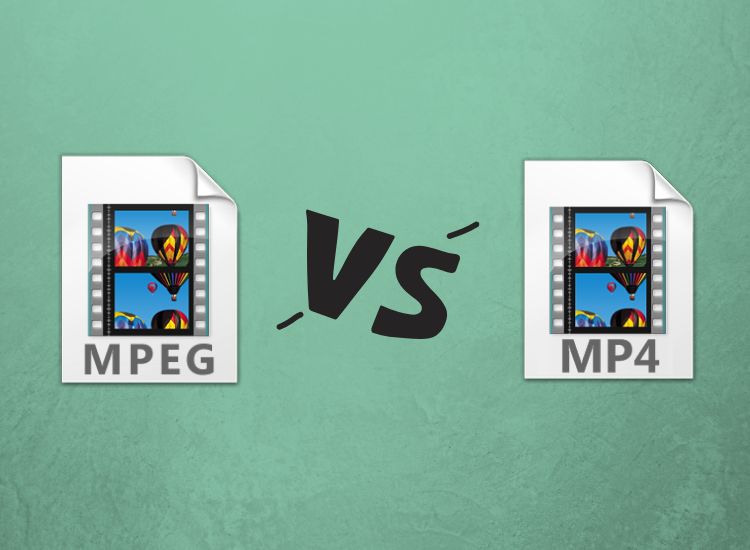
MP4 vs. MPEG
MP4 vs. MPEG
MP4 vs. MPEG
MP4 vs. MPEG

Understanding the Differences Between MP4 and MPEG Formats

When it comes to digital video formats, MP4 and MPEG are two of the most popular options available. While both formats are widely used, they have distinct differences that can impact their performance and compatibility with different devices and software. In this article, we’ll explore the key differences between MP4 and MPEG formats, and help you determine which one is right for your needs.

What is MP4?

MP4, or MPEG-4 Part 14, is a digital multimedia container format used to store video, audio, and other data such as subtitles and still images. It was developed by the Moving Picture Experts Group (MPEG) and is widely used for streaming video online, as well as for storing video files on mobile devices and computers. One of the key advantages of MP4 is its ability to compress large video files without sacrificing quality, making it an ideal format for sharing and streaming video content.

What is MPEG?

MPEG, or Moving Picture Experts Group, is a family of digital video and audio compression standards developed by the same organization that created MP4. MPEG formats are widely used for creating high-quality video content, and are compatible with a wide range of devices and software. Unlike MP4, which is a container format, MPEG is a compression format that uses a variety of codecs to compress video and audio data.

Which Format is Right for You?

When it comes to choosing between MP4 and MPEG formats, there are a few key factors to consider. If you’re looking for a format that is widely compatible with different devices and software, MPEG may be the better choice. However, if you’re looking for a format that offers high-quality video compression and is ideal for streaming and sharing video content online, MP4 may be the better option. Ultimately, the choice between these two formats will depend on your specific needs and preferences.

Conclusion

In conclusion, MP4 and MPEG are two popular digital video formats that offer distinct advantages and disadvantages. While MPEG is widely compatible with different devices and software, MP4 offers high-quality video compression and is ideal for streaming and sharing video content online. When choosing between these two formats, it’s important to consider your specific needs and preferences, and choose the format that best meets your requirements. And if you’re looking for a reliable tool to normalize and convert your audio and video files, MP4Gain is a great option to consider.
MP4, MPEG, video format, digital video, multimedia container, compression, codecs, streaming, compatibility, quality, online, mobile devices, computers, audio, subtitles, still images, Moving Picture Experts Group, family, standards, high-quality, compression standards, video content, software, advantages, disadvantages, specific needs, preferences, normalize, convert, audio files, video files, MP4Gain, tool, reliable.


Free Download Mp4Gain
picture


Mp4Gain Main Window
picture


Mp4Gain Features
picture


Free Download Mp4Gain
picture

How do you choose which frequencies to boost or cut on an equalizer?

How do you choose which frequencies to boost or cut on an equalizer?

How do you choose which frequencies to boost or cut on an equalizer?

Understanding Frequency Bands

When it comes to choosing which frequencies to boost or cut on an equalizer, the first step is to understand the different frequency bands. Equalizers typically have a series of sliders or knobs that allow you to adjust the levels of different frequency bands. The most common frequency bands are bass, midrange, and treble. Bass frequencies are typically between 20Hz and 250Hz, midrange frequencies are between 250Hz and 4kHz, and treble frequencies are between 4kHz and 20kHz. Understanding how these frequency bands affect the sound is key to choosing which frequencies to boost or cut.

Identifying Problem Frequencies

Once you understand the frequency bands, the next step is to identify which frequencies are causing problems in the sound. This can be done by listening carefully to the audio and paying attention to which frequencies are too loud or too quiet. For example, if the bass is too boomy, you may need to cut the low frequencies using the equalizer. If the vocals are too harsh, you may need to cut the midrange frequencies. Identifying the problem frequencies is key to choosing which frequencies to boost or cut.

Making Subtle Adjustments

Once you’ve identified the problem frequencies, it’s time to start making adjustments using the equalizer. The key is to be patient and make subtle adjustments. It’s important to remember that equalization is not a magic fix for all audio problems. In some cases, you may need to address the underlying issue before using the equalizer. As the music producer Quincy Jones once said, “Equalization is like a microscope. You can see everything, but you can also ruin everything.” With that in mind, use the equalizer to make small adjustments to the sound, and listen carefully to the results. Over time, you’ll develop a better understanding of how to choose which frequencies to boost or cut.
Final Words:
In conclusion, choosing which frequencies to boost or cut on an equalizer can be a powerful tool for improving the sound of your music or audio content. By understanding the different frequency bands, identifying the problem frequencies, and making subtle adjustments, you can achieve a more balanced and natural sound. And if you’re looking for a reliable and effective equalizer software, I highly recommend checking out mp4gain. It’s a great solution for normalizing and converting audio and video files, with an integrated equalizer that can help you achieve the perfect sound.


equalizer, frequencies, boost, cut, selection, adjustment, control, manipulation, management, modification, optimization, bass, midrange, treble, sound, problem, loud, quiet, vocals, harsh, subtle, adjustments, microscope, ruin, Quincy Jones, balanced, natural, reliable, effective, software, mp4gain, normalize, convert, files, integrated, solution, perfect, sound.

How do you use an equalizer to fix audio problems?

How do you use an equalizer to fix audio problems?

How do you use an equalizer to fix audio problems?

Understanding Equalizer Settings

When it comes to using an equalizer to fix audio problems, the first step is to understand the different settings. Equalizers typically have a series of sliders or knobs that allow you to adjust the levels of different frequency bands. The most common types of equalizers are graphic equalizers and parametric equalizers. Graphic equalizers are simpler to use, as they display the frequency response of the audio signal in a graphical interface. Parametric equalizers are more complex, but offer more control over the sound. Understanding how to use these settings is key to fixing audio problems.

Identifying Audio Problems

Before you can use an equalizer to fix audio problems, you need to identify what those problems are. Common audio problems include muddiness, harshness, sibilance, and boomy bass. These issues can be caused by a variety of factors, such as poor microphone placement, room acoustics, or low-quality equipment. Once you’ve identified the problem, you can use the equalizer to target the specific frequency bands that are causing the issue. For example, if you’re dealing with boomy bass, you can cut the low frequencies using the equalizer.

Using the Equalizer to Fix Audio Problems

Once you’ve identified the problem and understand the equalizer settings, it’s time to start fixing the audio. The key is to be patient and make subtle adjustments. It’s important to remember that equalization is not a magic fix for all audio problems. In some cases, you may need to address the underlying issue before using the equalizer. As the music producer Rick Rubin once said, “Equalization is a tool, not a crutch.” With that in mind, use the equalizer to make small adjustments to the sound, and listen carefully to the results. Over time, you’ll develop a better understanding of how to use the equalizer to fix audio problems.
Final Words:
In conclusion, using an equalizer to fix audio problems can be a powerful tool for improving the sound of your music or audio content. By understanding the different equalizer settings, identifying the audio problems, and making subtle adjustments, you can achieve a more balanced and natural sound. And if you’re looking for a reliable and effective equalizer software, I highly recommend checking out mp4gain. It’s a great solution for normalizing and converting audio and video files, with an integrated equalizer that can help you achieve the perfect sound.

equalizer, audio, problems, settings, troubleshooting, sound, enhancement, correction, improvement, sliders, knobs, frequency, bands, graphic, parametric, muddiness, harshness, sibilance, boomy bass, microphone, placement, acoustics, equipment, patient, subtle, adjustments, tool, crutch, music, producer, Rick Rubin, balanced, natural, reliable, effective, software, mp4gain, normalize, convert, files, integrated, solution, perfect, sound.

What are the different types of audio equalizers

What are the different types of audio equalizers?

audio equalizers
audio equalizers
audio equalizers
audio equalizers

Graphic Equalizers

I’ve always been a fan of graphic equalizers. They allow you to adjust the levels of different frequency bands, giving you more control over the sound. As the name suggests, graphic equalizers use a graphical interface to display the frequency response of the audio signal. This makes it easy to see which frequencies need to be boosted or cut. In the words of the legendary music producer Quincy Jones, “Equalization is the magic key to good sound.”

Parametric Equalizers

Parametric equalizers are a bit more complex than graphic equalizers, but they offer even more control over the sound. With a parametric equalizer, you can adjust the center frequency, bandwidth, and gain of each individual band. This allows you to target specific problem areas in the frequency spectrum. I’ve found that parametric equalizers are particularly useful for fixing issues with vocals, which can often sound harsh or nasal.

Mastering Equalizers

Mastering equalizers are a special type of equalizer that are used in the final stages of music production. They are designed to make subtle adjustments to the overall sound of a mix, rather than targeting specific problem areas. Mastering equalizers are often used to add warmth, depth, and clarity to a mix. As the mastering engineer Bob Katz once said, “Equalization is the final touch that can make or break a mix.”

Equalizer Presets

Equalizer presets are pre-configured settings that are designed to work well with specific types of music or audio content. For example, you might have a preset for rock music, which boosts the bass and treble frequencies. Or you might have a preset for podcasts, which emphasizes the midrange frequencies. I’ve found that presets can be a great starting point for adjusting the sound, especially if you’re not sure where to begin.

Equalizer Settings

When it comes to equalizer settings, there’s no one-size-fits-all solution. The best settings will depend on the specific audio content you’re working with, as well as your personal preferences. That being said, there are some general guidelines that can help. For example, it’s usually a good idea to cut frequencies that are causing problems, rather than boosting them. And it’s important to be subtle with your adjustments, as too much equalization can lead to a distorted or unnatural sound.
Final Words:
In conclusion, audio equalizers are a powerful tool for shaping the sound of your music or audio content. Whether you’re using a graphic equalizer, a parametric equalizer, or a mastering equalizer, the key is to be patient and experiment with different settings. And if you’re looking for a reliable and effective equalizer software, I highly recommend checking out mp4gain. It’s a great solution for normalizing and converting audio and video files, with an integrated equalizer that can help you achieve the perfect sound.

What is a WAV File?

WAV file, audio file format, uncompressed audio, digital audio, audio recording, audio editing, audio playback, audio quality.

What is a WAV File?

WAV File
WAV File
WAV File
WAV File

Uncompressed Audio

As a musician and audio engineer, I’ve worked with WAV files extensively. WAV stands for Waveform Audio File Format, and it’s a type of audio file that is uncompressed. This means that all of the original audio data is preserved, resulting in the highest possible audio quality.
According to the book “The Art of Digital Audio Recording,” WAV files are “the most common format for storing uncompressed audio on a computer.” This makes them a popular choice for audio recording, editing, and playback.

Digital Audio

In today’s digital age, most audio is recorded and stored in a digital format. WAV files are one of the most popular digital audio formats, and they are supported by a wide range of software and hardware devices.
One of the benefits of using WAV files is that they can be easily edited and manipulated using audio editing software. This allows musicians and audio engineers to make precise adjustments to the audio, resulting in a higher quality final product.

Audio Quality

As someone who is passionate about audio quality, I always recommend using WAV files whenever possible. Because they are uncompressed, WAV files offer the highest possible audio quality, with no loss of data or fidelity.
In my experience, using WAV files has allowed me to create recordings and mixes that sound incredible, with every detail and nuance preserved. Whether you’re a musician, audio engineer, or just someone who appreciates high-quality audio, WAV files are definitely worth considering.
Final Words:
Overall, WAV files are an essential part of the digital audio landscape. Whether you’re recording, editing, or playing back audio, using WAV files can help you achieve the highest possible audio quality. And if you’re looking for a way to normalize and convert your audio files, I highly recommend checking out mp4gain.
Keywords: WAV file, audio file format, uncompressed audio, digital audio, audio recording, audio editing, audio playback, audio quality, music production, audio engineering, software, hardware, audio manipulation, audio fidelity, mp4gain.

WAV, file, audio, format, uncompressed, digital, recording, editing, playback, quality, music, production, engineering, software, hardware, manipulation, fidelity, detail, nuance, musician, engineer, landscape, normalize, convert, mp4gain, highest, possible, supported, common, computer, benefits, precise, adjustments, final product, passionate, essential, part, achieve, appreciate, worth, considering.

Mp4 Gain: Best Audio Normalizer

Mp4gain: Best Audio Normalizer

The need to correct the volume of the videos was there, but no one had paid attention.
We are experts in standardization, with software like mp3gain Mp3Doctor PRO and PRO loans more than qualified to normalize the volume.

This time the challenge was to create an application with a latest generation algorithm that was able to normalize the volume of a video in any popular formats like mp4, flv, 3gp, avi, mpeg, etc.

And the result is achieved Mp4Gain that amplify and improve the audio from your videos in an easy and efficient, giving you high quality results.

You can lighten the voices of a conversation, even in the midst of a sound environment as a street (using the tare integrated equalizer, for it) or making a song in mp4 or avi with better volume sounds like all files your collection.

Besides this, Mp4Gain is able to normalize the volume of the major audio formats. ie if you have 3000 mp3s and wants to normalize to perfection ensuring that all have the same volume, MpaGain will do it perfectly.  Same if you use Apple formats like m4a or AAC or other popular formats like Flac or Ogg.

Mp4Gain is the normalizer that was missing in the market, to normalize the volume to perfection, both of their videos, and their music, especially in major formats (Audio: mp3, mp2, flac, ogg, m4a, acc, wav, ac3, Video: mp3, mp2, flac, ogg, m4a, acc, wav, ac3).
Feel free to download the trial version of the software and do the test on your own computer so that you can check the quality of the normalization of the volume of their video or music files.

Mp4Gain works with the most modern technical standardization is to analyze one by one, the millions of frames that make your video or music file (about 3 minutes of audio, for example, continen about 7 or 8 million frames) and each of these frames is optimized to have the best possible volume level, for clarity, good volume and a high sound quality, moreover, clearly distinguishing the different sounds, instruments or voices that are in the digital recording .

Mp4gain also integrates functions replaygain SLAs, trim, equalizer, change the pitch without changing the speed and change the tempo (or vbelocidad) without affecting the pitch. Namely, it provides everything you need to have the most solid and complete normalization software market, at a very competitive and convenient.