AVI Frame Rate Control Mechanisms


Free Download Mp4Gain
picture

AVI Frame Rate Control Mechanisms


AVI Frame Rate Control Mechanisms

AVI Frame Rate Control Mechanisms

Latest Insights on AVI Frame Rate Control

In the realm of video encoding, understanding frame rate control mechanisms in AVI (Audio Video Interleave) files is crucial.

Let’s Talk About AVI Frame Rate Control

As a specialist in video encoding, I delve into the intricacies of AVI frame rate control mechanisms. These mechanisms govern how frames are encoded and decoded, directly impacting the smoothness and quality of video playback.

Exploring Frame Rate Control

Frame rate control determines how many frames per second (fps) are displayed in a video. In AVI files, two primary mechanisms are used: constant frame rate (CFR) and variable frame rate (VFR). Each has its pros and cons, affecting the overall viewing experience.

Constant Frame Rate (CFR)

CFR maintains a consistent frame rate throughout the entire video. This ensures uniformity in playback speed but may lead to larger file sizes, especially in scenes with little motion.

Variable Frame Rate (VFR)

VFR allows the frame rate to vary dynamically based on the complexity of the video content. This can result in smaller file sizes and smoother playback, particularly in scenes with varying motion intensity.

Optimizing Frame Rate for Smooth Playback

Choosing the right frame rate for your AVI files depends on various factors, including the intended use and target audience. For instance, videos intended for high-speed action may benefit from a higher frame rate, while those focusing on static scenes may suffice with a lower frame rate to conserve storage space.

Practical Applications

In video production, understanding frame rate control mechanisms is crucial for achieving the desired visual effects and optimizing file sizes. For example, a filmmaker may opt for VFR when shooting a fast-paced action sequence to ensure smooth motion capture, while a content creator producing tutorials may prefer CFR to maintain consistency in playback speed.

Enhanced Viewing Experience

By mastering AVI frame rate control mechanisms, content creators and videographers can deliver an enhanced viewing experience to their audience. Whether it’s immersive cinematic sequences or educational video content, optimizing frame rates ensures that viewers enjoy smooth, high-quality playback across various devices and platforms.

Conclusion

In conclusion, understanding AVI frame rate control mechanisms is essential for video creators and enthusiasts alike. By selecting the appropriate frame rate and encoding settings, they can optimize video quality, minimize file sizes, and deliver captivating visual experiences to their audience. Whether it’s capturing thrilling action scenes or conveying informative content, mastering frame rate control is key to achieving professional-grade results.

Comments:

This article provided valuable insights into AVI frame rate control. However, I wish there were more examples illustrating the practical applications discussed.

As a video editor, I found this article extremely helpful in understanding the nuances of AVI frame rate control. The explanations were clear, concise, and easy to follow.

Great article! I never realized the impact frame rate control could have on video playback until reading this. Looking forward to implementing these techniques in my future projects.

While the article touched on the basics of frame rate control, I was hoping for more advanced techniques or tips for optimizing frame rates in specific scenarios.

Excellent breakdown of AVI frame rate control mechanisms! I appreciate the practical examples provided, making it easier to grasp the concepts discussed.


Free Download Mp4Gain
picture


Mp4Gain Main Window
picture


Mp4Gain Features
picture


Free Download Mp4Gain
picture

10 Things You Didn’t Know About WMV

10 Things You Didn’t Know About WMV

Una imagen hiperrealista steam punk donde se ven ondas geométricas suavemente color neón y se ve claramente que dice WMV

Let’s talk about WMV

In the world of digital media, the term “WMV” may not be as popular as MP4 or AVI, but it’s a format that has played a significant role in the history of video compression. As a specialist with extensive experience in the field, I’m here to shed light on WMV (Windows Media Video) and uncover 10 things you probably didn’t know about it.

Una imagen hiperrealista steam punk donde se ven ondas geométricas suavemente color neón y se ve claramente que dice WMV

The Birth of WMV

WMV, developed by Microsoft, made its debut in the late 1990s. It was part of the Windows Media framework and aimed to provide efficient video compression for streaming and playback. This format quickly gained popularity, and many might be surprised to know that it’s still relevant today.

Compression Efficiency

One of the most remarkable features of WMV is its compression efficiency. Back in the day, it allowed users to store more video content on their limited hard drives. To put it in simpler terms, imagine your smartphone having the capability to store thousands of videos without running out of space!

Popularity in the Early Internet Era

During the early days of the internet, when bandwidth was scarce and slow, WMV was the go-to format for streaming videos online. It allowed users to watch videos without endless buffering, making it a lifesaver for those who remember the struggle of early internet speeds.

Compatibility with Windows

WMV is intrinsically linked with the Windows operating system. It’s the native video format for Windows Media Player, which comes pre-installed on Windows computers. This built-in support makes it a convenient choice for Windows users.

Rivalry with RealVideo and QuickTime

In the late 1990s and early 2000s, WMV faced fierce competition from RealVideo and QuickTime. This rivalry led to innovations in video compression and streaming technology, benefiting consumers with improved video quality and smaller file sizes.

Advanced Versions: WMV 9 and Beyond

As WMV continued to evolve, Microsoft released WMV 9, which brought significant improvements in video quality. Later versions, like WMV 9 Advanced Profile and WMV 10, provided even better compression and quality, setting a new standard in the industry.

Lossless Audio Support

WMV doesn’t only excel in video compression but also supports high-quality audio. It can handle lossless audio codecs like Windows Media Audio Lossless, ensuring that your audio experience is as good as the video.

DRM Capabilities

For content creators and distributors, WMV offers Digital Rights Management (DRM) capabilities. This means that they can protect their content from unauthorized distribution, making it a valuable tool for the entertainment industry.

WMV in the Gaming World

Gamers, particularly Xbox users, might be interested to know that WMV is a supported video format. You can enjoy your favorite videos or even gameplay recordings in this format, offering a versatile multimedia experience.

Still Relevant Today

Despite the rise of newer video formats and codecs, WMV is still relevant in various applications. Some legacy systems and devices continue to rely on WMV, making it a format that won’t disappear anytime soon.

The Future of WMV

As we look ahead, the future of WMV is uncertain. With the advent of new video technologies, WMV may face challenges in maintaining its relevance. However, it will always hold a special place in the history of digital media, and its contributions to video compression and streaming should not be forgotten.
Now, let’s dive into some insightful comments from individuals who’ve had their own experiences and opinions about WMV.

Comments:

WMV has always been my go-to format for archiving old family videos. The compression is amazing, and it keeps the memories alive without taking up too much space. Thanks for the informative article!

I remember the early days of the internet when WMV was a lifesaver. Buffering was the worst, and WMV made streaming bearable. It’s great to see it still being relevant.

Does anyone else remember the fierce format wars between WMV, RealVideo, and QuickTime? Those were the days. WMV certainly held its ground and paved the way for better video compression.

WMV’s support for lossless audio is a game-changer. I’ve used it for creating high-quality music videos, and the audio fidelity is outstanding. It’s a hidden gem!

I didn’t know about WMV’s DRM capabilities. That’s a valuable feature for content creators. It’s great to have more control over the distribution of your work.

As a gamer, I can vouch for WMV’s compatibility with Xbox. It’s convenient for recording and sharing gameplay moments. WMV is a versatile format for gamers like me.

Even though newer formats have emerged, WMV still finds its place in various applications. It’s like a reliable old friend in the world of video formats.

Thank you for this informative article. I was curious about WMV’s history and its significance. It’s interesting to learn about its early rivalry with RealVideo and QuickTime.

Is there any hope for WMV’s future? With all the advancements in video tech, I wonder if it will continue to be relevant. Time will tell, I suppose.

How do you choose which frequencies to boost or cut on an equalizer?

How do you choose which frequencies to boost or cut on an equalizer?

How do you choose which frequencies to boost or cut on an equalizer?

Understanding Frequency Bands

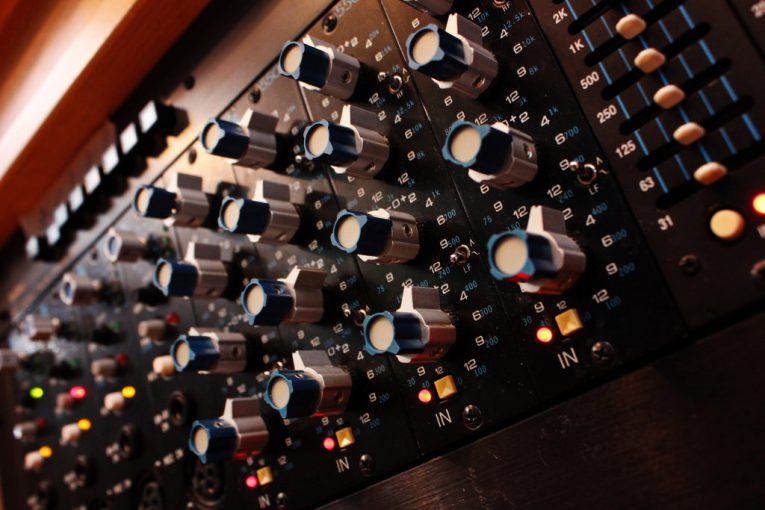
When it comes to choosing which frequencies to boost or cut on an equalizer, the first step is to understand the different frequency bands. Equalizers typically have a series of sliders or knobs that allow you to adjust the levels of different frequency bands. The most common frequency bands are bass, midrange, and treble. Bass frequencies are typically between 20Hz and 250Hz, midrange frequencies are between 250Hz and 4kHz, and treble frequencies are between 4kHz and 20kHz. Understanding how these frequency bands affect the sound is key to choosing which frequencies to boost or cut.

Identifying Problem Frequencies

Once you understand the frequency bands, the next step is to identify which frequencies are causing problems in the sound. This can be done by listening carefully to the audio and paying attention to which frequencies are too loud or too quiet. For example, if the bass is too boomy, you may need to cut the low frequencies using the equalizer. If the vocals are too harsh, you may need to cut the midrange frequencies. Identifying the problem frequencies is key to choosing which frequencies to boost or cut.

Making Subtle Adjustments

Once you’ve identified the problem frequencies, it’s time to start making adjustments using the equalizer. The key is to be patient and make subtle adjustments. It’s important to remember that equalization is not a magic fix for all audio problems. In some cases, you may need to address the underlying issue before using the equalizer. As the music producer Quincy Jones once said, “Equalization is like a microscope. You can see everything, but you can also ruin everything.” With that in mind, use the equalizer to make small adjustments to the sound, and listen carefully to the results. Over time, you’ll develop a better understanding of how to choose which frequencies to boost or cut.
Final Words:
In conclusion, choosing which frequencies to boost or cut on an equalizer can be a powerful tool for improving the sound of your music or audio content. By understanding the different frequency bands, identifying the problem frequencies, and making subtle adjustments, you can achieve a more balanced and natural sound. And if you’re looking for a reliable and effective equalizer software, I highly recommend checking out mp4gain. It’s a great solution for normalizing and converting audio and video files, with an integrated equalizer that can help you achieve the perfect sound.


equalizer, frequencies, boost, cut, selection, adjustment, control, manipulation, management, modification, optimization, bass, midrange, treble, sound, problem, loud, quiet, vocals, harsh, subtle, adjustments, microscope, ruin, Quincy Jones, balanced, natural, reliable, effective, software, mp4gain, normalize, convert, files, integrated, solution, perfect, sound.

What are the different types of audio equalizers

What are the different types of audio equalizers?

audio equalizers
audio equalizers
audio equalizers
audio equalizers

Graphic Equalizers

I’ve always been a fan of graphic equalizers. They allow you to adjust the levels of different frequency bands, giving you more control over the sound. As the name suggests, graphic equalizers use a graphical interface to display the frequency response of the audio signal. This makes it easy to see which frequencies need to be boosted or cut. In the words of the legendary music producer Quincy Jones, “Equalization is the magic key to good sound.”

Parametric Equalizers

Parametric equalizers are a bit more complex than graphic equalizers, but they offer even more control over the sound. With a parametric equalizer, you can adjust the center frequency, bandwidth, and gain of each individual band. This allows you to target specific problem areas in the frequency spectrum. I’ve found that parametric equalizers are particularly useful for fixing issues with vocals, which can often sound harsh or nasal.

Mastering Equalizers

Mastering equalizers are a special type of equalizer that are used in the final stages of music production. They are designed to make subtle adjustments to the overall sound of a mix, rather than targeting specific problem areas. Mastering equalizers are often used to add warmth, depth, and clarity to a mix. As the mastering engineer Bob Katz once said, “Equalization is the final touch that can make or break a mix.”

Equalizer Presets

Equalizer presets are pre-configured settings that are designed to work well with specific types of music or audio content. For example, you might have a preset for rock music, which boosts the bass and treble frequencies. Or you might have a preset for podcasts, which emphasizes the midrange frequencies. I’ve found that presets can be a great starting point for adjusting the sound, especially if you’re not sure where to begin.

Equalizer Settings

When it comes to equalizer settings, there’s no one-size-fits-all solution. The best settings will depend on the specific audio content you’re working with, as well as your personal preferences. That being said, there are some general guidelines that can help. For example, it’s usually a good idea to cut frequencies that are causing problems, rather than boosting them. And it’s important to be subtle with your adjustments, as too much equalization can lead to a distorted or unnatural sound.
Final Words:
In conclusion, audio equalizers are a powerful tool for shaping the sound of your music or audio content. Whether you’re using a graphic equalizer, a parametric equalizer, or a mastering equalizer, the key is to be patient and experiment with different settings. And if you’re looking for a reliable and effective equalizer software, I highly recommend checking out mp4gain. It’s a great solution for normalizing and converting audio and video files, with an integrated equalizer that can help you achieve the perfect sound.