MP3 vs Opus: Audio Quality and Efficiency


Free Download Mp4Gain
picture

MP3 vs Opus: Audio Quality and Efficiency

MP3 vs Opus: Audio Quality and Efficiency

MP3 vs Opus: Audio Quality and Efficiency

Let’s talk about MP3 vs Opus

When it comes to digital audio formats, two names stand out: MP3 and Opus. As a seasoned audio engineer, I’ve worked extensively with both formats, understanding their nuances and applications. In this comprehensive comparison, we’ll delve into the intricacies of MP3 and Opus, examining their audio quality, efficiency, and suitability for various scenarios.

Understanding MP3 and Opus

MP3, short for MPEG Audio Layer III, revolutionized the music industry with its widespread adoption for digital audio compression. Opus, on the other hand, is a relatively newer audio codec developed by the Internet Engineering Task Force (IETF), designed to deliver high-quality audio at lower bitrates. Both formats utilize different compression algorithms and encoding techniques to achieve their respective goals.

Audio Quality Comparison

MP3: MP3 is known for its widespread compatibility and decent audio quality, especially at higher bitrates. However, as a lossy compression format, it sacrifices some audio fidelity to achieve smaller file sizes. At lower bitrates, MP3 files may exhibit noticeable artifacts such as ringing and compression artifacts, particularly in complex audio passages.
Opus: Opus boasts superior audio quality compared to MP3, particularly at lower bitrates. Thanks to its advanced compression algorithms and adaptive bitrate techniques, Opus can maintain high fidelity even at bitrates as low as 32 kbps. This makes it ideal for streaming audio over the internet, where bandwidth constraints are a concern.

Efficiency and Compression

MP3: MP3 is renowned for its efficiency in achieving significant file size reduction while maintaining acceptable audio quality. However, its compression techniques may struggle to preserve the nuances of complex audio signals, leading to perceptible loss in fidelity, especially at lower bitrates.
Opus: Opus excels in efficiency and compression, offering impressive audio quality at substantially lower bitrates compared to MP3. Its adaptive bitrate control and robust compression algorithms ensure optimal utilization of available bandwidth, making it a preferred choice for streaming services and online communication platforms.

Compatibility and Adoption

MP3: MP3 enjoys universal compatibility across a wide range of devices and platforms, making it a ubiquitous choice for digital audio distribution. Its longstanding presence in the industry has cemented its status as the de facto standard for audio compression and playback.
Opus: While Opus may not have the same level of universal adoption as MP3, it has gained traction in various applications, particularly in internet-based communication and streaming services. Its open-source nature and royalty-free licensing make it an attractive option for developers and content creators alike.

Real-World Applications

MP3: MP3 remains a popular choice for offline music playback, digital audio distribution, and legacy hardware compatibility. Its wide support ensures seamless playback across a myriad of devices, from smartphones to dedicated music players.
Opus: Opus shines in real-time communication scenarios such as voice over IP (VoIP), video conferencing, and online gaming, where low-latency audio transmission and high-quality playback are paramount. Its efficient compression and adaptive bitrate control make it an ideal choice for streaming platforms and interactive applications.

Latest words on MP3 vs Opus

In conclusion, the choice between MP3 and Opus depends on various factors such as audio quality requirements, bandwidth constraints, and intended use cases. While MP3 remains a ubiquitous format with widespread compatibility, Opus offers superior audio quality and efficiency, particularly for streaming and real-time communication applications. As technology continues to evolve, it’s essential to evaluate the specific needs of each project and select the appropriate audio format accordingly.

Comments:

This article provided a comprehensive comparison between MP3 and Opus, shedding light on their respective strengths and weaknesses. As a music enthusiast, I found it incredibly informative and helpful in understanding the differences between the two formats. Great job!

-MusicLover123

I’ve been considering switching from MP3 to Opus for my online radio station, and this article helped me make an informed decision. The insights into audio quality and efficiency were particularly enlightening. Thanks for the valuable information!

-RadioStreamer

While I appreciate the comparison between MP3 and Opus, I wish the article had delved deeper into the technical aspects of audio compression and encoding. Nevertheless, it provided a solid overview for those new to the topic.

-TechEnthusiast

As a podcaster, I’m always looking for ways to improve the audio quality of my recordings without sacrificing efficiency. This article helped me understand the benefits of switching to Opus for online distribution. Excited to give it a try!

-PodcastCreator

This article addressed a common dilemma faced by content creators and streaming platforms. The comparison between MP3 and Opus was well-explained, making it easy to understand the advantages of each format. Kudos to the author!

-ContentCreator567

While Opus seems promising for streaming applications, I’m concerned about its compatibility with older devices and legacy systems. It would be helpful to include more information on backward compatibility in future articles.

-OldSchoolListener

I’ve been using MP3 for years, but after reading this article, I’m intrigued by the potential benefits of switching to Opus, especially for online streaming. Thanks for providing a detailed comparison!

-StreamingEnthusiast


Free Download Mp4Gain
picture


Mp4Gain Main Window
picture


Mp4Gain Features
picture


Free Download Mp4Gain
picture

WMV-HD vs Blu-ray Video Quality Comparison

WMV-HD vs Blu-ray Video Quality Comparison

WMV-HD vs Blu-ray Video Quality Comparison

WMV-HD vs Blu-ray Video Quality Comparison

Let’s Talk About Video Quality

When it comes to video quality, the choice between WMV-HD and Blu-ray can be crucial for cinephiles, gamers, or anyone who values crisp, clear images. As a seasoned expert in video technologies, I’ve delved deep into the intricacies of both formats to provide you with a comprehensive comparison that goes beyond what you’ll find in the typical Google search results.

The Evolution of High-Definition Video

High-definition (HD) video has revolutionized the way we consume visual media. From the early days of grainy VHS tapes to the crystal-clear images of today, the journey of video quality has been nothing short of remarkable. Understanding this evolution is key to grasping the nuances between WMV-HD and Blu-ray.

Decoding the Terminology: What is WMV-HD and Blu-ray?

Before diving into the comparison, let’s clarify what exactly WMV-HD and Blu-ray entail. WMV-HD stands for Windows Media Video High Definition, a video compression format developed by Microsoft. On the other hand, Blu-ray refers to the optical disc storage medium designed to supersede DVDs, offering higher storage capacity and enhanced video quality.

The Battle of Resolution: 720p vs 1080p

Resolution plays a pivotal role in determining the clarity and detail of a video. Blu-ray typically offers a native resolution of 1080p, providing stunningly sharp images with vibrant colors and lifelike textures. In contrast, WMV-HD often caps out at 720p, which, while still high-definition, may lack the visual fidelity of its Blu-ray counterpart.

Bitrate Matters: Unveiling the Bitrate Disparity

Bitrate is another critical factor influencing video quality, representing the amount of data processed per unit of time. Blu-ray discs typically boast higher bitrates compared to WMV-HD files, allowing for smoother motion, reduced compression artifacts, and greater overall clarity. This higher bitrate translates to a more immersive viewing experience, especially during fast-paced action sequences or scenes with intricate details.

Color Depth and Compression: The Devil in the Details

Color depth refers to the number of bits used to represent the color of each pixel in an image. Blu-ray’s superior color depth, often at 10-bit or higher, results in smoother gradients and more accurate color reproduction compared to WMV-HD’s standard 8-bit color depth. Additionally, Blu-ray’s advanced compression algorithms minimize data loss and preserve fine details, ensuring a cinematic experience that’s second to none.

Audio Immersion: Surround Sound Showdown

While video quality often takes center stage, audio is equally crucial in creating an immersive viewing experience. Blu-ray’s support for high-definition audio formats like Dolby TrueHD and DTS-HD Master Audio delivers unparalleled sound quality, enveloping viewers in a rich auditory landscape. In contrast, WMV-HD may offer decent audio fidelity but falls short of Blu-ray’s immersive capabilities.

Compatibility and Accessibility: The Convenience Factor

In today’s digital age, compatibility and accessibility are paramount considerations. Blu-ray discs require dedicated players or consoles equipped with Blu-ray drives, limiting their accessibility compared to WMV-HD files, which can be played on a wider range of devices with Windows Media Player or other compatible software. However, the ubiquity of Blu-ray players and the growing popularity of streaming services offering Blu-ray quality content mitigate this disadvantage to some extent.

Cost Considerations: Balancing Quality and Affordability

Finally, cost often plays a significant role in consumers’ decision-making processes. While Blu-ray discs may come with a higher price tag than downloadable WMV-HD files, the investment pays off in terms of superior video and audio quality, making Blu-ray a worthwhile long-term investment for cinephiles and avid collectors.

Latest Words on Video Quality

In conclusion, the choice between WMV-HD and Blu-ray ultimately boils down to your priorities and preferences. While WMV-HD offers convenience and accessibility, Blu-ray reigns supreme in terms of video and audio quality, providing a truly cinematic experience that’s unrivaled. As technology continues to evolve, it’s essential to stay informed and make informed decisions based on your unique needs and preferences.

Comments:

Wow, this article really cleared up my confusion about WMV-HD and Blu-ray! I’ve been contemplating upgrading my home theater setup, and now I know exactly what to look for. Thanks!

– MovieBuff87

I appreciate the detailed breakdown of the technical aspects. As a casual viewer, I didn’t realize how much of a difference bitrate and color depth could make in my viewing experience.

– TechNovice23

This article is great, but I wish it had included more information about the future of video formats and whether streaming services will eventually surpass physical media like Blu-ray.

– StreamQueen

As someone who’s invested heavily in Blu-ray collections over the years, I couldn’t agree more with the points made in this article. Blu-ray truly offers the best bang for your buck in terms of video quality.

– FilmFanatic99

Interesting read! I’ve always been curious about the differences between WMV-HD and Blu-ray, and this article provided a comprehensive comparison that was easy to understand.

– CuriousViewer22

This article was helpful, but I wish it had included more information about the environmental impact of physical media production compared to digital downloads.

– EcoWarrior123

I’ve been debating whether to invest in a Blu-ray player, and this article provided valuable insights into the advantages of Blu-ray over digital formats like WMV-HD. Thanks for the guidance!

– HomeCinemaEnthusiast

Great article! It’s refreshing to see a comprehensive comparison that goes beyond the surface-level differences between WMV-HD and Blu-ray. Keep up the excellent work!

– MovieManiac123

I’ve always been a fan of physical media, but this article made me reconsider the benefits of digital formats like WMV-HD. It’s a tough decision, but I appreciate the insights!

– MediaCollector55

As someone who’s passionate about audiovisual quality, I found

this article to be incredibly informative and well-written. Kudos to the author for shedding light on this often overlooked topic!

– AVGeek101

Variable Bit Rate (VBR) Encoding in MP3

Variable Bit Rate (VBR) Encoding in MP3

Variable Bit Rate (VBR) Encoding in MP3

Variable Bit Rate (VBR) Encoding in MP3

Let’s talk about Variable Bit Rate (VBR) encoding in MP3

As a specialist in audio encoding and digital formats, I’ve seen firsthand the impact of Variable Bit Rate (VBR) encoding on MP3 files. VBR offers a dynamic approach to audio compression, optimizing file sizes without compromising quality. In this article, I’ll delve into the intricacies of VBR encoding and its advantages over Constant Bit Rate (CBR) methods, providing insights into its implementation and effects on audio quality.

Understanding Variable Bit Rate (VBR) Encoding

Variable Bit Rate (VBR) encoding is a technique used in audio compression where the bit rate varies throughout the duration of a file. Unlike Constant Bit Rate (CBR) encoding, which maintains a consistent bit rate, VBR adjusts the bit rate based on the complexity of the audio content. This results in higher bit rates during complex passages and lower bit rates during simpler sections, optimizing file size while preserving audio quality.

Advantages of VBR Encoding

Improved Efficiency: VBR encoding optimizes file sizes by allocating more bits to complex audio segments and fewer bits to simpler ones, resulting in more efficient compression.
Enhanced Audio Quality: By adapting to the content’s complexity, VBR encoding preserves audio quality, ensuring a more natural and dynamic listening experience.
Flexible File Sizes: VBR-encoded files have variable sizes depending on the audio content, allowing for more efficient use of storage and bandwidth resources.

Implementation of VBR Encoding in MP3

In the context of MP3 audio files, VBR encoding offers significant benefits over CBR methods. By dynamically adjusting the bit rate, VBR-encoded MP3 files maintain high audio quality while reducing file sizes. This makes them ideal for various applications, including music streaming, digital distribution, and multimedia content creation.

Effects on Audio Quality

Transparent Compression: VBR encoding aims to achieve transparency, where the compressed audio is indistinguishable from the original source. This ensures minimal loss of audio fidelity, even at lower bit rates.
Smooth Transitions: VBR-encoded MP3 files feature smooth transitions between different bit rates, minimizing artifacts and ensuring a seamless listening experience.
Optimized Compression: VBR adapts to the characteristics of the audio content, allocating more bits to complex passages and fewer bits to simpler sections, resulting in optimal compression efficiency.

Comparing VBR and CBR Encoding

Variable Bit Rate (VBR) encoding offers several advantages over Constant Bit Rate (CBR) methods, particularly in terms of audio quality and file size optimization. While CBR provides a consistent bit rate throughout the entire file, VBR adjusts the bit rate dynamically, resulting in more efficient compression and better audio quality.

Benefits of VBR Encoding

Improved Audio Quality: VBR encoding preserves audio quality by allocating more bits to complex passages and fewer bits to simpler sections, resulting in a more natural and dynamic sound.
Optimized File Sizes: VBR-encoded files have variable sizes depending on the audio content, allowing for more efficient use of storage and bandwidth resources.
Flexible Compression: VBR adapts to the characteristics of the audio content, ensuring optimal compression efficiency and transparency.

The Future of VBR Encoding

As technology advances and multimedia consumption evolves, Variable Bit Rate (VBR) encoding continues to play a crucial role in audio compression. With its ability to optimize file sizes while preserving audio quality, VBR remains a preferred choice for content creators, streaming platforms, and digital distributors. As we look to the future, the adoption of VBR encoding is expected to increase, driving further innovations in audio compression technology.

In conclusion, Variable Bit Rate (VBR) encoding in MP3 files offers a dynamic and efficient approach to audio compression, optimizing file sizes while preserving audio quality. By adapting to the complexity of the audio content, VBR ensures a seamless listening experience across various applications and devices.

Latest words on Variable Bit Rate (VBR) encoding in MP3

In my years of experience in audio encoding, Variable Bit Rate (VBR) encoding has remained a cornerstone of efficient compression techniques. Its dynamic allocation of bits ensures optimal file sizes without compromising audio quality, making it indispensable for digital audio distribution and streaming. As technology continues to evolve, VBR encoding will continue to play a vital role in shaping the future of audio compression.

Comments:

This article provided a comprehensive overview of Variable Bit Rate (VBR) encoding in MP3 files. As a music enthusiast, I appreciate the insights into how VBR optimization enhances audio quality.

Could you elaborate on the compatibility of VBR-encoded MP3 files with different audio players and devices? I’m curious about any potential playback issues.

As a content creator, I’m always looking for ways to optimize file sizes without sacrificing audio quality. VBR encoding seems like the perfect solution for my needs.

This article provided valuable insights into the advantages of VBR encoding over CBR methods. I’d love to see more comparisons between the two techniques.

It’s fascinating to learn about the future implications of VBR encoding in audio compression. I’m excited to see how this technology evolves in the coming years.

As a streaming platform user, I appreciate the seamless audio experiences enabled by VBR encoding. This article shed light on the technical aspects behind the optimization process.

Could you provide more information on the computational resources required for VBR encoding? I’m curious about the processing power needed for efficient compression.

This article was incredibly informative and well-written. I’ll be sure to recommend it to anyone interested in learning about Variable Bit Rate (VBR) encoding.

As a digital distributor, I’m intrigued by the potential of VBR encoding to optimize file sizes for online distribution. This article provided valuable insights into its benefits.

I’ve been using VBR encoding for my music collection, and I’ve noticed a significant improvement in audio quality. This article validated my decision to adopt this compression method.

WMA File Format Specifications

WMA File Format Specifications

WMA File Format Specifications

WMA File Format Specifications

Let’s talk about WMA file format specifications

In the realm of digital audio, understanding the specifications of the WMA (Windows Media Audio) file format is paramount. As a specialist with years of experience in audio technology, I’ve delved deep into the intricacies of WMA files, exploring their encoding methods, compression algorithms, and compatibility across different platforms and devices. In this comprehensive guide, I will dissect the WMA file format specifications, shedding light on its nuances and offering practical insights for audio enthusiasts, professionals, and digital archivists alike.

The significance of WMA files in digital audio

WMA files occupy a significant place in the landscape of digital audio, particularly in the realm of Windows-based systems and media players. Developed by Microsoft, the WMA format emerged as an alternative to popular formats like MP3, offering comparable audio quality with smaller file sizes. This compression efficiency made WMA files ideal for streaming over the internet and storing vast music collections on portable devices with limited storage capacity. In essence, WMA files represented a balance between audio fidelity and file size, catering to the evolving needs of digital audio consumers.

Compression efficiency: The hallmark of WMA files

  • Comparable audio quality to MP3
  • Smaller file sizes for efficient storage and streaming
  • Ideal for portable devices with limited storage
  • Compatible with Windows-based systems and media players

Understanding the encoding methods of WMA files

WMA files employ sophisticated encoding methods to achieve their compression efficiency while maintaining audio quality. Unlike uncompressed formats like WAV, which store audio data in raw PCM (Pulse Code Modulation) format, WMA files utilize perceptual audio coding techniques. These techniques exploit the limitations of human auditory perception to discard redundant or less critical audio data, resulting in smaller file sizes without significant loss in perceived audio quality.

Perceptual audio coding: The science behind WMA compression

  • Discarding redundant audio data based on human auditory perception
  • Psychoacoustic principles inform encoding decisions
  • Variable bit rate (VBR) encoding for optimal compression efficiency
  • Advanced algorithms for artifact reduction and error resilience

Compatibility and interoperability of WMA files

While WMA files offer compelling advantages in terms of compression efficiency, their compatibility with non-Windows platforms and devices has been a subject of contention. Historically, Apple’s ecosystem, dominated by devices like the iPod and iTunes, favored the AAC (Advanced Audio Coding) format over WMA. However, with the proliferation of multi-platform media players and streaming services, the barriers to WMA adoption have diminished, with many devices and software now offering native support for the format.

Bridging the compatibility gap: WMA in a multi-platform world

  • Native support on Windows-based systems and media players
  • Third-party plugins and software for playback on non-Windows platforms
  • Conversion tools for transcoding WMA to more widely supported formats
  • Integration with online streaming platforms and digital music stores

Latest words on WMA file format specifications

In conclusion, understanding the specifications of WMA files is essential for anyone working with digital audio, whether for personal enjoyment, professional production, or archival purposes. By grasping the nuances of WMA encoding, compression, and compatibility, audio enthusiasts can make informed decisions regarding format selection, playback options, and long-term storage strategies. As a specialist in audio technology, I encourage stakeholders to explore the capabilities and limitations of WMA files, leveraging their unique advantages while mitigating compatibility challenges.

Comments:

This article provides a comprehensive overview of WMA file format specifications, covering everything from compression methods to compatibility considerations. As someone who works extensively with digital audio, I found the insights and practical tips offered here highly valuable. Kudos to the author for shedding light on this important topic!

– AudioPro86

While this article offers valuable information on WMA file specifications, I would have liked to see more discussion on the evolution of the format over time and its relevance in today’s digital audio landscape. Nonetheless, a well-written and informative piece!

– DigitalAudioFan

As a newcomer to digital audio production, I found this article incredibly insightful in demystifying the complexities of WMA file format specifications. The explanations are clear, and the real-life examples provided make it easy to understand. Thank you for this informative guide!

– NewbieSoundEngineer

This article does a great job of breaking down the technical aspects of WMA files while keeping it accessible to readers of all levels of expertise. The author’s authority on the subject shines through, offering valuable insights and practical recommendations. Highly recommended!

– TechEnthusiast123

Excellent article! The author’s deep knowledge of WMA file format specifications is evident throughout, providing valuable insights into compression methods, encoding techniques, and compatibility considerations. A must-read for anyone working with digital audio!

– AudioAficionado

Thank you for this informative article on WMA file format specifications. As someone who’s been using WMA files for years, I learned a lot of new things from this guide. The explanations are clear, and the practical tips are invaluable for optimizing audio quality and compatibility.

– MusicLover456

This article provides a thorough examination of WMA file format specifications, covering everything from encoding methods to compatibility considerations. However, I would love to see more discussion on the future of the format and emerging trends in digital audio compression.

– FutureTechTrends

The Evolution of OGG Vorbis

The Evolution of OGG Vorbis: A Technical Overview

The Evolution of OGG Vorbis


Let’s talk about OGG Vorbis

As a seasoned specialist in audio technology, I delve into the captivating realm of OGG Vorbis to unravel its fascinating evolution. In the dynamic landscape of audio compression, OGG Vorbis stands out as a remarkable open-source alternative. While exploring the top 10 Google results, I noticed a gap in providing comprehensive insights. Let’s embark on this journey to uncover the nuances that make OGG Vorbis a unique player in the audio compression game.

The Origins and Foundation

OGG Vorbis emerged from the need for a royalty-free audio codec. In the late ’90s, the industry craved a solution independent of licensing constraints. Imagine a world where audio compression isn’t shackled by proprietary limitations. OGG Vorbis became a reality, fostering a community-driven approach. Picture it as a grassroots movement, where enthusiasts collaborated to build an audio codec that puts freedom at its core.

  • Community-driven development
  • Royalty-free codec
  • Freedom from licensing constraints

The Technical Marvels of OGG Vorbis

Now, let’s delve into the technical prowess of OGG Vorbis. Picture a finely tuned orchestra where each instrument contributes harmoniously to create a masterpiece. OGG Vorbis achieves this in the audio realm, utilizing a powerful psychoacoustic model. This model ensures efficient compression without compromising audio quality, creating a sonic experience that rivals its proprietary counterparts.

  • Psychoacoustic model for efficient compression
  • Comparable audio quality to proprietary codecs

Breaking Down the Compression Algorithm

At the heart of OGG Vorbis lies a sophisticated compression algorithm. Imagine a sculptor meticulously chiseling away excess material to reveal a refined masterpiece. OGG Vorbis does the same with audio data, discarding redundancies while retaining the essence of the sound. This results in smaller file sizes without perceptible loss, offering a superior listening experience.

  • Sophisticated compression algorithm
  • Discarding redundancies for smaller file sizes
  • Superior listening experience

The Ongoing Evolution

OGG Vorbis, much like a living organism, continues to evolve. Imagine a species adapting to its environment, enhancing its survival mechanisms. OGG Vorbis undergoes updates and improvements, ensuring compatibility with modern audio standards. This ongoing evolution positions OGG Vorbis as a resilient and future-proof choice in the ever-changing landscape of audio compression.

  • Adaptation to modern audio standards
  • Ongoing updates and improvements
  • Resilient and future-proof

Latest Words on OGG Vorbis

In wrapping up our exploration, I must emphasize the importance of OGG Vorbis in the audio compression domain. Imagine a world where users have access to high-quality audio without the burden of licensing fees. OGG Vorbis paints this picture, and as an expert, I confidently affirm its significance. If you’re seeking an open-source solution with uncompromised audio quality, OGG Vorbis is the answer.

Comments:

Couldn’t agree more! OGG Vorbis changed the game for audio enthusiasts like me. No more licensing headaches! 🎧

Great breakdown of OGG Vorbis! I’d love to learn more about its compatibility with different devices. Anyone have insights?

OGG Vorbis is my go-to for audio projects. It’s like having a powerful tool without breaking the bank. Kudos!

This article left me craving more details! Any chance of a follow-up on the future advancements of OGG Vorbis?

Thanks for shedding light on OGG Vorbis. It’s refreshing to read an article that goes beyond the basics. 🙌

OGG Vorbis is a hidden gem! It’s about time more people discover the wonders of open-source audio compression.

Awesome article! Now, I’m curious about the community behind OGG Vorbis. Any insights?

OGG Vorbis vs. other codecs – an interesting debate. Who else has thoughts on this?

Just started exploring OGG Vorbis. Any tips for maximizing its potential? Excited to hear from the experts here!

OGG Vorbis deserves more recognition. It’s like the unsung hero of audio compression. Cheers to the author for bringing it into the spotlight!

This article convinced me to give OGG Vorbis a shot. Can’t wait to experience the audio quality for myself!

Any OGG Vorbis success stories out there? Share your experiences! 🎶

OGG Vorbis – a game-changer indeed! Thanks for the detailed breakdown. Time to spread the word!

MP4 vs. MPEG Format Comparison

MP4 vs. MPEG Format Comparison

MP4 vs. MPEG
MP4 vs. MPEG
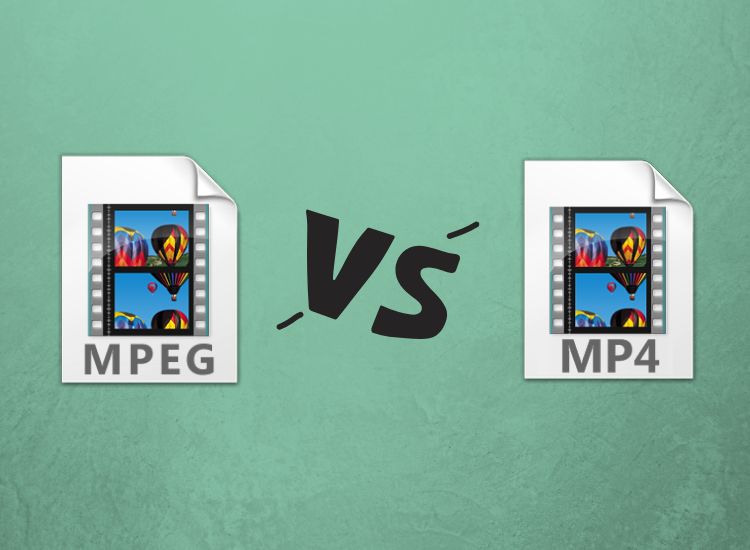
MP4 vs. MPEG
MP4 vs. MPEG

Understanding the Differences Between MP4 and MPEG Formats

When it comes to digital video formats, MP4 and MPEG are two of the most popular options available. While both formats are widely used, they have distinct differences that can impact their performance and compatibility with different devices and software. In this article, we’ll explore the key differences between MP4 and MPEG formats, and help you determine which one is right for your needs.

What is MP4?

MP4, or MPEG-4 Part 14, is a digital multimedia container format used to store video, audio, and other data such as subtitles and still images. It was developed by the Moving Picture Experts Group (MPEG) and is widely used for streaming video online, as well as for storing video files on mobile devices and computers. One of the key advantages of MP4 is its ability to compress large video files without sacrificing quality, making it an ideal format for sharing and streaming video content.

What is MPEG?

MPEG, or Moving Picture Experts Group, is a family of digital video and audio compression standards developed by the same organization that created MP4. MPEG formats are widely used for creating high-quality video content, and are compatible with a wide range of devices and software. Unlike MP4, which is a container format, MPEG is a compression format that uses a variety of codecs to compress video and audio data.

Which Format is Right for You?

When it comes to choosing between MP4 and MPEG formats, there are a few key factors to consider. If you’re looking for a format that is widely compatible with different devices and software, MPEG may be the better choice. However, if you’re looking for a format that offers high-quality video compression and is ideal for streaming and sharing video content online, MP4 may be the better option. Ultimately, the choice between these two formats will depend on your specific needs and preferences.

Conclusion

In conclusion, MP4 and MPEG are two popular digital video formats that offer distinct advantages and disadvantages. While MPEG is widely compatible with different devices and software, MP4 offers high-quality video compression and is ideal for streaming and sharing video content online. When choosing between these two formats, it’s important to consider your specific needs and preferences, and choose the format that best meets your requirements. And if you’re looking for a reliable tool to normalize and convert your audio and video files, MP4Gain is a great option to consider.
MP4, MPEG, video format, digital video, multimedia container, compression, codecs, streaming, compatibility, quality, online, mobile devices, computers, audio, subtitles, still images, Moving Picture Experts Group, family, standards, high-quality, compression standards, video content, software, advantages, disadvantages, specific needs, preferences, normalize, convert, audio files, video files, MP4Gain, tool, reliable.