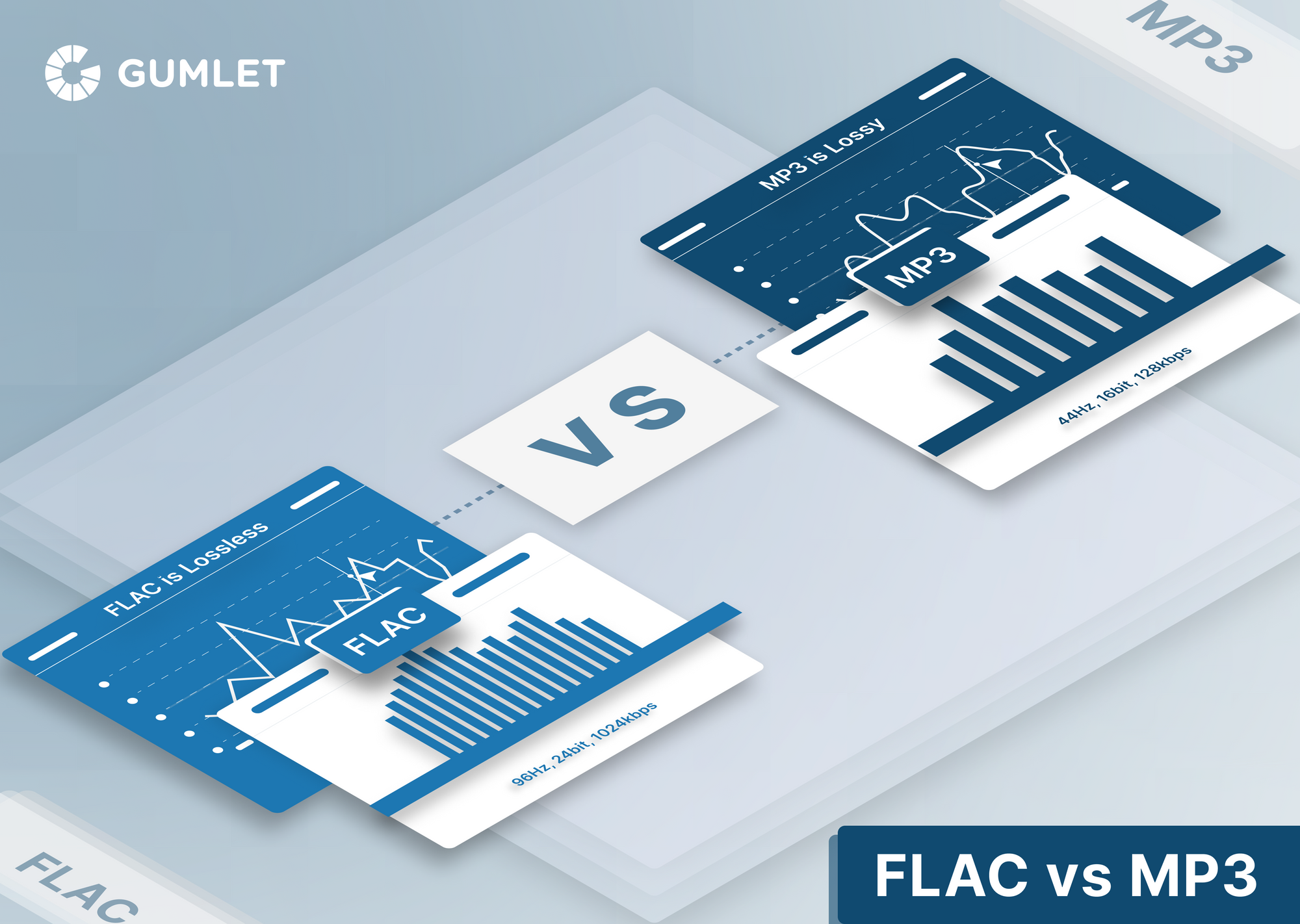
MP4 vs FLV: Video Streaming Formats


Free Download Mp4Gain
picture

MP4 vs FLV: Video Streaming Formats
MP4 vs FLV: Video Streaming Formats

MP4 vs FLV: Video Streaming Formats

Let’s Talk about Video Formats

In the dynamic world of online content, the choice of video format can significantly impact streaming quality, compatibility, and user experience. When comparing MP4 and FLV, it’s crucial to understand their unique characteristics and how they influence the delivery of multimedia content.

Why Video Formats Matter

Video formats play a pivotal role in determining how digital video files are compressed, encoded, and delivered over the internet. As an expert in multimedia technologies, I’ve witnessed firsthand the profound effect that selecting the right format can have on the success of online video content.

Understanding MP4

MP4, short for MPEG-4 Part 14, stands as one of the most popular and versatile video container formats. Renowned for its widespread support across devices and platforms, MP4 efficiently compresses audio and video data while maintaining high-quality playback.

Decoding FLV

FLV, or Flash Video, gained prominence as the preferred format for online video streaming during the early 2000s. Developed by Adobe Systems, FLV offers robust streaming capabilities, making it ideal for delivering multimedia content over the internet.

The Advantages of MP4

When it comes to versatility and compatibility, MP4 reigns supreme in the realm of video formats. Its widespread support across devices, operating systems, and web browsers ensures seamless playback experiences for users worldwide.

Universal Compatibility

One of the standout features of MP4 is its universal compatibility across various devices and platforms. Whether you’re streaming videos on a smartphone, tablet, or desktop computer, MP4 ensures consistent playback quality without the need for additional plugins or software.

High-Quality Compression

As an expert in multimedia compression technologies, I can attest to the efficiency of MP4 in balancing file size and video quality. Through advanced compression algorithms, MP4 minimizes storage requirements while preserving the integrity of audio and video data.

Optimized for Streaming

In the era of online streaming platforms and video-on-demand services, MP4 offers optimized streaming capabilities that cater to modern viewing habits. From seamless buffering to adaptive bitrate streaming, MP4 empowers content creators to deliver immersive experiences to their audiences.

The Evolution of FLV

While FLV may have dominated the early days of online video streaming, its relevance has gradually waned in the face of emerging technologies and industry standards. Despite its historical significance, FLV now faces limitations in compatibility and support.

Limited Compatibility

One of the primary drawbacks of FLV is its limited compatibility with modern web browsers and mobile devices. As HTML5 video players become the standard for online streaming, FLV struggles to adapt to the evolving landscape of multimedia technologies.

Legacy Support Challenges

As an expert in digital media preservation, I recognize the challenges associated with maintaining legacy support for outdated formats like FLV. With the gradual phasing out of Adobe Flash Player and the shift towards HTML5, FLV faces uncertain prospects in the ever-changing digital ecosystem.

Migration to MP4

In response to the decline of FLV, many content creators and streaming platforms have migrated to the MP4 format for its superior compatibility and versatility. By embracing MP4, businesses and individuals can future-proof their multimedia content and ensure seamless playback across all devices.

Choosing the Right Format

When it comes to selecting the optimal video format for your streaming needs, it’s essential to weigh the benefits and limitations of each option. Whether you prioritize universal compatibility or streaming performance, making an informed decision can elevate the quality of your multimedia content.

Consideration Factors

As a seasoned multimedia professional, I advise clients to consider various factors when choosing between MP4 and FLV. Factors such as target audience demographics, streaming platform requirements, and content delivery objectives can influence the selection process.

  • Target Audience Preferences
  • Platform Compatibility
  • Streaming Performance
  • Content Security
  • Long-Term Viability

Future-Proofing Your Content

In an era defined by rapid technological advancements, future-proofing your multimedia content is paramount to its long-term success. By embracing formats like MP4 that offer broad compatibility and robust streaming capabilities, you can ensure that your content remains accessible and engaging for years to come.

Latest Words on Video Formats

As a specialist in multimedia technologies, I’ve witnessed the evolution of video formats firsthand. While FLV may have paved the way for online video streaming, the widespread adoption of MP4 signals a new era of compatibility and performance.

Comments:

Wow, this article really helped me understand the differences between MP4 and FLV. I’ve been struggling to choose the right format for my online videos, but now I feel confident in my decision. Thanks!

– VideoEnthusiast23

I never realized how much impact the choice of video format could have on streaming quality until I read this article. The explanations were clear, and I appreciate the expert insights!

– StreamMaster99

This article provided valuable information on the pros and cons of MP4 and FLV. However, I wish there was more emphasis on emerging formats like WebM and AV1.

– TechSavvyUser

As a content creator, I’ve struggled with compatibility issues when using FLV for online streaming. After reading this article, I’m convinced that transitioning to MP4 is the right move for my channel.

– CreativeContent123

I found the comparison between MP4 and FLV to be enlightening, but I was hoping for more in-depth technical analysis regarding encoding algorithms and compression techniques.

– TechNerd456

This article provided a comprehensive overview of video formats, but I wish there were more real-world examples illustrating the impact of format selection on streaming performance.

– StreamWatchDog

Great article! I’ve been debating whether to stick with FLV or switch to MP4 for my website’s video content. This article helped me make an informed decision. Keep up the good work!

– WebDevGuru

Thanks for shedding light on the differences between MP4 and FLV. As a novice in the world of online video, I found this article to be incredibly informative and easy to understand.

– VideoNewbie22</ p>

Although MP4 seems to be the superior choice in terms of compatibility and performance, I’m curious to learn more about the advantages of FLV in specific use cases.

– CuriousStreamer

This article provided valuable insights into the world of video formats, but I would have appreciated more discussion on the evolving landscape of streaming technologies and emerging formats.

– StreamingEnthusiast


Free Download Mp4Gain
picture


Mp4Gain Main Window
picture


Mp4Gain Features
picture


Free Download Mp4Gain
picture

Variable Bit Rate (VBR) Encoding in MP3

Variable Bit Rate (VBR) Encoding in MP3

Variable Bit Rate (VBR) Encoding in MP3

Variable Bit Rate (VBR) Encoding in MP3

Let’s talk about Variable Bit Rate (VBR) encoding in MP3

As a specialist in audio encoding and digital formats, I’ve seen firsthand the impact of Variable Bit Rate (VBR) encoding on MP3 files. VBR offers a dynamic approach to audio compression, optimizing file sizes without compromising quality. In this article, I’ll delve into the intricacies of VBR encoding and its advantages over Constant Bit Rate (CBR) methods, providing insights into its implementation and effects on audio quality.

Understanding Variable Bit Rate (VBR) Encoding

Variable Bit Rate (VBR) encoding is a technique used in audio compression where the bit rate varies throughout the duration of a file. Unlike Constant Bit Rate (CBR) encoding, which maintains a consistent bit rate, VBR adjusts the bit rate based on the complexity of the audio content. This results in higher bit rates during complex passages and lower bit rates during simpler sections, optimizing file size while preserving audio quality.

Advantages of VBR Encoding

Improved Efficiency: VBR encoding optimizes file sizes by allocating more bits to complex audio segments and fewer bits to simpler ones, resulting in more efficient compression.
Enhanced Audio Quality: By adapting to the content’s complexity, VBR encoding preserves audio quality, ensuring a more natural and dynamic listening experience.
Flexible File Sizes: VBR-encoded files have variable sizes depending on the audio content, allowing for more efficient use of storage and bandwidth resources.

Implementation of VBR Encoding in MP3

In the context of MP3 audio files, VBR encoding offers significant benefits over CBR methods. By dynamically adjusting the bit rate, VBR-encoded MP3 files maintain high audio quality while reducing file sizes. This makes them ideal for various applications, including music streaming, digital distribution, and multimedia content creation.

Effects on Audio Quality

Transparent Compression: VBR encoding aims to achieve transparency, where the compressed audio is indistinguishable from the original source. This ensures minimal loss of audio fidelity, even at lower bit rates.
Smooth Transitions: VBR-encoded MP3 files feature smooth transitions between different bit rates, minimizing artifacts and ensuring a seamless listening experience.
Optimized Compression: VBR adapts to the characteristics of the audio content, allocating more bits to complex passages and fewer bits to simpler sections, resulting in optimal compression efficiency.

Comparing VBR and CBR Encoding

Variable Bit Rate (VBR) encoding offers several advantages over Constant Bit Rate (CBR) methods, particularly in terms of audio quality and file size optimization. While CBR provides a consistent bit rate throughout the entire file, VBR adjusts the bit rate dynamically, resulting in more efficient compression and better audio quality.

Benefits of VBR Encoding

Improved Audio Quality: VBR encoding preserves audio quality by allocating more bits to complex passages and fewer bits to simpler sections, resulting in a more natural and dynamic sound.
Optimized File Sizes: VBR-encoded files have variable sizes depending on the audio content, allowing for more efficient use of storage and bandwidth resources.
Flexible Compression: VBR adapts to the characteristics of the audio content, ensuring optimal compression efficiency and transparency.

The Future of VBR Encoding

As technology advances and multimedia consumption evolves, Variable Bit Rate (VBR) encoding continues to play a crucial role in audio compression. With its ability to optimize file sizes while preserving audio quality, VBR remains a preferred choice for content creators, streaming platforms, and digital distributors. As we look to the future, the adoption of VBR encoding is expected to increase, driving further innovations in audio compression technology.

In conclusion, Variable Bit Rate (VBR) encoding in MP3 files offers a dynamic and efficient approach to audio compression, optimizing file sizes while preserving audio quality. By adapting to the complexity of the audio content, VBR ensures a seamless listening experience across various applications and devices.

Latest words on Variable Bit Rate (VBR) encoding in MP3

In my years of experience in audio encoding, Variable Bit Rate (VBR) encoding has remained a cornerstone of efficient compression techniques. Its dynamic allocation of bits ensures optimal file sizes without compromising audio quality, making it indispensable for digital audio distribution and streaming. As technology continues to evolve, VBR encoding will continue to play a vital role in shaping the future of audio compression.

Comments:

This article provided a comprehensive overview of Variable Bit Rate (VBR) encoding in MP3 files. As a music enthusiast, I appreciate the insights into how VBR optimization enhances audio quality.

Could you elaborate on the compatibility of VBR-encoded MP3 files with different audio players and devices? I’m curious about any potential playback issues.

As a content creator, I’m always looking for ways to optimize file sizes without sacrificing audio quality. VBR encoding seems like the perfect solution for my needs.

This article provided valuable insights into the advantages of VBR encoding over CBR methods. I’d love to see more comparisons between the two techniques.

It’s fascinating to learn about the future implications of VBR encoding in audio compression. I’m excited to see how this technology evolves in the coming years.

As a streaming platform user, I appreciate the seamless audio experiences enabled by VBR encoding. This article shed light on the technical aspects behind the optimization process.

Could you provide more information on the computational resources required for VBR encoding? I’m curious about the processing power needed for efficient compression.

This article was incredibly informative and well-written. I’ll be sure to recommend it to anyone interested in learning about Variable Bit Rate (VBR) encoding.

As a digital distributor, I’m intrigued by the potential of VBR encoding to optimize file sizes for online distribution. This article provided valuable insights into its benefits.

I’ve been using VBR encoding for my music collection, and I’ve noticed a significant improvement in audio quality. This article validated my decision to adopt this compression method.

High-Efficiency Video Coding (HEVC) in MP4 Containers

High-Efficiency Video Coding (HEVC) in MP4 Containers

High-Efficiency Video Coding (HEVC) in MP4 Containers

High-Efficiency Video Coding (HEVC) in MP4 Containers

Let’s Talk about HEVC in MP4

In my extensive experience with video codecs, HEVC stands out as a game-changer. HEVC, also known as H.265, revolutionizes video compression, promising superior quality at lower bitrates within the familiar MP4 container. Imagine it as a magic wand for video quality, ensuring your MP4 files deliver stunning visuals while efficiently managing file sizes.

The HEVC Advantage in MP4 Compression

Diving into the synergy between HEVC and MP4, envision your video files as a suitcase. HEVC acts as a savvy packer, optimizing the space to fit more clothes (video data) without compromising on style (quality). The result? A compact MP4 file that doesn’t skimp on visual appeal.

Latest Words on HEVC Efficiency

In the race for efficient video compression, HEVC emerges as the undisputed champion. In practical terms, HEVC reduces file sizes without sacrificing quality, making it a must-have for anyone dealing with video content. Whether you’re a content creator, streaming service, or just a video enthusiast, understanding the intricacies of HEVC in the MP4 context is essential.

HEVC vs. Previous Codecs

Comparing HEVC to its predecessors, such as H.264, reveals a significant leap in compression efficiency. Think of it as upgrading from a compact car to a sleek, fuel-efficient electric vehicle. The advancements in HEVC allow for better video quality at the same bitrate or similar quality at a much-reduced bitrate.

Practical Applications of HEVC in MP4

Let’s bring this tech talk to everyday scenarios. Imagine you’re a videographer covering a large event. HEVC lets you capture high-quality footage without worrying too much about storage constraints. Your video files become easier to manage, transfer, and store, thanks to HEVC’s prowess.

Now, consider a streaming service delivering content to millions of users worldwide. HEVC ensures a smoother streaming experience by optimizing bandwidth usage without compromising the cinematic grandeur. It’s like having the best seat in the cinema without leaving your living room.

Mastering HEVC Settings for MP4

While HEVC offers remarkable compression, mastering its settings is crucial for optimal results. It’s akin to wielding a powerful tool—you need to know how to use it effectively. Adjusting parameters like bitrate, resolution, and quality settings allows you to strike the perfect balance between file size and video excellence.

HEVC in the 4K Era

As we embrace the era of 4K content, HEVC takes center stage. Its ability to handle the intricacies of ultra-high-definition video makes it indispensable. Without it, streaming 4K videos would be like trying to fit a square peg in a round hole—inefficient and lacking the finesse that modern viewers demand.

HEVC Licensing Considerations

Before fully immersing yourself in the world of HEVC, it’s essential to touch on licensing considerations. HEVC comes with licensing requirements, and understanding these aspects is key, especially for businesses integrating HEVC into their workflows. Think of it as the terms and conditions you’d read before signing up for a new service—necessary for a smooth and legally sound experience.

Let’s Talk About MP4 Containers

Now that we’ve navigated the intricate landscape of HEVC, let’s shift our focus to the trusted companion—MP4 containers. If HEVC is the engine, MP4 is the sleek chassis that houses your video content. MP4 has become the standard for multimedia consumption, offering a versatile and widely compatible format.

Compatibility and Accessibility

One of the standout features of MP4 containers is their compatibility across various devices and platforms. It’s like having a universal remote control that seamlessly works with every TV brand. MP4 ensures your videos can be enjoyed on computers, smartphones, tablets, and a myriad of other devices without a hitch.

Streaming and Online Sharing

MP4’s prowess extends to the online realm. Uploading MP4 videos to platforms like YouTube or Vimeo is a breeze. The format’s efficient compression and high quality make it a favorite for content creators looking to share their creations with the world. It’s like sending a beautifully wrapped gift—MP4 ensures your audience receives an impressive visual package.

HEVC in MP4: A Perfect Match

Now that we’ve explored the individual strengths of HEVC and MP4, let’s revel in the magic that happens when these two join forces. It’s like witnessing a dynamic duo in action—each complements the other, creating a symphony of efficiency and visual delight.

The Marriage of Quality and Compression

HEVC’s ability to compress video data meets its perfect match in the form of the MP4 container. Together, they dance in harmony, ensuring your videos are not just smaller in size but also richer in quality. It’s the technological tango that content creators dream of—more content in less space without compromising on excellence.

Future Trends: 8K and Beyond

As technology hurtles towards the era of 8K and beyond, the HEVC-MP4 alliance remains at the forefront. Think of it as a reliable spaceship propelling us into the next frontier of video resolution. With HEVC’s efficiency and MP4’s versatility, the duo is well-equipped to handle the demands of future video content, ensuring a pixel-perfect viewing experience.

Let’s Hear from the Community

Now, let’s open the floor to the community. What are your experiences with HEVC in MP4? Any tips for fellow videographers or content creators? Share your thoughts, questions, and insights below. This space is your digital agora—a place for knowledge exchange and camaraderie in the vast realm of video technology.

Comments:

Comment 1: HEVC has indeed transformed my video editing workflow. The compression efficiency is a game-changer!

Comment 2: Are there any free tools for adjusting HEVC settings? I’m looking to optimize my video compression without breaking the bank.

Comment 3: Kudos to the author for simplifying complex tech concepts. This article made HEVC and MP4 much more approachable for me.

Comment 4: Any insights on the future of video codecs? Excited to see where technology takes us!

Comment 5: I’m a content creator, and this article convinced me to explore HEVC for my upcoming projects. Thanks for the valuable information!

Comment 6: The analogy of HEVC as a magic wand is spot-on. I’ll never look at video compression the same way again!

Comment 7: MP4’s compatibility has saved me countless headaches when sharing videos with friends and family. Great format!

Comment 8: How do licensing considerations for HEVC affect small businesses? Any insights on navigating this aspect?

Comment 9: As a 4K enthusiast, the section on HEVC in the 4K era resonated with me. Looking forward to the continued evolution of video technology!

Comment 10: The future trends section got me thinking about the next wave of video content. Exciting times ahead!

Error Resilience in MP3 Audio Streaming

Error Resilience in MP3 Audio Streaming

Error Resilience in MP3 Audio Streaming

As an expert in the field of audio streaming and error resilience, I’m here to provide you with valuable insights and information on the implications of error resilience in MP3 audio streaming. MP3 audio streaming has become an integral part of our digital world, and understanding the challenges and solutions related to error resilience is essential for a seamless listening experience.

The Importance of Error Resilience

Error resilience in MP3 audio streaming is a critical aspect of ensuring uninterrupted and high-quality playback. MP3 files are susceptible to various types of errors, such as packet loss during transmission or data corruption, which can lead to audio artifacts and interruptions in the streaming process. To address these challenges, error resilience mechanisms have been developed.

Real-Life Example: Imagine streaming your favorite song, and suddenly, the audio quality degrades due to a poor network connection. Error resilience mechanisms kick in, helping to maintain a smooth listening experience by minimizing the impact of errors.

These mechanisms include techniques like Forward Error Correction (FEC) and interleaving, which help recover lost or corrupted data during transmission. In essence, error resilience ensures that even in less-than-ideal network conditions, you can still enjoy your audio content without noticeable disruptions.

How Error Resilience Works

Error resilience strategies in MP3 audio streaming are designed to detect and correct errors as they occur, thus preventing them from affecting your listening experience. FEC, for example, involves adding redundant data to the audio stream, allowing the receiver to reconstruct missing or damaged parts of the file.

Real-Life Example: Think of FEC as a safety net for your audio data. It's like having extra puzzle pieces that can be used to complete the picture, even if some pieces are missing or damaged.

Interleaving, on the other hand, rearranges the data in a way that minimizes the impact of consecutive errors. This ensures that even if a burst of errors occurs, your audio stream remains relatively intact.

Overcoming Network Challenges

In a world where we stream audio content from various devices and locations, network challenges are inevitable. Error resilience mechanisms in MP3 audio streaming are the unsung heroes that keep our music flowing smoothly.

Real-Life Example: Picture yourself streaming a podcast during your daily commute. Your signal may drop momentarily in a tunnel, but thanks to error resilience, you hardly notice it, as the system seamlessly adjusts to the momentary disruption.

These mechanisms don’t just correct errors; they also adapt to changing network conditions, ensuring a consistent audio quality even when you’re on the move.

Optimizing Your Streaming Experience

To optimize your MP3 audio streaming experience, it’s crucial to choose platforms and devices that implement robust error resilience mechanisms. These systems not only provide you with high-quality sound but also enhance your listening experience, no matter where you are.

Real-Life Example: When you select a streaming service or device that prioritizes error resilience, you're choosing a smoother audio journey. You'll enjoy your music, podcasts, or audiobooks without constant interruptions, even when you encounter minor network hiccups.

In conclusion, error resilience in MP3 audio streaming is a complex but essential aspect of our digital world. It’s the technology that quietly works in the background, ensuring that your audio content reaches your ears in a pristine state, even when the digital pathways it travels are far from perfect.

Last Words about Error Resilience in MP3 Audio Streaming

In my journey through the world of audio streaming, I’ve witnessed the evolution of error resilience mechanisms that have made our listening experiences more robust and enjoyable. Remember, when you encounter a flawless stream of your favorite music or podcast, there’s a team of engineers and systems working tirelessly to make it happen. Error resilience in MP3 audio streaming is not just a concept; it’s the unsung hero that ensures you hear the music, not the errors.