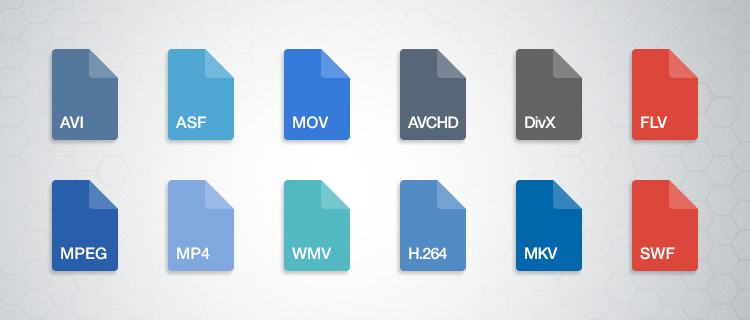
WebM vs H.264 encoding


Free Download Mp4Gain
picture

WebM vs H.264 encoding

WebM vs H.264 encoding

Let’s talk about WebM vs H.264 encoding

When it comes to video encoding formats, WebM and H.264 are often compared. As someone who has worked extensively with video encoding technologies, I can tell you that the differences between these two formats are crucial for both content creators and viewers. Understanding WebM and H.264 helps you make informed decisions about the quality, performance, and compatibility of your videos. Let’s dive deep into the factors that set them apart and why one might be better suited to your needs than the other.

The WebM format, developed by Google, is known for its open-source nature, making it a popular choice for web video streaming, especially in HTML5 environments. H.264, on the other hand, is a video compression standard that’s been widely adopted in a range of devices and platforms, from web browsers to Blu-ray players. Both formats have their strengths and weaknesses, but knowing when and why to use each one is essential.

Key differences in video quality

When comparing WebM to H.264, the first thing to consider is video quality. From my experience, the quality of a video can vary significantly depending on the codec used, the compression method, and the bitrate. WebM uses the VP8 and VP9 codecs, while H.264 utilizes the AVC codec. Both codecs are capable of compressing video to relatively small file sizes without sacrificing too much quality, but they handle compression differently.

– **WebM with VP8** typically provides slightly lower quality compared to H.264 at the same bitrate. This can result in some visible artifacts like blurring, especially in fast-moving scenes. However, VP8 is often seen as more efficient for real-time video streaming, especially in web applications.
– **WebM with VP9**, the more recent codec, offers better quality and compression efficiency than VP8, and in some cases, it competes closely with H.264, offering a more comparable experience in terms of visual quality. However, VP9 requires more computational power for encoding and decoding, which may be a limiting factor for lower-end devices.
– **H.264**, on the other hand, has been the gold standard for a long time and is well-known for delivering high-quality video at relatively low bitrates. It’s widely supported by hardware encoders, which makes it more efficient in real-world applications.

Benefits of WebM in video quality

  • WebM with VP9 can deliver similar or better quality than H.264 at lower bitrates, making it an attractive choice for streaming content.
  • VP9 supports 4K resolution, allowing for high-quality video playback on platforms that support it.
  • WebM has the potential for better quality on modern browsers that support hardware acceleration for VP9.

Benefits of H.264 in video quality

  • H.264 is highly optimized and efficient, ensuring excellent video quality even on low-end devices.
  • It offers a proven track record in terms of maintaining quality while keeping file sizes relatively small.
  • H.264 is compatible with nearly every device, operating system, and video player, providing seamless playback on a wide range of hardware.

Performance and efficiency

When it comes to video encoding performance, WebM and H.264 each have their own strengths. One of the key aspects I always focus on is how well a format handles compression and decoding without consuming too much processing power.

– **WebM**, especially when encoded with VP9, is known for its high compression efficiency. While this leads to smaller file sizes, it also means that the decoding process can be more demanding on the CPU, which may not be ideal for all devices. However, modern hardware accelerates VP9 decoding, meaning you can get excellent performance on more powerful systems or in browser environments.
– **H.264**, on the other hand, is better optimized for performance and efficiency across a wider range of devices. Since H.264 is supported by virtually all hardware decoders, including smartphones, tablets, and set-top boxes, it’s often a more reliable choice when it comes to performance. The format also performs well in terms of encoding speed, which makes it a favorite for streaming services and broadcasters.

WebM and performance benefits

  • WebM’s VP9 codec can provide excellent video quality at lower bitrates, making it ideal for streaming over limited bandwidth.
  • WebM is supported by modern web browsers, making it a great choice for online platforms that prioritize efficiency and open-source technology.
  • VP9 can provide better compression for videos with higher resolution and frame rates, offering a future-proof solution for higher-quality video streaming.

H.264 performance advantages

  • H.264 is optimized for both encoding and decoding, making it ideal for use in hardware devices, from smartphones to streaming boxes.
  • It is well-supported by a wide range of software, including video editing tools, media players, and streaming platforms.
  • H.264 provides a balanced trade-off between compression, quality, and computational demands, which is why it has become the default codec for video streaming platforms.

Device and browser compatibility

If you’ve ever tried playing a video on a device only to find that it doesn’t support the format, you know how crucial compatibility is. One of the biggest differences between WebM and H.264 lies in their compatibility across devices and browsers.

– **WebM** is well-supported in most modern browsers like Chrome, Firefox, and Edge. However, it is not natively supported by Apple’s Safari browser, which limits its adoption on macOS and iOS devices. This can be a significant drawback for WebM, especially for content creators who need broad compatibility.
– **H.264** has virtually universal support. It works on virtually every device, from the latest smartphones to older TVs and Blu-ray players. This wide compatibility is one reason why H.264 remains the dominant choice for video encoding.

WebM compatibility advantages

  • WebM works seamlessly in most modern browsers, particularly for video streaming platforms that focus on web-based delivery.
  • WebM is ideal for open-source projects and platforms that require a free, royalty-free format for distribution.
  • WebM’s increasing support in mobile and smart TV devices further increases its adoption in certain markets.

H.264 compatibility advantages

  • H.264 offers exceptional cross-platform compatibility, making it suitable for nearly every video-related application.
  • Most video players, editing software, and streaming platforms support H.264, ensuring a smooth experience for users and content creators alike.
  • H.264 works on virtually all devices, from smartphones to laptops, game consoles, and even older hardware.

Licensing and cost considerations

Licensing and associated costs can be a major factor when choosing between WebM and H.264, especially for commercial use. This is an aspect I’ve had to consider as a content creator multiple times.

– **WebM** is free and open-source, meaning there are no licensing fees for using it in software or distributing it in videos. This makes WebM a great choice for developers, open-source projects, and individuals looking to avoid licensing restrictions.
– **H.264** is a patented codec, and while it is free for personal use, commercial distributors often have to pay licensing fees to MPEG LA, the organization that manages the H.264 patent pool. This can add significant costs for businesses, especially if they are distributing large volumes of video.

WebM licensing advantages

  • WebM’s open-source nature makes it a cost-effective solution for businesses and developers.
  • No royalty fees are required for commercial use, which reduces barriers for content creators.
  • WebM is particularly attractive for platforms and applications looking to avoid complex licensing issues.

H.264 licensing considerations

  • H.264 can incur licensing fees for commercial distribution, especially when used in streaming services or large-scale video delivery systems.
  • Despite the licensing fees, H.264 remains a popular choice because of its ubiquity and high quality.
  • The patent licensing system for H.264 is well-established, providing clear guidelines for businesses on how to comply.

Latest words on WebM vs H.264 encoding

In conclusion, the choice between WebM and H.264 encoding largely depends on your priorities. If you’re looking for high quality, broad compatibility, and optimal performance across various devices, H.264 is likely the better choice. However, if you need a royalty-free, open-source solution with excellent video quality for web applications, WebM with VP9 is a strong contender. Both formats have their unique strengths, and the right choice depends on your specific use case.

WebM is great for modern web applications, especially those targeting a more tech-savvy audience, while H.264 remains the gold standard for compatibility and consistent performance. Both formats are important, and understanding when to use each will make you a more efficient content creator or developer.

Frequently Asked Questions

What is the difference between WebM and H.264?

WebM is an open-source video format using VP8 or VP9 codecs, while H.264 is a widely-used codec supported by almost all devices. WebM offers free, royalty-free usage, but H.264 provides better compatibility and performance across a broader range of platforms.

Which is better for streaming: WebM or H.264?

For streaming, WebM with VP9 can provide better compression and smaller file sizes for high-quality video at lower bitrates. However, H.264 is more universally compatible, ensuring smooth playback across virtually all devices, making it ideal for streaming on a wider range of platforms.

Is WebM supported by all browsers?

WebM is supported by modern browsers like Chrome, Firefox, and Edge, but it is not natively supported by Apple’s Safari. This can limit its compatibility on Apple devices, which may require alternative formats like H.264 for broader compatibility.

Can WebM and H.264 be used together?

Yes, both formats can be used together. In fact, many websites use H.264 for broader device compatibility while offering WebM as an alternative for browsers that support it. This ensures that all users get an optimal experience regardless of their device or browser choice.

Which format offers better video quality, WebM or H.264?

H.264 is known for delivering excellent video quality at lower bitrates and is generally considered more optimized for quality retention. WebM, especially with VP9, can offer competitive quality, but it may require more processing power and may not always outperform H.264 in terms of visual fidelity at the same bitrate.

Does WebM support 4K video?

Yes, WebM supports 4K resolution, especially when using the VP9 codec. VP9 is designed to handle high-definition and 4K video content efficiently, offering better quality at lower bitrates compared to older codecs like H.264, although it may require more processing power.

Is H.264 free to use?

H.264 is not entirely free to use, as it is patented and requires licensing fees for commercial use. While personal usage may be free, businesses or services that distribute content encoded with H.264 must pay licensing fees to the MPEG LA consortium, which manages the codec’s patent pool.

Can I convert videos from WebM to H.264?

Yes, you can easily convert WebM videos to H.264 using various video conversion tools. This process allows you to maintain compatibility with devices and platforms that do not support WebM, while also offering the high-quality compression benefits of the H.264 codec.

Comments:

I’ve been using WebM for my streaming site and it’s great for avoiding licensing fees. But I still need to encode everything in H.264 for

certain devices. It’s a pain sometimes but worth it.

This article really helped me understand the difference between WebM and H.264. I didn’t realize how important codec choice was for streaming efficiency. Thanks for the insights!

I think H.264 is still better for most people, especially if they want their videos to work everywhere. WebM is good, but not everyone supports it yet.

I’m starting a video-based app, and after reading this, I think WebM with VP9 might be the right choice for me. I want to avoid licensing costs and keep things smooth for my users.

The licensing thing is a huge downside of H.264. I didn’t realize how expensive it could get for larger scale distributions. WebM looks like the better option for many startups.


Free Download Mp4Gain
picture


Mp4Gain Main Window
picture


Mp4Gain Features
picture


Free Download Mp4Gain
picture

H.265 Coding Unit Size Considerations

H.265 Coding Unit Size Considerations

H.265 Coding Unit Size Considerations

H.265 Coding Unit Size Considerations

Let’s talk about H.265 Coding Unit Size

When delving into the intricacies of video compression, understanding the significance of coding unit size, particularly within the H.265 standard, becomes paramount. As someone deeply immersed in video encoding technologies, I’ve come to appreciate the nuanced impact that coding unit size has on compression efficiency and video quality. Essentially, the coding unit size refers to the block size used for encoding and decoding video frames. It plays a critical role in determining the trade-off between compression efficiency and computational complexity. Let me guide you through this complex yet fascinating realm.

The Basics of H.265 Coding Unit Size

In the realm of video compression, H.265, also known as High Efficiency Video Coding (HEVC), stands as a significant advancement over its predecessor, H.264. At the core of H.265 lies the concept of coding units, which represent the fundamental building blocks for compressing video frames. Unlike H.264, which primarily utilizes fixed macroblock sizes, H.265 introduces the flexibility of variable-sized coding units. This flexibility allows H.265 to adapt more effectively to the complexities of different video content, resulting in higher compression efficiency and improved video quality.

Optimizing Compression Efficiency

One of the primary objectives in video compression is to achieve the highest possible compression efficiency without sacrificing perceptual quality. The choice of coding unit size plays a pivotal role in this endeavor. Smaller coding units enable more precise representation of image details, especially in regions with intricate textures or rapid motion. However, smaller coding units also entail higher computational overhead during encoding and decoding processes. On the other hand, larger coding units offer computational advantages but may lead to loss of fine-grained details, particularly in high-motion scenes.

  • Understanding the trade-offs between smaller and larger coding units
  • Impact of coding unit size on compression ratio and bitrate
  • Examining computational complexity in encoding and decoding
  • Strategies for adaptive coding unit size selection

In practical scenarios, finding the optimal coding unit size involves striking a delicate balance between compression efficiency and computational complexity. It requires careful consideration of various factors, including the characteristics of the video content, target bitrate constraints, and available hardware resources.

Application-specific Considerations

The choice of coding unit size isn’t a one-size-fits-all solution; rather, it’s highly dependent on the specific requirements of the application or use case. For instance, in real-time video streaming applications, where computational resources are often limited, adopting larger coding units may be more pragmatic to ensure smooth playback and low latency. Conversely, in professional video production settings, where quality is paramount, finer coding units may be preferred to preserve the fidelity of the original content.

  • Impact of coding unit size on different video resolutions
  • Considerations for live streaming versus offline encoding
  • Adapting coding unit size for virtual reality (VR) and augmented reality (AR) content

Advanced Techniques and Innovations

As video encoding technologies continue to evolve, researchers and industry practitioners are exploring advanced techniques to further enhance compression efficiency and video quality within the H.265 framework. These innovations encompass a diverse range of approaches, including hierarchical coding structures, adaptive block partitioning, and machine learning-driven optimization. By harnessing these cutting-edge methodologies, the video encoding community strives to push the boundaries of what’s achievable in terms of compression performance and visual fidelity.

Latest words on H.265 Coding Unit Size

In the ever-evolving landscape of video compression, the significance of coding unit size within the H.265 standard remains a topic of ongoing research and innovation. As a seasoned specialist in the field, I continually explore new avenues to maximize compression efficiency while maintaining optimal video quality. By staying abreast of the latest developments and leveraging advanced techniques, we can unlock new possibilities in video encoding and pave the way for immersive multimedia experiences.

Comments:

This article is really informative! I’ve always wondered about the impact of coding unit size on video quality. Thanks for breaking it down in such an understandable way. – VideoGeek24

Great article! However, I wish there was more discussion on the computational complexity aspect and how it affects real-time applications like gaming. Overall, though, very insightful. – TechEnthusiast

I’ve been experimenting with H.265 encoding for my video production projects, and understanding coding unit size has been crucial for optimizing quality. This article provided some valuable insights that I hadn’t considered before. – CreativeVisionary

Awesome breakdown of H.265 coding unit size considerations! As someone relatively new to video compression, I found this article incredibly helpful in understanding the nuances of video encoding. Looking forward to more content like this. – FilmBuff101

This article gave me a newfound appreciation for the complexities involved in video compression. The discussion on adaptive coding unit size selection was particularly enlightening. Kudos to the author for making such a technical topic accessible. – DigitalNomad

Really insightful article! I’ve been struggling to grasp the concept of coding unit size, but your explanations cleared up a lot of confusion. Keep up the great work! – TechNovice

I found this article to be a bit basic. It would have been nice to see more in-depth analysis, especially on the practical implications of coding unit size in different scenarios. Nonetheless, it’s a good starting point for those new to the topic. – CuriousCoder

This article provided a comprehensive overview of H.265 coding unit size considerations. However, I wish there were more real-world examples to illustrate the concepts discussed. Overall, though, it’s a valuable resource for anyone interested in video encoding. – MediaEnthusiast

Informative article! I’ve been using H.265 for my video streaming platform, and understanding the impact of coding unit size on compression efficiency has been crucial for optimizing bandwidth usage. Thanks for shedding light on this topic. – StreamMaster

As a video production hobbyist, I appreciate articles like this that delve into the technical aspects of video encoding. The section on application-specific considerations was particularly insightful and provided valuable guidance for optimizing video quality in different scenarios. – AmateurDirector

This article was a great read! I’ve always been curious about the advancements in video compression technologies, and your discussion on advanced techniques and innovations within the H.265 framework was fascinating. Can’t wait to see what the future holds in this field. – TechExplorer

Very interesting article! However, I felt that some of the technical jargon might be overwhelming for beginners. It would be helpful to include more simplified explanations for complex terms. Nonetheless, it’s a valuable resource for those looking to deepen their understanding of video encoding. – LearningEnthusiast

Great article! I’ve been following developments in video compression technologies, and your insights into the significance of coding unit size within the H.265 standard were spot on. Keep up the excellent work! – TechFanatic

This article provided a comprehensive overview of H.265 coding unit size considerations. However, I wish there were more real-world examples to illustrate the concepts discussed. Overall, though, it’s a valuable resource for anyone interested in video encoding. – MediaEnthusiast

H.265 Reference Frame Management

H.265 Reference Frame Management

H.265 Reference Frame Management

Let’s Talk About H.265 Reference Frame Management

In this article, we delve into the intricate world of H.265 reference frame management, exploring its significance, mechanisms, and optimization techniques. As an expert in video compression, I aim to provide a comprehensive understanding of this crucial aspect of H.265 encoding.

Exploring H.265 Reference Frame Management

Latest Insights on H.265 Reference Frames:
In this section, we will dissect the core concepts of H.265 reference frames, elucidating their role in video compression and their impact on encoding efficiency.

Understanding Reference Frames:
We begin by unraveling the fundamentals of reference frames, discussing their types, functions, and utilization within the H.265 encoding process.

Frame Management Techniques:
Next, we explore various frame management techniques employed in H.265 encoding, including hierarchical prediction structures, inter-frame prediction, and motion compensation.

Optimizing Reference Frame Usage:
Here, we delve into strategies for optimizing reference frame usage to enhance compression efficiency and video quality, such as adaptive frame selection and dynamic reference frame allocation.

Advanced Techniques and Best Practices

Intra-Frame Coding Methods:
An in-depth analysis of intra-frame coding methods in H.265, including intra prediction modes and intra block copy, highlighting their role in enhancing compression performance.

Inter-Frame Prediction Strategies:
We examine advanced inter-frame prediction strategies, such as temporal motion vector prediction and inter-layer prediction, to achieve superior compression ratios and visual fidelity.

Rate Control Mechanisms:
Exploring rate control mechanisms in H.265, including constant rate factor (CRF) encoding and variable bitrate (VBR) encoding, to optimize compression efficiency while maintaining consistent video quality.

Optimizing H.265 Reference Frame Management for Different Applications

Streaming Applications:
Insights into optimizing reference frame management for streaming applications, focusing on low-latency encoding, adaptive bitrate streaming, and error resiliency.

Broadcasting and Archiving:
Strategies for reference frame management tailored to broadcasting and archiving requirements, emphasizing long-term storage, high-quality encoding, and compatibility with legacy systems.

Conclusion

Latest Words on H.265 Reference Frame Management:
In conclusion, this article has provided a comprehensive overview of H.265 reference frame management, covering its fundamentals, advanced techniques, and optimization strategies. By implementing the insights gleaned from this discussion, content creators and encoding professionals can optimize their H.265 encoding workflows for superior compression performance and video quality.

At mp4gain.com, we recognize the importance of efficient video encoding techniques such as H.265 reference frame management. While our primary focus is on audio normalization solutions, we acknowledge the significance of video encoding advancements in the digital media landscape.

Comments:

Comments:

This article provided valuable insights into H.265 reference frame management. I particularly appreciated the section on optimizing frame usage for streaming applications.

As a video encoding enthusiast, I found this article to be highly informative. The detailed explanations and practical examples helped deepen my understanding of H.265 reference frame management.

I enjoyed reading about the advanced techniques and best practices for H.265 encoding. However, I would have liked to see more discussion on real-world implementation challenges and solutions.

Great article! The section on rate control mechanisms was particularly enlightening. I look forward to implementing some of these strategies in my video encoding workflows.

As a newcomer to video encoding, I found this article to be incredibly helpful. The explanations were clear, and the examples made the complex concepts easy to grasp. Thank you!

High-Efficiency Video Coding (HEVC) in MP4 Containers

High-Efficiency Video Coding (HEVC) in MP4 Containers

High-Efficiency Video Coding (HEVC) in MP4 Containers

High-Efficiency Video Coding (HEVC) in MP4 Containers

Let’s Talk about HEVC in MP4

In my extensive experience with video codecs, HEVC stands out as a game-changer. HEVC, also known as H.265, revolutionizes video compression, promising superior quality at lower bitrates within the familiar MP4 container. Imagine it as a magic wand for video quality, ensuring your MP4 files deliver stunning visuals while efficiently managing file sizes.

The HEVC Advantage in MP4 Compression

Diving into the synergy between HEVC and MP4, envision your video files as a suitcase. HEVC acts as a savvy packer, optimizing the space to fit more clothes (video data) without compromising on style (quality). The result? A compact MP4 file that doesn’t skimp on visual appeal.

Latest Words on HEVC Efficiency

In the race for efficient video compression, HEVC emerges as the undisputed champion. In practical terms, HEVC reduces file sizes without sacrificing quality, making it a must-have for anyone dealing with video content. Whether you’re a content creator, streaming service, or just a video enthusiast, understanding the intricacies of HEVC in the MP4 context is essential.

HEVC vs. Previous Codecs

Comparing HEVC to its predecessors, such as H.264, reveals a significant leap in compression efficiency. Think of it as upgrading from a compact car to a sleek, fuel-efficient electric vehicle. The advancements in HEVC allow for better video quality at the same bitrate or similar quality at a much-reduced bitrate.

Practical Applications of HEVC in MP4

Let’s bring this tech talk to everyday scenarios. Imagine you’re a videographer covering a large event. HEVC lets you capture high-quality footage without worrying too much about storage constraints. Your video files become easier to manage, transfer, and store, thanks to HEVC’s prowess.

Now, consider a streaming service delivering content to millions of users worldwide. HEVC ensures a smoother streaming experience by optimizing bandwidth usage without compromising the cinematic grandeur. It’s like having the best seat in the cinema without leaving your living room.

Mastering HEVC Settings for MP4

While HEVC offers remarkable compression, mastering its settings is crucial for optimal results. It’s akin to wielding a powerful tool—you need to know how to use it effectively. Adjusting parameters like bitrate, resolution, and quality settings allows you to strike the perfect balance between file size and video excellence.

HEVC in the 4K Era

As we embrace the era of 4K content, HEVC takes center stage. Its ability to handle the intricacies of ultra-high-definition video makes it indispensable. Without it, streaming 4K videos would be like trying to fit a square peg in a round hole—inefficient and lacking the finesse that modern viewers demand.

HEVC Licensing Considerations

Before fully immersing yourself in the world of HEVC, it’s essential to touch on licensing considerations. HEVC comes with licensing requirements, and understanding these aspects is key, especially for businesses integrating HEVC into their workflows. Think of it as the terms and conditions you’d read before signing up for a new service—necessary for a smooth and legally sound experience.

Let’s Talk About MP4 Containers

Now that we’ve navigated the intricate landscape of HEVC, let’s shift our focus to the trusted companion—MP4 containers. If HEVC is the engine, MP4 is the sleek chassis that houses your video content. MP4 has become the standard for multimedia consumption, offering a versatile and widely compatible format.

Compatibility and Accessibility

One of the standout features of MP4 containers is their compatibility across various devices and platforms. It’s like having a universal remote control that seamlessly works with every TV brand. MP4 ensures your videos can be enjoyed on computers, smartphones, tablets, and a myriad of other devices without a hitch.

Streaming and Online Sharing

MP4’s prowess extends to the online realm. Uploading MP4 videos to platforms like YouTube or Vimeo is a breeze. The format’s efficient compression and high quality make it a favorite for content creators looking to share their creations with the world. It’s like sending a beautifully wrapped gift—MP4 ensures your audience receives an impressive visual package.

HEVC in MP4: A Perfect Match

Now that we’ve explored the individual strengths of HEVC and MP4, let’s revel in the magic that happens when these two join forces. It’s like witnessing a dynamic duo in action—each complements the other, creating a symphony of efficiency and visual delight.

The Marriage of Quality and Compression

HEVC’s ability to compress video data meets its perfect match in the form of the MP4 container. Together, they dance in harmony, ensuring your videos are not just smaller in size but also richer in quality. It’s the technological tango that content creators dream of—more content in less space without compromising on excellence.

Future Trends: 8K and Beyond

As technology hurtles towards the era of 8K and beyond, the HEVC-MP4 alliance remains at the forefront. Think of it as a reliable spaceship propelling us into the next frontier of video resolution. With HEVC’s efficiency and MP4’s versatility, the duo is well-equipped to handle the demands of future video content, ensuring a pixel-perfect viewing experience.

Let’s Hear from the Community

Now, let’s open the floor to the community. What are your experiences with HEVC in MP4? Any tips for fellow videographers or content creators? Share your thoughts, questions, and insights below. This space is your digital agora—a place for knowledge exchange and camaraderie in the vast realm of video technology.

Comments:

Comment 1: HEVC has indeed transformed my video editing workflow. The compression efficiency is a game-changer!

Comment 2: Are there any free tools for adjusting HEVC settings? I’m looking to optimize my video compression without breaking the bank.

Comment 3: Kudos to the author for simplifying complex tech concepts. This article made HEVC and MP4 much more approachable for me.

Comment 4: Any insights on the future of video codecs? Excited to see where technology takes us!

Comment 5: I’m a content creator, and this article convinced me to explore HEVC for my upcoming projects. Thanks for the valuable information!

Comment 6: The analogy of HEVC as a magic wand is spot-on. I’ll never look at video compression the same way again!

Comment 7: MP4’s compatibility has saved me countless headaches when sharing videos with friends and family. Great format!

Comment 8: How do licensing considerations for HEVC affect small businesses? Any insights on navigating this aspect?

Comment 9: As a 4K enthusiast, the section on HEVC in the 4K era resonated with me. Looking forward to the continued evolution of video technology!

Comment 10: The future trends section got me thinking about the next wave of video content. Exciting times ahead!

Normalize video files

Normalize video files

Normalize video files

Standardize video formats

Standardizing video formats is a crucial step in ensuring seamless playback and compatibility across different devices and platforms. When you have a collection of video files in various formats, it can be challenging to manage and share them effectively. To address this, you can use video conversion software to convert all your video files into a single, standardized format.

For example, if you have videos in formats like AVI, WMV, and MOV, you can convert them to a widely accepted format like MP4. This not only ensures compatibility but also makes it easier to organize your video library. Plus, most modern devices, including smartphones and smart TVs, support MP4, making it a versatile choice.

By standardizing your video formats, you can save time and avoid potential playback issues, making your video collection more accessible and user-friendly.

Video file consistency

Video file consistency goes beyond just the format; it includes aspects like resolution, frame rate, and audio settings. When you normalize video files for consistency, you’re essentially ensuring that all your videos have the same specifications. This is particularly important when creating a cohesive viewing experience, such as for a video playlist or a series.

Imagine you’re a content creator working on a web series. To maintain viewer engagement, you want all episodes to have identical quality and settings. Normalizing video files in this context involves making sure each episode shares the same resolution, frame rate, and audio settings. Consistency not only looks more professional but also eliminates distractions for your audience.

Using video editing software or dedicated normalization tools, you can easily adjust these parameters to achieve the desired consistency across your video files.

Video quality optimization

Video quality optimization is all about making your videos look their best while keeping file sizes manageable. When dealing with large video files, optimizing them ensures faster streaming and efficient storage. It’s a balance between maintaining high quality and reducing unnecessary bulk.

One of the key factors in video quality is bitrate. Higher bitrates result in sharper images and better sound, but they also lead to larger file sizes. To optimize video quality, you’ll want to find the sweet spot where quality remains excellent, but the file size isn’t excessively large. This is especially important when you’re uploading videos to online platforms, as they often have file size limitations.

Experimenting with different bitrates, resolutions, and codecs can help you strike that balance. Video editing software usually provides options for adjusting these settings, allowing you to fine-tune your videos for optimal quality.

Video compression techniques

Video compression is a fundamental aspect of normalizing video files. Compression techniques help reduce the file size of your videos without sacrificing too much quality. This is particularly useful when you need to save storage space or ensure smooth streaming over the internet.

Common video compression codecs include H.264 and H.265, which are widely supported across various devices and platforms. These codecs employ advanced algorithms to remove redundant information from your video files, resulting in smaller sizes while preserving good visual quality.

When applying video compression, it’s essential to strike a balance between compression level and quality. Higher compression can significantly reduce file size but may lead to a noticeable loss in quality, especially in highly detailed scenes. Experiment with different compression settings to find the right compromise.

Uniform video resolutions

Having uniform video resolutions is essential for a polished and professional look in your video collection. When videos have varying resolutions, it can be jarring for viewers to switch between them. Normalizing video resolutions involves adjusting all your videos to a consistent resolution.

Popular resolutions include 720p (HD), 1080p (Full HD), and 4K (Ultra HD). The choice of resolution depends on your specific needs and the capabilities of your target devices. For example, if you’re creating content for YouTube, 1080p is a standard choice that balances quality and file size.

By maintaining uniform resolutions, you ensure that your videos have a cohesive visual identity, making your content more appealing to viewers.

Consistent video bitrate

Consistency in video bitrate is another critical factor when normalizing video files. The bitrate determines the amount of data used to represent each second of video, directly impacting both quality and file size.

When you have videos with varying bitrates, it can lead to inconsistent quality and playback issues. To address this, normalize the bitrate across all your videos. This means ensuring that they all use a similar bitrate setting, which can be adjusted using video editing software or dedicated normalization tools.

Consistency in bitrate helps maintain a uniform viewing experience and prevents abrupt quality changes when switching between videos.

Video file compatibility

Ensuring video file compatibility is a fundamental step in making your videos accessible across different devices and platforms. Incompatibility issues can lead to frustrating experiences for viewers, such as playback errors or distorted visuals.

Before normalizing your video files, it’s crucial to understand the compatibility requirements of your target audience. Different devices and platforms may have specific format and codec preferences. For example, iOS devices tend to work best with H.264-encoded MP4 files, while some older devices may require different formats.

By researching and catering to the compatibility needs of your audience, you can ensure that your videos are easily accessible and enjoyable for everyone.

Normalizing multimedia files

Normalizing multimedia files extends beyond just video; it includes audio as well. Multimedia files often comprise various elements, such as video, audio, subtitles, and more. Normalization ensures that all these elements are balanced and harmonized for a seamless viewing experience.

For instance, when dealing with multimedia presentations or video editing projects, you want the audio levels to be consistent throughout. You wouldn’t want viewers to constantly adjust their volume because some parts are too quiet, while others are too loud. Normalizing audio levels across your multimedia files can solve this issue.

Additionally, subtitles and captions should be synchronized correctly with the video content, enhancing accessibility and comprehension. Multimedia normalization tools can assist in achieving these goals, providing a well-rounded viewing experience.

Video format conversion

Video format conversion is a versatile process that allows you to adapt your video files for different purposes. Whether you’re preparing videos for online streaming, archiving, or compatibility with various devices, conversion plays a significant role.

Conversion tools enable you to change not only the format but also other attributes like resolution, frame rate, and bitrate. This flexibility ensures that your videos are optimized for their intended use. For instance, when preparing videos for social media, you might convert them to formats and resolutions suitable for each platform’s requirements.

Additionally, format conversion can be handy when you want to preserve old video footage recorded in outdated formats. Converting these videos to modern formats ensures they remain accessible and of acceptable quality.

Video quality enhancement

Enhancing video quality goes beyond normalization; it involves improving the visual and auditory aspects of your videos. While normalization focuses on consistency and compatibility, quality enhancement aims to make your videos more visually appealing and engaging.

There are various techniques and tools available for video quality enhancement. These include color correction, sharpening, denoising, and even special effects. When used judiciously, these enhancements can breathe new life into your videos, making them more captivating for your audience.

For example, if you have older footage with faded colors, color correction can restore vibrancy. Similarly, adding subtle sharpening can make your videos look crisper and more professional.

Remember that quality enhancements should be applied thoughtfully, preserving the integrity of your original content while making it more visually appealing.

Final Words

Normalizing video files involves several aspects, from format standardization to quality optimization. Each step contributes to a smoother viewing experience and greater accessibility for your audience. Whether you’re a content creator, video enthusiast, or someone looking to organize their video collection, understanding these principles can help you make the most of your video files.

By ensuring video format compatibility, maintaining consistency in various attributes, and enhancing overall quality, you can present your videos in the best possible light. Remember that the specific approach may vary depending on your goals and target audience, so always tailor your normalization efforts to your unique requirements.