Enhancing Video Format


Free Download Mp4Gain
picture

Enhancing Video Format
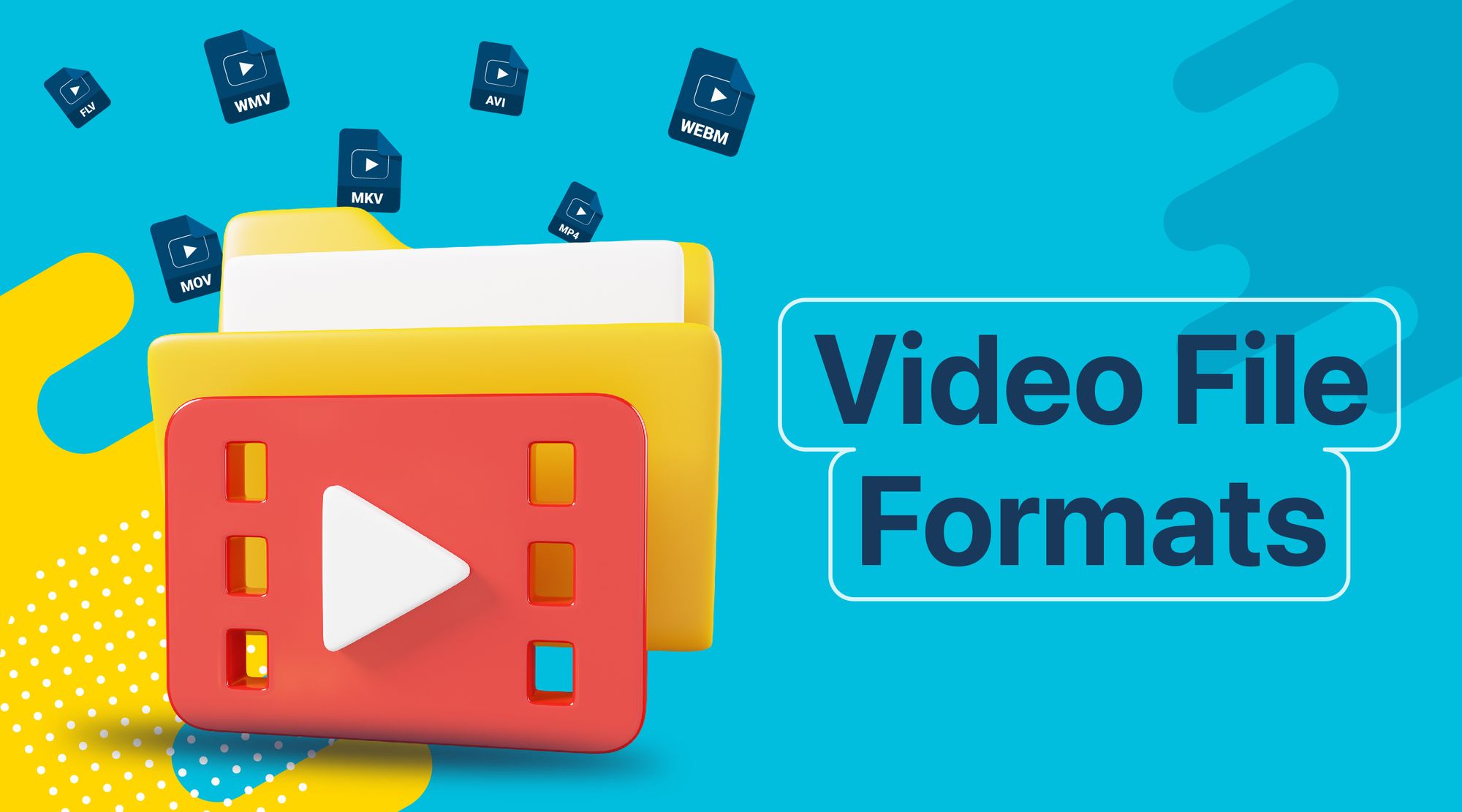

Video Format
Video Format
Video Format
Video Format

Exploring Video Format Enhancement

Video format enhancement is a multifaceted process that involves improving the quality, clarity, and overall visual appeal of video content. This enhancement can significantly impact the viewing experience and is crucial for various applications, from filmmaking to online streaming. In this comprehensive guide, we’ll delve deep into the intricacies of video format enhancement, covering everything from the fundamental principles to advanced techniques.

The Importance of Video Quality

Video quality is a paramount consideration in today’s digital age, where video content is ubiquitous across platforms and industries. Whether you’re a content creator, filmmaker, or business owner, the quality of your videos plays a pivotal role in capturing and retaining your audience’s attention.

Enhancing video formats begins with an understanding of the key factors that influence quality. This includes resolution, bit rate, frame rate, and compression techniques. Each of these elements contributes to the overall clarity and visual appeal of your videos.

Resolution: A Deep Dive

Resolution, often expressed in pixels (e.g., 1080p, 4K), is a critical aspect of video format enhancement. It determines the level of detail and sharpness in your videos. Higher resolutions offer more clarity and are especially beneficial for larger screens and cinematic experiences. However, it’s essential to strike a balance between high resolution and file size, as larger files can lead to longer loading times and may not be suitable for all viewing platforms.

Bit Rate and Compression

Bit rate and compression techniques are closely tied to video quality. Bit rate refers to the amount of data transmitted per unit of time, usually measured in megabits per second (Mbps). Higher bit rates result in less compression and better image quality but can lead to larger file sizes. Compression, on the other hand, reduces file size but may sacrifice some image detail.

Finding the right balance between bit rate and compression is a delicate art in video format enhancement. Advanced video codecs like H.265 offer improved compression efficiency, allowing for high-quality videos with reduced file sizes.

Advanced Techniques in Video Enhancement

While understanding the basics of video quality is crucial, true video format enhancement goes beyond resolution and bit rate adjustments. Advanced techniques involve post-production processes that fine-tune video elements for optimal results.

Color Grading and Correction

Color grading is a sophisticated process that involves adjusting the colors and tones in a video to achieve a specific look or mood. It can make a significant difference in the visual appeal of your content. Correcting color imbalances, enhancing contrast, and applying creative color grading techniques can elevate your videos to a professional level.

High Dynamic Range (HDR)

HDR technology enhances the contrast and brightness of videos, resulting in more vivid and lifelike images. It expands the range between the darkest and brightest parts of a video, capturing a broader spectrum of colors and details. HDR is particularly beneficial for creating stunning visuals in films and high-end productions.

Delivering Enhanced Videos to Your Audience

Enhancing video formats is not just about creating stunning visuals; it’s also about ensuring that your audience can enjoy your content seamlessly. As you optimize your video formats, consider compatibility with various devices and platforms, as well as efficient streaming solutions.

Adaptive Streaming

Adaptive streaming is a technique that adjusts video quality in real-time based on the viewer’s internet connection and device capabilities. This ensures smooth playback and a consistent viewing experience, even under varying network conditions. Implementing adaptive streaming protocols like DASH or HLS can enhance the accessibility of your content.

Choosing the Right Format

Lastly, selecting the appropriate video format for your content is essential. Different formats offer various advantages and disadvantages, so it’s crucial to align your choice with your audience’s preferences and the platforms you’ll be using for distribution.

In conclusion, video format enhancement is a multifaceted journey that encompasses resolution, bit rate, compression, color grading, HDR, and delivery methods. By mastering these elements, you can create visually stunning videos that captivate your audience and deliver an exceptional viewing experience. Whether you’re a filmmaker, content creator, or business owner, the art of enhancing video formats can set you apart in today’s digital landscape.

Future Trends in Video Format Enhancement

As technology continues to evolve, the field of video format enhancement is poised for exciting advancements. Understanding these emerging trends can help you stay ahead in the world of video production and distribution.

8K Ultra High Definition (UHD)

While 4K resolution is becoming the new standard, 8K UHD is emerging as the next frontier in video quality. With four times the pixels of 4K, 8K offers unparalleled clarity and detail. Although it’s currently in its early stages of adoption, we can expect to see more 8K content in the future, especially for high-end cinematic experiences.

Immersive Technologies: VR and AR

Virtual Reality (VR) and Augmented Reality (AR) are transforming how we consume video content. These immersive technologies require specialized formats and techniques to create truly captivating experiences. Video format enhancement in VR and AR involves considerations like spatial audio, 360-degree video, and interactive elements, opening up new creative possibilities.

The Importance of Audio Enhancement

While much attention is given to video quality, audio plays an equally crucial role in the overall viewer experience. Audio enhancement techniques, such as spatial audio, surround sound, and noise reduction, complement video format enhancement efforts. These audio enhancements immerse viewers in a more engaging auditory environment.

Spatial Audio for Immersion

Spatial audio technology simulates the three-dimensional soundscapes, creating a more immersive audio experience. Viewers can perceive sounds coming from specific directions, heightening their sense of presence within the content. Incorporating spatial audio into video format enhancement can make a significant difference, especially in VR and AR applications.

Surround Sound for Cinematic Impact

Surround sound systems are a staple in cinemas and high-end home theaters. They create a multi-dimensional audio experience by placing speakers strategically around the viewer. Enhancing video formats to support surround sound can add a cinematic touch to your content, making it more engaging and impactful.

Conclusion

In the ever-evolving landscape of video production and distribution, video format enhancement remains at the forefront. Understanding the intricacies of resolution, bit rate, compression, color grading, HDR, and audio enhancement techniques is essential for creating captivating videos that leave a lasting impression on your audience.

As technology continues to advance, embracing emerging trends like 8K UHD and immersive technologies such as VR and AR will set you apart in the competitive world of multimedia. Remember that video format enhancement is not just about achieving technical excellence; it’s about creating experiences that resonate with viewers and leave a lasting impact.

In this article, we’ve delved deep into the world of video format enhancement, exploring its core principles, advanced techniques, and future trends. Whether you’re a filmmaker, content creator, or simply someone passionate about the world of multimedia, mastering the art of video format enhancement can elevate your creations to new heights.


Free Download Mp4Gain
picture


Mp4Gain Main Window
picture


Mp4Gain Features
picture


Free Download Mp4Gain
picture

Normalize video files

Normalize video files

Normalize video files

Standardize video formats

Standardizing video formats is a crucial step in ensuring seamless playback and compatibility across different devices and platforms. When you have a collection of video files in various formats, it can be challenging to manage and share them effectively. To address this, you can use video conversion software to convert all your video files into a single, standardized format.

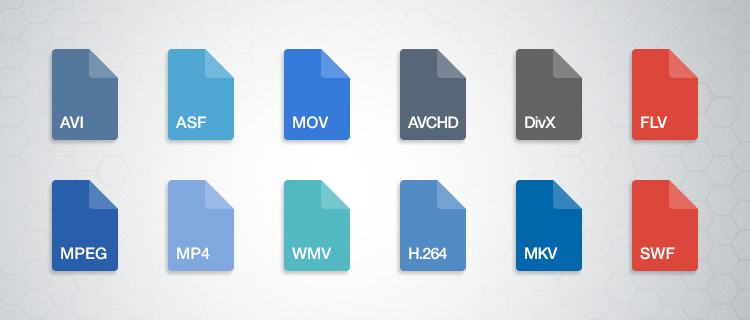
For example, if you have videos in formats like AVI, WMV, and MOV, you can convert them to a widely accepted format like MP4. This not only ensures compatibility but also makes it easier to organize your video library. Plus, most modern devices, including smartphones and smart TVs, support MP4, making it a versatile choice.

By standardizing your video formats, you can save time and avoid potential playback issues, making your video collection more accessible and user-friendly.

Video file consistency

Video file consistency goes beyond just the format; it includes aspects like resolution, frame rate, and audio settings. When you normalize video files for consistency, you’re essentially ensuring that all your videos have the same specifications. This is particularly important when creating a cohesive viewing experience, such as for a video playlist or a series.

Imagine you’re a content creator working on a web series. To maintain viewer engagement, you want all episodes to have identical quality and settings. Normalizing video files in this context involves making sure each episode shares the same resolution, frame rate, and audio settings. Consistency not only looks more professional but also eliminates distractions for your audience.

Using video editing software or dedicated normalization tools, you can easily adjust these parameters to achieve the desired consistency across your video files.

Video quality optimization

Video quality optimization is all about making your videos look their best while keeping file sizes manageable. When dealing with large video files, optimizing them ensures faster streaming and efficient storage. It’s a balance between maintaining high quality and reducing unnecessary bulk.

One of the key factors in video quality is bitrate. Higher bitrates result in sharper images and better sound, but they also lead to larger file sizes. To optimize video quality, you’ll want to find the sweet spot where quality remains excellent, but the file size isn’t excessively large. This is especially important when you’re uploading videos to online platforms, as they often have file size limitations.

Experimenting with different bitrates, resolutions, and codecs can help you strike that balance. Video editing software usually provides options for adjusting these settings, allowing you to fine-tune your videos for optimal quality.

Video compression techniques

Video compression is a fundamental aspect of normalizing video files. Compression techniques help reduce the file size of your videos without sacrificing too much quality. This is particularly useful when you need to save storage space or ensure smooth streaming over the internet.

Common video compression codecs include H.264 and H.265, which are widely supported across various devices and platforms. These codecs employ advanced algorithms to remove redundant information from your video files, resulting in smaller sizes while preserving good visual quality.

When applying video compression, it’s essential to strike a balance between compression level and quality. Higher compression can significantly reduce file size but may lead to a noticeable loss in quality, especially in highly detailed scenes. Experiment with different compression settings to find the right compromise.

Uniform video resolutions

Having uniform video resolutions is essential for a polished and professional look in your video collection. When videos have varying resolutions, it can be jarring for viewers to switch between them. Normalizing video resolutions involves adjusting all your videos to a consistent resolution.

Popular resolutions include 720p (HD), 1080p (Full HD), and 4K (Ultra HD). The choice of resolution depends on your specific needs and the capabilities of your target devices. For example, if you’re creating content for YouTube, 1080p is a standard choice that balances quality and file size.

By maintaining uniform resolutions, you ensure that your videos have a cohesive visual identity, making your content more appealing to viewers.

Consistent video bitrate

Consistency in video bitrate is another critical factor when normalizing video files. The bitrate determines the amount of data used to represent each second of video, directly impacting both quality and file size.

When you have videos with varying bitrates, it can lead to inconsistent quality and playback issues. To address this, normalize the bitrate across all your videos. This means ensuring that they all use a similar bitrate setting, which can be adjusted using video editing software or dedicated normalization tools.

Consistency in bitrate helps maintain a uniform viewing experience and prevents abrupt quality changes when switching between videos.

Video file compatibility

Ensuring video file compatibility is a fundamental step in making your videos accessible across different devices and platforms. Incompatibility issues can lead to frustrating experiences for viewers, such as playback errors or distorted visuals.

Before normalizing your video files, it’s crucial to understand the compatibility requirements of your target audience. Different devices and platforms may have specific format and codec preferences. For example, iOS devices tend to work best with H.264-encoded MP4 files, while some older devices may require different formats.

By researching and catering to the compatibility needs of your audience, you can ensure that your videos are easily accessible and enjoyable for everyone.

Normalizing multimedia files

Normalizing multimedia files extends beyond just video; it includes audio as well. Multimedia files often comprise various elements, such as video, audio, subtitles, and more. Normalization ensures that all these elements are balanced and harmonized for a seamless viewing experience.

For instance, when dealing with multimedia presentations or video editing projects, you want the audio levels to be consistent throughout. You wouldn’t want viewers to constantly adjust their volume because some parts are too quiet, while others are too loud. Normalizing audio levels across your multimedia files can solve this issue.

Additionally, subtitles and captions should be synchronized correctly with the video content, enhancing accessibility and comprehension. Multimedia normalization tools can assist in achieving these goals, providing a well-rounded viewing experience.

Video format conversion

Video format conversion is a versatile process that allows you to adapt your video files for different purposes. Whether you’re preparing videos for online streaming, archiving, or compatibility with various devices, conversion plays a significant role.

Conversion tools enable you to change not only the format but also other attributes like resolution, frame rate, and bitrate. This flexibility ensures that your videos are optimized for their intended use. For instance, when preparing videos for social media, you might convert them to formats and resolutions suitable for each platform’s requirements.

Additionally, format conversion can be handy when you want to preserve old video footage recorded in outdated formats. Converting these videos to modern formats ensures they remain accessible and of acceptable quality.

Video quality enhancement

Enhancing video quality goes beyond normalization; it involves improving the visual and auditory aspects of your videos. While normalization focuses on consistency and compatibility, quality enhancement aims to make your videos more visually appealing and engaging.

There are various techniques and tools available for video quality enhancement. These include color correction, sharpening, denoising, and even special effects. When used judiciously, these enhancements can breathe new life into your videos, making them more captivating for your audience.

For example, if you have older footage with faded colors, color correction can restore vibrancy. Similarly, adding subtle sharpening can make your videos look crisper and more professional.

Remember that quality enhancements should be applied thoughtfully, preserving the integrity of your original content while making it more visually appealing.

Final Words

Normalizing video files involves several aspects, from format standardization to quality optimization. Each step contributes to a smoother viewing experience and greater accessibility for your audience. Whether you’re a content creator, video enthusiast, or someone looking to organize their video collection, understanding these principles can help you make the most of your video files.

By ensuring video format compatibility, maintaining consistency in various attributes, and enhancing overall quality, you can present your videos in the best possible light. Remember that the specific approach may vary depending on your goals and target audience, so always tailor your normalization efforts to your unique requirements.