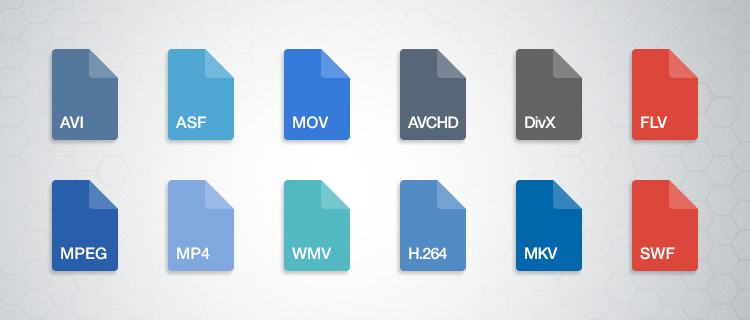
Video Compression Algorithms Used in MP4


Free Download Mp4Gain
picture

Video Compression Algorithms Used in MP4

Video Compression Algorithms Used in MP4

Let’s talk about video compression algorithms used in MP4

Video compression algorithms in MP4 are the backbone of modern multimedia. These algorithms make it possible to watch high-definition videos without needing enormous storage space. Over the years, I’ve explored how these algorithms work and how they transform raw video into compressed formats that save storage and bandwidth without sacrificing too much quality. Imagine shrinking a giant balloon to fit inside a shoebox without popping it—that’s essentially what these algorithms do.

MP4, as a container format, supports multiple compression techniques, with H.264 and H.265 being the most popular. Each algorithm balances file size and quality differently. For example, H.264 prioritizes compatibility, while H.265, or HEVC, excels in reducing file sizes for 4K and HDR content. Understanding these nuances is key to appreciating how MP4 compression impacts everyday video experiences, from streaming services to personal devices.

Why video compression is crucial for MP4

Video compression is essential because raw video files are incredibly large. Imagine recording a 10-minute video on your phone without compression; the file could easily exceed several gigabytes, making storage and sharing impractical. Compression algorithms shrink these files while preserving as much quality as possible.

This efficiency is vital for streaming services like Netflix or YouTube. Without compression, streaming high-quality video would require massive internet bandwidth, which most users don’t have. MP4, with its advanced compression methods, ensures smooth playback, even on slower connections. Compression isn’t just about convenience; it’s a necessity for the modern digital world.

Key algorithms powering MP4 compression

The MP4 format relies on a mix of innovative algorithms that optimize video storage and playback. Let’s dive into the most prominent ones:

  • H.264 (AVC): Widely used for its balance of quality and compatibility, it’s the standard for most MP4 files.
  • H.265 (HEVC): A step ahead of H.264, offering smaller file sizes for high-resolution content like 4K and HDR.
  • VP9: An open-source alternative to H.265, popular with platforms like YouTube.
  • AV1: The newest player, promising even better compression rates without sacrificing quality.

Each of these algorithms uses techniques like motion compensation, quantization, and entropy coding to achieve compression. For instance, motion compensation tracks object movement across frames to avoid storing redundant data. This approach saves space without losing detail.

How motion compensation works in video compression

Motion compensation is like a magician reusing the same trick to save time. Instead of storing every single frame, compression algorithms analyze the motion of objects between frames. They store only the differences, drastically reducing the amount of data.

For example, consider a video of a bouncing ball. Instead of recording the ball’s position in every frame, the algorithm notes the ball’s initial position and its movement pattern. This process not only saves space but also maintains video fluidity.

The role of quantization in MP4 algorithms

Quantization is the art of approximation. Compression algorithms simplify video data by reducing the precision of certain details, focusing on elements that are less noticeable to the human eye. It’s like painting with broader strokes where fine details won’t be missed.

In MP4 compression, quantization removes subtle color variations and textures that viewers won’t perceive. For instance, in a scene with a blue sky, tiny shifts in shade are smoothed out. This method saves significant data without compromising visual quality for most viewers.

Entropy coding: The secret to efficient compression

Entropy coding is where MP4 algorithms truly shine. This process compresses data by focusing on patterns and probabilities. It’s like packing a suitcase more efficiently by rolling clothes instead of folding them.

MP4 uses techniques like Huffman coding and arithmetic coding for entropy. These methods assign shorter codes to frequent data patterns, like a recurring color or shape. The result is a file that stores information compactly without losing critical details.

H.264: The workhorse of MP4 compression

H.264, also known as Advanced Video Coding (AVC), is the gold standard for MP4 compression. It’s used everywhere, from Blu-ray discs to streaming platforms. What makes H.264 remarkable is its adaptability. It balances quality and file size, making it ideal for both HD and standard-definition content.

In my experience, H.264 is perfect for projects where compatibility is crucial. For example, when creating videos for social media, I always choose H.264 because it plays smoothly across devices. Its widespread support ensures hassle-free sharing and playback.

H.265: The evolution of video compression

H.265, or High-Efficiency Video Coding (HEVC), is the next step in compression technology. It achieves up to 50% better compression than H.264, making it essential for 4K and HDR content. If you’ve ever streamed ultra-high-definition videos without buffering, you can thank H.265.

This algorithm uses advanced techniques like larger macroblocks and improved motion prediction. I once compressed a 4K video using H.265, and the file size was nearly half of the H.264 version. The quality? Practically identical to the untrained eye.

VP9 and AV1: Open-source alternatives

VP9 and AV1 are open-source algorithms gaining traction as competitors to H.265. VP9 is widely used on YouTube, offering excellent compression without royalties. AV1, developed by the Alliance for Open Media, takes things further, promising even smaller file sizes.

I’ve tested AV1 for personal projects, and the results are impressive. It’s especially useful for web streaming, where bandwidth is a concern. While not as widely supported as H.264 or H.265, these algorithms represent the future of compression.

Real-life applications of MP4 compression

The impact of MP4 compression is everywhere. From streaming movies to recording videos on your phone, these algorithms make digital media accessible. Without compression, platforms like Netflix or TikTok wouldn’t function as seamlessly as they do.

I once recorded a family event on my smartphone, and the video looked stunning despite being heavily compressed. The MP4 format allowed me to share it online without worrying about quality or file size. This convenience is a direct result of advanced compression algorithms.

Challenges in video compression

While MP4 compression is impressive, it comes with challenges. Balancing file size and quality is a constant struggle. Over-compression can lead to artifacts, where the video looks pixelated or distorted.

One time, I compressed a video too much, and the details in darker scenes were lost. It was a reminder that compression isn’t perfect. Finding the right settings requires understanding the content and its intended use.

Latest words on video compression algorithms used in MP4

Video compression algorithms in MP4 are a marvel of modern technology. They make it possible to store and share high-quality videos efficiently. Understanding these algorithms, from H.264 to AV1, reveals their role in shaping our digital world.

For anyone looking to optimize their video experience, tools like Mp4Gain offer excellent solutions for refining compression settings and enhancing playback quality.

FAQ: Video Compression Algorithms Used in MP4

What are the main video compression algorithms used in MP4?

The most commonly used video compression algorithms in MP4 are H.264 (AVC), H.265 (HEVC), VP9, and AV1. Each has unique features, with H.264 focusing on compatibility, H.265 offering better compression for 4K content, VP9 being a royalty-free option, and AV1 providing superior compression for streaming.

Why is video compression important in MP4?

Video compression is crucial because raw video files are extremely large and impractical for storage or sharing. Compression algorithms reduce file sizes while maintaining quality, making it possible to stream videos and save storage space without noticeable quality loss.

How does motion compensation work in MP4 compression?

Motion compensation identifies and tracks object movement between frames, storing only the differences. For example, in a video of a moving car, the algorithm records the background once and focuses on the car’s movement, reducing redundant data and saving storage space.

What is the difference between H.264 and H.265?

H.264, or AVC, is known for its broad compatibility and efficiency in compressing HD content. H.265, or HEVC, improves compression efficiency by up to 50%, making it ideal for 4K and HDR videos, but it may require more processing power and newer devices for playback.

What is entropy coding in video compression?

Entropy coding reduces file size by assigning shorter codes to frequently occurring data patterns. Techniques like Huffman coding and arithmetic coding are used to pack video information efficiently without sacrificing critical details.

Which video compression algorithm is best for streaming?

For streaming, H.265 and VP9 are excellent choices. H.265 offers superior compression for high-quality content like 4K, while VP9 is a royalty-free alternative widely supported by platforms like YouTube. AV1 is an emerging option with even better efficiency for web streaming.

How does quantization affect video compression?

Quantization simplifies video data by reducing precision in less noticeable areas, such as subtle color variations. This process removes unnecessary detail while keeping the video visually appealing, significantly reducing file size without noticeable quality loss.

Is AV1 better than H.265 for MP4 compression?

AV1 offers better compression efficiency than H.265, making it ideal for reducing bandwidth usage in streaming. However, H.265 has broader hardware and software support, so the choice depends on the platform and the device’s compatibility.

What challenges do video compression algorithms face?

Challenges include balancing file size and quality, avoiding compression artifacts, and maintaining efficiency for high-resolution content. Advanced techniques like motion prediction and entropy coding help, but over-compression can still lead to noticeable issues like pixelation.

Can MP4 compression be adjusted for specific needs?

Yes, MP4 compression settings can be adjusted based on the desired balance between quality and file size. For example, higher bitrates improve quality but increase file size, while lower bitrates save space but may sacrifice detail.

Comments:

Wow, I finally understand how video compression works. It’s crazy how much thought goes into these algorithms. Thanks for breaking it down so clearly!

This was super helpful, but I wish you had gone deeper into AV1. I’m curious how it compares to VP9 in real-world use. Can you add more examples?

I always wondered why my 4K videos look great but take up so little space. Now I know it’s all thanks to H.265. Great read!

Why didn’t you mention older codecs like MPEG-2? Some of us still use older systems, and it would’ve been nice to see a comparison.

Love this article! I’m starting to edit videos, and this gave me a better idea of which formats to use. H.265 sounds like a game-changer.

Compression artifacts have ruined so many of my videos. Wish there was a foolproof way to avoid them completely. Any tips?

I’ve always used H.264 but didn’t know much about VP9 or AV1. Will definitely look into them. Thanks for the heads-up!

This was great, but the section on entropy coding confused me a little. Can you explain it with another example?

Great breakdown of MP4 compression! Would love to see a follow-up on how these algorithms handle audio compression.

I think you nailed the explanation. Never thought of video compression as packing a suitcase, but it makes so much sense now!

I’m just getting into video production, and this article was super helpful. Thanks for keeping it simple and relatable!

Good stuff, but it’d be awesome if you included a chart comparing file sizes for the different algorithms. Visuals help a lot!

Finally, someone explains this in a way I can understand. The balloon analogy was spot on. Kudos for making it relatable!

I’ve been trying to decide between H.265 and AV1 for my next project. This article gave me the clarity I needed. Thanks a ton!


Free Download Mp4Gain
picture


Mp4Gain Main Window
picture


Mp4Gain Features
picture


Free Download Mp4Gain
picture

Bitrate and the 4K Video Experience

Bitrate and the 4K Video Experience

4K Video
4K Video

Understanding 4K Video Bitrate

4K video, with its stunning resolution, has become a favorite for those seeking the ultimate visual experience. But what about the less-talked-about factor: bitrate? 4K video bitrate is a crucial element that influences the quality of your 4K content. In this article, I’ll explain what 4K video bitrate is, how it affects the 4K video experience, and why optimizing it is vital.

4K video bitrate is essentially the amount of data processed per second to create that beautiful, high-resolution image. It determines the level of detail and clarity you see on your screen. Think of it as the paint a talented artist uses to create a masterpiece—bitrate is the quality of that paint, and it directly affects the visual quality of your 4K video.

How Bitrate Impacts 4K Video Quality

The relationship between bitrate and 4K video quality is straightforward: the higher the bitrate, the better the quality. Higher bitrate means more data is allocated to each frame, resulting in a richer, more detailed image. If the bitrate is too low, you may notice compression artifacts, pixelation, and a loss of detail, which can be jarring in the context of 4K.

Imagine you have a high-definition painting of a scenic landscape. If you view it up close, every brushstroke and detail is clear and vivid—this is akin to high bitrate. On the other hand, if you were to stretch the same painting to cover an entire wall, you might notice pixelation and loss of detail, much like what happens with low bitrate 4K video.

Optimizing Bitrate for a Seamless 4K Experience

To enjoy a seamless 4K video experience, optimizing bitrate is key. Streaming services and platforms aim to find the right balance between image quality and efficient data transmission. As a viewer, you can help by ensuring a stable and high-speed internet connection. Additionally, when creating or encoding 4K content, it’s essential to select an appropriate bitrate setting that aligns with your content’s intended quality.

Think of bitrate optimization as finding the right balance in a recipe. Too much spice can overwhelm the dish, while too little can make it bland. In the world of 4K video, the right bitrate ensures a visually pleasing experience without unnecessary data bloat or loss of quality.

Enhancing the 4K Video Experience

In conclusion, bitrate plays a pivotal role in your 4K video experience. Understanding its importance and finding that sweet spot between quality and efficiency is the key to unlocking the full potential of 4K content. So, whether you’re a content creator or a 4K enthusiast, keep in mind that bitrate is the paintbrush that adds the final strokes to your visual masterpiece.

Last Words

Bitrate and 4K video quality go hand in hand, and with the right knowledge and adjustments, you can enjoy a truly immersive 4K experience.

Normalize video files

Normalize video files

Normalize video files

Standardize video formats

Standardizing video formats is a crucial step in ensuring seamless playback and compatibility across different devices and platforms. When you have a collection of video files in various formats, it can be challenging to manage and share them effectively. To address this, you can use video conversion software to convert all your video files into a single, standardized format.

For example, if you have videos in formats like AVI, WMV, and MOV, you can convert them to a widely accepted format like MP4. This not only ensures compatibility but also makes it easier to organize your video library. Plus, most modern devices, including smartphones and smart TVs, support MP4, making it a versatile choice.

By standardizing your video formats, you can save time and avoid potential playback issues, making your video collection more accessible and user-friendly.

Video file consistency

Video file consistency goes beyond just the format; it includes aspects like resolution, frame rate, and audio settings. When you normalize video files for consistency, you’re essentially ensuring that all your videos have the same specifications. This is particularly important when creating a cohesive viewing experience, such as for a video playlist or a series.

Imagine you’re a content creator working on a web series. To maintain viewer engagement, you want all episodes to have identical quality and settings. Normalizing video files in this context involves making sure each episode shares the same resolution, frame rate, and audio settings. Consistency not only looks more professional but also eliminates distractions for your audience.

Using video editing software or dedicated normalization tools, you can easily adjust these parameters to achieve the desired consistency across your video files.

Video quality optimization

Video quality optimization is all about making your videos look their best while keeping file sizes manageable. When dealing with large video files, optimizing them ensures faster streaming and efficient storage. It’s a balance between maintaining high quality and reducing unnecessary bulk.

One of the key factors in video quality is bitrate. Higher bitrates result in sharper images and better sound, but they also lead to larger file sizes. To optimize video quality, you’ll want to find the sweet spot where quality remains excellent, but the file size isn’t excessively large. This is especially important when you’re uploading videos to online platforms, as they often have file size limitations.

Experimenting with different bitrates, resolutions, and codecs can help you strike that balance. Video editing software usually provides options for adjusting these settings, allowing you to fine-tune your videos for optimal quality.

Video compression techniques

Video compression is a fundamental aspect of normalizing video files. Compression techniques help reduce the file size of your videos without sacrificing too much quality. This is particularly useful when you need to save storage space or ensure smooth streaming over the internet.

Common video compression codecs include H.264 and H.265, which are widely supported across various devices and platforms. These codecs employ advanced algorithms to remove redundant information from your video files, resulting in smaller sizes while preserving good visual quality.

When applying video compression, it’s essential to strike a balance between compression level and quality. Higher compression can significantly reduce file size but may lead to a noticeable loss in quality, especially in highly detailed scenes. Experiment with different compression settings to find the right compromise.

Uniform video resolutions

Having uniform video resolutions is essential for a polished and professional look in your video collection. When videos have varying resolutions, it can be jarring for viewers to switch between them. Normalizing video resolutions involves adjusting all your videos to a consistent resolution.

Popular resolutions include 720p (HD), 1080p (Full HD), and 4K (Ultra HD). The choice of resolution depends on your specific needs and the capabilities of your target devices. For example, if you’re creating content for YouTube, 1080p is a standard choice that balances quality and file size.

By maintaining uniform resolutions, you ensure that your videos have a cohesive visual identity, making your content more appealing to viewers.

Consistent video bitrate

Consistency in video bitrate is another critical factor when normalizing video files. The bitrate determines the amount of data used to represent each second of video, directly impacting both quality and file size.

When you have videos with varying bitrates, it can lead to inconsistent quality and playback issues. To address this, normalize the bitrate across all your videos. This means ensuring that they all use a similar bitrate setting, which can be adjusted using video editing software or dedicated normalization tools.

Consistency in bitrate helps maintain a uniform viewing experience and prevents abrupt quality changes when switching between videos.

Video file compatibility

Ensuring video file compatibility is a fundamental step in making your videos accessible across different devices and platforms. Incompatibility issues can lead to frustrating experiences for viewers, such as playback errors or distorted visuals.

Before normalizing your video files, it’s crucial to understand the compatibility requirements of your target audience. Different devices and platforms may have specific format and codec preferences. For example, iOS devices tend to work best with H.264-encoded MP4 files, while some older devices may require different formats.

By researching and catering to the compatibility needs of your audience, you can ensure that your videos are easily accessible and enjoyable for everyone.

Normalizing multimedia files

Normalizing multimedia files extends beyond just video; it includes audio as well. Multimedia files often comprise various elements, such as video, audio, subtitles, and more. Normalization ensures that all these elements are balanced and harmonized for a seamless viewing experience.

For instance, when dealing with multimedia presentations or video editing projects, you want the audio levels to be consistent throughout. You wouldn’t want viewers to constantly adjust their volume because some parts are too quiet, while others are too loud. Normalizing audio levels across your multimedia files can solve this issue.

Additionally, subtitles and captions should be synchronized correctly with the video content, enhancing accessibility and comprehension. Multimedia normalization tools can assist in achieving these goals, providing a well-rounded viewing experience.

Video format conversion

Video format conversion is a versatile process that allows you to adapt your video files for different purposes. Whether you’re preparing videos for online streaming, archiving, or compatibility with various devices, conversion plays a significant role.

Conversion tools enable you to change not only the format but also other attributes like resolution, frame rate, and bitrate. This flexibility ensures that your videos are optimized for their intended use. For instance, when preparing videos for social media, you might convert them to formats and resolutions suitable for each platform’s requirements.

Additionally, format conversion can be handy when you want to preserve old video footage recorded in outdated formats. Converting these videos to modern formats ensures they remain accessible and of acceptable quality.

Video quality enhancement

Enhancing video quality goes beyond normalization; it involves improving the visual and auditory aspects of your videos. While normalization focuses on consistency and compatibility, quality enhancement aims to make your videos more visually appealing and engaging.

There are various techniques and tools available for video quality enhancement. These include color correction, sharpening, denoising, and even special effects. When used judiciously, these enhancements can breathe new life into your videos, making them more captivating for your audience.

For example, if you have older footage with faded colors, color correction can restore vibrancy. Similarly, adding subtle sharpening can make your videos look crisper and more professional.

Remember that quality enhancements should be applied thoughtfully, preserving the integrity of your original content while making it more visually appealing.

Final Words

Normalizing video files involves several aspects, from format standardization to quality optimization. Each step contributes to a smoother viewing experience and greater accessibility for your audience. Whether you’re a content creator, video enthusiast, or someone looking to organize their video collection, understanding these principles can help you make the most of your video files.

By ensuring video format compatibility, maintaining consistency in various attributes, and enhancing overall quality, you can present your videos in the best possible light. Remember that the specific approach may vary depending on your goals and target audience, so always tailor your normalization efforts to your unique requirements.