
Impact of Quantization Matrices on MP4 Quality

Let’s talk about the impact of quantization matrices on MP4 quality
When it comes to MP4 quality, quantization matrices play a pivotal role in determining how much detail is retained or lost during compression. As someone deeply involved in video encoding and optimization, I’ve seen how these matrices can make or break the visual appeal of a video. They essentially dictate how compression algorithms prioritize certain frequencies over others, affecting the clarity, sharpness, and overall fidelity of the video.
Imagine this: You’re editing a photo and need to reduce its file size. If you reduce every part of the image equally, the overall quality diminishes evenly. However, if you could selectively reduce detail in the background while keeping the main subject sharp, the result would look much better. That’s what quantization matrices do for video. They allow certain details to remain intact while compressing less noticeable parts. This nuanced control has a direct impact on MP4 quality, making it an indispensable aspect of video compression.
Understanding what quantization matrices are
Quantization matrices are essentially blueprints that guide compression algorithms in deciding which parts of the video data to keep and which to discard. They work by assigning weights to different frequency components in the video, influencing how much compression is applied to each.
In simpler terms, think of a quantization matrix as a map that shows where to save space and where to preserve details. For instance, if a scene in a video has a bright sky and detailed buildings, the matrix might allow for more compression in the sky (which is uniform) and less in the buildings (which are intricate). This balancing act is crucial for achieving efficient compression without compromising perceived quality.
Why quantization matrices matter for MP4 quality
The choice of quantization matrices significantly affects MP4 quality because they control how visible artifacts—like blockiness or blurring—appear after compression. When the wrong matrix is used, you might end up with a file that’s small but riddled with visual flaws. On the other hand, a well-optimized matrix ensures the video looks crisp and professional, even at reduced file sizes.
I’ve worked with projects where fine-tuning the quantization matrices led to significant improvements in quality without ballooning the file size. For instance, a sports video with fast-moving players and a static audience can benefit from a custom matrix that allocates more detail to motion-heavy areas. The result? A sharper, more engaging viewing experience.
How quantization matrices work in video encoding
Quantization matrices operate by breaking video data into smaller chunks and analyzing their frequency components. Higher frequencies correspond to fine details, while lower frequencies relate to broader, uniform areas. The matrix assigns a priority to each frequency, determining how much of it to preserve.
For example, during the encoding of an MP4, the algorithm uses the quantization matrix to decide how much detail to keep in textures, edges, and transitions. By compressing low-priority areas more aggressively, it reduces file size while keeping the viewer’s focus on the critical parts of the scene. This approach mimics how the human eye perceives detail, prioritizing the elements that are most noticeable.
Real-world examples of quantization matrix optimization
In one project, I helped optimize training videos for a corporate client. These videos needed to look great on large screens but still fit within strict storage limits. By customizing the quantization matrices, I was able to maintain sharp text and clear diagrams while compressing the less critical background elements. This approach saved gigabytes of space without sacrificing quality.
Another instance involved a nature documentary where the focus was on preserving intricate details in animal fur and leaves. A generic matrix would have smoothed out these details, but by tailoring the matrix to prioritize high frequencies in these areas, we achieved stunning visual results. The final MP4 files were not only compact but also visually immersive.
The balance between compression and quality
Striking the right balance between compression and quality is an art, and quantization matrices are the brush. Using overly aggressive matrices might save space, but it can lead to artifacts that ruin the viewing experience. On the flip side, overly lenient matrices preserve every detail but result in massive file sizes.
I always recommend experimenting with different matrices to find the sweet spot. For instance, action movies and gaming videos require matrices that prioritize motion clarity, while documentaries might focus on preserving texture and color depth. Each type of content benefits from a tailored approach, ensuring the MP4 delivers an excellent viewing experience.
Advanced techniques for customizing quantization matrices
For those deeply invested in video quality, customizing quantization matrices offers unparalleled control. Most encoding software allows you to tweak these matrices or even upload custom ones. By analyzing the content of your video, you can adjust the matrix to prioritize the most visually important elements.
For example, when encoding a video for e-learning, I prioritize text and diagrams, ensuring they remain sharp even after compression. Similarly, for music videos, I focus on preserving color gradients and dynamic lighting, which are crucial for aesthetic appeal. These adjustments often involve trial and error, but the payoff is worth the effort.
MP4 encoding standards and quantization matrices
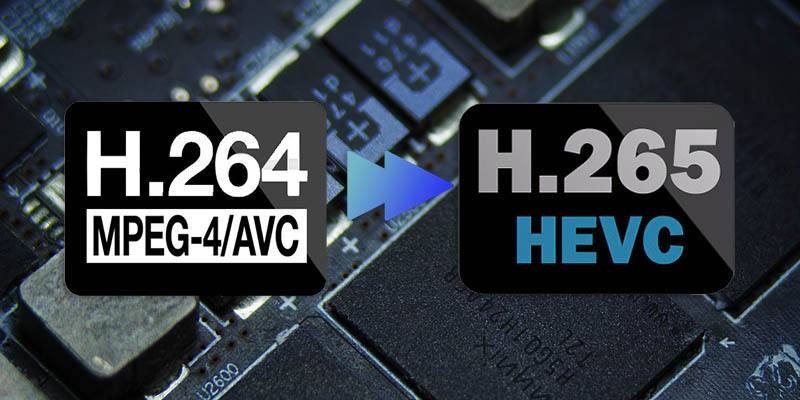
MP4 encoding standards like H.264 and H.265 incorporate predefined quantization matrices, but these can be adjusted for specific needs. The default settings are designed to provide a good balance, but they might not suit all scenarios.
In my experience, using custom matrices tailored to the content type can yield significantly better results. For instance, H.265’s flexibility allows for more granular adjustments, making it ideal for high-definition content. By experimenting with these settings, you can achieve compression ratios that were previously unattainable.
Latest words on the impact of quantization matrices on MP4 quality
Quantization matrices are a critical component of MP4 compression, directly influencing the balance between quality and file size. By understanding how they work and applying them strategically, you can achieve remarkable results. Whether you’re encoding videos for streaming, storage, or playback, fine-tuning these matrices can make a noticeable difference.
If you’re looking for a tool to manage your video quality with precision, Mp4Gain offers advanced options to normalize and optimize your MP4 files. It’s an excellent solution for ensuring your videos look their best while staying within size constraints.
FAQs about the impact of quantization matrices on MP4 quality
What are quantization matrices in MP4 encoding?
Quantization matrices are tools used in video encoding to prioritize certain details during compression. They assign weights to different frequency components, determining what to preserve and what to compress more aggressively.
How do quantization matrices affect video quality?
They influence the balance between detail retention and file size. Properly optimized matrices minimize visible artifacts while maintaining clarity in important areas.
Can I customize quantization matrices?
Yes, many encoding tools allow customization of quantization matrices to suit specific video content, offering greater control over quality and compression.
Are there default quantization matrices in MP4 standards?
Yes, encoding standards like H.264 and H.265 include default matrices designed to provide a balance between quality and compression. However, these can be adjusted.
What content benefits most from custom quantization matrices?
Content with specific visual priorities, like action scenes or text-heavy educational videos, benefits from custom matrices tailored to preserve essential details.
Do quantization matrices impact file size?
Yes, by selectively compressing less noticeable details, quantization matrices can reduce file size while maintaining perceived quality.
What role do quantization matrices play in H.265 encoding?
In H.265, matrices allow for more precise adjustments, making it ideal for high-definition content and achieving better compression ratios.
Are quantization matrices necessary for all MP4 files?
While not mandatory, they are essential for optimizing quality and file size, especially in professional applications or high-compression scenarios.
Can poor quantization matrices ruin MP4 quality?
Yes, poorly designed matrices can introduce visible artifacts like blockiness and blurring, degrading the viewing experience.
What tools are best for managing quantization matrices?
Professional encoding software often provides options for customizing quantization matrices. Tools like Mp4Gain help normalize and optimize MP4 files efficiently.







Comments:
Wow, I didn’t know quantization matrices could make such a difference! I’ve always wondered why some videos look great even when compressed. Great info here.
Really helpful article, but I wish there were more examples of specific software settings for beginners like me. Maybe a guide could help?
I’ve been trying to compress gaming videos, and this makes sense now! Custom matrices are definitely the way to go for motion-heavy content.
This is one of the best explanations I’ve found online. It’s clear and detailed without being overly technical. Thanks for sharing!
Can you add more about how matrices affect audio tracks in MP4 files? I feel like there’s a gap there.
The nature documentary example was spot on. I’ve had issues with textures being lost in wildlife videos. Great tip on custom matrices!
Didn’t know H.265 allowed for such precise adjustments. Makes me want to revisit some older projects to see what I can improve.