X264 codec
Frequent questions
Question: What is the difference between the new H.264 standard and the old MPEG-4 standard?
Answer: The H.264 video compression standard (the full name is MPEG-4 Part 10 AVC / H.264) is a logical continuation of the MPEG-4 Part 2 ASP standard (which is often simply referred to as MPEG-4). . The standard itself was adopted in mid-2003, but the truly effective codecs of this standard started to appear recently.
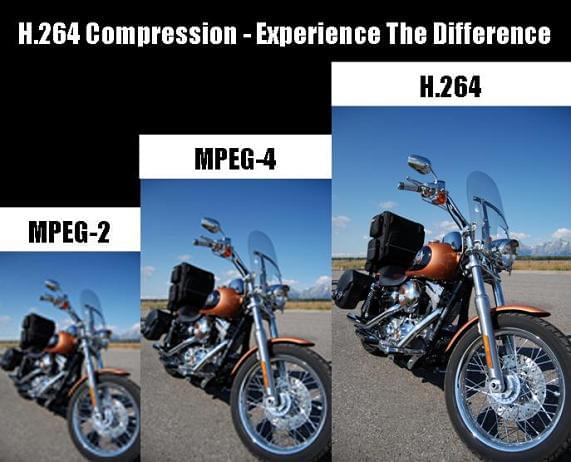
For users, the transition to the new standard means an improvement in the encoding efficiency of their video streams. That is, with the same quality of the compressed sequence, the new standard’s movie will take up less disk space or a smaller channel width (the standard’s developers set a goal of reducing the size by 50%).
More information on the standard can be obtained from the following sources:
Question: Where can I get the x264 codec?
Answer: The x264 codec is an open source H.264 codec. Several independent comparisons (see for example the comparison on the Doom9 website or our lab comparison) show that the x264 codec is one of the best codecs in the new H.264 standard.
The official page for codec developers is http://developers.videolan.org/x264.html. In it, you can subscribe to the codec developers mailing list, download the latest sources or various versions of the codec assembly (executable programs already compiled and ready to use).
Interestingly, the developers do not make official finished versions (releases), that is, the codec changes all the time. New versions of the source code appear almost every day, so it is sometimes difficult to keep track of the changes that take place.
You can find more information and discussions about the codec on the Doom9 forums.
Question: How can I use the console version of the codec?
Answer: The command line is generally used to compress video with the x264 codec. The codec can also be assembled as a Video for Windows filter, but in this case, the user has a limited set of encoding parameters.
In addition, for the convenience of work, various versions of the graphical interface can be used.
Modes of
Bit rate control algorithm The codec has three different bit rate control algorithms:
CRF (constant rate factor): constant quantizer for each type of frame, set by the user. Initialized on the command line as –crf <integer>
ABR (Average Bit Rate): Variation of the quality in different frames to achieve the best quality of the stream at a given bit rate. – Bitrate <integer> se
initializes.There may be additional parameters that control the algorithm:
–ratetol <float> Bit rate tolerance (in percent)
–vbv-maxrate <integer> Maximum frame bit rate
–vbv-bufsize <integer> Buffer size
–vbv-init <float> Initial buffer fill (percent)
Additional parameters can also be configured to control the change in the quantization factor, such as –qpmin <integer>, –qpmax <integer>, –qpstep <integer>, which specify the minimum, maximum quantization factors, and the change maximum. in the quantization factor between frames, respectively. …
Multi-pass mode. Similar to ABR, but allows you to achieve better quality by making multiple passes through the film. The first pass fills the statistics file. To do this, the codec is launched with the –pass 1 parameter. Last Pass encodes the movie using the statistics file generated in the first pass. The codec starts with the –pass 2 parameter. Multiple additional passes can be added between the first and last passes, each of which refines the statistics. In such cases, the codec starts with the –pass 3 parameter.