WebM vs H.264 encoding


Free Download Mp4Gain
picture

WebM vs H.264 encoding

WebM vs H.264 encoding

Let’s talk about WebM vs H.264 encoding

When it comes to video encoding formats, WebM and H.264 are often compared. As someone who has worked extensively with video encoding technologies, I can tell you that the differences between these two formats are crucial for both content creators and viewers. Understanding WebM and H.264 helps you make informed decisions about the quality, performance, and compatibility of your videos. Let’s dive deep into the factors that set them apart and why one might be better suited to your needs than the other.

The WebM format, developed by Google, is known for its open-source nature, making it a popular choice for web video streaming, especially in HTML5 environments. H.264, on the other hand, is a video compression standard that’s been widely adopted in a range of devices and platforms, from web browsers to Blu-ray players. Both formats have their strengths and weaknesses, but knowing when and why to use each one is essential.

Key differences in video quality

When comparing WebM to H.264, the first thing to consider is video quality. From my experience, the quality of a video can vary significantly depending on the codec used, the compression method, and the bitrate. WebM uses the VP8 and VP9 codecs, while H.264 utilizes the AVC codec. Both codecs are capable of compressing video to relatively small file sizes without sacrificing too much quality, but they handle compression differently.

– **WebM with VP8** typically provides slightly lower quality compared to H.264 at the same bitrate. This can result in some visible artifacts like blurring, especially in fast-moving scenes. However, VP8 is often seen as more efficient for real-time video streaming, especially in web applications.
– **WebM with VP9**, the more recent codec, offers better quality and compression efficiency than VP8, and in some cases, it competes closely with H.264, offering a more comparable experience in terms of visual quality. However, VP9 requires more computational power for encoding and decoding, which may be a limiting factor for lower-end devices.
– **H.264**, on the other hand, has been the gold standard for a long time and is well-known for delivering high-quality video at relatively low bitrates. It’s widely supported by hardware encoders, which makes it more efficient in real-world applications.

Benefits of WebM in video quality

  • WebM with VP9 can deliver similar or better quality than H.264 at lower bitrates, making it an attractive choice for streaming content.
  • VP9 supports 4K resolution, allowing for high-quality video playback on platforms that support it.
  • WebM has the potential for better quality on modern browsers that support hardware acceleration for VP9.

Benefits of H.264 in video quality

  • H.264 is highly optimized and efficient, ensuring excellent video quality even on low-end devices.
  • It offers a proven track record in terms of maintaining quality while keeping file sizes relatively small.
  • H.264 is compatible with nearly every device, operating system, and video player, providing seamless playback on a wide range of hardware.

Performance and efficiency

When it comes to video encoding performance, WebM and H.264 each have their own strengths. One of the key aspects I always focus on is how well a format handles compression and decoding without consuming too much processing power.

– **WebM**, especially when encoded with VP9, is known for its high compression efficiency. While this leads to smaller file sizes, it also means that the decoding process can be more demanding on the CPU, which may not be ideal for all devices. However, modern hardware accelerates VP9 decoding, meaning you can get excellent performance on more powerful systems or in browser environments.
– **H.264**, on the other hand, is better optimized for performance and efficiency across a wider range of devices. Since H.264 is supported by virtually all hardware decoders, including smartphones, tablets, and set-top boxes, it’s often a more reliable choice when it comes to performance. The format also performs well in terms of encoding speed, which makes it a favorite for streaming services and broadcasters.

WebM and performance benefits

  • WebM’s VP9 codec can provide excellent video quality at lower bitrates, making it ideal for streaming over limited bandwidth.
  • WebM is supported by modern web browsers, making it a great choice for online platforms that prioritize efficiency and open-source technology.
  • VP9 can provide better compression for videos with higher resolution and frame rates, offering a future-proof solution for higher-quality video streaming.

H.264 performance advantages

  • H.264 is optimized for both encoding and decoding, making it ideal for use in hardware devices, from smartphones to streaming boxes.
  • It is well-supported by a wide range of software, including video editing tools, media players, and streaming platforms.
  • H.264 provides a balanced trade-off between compression, quality, and computational demands, which is why it has become the default codec for video streaming platforms.

Device and browser compatibility

If you’ve ever tried playing a video on a device only to find that it doesn’t support the format, you know how crucial compatibility is. One of the biggest differences between WebM and H.264 lies in their compatibility across devices and browsers.

– **WebM** is well-supported in most modern browsers like Chrome, Firefox, and Edge. However, it is not natively supported by Apple’s Safari browser, which limits its adoption on macOS and iOS devices. This can be a significant drawback for WebM, especially for content creators who need broad compatibility.
– **H.264** has virtually universal support. It works on virtually every device, from the latest smartphones to older TVs and Blu-ray players. This wide compatibility is one reason why H.264 remains the dominant choice for video encoding.

WebM compatibility advantages

  • WebM works seamlessly in most modern browsers, particularly for video streaming platforms that focus on web-based delivery.
  • WebM is ideal for open-source projects and platforms that require a free, royalty-free format for distribution.
  • WebM’s increasing support in mobile and smart TV devices further increases its adoption in certain markets.

H.264 compatibility advantages

  • H.264 offers exceptional cross-platform compatibility, making it suitable for nearly every video-related application.
  • Most video players, editing software, and streaming platforms support H.264, ensuring a smooth experience for users and content creators alike.
  • H.264 works on virtually all devices, from smartphones to laptops, game consoles, and even older hardware.

Licensing and cost considerations

Licensing and associated costs can be a major factor when choosing between WebM and H.264, especially for commercial use. This is an aspect I’ve had to consider as a content creator multiple times.

– **WebM** is free and open-source, meaning there are no licensing fees for using it in software or distributing it in videos. This makes WebM a great choice for developers, open-source projects, and individuals looking to avoid licensing restrictions.
– **H.264** is a patented codec, and while it is free for personal use, commercial distributors often have to pay licensing fees to MPEG LA, the organization that manages the H.264 patent pool. This can add significant costs for businesses, especially if they are distributing large volumes of video.

WebM licensing advantages

  • WebM’s open-source nature makes it a cost-effective solution for businesses and developers.
  • No royalty fees are required for commercial use, which reduces barriers for content creators.
  • WebM is particularly attractive for platforms and applications looking to avoid complex licensing issues.

H.264 licensing considerations

  • H.264 can incur licensing fees for commercial distribution, especially when used in streaming services or large-scale video delivery systems.
  • Despite the licensing fees, H.264 remains a popular choice because of its ubiquity and high quality.
  • The patent licensing system for H.264 is well-established, providing clear guidelines for businesses on how to comply.

Latest words on WebM vs H.264 encoding

In conclusion, the choice between WebM and H.264 encoding largely depends on your priorities. If you’re looking for high quality, broad compatibility, and optimal performance across various devices, H.264 is likely the better choice. However, if you need a royalty-free, open-source solution with excellent video quality for web applications, WebM with VP9 is a strong contender. Both formats have their unique strengths, and the right choice depends on your specific use case.

WebM is great for modern web applications, especially those targeting a more tech-savvy audience, while H.264 remains the gold standard for compatibility and consistent performance. Both formats are important, and understanding when to use each will make you a more efficient content creator or developer.

Frequently Asked Questions

What is the difference between WebM and H.264?

WebM is an open-source video format using VP8 or VP9 codecs, while H.264 is a widely-used codec supported by almost all devices. WebM offers free, royalty-free usage, but H.264 provides better compatibility and performance across a broader range of platforms.

Which is better for streaming: WebM or H.264?

For streaming, WebM with VP9 can provide better compression and smaller file sizes for high-quality video at lower bitrates. However, H.264 is more universally compatible, ensuring smooth playback across virtually all devices, making it ideal for streaming on a wider range of platforms.

Is WebM supported by all browsers?

WebM is supported by modern browsers like Chrome, Firefox, and Edge, but it is not natively supported by Apple’s Safari. This can limit its compatibility on Apple devices, which may require alternative formats like H.264 for broader compatibility.

Can WebM and H.264 be used together?

Yes, both formats can be used together. In fact, many websites use H.264 for broader device compatibility while offering WebM as an alternative for browsers that support it. This ensures that all users get an optimal experience regardless of their device or browser choice.

Which format offers better video quality, WebM or H.264?

H.264 is known for delivering excellent video quality at lower bitrates and is generally considered more optimized for quality retention. WebM, especially with VP9, can offer competitive quality, but it may require more processing power and may not always outperform H.264 in terms of visual fidelity at the same bitrate.

Does WebM support 4K video?

Yes, WebM supports 4K resolution, especially when using the VP9 codec. VP9 is designed to handle high-definition and 4K video content efficiently, offering better quality at lower bitrates compared to older codecs like H.264, although it may require more processing power.

Is H.264 free to use?

H.264 is not entirely free to use, as it is patented and requires licensing fees for commercial use. While personal usage may be free, businesses or services that distribute content encoded with H.264 must pay licensing fees to the MPEG LA consortium, which manages the codec’s patent pool.

Can I convert videos from WebM to H.264?

Yes, you can easily convert WebM videos to H.264 using various video conversion tools. This process allows you to maintain compatibility with devices and platforms that do not support WebM, while also offering the high-quality compression benefits of the H.264 codec.

Comments:

I’ve been using WebM for my streaming site and it’s great for avoiding licensing fees. But I still need to encode everything in H.264 for

certain devices. It’s a pain sometimes but worth it.

This article really helped me understand the difference between WebM and H.264. I didn’t realize how important codec choice was for streaming efficiency. Thanks for the insights!

I think H.264 is still better for most people, especially if they want their videos to work everywhere. WebM is good, but not everyone supports it yet.

I’m starting a video-based app, and after reading this, I think WebM with VP9 might be the right choice for me. I want to avoid licensing costs and keep things smooth for my users.

The licensing thing is a huge downside of H.264. I didn’t realize how expensive it could get for larger scale distributions. WebM looks like the better option for many startups.


Free Download Mp4Gain
picture


Mp4Gain Main Window
picture


Mp4Gain Features
picture


Free Download Mp4Gain
picture

Progressive vs Interlaced Encoding in MPEG and AVI

Progressive vs Interlaced Encoding in MPEG and AVI

Progressive vs Interlaced Encoding in MPEG and AVI

Let’s talk about Progressive vs Interlaced Encoding in MPEG and AVI

When comparing progressive and interlaced encoding in video formats like MPEG and AVI, it’s essential to understand their impact on video quality, playback, and compatibility. Progressive encoding stores video data sequentially, frame by frame, making it ideal for modern screens. Interlaced encoding, on the other hand, divides each frame into alternating lines, making it compatible with older CRT displays. I’ve spent years examining how these encoding methods perform in various scenarios, and today, I’ll guide you through their unique features and challenges.

What is Progressive Encoding?

Progressive encoding captures and stores each frame as a complete image, which improves video clarity and consistency during playback. This method aligns perfectly with modern display technologies like LCD, LED, and OLED screens. When I think of progressive encoding, I compare it to reading a book page by page—every piece of information is complete and clear. This ensures a smooth viewing experience, especially for fast-moving or high-resolution content.

What is Interlaced Encoding?

Interlaced encoding splits each video frame into two fields—one with the odd lines and the other with the even lines. This was a clever solution for older TVs to reduce bandwidth while maintaining apparent resolution. It’s like watching a video through a picket fence, where your brain fills in the gaps to create the full picture. While it worked well for its time, interlaced encoding struggles with artifacts like combing effects on modern screens.

Key Differences Between Progressive and Interlaced Encoding

  • Progressive encoding provides better quality for fast-moving scenes, as each frame is a complete image.
  • Interlaced encoding is more bandwidth-efficient but prone to visual artifacts on modern displays.
  • Progressive videos are more compatible with current devices and streaming platforms.
  • Interlaced encoding often requires deinterlacing for optimal playback on digital screens.

How Does MPEG Handle Progressive and Interlaced Encoding?

MPEG formats support both progressive and interlaced encoding, making them versatile for various applications. MPEG-2, for example, was widely used in DVDs and broadcast TV, favoring interlaced encoding for compatibility with older TVs. However, MPEG-4 shifted the focus towards progressive encoding, recognizing the growing need for high-quality digital video. I’ve found that MPEG’s flexibility allows it to adapt to evolving viewing habits and technologies.

Why Interlaced Encoding Persisted in Older AVI Files

AVI files, a staple in the early days of digital video, often used interlaced encoding due to hardware limitations and broadcast standards. Back then, storage and bandwidth were precious commodities. Interlaced encoding provided a practical compromise, allowing higher resolutions without overwhelming system resources. However, this choice introduced challenges when those same AVI files were viewed on modern screens, where deinterlacing is often required.

Advantages of Progressive Encoding

Progressive encoding shines in delivering superior image quality and playback consistency. Here’s why I recommend it for most modern applications:

  • Eliminates visual artifacts like combing and flickering.
  • Provides better compatibility with streaming platforms and modern displays.
  • Enhances the viewing experience for high-motion content, such as sports or action movies.

I always advocate for progressive encoding when working with high-definition content or preparing videos for online platforms. It ensures that your videos look sharp and professional.

Challenges with Interlaced Encoding in Modern Video

Interlaced encoding, while innovative for its time, presents significant challenges today. The most noticeable issue is the combing effect, where horizontal lines appear during motion. This happens because modern screens display both fields simultaneously, revealing the incomplete frames. I’ve often had to deal with these artifacts when converting older video libraries, requiring deinterlacing techniques to fix the issues.

Why Deinterlacing Matters

Deinterlacing is crucial for converting interlaced videos into a format compatible with modern displays. Without it, interlaced videos look jittery or blurred. I compare deinterlacing to untangling a knot—it requires precision and the right tools to maintain video quality. Advanced algorithms now make this process more efficient, but it’s not without its challenges, especially for high-resolution or fast-motion content.

Real-Life Applications of Progressive and Interlaced Encoding

Understanding the practical uses of these encoding methods helps in selecting the right one for your needs. For example:

  • Broadcast TV: Interlaced encoding was the standard for decades due to its bandwidth efficiency.
  • Online Streaming: Progressive encoding dominates, ensuring high-quality playback across devices.
  • Film Production: Progressive encoding is preferred for its superior visual fidelity.

In my experience, progressive encoding is almost always the better choice for contemporary applications, while interlaced encoding remains relevant in niche legacy systems.

Future Trends in Video Encoding

The shift towards progressive encoding reflects broader trends in video technology. As displays become more advanced and resolutions increase, the need for precise, artifact-free video grows. I’ve noticed that codecs like H.264 and HEVC prioritize progressive encoding, further cementing its place as the standard for high-quality video. Meanwhile, interlaced encoding continues to fade, primarily surviving in archival content and legacy broadcasts.

Latest words on Progressive vs Interlaced Encoding in MPEG and AVI

Progressive and interlaced encoding serve different purposes and audiences, but progressive encoding is undoubtedly the future. It provides the clarity and compatibility that modern viewers expect, while interlaced encoding struggles to keep up. If you’re working with video content, understanding these differences ensures you choose the best format for your needs. And for those looking to optimize or convert their videos, Mp4Gain is an excellent solution to make the process seamless and effective.

FAQ: Progressive vs Interlaced Encoding in MPEG and AVI

What is progressive encoding?

Progressive encoding stores video data frame by frame, capturing each image as a complete sequence. This method ensures smooth playback on modern screens like LCDs and OLEDs, making it ideal for high-quality video and streaming platforms.

What is interlaced encoding?

Interlaced encoding divides each video frame into two fields—one with odd lines and another with even lines. It was designed for older CRT displays to reduce bandwidth requirements while maintaining visual resolution, but it often creates artifacts on modern screens.

Which is better: progressive or interlaced encoding?

Progressive encoding is generally better for modern devices and digital platforms due to its superior video quality and compatibility. Interlaced encoding may still be useful in legacy systems but often requires deinterlacing for proper playback on newer screens.

Why does interlaced video look bad on modern TVs?

Modern TVs display all video lines simultaneously, revealing the incomplete frames in interlaced video. This creates artifacts like combing effects, which are not present in progressive video.

Can interlaced videos be converted to progressive?

Yes, interlaced videos can be converted to progressive using a process called deinterlacing. Deinterlacing uses algorithms to combine or interpolate the two fields into complete frames, improving compatibility and visual quality.

Why was interlaced encoding used in older AVI files?

Interlaced encoding was used in older AVI files because it reduced bandwidth and storage requirements, making it suitable for early digital video technologies and CRT displays.

Is progressive encoding compatible with streaming platforms?

Yes, progressive encoding is the preferred format for streaming platforms due to its superior video quality and ease of playback on modern devices, including smartphones and smart TVs.

What challenges does interlaced encoding present?

Interlaced encoding can cause visual artifacts like combing effects and flickering when viewed on digital screens. These issues often require additional processing, like deinterlacing, to ensure smooth playback.

How do progressive and interlaced encoding affect file size?

Interlaced encoding can save bandwidth and reduce file size compared to progressive encoding. However, the visual quality trade-offs often make progressive encoding the better choice for high-resolution or modern applications.

What is deinterlacing, and why is it important?

Deinterlacing is the process of converting interlaced video into progressive video. It’s crucial for ensuring smooth playback and eliminating artifacts when interlaced videos are viewed on modern digital screens.

Comments:

Wow, this article was super helpful! I never really understood why old TV shows look so weird on my new TV, but now I get it. Thanks for breaking it down so clearly!

Good info here, but I wish you went more into the specifics of deinterlacing. What’s the best way to do it without losing quality? Anyone else here have tips?

I’ve been converting some old family videos from AVI files, and this article explains a lot of the challenges I’ve faced. Progressive encoding is definitely the way to go.

This is one of the most detailed articles I’ve read on the topic. Learned so much about progressive and interlaced encoding. Keep up the great work!

Interlaced encoding always confuses me, but you made it sound so simple. Appreciate the real-life examples—really helps someone like me understand better!

Progressive encoding sounds like the future. I’ve been researching this for a while, and this article is by far the most comprehensive one. Thanks for sharing!

Not sure I agree with the idea that interlaced encoding is outdated. It still has its place in certain areas, don’t you think?

I’ve always been curious about the difference between these two methods. This really cleared things up for me. Thank you!

I recently digitized some old VHS tapes, and they looked terrible on my HDTV. Now I understand why. This info is invaluable.

The part about deinterlacing was super useful. I’m going to try applying this to my video library and see if it improves playback quality.

I’m new to video editing, and this was so insightful. You’ve saved me a lot of time by explaining these concepts so clearly. Thanks a ton!

This is the type of in-depth explanation I’ve been searching for. It’s hard to find articles that go beyond the basics. Well done!

Could you add more technical details on how progressive encoding works? I’m looking for something more in-depth for my research project.

This was a fantastic read! The comparison between progressive and interlaced was spot on. I learned a lot.

Video Formats

Video Formats

Video Formats
Video Formats
Video Formats
Video Formats


A video format is like a special type of container that holds a video file. It’s kind of like a lunch box that holds your food. There are many different types of video formats, just like there are many different types of lunch boxes.

Types of Video Formats

One of the most popular video formats is called MP4. This is like a lunch box that can hold lots of different types of food. Another popular format is AVI, which is like a lunch box that can only hold certain types of food.
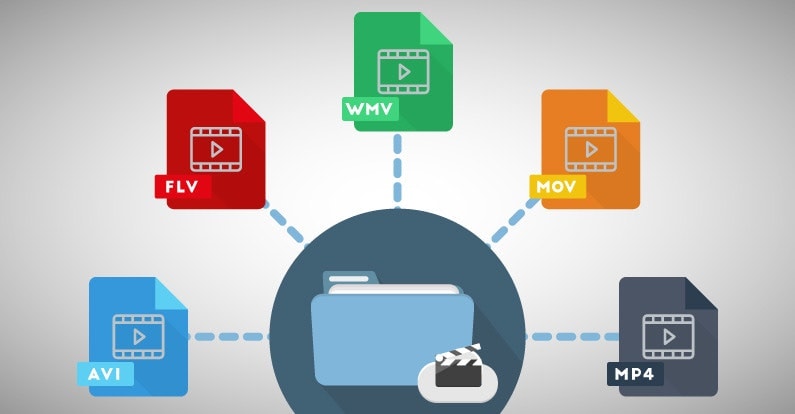
There are many other video formats as well, like MOV, WMV, and FLV. Each one is like a different type of lunch box that can hold different types of food.

What is Compression?

Now, let’s talk about something called compression. This is like when you take a big sandwich and squish it down so it can fit in your lunch box. Video files can be really big, and that can make them hard to share or store. So, compression is a way to make the file smaller without losing too much quality.

Codecs

Compression is done using something called a codec. A codec is like a special tool that knows how to squish your video file down. Just like you might use a knife to cut your sandwich, a codec can cut your video file down to size.
There are many different codecs, and some are better than others. For example, H.264 is a very popular codec because it can make your video file much smaller without losing too much quality.

Why do Formats Matter?

So, why does all of this matter? Well, different devices and websites can only play certain types of video formats. It’s like how some lunch boxes can only fit certain types of food.
If you have a video file in the wrong format, you might not be able to play it on your device or share it with your friends. That’s why it’s important to know what format your video is in, and to convert it to a different format if you need to.

Conclusion

So, that’s video formats in a nutshell! Remember, a video format is like a lunch box that holds your video file. Compression is like squishing your sandwich down so it fits in the lunch box, and codecs are like special tools that do the squishing.
It’s important to know what format your video file is in, and to convert it to a different format if you need to. And if you want to make your videos louder, you can try using a tool like mp4gain to boost the volume.

The History of Video Formats

Video formats have a long and fascinating history, dating back to the early days of video recording. Over the years, video formats have evolved and improved, becoming smaller, more efficient, and more versatile. In this section, we’ll take a closer look at the history of video formats, from the early days of analog recording to the latest digital formats.

Early Analog Formats

The first video recording devices used large, bulky tapes that could only hold a few minutes of footage. These analog tapes were cumbersome and difficult to work with, but they were the only option available at the time.
In the 1970s, the VHS format was introduced, which became the standard for home video recordings. Betamax tapes were also popular in Japan, but VHS ultimately won out due to its longer recording time and lower cost.

Digital Video Emerges

In the 1990s, digital video formats started to emerge, offering a more efficient and versatile way to record and store video. The first digital video format was called DV, which used small cassettes that could hold up to 60 minutes of footage.
Other digital formats soon followed, including MiniDV, Digital8, and HDV. These formats offered higher quality and greater flexibility than analog tapes, but they still had limitations when it came to sharing and distributing video content.

The Rise of Online Video

As the internet became more popular, new video formats were developed to make it easier to share videos online. In the early 2000s, the Flash Video format was introduced by Adobe, which made it possible to play videos on websites.
Other formats soon followed, including Windows Media Video (WMV), QuickTime, and RealVideo. However, these formats were often proprietary and could only be played on certain devices or platforms.

The Modern Era of Video Formats

Today, there are many different video formats available, each with its own advantages and disadvantages. MP4 has become one of the most popular formats, thanks to its versatility and ability to be played on many different devices.
Other popular formats include AVI, MOV, and WMV. There are also specialized formats for different types of video content, such as H.264 for high-definition video and HEVC for 4K and 8K content.

The Future of Video Formats

As technology continues to evolve, we can expect to see even more advanced video formats in the future, making it easier than ever to capture, share, and enjoy high-quality video content. Some of the emerging technologies in video formats include:
360-degree video formats, which allow viewers to experience video content in a fully immersive way
High Dynamic Range (HDR) formats, which offer a wider range of colors and contrast for more realistic and vibrant video
Virtual Reality (VR) formats, which allow viewers to experience video content in a completely immersive and interactive way
In conclusion, video formats have come a long way over the years, from the early days of analog recording to the latest digital and online formats. As technology continues to evolve, we can expect to see even more exciting developments in video formats, making it easier and more enjoyable than ever to capture and share high-quality video content.

Digital Video File Formats: Understanding Video Formats and Their Differences

Digital Video File Formats: Understanding Video Formats and Their Differences

Video formats
Video formats

When it comes to digital video, there are many different file formats to choose from. Each format has its own unique characteristics and is optimized for specific uses. Understanding the differences between these formats is important if you want to get the most out of your digital video content. In this article, we’ll take a closer look at digital video file formats and explore the top related keyword: digital video file formats.

Video Formats
Video Formats

What Are Digital Video File Formats?

Digital video file formats are a way of encoding and storing video data on a digital medium, such as a hard drive or flash drive. These file formats determine how the video is compressed, encoded, and played back. There are many different digital video file formats available, each with their own unique characteristics.

Why Are Video Formats Important?

Video formats are important because they determine how the video is encoded and compressed. This can affect the quality of the video, the file size, and the compatibility with different devices and software. Choosing the right video format is essential for creating high-quality video content that is optimized for your specific needs.

Popular Digital Video File Formats

There are many different digital video file formats to choose from, but some of the most popular ones include:

  • MP4: A highly versatile format that is compatible with most devices and software. It is a widely used format for web streaming and mobile devices.
  • AVI: A widely used format that is compatible with most devices and software. It is a popular format for video editing and video production.
  • WMV: A format developed by Microsoft that is optimized for Windows operating systems. It is a popular format for web streaming and video production.
  • MPEG: A format developed by the Motion Picture Experts Group that is optimized for high-quality video. It is a popular format for DVD and Blu-ray discs.

How to Choose the Right Video Format

Choosing the right video format depends on your specific needs. Some factors to consider when choosing a video format include:

  • Compatibility: Make sure the video format you choose is compatible with the devices and software you plan to use.
  • Quality: Choose a video format that delivers the quality you need for your specific application.
  • File Size: Consider the file size of the video format you choose, especially if you plan to share or distribute the video online.
  • Encoding Time: The time it takes to encode the video can be an important factor, especially for time-sensitive projects.

Conclusion

Digital video file formats are an important consideration when creating, editing, and sharing digital video content. Understanding the differences between the most popular digital video file formats is essential if you want to create high-quality video content that is optimized for your specific needs. In conclusion, if you want the best solution for your digital video file formats, we recommend using Mp4Gain. It is a powerful tool that can optimize your video files for maximum quality and compatibility.