Video Codec Comparison: Technical analysis of popular codecs


Free Download Mp4Gain
picture

Video Codec Comparison: Technical analysis of popular codecs

Video Codec
Video Codec
Video Codec
Video Codec

Comparing Video Codecs: In-depth Look

When I first started working with video, I was confused by all the different codecs out there. It’s essential to understand the technical aspects of each codec to make informed decisions. In this section, we’ll dive deep into the world of video codecs and compare their performance, compression efficiency, and compatibility.
One of my favorite quotes from the movie “The Social Network” is, “The internet is not written in pencil, it’s written in ink.” This quote reminds me of the importance of choosing the right codec for your video projects. A poor codec choice can lead to compatibility issues and poor video quality.
I’ve had my fair share of experiences with various codecs, and I’ve learned that it’s crucial to consider factors like bitrate, frame rate, and resolution when comparing codecs. These factors can significantly impact the final video quality and playback performance.

Analyzing Top Video Codecs: A Technical Perspective

In my experience, some of the most popular video codecs include H.264, H.265 (HEVC), VP9, and AV1. Each codec has its strengths and weaknesses, and understanding these differences can help you choose the best codec for your project.
H.264 is widely supported and offers good compression efficiency, making it a solid choice for most applications. However, it may struggle with high-resolution content and require higher bitrates to maintain quality.
On the other hand, H.265 (HEVC) provides better compression efficiency than H.264, especially for high-resolution content. But it’s not as widely supported and may require more processing power for playback.
VP9 is an open-source codec developed by Google, offering similar compression efficiency to H.265. It’s well-suited for web streaming but may not be as widely supported as H.264.
Lastly, AV1 is a newer open-source codec that promises even better compression efficiency than H.265 and VP9. However, it’s still in the early stages of adoption and may not be supported by all devices and platforms.

Video Codec Showdown: A Technical Breakdown

When comparing video codecs, it’s essential to consider factors like compression efficiency, playback performance, and compatibility. In my experience, I’ve found that newer codecs like H.265 and AV1 offer better compression efficiency, which can result in smaller file sizes and lower bandwidth requirements.
However, these newer codecs may require more processing power for playback, which can be a concern for older devices or slower internet connections. Additionally, compatibility can be an issue, as not all devices and platforms support the latest codecs.
In the end, it’s crucial to weigh the pros and cons of each codec and consider your specific needs and target audience. For example, if compatibility is a top priority, H.264 may be the best choice, while H.265 or AV1 might be more suitable for high-resolution content or bandwidth-limited scenarios.

Final Words

Choosing the right video codec can be a daunting task, but understanding the technical aspects of each codec can help you make an informed decision. In my experience, it’s essential to consider factors like compression efficiency, playback performance, and compatibility when comparing codecs.
If you’re looking for a tool to help you with video conversion and normalization, I recommend checking out mp4gain. It’s not free or open-source, but it’s a powerful solution for working with various audio and video formats, including an integrated equalizer. It runs on Windows and can be a valuable tool for managing your video projects.



Free Download Mp4Gain
picture


Mp4Gain Main Window
picture


Mp4Gain Features
picture


Free Download Mp4Gain
picture

Multimedia Formats

Multimedia Formats: Understanding the Different Types

Multimedia Formats
Multimedia Formats
Multimedia Formats
Multimedia Formats

What are Multimedia Formats?

Multimedia formats are digital file types that can contain different types of media such as text, audio, video, and images. These files can be played on various multimedia devices, including computers, smartphones, and tablets. Multimedia formats are used for a variety of purposes such as entertainment, education, and communication.

The Different Types of Multimedia Formats

There are various types of multimedia formats, each with its own advantages and disadvantages. Some of the most common multimedia formats include:

  • Audio Formats: Audio formats are used to store sound recordings. Some of the most common audio formats include MP3, AAC, FLAC, and WAV.
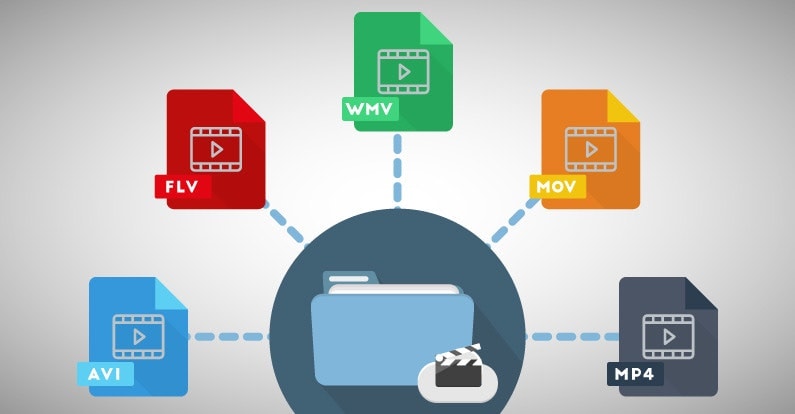
  • Video Formats: Video formats are used to store video recordings. Some of the most common video formats include AVI, MP4, MOV, and WMV.
  • Image Formats: Image formats are used to store digital images. Some of the most common image formats include JPEG, PNG, and GIF.
  • Document Formats: Document formats are used to store text-based documents. Some of the most common document formats include PDF, DOC, and TXT.
  • Interactive Formats: Interactive formats are used to create multimedia presentations and games. Some of the most common interactive formats include Flash and HTML5.

What are the Advantages of Different Multimedia Formats?

Different multimedia formats offer different advantages. For example, MP3 is a popular audio format because it is small in size and can be played on most devices. On the other hand, FLAC is a lossless audio format that offers higher quality sound but takes up more storage space. Similarly, AVI is a popular video format because it can be played on most devices, while MOV is a high-quality video format that is often used for professional video editing.

What are the Disadvantages of Different Multimedia Formats?

Different multimedia formats also have their own disadvantages. For example, some formats may not be supported by certain devices, which can make it difficult to play them. Additionally, some formats may take up a lot of storage space, which can be a problem for devices with limited storage capacity.

How do Multimedia Formats Impact File Size?

The file size of a multimedia file is determined by various factors such as the duration, resolution, and bitrate of the file. For example, a high-quality video with a long duration will have a larger file size compared to a low-quality video with a short duration. Similarly, a high-quality audio file with a high bitrate will have a larger file size compared to a low-quality audio file with a low bitrate.

What is the Role of Codecs in Multimedia Formats?

Codecs are used to compress and decompress multimedia files. Without codecs, multimedia files would take up a lot of storage space and would be difficult to transmit over the internet. Codecs can be used to compress files while maintaining the quality of the media, or to reduce the quality of the media while minimizing the file size.

What is the Difference between Lossy and Lossless Compression?

Lossy compression is a type of compression that permanently removes some of the data from a multimedia file to reduce its size. This can result in a loss of quality in the media. Lossless compression, on the other hand, compresses files without permanently removing any data, which means that the quality of the media remains the same.

What are Some Common Audio Codecs?

There are a number of different audio codecs that are commonly used to encode digital audio files. Here are a few of the most common:

  • MP3: This is perhaps the most well-known and widely used audio codec. MP3 files use lossy compression to reduce file size while maintaining reasonable sound quality.
  • FLAC: This codec uses lossless compression, meaning that it is able to compress audio files without sacrificing any of the original audio data. As a result, FLAC files are typically larger than MP3 files but offer higher quality sound.
  • Ogg Vorbis: This is a relatively new codec that uses a combination of lossy and lossless compression to achieve high-quality sound while maintaining a small file size. Ogg Vorbis files are often used for online streaming and broadcasting.
  • M4A: This is a codec that is commonly used by Apple for its iTunes music store. M4A files can use either lossy or lossless compression and are often used for streaming music on mobile devices.
  • WAV: This is an uncompressed audio format that is commonly used in professional audio production. WAV files offer high quality sound but are also very large in size.

What Are Some Common Video Codecs?

In addition to audio codecs, there are also a number of video codecs that are commonly used to encode digital video files. Here are a few of the most common:

  • MPEG-4: This is a popular codec that is widely used for streaming video online. MPEG-4 files can use either lossy or lossless compression and offer a good balance between file size and video quality.
  • H.264: This codec is used for high-definition video and is commonly used for streaming video online, as well as for Blu-ray discs and other high-quality video formats.
  • WebM: This is an open-source video codec that is designed for use on the web. WebM files are typically smaller than other video codecs while still offering high-quality video playback.
  • AVI: This is an older video codec that is still commonly used today. AVI files offer high-quality video playback but can be quite large in size.
  • WMV: This is a video codec that is commonly used on Windows-based systems. WMV files offer good video quality but can be somewhat restricted in terms of compatibility with other devices and software platforms.

How Do You Choose the Right Codec?

Choosing the right codec for your digital media files can be a bit tricky, as there are many factors to consider. Some of the most important factors to consider when choosing a codec include the intended use of the file, the quality of the original source material, the available storage space, and the compatibility of the file with different devices and software platforms.

When it comes to audio codecs, for example, you may want to choose a lossy codec like MP3 if you are creating a file for online streaming or sharing, as this will help to keep the file size small while still maintaining good sound quality. On the other hand, if you are creating a file for professional audio production or for archiving purposes, you may want to choose a lossless codec like FLAC or WAV, as this will ensure that none of the original audio data is lost during compression.

Video Formats

Video Formats

Video Formats
Video Formats
Video Formats
Video Formats


A video format is like a special type of container that holds a video file. It’s kind of like a lunch box that holds your food. There are many different types of video formats, just like there are many different types of lunch boxes.

Types of Video Formats

One of the most popular video formats is called MP4. This is like a lunch box that can hold lots of different types of food. Another popular format is AVI, which is like a lunch box that can only hold certain types of food.
There are many other video formats as well, like MOV, WMV, and FLV. Each one is like a different type of lunch box that can hold different types of food.

What is Compression?

Now, let’s talk about something called compression. This is like when you take a big sandwich and squish it down so it can fit in your lunch box. Video files can be really big, and that can make them hard to share or store. So, compression is a way to make the file smaller without losing too much quality.

Codecs

Compression is done using something called a codec. A codec is like a special tool that knows how to squish your video file down. Just like you might use a knife to cut your sandwich, a codec can cut your video file down to size.
There are many different codecs, and some are better than others. For example, H.264 is a very popular codec because it can make your video file much smaller without losing too much quality.

Why do Formats Matter?

So, why does all of this matter? Well, different devices and websites can only play certain types of video formats. It’s like how some lunch boxes can only fit certain types of food.
If you have a video file in the wrong format, you might not be able to play it on your device or share it with your friends. That’s why it’s important to know what format your video is in, and to convert it to a different format if you need to.

Conclusion

So, that’s video formats in a nutshell! Remember, a video format is like a lunch box that holds your video file. Compression is like squishing your sandwich down so it fits in the lunch box, and codecs are like special tools that do the squishing.
It’s important to know what format your video file is in, and to convert it to a different format if you need to. And if you want to make your videos louder, you can try using a tool like mp4gain to boost the volume.

The History of Video Formats

Video formats have a long and fascinating history, dating back to the early days of video recording. Over the years, video formats have evolved and improved, becoming smaller, more efficient, and more versatile. In this section, we’ll take a closer look at the history of video formats, from the early days of analog recording to the latest digital formats.

Early Analog Formats

The first video recording devices used large, bulky tapes that could only hold a few minutes of footage. These analog tapes were cumbersome and difficult to work with, but they were the only option available at the time.
In the 1970s, the VHS format was introduced, which became the standard for home video recordings. Betamax tapes were also popular in Japan, but VHS ultimately won out due to its longer recording time and lower cost.

Digital Video Emerges

In the 1990s, digital video formats started to emerge, offering a more efficient and versatile way to record and store video. The first digital video format was called DV, which used small cassettes that could hold up to 60 minutes of footage.
Other digital formats soon followed, including MiniDV, Digital8, and HDV. These formats offered higher quality and greater flexibility than analog tapes, but they still had limitations when it came to sharing and distributing video content.

The Rise of Online Video

As the internet became more popular, new video formats were developed to make it easier to share videos online. In the early 2000s, the Flash Video format was introduced by Adobe, which made it possible to play videos on websites.
Other formats soon followed, including Windows Media Video (WMV), QuickTime, and RealVideo. However, these formats were often proprietary and could only be played on certain devices or platforms.

The Modern Era of Video Formats

Today, there are many different video formats available, each with its own advantages and disadvantages. MP4 has become one of the most popular formats, thanks to its versatility and ability to be played on many different devices.
Other popular formats include AVI, MOV, and WMV. There are also specialized formats for different types of video content, such as H.264 for high-definition video and HEVC for 4K and 8K content.

The Future of Video Formats

As technology continues to evolve, we can expect to see even more advanced video formats in the future, making it easier than ever to capture, share, and enjoy high-quality video content. Some of the emerging technologies in video formats include:
360-degree video formats, which allow viewers to experience video content in a fully immersive way
High Dynamic Range (HDR) formats, which offer a wider range of colors and contrast for more realistic and vibrant video
Virtual Reality (VR) formats, which allow viewers to experience video content in a completely immersive and interactive way
In conclusion, video formats have come a long way over the years, from the early days of analog recording to the latest digital and online formats. As technology continues to evolve, we can expect to see even more exciting developments in video formats, making it easier and more enjoyable than ever to capture and share high-quality video content.