Why Video Encoding Profiles Matter


Free Download Mp4Gain
picture

Why Video Encoding Profiles Matter

Why Video Encoding Profiles Matter

In the world of video encoding, understanding the different profiles and their significance is crucial. These profiles determine the available encoding tools and greatly impact the quality and compatibility of your video output. By delving into the intricacies of video encoding profiles, you can optimize your video files for various playback devices and ensure an optimal viewing experience.

The Basics: Profiles and Levels Explained

To comprehend video encoding profiles, it’s essential to grasp the distinction between profiles and levels. Profiles define the encoding tools at your disposal, while levels establish the maximum resolutions, frame rates, and bitrates that can be achieved during the encoding process.

For H.264 encoding, three primary profiles exist: Baseline, Main, and High. Baseline is the most compatible profile, but it sacrifices quality. Main strikes a balance between quality and compatibility. High profile delivers superior quality but may encounter compatibility issues on certain devices.

Each profile also encompasses multiple levels. Higher levels support greater resolutions, frame rates, and bitrates. However, higher levels necessitate more processing power for decoding purposes.

Selecting the Ideal Profile and Level

Choosing the appropriate profile and level for your video encoding depends on several factors:

Target Devices: Consider the devices on which your encoded video will be played. If broad compatibility is your goal, the Baseline profile is a safe bet. However, if you’re targeting high-end devices, the High profile may deliver the best results.

Desired Quality: Determine the desired quality level for your video. If you prioritize excellent quality, the High profile is an attractive option. For a balance between quality and compatibility, the Main profile is a solid choice.

Processing Power: Evaluate the processing capabilities of the playback devices. Lower-level profiles may be necessary for devices with limited processing power to ensure smooth playback.

To illustrate these considerations, let’s explore some examples:

For smartphone playback, selecting the Baseline profile and Level 3 is suitable, offering compatibility and efficient performance.
If your video is destined for a 4K TV, opt for the Main profile and Level 5 to achieve high-quality visuals while maintaining compatibility.
Encoding videos for Blu-ray Discs necessitates the High profile and Level 6, enabling exceptional quality for an immersive viewing experience.

Mastering Video Encoding Profiles and Levels

Understanding video encoding profiles and levels is paramount for optimizing video files. By selecting the appropriate profile and level, you can ensure compatibility with target devices while meeting your desired quality standards. Remember to consider the target devices, prioritize quality, and assess processing power to make informed decisions during the encoding process.

In conclusion, video encoding profiles and levels may appear complex at first, but with a solid grasp of these concepts, you can confidently navigate the intricacies of video encoding and produce high-quality videos that cater to various playback devices.

These final words emphasize the importance of mastering video encoding profiles and levels, providing users with a comprehensive overview of the topic and inspiring confidence in their video encoding endeavors.



Free Download Mp4Gain
picture


Mp4Gain Main Window
picture


Mp4Gain Features
picture


Free Download Mp4Gain
picture

Video Codec Profiles and Levels: A Guide for Video Creators

Video Codec Profiles and Levels: A Guide for Video Creators

Video Codec Profiles and Levels: A Guide for Video Creators

When you’re creating a video, one of the most important decisions you’ll make is the video codec you’ll use. The codec will determine the quality and size of your video, as well as the compatibility with different devices.

Video codecs are divided into profiles and levels. Profiles define the features that are supported by a codec, while levels define the maximum quality and size of a video encoded with that profile.

What are Video Codec Profiles?

Video codec profiles define the features that are supported by a codec. This includes things like the type of frames that are supported, the resolution of the video, and the chroma subsampling.

There are a number of different video codec profiles available, each with its own strengths and weaknesses. Some of the most common profiles include:

Main Profile: This is the most common profile and is supported by most devices. It supports a wide range of resolutions and chroma subsamplings.
High Profile: This profile offers higher quality than the Main Profile, but it is not supported by as many devices.
High 10 Profile: This profile supports 10-bit color, which can provide even higher quality than the High Profile.

What are Video Codec Levels?

Video codec levels define the maximum quality and size of a video encoded with a particular profile. This is determined by factors such as the maximum bitrate and the maximum frame rate.

There are a number of different video codec levels available, each with its own quality and size requirements. Some of the most common levels include:

Level 3: This is the lowest level and supports a maximum bitrate of 10,000 kbps.
Level 4: This level supports a maximum bitrate of 20,000 kbps.
Level 5: This level supports a maximum bitrate of 40,000 kbps.
**

Choosing the Right Profile and Level

The best way to choose the right profile and level for your video depends on a number of factors, including:

The desired quality of the video.
The target audience.
The devices that the video will be played on.
If you’re creating a video for a wide audience, then you’ll want to choose a profile and level that is supported by most devices. If you’re creating a video for a specific audience, then you may be able to choose a higher quality profile and level.

**

Final Words about Video Codec Profiles and Levels

Video codec profiles and levels are an important part of video encoding. By understanding the different profiles and levels, you can choose the right settings for your video, ensuring that it is both high quality and compatible with the devices that you want to play it on.

I hope this article has helped you to understand video codec profiles and levels.

Enhancing Video Quality: Bitrate and Codec

Enhancing Video Quality: Bitrate and Codec

Enhancing Video Quality: Bitrate and Codec


When it comes to video quality, there are two main factors that you need to consider: bitrate and codec.

Bitrate

Bitrate is the amount of data that is used to encode a video file. A higher bitrate will result in a higher quality video, but it will also result in a larger file size.

The ideal bitrate for a video will depend on a number of factors, including the resolution of the video, the frame rate, and the type of content. For example, a high-resolution video with a high frame rate will require a higher bitrate than a low-resolution video with a low frame rate.

If you are concerned about file size, you can try reducing the bitrate of your video. However, keep in mind that this will also reduce the quality of the video.

Codec

A codec is a type of software that is used to encode and decode video files. There are many different codecs available, and each one has its own strengths and weaknesses.

Some of the most popular codecs include:

H.264: This is a widely used codec that offers good quality and compatibility.
MPEG-4: This is another popular codec that is known for its good quality.
VP9: This is a newer codec that offers better quality than H.264 and MPEG-4, but it is not as widely supported.
When choosing a codec, you need to consider the following factors:

The quality of the video that you want to create
The compatibility of the codec with your devices and software
The file size of the video that you want to create

Conclusion

Bitrate and codec are two important factors that you need to consider when enhancing video quality. By understanding these factors, you can create high-quality videos that are also small in file size.

Here are some additional tips for enhancing video quality:

Use a high-quality camera
Shoot in good lighting conditions
Edit your videos carefully
Optimize your videos for the web
By following these tips, you can create videos that are both high-quality and visually appealing.

Video Codec Comparison: Technical analysis of popular codecs

Video Codec Comparison: Technical analysis of popular codecs

Video Codec
Video Codec
Video Codec
Video Codec

Comparing Video Codecs: In-depth Look

When I first started working with video, I was confused by all the different codecs out there. It’s essential to understand the technical aspects of each codec to make informed decisions. In this section, we’ll dive deep into the world of video codecs and compare their performance, compression efficiency, and compatibility.
One of my favorite quotes from the movie “The Social Network” is, “The internet is not written in pencil, it’s written in ink.” This quote reminds me of the importance of choosing the right codec for your video projects. A poor codec choice can lead to compatibility issues and poor video quality.
I’ve had my fair share of experiences with various codecs, and I’ve learned that it’s crucial to consider factors like bitrate, frame rate, and resolution when comparing codecs. These factors can significantly impact the final video quality and playback performance.

Analyzing Top Video Codecs: A Technical Perspective

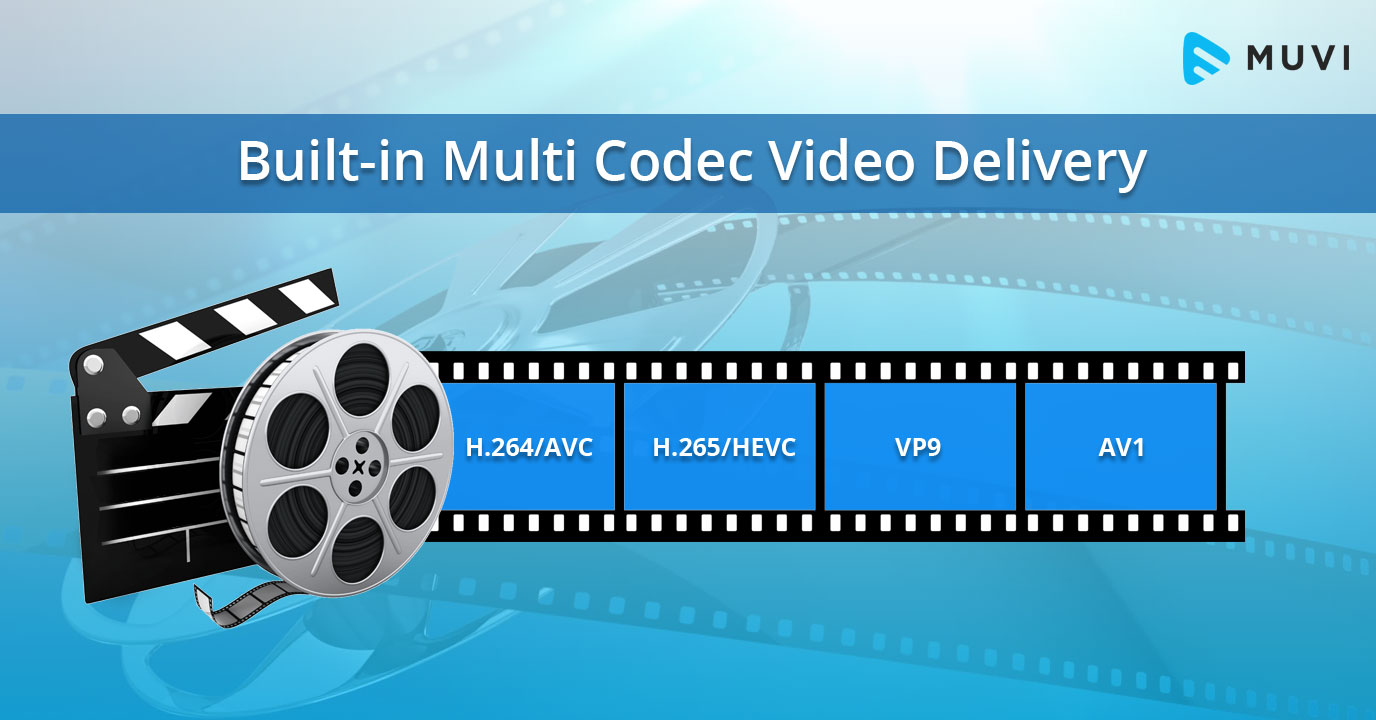
In my experience, some of the most popular video codecs include H.264, H.265 (HEVC), VP9, and AV1. Each codec has its strengths and weaknesses, and understanding these differences can help you choose the best codec for your project.
H.264 is widely supported and offers good compression efficiency, making it a solid choice for most applications. However, it may struggle with high-resolution content and require higher bitrates to maintain quality.
On the other hand, H.265 (HEVC) provides better compression efficiency than H.264, especially for high-resolution content. But it’s not as widely supported and may require more processing power for playback.
VP9 is an open-source codec developed by Google, offering similar compression efficiency to H.265. It’s well-suited for web streaming but may not be as widely supported as H.264.
Lastly, AV1 is a newer open-source codec that promises even better compression efficiency than H.265 and VP9. However, it’s still in the early stages of adoption and may not be supported by all devices and platforms.

Video Codec Showdown: A Technical Breakdown

When comparing video codecs, it’s essential to consider factors like compression efficiency, playback performance, and compatibility. In my experience, I’ve found that newer codecs like H.265 and AV1 offer better compression efficiency, which can result in smaller file sizes and lower bandwidth requirements.
However, these newer codecs may require more processing power for playback, which can be a concern for older devices or slower internet connections. Additionally, compatibility can be an issue, as not all devices and platforms support the latest codecs.
In the end, it’s crucial to weigh the pros and cons of each codec and consider your specific needs and target audience. For example, if compatibility is a top priority, H.264 may be the best choice, while H.265 or AV1 might be more suitable for high-resolution content or bandwidth-limited scenarios.

Final Words

Choosing the right video codec can be a daunting task, but understanding the technical aspects of each codec can help you make an informed decision. In my experience, it’s essential to consider factors like compression efficiency, playback performance, and compatibility when comparing codecs.
If you’re looking for a tool to help you with video conversion and normalization, I recommend checking out mp4gain. It’s not free or open-source, but it’s a powerful solution for working with various audio and video formats, including an integrated equalizer. It runs on Windows and can be a valuable tool for managing your video projects.

The Importance of Codecs in Video Compression

The Importance of Codecs in Video Compression

Video Codec
Video Codec

Introduction

Video Codec
Video Codec

Video codecs play a vital role in video compression. The quality and size of video files depend largely on the type of codec used to compress them. In this article, we will explore the significance of video codecs in video compression and the technical aspects that determine the quality and efficiency of video files.

History of Video Codecs

The first video codec was developed in the 1970s, called H.120. This codec allowed for the transmission of video over ISDN telephone lines. Since then, video codecs have evolved significantly, and we now have a wide range of codecs available that offer different levels of compression and quality.

Understanding Video Quality

Video quality can be defined as the degree of excellence that a video possesses. This quality is determined by various factors, including the resolution, bit rate, frame rate, and compression method used.

Resolution

The resolution of a video is the number of pixels that make up the image. Higher resolution videos have more pixels, which means they are sharper and more detailed. The most common resolutions are 720p, 1080p, and 4K.

Bit Rate

The bit rate is the amount of data that is processed per second. A higher bit rate means more data is processed, resulting in a higher-quality video. However, higher bit rates also mean larger file sizes, which can be challenging for storage and transmission.

Frame Rate

The frame rate is the number of frames that are displayed per second. A higher frame rate results in a smoother video, but it also requires more data to be processed, resulting in larger file sizes.

Compression Method

Compression methods are used to reduce the size of video files without compromising on quality. Lossless compression methods preserve the original quality of the video, while lossy compression methods sacrifice some quality to achieve smaller file sizes.

Video Codecs and Formats

Video codecs can be classified into two categories: proprietary codecs and open-source codecs. Proprietary codecs are developed by companies and are generally licensed for use. Open-source codecs, on the other hand, are developed by communities and are free to use.

Proprietary Codecs

Proprietary codecs are developed by companies such as Apple, Microsoft, and Google. They are often used in popular video formats such as MP4, AVI, and MOV. These codecs are optimized for specific devices and software, resulting in high-quality videos that are compatible with a wide range of devices.

Open-Source Codecs

Open-source codecs are developed by communities and are free to use. The most popular open-source codec is the VP9 codec developed by Google. It is used in the WebM format and offers a high level of compression with minimal loss of quality.

Choosing the Right Codec

When choosing a codec, it is important to consider the factors that affect video quality, such as resolution, bit rate, frame rate, and compression method. Proprietary codecs are often optimized for specific devices and software, while open-source codecs offer more flexibility and are free to use.

Format

The format of a video file also plays a significant role in determining the quality and efficiency of the file. Popular video formats include MP4, AVI, MOV, and WebM. Each format has its own set of advantages and disadvantages, and it is important to choose the right format based on your needs.

Conclusion

Video codecs are an essential part of video compression, and they play a significant role in determining the quality and size of video files. By understanding the technical aspects of video quality and the different types of codecs and formats available, you can make informed decisions when choosing

What is a video codec?

What is a video codec?

video codec
video codec

A codec is a program or device that encodes and decodes video. This means that it takes a video and compresses it into a smaller format so it can be streamed or stored more efficiently. Then, when you want to watch the video, the codec decodes it and plays it in its original format.

video codec
video codec

Why is a video codec important?

Video codecs are important because they make videos more accessible and easier to use. Without a codec, the videos would be too large to stream or store, which would mean that we would have to wait a long time to watch them or have a very large storage space to save them.

In addition, the codecs also make the videos look better. Some codecs use advanced techniques to compress the video without affecting its quality. This means that we can see sharp and clear videos, even when they are compressed to a smaller size.

Codecs are also important because they allow videos to be compatible with different devices and platforms. For example, if a video is encoded with a specific codec, it can be viewed on a computer, smartphone, smart TV, or game console without any problem.

What types of video codecs are there?

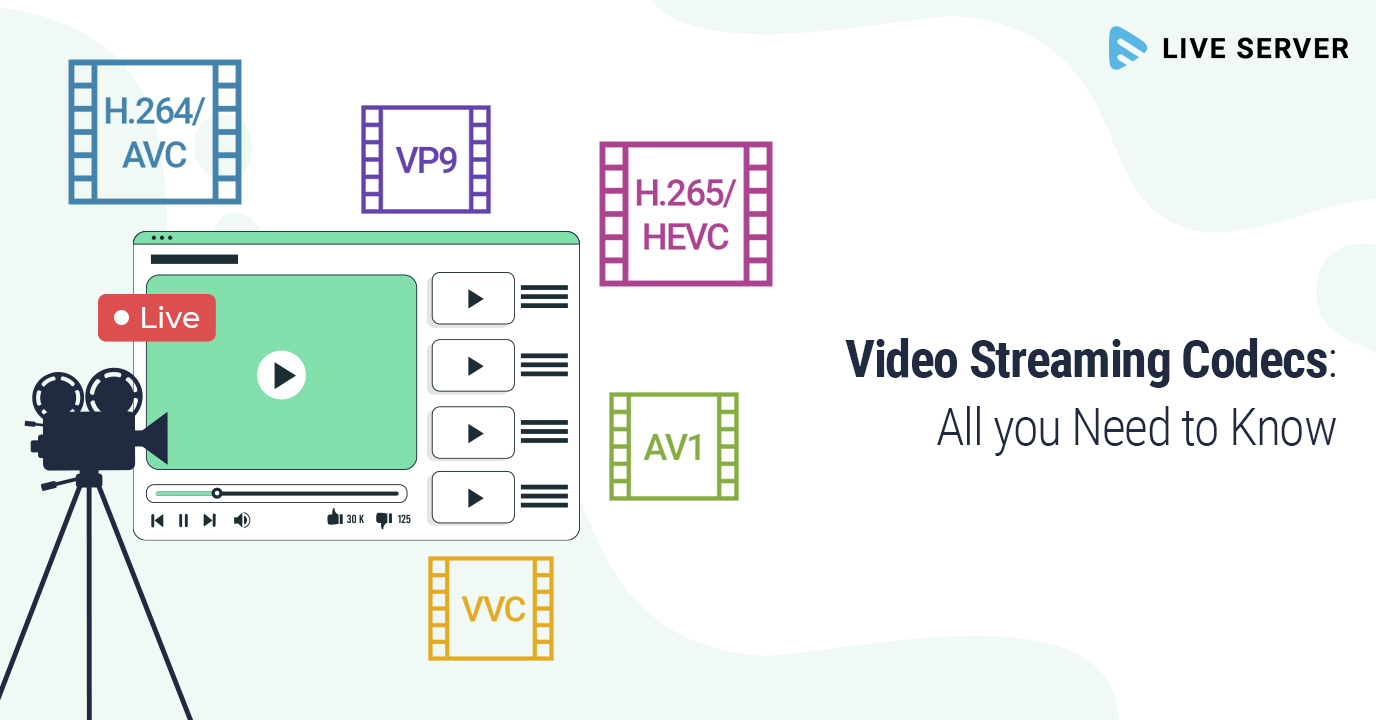
There are many different types of video codecs, but some of the most common are H.264, H.265, VP9, and AV1. Each codec has its own advantages and disadvantages, and some are better for certain uses than others.

For example, H.264 is a very popular codec used to compress high-definition video. It is a good option for most users as it is compatible with most devices and platforms. However, H.265 is a newer codec that is more efficient in terms of bandwidth and can offer improved video quality.

VP9 is an open source codec developed by Google that is used on some devices and platforms. AV1 is an open source codec developed by a coalition of technology companies and is a promising option for the future, offering more efficient compression and improved video quality.

It is important to note that not all codecs are created equal and some may require more processing power or bandwidth to function properly. Therefore, it is important to choose the correct codec for each situation.

Conclusion

In conclusion, a video codec is an essential program or device that allows you to compress and decode videos to make them more accessible and compatible. There are many different types of video codecs available, and it’s important to choose the one that’s best for each situation. Mp4Gain is an excellent solution for those looking to optimize and enhance their video experience.

Lossless video compression

Lossless video compression

Lossless video

In mid-November of last year, I was struck by the news from AlparySoft R&D Company about the launch of a codec developed by it to work with video. And although there are many codecs now, Lossless Video Codec still has one distinctive feature – these are the algorithms used that allow you to compress a video signal without mathematical loss. That is, after the encode-decode process, the source and the final video will be absolutely identical, and the original video is compressed 2 to 5 times.

Lossless

And so, last Saturday (May 15), Lossless Video Codec 2.0 was released. An important innovation was the addition of a lossless compression algorithm, that is, compression in which the human eye cannot differentiate between the original and processed video. The compression ratio here, for obvious reasons, is higher and amounts to 5-15 times.

I managed to learn the details about the new product with the help of Elena, the company’s public relations manager.

– What difficulties did you face when developing lossless compression algorithms?

– As with all other algorithms for processing and analyzing large amounts of data (either by filtering or eliminating data redundancy), there is the problem of choosing between compression quality and performance.

Obviously, the more time you can spend analyzing the data (in our case, it’s a frame from a movie), the better it can be compressed. On the other hand, we are faced with the task of compressing the stream of frames in real time (that is, 25-30 frames per second). Low-level optimization of its individual parts plays an important role in the development process of a program, which, although it is a laborious process, can significantly increase the speed of algorithms.

– Okay, but what does Lossless Video Codec look like in the context of similar products and in particular DivX?

– Compared to similar products, our codec looks pretty decent. For example, the tests and the results of the comparison with the well-known HuffYUV codec can be viewed on our website (www.alparysoft.ru/prod/compression/compress-compare.php).

Comparison with DivX would be wrong as there are several fundamental differences. First, DivX is a lossy codec; In any case, during compression, some information is lost, while in our codec, as noted above, lossless compression algorithms are presented. Second, our codec does not use video information from previous frames to compress a frame, because of this, videos compressed by our codec can be much easier to use for editing in various video editing programs.

– Elena, how long has your team been working on Alparysoft Lossless Video Codec?

– Work on the codec takes just over a year. Three developers participate in it.

– How popular is the codec developed today?

– According to statistics, there were several thousand downloads from the Russian Alparysoft website alone. But our codec is hosted on many sites, mostly foreign. Among them, there are such popular resources dedicated directly to video processing as Dvdrhelp.com and Doom9.com; here we constantly post updates to our programs.

Of course, there are comments and wishes, and advice and criticism from the users of our programs, as the site has a forum: any user can express his opinion about Alparysoft products. I do not pretend to say that absolutely all reviews are positive, but on the other hand, competent criticism and professional advice is always the force that helps to advance, improve, taking into account the requirements of consumers of rapidly developing technologies.

– From what I understand, the codec is free at this stage of development …

– Yes indeed, Alparysoft Lossless Video Codec is a free product and you just need to register online to get started. We took that step to popularize the products and technologies developed.

Video formats and compression codecs for video editing

To understand the basics of video editing, one must consider display frame theory. For this reason, we will often use a fitting comparison in the guide: that of motion pictures and the frames that make up the film.

Video Editing

What is a video format?

We all know that you need a screen, a projector, and a movie to get a movie projection. A sequence of images is printed on the film, translucent as the negatives of the photographs, which in the projection modify the light beam of the projector, allowing only certain parts to pass through, which will generate an image on the screen. Film flows, projected images change rapidly, and a motion effect is obtained.

Let’s go back to digital video.

Let’s say we have a series of images that reproduce a movement (we will see later how the capture phase, or video capture, allows this). These images alone are not enough to show a movie on our PC. In fact, we should be able to tell the machine where these images are, what type they are, how fast they should be viewed, and in what order. For this reason, the format of a clip is defined, that is, a kind of “container”, recognizable by the PC, in which the previous information is attached, in addition to the images.
To recognize a video file format of a clip, you can access the file properties panel or observe the file extension itself (for example, AVI, MPG, QTM, etc … all video extensions).

Digital video
Each editor chooses the best video format they consider appropriate, depending on how they work, the technology they have available and the end result they want to achieve.

In fact, try to think how much a color image of about 800×600 pixels takes up. So much … too much to see 25 per second (as the theory of optics says) and save them to our HD.

What is a video codec?

This is where the codec (COmpressor DECompressor or better DECoder CODER) comes in, or the software that contains the mathematical procedure through which the images are compressed (often with loss or loss of information) to allow agile management and reproduction correct clip.
In practice, compressed video formats are obtained.

The codec is used both to capture and compress the video from an external source, and to play and process the video once it is stored on the hard drive. It could be compared to a kind of very fast Winzip that, if necessary, compresses and decompresses the images of a film.

It is useless to dwell on how a codec manages to make a noticeable decrease in the space occupied by images, reducing the loss of quality to a minimum (sometimes surprisingly!) What little indication to say which is the best video codec or the best compression Of video . The answer is always the same: it depends on what you want to achieve (and, similarly, what is the best video format is a question that has multiple answers).
The important thing is that these codecs are available to us, there are many of them and each one has peculiar characteristics that suggest its working environment.

We suggest downloading the K-Lite Codeck Pack (often also abbreviated as Klite) which contains an important collection of useful and cross-cutting codecs, tools, formats and filters.

Structure of a video format

Hardware codec and analog capture

Until recently, analog capture cards (especially M-Jpeg) were almost all equipped with a proprietary chip that allowed smooth, lossless capture as it took the computer’s processor out of compression work (it’s this chip that kept the price of the cards high).
The hardware codec is still software, but it interacts with this chip by letting the system know that it exists and that it can do the job instead of the CPU.
Without the codec installed, the card chip is useless, whereas if only the software codec is installed, the PC processor may be able to do the compression job, but this in particular cases.

Entry-level PCs are still powerful, and often analog acquisition cards only have one analog-to-digital conversion chip, while the processor does the conversion. In some cases, it is even possible to capture with very complex and elaborate software codecs like DivX or Xvid.
It is clear that choosing the hardware codec is always recommended, as in the case of the MPEG2 capture which requires a lot of resources.

Video codecs

In photography, the choice of the recording codec is quite limited: we usually fluctuate between the JPG format and the Raw format. In video, the choice is slightly wider: MPEG-1, MPEG-2, MPG-4, H264, H265, RAW, ProRes, ProRes Raw, Motion jpeg, etc.

So what are these codecs for, what uses are they designed for, and which ones should you choose?

Códecs

CONTAINERS AND CODECS are NOT the same!

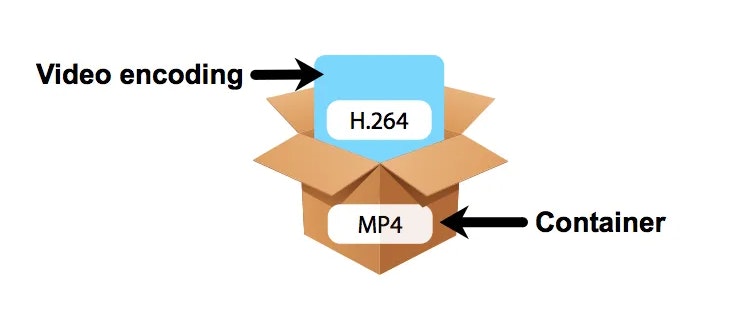
Digital videos are contained in files. These files are called “containers”. The extension of these files often makes it possible to determine their type. The most common containers are MP4, MOV, AVI and MXF. The MXF container is generally used in professional camera series from manufacturers such as Sony or Panasonic.

These containers are “boxes” or “folders” that consist of several elements: video track, sound tracks, time code or subtitles. The purpose of the container is to synchronize all the elements it contains.

Therefore, you cannot know the codec of a video from the file extension: for example, an .avi file and a .mov file could use the same codec to encode the video track.

WHAT IS A CODEC?

A codec is a mathematical procedure consisting of algorithms used to encode and decode the image (codec). It helps define how sensor information is stored and the strategy for compressing and decompressing images.

codec

The size of a one minute 4K video file is about 50 GB. Therefore, it is easy to understand the main advantage of using a codec: compression. For the same minute of 4K recording, for example, using the H264 codec reduces the file size by a factor of about 27, or a final size of about 1.8 GB.

The more “codec” a codec is, the more complex the decoding will be and it will require a powerful machine to accomplish this task. At the same time, the higher the compression, the greater the loss of information that can make post-production difficult.

To achieve this optimization, most codecs use spatial compression: each image is compressed independently of the other images; This is known as an “intra” codec. For more compression, more complex codecs add temporary compression: we’re talking LONG GOP (GOP for “Group of Pictures” or “Long Group of Pictures”); Codecs of this type record only one full image per x images (often 12) and retain only what has changed between these images.

Codecs: How an audio or video codec works

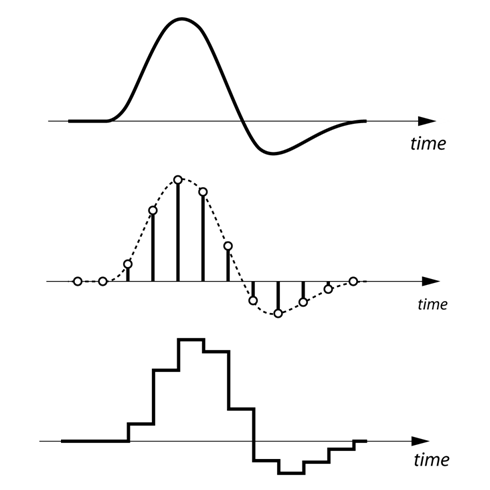
To understand in a simple way what a codec is and how it works, the first thing we have to keep in mind is that the human voice is a continuous (analog) waveform, while the information that circulates through a data network is discrete ( digital). This means that if we want to send packets with data that contain the information needed to reproduce a voice fragment, we will have to digitize the voice beforehand.

codecs

The process of converting an analog signal to a digital signal is done through an element called an encoder. If the encoder is also capable of performing the opposite process, that is, moving from a digital signal to an analog signal even if only approximately, then we will have an encoder-decoder. An encoder-decoder is also called a ‘codec’.

Although it may seem that we would only be interested in selecting one or two codecs taking into account the voice quality (MOS, Mean Opinion Score) and bit-rate parameters that each codec needs, the truth is that we also have to face our network Look closely at the size of the packets that we are going to send since each voice packet is also made up of bits that are used for routing and error correction issues. As they add load, they saturate the network and make the entire system go slower. Do we reduce the number of packages we have to send making them larger? It is not always a good idea because the loss of a large package will have a greater impact on the output, even a cut in communication! What is recommended in these cases is to have a certain compromise between the number of packets that are sent to the network and the protection we want to have. The reference size should be about 20ms of voice per package.

codecs

How codecs work

The codecs reduce the information of the clips to facilitate and enable their publication and viewing through the Internet. There are two methods of compression, the so-called spatial and temporal compression.

In the first one, reduce the information by compressing the existing one inside each frame. Instead of describing the pixel-to-pixel image, pointing out for example the position and color of the pixels, the compression codec generalizes describing similar areas and their light and color characteristics. For example, instead of reproducing a blue sky pixel by pixel, it would be described as an area with similar light and color characteristics. In this sense, the less varied details an image presents, the codec can generalize and compress more easily. Creating videos with simple backgrounds facilitates compression and reduction, just as working with a tripod instead of a camera in hand means stabilizing the backgrounds and therefore facilitating subsequent compression.

The other compression method is temporary, where the information between consecutive frames is compared and only the details that vary are stored. The reference frames from which the differences are analyzed and the subsequent ones are supported are called keyframes and contain the complete image. On the contrary, the frames that reflect the differences are called “delta frames” and only contain the information of the areas that vary with respect to the previous images.

In general, videos that show few changes between frames are compressed better and this necessarily affects the realization. At present, both the television and the cinematographic realization tend to use the camera in motion. However, the compression of dynamic videos is more problematic than the cases of more static images.