Video Codec Explanation


Free Download Mp4Gain
picture

Video Codec Explanation

Video Codec Explanation

Video codecs, or compression-decompression algorithms, are the unsung heroes behind the videos we watch daily. They work like digital magicians, making it possible to store and transmit videos efficiently while preserving image quality. To understand them better, think of video codecs as puzzle masters.

Imagine you have a jigsaw puzzle of a beautiful landscape. However, you need to fit it into a smaller box for storage or mailing. A video codec is like an expert puzzle solver; it disassembles the image into smaller pieces, discards unnecessary ones (compression), and records the steps needed to put it all back together (encoding). When you want to enjoy the landscape again, the video codec reassembles it, like completing the puzzle.

Video codecs come in various types, each with its strengths. Some prioritize smaller file sizes for streaming, while others focus on maintaining pristine quality for high-definition content. Understanding these differences helps you select the right codec for your specific needs.

What Are the Best Video Codecs for Streaming?

When it comes to streaming video content over the internet, the choice of video codec plays a significant role in ensuring a smooth and enjoyable viewing experience. Two popular video codecs for streaming are H.264 and H.265 (also known as HEVC).

H.264, also known as AVC (Advanced Video Coding), has been a long-standing favorite for online streaming platforms. It offers a good balance between video quality and compression efficiency, making it suitable for a wide range of devices and network conditions. It’s like the reliable family car that gets you where you need to go comfortably and without fuss.

On the other hand, H.265, or HEVC (High-Efficiency Video Coding), is like the fuel-efficient hybrid car of the video codec world. It provides superior compression, resulting in smaller file sizes without compromising quality. This makes it an excellent choice for streaming 4K and even 8K video content, where bandwidth is a concern.

As someone deeply immersed in the world of video codecs, I’ve witnessed firsthand how the right codec choice can transform the streaming experience. It’s not just about technicalities; it’s about delivering content that captivates the audience while optimizing resources.



Free Download Mp4Gain
picture


Mp4Gain Main Window
picture


Mp4Gain Features
picture


Free Download Mp4Gain
picture

Codecs: The Building Blocks of Digital Media

Codecs: The Building Blocks of Digital Media

codecs
codecs
Codecs
Codecs

Codecs are the building blocks of digital media. They are software or hardware that encode and decode digital data streams. This means that they can take a raw digital signal, such as a video or audio recording, and compress it into a smaller file size, or they can take a compressed file and expand it back into its original form.

Codecs are essential for the transmission, storage, and playback of digital media. They are used in a wide variety of applications, including streaming video, video conferencing, and digital broadcasting.

How Codecs Work

Codecs work by using a variety of techniques to reduce the size of digital data streams. These techniques include:

Entropy coding: This technique takes advantage of the fact that some parts of a digital signal are more likely to occur than others. By assigning shorter codes to the more likely parts of the signal, entropy coding can significantly reduce the size of the file.
Transform coding: This technique breaks the digital signal down into smaller components, and then compresses each component individually. This can be more efficient than entropy coding, but it is also more complex.
Prediction: This technique uses the past values of a signal to predict future values. By predicting future values, the codec can reduce the amount of data that needs to be stored.
**

Types of Codecs

There are two main types of codecs: lossy and lossless. Lossy codecs reduce the size of a digital data stream by discarding some of the data. This can result in a loss of quality, but it also allows for much smaller file sizes. Lossless codecs do not discard any data, so they do not suffer from any loss of quality. However, they also produce larger file sizes.

Some of the most common lossy codecs include:

MPEG-1: This codec is used for a variety of applications, including video CDs and digital television.
MPEG-2: This codec is used for DVD-Video and high-definition television.
H.264: This codec is the most widely used codec for streaming video and online video.
Some of the most common lossless codecs include:

FLAC: This codec is used for lossless audio compression.
WAV: This codec is a lossless audio format that is used by many professional audio applications.
ALAC: This codec is a lossless audio format that is used by Apple’s iTunes and iPod products.
**

Conclusion

Codecs are essential for the transmission, storage, and playback of digital media. They are used in a wide variety of applications, and they have made it possible to enjoy digital media on a variety of devices.

Final Words about Codecs

Codecs are a complex topic, but they are essential for understanding how digital media works. By understanding how codecs work, you can make better decisions about the quality and size of your digital media files.

I hope this article has given you a better understanding of codecs.

Enhancing Video Quality: Bitrate and Codec

Enhancing Video Quality: Bitrate and Codec

Enhancing Video Quality: Bitrate and Codec


When it comes to video quality, there are two main factors that you need to consider: bitrate and codec.

Bitrate

Bitrate is the amount of data that is used to encode a video file. A higher bitrate will result in a higher quality video, but it will also result in a larger file size.

The ideal bitrate for a video will depend on a number of factors, including the resolution of the video, the frame rate, and the type of content. For example, a high-resolution video with a high frame rate will require a higher bitrate than a low-resolution video with a low frame rate.

If you are concerned about file size, you can try reducing the bitrate of your video. However, keep in mind that this will also reduce the quality of the video.

Codec

A codec is a type of software that is used to encode and decode video files. There are many different codecs available, and each one has its own strengths and weaknesses.

Some of the most popular codecs include:

H.264: This is a widely used codec that offers good quality and compatibility.
MPEG-4: This is another popular codec that is known for its good quality.
VP9: This is a newer codec that offers better quality than H.264 and MPEG-4, but it is not as widely supported.
When choosing a codec, you need to consider the following factors:

The quality of the video that you want to create
The compatibility of the codec with your devices and software
The file size of the video that you want to create

Conclusion

Bitrate and codec are two important factors that you need to consider when enhancing video quality. By understanding these factors, you can create high-quality videos that are also small in file size.

Here are some additional tips for enhancing video quality:

Use a high-quality camera
Shoot in good lighting conditions
Edit your videos carefully
Optimize your videos for the web
By following these tips, you can create videos that are both high-quality and visually appealing.

Latest Video Codec Trends

Latest Video Codec Trends

Video Codec
Video Codec
Video Codec
Video Codec

Video Codecs: What They Are and Why They Matter

Video codecs are essential in video compression and playback. They are algorithms that encode and decode digital video data, compressing it for efficient storage and transmission. Without video codecs, it would be impossible to store or stream high-quality video content.

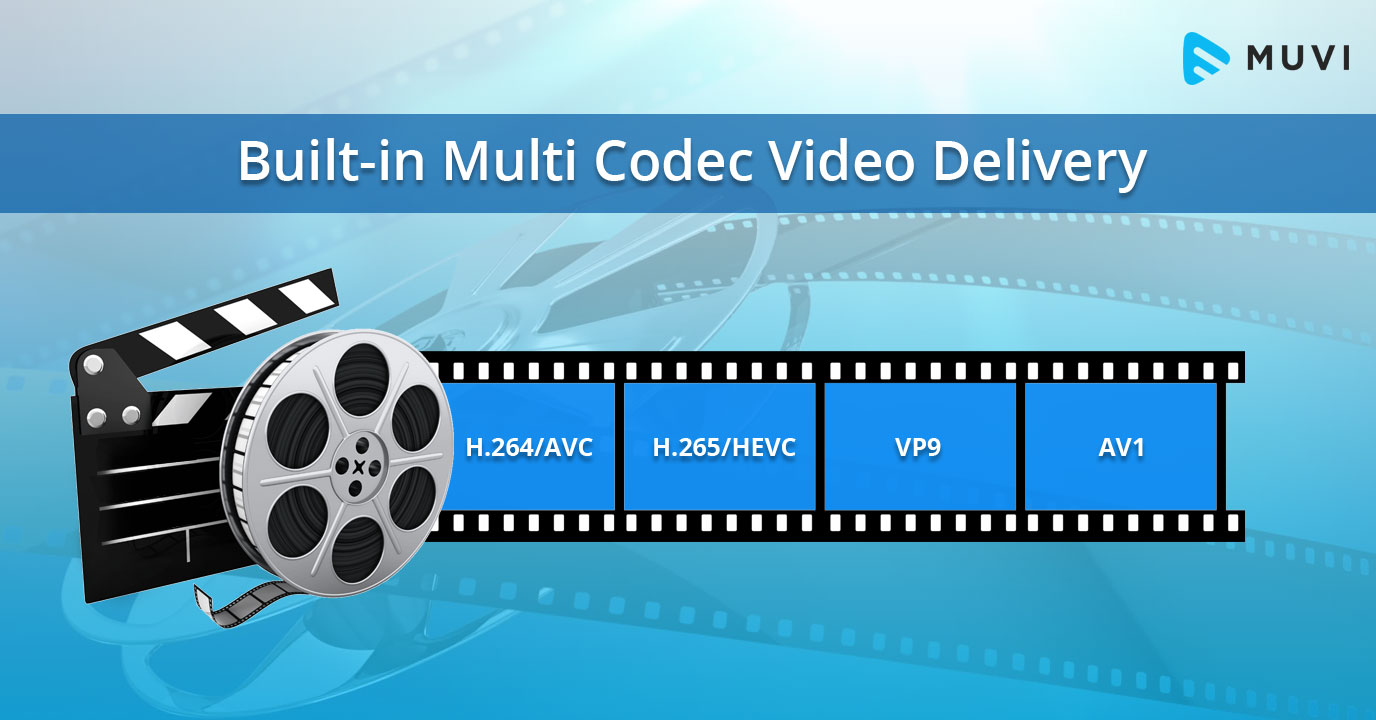
The most popular video codecs today are H.265, VP9, and AV1. H.265, also known as HEVC (High-Efficiency Video Coding), is a codec that offers the same quality as its predecessor (H.264) at half the bitrate. VP9, developed by Google, is an open-source codec that offers better compression efficiency than H.264. Finally, AV1 is a royalty-free codec developed by the Alliance for Open Media, offering even better compression efficiency than VP9.

As video content continues to evolve, so too do video codecs. It’s essential to stay up-to-date with the latest codec trends to ensure your video content is of the highest quality.

Quote: “Video is a powerful tool that can change the world. When you compress video, you’re taking that power and making it more accessible to everyone.” – Kevin Systrom

Latest Video Formats: What You Need to Know

Video formats determine how video data is stored and transmitted. They are also essential in determining playback quality and compatibility. With the advent of 4K and HDR content, new video formats have emerged to meet the demands of high-quality video content.

The most popular video formats today are MP4, AVI, and WMV. MP4 is the most widely used video format, supporting both high-quality video and audio. AVI is an older format but still widely used, while WMV is a proprietary format developed by Microsoft.

Newer video formats like MKV and WEBM offer better compression efficiency and support for 4K and HDR content. MKV, in particular, is an open-source format that offers support for multiple video, audio, and subtitle streams. WEBM, developed by Google, is a royalty-free format that supports high-quality video with a small file size.

Keeping up-to-date with the latest video formats is crucial for ensuring compatibility with modern devices and delivering high-quality video content.

Quote: “Video technology is driving the evolution of the internet.” – Bob Iger

How to Optimize Your Video Content

Optimizing your video content involves choosing the right codec and format for your needs, as well as ensuring your content is of the highest quality. This includes proper encoding settings, resolution, and aspect ratio.

When choosing a codec, consider factors like compression efficiency, compatibility, and licensing costs. For example, H.265 may offer the best compression efficiency, but licensing costs may be prohibitive for some businesses. Similarly, choosing the right format involves considering factors like playback quality, compatibility, and support for modern features like 4K and HDR.

Finally, ensuring your content is of the highest quality involves proper encoding settings, resolution, and aspect ratio. It’s essential to balance quality with file size, ensuring your content is optimized for both playback and streaming.

Quote: “Quality is not an act, it’s a habit.” – Aristotle

Final Words

Video codecs and formats are essential in delivering high-quality video content. Staying up-to-date with the latest trends is crucial for ensuring compatibility with modern devices and delivering the best possible viewing experience.

Codecs and Their Importance in Video Production

Codecs and Their Importance in Video Production

Video Codecs
Video Codecs
Video Codecs
Video Codecs


“A codec is a way of encoding and decoding video or audio data so that it can be transmitted, stored and played back efficiently,” says John Watkinson in his book The Art of Digital Video. In essence, a video codec is a software or hardware that compresses and decompresses video data. This process helps to reduce the size of video files, which makes them easier to store, transmit and stream over the internet.

The Function of Video Codecs

“Codecs are used to compress video data to reduce the amount of data that needs to be stored or transmitted,” explains Brian Nadel in his article on Techradar. He adds that codecs “also help to maintain the quality of the video by minimizing any loss of data during compression.” This is done by removing redundant information and compressing the remaining data without affecting the quality of the video.

The Different Types of Video Codecs

“There are two main types of codecs: lossy and lossless,” notes Larry Jordan in his article on Digital Media Net. Lossy codecs, such as H.264 and MPEG-4, compress video data by permanently discarding some of the information in the video. While lossy codecs result in smaller file sizes, they may also compromise the quality of the video. On the other hand, lossless codecs, such as Apple ProRes and Avid DNxHD, preserve all the information in the video, resulting in higher quality videos but larger file sizes.

Choosing the Right Video Codec

“When choosing a video codec, you must consider the final use of the video,” advises Richard Harrington in his book Video Made on a Mac. For instance, if you are creating a video for the internet, you may want to use a codec that results in a small file size without compromising the quality of the video. On the other hand, if you are producing a video for broadcast, you may want to use a lossless codec that maintains the quality of the video but results in a larger file size.

The Advantages of Video Codecs

“Video codecs are essential in modern video production because they help to compress video data, reducing storage space requirements and making video transmission over the internet much faster and smoother,” states Jeff Strong in his article on Lifewire. By compressing video data, codecs also make it possible to store and transmit high-quality videos without consuming excessive amounts of bandwidth.

The Disadvantages of Video Codecs

“Video codecs may also result in a loss of data, which can affect the quality of the video,” cautions Chris Stevens in his article on Adorama. Furthermore, some codecs may not be compatible with certain software or hardware, which can result in compatibility issues when editing or playing back videos. It is therefore essential to choose the right codec that meets your specific needs and requirements.

Final Words

In conclusion, video codecs play an essential role in modern video production, enabling efficient storage, transmission, and playback of video data. By understanding the different types of codecs and their respective advantages and disadvantages, you can choose the right codec for your specific needs and ensure that your videos are of the highest quality while being optimized for storage and transmission.

Video Formats and Their Features Part 2

Video Formats and Their Features Part 2

video formats

Video file extensions

Video Formats

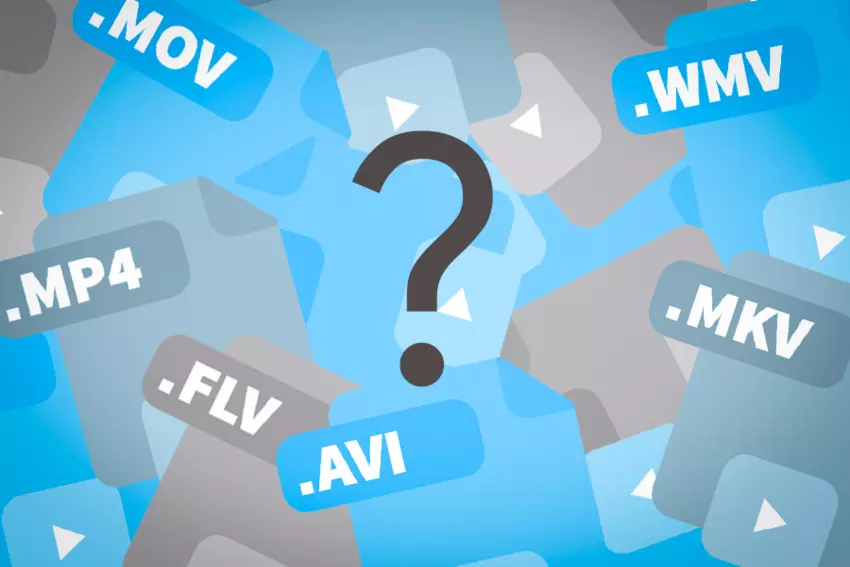
The video extension (like any other file) is a set of characters that help the Windows operating system to determine the type of information contained in the file, as well as to choose the appropriate program to open it. The video file extension classification is as follows:

AVI (Audio-Video Interleaved) is a very popular format, more precisely, a container. It was developed by Microsoft. This container can store four types of data: audio, video, text, and midi. It can include video of any format, from MPEG-1 to MPEG-4, sounds of various formats; the codec mix can be anything. The contents of the AVI container can be found using various programs, from a simple VideoToolBox to a powerful Adobe Premiere.
WMV (Windows Media Video) is another Microsoft format. If you create a movie in Movie Maker that comes with Windows, it will be in this format.
MOV. This format was invented by the Apple Macintosh. In addition to video data, it can contain graphics, animations, and 3D. The files of this format are played in QuickTime Player from Apple itself,
MKV (Matroska or “Matryoshka”) is another container that can hold both video and audio, as well as subtitles and the like. MKV is open source and has been used almost everywhere lately. Files in this format are playable on most players, including Windows Media Player, which is included with Windows.
3gp is a third generation video format for mobile phones. Movies recorded in this format have poor image quality. However, the small size eliminates this disadvantage. Also, 3gp video seems more or less visible on small phone screens.
Video formats used on the Internet
Videos created on the Internet usually have one of the following formats:

FLV (Flash Video) is a video format used by various video hosting sites like YouTube, RuTube, Google Video, and others.
An animation or video in Flash format created in Adobe Flash has the extension SWF (Shockwave Flash). To play these files, you need a browser with Flash Player installed. Videos in this format are also ubiquitous on the Internet, where you can watch them directly from the site.
RealVideo is a format created by RealNetworks and used for television broadcasts on the Web. Movies recorded in this format have an RM, RA or RAM extension and are small in size and of poor quality.
File extensions found on DVD
If you look at the contents of the folder with the DVD movie, you will not immediately understand which file you need to run for the movie to start, because there are a lot of them there. But if you know how files of different extensions differ, this variety will be easier to navigate:

VOB (Versioned Object Base) is an extension of the container, which then contains video (or several at the same time) in MPEG-2 format, audio, movie subtitles and menus. These are the main files on the movie DVD.
IFO files contain information about the movie, the order in which the VOB files are played, and the menus. That is, these are service files that are created in the process of burning a DVD movie.
Also on DVD you can view video files with m2v and m2p extensions (MPEG-2 format). It makes no sense to delve into its features and functions, we can only say that they are necessary for creating VOB files and burning DVD movies.
Optical disc formats
While we’re talking about the files found on DVD, it’s worth talking a bit about the formats of optical digital drives:

Perhaps the most popular of them is the DVD. It is he who is the reason why the VHS format has sunk into oblivion. DVD videos are compressed using the MPEG-2 standard, have a bit rate of 2000 to 9800 Kbps and a size of 720×576 (for PAL) or 720×480 (for NTSC).
HDDVD is a large capacity disc that can record high definition video. Video compression standards are the same as for Blu-Ray.
Blu-ray disc. Next-generation optical media with increased storage capacity for video information, including high definition. It became widespread in 2006 and in 2008 it replaced the HDDVD format. All Hollywood studios have switched to this format.

Video formats and their characteristics

Video formats and their characteristics

Video formats

Even if you’ve never processed a video, you must have heard out of the corner of your ear that there are some video formats. That by the name (extension) of the file, you can easily identify this format. And you’ve probably heard that if necessary, you can convert one video format to another. Want to know more?

video formats

Before talking about video formats, let’s say a few words about what video standards are.

NTSC. Developed in the United States in 1953. The screen resolution is 720×480 pixels, the frame rate is 30 FPS.
COMRADE. This standard was developed in Germany in 1967. The screen resolution is 720×576 pixels, the frame rate is 25 FPS.
SECAM. A standard developed in France in 1956. It is true that it only concerns television broadcasts, so we will not focus on its characteristics.
Video recording formats
There are several video recording formats, which are divided into analog and digital. To begin with, let’s talk about analog formats, among which the most popular is VHS (more precisely, it was, especially in the 80s-90s). It has a whole family of varieties: VHS-C, S-VHS, Video8, etc. Since 2008 it is no longer used, because it could not withstand the competition, and it is hopelessly out of date.

Video tape (VHS)

But digital video formats are still alive and well:

MiniDV. The recording is done on magnetic tape, 1 hour of video “weighs” 13 GB, the recording speed is ~ 25 Mbit / sec.
HDV. Again, the recording is done on magnetic tape, but the recording quality is much better compared to the previous format – the resolution is 1440 x 1080 with a 16: 9 aspect ratio (interestingly).
AVCHD. High Definition Video Format, whose name stands for Advanced High Definition Video Coding. It is used to record videos in high definition 720p (HD ready), 1080i and 1080p (Full HD) modes on hard drives or memory cards (SD, microSD and Memory Stick PRO). When recording to discs, these are typically 8cm rewritable AVCHD or Blu-Ray discs.
Compression standards and codecs
If you often have to record videos and upload them to the Internet, you should familiarize yourself with the compression standards and codecs that allow you to reduce the file size and as a result, speed up the download of the video to a file hosting or hosting service. videos. So right now there are the following compression standards:

MPEG is one of the main file compression standards. It stands for Moving Pictures Expert Group (the name of the organization that developed it). It has four varieties:
MPEG-1: a file compression format for CDs with mediocre video quality (352×240), currently practically not used;
MPEG-2 is used for digital television and DVD.
MPEG-3 (not to be confused with MP3 audio compression technology): not currently used.
MPEG-4 format can be obtained using codecs like XviD, DivX, etc. Even though it compresses video more strongly than MPEG-2, the image quality is quite decent, especially when using the H.264 codec.
H.264 is a standard that is characterized by a high compression ratio of video data while maintaining decent image quality. Excellent for videos uploaded to the web.
XviD and DivX are highly compressed codecs (based on the MPEG-4 standard).

Video codecs, video formats – what does this all mean?

Video codecs, video formats – what does this all mean?

Video Codec

If you are puzzled by the endless list of export options in your video editing software, this article is for you. Let’s first look at the definition of a codec.

Video Codecs and Containers

Then we will look at the concept of video format, and then we will look at some of the most common codecs and their uses.

If you are recording or editing video, you will almost immediately come across the term “codec”. Since there are so many and it’s hard to tell them apart, I’ve made a quick overview to help you get started. Once you understand certain terms, you can better decide which one suits your needs. Let’s start with a simple definition.

The video codec is.
A codec is actually a combination of two words: an encoder and a decoder (co / dec). What are they doing? Simply put, because video files are so large, you need a way to make them smaller. The codec encodes, compresses data to store or send it, and then decompresses it for playback or editing.

A codec is a computer code that performs its function each time the software calls a file. Codecs can also be used on physical equipment, such as a camera, to digitize incoming video and audio.

This happens in real time, either at the point of capture or at the point of playback. However, if you are not a broadcast engineer, you will have to rely on your computer or device to select the codec. Hardware compresses your video and audio data for viewing, streaming, or storage.

The video format is.
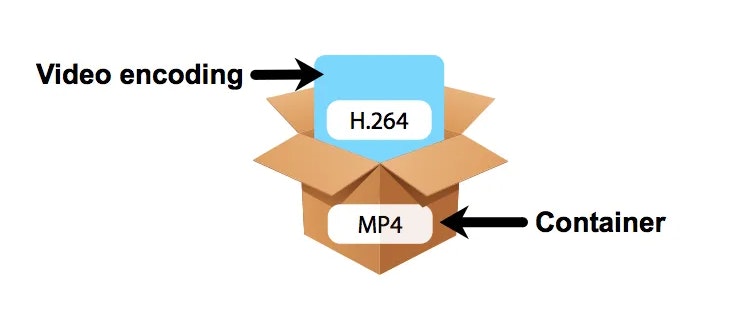
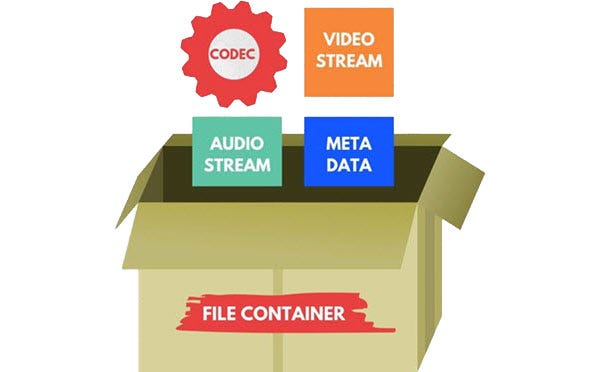
The file format is similar to a container. The container contains data that has been compressed by a specific codec. And sometimes they have the same name.

For example, a file format such as Windows Media Audio contains data compressed with the Windows Media Audio codec. However, a file format such as Audio Video Interleaved (AVI) can contain data compressed with any of several different codecs, including MPEG-2, DivX, or XviD codecs.

AVI files can also contain data that is not compressed by any codec. Therefore, depending on the codecs installed on your system, some AVI files will play fine, while other AVI files, despite having the same file extension, will not play.

It also affects the audio. There is often a situation where when playing a video, the sound plays, but the video does not. This means that the appropriate video codec is installed on your device.

Video codecs

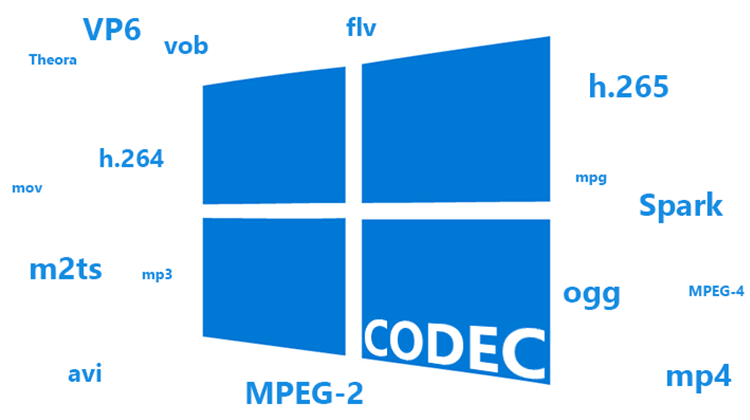
In photography, the choice of the recording codec is quite limited: we usually fluctuate between the JPG format and the Raw format. In video, the choice is slightly wider: MPEG-1, MPEG-2, MPG-4, H264, H265, RAW, ProRes, ProRes Raw, Motion jpeg, etc.

So what are these codecs for, what uses are they designed for, and which ones should you choose?

Códecs

CONTAINERS AND CODECS are NOT the same!

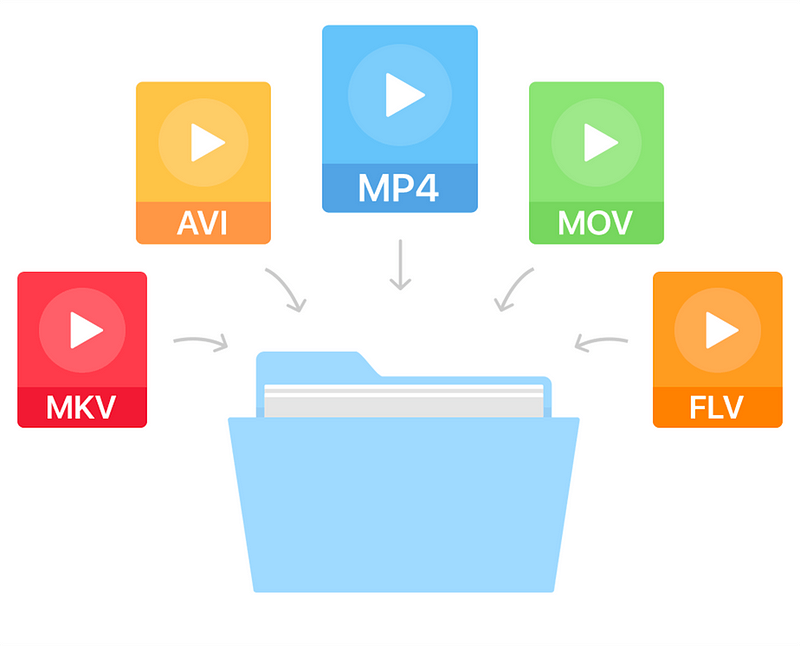
Digital videos are contained in files. These files are called “containers”. The extension of these files often makes it possible to determine their type. The most common containers are MP4, MOV, AVI and MXF. The MXF container is generally used in professional camera series from manufacturers such as Sony or Panasonic.

These containers are “boxes” or “folders” that consist of several elements: video track, sound tracks, time code or subtitles. The purpose of the container is to synchronize all the elements it contains.

Therefore, you cannot know the codec of a video from the file extension: for example, an .avi file and a .mov file could use the same codec to encode the video track.

WHAT IS A CODEC?

A codec is a mathematical procedure consisting of algorithms used to encode and decode the image (codec). It helps define how sensor information is stored and the strategy for compressing and decompressing images.

codec

The size of a one minute 4K video file is about 50 GB. Therefore, it is easy to understand the main advantage of using a codec: compression. For the same minute of 4K recording, for example, using the H264 codec reduces the file size by a factor of about 27, or a final size of about 1.8 GB.

The more “codec” a codec is, the more complex the decoding will be and it will require a powerful machine to accomplish this task. At the same time, the higher the compression, the greater the loss of information that can make post-production difficult.

To achieve this optimization, most codecs use spatial compression: each image is compressed independently of the other images; This is known as an “intra” codec. For more compression, more complex codecs add temporary compression: we’re talking LONG GOP (GOP for “Group of Pictures” or “Long Group of Pictures”); Codecs of this type record only one full image per x images (often 12) and retain only what has changed between these images.

Video codecs and possible failures

Video codecs and possible failures

Numerous queries that you make to us as readers are caused by one of those incompatibilities in something that should be as simple as being able to put a file in a pendrive and that later (for whatever astral reason) it cannot be reproduced due to a failure or due to other. And this, dear reader, is almost always given by the codecs.

So with the intention of explaining and the desire to give you simple solutions, we elaborate this article where you can know what they are, how to detect them, how to convert them easily and by which way it is better to insert it to our precious Smart TV. But, let us start at the beginning.

But what is that about codecs?

The first thing to distinguish is what a codec and what a container. Sometimes they are confused and it is essential to define them to identify them and get to the point when we are presented with any incompatibility in any file that we want to reproduce.

Surely you sound files with formats as famous as .mpg, .avi, .mov, .divx, .mkv … Well, all these are containers of content both in the form of audio and video tracks so that later when playing them play all at once, in tune and with sufficient quality. That’s where the codec comes in.

A codec is simply a program that creates a particular file with encryption. Hence its name … to encode and decode these files in a language or code that improves image and sound quality or reduces the file size for a better transfer over the network of networks.

So to sum up, one issue is the type of file format or extension that we have in front of us and a very different one, how it has been encoded, in what language, that our TV will then be able to interpret and reproduce correctly.

And it is that before a problem of reproduction of file the first thing that we have to know is with what type of codec it has been codified. To do this in a very simple way we can find out with a simple video player on our PC.

How to know the compatibility of Smart TV

Knowing what codec or container our “smart” television can play is critical to know what type of video file to download and that it doesn’t trouble us later when playing it with the smart TV model we have at home. But this information is not always at hand as we expect. There are brands that do not include this information in detail on their website or in the manual.