Newest Audio Codecs


Free Download Mp4Gain
picture

Newest Audio Codecs: Unlocking the Future of Sound

Newest Audio Codecs
Newest Audio Codecs
Newest Audio Codecs
Newest Audio Codecs

As an audio expert, I’m excited to delve into the world of the newest audio codecs, which are transforming how we experience sound. These cutting-edge technologies have the power to shape the audio landscape, and I’m here to share my insights and experiences.

Audio Compression Techniques

Let’s start by discussing the backbone of these newest audio codecs – audio compression techniques. Imagine audio compression as the art of creating a perfectly crafted miniature sculpture of a grand masterpiece. In the world of audio codecs, this process involves reducing the size of audio files while preserving exceptional sound quality.

One of the most prominent techniques used in these codecs is Perceptual Audio Coding, which is similar to how our brain focuses on essential details in a complex image. Perceptual audio coding identifies and retains the most crucial elements of an audio signal while discarding less perceptible information. This allows for significant file size reduction without compromising the listening experience.

Another fascinating approach is Audio Spatial Coding, which can be likened to creating a 3D model of a real-world object. Audio spatial coding focuses on reproducing sound in a three-dimensional space, offering a more immersive listening experience. It’s often used in applications like virtual reality and gaming to provide users with an unparalleled sense of presence.

These techniques are pivotal in the development of the newest audio codecs. By employing innovative compression methods, these codecs can deliver audio that is not only compact but also stunningly clear, making them ideal for a wide range of applications, from streaming high-fidelity music to enhancing the realism of virtual environments.

Bitrate in Audio Streaming

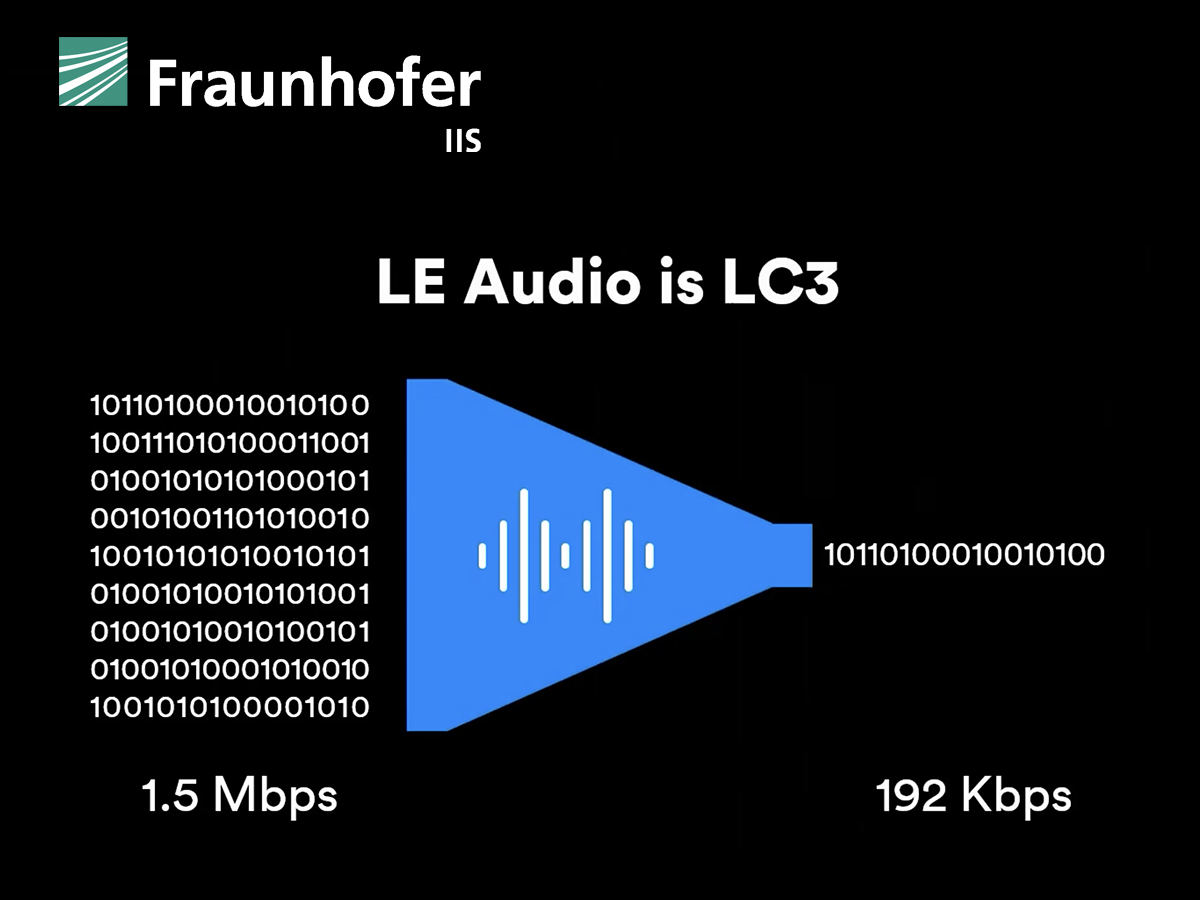
Another crucial aspect of the newest audio codecs is the management of bitrate, which plays a pivotal role in delivering high-quality audio during streaming. Picture bitrate as the flow rate of a pristine river. In the context of audio streaming, it represents the rate at which audio data is transmitted from the source to your device. The higher the bitrate, the more data can be transmitted per second, resulting in superior audio quality.

Consider a scenario where you’re streaming your favorite song online. If the codec employs a low bitrate, it’s akin to a narrow river with a sluggish flow. You receive the audio data slowly, leading to a compromised listening experience. In contrast, a high bitrate is like a wide river with a swift current, delivering an abundance of data per second and ensuring that every note and nuance reaches your ears in exceptional detail.

The newest audio codecs excel in optimizing bitrate dynamically. It’s as if they have a smart water flow controller, adjusting the flow rate based on your internet connection’s capabilities. This dynamic management ensures that you enjoy a seamless audio streaming experience, even on limited bandwidth, without sacrificing audio quality.

Understanding Audio Masking in Psychoacoustics

Now, let’s shift our focus to the intriguing world of audio masking in psychoacoustics. This area of study is like deciphering the mysteries of the mind’s inner workings when it comes to sound perception. Understanding audio masking is fundamental for the newest audio codecs as it helps them allocate resources effectively.

Psychoacoustic Principles

Psychoacoustic principles are the cornerstone of audio masking. Think of it as understanding how our brain prioritizes and filters sounds, much like how we pay attention to a conversation in a noisy room. Auditory masking is a central concept in this field, similar to how a louder conversation can drown out a quieter one in a crowded space. This phenomenon occurs when a louder sound, known as the “masker,” makes it challenging to perceive a quieter sound, known as the “masked” sound.

Frequency masking is another key concept. It’s akin to trying to distinguish one instrument in a symphony when they are all playing together. Certain frequencies can mask or conceal others, making it crucial to allocate resources wisely when encoding audio. The newest audio codecs leverage psychoacoustic principles to ensure that the most critical audio information remains perceptible while optimizing file size by discarding less crucial data.

Audio Compression Algorithms

To truly grasp the capabilities of the newest audio codecs, we must delve into the intricate world of audio compression algorithms. These algorithms are like the secret recipes behind our favorite dishes, combining mathematical prowess and encoding techniques to achieve the perfect balance of quality and file size reduction.

One such algorithm is the Modified Discrete Cosine Transform (MDCT), which breaks down audio signals into smaller, manageable components, much like solving a complex puzzle piece by piece. The MDCT is the foundation of codecs like AAC and Opus, known for their exceptional audio quality and efficiency.

Additionally, variable bitrate (VBR) encoding is a crucial technique, like adjusting your car’s speed to navigate varying road conditions. VBR encoding allocates more bits to complex audio segments and fewer bits to simpler ones, ensuring consistent audio quality across the entire file. This approach is instrumental in preserving high-quality audio, even in the presence of psychoacoustic masking effects.

In conclusion, the newest audio codecs are a testament to the remarkable progress in the field of audio technology. With advanced compression techniques, dynamic bitrate management, and a deep understanding of psychoacoustic principles, these codecs are shaping the future of how we experience sound. Whether you’re a music enthusiast, a gamer, or a professional in the audio industry, these codecs are set to provide you with audio experiences that are nothing short of extraordinary. So, as we journey into this exciting soundscape, remember that the newest audio codecs are your gateway to a world of unparalleled sonic delight.



Free Download Mp4Gain
picture


Mp4Gain Main Window
picture


Mp4Gain Features
picture


Free Download Mp4Gain
picture

Codecs: The Building Blocks of Digital Media

Codecs: The Building Blocks of Digital Media

codecs
codecs
Codecs
Codecs

Codecs are the building blocks of digital media. They are software or hardware that encode and decode digital data streams. This means that they can take a raw digital signal, such as a video or audio recording, and compress it into a smaller file size, or they can take a compressed file and expand it back into its original form.

Codecs are essential for the transmission, storage, and playback of digital media. They are used in a wide variety of applications, including streaming video, video conferencing, and digital broadcasting.

How Codecs Work

Codecs work by using a variety of techniques to reduce the size of digital data streams. These techniques include:

Entropy coding: This technique takes advantage of the fact that some parts of a digital signal are more likely to occur than others. By assigning shorter codes to the more likely parts of the signal, entropy coding can significantly reduce the size of the file.
Transform coding: This technique breaks the digital signal down into smaller components, and then compresses each component individually. This can be more efficient than entropy coding, but it is also more complex.
Prediction: This technique uses the past values of a signal to predict future values. By predicting future values, the codec can reduce the amount of data that needs to be stored.
**

Types of Codecs

There are two main types of codecs: lossy and lossless. Lossy codecs reduce the size of a digital data stream by discarding some of the data. This can result in a loss of quality, but it also allows for much smaller file sizes. Lossless codecs do not discard any data, so they do not suffer from any loss of quality. However, they also produce larger file sizes.

Some of the most common lossy codecs include:

MPEG-1: This codec is used for a variety of applications, including video CDs and digital television.
MPEG-2: This codec is used for DVD-Video and high-definition television.
H.264: This codec is the most widely used codec for streaming video and online video.
Some of the most common lossless codecs include:

FLAC: This codec is used for lossless audio compression.
WAV: This codec is a lossless audio format that is used by many professional audio applications.
ALAC: This codec is a lossless audio format that is used by Apple’s iTunes and iPod products.
**

Conclusion

Codecs are essential for the transmission, storage, and playback of digital media. They are used in a wide variety of applications, and they have made it possible to enjoy digital media on a variety of devices.

Final Words about Codecs

Codecs are a complex topic, but they are essential for understanding how digital media works. By understanding how codecs work, you can make better decisions about the quality and size of your digital media files.

I hope this article has given you a better understanding of codecs.

Audio codec

Audio codec

Audio Codec

Software codec

AUDIO CODEC

A software level audio codec is a specialized computer program, a codec that compresses (compresses) or decompresses (decompresses) digital audio data according to an audio file format or streaming audio format. The task of an audio codec as a compressor is to provide an audio signal with a certain quality / precision and the smallest possible size. Compression reduces the amount of space required to store audio data, and it is also possible to reduce the bandwidth of the channel through which the audio data is transmitted. Most audio codecs are implemented as software libraries that interact with one or more audio players such as QuickTime Player, XMMS, Winamp, VLC Media Player, MPlayer, or Windows Media Player.

Popular software audio codecs by application:

MPEG-1 Layer III (MP3): a proprietary audio codec (music, audiobooks, etc.) for computers and digital players
Advanced Audio Codec (AAC) – The second most common proprietary codec, positioned as an alternative to MP3. Most popular along with H.264 (AVC) video codec received in online video (eg flash video on YouTube)
Ogg Vorbis (OGG) is a free codec widely used in computer games and file-sharing networks to transfer music.
Free Lossless Audio Codec (FLAC) is a free codec that uses lossless compression. Alternative and less common lossless codecs: WavPack (WV), Monkey’s Audio (APE), etc.
GSM-FR is the first digital voice coding standard used in GSM phones
Adaptive multi rate (AMR): human voice recording on mobile phones and other mobile devices
G.723.1: one of the basic codecs for IP telephony applications
G.729 is a proprietary narrowband codec used to digitally represent speech
Internet Low Bit Rate Codec (iLBC) – A popular free codec for IP telephony (in particular for Skype and Google Talk)

Hardware codec
Realtek ALC 882 HD audio codec chip on motherboard
A hardware audio codec refers to a separate chip that encodes and decodes an analog audio signal into a digital signal and vice versa using analog-to-digital and digital-to-analog converters. Digital-to-analog conversion occurs when the computer sends sound to external speakers, and analog-to-digital conversion occurs when sound enters the computer from outside.

The audio codec is the main, but not always the only, component of a sound card. It is an intermediate link, an interface between analog ports to receive and transmit sound and digital sound processing units

In massive onboard sound cards on motherboards, the audio codec actually represents the entire sound card: it converts the analog signal received from the connectors into digital and transmits it to the south bridge of the motherboard, from where the sound digital goes to the central processor. This technology for processing digital audio in a central processor is called host signal processing.

In discrete sound cards connected to the motherboard, the audio codec performs the same function as in the integrated ones, but after digitization it transmits the audio signal not to the central processor, but to an audio processing and control chip special, also located on the sound card.

An audio codec chip is typically about 7mm², and in the case of an integrated sound card, it is typically located near the back of the motherboard. The main manufacturers of hardware audio codecs are Realtek, VIA Technologies, C-Media, Intel, and Analog Devices.

Choosing an audio codec for online streaming and recording.

Choosing an audio codec for online streaming and recording.

Audio Codec

Are you interested in what is an audio codec and how to choose the right one to get the best result from online streaming or recording?

Audio Codecs

Imagine that we live in a completely analog world. Then there would be no need for audio codecs. What is it, you ask? It is an algorithm used to convert analog audio to digital. This is what is needed in the world of digital devices, media players and the Internet.

The quality of audio codecs has improved significantly over the years. Let’s go back, for example, to the 80s, when the first digital amplifiers appeared. Compared to the reproduction quality of a modern digital amp, the difference will be obvious. The best audio codecs offer better and more realistic sound.

But now there are so many different audio codecs. Which to choose?
Many codecs are quite specific. Some of them are proprietary, while others were created for specific applications, most often telecommunications. For voice signals, such as on your phone, you do not need to use high-fidelity audio codecs, as the reproduction of a signal with a limited audio range is more suitable in this case. But for music playback, a high-quality audio signal is certainly preferable.

If you dig deeper, you will find that different audio codecs serve different purposes in processing the original analog signal. For example, an audio codec like PCM is a lossless compression algorithm. This means that the signal is reproduced in digital form without losing a single bit of original information. Other audio codecs, such as AAC and MP3, compress audio with some loss.

Compression reduces the bits of the original content and therefore reduces the file size. If you are listening to songs on a mobile device, you can be sure that these files have been compressed to take up less space. And that is why you can save a large number of music files on your device, but their quality will differ from optimal.

Audio codecs for Epiphan Pearl and Pearl-2
Of course, it is impossible to tell in detail all the characteristics of audio codecs in one article, but it can still help to clarify some of the nuances in choosing the correct audio codec for live streaming or recording using Epiphan Pearl or Pearl- 2 .

There are 3 audio codecs available:

-PCM – Uncompressed audio codec, which may be the best option if you plan to record shows for further editing and if you are not limited by network bandwidth.

-AAC: audio codec with compression algorithm best suited for live streaming or content recording with immediate playback on media players or for uploading to the Internet. Experts believe that AAC plays better audio than MP3 with the same audio bit rate. As a rule, the newer codecs reproduce the analog signal better than their predecessors, you can trust the experts on this.

-MP3: a fairly old, but still very popular audio code compression algorithm, also suitable for live streaming or recording content with immediate playback on media players or uploading to the Internet.
Choosing the correct audio codec is important when setting up live streaming or recording with the Epiphan Pearl or Pearl-2. Sample rate and audio oversampling effects are other important parameters for improving sound quality.

Which audio codec for Bluetooth is better?

Which audio codec for Bluetooth is better?

Bluetooth Audio Codec

The best codec is the one that can deliver the best sound quality. But if they were considered among the popular formats, it was difficult to choose the right option. Each one has positive and negative characteristics that influence the final choice.

Bluetooth audio codec

Which audio codec is better?
When choosing codecs, the following nuances should be taken into account:

Experts believe that the sound quality should be similar to that of CD audio. The sampling frequency must be 44.1 kHz and 16 bits. These are average values, they are observed only in the rarely used LDAC algorithm;

The aptX codec has modest performance, but it provides high-quality audio files. It is popular as the only high-definition Bluetooth codec;

All algorithms perform audio compression. This is necessary to reduce the bitrate to the maximum allowed for a particular codec. This means that when using any algorithm, the music will sound a bit distorted, in some it will be more obvious (for example, in the SBC format), in others it will be almost invisible (LDAC, aptX);

When choosing codecs, do not forget about the model and operating system of the smartphone, tablet and other devices. For Android devices, SBC or aptX is better, but for Apple it is recommended to use Advanced Audio Coding with an improved algorithm.
Below is a table with the main indicators and supported formats of popular algorithms.

Codec Sampling frequency (kHz) Bit rate indicator (kbps) Audio formats
SBC 46-48 328 MP3
CAA 42-44,1 250 MP3, AAC
LDAC 94-96 990 Lossless Formats, Hi-Res Audio
aptX 42-44,1 352 Audio CD
aptX HD 46-48 576 Lossless Formats, Hi-Res Audio

The SBC format codec is considered obsolete and is rarely used for playing music and audio files. It was originally created for the transmission of voice and sound data via Bluetooth. Over time, improved algorithms have appeared. If you want to buy wireless headphones for normal use, then it is better to give them to aptX based devices, these will transmit sound without obvious distortion, noise, squeak.

If you are using Apple devices, only AAC headphones will work. The algorithm is adjusted for this technique, you will be able to transmit the quality of the music. But when using it for Android OS devices, the sound will be distorted with interference.

For music lovers who value sound quality, the aptX HD algorithm is suitable. It has good sample rates, bitrate levels, and supports modern audio file formats. The codec characteristics convey high quality sound, the acoustics are delivered without distortion.

But if the price is not an obstacle, you can afford wireless headphones, devices, smartphones, tablets, LDAC-based players from the famous Sony company. The technique is quite expensive, the cost can amount to several hundred dollars, but the characteristics of the algorithm fully justify it.

Codecs are an important prerequisite for high-quality sound reproduction when using Bluetooth-based wireless devices and headphones. Without them, the music will be poor quality, distorted, and constant interference will make the melody shrill and vague. When using popular brand devices (Huawei, Xiaomi, iPhone), it is worth applying suitable algorithms that suit the device and the device’s operating system.

What are audio codecs?

What are audio codecs?

Audio Codec

High-quality music without interruptions or interference is every music lover’s dream. Devices with a Bluetooth system are popular. Wireless headphones provide free, wire-free listening for lightness.

Audio Codecs

When using them, it is fashionable to do movements, running, playing sports, this will not affect the operation of the device. For its operation, the Bluetooth LDAC, AAC, APTX, SBC codecs are used. Each of them has distinctive characteristics, specific functions that must be considered in advance, this will help to break the principle of operation of these systems.

Why are codecs needed
Codecs are used to improve the quality of music file transfer via Bluetooth to wireless headphones. The system was originally created for data transmission, but it had problems with audio quality. The sound was distorted by noise and the development of codecs helped eliminate the annoying problems.

The operation of the algorithm is determined by the following criteria:

Sample rate indicator. Expressed in Hz. Indicates the data recording frequency for 1 second of sound. The higher the criteria, the better the sound quality;
The bitness of the recording ((Bit-depth). The bit is used for the measurement. If we consider a CD, then 16 bits is enough to record. The indicator is enough to record music up to 96 dB. But they have progressive recording methods , for which 24 to 32 bits are used.;
Bit rate. The indicator is expressed in kb / s. Reflects the amount of data the device processes to play 1 second of audio. A high value records a large amount of audio data for 1 second.
For reference! Voice transmission between carrier networks is regulated by the session border controller. This is carrier-class software that is part of carrier’s NGN networks. It issues signaling protocols and their dialects, analyzes the quality of the media channels through which voice traffic is routed.

Types of data storage and transmission formats
There are three formats for storing and transferring data: uncompressed, lossy (lossy compression), and lossless (lossless compression).

What audio codecs are common?

Audio Codecs

Depending on whether you want to burn your audio file to CD, make it available on the Internet, or edit it with an audio editor, the different audio formats are in question. Codecs are responsible for converting to and from the various formats:

Audio Formats

PCM (pulse code modulation)

Pulse code modulation is a coding process in which an analog signal can be digitized with almost no loss. Audio material encoded in this way is ideal for further processing because it is not compressed. Data generated with this method is generally saved as wave files with the extension “.wav”.

MP3 (MPEG-1 Audio Layer 3)

The encoding process is actually called MPEG-1 Audio Layer 3 or MPEG-2 Audio Layer 3 and was developed by the Fraunhofer Institute for Integrated Circuits. The name is derived from the associated MP3 file extension of the format. It is one of the first lossy compression processes to rely on psychoacoustic effects on perception to reduce the amount of data. In addition to the original codec from the Fraunhofer Institute, there is also the open source encoder LAME. Files containing data streams encoded in this way usually end in “.mp3”. There are also other container formats that can hold MP3 data streams, such as AVI or MP4.

AAC (advanced audio coding)

AAC is a lossy encoding method that can compress audio data (on a CD) to one-sixteenth of its original size. Compared to MP3, the process can demonstrate higher compression and improved sound quality. Therefore, various online music stores and online radio stations rely on this format. MP4 is designed as a container format to store compressed audio signals. Files containing such an audio track usually end in “.mp4” or “.m4a”.

Vorbis

This open source format is patent-free and therefore can be used by software developers without license fees. The format is also suitable for streaming. Compression is lossy and better than MP3. Although many hardware playback devices now support this format, it is not as widespread as MP3. The data stream is usually embedded in an OGG container. Associated files end in “.ogg” or “.oga”.

WMA (Windows Media Audio)

WMA is an encoding process developed by Microsoft and also offers lossy compression. Many hardware playback devices now support this format, because it is very popular in the music industry due to its built-in copy protection (Digital Rights Management (DRM)). If the file contains only audio data, it ends with “.wma”. ASF is used as the container format.

Why do you need “file formats”?

Digital data used to represent analog video or audio signals can be organized in different formats. The best way to explain this is with a single image – there are multiple options for storing individual pixels in a file. For example, if the image points are stored one after the other from left to right or first from top to bottom in the file it is of course a convention that must be specified. The way a color value is stored must also be clearly defined. These and many other definitions are determined by a specification, which is then implemented in the respective file format. To store the data, a predefined encoding rule is always followed, which is ultimately decisive for the data to be interpreted correctly. You can think of individual formats as different data carriers: CDs, large and small video cassettes, audio tapes, etc. can contain audio data; however, you cannot load a cassette in the CD player. WAV, MP4, WMA or MP3 file formats are equally different.

Many file formats are actually container formats. The term is intended to make it clear that different formats can be used within a convention. For example, an MP4 file can contain different video and audio formats that can also appear in the same file at the same time.

What is the CODEC?

CODEC is a program that reduces the number of bytes contained in large files (similar to WinZIP) so that they can be stored on storage media and then played back. Typically used to compress and decompress multimedia files such as songs or videos (CODEC is actually short for CO compression / DEC compression, ie compression / decompression). There are audio and video codecs. MPEG-1, MPEG-2, MPEG-4, Vorbis, DivX, … are examples of CODEC.

codec

The main difference between a CODEC and a compression algorithm like WinZIP is that in CODECs the compression / decompression is done in real time. This means that while CODEC is watching a video behind the scenes, it processes the data stream by unpacking it. A CODEC can consist of two parts: an encoder for compressing the multimedia file (encoding) and a decoder for decompressing the file (decoding). Some CODECs can contain both parts, others only one.

codec

CODECs can be installed and updated on older computers or multimedia devices or integrated in dedicated hardware components (e.g. CD or DVD players). CODECs should not be confused with containers. A container contains one or more streams that have already been coded by CODEC. Very often you will find an audio and a video stream in the container at the same time. AVI, Ogg, MOV, ASF, … are examples of containers. while others just one of them.

CODECs should not be confused with containers. A container contains one or more streams that have already been coded by CODEC. Very often you will find an audio and a video stream in the container at the same time. AVI, Ogg, MOV, ASF, … are examples of containers. Very often you will find an audio and a video stream in the container at the same time. AVI, Ogg, MOV, ASF, … are examples of containers. Very often you will find an audio and a video stream in the container at the same time. AVI, Ogg, MOV, ASF, … are examples of containers.

Where can I find the CODEC?

If Tizio creates a document with the Word program and sends it to Caio, the latter must use the Word program to open it. If a film is compressed with the XYZ-CODEC, the same CODEC must be used for the display.
At this point the question arises: Where can the CODECs be found? CODECs are available on the Internet. There are dozens of audio and video formats and related CODECs. However, there is no point in downloading them individually and then installing them on the computer. It is much better to download a collection of CODECs like K-Lite Codec Pack. K-Lite Codec Pack is a collection of CODEC for Microsoft Windows, with which the operating system can play various audio and video formats that are not supported by default.

In addition to CODECs, the K-Lite Codec Package can also contain other tools, including: Media Player Classic for playing multimedia files, information tools such as Media Info and tools for editing CODECs. There are four versions of the K-Lite codec package:

Basic – Plays many of the popular video file formats, e.g. B. AVI, MKV, MP4, OGM and FLV
Standard: Contains everything that is required to reproduce the most commonly used formats.
Full: Supports multiple audio and video formats. It also has coding support
Mega: combines the content of “K-Lite Codec Pack (Full)” and Real Alternative. In the past, it also included QuickTime Alternative. QuickTime Alternative (with Media Player Classic) and QT Lite (without Media Player Classic) are now available as separate programs
The standard version is for the average user, while the full version is for advanced users who edit and decode videos. The K-Lite Codec Pack is updated regularly and contains everything you need to play all movies and music. Any uninstallation will also remove everything that has been installed from the package.

What is the best bluetooth codec?

Bluetooth audio is gaining a lot of followers today. The disappearance of the mini-jack ports for headphones on some smartphones, such as the iPhone, has led to audio companies producing high quality wireless devices. Among bluetooth audio technology, the Qualcomm aptX code is in a privileged place.

What is a bluetooth codec?

The word codec, when we talk about wireless audio, means the software’s method to encode a stream of audio information that is sent wirelessly between two devices. In other words, it is the process by which zeros and ones, of binary digital data, acquire format. It is used to transmit stereo audio through a source device, such as a telephone, a computer, television etc …, to a receiver, such as wireless speakers or headphones.
Different codecs send the audio information using different formats, they can also introduce their own compression technologies to maintain a balance between the sound quality and the information package of the audio files. Compression may sound negative for lovers of high quality audio, but it is necessary if we are going to send heavy files wirelessly.
This means that the variants between bluetooth codecs are compatible with different audio devices, in addition to providing different connection and sound qualities. All bluetooth devices support the standardized SBC (Low Complexity Subband Coding) codec, but SBC implementations have varied in quality throughout the history of this technology. To offer greater consistency to users of bluetooth products, several companies have developed their own bluetooth codecs, and then offer the license to other producing houses. AAC is one of these formats, the successor of MP3, used by Apple and others. Sony has its LDAC codec and Qualcomm offers aptX.

AptX, SBC and AAC codecs, which one is the best?

The codecs are coding algorithms that compress audio to handle sound packets and thus achieve fast wireless transmission. The effectiveness of the codec determines the quality of the audio information that will be sent. The SBC code is the standard algorithm for most bluetooth devices. However, this codec has a relatively high latency and can be somewhat noisy. The three main codecs, which most users will encounter, are SBC, AAC and aptX:

SBC

It is the code found in most wireless devices and with which all the bluetooth headphones that have the A2DP (Advance Distribution Profile) profile have. It is capable of transmitting up to 328kbps with sample rates of 44.1 Khz. It provides very decent quality audio and does not require much processing. However, audio may be inconsistent in some situations. This is notable especially when using cheap bluetooth transmitters.

AAC

Similar to SBC but provides better sound quality. This codec is very popular thanks to the Apple iTunes platform. As against, we must mention that it is not very comfortable to find it in headphones.

aptX

Ideal for demanding audio applications as it encodes audio more efficiently and accepts more information than the SBC. It has additional variations, such as aptX (LL) and aptX (HD), which drastically reduce latency in the wireless connection and improve sound quality. However, it is somewhat limiting because both the transmitter and the receiver must have the aptX capability for this codec to work.