Codecs: The Building Blocks of Digital Media


Free Download Mp4Gain
picture

Codecs: The Building Blocks of Digital Media

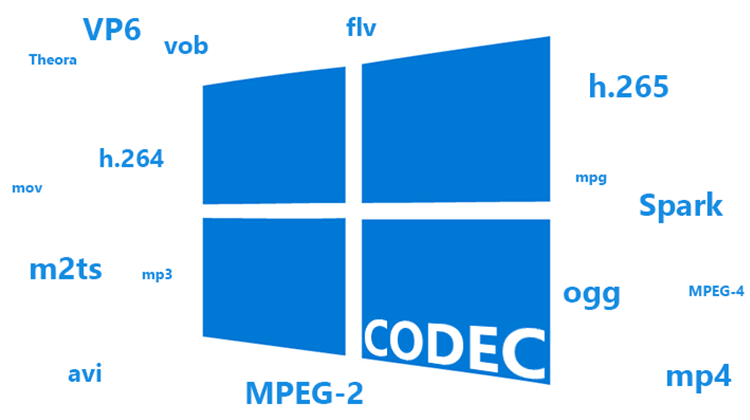
codecs
codecs
Codecs
Codecs

Codecs are the building blocks of digital media. They are software or hardware that encode and decode digital data streams. This means that they can take a raw digital signal, such as a video or audio recording, and compress it into a smaller file size, or they can take a compressed file and expand it back into its original form.

Codecs are essential for the transmission, storage, and playback of digital media. They are used in a wide variety of applications, including streaming video, video conferencing, and digital broadcasting.

How Codecs Work

Codecs work by using a variety of techniques to reduce the size of digital data streams. These techniques include:

Entropy coding: This technique takes advantage of the fact that some parts of a digital signal are more likely to occur than others. By assigning shorter codes to the more likely parts of the signal, entropy coding can significantly reduce the size of the file.
Transform coding: This technique breaks the digital signal down into smaller components, and then compresses each component individually. This can be more efficient than entropy coding, but it is also more complex.
Prediction: This technique uses the past values of a signal to predict future values. By predicting future values, the codec can reduce the amount of data that needs to be stored.
**

Types of Codecs

There are two main types of codecs: lossy and lossless. Lossy codecs reduce the size of a digital data stream by discarding some of the data. This can result in a loss of quality, but it also allows for much smaller file sizes. Lossless codecs do not discard any data, so they do not suffer from any loss of quality. However, they also produce larger file sizes.

Some of the most common lossy codecs include:

MPEG-1: This codec is used for a variety of applications, including video CDs and digital television.
MPEG-2: This codec is used for DVD-Video and high-definition television.
H.264: This codec is the most widely used codec for streaming video and online video.
Some of the most common lossless codecs include:

FLAC: This codec is used for lossless audio compression.
WAV: This codec is a lossless audio format that is used by many professional audio applications.
ALAC: This codec is a lossless audio format that is used by Apple’s iTunes and iPod products.
**

Conclusion

Codecs are essential for the transmission, storage, and playback of digital media. They are used in a wide variety of applications, and they have made it possible to enjoy digital media on a variety of devices.

Final Words about Codecs

Codecs are a complex topic, but they are essential for understanding how digital media works. By understanding how codecs work, you can make better decisions about the quality and size of your digital media files.

I hope this article has given you a better understanding of codecs.


Free Download Mp4Gain
picture


Mp4Gain Main Window
picture


Mp4Gain Features
picture


Free Download Mp4Gain
picture

How do the audio and video codecs work?

For what purposes and how are codecs used?

Let’s start with the analysis of the name that is the result of the union of two words CODer and DECoder. In fact, through the codecs it should be possible both to decode multimedia, audio or video files, as well as to create them.
In reality, codecs do not always allow file creation and the reason is often legal or commercial in nature.

Codec

Its internal functioning is usually very complex, due to
to the nature of the processing they must perform. While the
The purpose is to allow the expansion capacity of the different players, so that they can see or let us listen to the content of the files written in a format that they did not understand at the time of their launch.

Codec

Regardless of the file format, the content is always the same, that is, a movie or audio, intended to be played.
So it was decided to introduce an additional software layer between the file and the player, which filters access to the file itself and that
always makes the player “see” the same type of object even if the file format varies.

In order to use codecs, you first need to know
its existence, which is why in Windows systems there are
parts of the log file, which collect information
on the different multimedia filters installed. Generally, your
Interaction with players is done through COM interfaces.
Simply put, when we tell our favorite player to open a media file, it will do nothing more than retrieve the list of installed codecs and try to open the file with
each. If one of the codecs is successful, the player will use it
to show us or listen to the file.

As we have seen, its use is completely transparent for the user and is completely managed by the player. Some players even manage the installation of the necessary codecs. However, it is also possible to install them manually. On Windows systems, codecs that use COM technology are generally in the form of DLLs that must be registered, a procedure that involves entering all public interfaces of the codec in the registry file.
To do this, you need to run the command
“Regsvr32 <dll name>” while uninstalling it
just add the “/ u” option to the first command.

Other operating systems use some interprocess communication mechanism other than COM, but the structure does not change. That is, it is always a filter to access the file.

The existence of different formats and related CODECs arises for technical and commercial reasons. Different multimedia companies usually prefer to define their own encoding formats, to optimize their use by their applications.
And in addition to this, by defining their own format, they are not obliged to pay user licenses
. This mainly applies to file generation; in fact, many codecs are simply decoders.

In this way, companies can add read support for various formats to their applications at no additional cost, while using their proprietary format for saving.

Formats, extensions and codecs: what do they mean?

Formats, extensions and codecs: what do they mean?

When it comes to audio files, we can talk about formats, extensions and codecs. In summary, we can say that the format refers to the type of file, identified by its extension (* .mp3, * .wav, * .ogg, * .wma etc), which often tells us how it has been encoded or which one is your codec.

Normally those endings are mixed. But what is important to know is that, as in videos, files with the same type of extension do not always have the same codec and vice versa.

This information is valid so that you do not feel lost in case you do not understand the reason why a software, which normally plays your * .m4a files, does not play another with the same extension, for example.

Such a situation could indicate that the codecs used are different. In that case, the solution would be to use other software to read the file or to convert it (new encoding). This can be done even in video editors.

The variations of formats and codecs depend on the options of the companies that develop the softwares that execute the files. In these cases, there are many things at stake, such as technical specifications and relations with patents.

On the other hand, files are usually divided into two types: uncompressed or compressed.

Uncompressed files

Audio recording equipment usually offers us options to record files without losing any information. These uncompressed files can be generated in various formats and extensions, such as WAV, AIFF, FLAC and ALAC. For those who are familiar with photography, they are equivalent to RAW or DNG.

As they are usually very heavy, using lossless formats in the final product is only recommended in some cases, such as:

when the final product can be processed by the consumer (files destined for sound banks, for example);
when there will be recording on physical media (CD, DVD and Blue-Ray);
or for the audiophile market (for a matter of perceived value and guarantee of high quality).
But, even if you don’t want to end the process with a WAV (one of the most common), lossless formats can be very useful at the editing stage. Because they contain a lot of information, they withstand more extreme alterations without harming the audio quality.

With plugins, conversions and processing, they can be manipulated more freely, guaranteeing excellent quality, even if a compressed file is subsequently generated.

Compressed files

Most of the equipment available on the market (cameras, cell phones and even audio recorders) usually deliver already compressed files. This type of file is more practical, easier to process, requires less storage space and is very small (in bytes).

Some examples of these formats are: 3GP, AAC, M4A, OGG, WMA and MP3, which is, without a doubt, the best known. Files are like JPEG or GIF in the images field.

Through a complex algorithm, these files are generated seeking to keep only relevant information for our ears. Depending on the compression mode, we can generate an MP3 from a WAV and have a file 10 times smaller, without perceptible alterations in audio quality.

Speaking of MP3, despite its great popularity, it is currently considered an obsolete format, since others, such as ACC (extension .acc or .m4a), make it possible to obtain smaller files and with higher quality.

Even so, MP3 is still widely used, since a large part of the softwares and equipment were developed for this format. So, to talk about compression rates, we will use it as an example.

Compression rate: what is its relationship to audio quality?
Now that you understand that a file can be compressed and maintain sufficient quality for our ears, you should know that the level of compression can vary greatly.

And it is by the value of the compression rate (or bitrate) that we manage to control the file size and, therefore, the audio quality.

For example, a 320 kbps (kilobits per second) MP3 may sound as good as uncompressed audio from a CD or DVD. As the bitrate value decreases, the file size decreases, but the sound losses become noticeable, depending on the audio.