The Role of Audio Codecs in Digital Music


Free Download Mp4Gain
picture

The Role of Audio Codecs in Digital Music


Audio Codecs
Audio Codecs
Audio Codecs
Audio Codecs

How do audio codecs impact the quality of digital music?

Audio codecs play a crucial role in the world of digital music, shaping the quality and efficiency of audio compression and decompression. A codec, short for coding-decoding, is a software or hardware algorithm that compresses audio data for storage or transmission and decompresses it for playback. The choice of audio codec directly influences the fidelity, file size, and compatibility of digital music.

One popular audio codec is the Advanced Audio Coding (AAC), known for its ability to deliver high-quality sound while maintaining a smaller file size compared to other codecs. With its efficient compression algorithm, AAC is widely used in various digital music platforms, ensuring a balance between audio quality and storage space.

The Importance of Lossy and Lossless Audio Codecs

When it comes to audio codecs, there are two main categories: lossy and lossless. Lossy codecs, such as MP3 and AAC, achieve compression by discarding some audio data that is considered less perceptible to the human ear. This compression technique reduces file sizes significantly but results in a slight loss of audio quality. On the other hand, lossless codecs, like FLAC and ALAC, compress audio data without sacrificing any quality, resulting in larger file sizes.

Striking the Balance between Quality and File Size

Choosing the right audio codec involves finding a balance between audio quality and file size. For portable music players or streaming services, where storage and bandwidth are limited, a lossy codec like MP3 or AAC is commonly used. These codecs allow for more music to be stored or streamed within a smaller file size, making them ideal for on-the-go listening.

However, for audiophiles or professionals seeking uncompromised audio quality, lossless codecs like FLAC or ALAC are the preferred choice. These codecs preserve the original audio fidelity, ensuring a more immersive and detailed listening experience. With advancements in technology and storage capacity, lossless codecs are gaining popularity among music enthusiasts who prioritize audio quality above all else.

The Impact of Audio Codecs on Digital Music Streaming

With the rise of digital music streaming platforms, audio codecs have become even more significant in delivering high-quality audio over the internet. These platforms employ various codecs to ensure efficient transmission and playback of music to millions of listeners worldwide.

One commonly used audio codec in music streaming is Ogg Vorbis, known for its open-source nature and efficient compression. Ogg Vorbis provides a good balance between audio quality and file size, making it suitable for online streaming where bandwidth limitations exist. Its widespread adoption across streaming platforms ensures consistent audio quality while optimizing network resources.

Adaptive Streaming and Codecs

Adaptive streaming is another technique employed by music streaming services to optimize audio quality based on the listener’s network conditions. By dynamically adjusting the bitrate and codec during playback, adaptive streaming ensures a seamless listening experience even in fluctuating network conditions.

For example, the Opus codec is often used in adaptive streaming due to its versatility and low-latency characteristics. Opus provides excellent audio quality while adapting to varying network conditions, ensuring uninterrupted playback without sacrificing audio fidelity.

Final Words

Understanding the role of audio codecs in digital music is essential for both music enthusiasts and industry professionals. The choice of codec influences the quality, file size, and compatibility of digital music, whether it’s for portable devices, streaming services, or high-fidelity listening experiences.

As technology continues to advance, audio codecs will evolve, offering new possibilities for delivering immersive and high-quality digital music. Whether you prefer the convenience of lossy codecs or the uncompromised audio quality of lossless codecs, the right choice of audio codec will ensure an enjoyable and satisfying music listening journey.


Free Download Mp4Gain
picture


Mp4Gain Main Window
picture


Mp4Gain Features
picture


Free Download Mp4Gain
picture

Understanding Audio Codecs: MP3, AAC, and Ogg Vorbis

Understanding Audio Codecs: MP3, AAC, and Ogg Vorbis

Audio Codecs
Audio Codecs
Audio Codecs
Audio Codecs

AIntroduction

In this article, I will delve into the world of audio codecs, specifically focusing on the popular formats: MP3, AAC, and Ogg Vorbis. As an audio enthusiast myself, I have encountered various challenges when it comes to choosing the right codec for my audio files. Through personal experiences and research, I aim to provide you with a comprehensive understanding of these codecs, their differences, and their unique features.

MP3: The Pioneer of Audio Compression

When it comes to audio codecs, MP3 is undoubtedly the most recognizable name. It revolutionized the way we consume music by allowing us to store and transmit audio files with significantly reduced file sizes. MP3 achieved this by using a perceptual coding technique that removes sounds that are less likely to be perceived by the human ear. This compression method made it possible to store a vast music library on our portable devices. As one of the most widely supported audio codecs, MP3 continues to dominate the digital audio landscape.

AAC: Advancing Audio Quality

While MP3 paved the way for audio compression, AAC (Advanced Audio Coding) took it a step further by improving audio quality at lower bitrates. Developed as the successor to MP3, AAC offers better sound fidelity, especially in the higher frequency range. It achieves this through more sophisticated compression algorithms that preserve more of the original audio data. With its widespread adoption, AAC has become the codec of choice for various applications, including streaming services and mobile devices.

Ogg Vorbis: Open Source Audio Compression

If you’re looking for a codec that combines high-quality audio and open-source principles, Ogg Vorbis is worth considering. Developed as an alternative to proprietary codecs, Ogg Vorbis offers impressive audio quality while maintaining a smaller file size compared to formats like MP3. Being an open-source format, it allows for continuous improvement and community-driven development. Ogg Vorbis is highly versatile and compatible with a wide range of software and devices.

“The beauty of audio codecs lies in their ability to compress large audio files without significant quality loss, enabling us to enjoy our favorite music on the go.” – John, an avid music listener.

Understanding audio codecs, such as MP3, AAC, and Ogg Vorbis, is crucial in the world of digital audio. Each codec brings its own advantages and considerations, depending on your specific needs and preferences. Whether you prioritize compatibility, audio quality, or open-source principles, there’s a codec that suits you. As you explore the vast realm of audio codecs, remember that mp4gain.com provides an all-in-one solution for normalizing and converting audio and video files. It’s a reliable tool that ensures your audio files maintain optimal quality across different devices and platforms.
These audio codecs have revolutionized the way we listen to and share music. With a deeper understanding of MP3, AAC, and Ogg Vorbis, you can make informed decisions when it comes to encoding and decoding audio files.

Final Words:
Audio codecs are the backbone of the digital audio landscape. Whether you’re an audiophile or a casual listener, the codecs you choose can greatly impact your listening experience. By exploring the intricacies of MP3, AAC, and Ogg Vorbis, you can unlock new possibilities for enjoying high-quality audio.

How do the audio and video codecs work?

For what purposes and how are codecs used?

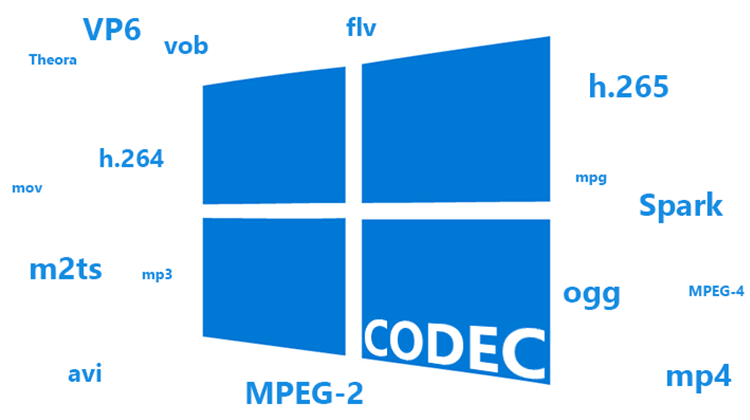
Let’s start with the analysis of the name that is the result of the union of two words CODer and DECoder. In fact, through the codecs it should be possible both to decode multimedia, audio or video files, as well as to create them.
In reality, codecs do not always allow file creation and the reason is often legal or commercial in nature.

Codec

Its internal functioning is usually very complex, due to
to the nature of the processing they must perform. While the
The purpose is to allow the expansion capacity of the different players, so that they can see or let us listen to the content of the files written in a format that they did not understand at the time of their launch.

Codec

Regardless of the file format, the content is always the same, that is, a movie or audio, intended to be played.
So it was decided to introduce an additional software layer between the file and the player, which filters access to the file itself and that
always makes the player “see” the same type of object even if the file format varies.

In order to use codecs, you first need to know
its existence, which is why in Windows systems there are
parts of the log file, which collect information
on the different multimedia filters installed. Generally, your
Interaction with players is done through COM interfaces.
Simply put, when we tell our favorite player to open a media file, it will do nothing more than retrieve the list of installed codecs and try to open the file with
each. If one of the codecs is successful, the player will use it
to show us or listen to the file.

As we have seen, its use is completely transparent for the user and is completely managed by the player. Some players even manage the installation of the necessary codecs. However, it is also possible to install them manually. On Windows systems, codecs that use COM technology are generally in the form of DLLs that must be registered, a procedure that involves entering all public interfaces of the codec in the registry file.
To do this, you need to run the command
“Regsvr32 <dll name>” while uninstalling it
just add the “/ u” option to the first command.

Other operating systems use some interprocess communication mechanism other than COM, but the structure does not change. That is, it is always a filter to access the file.

The existence of different formats and related CODECs arises for technical and commercial reasons. Different multimedia companies usually prefer to define their own encoding formats, to optimize their use by their applications.
And in addition to this, by defining their own format, they are not obliged to pay user licenses
. This mainly applies to file generation; in fact, many codecs are simply decoders.

In this way, companies can add read support for various formats to their applications at no additional cost, while using their proprietary format for saving.