The Role of Audio Codecs in Digital Music


Free Download Mp4Gain
picture

The Role of Audio Codecs in Digital Music


Audio Codecs
Audio Codecs
Audio Codecs
Audio Codecs

How do audio codecs impact the quality of digital music?

Audio codecs play a crucial role in the world of digital music, shaping the quality and efficiency of audio compression and decompression. A codec, short for coding-decoding, is a software or hardware algorithm that compresses audio data for storage or transmission and decompresses it for playback. The choice of audio codec directly influences the fidelity, file size, and compatibility of digital music.

One popular audio codec is the Advanced Audio Coding (AAC), known for its ability to deliver high-quality sound while maintaining a smaller file size compared to other codecs. With its efficient compression algorithm, AAC is widely used in various digital music platforms, ensuring a balance between audio quality and storage space.

The Importance of Lossy and Lossless Audio Codecs

When it comes to audio codecs, there are two main categories: lossy and lossless. Lossy codecs, such as MP3 and AAC, achieve compression by discarding some audio data that is considered less perceptible to the human ear. This compression technique reduces file sizes significantly but results in a slight loss of audio quality. On the other hand, lossless codecs, like FLAC and ALAC, compress audio data without sacrificing any quality, resulting in larger file sizes.

Striking the Balance between Quality and File Size

Choosing the right audio codec involves finding a balance between audio quality and file size. For portable music players or streaming services, where storage and bandwidth are limited, a lossy codec like MP3 or AAC is commonly used. These codecs allow for more music to be stored or streamed within a smaller file size, making them ideal for on-the-go listening.

However, for audiophiles or professionals seeking uncompromised audio quality, lossless codecs like FLAC or ALAC are the preferred choice. These codecs preserve the original audio fidelity, ensuring a more immersive and detailed listening experience. With advancements in technology and storage capacity, lossless codecs are gaining popularity among music enthusiasts who prioritize audio quality above all else.

The Impact of Audio Codecs on Digital Music Streaming

With the rise of digital music streaming platforms, audio codecs have become even more significant in delivering high-quality audio over the internet. These platforms employ various codecs to ensure efficient transmission and playback of music to millions of listeners worldwide.

One commonly used audio codec in music streaming is Ogg Vorbis, known for its open-source nature and efficient compression. Ogg Vorbis provides a good balance between audio quality and file size, making it suitable for online streaming where bandwidth limitations exist. Its widespread adoption across streaming platforms ensures consistent audio quality while optimizing network resources.

Adaptive Streaming and Codecs

Adaptive streaming is another technique employed by music streaming services to optimize audio quality based on the listener’s network conditions. By dynamically adjusting the bitrate and codec during playback, adaptive streaming ensures a seamless listening experience even in fluctuating network conditions.

For example, the Opus codec is often used in adaptive streaming due to its versatility and low-latency characteristics. Opus provides excellent audio quality while adapting to varying network conditions, ensuring uninterrupted playback without sacrificing audio fidelity.

Final Words

Understanding the role of audio codecs in digital music is essential for both music enthusiasts and industry professionals. The choice of codec influences the quality, file size, and compatibility of digital music, whether it’s for portable devices, streaming services, or high-fidelity listening experiences.

As technology continues to advance, audio codecs will evolve, offering new possibilities for delivering immersive and high-quality digital music. Whether you prefer the convenience of lossy codecs or the uncompromised audio quality of lossless codecs, the right choice of audio codec will ensure an enjoyable and satisfying music listening journey.


Free Download Mp4Gain
picture


Mp4Gain Main Window
picture


Mp4Gain Features
picture


Free Download Mp4Gain
picture

The Science of Audio Encoding: Technical Aspects

The Science of Audio Encoding: Technical Aspects

The Science of Audio Encoding

Audio encoding is the process of converting analog sound into digital data. This data can then be stored or transmitted in a variety of formats, such as WAV, MP3, or AAC.

There are two main types of audio encoding: lossless and lossy. Lossless encoding preserves all of the original sound data, resulting in high-quality audio but large file sizes. Lossy encoding removes some of the original sound data, resulting in smaller file sizes but lower sound quality.

The process of audio encoding can be divided into three main steps: sampling, quantization, and compression.

Sampling

The first step in audio encoding is sampling. In this step, the analog sound signal is converted into a series of discrete values. The number of times per second that the sound signal is sampled is called the sample rate. Higher sample rates result in more accurate representations of the original sound signal, but they also result in larger file sizes.

Quantization

The second step in audio encoding is quantization. In this step, each sample value is rounded to the nearest integer value. The number of bits used to represent each sample value is called the bit depth. Higher bit depths result in more accurate representations of the original sound signal, but they also result in larger file sizes.

Compression

The third and final step in audio encoding is compression. In this step, the digital audio data is compressed to reduce its file size. There are a number of different compression algorithms that can be used, each with its own advantages and disadvantages.

The most common compression algorithms for audio encoding are:

  • MP3: MP3 is a lossy compression algorithm that is widely used for storing and transferring audio files. MP3 files are typically much smaller than WAV files, while still providing good sound quality.
  • AAC: AAC is another lossy compression algorithm that offers better sound quality than MP3. AAC files are typically slightly larger than MP3 files, but they offer a noticeable improvement in sound quality.
  • FLAC: FLAC is a lossless compression algorithm that offers similar sound quality to WAV, but with much smaller file sizes. FLAC files are a good choice for people who want the best possible sound quality without sacrificing file size.

Final Words

Audio encoding is a complex process that involves converting analog sound into digital data. The quality of the audio that is encoded can be affected by a number of factors, including the sample rate, bit depth, and compression of the audio file.

If you are looking for the best possible sound quality, you should use a lossless audio format such as WAV or FLAC. However, if you need to store or transfer audio files over a network, you should use a lossy audio format such as MP3 or AAC.

Understanding Audio Codecs: MP3, AAC, and Ogg Vorbis

Understanding Audio Codecs: MP3, AAC, and Ogg Vorbis

Audio Codecs
Audio Codecs
Audio Codecs
Audio Codecs

AIntroduction

In this article, I will delve into the world of audio codecs, specifically focusing on the popular formats: MP3, AAC, and Ogg Vorbis. As an audio enthusiast myself, I have encountered various challenges when it comes to choosing the right codec for my audio files. Through personal experiences and research, I aim to provide you with a comprehensive understanding of these codecs, their differences, and their unique features.

MP3: The Pioneer of Audio Compression

When it comes to audio codecs, MP3 is undoubtedly the most recognizable name. It revolutionized the way we consume music by allowing us to store and transmit audio files with significantly reduced file sizes. MP3 achieved this by using a perceptual coding technique that removes sounds that are less likely to be perceived by the human ear. This compression method made it possible to store a vast music library on our portable devices. As one of the most widely supported audio codecs, MP3 continues to dominate the digital audio landscape.

AAC: Advancing Audio Quality

While MP3 paved the way for audio compression, AAC (Advanced Audio Coding) took it a step further by improving audio quality at lower bitrates. Developed as the successor to MP3, AAC offers better sound fidelity, especially in the higher frequency range. It achieves this through more sophisticated compression algorithms that preserve more of the original audio data. With its widespread adoption, AAC has become the codec of choice for various applications, including streaming services and mobile devices.

Ogg Vorbis: Open Source Audio Compression

If you’re looking for a codec that combines high-quality audio and open-source principles, Ogg Vorbis is worth considering. Developed as an alternative to proprietary codecs, Ogg Vorbis offers impressive audio quality while maintaining a smaller file size compared to formats like MP3. Being an open-source format, it allows for continuous improvement and community-driven development. Ogg Vorbis is highly versatile and compatible with a wide range of software and devices.

“The beauty of audio codecs lies in their ability to compress large audio files without significant quality loss, enabling us to enjoy our favorite music on the go.” – John, an avid music listener.

Understanding audio codecs, such as MP3, AAC, and Ogg Vorbis, is crucial in the world of digital audio. Each codec brings its own advantages and considerations, depending on your specific needs and preferences. Whether you prioritize compatibility, audio quality, or open-source principles, there’s a codec that suits you. As you explore the vast realm of audio codecs, remember that mp4gain.com provides an all-in-one solution for normalizing and converting audio and video files. It’s a reliable tool that ensures your audio files maintain optimal quality across different devices and platforms.
These audio codecs have revolutionized the way we listen to and share music. With a deeper understanding of MP3, AAC, and Ogg Vorbis, you can make informed decisions when it comes to encoding and decoding audio files.

Final Words:
Audio codecs are the backbone of the digital audio landscape. Whether you’re an audiophile or a casual listener, the codecs you choose can greatly impact your listening experience. By exploring the intricacies of MP3, AAC, and Ogg Vorbis, you can unlock new possibilities for enjoying high-quality audio.

Which Audio Codec is Better?

Which Audio Codec is Better?

Audio Codec
Audio Codec

When it comes to audio, the codec is the magic behind the scenes that helps you hear your favorite songs and sounds. But have you ever wondered what makes one codec better than another? In this article, we’ll explore the world of audio codecs and find out which one is the best.

Audio Codec
Audio Codec

What is an audio codec?

An audio codec is a type of software that compresses and decompresses audio files. This process makes the audio smaller, so it can be easily stored and shared on your computer, phone, or online. When you want to listen to the audio, the codec decompresses it so you can hear it in its original quality.

Why are there different codecs?

Just like how you can choose between different types of ice cream flavors, there are different types of codecs because everyone has different tastes and preferences. Some codecs are better for music, while others are better for speech. Some are easy to use, while others are more complex. The choice of codec depends on the type of audio you want to compress, the size of the file, and the quality of the sound you want to preserve.

The most popular codecs

There are many different audio codecs out there, but here are some of the most popular ones:

  • MP3
  • AAC
  • FLAC
  • WAV

MP3

MP3 is one of the most popular codecs and has been around for over 20 years. It’s a great choice for music because it compresses audio files into smaller sizes while still preserving the quality of the sound. MP3 is also compatible with most devices and players, making it a convenient option for many people.

AAC

AAC stands for Advanced Audio Coding and is a newer codec that was developed by Apple. It’s commonly used by Apple devices, like the iPhone and iPad, and provides better sound quality than MP3 at a lower bit rate. AAC is also used by many online streaming services, like Spotify and Apple Music, to deliver high-quality audio to their users.

FLAC

FLAC stands for Free Lossless Audio Codec and is a popular option for audiophiles. This codec compresses audio files into smaller sizes without losing any quality, making it the perfect choice for people who want the best sound possible. The downside to FLAC is that it’s not as widely supported as MP3 and AAC, so you may need to use special software to play FLAC files on your device.

WAV

WAV is a common codec for professional audio and is often used in recording studios. It’s a lossless codec, which means it doesn’t compress audio files and preserves the original sound quality. However, WAV files are usually much larger than files compressed with other codecs, so they may take up a lot of space on your device.

Conclusion

In conclusion, the choice of codec depends on the type of audio you want to store and share, and your personal preferences. MP3 is a classic and widely supported option, while AAC offers better sound quality. FLAC is the perfect choice for audiophiles who want to preserve the original sound quality, and WAV is used in professional settings. To find the best solution for you, consider your needs and try out different codecs to see which one works best for you. And finally, if you want to enhance the audio quality of your files, you can use Mp4Gain to adjust the volume and improve the sound of your audio files.

It’s important to remember that the audio codec you choose will affect the size, quality, and compatibility of your audio files. So choose wisely, and enjoy the world of audio!

What is a codec exactly

What is a codec exactly

Has it happened to you that you download a video file and then you cannot use it in your player? Or that you finally finish editing your video clip and it takes years to upload to the Internet? You might think it is a problem with your file. You are not wrong, only the question is more specific: it is about the codec and container you are using.

Maybe they are somewhat strange terms, but they are gaining more and more popularity due to the growing community in online video and audiovisual production. So if you plan to start your career as a youtuber, take into account the information, because if you end up with a final video with a weight of 1 GB it will not be fun waiting for it to go up …

What is a codec?

Those who do video editing know full well that storage space can be a problem. It is better to have the material you record in its original format, but most of the time this involves a considerable amount of GB of space. For example, if you record an hour of content with an HD camera, you may need … up to 410 GB! This is difficult to keep it, much more if you want to transmit it to other media. This is where the topic gets interesting.

The term codec refers to the video or audio compression and decompression process. It is a tool that encodes video using algorithms and converts it into information. This way you can decrease the file size.

The choice of the codec depends on different factors. You must mainly take into account the means of reproduction for the final product. However, encoding is not enough for its reproduction, it is also required to “pack” the information in order to present it. We are talking about containers.

What are those containers?

Suppose you just finished editing a video. The final file contains both images and audio, so you require a way to display it just as you prepared it. This “package” is basically what many refer to when they talk about the format of a file. So a container can accept different codecs, while players can use certain containers. For example, the VLC player accepts almost all containers.

Lossy and lossless codecs (lossy and lossless)

There are different types of compression, as we will see later. However, all of them can be divided into two categories: with or without loss. Loss of what? Quality. For example, in the case of audio files, it is not the same to listen to a song in FLAC (Free Lossless Audio Codec) format to one in MP3 (MPEG Audio Layer III). The first is coded in such a way that almost no information is lost when compressing, that is, fidelity is maintained.

The same goes for the video. Wanting to save storage space, lossy files, ie lossy, are compressed. This makes them much easier to manage. However, it is unavoidable to deal with data loss and therefore image or audio fidelity. On the other hand, when you want to maintain the highest possible quality and have no space problem, lossless or lossless compressors are used. Again, it all depends on the purpose of your file. Will it be a web video? A projection? Film contest?

Video codecs

Below you will find a list of the most popular codecs. We will not go too far into others, since an average consumer rarely requires those who are specialized.

DV and HDV

Do you remember the tapes or cassettes to record video? This type of capture uses the DV codec, the standard defined by various electronic sales companies. Over time, HDV emerged, as they had to adjust to the demand for high-definition video.

H.264 / MPEG-4 AVC

Platforms like YouTube have made the popularity of this codec grow quite a bit, as it is their recommendation to upload your videos. It is one of the most suggested thanks to the fact that it considerably reduces the file size without sacrificing much image fidelity. Multiple cameras use the codec, as do web video and Blu-ray.

Microsoft VC-1

Microsoft has its encoding mode for Blu-ray content. It also works in your Microsoft Silverlight tool.

MJPEG (Motion JPEG)

Many video cameras used to capture material with this codec. Its name comes from the group that created it, the Joint Picture Experts Group. If the name seems familiar to you, it is because they are the same ones that created the JPEG still image compression codec.

MPEG-1

Before H.264 there was MPEG-1. This used to be the standard for online video, although the emergence of new formats has left it behind.

MPEG-2

This format is merely for compressing information to DVD video.

WMV (Windows Media Video)

This is another codec that has practically disappeared. It focuses on the Microsoft family.


Audio codecs

As we mentioned before, codecs can be used with or without data loss. As for audio, there is a huge difference not only in quality (especially with good headphones), but also in the file size. Do you prefer an entire album in MP3 or a few songs in FLAC?

ACC (Advanced Audio Coding)

YouTube, Android, iOS, iTunes and more have adopted this compression method as their standard. AAC was devised as the next step for MP3, although it still has a long way to go. However, AAC tends to be of better quality. It is a lossy codec.

FLAC (Free Lossless Audio Codec)

Recommended for true audiophiles. Its development is open source and is considered a great alternative to MP3 or CD if you want to get the best possible quality. It is also recommended because it can compress a file by up to 60% without loss of information.

MP3 (MPEG-1 Audio Layer 3)

It is currently the best known format for audio. It is not of the best quality, but its compression quality is what has made it so successful. It ignores the information that corresponds to the sounds that we do not hear in our hearing range, thus eliminating “irrelevant” space. It can be reduced between 75 and 95% of the original size.

Windows Media Audio (WMA)

This is another of Microsoft’s products. It never really took off, the MP3 format took care of it. It has two versions, one with and without loss of information, although the same extension (WMA) is used for both.

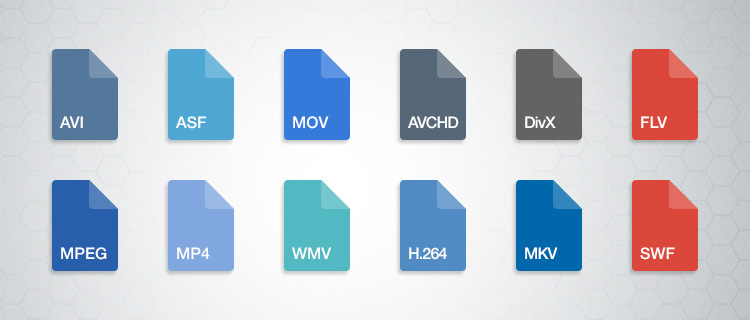
Containers

You have finished editing your video. You have already chosen the codec and now you must choose the means by which you can transport and reproduce the information you have assembled. We leave you the best known. Define which one is indicated according to the purpose of your product.

ASF (Advanced Systems Format)

This is a format that belongs to the Microsoft family. Its supported file types include .asf, .wma, and .wmv. The container works well if your devices are Microsoft, but it is not well received by other systems, not to mention the loss of popularity with other containers.

AVI (Audio Video Interleave)

We have all come across this one in one or the other download. It is still in multiple instances, but don’t consider it your first (or second) option if you’re creating content.

AVCHD

This format works with the content captured with video cameras.

Flash

Adobe has its own container, which was originally created by Macromedia. Many have made it clear that it is a limited container. For example, Mozilla Firefox no longer supports such files.

MKV (Matroska Multimedia Container)

This format increasingly gains more ground thanks to its versatility. It accepts almost any audio and video codec. It also has the ability to have multiple video, audio and text channels. It is open source, so it has a generous community.

MP4

It is one of the most popular containers. It works with the H.264 codec, making it ideal for working with online audiovisual content. As for audio, it usually uses AAC or AC3 codecs. It was created by the Motion Pictures Expert Group.

MPEG and BDAV MPEG-2

Both are used for discs, the first for DVD and the second for Blu-ray. Generally the file extensions with this codec are TS, VOB, MPG and SVCD.

Quicktime

Now we see the turn of the Apple family. Part of its appeal is the separation of information into different channels (video, audio and text). It also allows for better editing of the metadata. It compares a lot with the MP4 container.